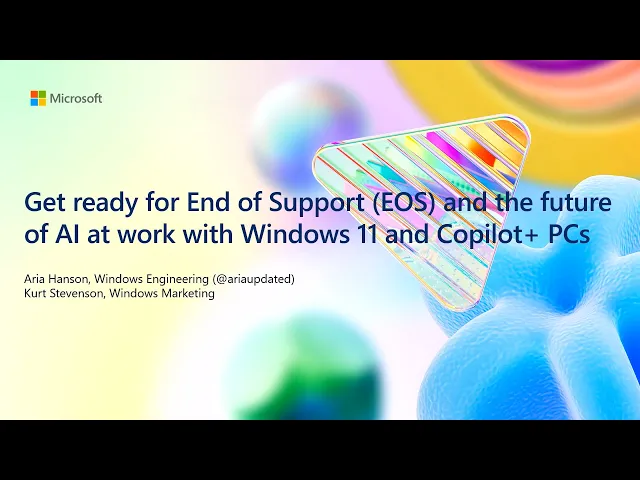
[Music] awesome hello everybody Welcome to our breakout end of support and the future of AI at work with Windows 11 and co-pilot plus PCS it's amazing to see so many of you here um I'm sure everybody said it so far as well but I love being back at ignite um it's such a great contingent and energy from from that iners audience so thank you for being here and thanks everyone for being here online as well so uh my name is kit Stevenson I'm a director of Windows marketing um and it's been amazing to meet with
you and interact with you over the past couple of days everything happening across the keynote the Showcase if you haven't visited us with the co-pilot plus PCS come over to the hub and all the other events that are happening across ignite I hope you're seeing the energy from Windows this year especially because I think we're in a real inflection point with Windows um especially with the product and kind of where we're heading Windows was our very first product and for over 40 years we've relentlessly innovated on this platform it's the foundation that powers the majority
of of the modern Computing experiences around the world our vision for the future of Windows is rooted in the belief that technology should Empower every person and every organization on the planet to achieve more this vision is most evident in our efforts to make Windows the best PC architecture in the world innovating from every layer from the chip to Windows to the cloud together windows with Microsoft 365 and co-pilot combined with the power of azure to bring and train your own AI models has kind of completed this full AI at Works solution stack and you've
shared a lot of the the challenges and opportunities that you are facing I think the r of AI has made your roles as it and Technology leaders even more critical in your organization's success key trends like obviously generative AI machine learning and automation are all transforming your business operations there's also a growing Focus that you've been asked to lead on sustainability and employee well-being we're also dealing with economic uncertainty Rising cyber secur threats and the pressure to keep up with change and competition to navigate these issues you need an operating system and an IT platform
that supports AI Readiness scalability realtime insights and robust security it must be compatible with existing tools and pro processes helping gain you gain new capabilities while maximizing your current Investments and so today ARA and I want to walk you through how windows can help solve some of those challenges and take advantage of those opportunities to transform your business where they are gu at the end of this breakout I want you to kind of understand three things first Windows is the best operating system in the world helping you solve challenges and take advantage of those opportunities
second we're helping you get to Windows 11 before end of support of Windows 10 to help unlock the benefits of that modern operating system and finally with AI woven across windows and Microsoft 365 especially on our new co-pilot plus PCS you can unlock new levels of productivity and satisfaction for your employees let's get started with the power of Windows 11 Windows is the platform that unites your estate across apps Services cloud and experiences we released Windows 11 3 years ago and since then we've been listening to you and your employees to continue to make it
even more secure faster reliable compatible and manageable and we're excited to continue to build and innovate on the Windows 11 platform based on your feedback so keep it coming this is also the reason why millions of customers around the world have already transitioned to Windows 11 customers like the NHL team Calgary flame who Moved their entire Workforce and Stadium operations to take advantage of the streamlined combatible and productive employee experience or customers like carlsburg who moved to Windows 11 to take advantage of the most secure version of Windows ever those of you who are already
on Windows 11 you're seeing a lower total cost of ownership and ultimately a higher return on investment across your state those of you that are there already are seeing 250% return on your investment over 3 years and that's because Windows 11 you and your employees see a 62% drop in security incidents an 80% drop in help disc tickets it departments are reporting that they are seeing 25% increase productivities and employees are saying they're getting through demanding workloads 50% faster this is incredible and it's exactly why Windows 11 is the best operating system we have ever
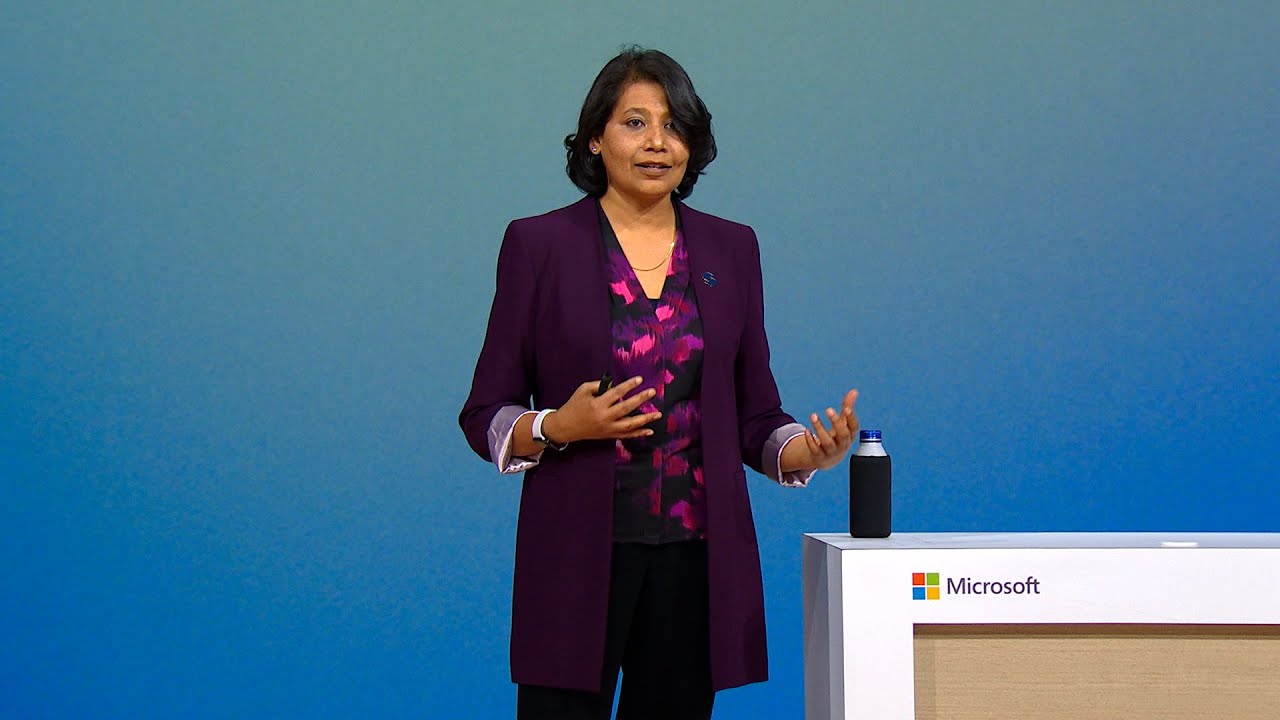
made so to take you through some of the the things that we've done to achieve that and unpack it with a little bit of technical depth I want to invite ARA from our product team to walk you through our investment starting with security hello all my name is Arya I am a product manager on our engineering team focused primarily on Windows updates and co-pilot plus PCS so I'm thrilled to be here today to talk to you about both of those things starting with Windows 11 and security Now Windows 11 is the most secure Windows OS
we've ever released and with each release of Windows 11 we're making it more and more secure by adding additional capabilities and functionalities Windows 10 has a lot of security features but as it you have to go in and enable those features this means that you're still open for threats until you've actually configured them with Windows 11 given the emerging threat landscape we're changing that we're working to make sure that Windows 11 devices are secure out of the box without any it configuration needed now we actually receive billions of security signals every single day and we're
continually engaging with experts in the field and in the industry to understand what are the emerging threats what are the patterns what are we seeing from these signals and really we see common attack vectors across three main areas users and apps running as admin running unverified apps and drivers and credential theft so we've been doing a lot of to try and address those three key areas and shut down those attack vectors so that Windows 11 devices can stay secure we have new features and functionality like admin protection smart app control win32 app isolation and all
of the other protections we are continually adding to Windows 11 to make sure that we are addressing the ever growing threat landscape and keeping you and your devices secure not only that but something I personally am super duper proud of is the fact that on Windows 11 security updates are 40% smaller this makes it faster for folks to download and install those updates enabling you to be F patched faster additionally we just announced at ignite that we are bringing hot patching to client devices this feature takes all of those security and critical fixes that are
in a typical monthly security patch Tuesday quality update and it packages them in such a way that they can be applied onto the device without the need for a restart this not only gets you secure up to 60% faster but it also enables your users to do more and stay productive without the need to restart let's check it out you'll see here actually through InTune and using Windows autopatch you'll be able to opt into hot patching for Windows 365 or client devices this then enables the device to go and scan download install and apply all
of those security fixes without ever restarting this is super powerful if you think about things like compliance deadline and grace period you don't need to wait for the user to automatically restart overnight or to take action or see notifications it just happens automatically in the background and if they go to the settings page they'll even see that it completed successfully and they're there now protected so not only is Windows 11 the best Windows OS in my opinion but we also want to make it sure it's really easy for you and your company to move there
one key piece of feedback we have heard from a lot of folks is setting up a new device can take a long time and one of the things we are now bringing to commercial to enable it to actually take less time is backup and restore this enables you with your Entre ID to actually save things like your settings and configurations so that they're seamlessly transferred from one device to whatever your next devices helping you get back to work on your new device in less time and whenever we're talking about moving to Windows 11 this is
something I help customers with all the time you can do this with any management tool you can do this on Prem you can do this on the cloud obviously we want you to move to the cloud but you can use configuration manager in tune whatever third party management tool you have to move devices from Windows 10 to Windows 11 with an inplace upgrade it's seamless and to be very clear windows 10 and 11 actually share the same version number they both start with 10.0 this means that they're 99.7% app compatibility rate because the version numbers
the apps are checking are identical at the beginning of them you can truly think of it as the best version of Windows 10 that was ever released now regardless of how you're choosing to manage updates we highly recommend that you move to Windows 11 far ahead of the end of service of Windows 10 that's coming in October of next year as a reminder please move now and save yourself time later as part of that transition you likely have devices in your organization that don't meet the security Hardware Baseline for Windows 11 and so there are
three main things that we recommend you doing with those devices the first is to refresh them whether you're using a 3 to 5 year Hardware refresh cycle trying to refresh these devices to those already actively running Windows 11 is going to be your best course of option and we do have many programs whether through oem's Partners or through Microsoft store to trade in and sustainably recycle or repurpose those devices the second option is you can go and get Windows 365 and apply it onto your Windows 10 devices not only does this allow users to take
advantage of the Great Windows 11 capabilities but you get extended support updates without any additional costs keeping the device secure finally we will be enabling you to purchase extended support update agreements so that you can apply it to the Windows 10 device to keep it secure as well now we encourage you to move as quickly as you can to the first two because Windows 11 is far more secure as we talked about than Windows 10 now for those of you who are looking for what device should I choose as my refresh device Choice let me
bring up Kurt who's going to talk to you about which device options you should pick hint it's co-pilot plus PC sweet thanks Arya so Windows 11 is incredibly powerful and it's only just the start we can unlock even more value for employees by combining windows with powerful new neuro processing engines that can process up to 40 trillion operations per second just like our new co-pilot plus PCS this allows us to build and run new AI experiences that are enrich employee workflows in profound ways with AI when you combine the power of Windows 11 on co-pilot
plus PCS with the productivity of Microsoft 365 you start to unlock the true promise of computing to empower every employee in new and incredible ways co-pilot plus PCS are a new category of devices they're the next evolution of AIP PCS put simply they are three things first they're the fastest and most intelligent and secure Windows PCS that we have ever built second they give you access to the most advanced AI available with Microsoft co-pilot and then finally they introduce all new productivity creativity and communication capabilities built utilizing the full power of the windows co- pallet
runtime and the neural processing units that are built into these devices what's awesome is that we can back this up with claims as well these devices get 22 hours of battery life in the real world that's easily more than a than a full workday second day are two times faster at AI processing than the than the MacBook M3 and they are simply the best Windows PCS that we have ever built we've been working super closely with our silicon and our OEM Partners to make sure that these devices are the best things that we've ever made
they're also the most secure PCS that we have ever made we raised the minimum Hardware Bar to be classified as a co-i co-pilot plus PC and we require them to ship as secured core PCS by default along with the Microsoft plon security processor what that means is that we create an incredibly secure and hardened PC that allows us to not just protect the actual device but to also protect the experiences that we create on top of co-pilot plus PCS now we're still doing some amazing stuff in Windows 11 you saw a lot of what Arya
just showed you um with you know Hot Patch and and backup and restore uh and you know all of those productivity gains you still get across all of your newer Windows 11 PCS but to take full advantage of this new AI error at work you need a co-pilot plus PC we have innovated every layer of the co-pilot Plus PC stack we took the chance to actually re architect some of the underlying systems in Windows what this means is that it has a huge impact to critical applications that your employees use every day my favorite example
is the work we did with teams to optimize teams and co-pilot plus PCS to run just incredibly fast in fact co-pilot plus PCS are the most performant endpoint for Microsoft 365 on the planet with co-pilot plus PCS you you are future reading your organization to take advantage of hybrid AI across features across cloud and local us as well as our isv partners continue to take advantage of these benefits across cloud and local to be able to create these new experiences we launched this category back in May and the response has been really energizing across hundreds
of conversations that me and my team have had we're hearing the EXC excitement that the PC industry is finally changing and Reinventing ourselves really for the first time in in 10 years and now this week at ignite we are taking these new PCS even further for business with new features specifically designed for you and your employees I'll get Arya to come back and show some of these amazing new features and their value but before then let's take a look he [Music] [Music] [Music] [Music] [Music] [Music] [Music] go [Music] you [Music] [Music] [Music] awesome uh so
why why do we build these things we often talk about the power of the cloud we talk about how amazing cloud compute is how good it is at running really complex models or large language models for complex tasks in its ability to do things across different data within your organization obviously secure within your tenant boundaries but we can actually take that a step further with co-pilot plus PCS and the ability to run models not just in the cloud but locally on the device this enables us to actually have real-time context reduced latency and do those
simpler functionalities that actually benefit from functioning locally on the device without requiring a significant amount of power or eating up your processing this is really the essence of hybrid AI is how do we combine the power of local and Cloud models to enable you to do more now we are really focused on investing in three different areas the first area is enabling you to find information faster this is something we spend most of our time at work trying to do find things that we've previously seen saved or looked at the second is do everything you're
already doing but in fewer amounts of clicks and the third is enabling more effective communication and making sure windows is available to all users in the planet and available to you regardless of how you interact with your device let's start by looking at how we're improving the ability to find things on a device specifically improved Windows search how many of you have had that moment where you're looking on your computer and you're trying to find something where you remember some aspect of the setting the photo the file but you have absolutely no idea idea what
you actually named it when you saved it a month ago okay so good most of you not all but it's okay with copilot plus PCS you actually able now to find that file in a much faster way through natural language interaction this also helps for things like if you're trying to search for the Bluetooth set setting and misspell it we'll find that as well just describe what you're looking for and improved Windows search finds it search today on your device is actually using lexical search what this means is it's doing character matching based on your
keyword and it's saying okay you typed in the word dog dog I'm going to see what titles have the word dog in them and it will do a match one to one with improved Windows search it's actually doing semantic searching this means it's not just looking at your lexical comparison but what you're trying to get at so for example with improved Windows search I could search for something like dog and get back documents containing stories about puppies photos of my Bernie's mountain dog that were labeled puppy in the snow or other random things without actually
needing to remember what the file's name was let's check it out you'll see here in file explore that you actually can search not just across your device but any of the active files that you've looked looked at this means that you can search across your one drive for business your local device files your photos as well and TR to actually find anything that meets the essence of what you were searching for this is super powerful in terms of enabling you to save time finding the files that you've previously looked at another really good example is
Recall now one of my favorite parts of my job believe it or not is talking to customers like you and especially getting yelled at by customers like you when we are doing something where we need to improve or do better and recall is an amazing example of the power of your feedback through conversations with hundreds of it admins over the last few months we've really understood a better what we need to do to make our product meet your needs and specifically with recall that starts with recall being not just off but disabled and removed from
the device by default for commercial especially for those who do choose to enable recoil in their environments we are really excited to put privacy sorry data privacy and security at the Forefront of everything that we're building this means that snapshots and any Associated information is stored on the device always encrypted and the encryption keys are protected via the trusted platform module or TPM which is tied to a Windows hello enhanced sign and security identity for un encryption which means it really can only be used by operations within a secure environment called a virtualization based security
Enclave or VBS Enclave VBS enclaves use the same hypervisor as Azure to segment the computer's memory into special protected areas where that information can be processed using zero trust principles code in these enclaves can use cryptographic attestation protocols to ensure that environment is secure before performing sensitive operations such as snapshot processing now essentially you can think of everything I just said as though your data is being put into a safety deposit box and the only thing that gets that data unencrypted or out of the box is your face or your fingerprints or your windows Hout
ESS signin and this is super important to make sure that your data is your data and nothing else has access to it additionally not only have we made sure that your data stays secure but we also wanted to ensure that it admins have the controls they need to actually sorry just not playing the Right video uh we also wanted to make sure that itm have the controls that they need to manage recoil in their environment this means things like website control app control control over how long that data is stored on the devices in addition
to whether or not you want to allow your users to opt in to using may call along with all of these protections we've also added Microsoft classification engine or MCE the same technology leveraged by Microsoft perview to ensure that credit card numbers Social Security numbers Etc are not recorded by default by recall to ensure that that sensitive data isn't even put into the box now your feedback here has been critical and really these controls are built based on the things that you keep telling us so my ask to you all watching online in the room
is please continue to give us feedback please continue testing and letting us know what works what doesn't work you can reach out on Tech Community you can reach out in person you can even reach me directly on Twitter with or sorry X ARA updated anytime I'm happy to respond now whether or not you choose to enable recall in your organization it's an amazing example of the power of the neural processing units on these co-pilot plus PCS and what they can provide now why why local think about a case like recall where you use your device
maybe 10 hours a day for 6 months that's gigabytes and gigabytes of data if you were to process that in the cloud you'd be sending up that information which depending on your bandwidth connection could take hours and hours of time then sending your request to query it and getting a response it may also include data that you don't want sent up to the cloud like hours of me playing civilization 6 or me and some of the local documents I have that due to compliance reasons can't be uploaded even to Microsoft's tenant due to these things
processing them locally on the device Ena us to do things much more efficiently that were never going to be possible in the cloud now that's all about how we search and how we search better but we also are looking at how do we simplify your workflow and this really starts with Microsoft 365 on each of these devices they all come equipped with the co-pilot key which will open your Microsoft 365 co-pilot and is configurable making it really easy to access access co- pallet whenever you need it not only this but we are looking to bring
a lot of the great capabilities in Microsoft 365 copilot to the local device this is hugely powerful and is starting with Microsoft Outlook with Outlook on a co-pilot plus PC if you have Microsoft 365 co-pilot you'll be able to summarize or rewrite emails all locally on the device not only does this mean that you get those same great cap capabilities while offline on a plane traveling but it also means that this is now available in areas that have Cy executive order compliance needs and really are restricted lockdown government Industries as this allows the Microsoft 365
co-pilot functionality to now run on secure multi-purpose internet mail extensions or smime to get these same capabilities leveraging it no matter what your regulated industry is and finally we're also creating new features to improve collaboration and communication in Microsoft teams one of my favorites is the ability to actually upscale resolution this means if someone's calling me and their bandwidth isn't that great and they're calling me and it's very grainy my device automatically upscales their resolution to enable me to see them clearly another good area that is super important that we're very much focused on is
accessibility and how do we make sure that you can communicate with others across your company and other companies regardless of how they're using their device and one of those first functionalities is in Microsoft 365 documents we are automatically generating alt text for images within those documents this is a huge timesaver both for the person writing the document who would have had to go in and write the actual description of the image as well as ensures that if they're sending this document to someone who's using narrator or reader that they can actually understand what was in
that image because an ALT text is always included of course you can still edit configure and adjust the alt text as needed if you find that the description isn't quite to your liking this brings us to another scenario which is improved reading in Windows today whenever you go to an image in narrator and you have it do the screen rate and you get to a complex image like a graph or a chart what ends up happening is it basically tells you stock image which is possibly one of the worst descriptions for what is there because
you have no idea what that image actually contains with the cop pallet plus PCS we are improving that capability to give a better understanding of what that image is let's take a look as you see here it actually automatically generated a description of this image and gave an in-depth overview of what was being displayed allowing the user to not just hear a stock image but understand that this is a graph comparing different things and showing the progression over [Music] time these experiences are just the beginning and they do matter in terms of making sure that
the devices are enabling user productivity are enabling you to do things in fewer clicks and enabling it to be more accessible for all of the people using those devices and these features are only going to be available on co-pilot plus PCS due to the fact that we need to use the narrow processing unit to run those local AI models without eating into the CPU or the GPU on the device now one of the most powerful examples of these things isn't just what we're doing we're building some features onto the dev device but so are our
partners and one great example of that is dotpad with the Vista app this app is working to empower blind or low vision users to better visualize and interact with different content let's take a look my name is wunan I'm a teacher for the visually impaired like myself the biggest challenge for us is dealing with graphical learning material like verbs charts models or any other visual asset while we're used to understanding complex topics through visualization it's much harder for the 285 million blind and visually impaired people worldwide Toad the first smart T Graphics display it can
display any visual content from any Source because the innovative. image processing technology uses AI to analyze and segment images and dis display them most accurately dop has Universal Contra elements allow you to interact with the content directly on device imagine this with local AI models for image classification the dot Vista app and the dotpad tactile display can let blind students experience the shapes of animals such as the broad wings of a dragonfly and the Majestic humps of an African camel these local AI capabilities are powered by web NN and ort web for co-pilot plus PCS
with npu enabling developers like dot to create AI experiences with reduced cost enhanced privacy and longer battery life they say a picture is worth a thousand words well now I get it J Pota gives a great example of how you can use the neural processing units to build your own application that's leveraging that power to provide previously unavailable experiences or provide experiences that are offloading from the processing power of the CPU if you haven't already got a chance to check it out we're also showing many of these experiences on the Showcase floor or you can
find me and Kurt and we'll demo them for you directly another great example is macafee which really shows how you can Leverage The Power of onscreen context locally on the device to provide a great protection to users who are adapting that device and using it for various purposes let's check it out I'm Dan hun vice president of Business Development at McAfee as a global leader in online protection for consumers we invested and built a smart AI engine capable of discerning real versus fake audio content and videos with the co-pilot plus PC's on device npu Mac's
AI models can analyze and detect deep fakes locally this maximizes user privacy by keeping user data out of the cloud and accelerates detection speeds by up to 300% over cloud-based methods that means that mca's smart AI detection system can tell you in seconds if the video you're watching includes AI generated or manipulated audio every day millions of new videos are added to popular social and streaming sites with Microsoft by our side and thanks to the strength of our joint ecosystem Partners Mac is helping to make sure that you feel confident consuming online content on co-pilot
plus PCS the best part about all of these experiences is that they're backed by Windows co-pilot runtime which enables not just us but also our partners and customers to all build on top of the same set of models that we're making available or bring their own model to Leverage The npu and this really is just the beginning this is the lowest number of features the lowest number of applications that we'll ever have running on the narrow processing unit on the co-pilot plus PCS this is truly a platform where we're looking to enable more capabilities to
enable users and yourselves to do more with that let me invite Kurt back to the stage to talk to you about how to get [Applause] started amazing thank you so much so yeah I really want to kind of bring it together to you at the end so co-pilot plus PCS are available from all of our top OEM so we have Dell HP Lenovo aser Asus Samsung all of those devices oh as well as surface obviously all of those devices you can check out at the Showcase um and they're all commercial ready offerings they're all commercial
uh devices we also have a variety of silicon Partners so we started with Qualcomm with their X Elite Snapdragon X Elite and X+ chipsets but now with Intel announcing their new core Ultra Series 2 processor as well as amd's ryzen AI Pro 300 series uh we have a range of devices and a range of specs to to meet all of your employees needs so whichever silicon or Hardware you choose all C- pallet plus PCS will come with that 40 plus tops npu that will enable your organization to leverage the latest and greatest features as they
are released they will truly set you up to take on what's next one question question we often get asked as well is how is Microsoft doing this how are we taking advantage of all of this new uh features how did we move to Windows 11 how are we bringing arm devices into our organization how are we enabling these new copilot plus PC features and so from our own Ms digital team we invited Sean just to to share with you how we're doing it internally my name is sha McDonald partner director of product management for Microsoft
digital Microsoft's it organization we are often asked how does Microsoft do this in the spirit of answering that question today I'm sharing some insights from our journey from Windows 10 to Windows 11 and our adoption of co-pilot plus PCS our transition to Windows 11 was remarkably smooth and efficient we deployed the new operating system to 190,000 devices in just five weeks making it our fastest and most seamless upgrade ever to accomplish this we adopted a phased ring based approach starting with a small group of knowledgeable users then expanded to a proof of concept group followed
by a pilot and then ultimately to full implementation across the company this method allowed us to identify and address potential issues early on throughout the deployment we leveraged Windows autopatch to fully control the timing and method of updates ensuring devices remained current without disruption the result was a 99.8% incident free deployment across 200 2 25,000 devices globally security and compliance were also top priorities for us our rigorous testing process ensure that every new feature met our high standards before deployment and as customer zero we use and test Microsoft products internally first providing valuable feedback that
helps refine and improve these products for broader Enterprise use with our customers communication was also critical especially regarding Hardware requirements we manag both Windows 10 and windows 11 devices side by side until all of our older Hardware was replaced this transition presented an opportunity for us to adopt co-pilot plus PCS which include neural processing units or mpus that enhance Aid driven features and improve overall performance in battery life we found significant performance improvements on copilot plus devices many of our users on arm devices have even reported battery life exceeding 20 to 22 hours of active
usage these new devices will help save users time and improve productivity through unique capabilities such as improved Windows search reduced latency and select Microsoft 365 co-pilot features running on the mpu and the ability to quickly find content previously seen in summary our strategic phased approach coupled with an effective use of deployment tools and rigorous testing ured a smooth transition to Windows 11 setting a new Benchmark for future upgrades and our ability to replace older Hardware with co-pilot plus PCS has helped us future proof for the development of new features that save users time and make
Windows more accessible at the end of the day our move from Windows 10 to Windows 11 was just as smooth as any other feature update awesome cool so this is just the start the future of business AI on Windows is here and we cannot wait to see what you do with the power and possibilities of Microsoft 365 and co-pilot plus PCS so thank you so much for joining us today I said at the start that I wanted to to leave you with three things so first you saw why Windows 11 is the best operating system
in the world used by over 1 million organizations for its security performance reliability productivity and manageability second you saw that we are working hard to make it easier than ever to move to Windows 11 before Windows 10 goes end of support and finally you saw how you can bring AI capabilities to your employees to make it easier for them to be more productive across windows and Microsoft 365 on co-pilot plus PCS so thank you so much for your time thank you so much for your time today super appreciate you joining us there's much more to
come uh join the head of Windows and devices pvin deuri and his leadership team later today in the windows General Session it's at 2:30 just next door um you'll learn all all about security Windows 11 Windows 365 as including the incredible new Windows 365 link as well as more co-pilot plus PC features so thank you so much for investing your time here today and thank you so much for being on this journey with [Applause] [Music] us e e
![[Webinar] How to Build a Modern Agentic System](https://img.youtube.com/vi/pGdZ2SnrKFU/maxresdefault.jpg)