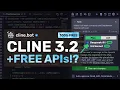
[Music] [Applause] hi welcome to another video so there are some good new Klein upgrades that I wanted to talk about and there are also some new free API models that I've have been using that are quite good with Klein these days so I'll mention that as well so let me tell you everything about it but before we do that let me tell you about today's sponsor ninja chat ninj chat is an all-in-one AI platform that gives you access to more than 10 models like Claude 3.5 Sonet GPT 40 Gemini and even image generation models like
flux and video generation models like cing and much more all in one place for a price that's even cheaper than one chat GPT membership starting at only $11 not just that they have a bunch of AI tools that can help you use these models in intricate ways they have also recently added an artifacts feature to their platform that now allows you to generate code preview it and share it with others using preview links which is great it can even run python code and create charts you can check them out through the link in the description
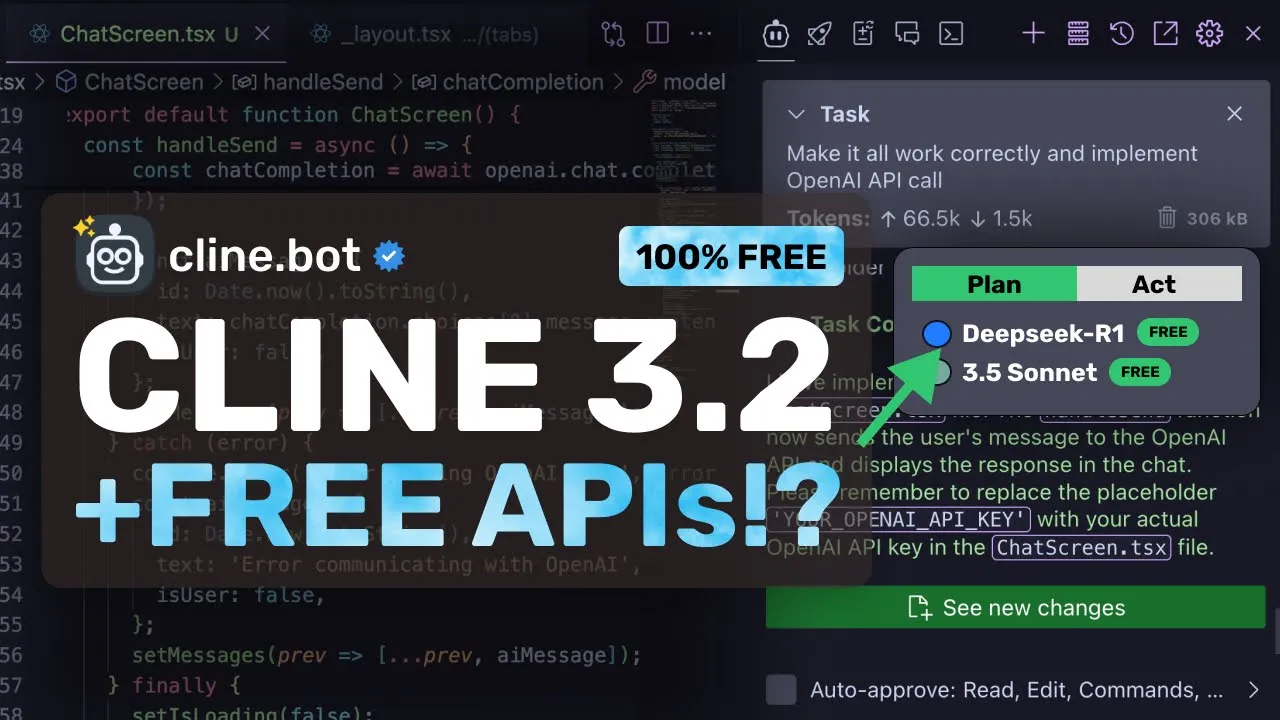
and make sure to use my coupon code king2 to get get an additional 25% off these already great deals now let's come back to the video let's talk about the new upgrades so after the last video I did there have been some simple minor upgrades like the R1 support mol provider support and some other stuff like that but if we look at the main release then there's a new Mode called plan act this is basically a similar implementation of architect and edit mod mode like ader or even rine which did this recently so you'll now
see an option to change the mode of chat through the bottom menu which will look something like this it is a much simpler thing to do rather than rline which I like and it works pretty well there's also a new option to instantly change the API provider and model as well which is something that I really like as well I mean the profiles of rline were good but for simple model changing tasks it was a bit too much and I like this over that because we can easily use this to change models and that's it
we don't need to configure any profiles or anything which is pretty great apart from this there's also the new VSS code LM API provider which is the same as what I showed in rline it allows you to use the GitHub co-pilot models with Klein which means that you can use the 50 free messages that you get with co-pilot for free and if you have the pro co-pilot membership then you can also use unlimited Sonet or even o1 if you wish to which is actually quite good because not only is it cheaper than cursor but also
better since it's unlimited and doesn't have any fast or slow gimmicks so that's good there's also an onoff switch toggle for mCP servers which allows you to disable them when not in use and auto approve setting for individual Tools in mCP servers so this is also great and it allows you to make it even more customized to your needs which is pretty good now let me show you all of this stuff and how it all works first of all open up V s code and here you can just go to extensions and make sure that
you upgrade it to the latest version it also has a new icon so don't get confused anyway now we can see the interface here and the first thing that you can see is that in the bottom you have the plan and act option the plan action will basically just change the mode to architect and it will generate a plan which once created you can then get it change to act and make it implement the changes which is quite similar to rline and ader as well apart from this now you can directly click on the model
name here and you can just easily change the model provider to whatever you want and directly use it from here which is pretty good to say the least because you don't need to navigate to settings and change the same thing from there so this is pretty handy one more thing that you have here is this new VSS Cod LM API as well as well as the mistal API option so in the vs code LM API you can just use the co-pilot models so if you have co-pilot installed on your vs code and once you have
signed in then if you have a free account then you can use the 50 free messages that you get with co-pilot for free and if you have the pro co-pilot membership then you can also use unlimited Sonet or even 01 so that's good you also have the mstr option here which is great because you can now also use the free Mistral API through here as well because previously using it via the open AI compatible didn't used to work as well but now this option is here and it should work well which is great you can
just put in the code eal API key key here and it will do the stuff as required so that's great but now I also want to mention one more API that we can use which is the Deep seek r one free $100 credits API which you'll find at cluster yes they seem to have $100 credits and they have recently added deep seek R1 so these credits should come in handy for free usage you can just get the API key from there and then put in the base URL here along with the model name and also
put in the API key here so this is great if you want to use deep seek R1 for free as well now let me also show you how you can use all these new features first let's go over here now here we can just select the plan option also I'll keep deep seek R1 here now we can just ask it to make a plan I have an expo app here I'm going to ask it to make me a chat interface that uses the open AI SDK and make it goodlooking once we send it you can
see that it will start working on it and if we wait a bit then we have the plan here and it looks pretty good now what we can do is that we can just change the mode to act and now we can just ask it to implement the architect's plan once we send it then you can see that it starts doing the stuff as required if we wait a bit then it's now done you can see that we have the code here and we can now just run it once we do that you can see
that this is here and it works kind of well and you wouldn't have got this in one shot without architect so this is pretty great to see it works pretty well which is what is needed it now has a bunch of good stuff and I really like it now I mean rline is for sure now a quite Advanced version of it but actually it is a little more complex for General users whereas Klein remains simple which allows generally users to use it more effectively so I think that it's great to see that they are getting
the new features implemented that are already available on rine but also making it much more simple to use and not as complex like rline overall it's pretty cool anyway share your thoughts below and subscribe to the channel you can also donate via super thanks option or join the channel as well and get some perks I'll see you in the next video bye [Music]

![Roo Cline Vs Code + DeepSeek R1 + Copilot Sonnet FREE AI IDE [Better than Windsurf/ Cursor in 5min]](https://img.youtube.com/vi/Jg9xDg99Kic/maxresdefault.jpg)