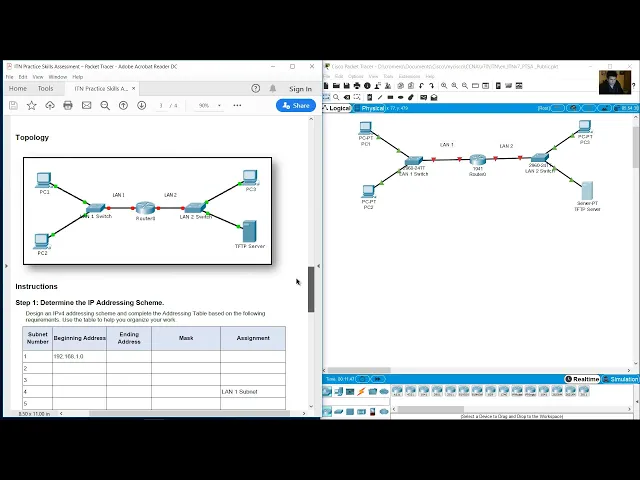
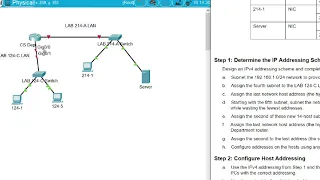
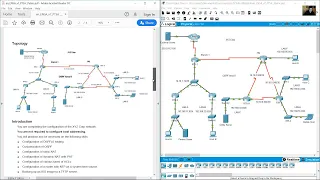
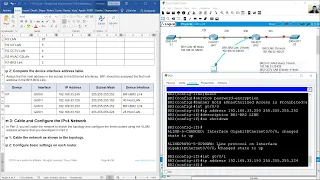
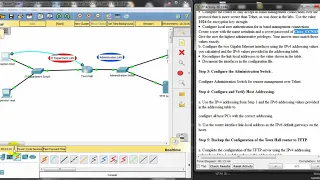
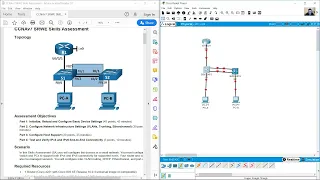
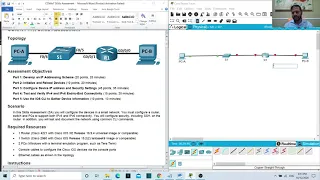
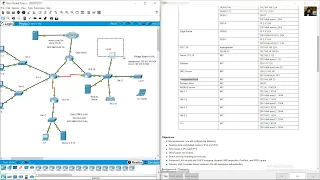
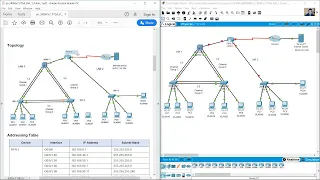
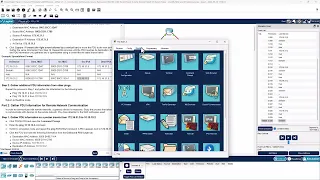
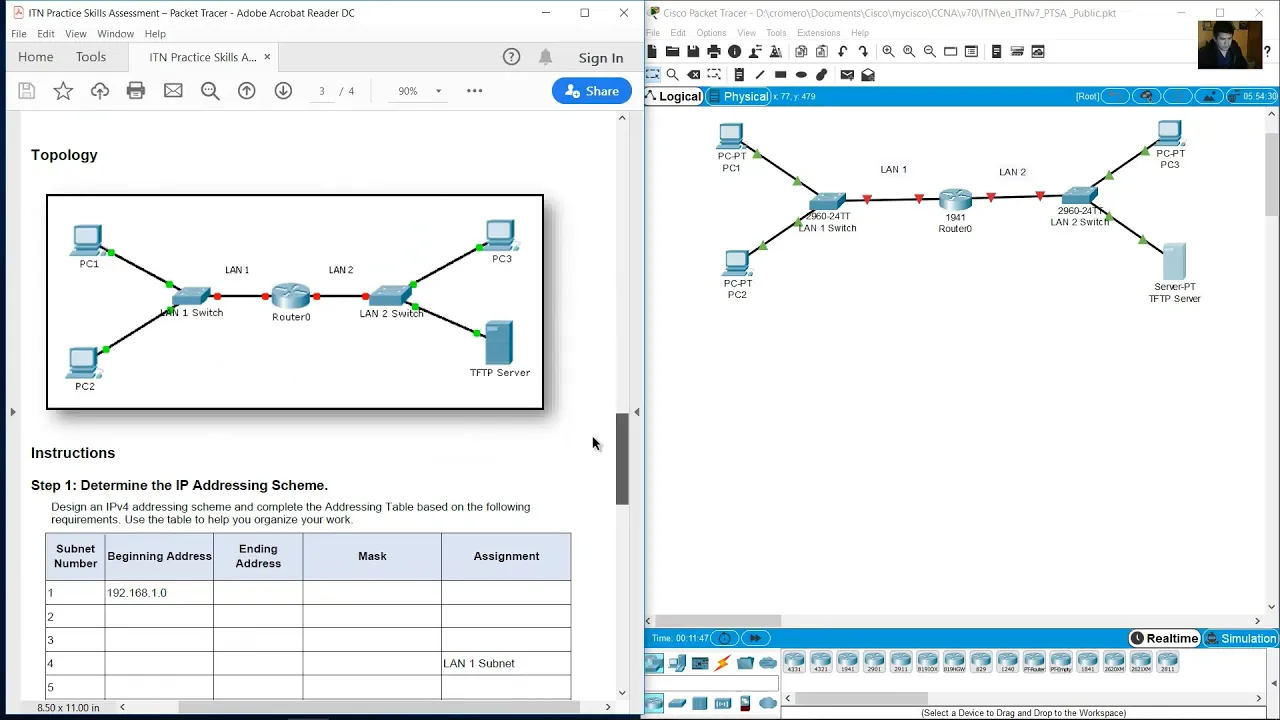
see see our neighbors from seven introduction to networks practice skills assessment packet tracer you will configure devices in an ipv4 ipv6 Network configure the router 0 router you will authorize the hosts on two lands with ipv4 and ipv6 addresses and activate an address the management interface of the land to switch okay this is router 0 and this is learn to switch you are not required to configure the language switch to switch the name may vary but is this which addressing table router 0 is this rather 0 the name Mayberry bit there is only one rather
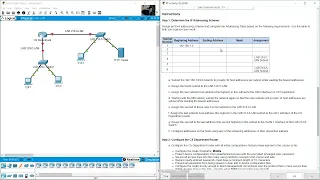
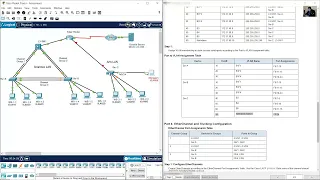
gonna be to 0 at gigabit 0 1 interfaces will be 0 0 and gigabit 0 1 learn to switch switch virtual interface learn to switch the name may vary is this switch connected gigabit 0 1 on rather 0 PC 1 2 & 3 you see 1 2 3 names may vary and this is the TFTP server only only one server TFTP server instructions determine the IP addressing scheme design and ipv4 addressing a scheme and complete the addressing table base it on the following requirements okay this is the incomplete at the receipt table do you need
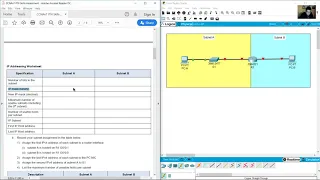
to decide ipv4 addressing scheme okay ipv6 addressing already already completed on the addressing table but you need to design IP for addressing sublet 182 and 60 a 1 0 24 network to provide few D host addresses per subnet why wasting the fewest addresses okay fill the hosts per subnet ok and you need to design 6 subnets start from the base network address when I took 168 1 0 ok and do this here an 82 and 60 a 1 0 24 is the base network address and place the first 2 updates on decimal and last two
updates on binary ok 1 in binary is this one and 0 in binary 8 zeros here on host you need fury hosts per subnet so fuel D is the is the number and this is the new subnet mask copy this and fill the remaining spaces with ones ok this is the first Abner okay subnet one and this is the network address one A two and sixty a10 okay why zero prefix 27 a beat plus a beats 16 bits plus a bt 24 bits 25 26 27 okay and this is the broadcast address okay and this
number is 31 okay if this is a 32 this is 31 is the broadcast chrono to 168 1 31 same subnet mask 27 host an 80 to 160 a 1 1 1 next to the network same prefix and last I because one before the broadcast 3027 now the next number when I to 160 a100 in binary the next number of Phi 1 is 1 followed by five zeros okay theory and cost theory is the number 4 host so this is the subnet mask copy this and fill the remaining spaces with once this is subnet -
okay when into 160 a 1 this is 1 and this number is 32 32 okay and prefix 27 the same prefix okay to be sure if the broadcast of the previous subnet is 31 the network of the next subnet is filthy - okay and continue this is the broadcast and this number is 63 if this is 64 this is 63 when I - and 68 68 162 827 okay first IP 182 168 1 33 27 okay one next to the network and last 192 168 1 62 27 1 before the broadcast next number 1a to
168 1 in binary and 0 the next number in binary the next number of 6 ones is one followed by six zeros subnet mask 27 same subnet mask and fill the remaining spaces with ones this is the network for subnet 3 okay and this number is 1 a 2 and 6 C a1 and this number is 64 64 when I - and 68 164 for fix 27 and broadcast this number is 64 loose 31 64 plus 31 is 95 182 168 195 prefix 27 when I do 168 165 37 + 81 68 1 and 1
before the broadcast 94 to fix himself I'm very good with do you need 6 subnets ok but you will need a subnet 4 5 and 6 6 subnets and discover the butter what is the pattern 0 32 64 0 plus 32 is 32 purely to lose 32 is 64 64 plus 32 is 96 same prefix 96 lose the only 32 is is 128 profits 27 when I do as you see one 128 + 32 160 prefix 27 very good okay now I know the broadcast okay if the network of subnet 5 is 128 the broadcast
of subnet for is 127 when I - 168 1 127 refused 27 okay if the network address of 7 & 6 is 160 the broadcast of 7.5 is 159 182 and 68 159 for fix 27 okay and how do I do the broadcast subnet 6 okay for example if there is a sublet 7 1 100 160 whose authority - is 1 I 2 and 68 1 192 627 if the network address of subnets 7 is 1 maybe 2 the broadcast of sublet 6 is 181 when I do want to see a 120 191 we fix
27 okay first cause subnet for 192 168 1 97 182 168 1 126 the 92 and 60 a 1 129 and I - 168 1 158 and I need to hunt 68 1 161 and 82 and 68 1 1 ID now you have the table this table now is completed and is this table assign the fourth subnet to the LAN 1 for subnet to learn one here learn the name of the lung Mayberry but in my case is long one okay long one Sabbath and the topology is this okay long one the name Mayberry is
this land connected to gigabit zero zero on router zero on the router okay starting with v subnet sublet the network gain so that the new subnets will provide for the host others is per subnet while wasting the fewest addresses okay this is the fifth subnet 7 at 5:00 this is one eight 168 one 128 and subnet again okay the subnet five is this when I to 160 a 1 1 10 80 when I to 160 a 1 1 28 27 ok subnet file and supper the game first to up that's in decimal 1 80 to
160 a last word objects in binary 1 in binary is this 128 binary is 1 zeros this is 128 table 14 hosts per subnet they 14 host addresses per subnet okay here on host 14 is the number so this is the new subnet mask copy these and fill the remaining spaces with ones okay this is the fewer subnet some not one this is not work others one 128 when a to 168 1 128 graphics new prefix 8 16 24 25 27 26 28 and the broadcast this number is 1 Tony I lose 15 okay if
this is 16 this is 15 1 Tony a blues 1592 and 60 a 1 1 43 same profits Tony I okay firts IP is wrong next to the network 1 129 prefix 28 and last I because one before the broadcast 142 same prefix the next number 1 I 2 and 68 1 1 0 0 the next level of for Swank's is 1 followed by 4 zeros this would be in subnet number 214 costs ok on costs 14 is the number subnet mask copy these feel remaining spaces with ones this number is 128 blue 16 thing
is 144 when I to 1/6 168 1 144 profuse 28 and then the broadcast this is 128 removes a 31 if this is family - this is 31 128 + 31 181 60 a11 59 for fixed 28 first it--because 192 168 1 145 same profits 192 168 1 last IP host 1 before the broadcast 158 for victory assign the second of this new 14 host subnets to the lantern this is the second and assigned to lon ok the name of the network may vary in my case is LAN - okay learn to subnet thing is
when the topology is this this love okay it is have not learnt to is the network connected to gigabit Irawan on the rather okay now you have the subnet for Langlois and subnet for LAN - okay and this is the addressing table you okay subnet 182 and 68 was heretofore Network ready assigned a for subnet to LAN one day for subnet to long one assigned the last Network host others in this subnet two gigabit 0/0 interface and routers here okay the last last IP host 126 per fixed 27 okay 126 for GWS your interface on
a router 0 here gigabit 0/0 interface or others here April fix 27 starting with v subnet subnet the network again okay ready assigned ii of Disney 14 whole subnets to learn to okay the second of the new subnets assigned to land - ready assigned the last Network host address in the land to subnet to Jacob it's here one interface of routers here oh okay the name of the lam Mayberry bin is this down to 150 a 28 prefix K 2 G gravity assign the second of the last other words the second highest in this applet
to belong one interface of the LAN to switch okay for learn to switch the name of device Maybury bit is this switch the switch connected to gigabit zero one okay do be to one on the router country on this network learn to switch okay if last is 158 for the switch will be 157 the second to the last 157 around 57 and the default gateway for LAN to switch for LAN to switch the default gateway is the IP address of gigabit zero one or rather zero gigabit zero one or rather zero this okay remove the
prefix configure the addresses of the host using any of the remaining addresses in the respective subnet ok pc1 & pc2 place it on long one okay this is long one 126 already use it for the interface on the router 126 already use it but you can use 97 and 98 for pc1 & pc2 97 for pc y in IPA for visit ninety-seven and my PA okay the default gateway for pc-1 pc2 is gigabit zero zero or rather gigabit zero zero or rather this is the default gateway okay but remove the prefix okay pc3 and the
FTP server this is 3 and the FTP server our place it on LAN 2 here on land to the last IP is already used for rather interface 158 158 I already use it but you can use one 145 and 146 ok one 145 and 146 145 146 okay but the profits are lot 2 is 28 okay be careful 28 if you should be 28 pc3 prefix 20 a TFTP server prefix 21:45 28 146 28 and the fault gateway and the default gateway for PC 3 and TFTP server is gigabit 0 1 gigabit 0 1 on
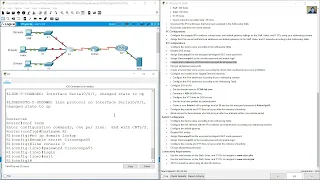
router gigabit 0 1 on rather is this 158 ok remove the prefix okay now my IP before design is completed configure the routers hero rather configure the hostname meter okay be careful is middle ok from PC connect using the console from our edge to fill these boards or PC one for example to console port on the router go to PC one [Music] desktop terminal okay under enable configure terminal hostname middle okay case sensitive capital and protect device from unauthorized access encrypted privilege exit password enable secret for example class they enable secret class enter secure all
access lines into the router using methods coverage line console 0 line console 0 for Cisco login to enable the password and line vty 0 15 password Cisco login to enabled the possible require newly entered passwords must have a minimum length of 10 characters he exit on global configuration mode sake yuri deep bass mainland 10 characters provide all passports from being be with in clear-text in that device configuration files service password - encryption configure the router to only accept in bad management connections over the protocol that is more secure than telnet that means SSH just the
value of 112-74 for encryption key is friend okay and you need for this you need to configure SSH you know to configure SSH configure first the domain ok the hostname already host is a requirement with also the domain I peed the main - name for example cisco.com and the crypto key 1024 created key right RSA modulus 1024 enter very good configure local user authentication create a user with the name net admin and secret password use the Cisco underscore CC and i5k sensitive okay and username net admin secret password Cisco underscore CCNA 5 okay underscore and
CC unified give the user the highest administrative privileges bribe privilege 15 the highest okay username not admin privilege 15 secret password Cisco underscore CCNA 5k sensitive okay enter very good and don't forget to configure the line vty line vty 0 to 15 use ssh transport input ssh and use the local user this this this user method mean local login local and exit very good configure two gigabit ethernet interfaces using IP before addressing values you calculate and ipv6 values provided in the a dressing table reconfigure the link lock and others of the values show in the
table ok use this link local addresses fe80 column column 1 when GW 0 0 and also for gigabit 0 1 document the interfaces in the configuration file set the default gateway on PCs and also on the server you can use the link local others of rather interfaces for the forget way okay fe80 Colin Colin one okay place this hip configure all these are the Russian table on the router start for our router 0 gigabit 0 0 IP before an ipv6 address ok gigabit zero zero on line one for example the face you go bit 0
0 add a description long one for example description ok IP address 192 168 1 126 prefix to 2737 234 ipv6 address to 0 0 1 DBA ACAD a column column are perfect 64 ipv6 address fe80 column : 1 link local - Blanca not shut down and now and you got it till 1 or rather give it to run the script show LAN - okay you got it 0 1 1 2 I be 158 158 / fix 28:20 I is 240 ok ipv6 address B column column 1 profuse 64 same link local address ok if fe80
column 1 link local not shut down okay but that's it on global configuration mode don't forget ipv6 routing if you will use ipv6 enabled ipv6 unique cast - route don't forget that and now learn to switch switch Burton interface okay from this another PC our ass to see report to console terminal okay under enable configure terminal building wrong interface of the LAN to switch cabling one interface interface vlan1 okay use the table IP address 182 and 60 a1 157 prefix 28 240 handle at the description this is switch virtual interface and my shutdown exit IP
the fog get away don't forget that way 182 and sta-1 158 enter ok configure LAN to switch configure land usage for remote management or portal mat line bt y 0 to 15 set a password for example cisco and activate with logging that's ok configure and verify host addressing used ipv4 addressing an ipv6 addressing use the router interface link local address as the ipv6 default gateways of the hosts ok link local address for the forget way on ipv6 configurations complete the configuration of the TFTP server using the IP before addressing values ok use the table pc
1 1 82 and 68 1 97 97 27 / fix is to 24 default gateway 126 okay no DNS server ipv6 address 2 0 0 1 DBA ncab hey column column FF profits 64 ipv6 gateway link local address on interface rather fe80 from column 1 okay PC to IP address 98 27 to 24 the forgot a 126 ipv6 to see you 0 1 DB 8 acad ACAD column a column column 15 prefix 64 a forget away a fe80 column column 1 pc 3 145 10 a is 240 the forged weigh 158 ipv6 to 0 0
1 DB a and C ad column B column column F F traffic 64 gateway if fe80 column column 1 the FTP server 146 20 a is 244 gateway 150 a ipv6 to 0 0 1 DB a AC ad ACAD column B column column 15 profit 64 ipv6 gateway fe80 column : 1 ok now amber if I go too busy 1 comma prompt being PC 2 pink one I to 160 a 190 a success pink pc3 is 145 145 success pink TFTP server 146 success now use ipv6 pink PC 2 2 0 0 1 DB a
AC ad a column : 50 success bc 3 is BFF b column column FF success the FTP server B column column 50 B column column 50 success now verified telnet access to learn to switch configuring telnet IP IP for others of learn to switch 180 168 1 157 password Cisco very good exit and finally go to router on terminal ok enter password Cisco enable class make backup for the copy the running config to a copy running-config to the FTP server this is only a task is not necessary it's only a test enter address of the
remote falls 182 168 1 146 enter destination file name use the default other very good ok but I think - to get 100% ask or use the following configure terminal banner message of the day I think this is necessary to get 100% score message of the day and any any message in my case now to rise it access is prohibited ok any message and that's ok on the router may be is necessary to configure the exit time out on the line console and lateral 9bt why okay okay access line console 0 okay sorry configure terminal
line console 0 that's a timeout 5-minute 0 seconds on line vty 0 to 15 5 minutes or seconds ok and also you can do that with the white lines on LAN to switch ok on terminal with the white lines from 0 to 50 and there are enable continue terminal line BTY 0 to 15 exact timeout five minutes 0 seconds ok Etsy very good