Hey, welcome to the definitive guide on agentic workflows for business. Now, agentic workflows have the potential to bring about what I think is one of the largest wealth transfers in human history. But very few people are currently talking about how to practically use them to improve their financial means. That's what this video is going to show you how to do. Here's what you're going to learn. What an Agentic workflow really is. How agentic workflows function via loops. A few common problems with agentic workflows and how to fix them. How to actually build these things. So,
idees, setting up your workspace, creating your first flow, the DO framework, directive orchestration and execution, claude skills, MCP and other frameworks, what each one does, when to use which and how they all fit together, how to test and validate agentic workflows, the best System prompts for agentic workflows, which I will give you, how to make your workflows self annealing, aka heal themselves when they air out, how to move out of the IDE and into the cloud. I'll teach you how to create web hooks, schedule triggers, and more. How to run multiple agents simultaneously. I'll show
you a sub aents and advanced workflow parallelization. And finally, how to troubleshoot agentic workflows when things break. If you don't know who I am, I build two AI based service agencies to $160,000 a month in combined revenue. I've also consulted for a couple of billion-dollar businesses with AI. And I tell you this cuz I want to make it clear. Well, you guys are of course going to learn everything from the fundamentals all the way up to the advanced concepts today. This course has a business focus. My goal is to help prepare as many people as
possible for what I consider to be the next stage of The economy. So what you will learn today is working right now. It is generating revenue right now and you can use it to improve your own and other people's businesses right now. Please bookmark this and use the chapter feature to come back to it or whenever you need anytime. And I hope you guys are excited as I am to get into Agentic Workflows. Let's get started. This is a practical course. The whole point of it is to build and then use Agentic Workflows in real
business environments. And that's because building is the most effective way to learn anything. When you build with your hands and get them dirty, you're forced to deal with concepts in a way that you guys never would have if you just sat back and passively listened. That said, before we get into the building, and there will be a lot of building and a lot of demos in this course, there are some foundational things about agents and workflows that I'd highly recommend that you understand because if you don't understand them, you're going to commit many hours to
this course and you'll only really be able to digest or extract a few percentage points of it. So what I want to do is I want to maximize the ability and efficiency of your time by helping you cover those concepts now. And by doing that, you'll be able to absorb the rest of the course a lot faster and a lot better. So what do I mean by Concepts? AI is currently in an overhang state. Current AI capabilities are very far beyond what most people believe, expect, or know how to use. If you guys graft this,
what we have down here is sort of like the general public's perception of AI, okay? And their ability to use it. And what we have above it is sort of like the reality, okay? You guys are going to see a lot of very crappily drawn lines in this course, so you might as well get used to Them now. So this gap between the reality of the situation and then what people believe AI is capable of is called the overhang. The reason why this overhang exists and the reason why people are only squeezing out a very
small percentage of the actual value of AI, large language models, agentic workflows and so on and so forth [snorts] is because right now most people are using them as glorified copy and paste tools. They are basically Trying to drink through the Pacific or Atlantic Ocean with a tiny straw. You know, they ask these galaxy brain intelligences. Pretty dumb questions to begin with to be honest. They answer and then all they do is they copy it from one tab into another, which is obviously a very low bandwidth, really bottlenecked way of working. They are not integrating
AI into their business like I'm about to show you how to do in this course. Instead, they're just Dealing with it like a like an external sort of third party thing. Now, obviously, people are figuring out that AI is a lot more powerful than most people give it credit to, and courses like mine are helping them do so. But as they figure it out, the arbitrage window will close. And in case you guys didn't know, arbitrage is your ability to essentially produce some sort of beneficial outcome, revenue or profit, based off of a disparity in
knowledge. And so, if you know, you know, this and the rest of the market knows this, obviously there's kind of a gap there, right? and the market is willing to pay you to be somebody that solves that little tiny gap. Well, that window is closing because people are learning about how this technology works. But right now, it's wide open and you can make a ton of money with it. So, just as a demonstration to show you how powerful these models are, I'm going to have one In particular called Claude Opus 4.5 do a pretty straightforward
task for me. This task is to compile a list of five local meal preparation companies that deliver to around my area and then find their email addresses. I'm then going to send each of them emails with specifications from this email. I want uh you know 3500 calories a day, 200 grams of protein a day. I'm doing some big bulk. Do this entirely autonomously requiring no input from me. If you Cannot find the emails of at least five, then keep on searching until you do. Most people don't realize that models are entirely capable of doing this
sort of thing for you and essentially acting as you know an extension of yourself. So it's starting off by searching for meal prep delivery companies downtown Vancouver BC 2025. If I were doing this on my own, this is probably something that I would do as well, right? like very straightforward and logical. You Don't need to know how the IDE that I'm using uh works. You don't need to understand the interface or everything. I'm going to cover all this later on in the course. And as you can see, it's found me a bunch of meal preparation
services. There's Fresh Prep, Two Guys with Knives, Crave Healthy, Fed, Fresh in Your Fridge, K-Bop, and then WellFed. Now, it's finding email addresses of each of these. So, as you can see, it's actually simultaneously running a bunch Of searches on their websites to look for email addresses or contact methods. A few seconds later, it looks like it could only find one email out of the four or five searches that it ran. So, what is it doing instead? It's now broadening its search. It's going on contact pages. It's looking for alternative solutions. Okay, it's now accumulated
the email addresses and like a temporary database. And it's just going through and sending emails. It Does so through uh what's called an MCP, model contact protocol server that I've set up. I'll show that to you later. And boom. Now, it is done. So, we've sent five emails. Down here, you can see it said, "I asked each company about custom meal plans, pricing for higher volume orders, and their delivery schedule to downtown Vancouver." We also included the requirements. I went through and I actually found the email that it sent. It was something like this. Hey,
company Team, I'm looking for a meal prep service that delivers to downtown Vancouver and that contains the following requirements. Daily calories approximately 3500. Daily protein approximately this much. Focus on whole foods and healthy ingredients. Interested in learning more? Do you mind letting me know? you know, if you guys offer custom meal plans, um, what your pricing looks like and how your delivery schedule works. Looking forward to Hearing from you. Thank you very much. So, I mean, like, this is something I realistically probably would have sent myself. Um, is it in my exact tone of voice,
honestly? Like, it's really close. This is more or less everything that I would send. There's no AI isms. People on the other end of the line aren't going to know that I'm using AI to do this sort of thing. And it turned a process that realistically would have previously taken me maybe like 20 Minutes into something that took me literally less than 15 seconds. I mean, I wrote the thing, I pressed enter, and then I went. And what you'll see is with the use of other bandwidth improving tools like voice transcription and stuff like this,
you can actually have agentic workflows become more or less your interface for the internet. And I should note that I didn't even use a defined agentic workflow for this. I literally just asked an agent to do something and It was super unstructured and it still did a great job. Imagine when we wrap this in the framework. I also want to cover this idea of a river of value. The way I see the global economy is as a giant river. Okay. Now, capital flows to whoever provides value. And essentially what occurs is for many centuries that
value has come from human labor, primarily physical to start, although eventually cognitive. And then the more value that people could produce, the More downstream little tributaries of this river we found. And so this might be some person that's producing tremendous value, these might be other people and so on and so forth. The whole idea of capital is that as solutions arrive in the economy that are more and more effective, [gasps] they produce larger diversions of this stream. Okay? And so let's say this person Z is using agentic workflows. The idea is over the course of
the next few years, he or she Is going to consume more and more and more and more and more of that river until essentially he's getting all of it. Those who position themselves as people like Z in this case will capture massive flows from the future economy because agentic workflows aren't optional. There's something that are coming and being deployed right now. The last thing I want to talk about is automation in the terms of a Gentic workflow. Now, a lot of people that Watch my channel and are probably here are familiar with the idea of
automation. They're also familiar with the idea of roles and they've heard a lot of things about how AI agents are coming and their whole fleets of teams that are being replaced and so on and so forth. And this is kind of inaccurate. Rather than thinking about agentic workflows, which is what we're going to cover in this course, as being able to automate 100% of one role, I want you to Think about it a little differently. I want you to think about agentic workflows as being capable of automating 90% of 10,000 roles. So as opposed to
automating 100% okay of one, we're automating say 90% of 10,000 people in the organization. Now if you automate 100% of one role, that's actually pretty valuable. Don't get me wrong. If I could automate a software developer completely end to end, if I could automate a marketer end to end, obviously that Produces some value in my organization. But agentic workflows, like a lot of technology, have gaps. And so, um, the main issue is human beings tend to always have a little bit more context than these things do, at least right now. And so, even the ability
to automate 90% of 10,000, despite the fact that it's not 100, is still tremendously valuable. If you just do the math, automating 100% of one person's role is equivalent to basically providing one Unit of economic value. Whereas, if you automate 90% of 10,000 people's, you're providing 9,000 units of economic value. As long as you structure your companies in a way to accommodate these things, these things are very powerful. Now, I call this horizontal leverage and it's very, very strong. Another way I want you to think about this is like the industrial revolution. Back in the
good old days, well, I don't know if they were really good, but certainly back in The day, you had people like seamstresses who would, you know, knit various garments and stitch various things together. And maybe one of these seamstresses could produce, you know, 10 pairs of a specific type of clothing per day. Well, after the industrial revolution, obviously we didn't do a lot of this stuff by hand anymore. We had machines that did this stuff instead. So maybe a loom. Before a single seamstress could produce maybe 10 garments a day. After one of these machines
could maybe prepare 10,000 garments in a day. That said, it the machine didn't fully replace that seamstress because that seamstress just transitioned. Instead of being somebody that worked with their hands on building the garment directly, they instead became somebody that was supervising whole fleets of machines that did it. Now imagine if in this analogy, not only can we build and use a loom, we are capable of rebuilding that Loom in any configuration in seconds. We don't have to, you know, smelt the metal and then hammer it and then construct it in a way and screw
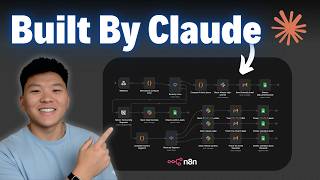
gears and all that stuff in order to build a machine. We could literally just use natural language. Obviously, that would be a lot more powerful, right? Well, that really is the idea of an agentic workflow. It is something that provides incredible horizontal leverage and we can reconfigure it in seconds to do more or Less whatever we want. And it's not an exaggeration to tell you that this is a phase change essentially in a company's ability to automate things. So if you guys are familiar with automation platforms, in this case this is N8N, you'll know that
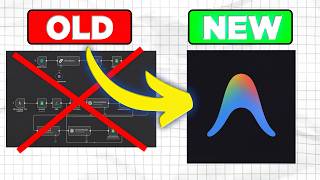
most of the time the way that we are currently building automated systems is through drag and drop nodes or modules. And so on the left hand side here, I have a simple system set up. I'm not going to go Through everything because it's pointless. The point is not to learn a specific automation platform. The point is to learn how to automate platforms in general, but I have a specific automation here that just responds to some emails coming in for a cold email campaign. And as you see here, we have these nodes and they do various
things. Some of them do HTTP requests. Some of them do some data processing and and formatting. Some of them call a Google Sheet. We have some AI functionality and so on and so forth. They're all connected with these lines, which is basically the the flow of logic through a system. And this is hunky dory. It works really well. Well, the new version of that workflow on the left, which obviously requires a lot of time, energy, and understanding in order to be able to to parse and then change is what we have on the right. Instead
of dealing with nodes and specific software Platforms, we use the universal translation, which is natural language, and then just write it out in bullet points. So on the right hand side I have the exact same workflow except I have it set for agentic uh systems and all it is is a list of bullet points. Hey when somebody replies to one of your cold outreach campaigns instantly should send a web hook. The system should look up the campaign in a Google sheet to find talking points and example replies. It Should then research the person who replied.
It should then generate a short friendly reply. If they said something negative like unsubscribe or remove me, we should skip them. If there's no knowledge base, we should skip them. Otherwise, we should send the reply automatically. I want you guys to see that on the left hand side, we had to spend months, maybe years, becoming skilled enough to use a platform to be able to build systems that did this. And On the right, a toddler who has a a rough idea in mind of what he or she wants to do can write it out in
natural language. And not only can everybody else on a team interpret that, we can also change that at any point. If I wanted to add an additional step to my workflow, all I do is I click click on this, press enter, and then just write it out. and the agentic workflow builder and then eventually doer using a framework I'm going to run you guys Through later on in this course will do it and it'll do it extraordinarily remarkably well. So that's a very fundamental change in how these things work and hopefully it's clear to everybody
here that workflows are no longer drag and drop sort of builds in the concept that we see on the left hand side. They're very much so just like basic logic. So why is all of this stuff possible right now? It certainly wasn't just a little while ago. Well, there are Three main reasons. intelligence, tools, and cost. On the intelligence side, model intelligence just crossed a threshold and became very, very good, seemingly overnight, but really we've been working up to it for quite a while. Frontier models like Anthropics Claude, OpenAs, Chat, GBT, Google's Gemini, and then
a bunch of other ones have gotten really smart. They score around 80% on a benchmark called software engineering bench verified. And this measures real Software engineering ability. This is not a crappy cherrypicked demo. It wasn't included in like the training data or anything like that. These are novel problems that are being solved in novel ways through models. And essentially, they are genuine professional grade work that are better than most software engineers. Now, I would have considered myself a software engineer a couple of years ago. I'd say my skills have definitely uh Deteriorated a fair amount
since because I've been focusing more on no code tools and and making money and stuff like that. But this stuff is so far beyond my own abilities as sort of like a mid-level dev u that it's not even funny. Most people that learn about this and they're going to be learning about it pretty soon will think that AI went from, you know, intern level to some sort of senior employee overnight. But this is just how knowledge works. Basically, anytime that you have a process and that process slowly gets better and better and better over time,
most people don't see until we hit a certain threshold and then it almost looks like it went vertical. In reality, uh it's almost like the way that boiling water works, right? The temperature of water goes up and up and up and up and up and then eventually it boils and then it fundamentally changes state. You know, it goes from over here where it's Like a liquid to over here where it's a a gas. And although we're supplying more and more energy to this thing, we're not really seeing it change until all of a sudden, boom,
it's producing bubbles and getting all over the place. So, I see model intelligence a very, very similar way. So, a lot of people talk about benchmarks. Very few people actually show what the questions inside of a benchmark realistically ask. I think benchmarks are for the most part pretty Artificial. A much better test of how good a model is is just how good you feel while using it. But it is important that at least we understand how benchmarks work in order for us to really put in context the capabilities of agents. So here's uh one from
Astropi. It's a misleading exception message. And basically, these models are so good at coding. Like, like, I mean, I tried to look through and understand what any of these actual questions meant And how to fix them. I'd probably be staring at each of these for like a day before anything makes sense. Um, let alone before I get to the point where I could realistically solve it. These models can do this sort of thing in in seconds. So, issue problem statement. Hey, removing a required column from a time series raises a misleading error message. The error
claims the time column is missing even when it's present. Instead, the error should list All missing required columns. Then it gives you a snippet of code with the actual class time series. Right? So looking at that, no idea what the hell that does. The bug, if flux is missing, error still complains about time. Error message is factually incorrect. You're fix detect which required columns are missing. Report them explicitly. So you actually have to go through and you have to do this with the code. Okay, here's one from sort of like a Panda style Question. Load
CSV silently coerces mixtype columns instead of failing quickly which leads to incorrect downstream computations and then it like provides a list. So, we now have models that are basically capable of looking at a thousand of these and solving more than 800 of them perfectly. I mean, if you gave me a thousand of these, not only would I take like a year, I would probably get at least, you know, 50% of these things wrong. And I'm somebody That has some exposure to this sort of stuff. Imagine the average person. And so what I mean to say
is that we are essentially empowering every human being on earth or at least we have the potential to empower if we were to actually distribute this technology and if everybody were to know it to the level that you will know it by the end of this course with the powers of like a mid-level to even senior developer in many cases. Another important point is How fast these models can operate. I mean this is me asking chat GPT 5.2 thinking to just reason a little bit about the meaning of life. Check out the stream of output
that it's providing. But you can go way faster than that. This is an example of a diffusion LLM that it basically immediately processes and writes I don't know how many hundred words, but extraordinarily quickly. You see that we just click generate and then immediately after, you know, probably at Least 300 words for instantiated. These models can run these reasoning loops extremely quickly behind closed doors. In addition, providers like uh Anthropic and OpenAI and Gemini and stuff have all the compute necessary to run these things like 10, 50, 100 times faster than you are yourself. So
just imagine what's going to happen when that level of technology drips down to the rest of the economy. Like to be clear, these models, the ones that I'm using to build Agentic workflows, are already extremely powerful and have automated the vast majority of my day-to-day work. They can automate the vast majority of your day-to-day work as well or any of the companies that you work with. But imagine the models in 3 months. Imagine the models in a year from now. That's why learning how to build these sorts of workflows today is probably one of the
highest ROI skills that you can engage in. The second thing is tool integration Is now standardized. So there's some protocols out there like model context protocol which standardizes how AI connects to external tools, databases, resources, and stuff like that. I'm going to be showing you guys how to use model context protocol in pretty advanced ways that I don't think a lot of other people have covered in this course. I'm also going to be talking about some of the downsides of model context protocol like how initially it Totally blew but now it's uh actually pretty good
and well supported so it's it's worth us diving in. In addition to you know those tools through MCP there also some frameworks that have recently come out. One is directive orchestration execution. This is the framework I'm going to be using to build and then use our agentic workflows throughout the course. There are also platform specific frameworks like cloud skills for the cloud family of models. these formalize Tool calling and you know in case you have no idea what I'm talking about here LLM are really flexible okay which is a great thing conceptually it's great if
you want to write poems and write do creative writing and help you respond to emails and stuff like that but a lot of business functions don't depend on flexibility what they depend on is the opposite they depend on reliability so in business we need to standardize and tools are basically just standardized Little things that we can use in order to accomplish business tasks I like thinking of it like a caveman that you know, is hunting saber-tooth tigers or something. If you're a caveman and you're hunting saber-tooth tigers, and every time you go to a saber-tooth
tiger, you're completely empty-handed, what are you going to do? The first thing you're going to do is you're going to be like, "Holy crap, is that a saber-tooth tiger?" You're going to Scrge around on the ground to look for rocks and pointy stabby things and, you know, sticks and anything that can buy you some distance and then maybe some effectiveness. Contrast that with if before you had a little bit of foresight and you said, "Hm, I should probably build something that's kind of pointy and sharp." Huh? So, you you work all day and night and
you put together a spear. Well, every time you encounter that problem of the saber-tooth tiger, Okay, what are you going to do? You're just going to pick up your spear and deal with it. Just my really crappy drawn spear. That's sort of the same thing that LLMs use tools for. They encounter problems. When they encounter them a few times, they then develop tools that solve them or use pre-existing ones through MCP. And then in doing so, we can standardize the solving of business problems pretty easily. Okay. The last thing is just cost economics and they
finally make sense. When Claude Opus 4.5 dropped, it went from a cost of about $15 or $75 depending on input or output per 1 million tokens to five or $25 depending on input or output for 1 million tokens. That's a 3x reduction. And newer models are even cheaper than that. The cost of intelligence per like effectiveness has plunged something like 40% in the last year. If I were to graph this, it would Actually look like this. Now, I've been using models since GPT3, way back in 2020 when it was um initially released with a very
small, you know, select group of people that could access it and so on and so forth. GPT3, which is, I mean, orders upon orders upon orders of magnitude dumber than this, costs more than this technology that we are dealing with right now. It is insane how quickly the price of knowledge work has plummeted. It's already gone down 40 Times in just the last year. I imagine it'll probably go down another 40 times over the course of the next year, maybe even more. What that means is we can actually send large volumes of tokens to these
things to replace the work of like deterministic um old school automations like the NAN flow that I showed you without it running a business ragged into the ground. There are also tons of price wars that are occurring between major providers and there's a lot of Like geopolitical incentives between, you know, places in the east and then places in the west um to basically make these things as accessible and easily to use as possible. So to make a long story short, this is new. Very few people understand the capabilities right now. So there are many billions
of dollars that will shift as the market learns and adapts. It is much better to be an early mover than somebody that is affected by this technology uh without their consent Or knowingness. What I mean is would you rather learn about this stuff now or would you rather learn about it in 2 years when your boss or I don't know some some client base of yours turns to you and says hey we no longer need you because we have aic workflows to do it. I would much rather be the person that helps them build those
agentic workflows than I'd be the person that's now sitting on my ass because I don't know anything about them. Hopefully, you are Too. Okay, so now that that big preamble's out of the way, let's learn about chat bots, agents, agentic workflows, uh, knowledge tools, and then actually get our hands dirty with some demos. I like thinking about knowledge tools as evolving over the course of the last 30, 40 or 50 years. I always think about it sort of like the step ladder on the right where you have three rungs. At the bottom you have documents.
In the middle you have chats and at the top you Have agents. Over the course of the last 30 40 50 years we basically transition from knowledge in the form of docs to knowledge in the form of chats over the last 5 years to knowledge and action in the form of agents. And I'm going to run you through what each of these look like now before actually using them in a real workflow. So documents are static knowledge. Hopefully they're pretty straightforward. It's oneway information flow. All you do is you read the Document, but it's not
like the document can respond to you. We currently use documents everywhere in school and in business. We use them in legal agreements. We use them in training materials. Once you write a document, it obviously stays fixed. That's a feature, not a bug, because it's great for permanence. Like if you're writing contracts or standard operating procedures that are immutable, aka it should not change. You don't want your Contract or your standard operating procedure rewriting itself unless you want it to, right? In most cases, you don't. So, u that's great. That's actually a feature, not a bug.
Chat bots, on the other hand, are not static. They are dynamic. Chat bots were developed realistically way back in the 1970s, but we were only starting to use them for real knowledge purposes and maybe like the early 2020s. And they perform two-way interaction. You read The output, but you can also ask questions back. So, here's a crappy pass to GPT40 where I just said, "Hey, what's up? Hey, Nick. All good on my end. Quick check-in. Zero fluff. I'm ready to help if you want to chat. If you got a decision to make, whatever. What's on
your mind?" This is now two-way knowledge interaction. the dreaded mdash. Um, this allows you to do things like clarify confusing points. You can ask for research. You can dig deeper Into topics. You can also modify the knowledge. So, you could upload, you know, a PDF or you could make some statement and then the chatbot now has some additional context. Uh, I just think of it like really smart colleagues who read everything you give them, but then they're also confined to a chair. You know, they can't move and they can't do anything with it. So, essentially
all you can do is is talk. This is how most people treat models today as chat bots. They're dynamic knowledge, but they're still subject to this little window. They can only be communicated with and copied and pasted through your chatgbt or through your cloud output. Now, contrast that with agents, which I consider to be dynamic action. To make a long story short, this is two-way interaction, just like chat bots, except this time it acts. On the right hand side here, you can see I have a flow that says run the thumbnail generator on A link.
So, it's not just asking it a question about the thumbnail generator, and I'm actually having it do something. And this is a real agentic workflow that I developed to basically build YouTube thumbnails like what you guys saw on my channel. What we see here is a fundamentally different interface. On the left hand side, we have some of these nodes. Green ones here are actions that are being taken. These gray little sections over here are thinking nodes, Which are where the model reasons um extemporaneously, basically temporarily, and then discards these reasoning tokens. You can see that
it's actually calling a script. You don't need to know Python in order to like have the model do really cool things for you, but that's what's happening right here. And then down over here we have a bash output where it's actually ran. We have an output that we can then use and so on and so forth. So you're given visibility Into the reasoning. You're also given visibility into the um planning tool memory reasoning and then observation loop. And I'm going to cover exactly what that looks like in a moment. You also have autonomy, long execution
times. Agents can routinely run for 5 or 10 minutes. Now yesterday night I actually had an agent run for over 5 hours uninterrupted to build me a really cool system. As of today I think of models like a mid-tier developer. They're 100K a year or so in terms of their like capability. But if you think about it, I'm spending 20 bucks a month for this, which is 240 bucks a year, which is over 400 times cheaper. And not only is it cheaper, this thing works 24 hours a day, as I mentioned, or it can work
24 hours a day. You can do a lot of really cool things with models like this. So now is the time to jump on it. A point to understand is that an agent is not a chatbot, despite the fact that They look really similar, right? Now, the way I see chat bots is like a chat is just an interface, right? It's just some specific thing with messages that go back and forth and then a little window down here where you can enter in your own information. The chat is just like the app. The agent is
what lives inside of the app. If you guys are familiar with crustaceians or crabs or um I don't know, like cute little things that crawl around on the ocean subfloor. They often will have fine shells and then um discard them when they no longer fit their purpose. Right? So, like a crustation that uses the shell of an older animal, an agent is just currently using the interface of an older type of knowledge tool, the chatbot. And I'm sure over the course of the next few years, it's going to discard this and we're going to have
new interfaces that are even better. Okay, so let me show you guys just the difference between Chat bots and then a really low-level agentic workflow that I put together that functions through an agent. Um, down over here is a chat GPT desktop app. This is really simple and easy. You can download it on chatbt's website. Super straightforward. I'm just going to say um hey, how can I scrape, you know, leads from LinkedIn Sales Navigator. So, when you're working with models like this, the input and output is pretty bounded, right? All you can really do is
You could just see what this model tells us. Hey, you know, here's the direct high IQ zero fluff rundown. Use this, scrape this, use this. This is cool, right? I mean, it's nice that we're getting information on how to do this. And you know a few years ago this would have been revolutionary. Rather than just have a conversation with the model and ask it how to do things which is knowledge. I can actually force a model to action Using agentic workflows. So in this case I'm saying scrape me 200 HVAC owners in the US. I
want decision makers. It then checks to see if there are lead scraping directives and execution scripts. This is just part of the framework that helps constrain the model's output which I've run you guys through a little bit more later. It's then going through and actually pulling a script together to do this thing for me. It then comes up with this idea of a test scrape, 25 leads. It's then going to verify some industry match, run the full scrape, upload to Google sheet, and then even go through and enrich it for me. In this case, the
model is performing a search. It's then comparing the results of the search with what it is that it thinks that I want. It's determining that there's a very low match rate. And so, it's now adjusting its filters on the fly completely on its own to find leads with zero input. All I'm doing here is texting a friend of Mine on my phone. It's then verified, past threshold. Now it's running a full scrape. It then went and it actually got us a Google sheet with all that information. I mean, it's pretty cool in so far that
it's totally autonomous. It probably would have taken me a fair amount of time to come up with the filters and so on and so forth myself. This thing just did it entirely on its own. If you guys check the bottom right, we actually ended up getting Almost 200 emails directly from this. We also got a bunch of phone numbers and a bunch of other really personal information. So, what exactly is going on? There are five steps that an agent will follow every single time you send or receive a message. The first is planning. The next
is tools. The third is memory. The fourth is reflection. And the fifth is orchestration. I think I called it observation before. My bad on that. But orchestration. I use a simple Fiveletter acronym for this. Just pt mro. Helps me remember it. Hopefully it'll help you remember it as well. Now these five components are as follows. Planning is where you break down objectives into executable steps. Tools are the actions that an agent actually takes in the world. If you guys remember, it was calling various things to do what it needed to do. They then stored things
into memory. So this is how agents retain and recall information Across tasks. There different forms of memory. There's short-term, midterm, long-term, and there's different ways that that works within an agent these days. I'm I'm going to cover each of them. Uh reflection is where the agent evaluates and corrects its own work. So, as you saw there, we had an issue with one of the calls and it went through and it fixed the filter. And then finally, orchestration, which is where you coordinate multiple agents or complex Workflows. We're going to talk about how to do that
um later on in the program, too. Obviously, there's planning, and that's mostly goal decomposition. So, it's where a highle objective gets broken into subtasks. Um, for instance, if your highle task is to eat at White Castle, you know, it's not just eat at White Castle, right? That's not enough to go and actually do the thing. What you want to do is you want to break that down into various tasks. Like maybe step One is we have to um, I don't know, get in the car, right? Step two is, and maybe you do this while you're
in the car, you do this before, you got to research the um, GPS location. You know, the third is you have to drive all the way over there. And then the fourth is you actually have to order. And the fifth is you have to make a movie about it. Just kidding. But um the point that I'm making is you know you take this high level task and you Actually break it down. And that is occurring every single time within an agent. You don't always see it because it's typically buried within reasoning and most people don't
expose reasoning. But this form of highle goal decomposition occurs all the time. And it's important that it does it right because if it screws up at the planning stages, probability of it being able to move and do the rest of the task is very low because it's making a foundational Misassion. Now, an agent will identify dependencies within steps. It'll then sequence them logically, like I just gave you, five steps. Well, the agent will actually reverse those steps as necessary. And then good planning also means revising the plan when things change because there's obviously only so
much information that we have ahead of time. There are limitations to this and Claude, GPT, Gemini, these have pretty imperfect planning capabilities. So, as Part of the building of the workflows that I'm going to show you later, I actually recommend doing a fair amount of the planning yourself. The reason why is because it's sort of um like an analogy where if I'm on I don't know let's say the east coast of the United States and I want to go somewhere on the west coast of Africa or something like that. Okay, and I'm this ship over
here and my goal is I want to make it to this port right over here. If I screw up at The very beginning, okay, even by a few percentage points, let's say, okay, and I give myself a range of possible outcomes here, this range, even if it's like a 1% problem with the planning or 1% error or something like that, these ranges have massive downstream impacts over the course of the entirety of the task. Like, if I'm really really bad, I could end up in the middle of freaking nowhere. Or if I'm really, really, really
bad on this end, I could end up, You know, hundreds of kilometers, maybe thousands of kilometers away from where I wanted to go. So what planning really is if you think about it is effective planning just reduces those error bars. It just allows us to go a lot tighter and a lot narrower. So the probability of us actually achieving uh the thing we want aka going to where we want to go is a lot higher. If there was one place for you to exert your human intellect, it's at the planning stage. And I'll cover Some
practical ways to do that later. Um obviously there's DO which helps by providing structured directives. I'm going to show you guys how you can just dump your company SOPs into a model to guide its planning. If you guys don't have company SOPs, I'm going to show you how to reproduce them really simply and easily. Next are tools. Now, these turn LLMs into systems that are capable of real world action. Um, I think I covered the caveman analogy, ancient people Building a spear or something like that, but you can also think of it as like an
ancient person building a house. It's like they will build the house the first time and the house will be pretty cool, you know, might um have most the things that they want. I don't know, some sort of um straw roof or whatever. And then what's really cool is agents can then go back to the tools and then make them better. So maybe, you know, you want to build a window or something like that. So the first iteration of the house doesn't have a window. Second one has a window. The third one has like a door.
The fourth one has like a cool barbed wire security system and so on and so forth. But just to break it down, tool use is where agents interact with systems and services. In our case, because we are dealing mostly with digital services, that means things like calling APIs. Okay, that's a big chunk of tool use to be honest. Then executing Code. You don't need to know any of the code. It does the coding for you, but it is still executing the code. It also nowadays includes a lot of database stuff because you don't want to
store all the information directly in the uh context of the model. Then it also means things like browsing the web. So if your computer was the entire world, right, in your case, the tool that you personally use to interact with your computer, if you think about it, is use your mouse And use the keyboard. And some people are now using voice transcription tools like myself. So that is our input method to our world of the computer, right? Well, it's the same thing with agents. Tools are their input methods to real life. They need tools in
order to break out of that little chatbot, okay, and actually influence things that matter. So the entirety of the intelligence of models in the do directive orchestration execution framework in cloud skills in a Bunch of these different ways of thinking about agentic workflows, the entire point of the intelligence is just to help it use and then build tools. And a good analogy is tools are like the agents hands. The LLM is the brain. If you're a brain and you're in a vat or in a jar somewhere, obviously your ability to influence the real world is
pretty limited, right? But you give a brain some wires and neurons and some hands or whatever and now it can actually start Doing things. Unfortunately, right now tool quality varies a ton. There is a lot of variance in like really good and really crappy tools. And just a few months ago is actually way larger. There's way more variance, but we're getting better. And I imagine future tool systems are going to be mostly pretty solid. There's going to be a lot less uh uh range between like a really good tool and a really bad tool. Essentially,
um, this is for a variety Of reasons. MCP came out pretty recently, and there are also a lot of people trying to capitalize short-term on MCP, so they're building a lot of really crappy tools. I'll show you guys how to avoid that, and also how to select like really high quality tools that matter, as well as how to build your own that are way better. The way I see bad tools is it's like if you give somebody a really crappy hammer and then you expect them to build you like a Really nice uh cupboard or
cabinet or something, probability is low, right? If you want to build something really cool, you need to have cool tools. If you want to do something really cool, you obviously need to make sure those tools are as high quality as humanly possible. So, here's one of the key insights of Agentic Workflows and one of the reasons why I think a lot of people don't understand how the stuff works. When you standardize tools, okay, and you turn Them from vague ideas into actual concrete functions. You let anybody use them, regardless of the type of model that
you're using, whether it's Claude or whether it's chat GBT or whether it's Gemini. All of these models are smart enough to know how to use the tool. You also ensure consistent inputs and outputs, which is really, really important for business. And the cool thing is you don't actually need to wait for other people to build them anymore. All of these models are hyper optimized for programming. So, we're just going to let the model build its own tools. LLMs are very probabilistic, right? Their decision-m process is pretty opaque to us. I heard a great quote the
other day, uh, might have been from Dario Amod, might have been from somebody else, but it was that AI models are grown. They're not built. And I think about that pretty often. AI models are just intelligences that we are slowly figuring out how uh They work under the hood. We don't actually know. We don't have an an established consistent decision-making process that takes us from one to wherever we want to go. Business requires that you need interpretability. You need the ability to audit things and so on and so forth. Okay? So rather than have this
big probabilistic galaxy brain which makes decisions in routes in ways that we have no idea how, okay, we just give it very very simple tools. And in That way, even if there's some deviation, maybe it gets all kind of uh loopy over here, we know that it called a tool. And because it called a tool, we can obviously interpret that um a lot a lot easier, right? We have a sequence of steps like 1 2 3 4 5 6. We go through the process. It's just way more straightforward. So, we just let an agent, which
is optimized for coding, make its own tools. Then the agent will call the tools and then interact with Life for us. I want to show you guys how easy it is to build your own tools. So here I have a simple query. Hey, how would you build a workflow that takes a video, cuts out the silences in said video, and stitches it all back together to deliver me the results. The cut should look natural like most YouTube junk cuts. Basically just try and stitch the empty space together. You know, this is a pretty complicated flow
if you think about it. There are a lot of Different ways you could build something like this and none of them are basically easy. So, what this is going to do is it's going to look for a couple of simple and easy ways to do this and then present them to me because I went down here and I selected plan mode, which is one of the different modes that you can use in um at least the Claude series of models. Keep in mind depending on the models that you're using may be a little bit different.
So now once I have this Plan in front of me, I'm then going to be able to decide on how to do the workflow and then I could act as more or less a highle director letting this thing know whether or not I want to do something. Okay, next up it's asking me are we doing this on short clips, long clips, any preference on the defaults and so on and so forth. I say short clips defaults sound fine. MP4 is great. Okay, I then have the plan in front of me and if I wanted to
build this, all I Would need to do is click yes and auto accept. And I think I will. That seems pretty straightforward. So, let's give it a try. While this is working, I'm just going to see if I could find an example of a video that I could feed into this. Um, I've done this a couple of times previously as you guys could see. So, let me just find some really simple video that's only a few seconds that we can test this on. Okay. And I found an example here. It's just a short One minute
video clip of me doing a typical intro. Now that this thing is building, I'm just going to move this to bypass permissions mode. That'll just allow it to operate autonomously without me. And once it's there, it's actually created it. That's great. As you guys can see, that only took us maybe like 30 seconds or so. From here, I actually want to test this. Let's test using test_clipip.mpp4. Now, I'm not actually expecting this to work the first time around because most workflows don't actually work the first time around. It's all a process of progressive iteration. Essentially,
if the workflow doesn't work, the error message is fed back into the agent and then the agent will progressively build the agentic workflow using the u the error messages to sort of guide it in the right direction. In situations like this, I honestly just Alt tab and then do something else. Okay. And it actually looks like it did run through the entire test manually and was perfectly fine. That's crazy. What I'm going to do now is I'm just going to watch the test, see how it is, and then we'll just continue to go back and
forth a few times until I have what I want. Oh, by the way, I don't even need to find this file. I could actually just say open it. Okay, so I'm noticing that the cuts are kind of abrupt. They're a Little bit too fast for me. Um, what I mean by that is like instead of cutting at the point that I wanted it to cut, it's just cutting like a few seconds before. Multiple different ways around this. I could use a different approach to detect the cut points. I could have it manually move things over.
I mean, if you think about it, like I could do whatever the heck I want here. Uh, this thing's operating at the speed of thought. So, I'm just going to give it Some very high level instructions here, and we'll see what it thinks. It's giving me a bunch of different options here. One of them is voice activity detection. I like this. Let's do this one. Okay, it's now testing with this new approach. All right, let's take a look at round two. Okay, so it worked perfectly on the um one minute clip. So now I'm just
going to run it on test three minutes. Okay, and it's just finished and then opened the next clip. Let's just see how that does. There is a cut point right here, I think. Let's see if that's good. Cool. Nice. Looks like it did that cut. That's cool. How about another one? H I think it was right here. Nice. It's solid. Last one right here. Cool. So, yeah, this one worked basically perfectly. Um the agentic workflow is for the most part now Complete. So, you guys could see it took one back and forth. I just in
a very high level um realistic way gave it a list of what I wanted. I didn't really know what I wanted to be honest, just like I think most people that have probably done any sort of like software engineering work know clients usually have no clue how to scope a project. So you can sort of only take them at face value there. I went back and forth a little bit. Um you know I was like okay This didn't work too well. Is there any other thing that we could do? It gave me some other thing.
So I tried the other thing. Hopefully you guys could see that this sort of loop is very straightforward and realistically only takes a few moments of your time. The most important part I think of my entire day is now just providing some sort of highlevel nudge in one direction or another to a agents like this when designing my agenda workflows. Um, you Know, like if you just remove me from the loop completely, the resulting agent workflow is probably going to suck, at least for now. But, uh, I'm just here to steer the ship, right? It's
almost like as if I don't know, it's like an old school Viking boat where people have to like manually row, right? So, I'm just the person at the very front of the ship doing a little bit of steering. The agents are the minions doing my rowing. At this point, I'm briefly going to Cover memory here. It's how agents maintain context. This isn't super important to know for building, but it's important to know if you want to understand how these things work under the hood. So, short-term working memory are basically reasoning tokens that are relevant to
the current task. They're stored temporarily. If you guys have ever seen like a little thinking window or a thinking tab with like a little thing that you could click to open Inside, it'll be like the user wants to do this. The user is thinking about doing this. This is your uh short-term memory sort of uh analog and like the way that our human brains work. Sort of your intermediate memory is your back and forth messages with the agent. So it's like the actual like message chain that you are having. Those aren't removed like reasoning tokens
are. And so this is just always stored and sent with every API call. Long-term memory Are things that persist across sessions. So they're variables that are stored in claude chat GBT etc. On the right hand side here, I have that same message that I sent earlier as part of our demo where I scrape 200 HVAC owners. If I show you guys how all of this memory works in context, basically this over here, okay, and then its replies are what are called intermediate messages. Anything inside of this thinking tab is like your short-term, okay? And then
long-term are Like things that are stored within my file space. So they're things like, you know, my agents MD. They're things like my Gmail accounts.json. They're things like my token leftclick. If this all seems like magic to you right now, don't worry. You're going to get to the point you can actually understand and interpret everything within an integrated development environment by the end of the program. But I just wanted you guys to be on the same page Here that this over here is like an intermediate piece of memory. It's going to include all messages that
are sent and received from you and the agent and then everything in between the reasoning loops and stuff for short-term whereas long-term tend to be files and then system prompts. Right now, one of the primary failure modes in Agentic systems right now is because of um context. And context, for those people that don't know, is just all of like the the Letters and words and tokens that are being stored in a model at any given one point in time. Uh the way that agents manage context limitations right now is they are summarizing previous steps to
save on tokens by compressing the full history into key takeaways. If you think about it, like the way that I write and the way that the model writes isn't actually like super token efficient. What it does is it makes a bunch of summaries of these constantly. So if you Know this is my actual chat window if you think about it that's the message that the agent sent me and this is the message that I sent the agent this is the message that it sent me back and blah blah blah what it'll do periodically just to
save on the token cost is it'll actually just summarize it in as high density a form as humanly possible so we take maybe like a 500word uh uh context and then chunk that down into like a a 100 or maybe a 50word Context. It'll do so periodically without losing you the core details just by rewriting it in various ways that are just a lot simpler. For instance, I could say hello, how are you doing? My name is Nick Sarif. Or I could say, hi dash, how you do question mark, I'm Nick Sarif. And if you
just like count up the total number of characters there, the latter one is obviously going to be a lot more efficient. They also don't store reasoning in the main loop. It Generated temporary and then it disappears. It does store intermediate results externally by offloading the databases, files, and other vector stores. And then it'll now load the relevant context on demand to only pull in what is needed for the current step. Um, you know, you can build this in explicitly using something called a rag or retrieve augmented generation system, which I'll talk about later, or you
can, uh, you know, just let the model do its Own thing and it does a pretty good job of it. When we make it to reflection, this is where the agent self-evaluates. So that's where it examines its outputs to detect errors and then assess whether or not what it wanted to do actually worked. It identifies the approaches are failing. it knows when to pivot and it just selforrects. This is really like the intelligence of the model to be honest. Um, if you don't have this reflection loop, you will just have a Script like a typical
Python script or like an nadn or make.com or zapier or gum loop or lindy automation that just breaks at the first hiccup. And this is also really important in what's called self-annealing which I'm going to cover a little bit more of later. But it's essentially the way that an agentic workflow can run and then also just heal itself as it encounters errors and so on. Finally, we have what is called the orchestration or coordination layer. The Way that I think of it as if you just get all of these steps, right? So planning, tool use,
memory, then reflection. Okay, orchestration doesn't exist within the loop. It sort of exists outside of it or maybe inside of it. And then it's just responsible for shuttling the information around from step to step. And that's really cool, right? It looks at the results of the plan. It then feeds that into the right tools. It then enters what it needs to enter in Memory. and then it looks at the results of the reflection and then changes the next loop of the planning and so on and so on and so forth infinitely. I think of it
as like the brain that combines all the components that we just talked about similar to how your brain combines inputs from like your ears and your eyes and your nose and your skin and your mouth and your memory and it just like factors everything in and then this is what thinks and then ultimately comes up With decisions. Now there are a couple of different approaches uh right now for orchestration. uh there's an approach with crew AI right now that uses role-based team structures and so you know up at the top you have some sort of
manager and then underneath you maybe have like a a marketer and then you have like a software engineer and you know the manager exists above the marketer and the software engineer and the marketer has like you know some interns And so on and so forth the software engineer has some juniors this is one way of doing it um and it's a way that you know crew AAI has done reasonably well with like the sort of framework role-based team structure I think It's kind of like an organization and I think that's just looking at things like
a human being would. I think they're actually just much more efficient ways to organize. So I don't personally do this with the directive orchestration um Execution framework and then cloud skills. Instead, what we do is we basically give AI access to um both highle instructions and then tools to have it execute. And then this AI over here, this is sort of like that orchestrator that we were talking about before. It just looks the high level instructions, looks at the tools, matches up the two, does stuff, stores things into a memory, and then it just loops
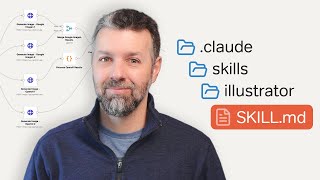
over and over and over in that PTML loop. Claude skills is kind of similar. It just um organizes the instructions. If we visualize this for you guys, it basically just stores things into a folder. This folder contains both the highle instructions and the specific tool use and any additional resources. And then the model now just accesses a folder instead of accessing you know two different folders. And really the point I'm trying to make is no framework is perfect yet. I imagine the real best framework in the future is just going to be a combination of
all these. You know taking the best parts and leaving the crappiest parts. Um but they are all improving rapidly as the space gets m more and more mature. So my recommendation is we're not going for perfection here. We just want what works. And in my case um I use dough because you know I came up with it and then it's a big part of all the content that I'm producing now. So I mean this Works reasonably well right now. Sure, maybe there's another framework out there that'll get us from 97% accuracy to 98.5. I'll worry
about that framework when it's here. For now, I'm going to do what I can with the 97. Okay, we're now talking text. This is the universal interface. When I want to talk to my model, I do so through text, right? When I want to talk to my model and I don't know, I try and give it a call or something like you can do on claw on Chatbt and stuff like that. What's really occurring is I'm transcribing most of that into text. Now agents if you think about it are actually a step back in terms
of our interfaces for now. Back in the day and when I say back in the day I mean like you know very very recently um most people use these drag and drop no code tools right and these are actually really pretty and they're very easily interpretable and you can see how the data flows and so now we Basically said no screw that we just want a bunch of words on a screen right which obviously has a bunch of issues in terms of presentation our ability to visualize them and understand them. Right now we are taking
a step back in terms of the interface. It's sort of like back in like the 70s, 80s and 90s when most people coded and then built things on computers through DOSs or Linux terminals, right? It was like text in you get results out. That's it. Everything is just like some sort of terminal or prompt. And in this way, I think it can be really intimidating for people because they just see a bunch of text and they're like, "Oh, I'm not a programmer. Oh, I'm not like a, you know, I don't learn through reading and writing.
I learn through seeing." And I think that's fair and it's a totally okay criticism to make with these things right now. I imagine future systems are going to go back to a visual interface. It's just we don't have them yet. And as I mentioned earlier, my whole goal is just make do with what we can at the moment. I imagine over the course of the next couple years, somebody's going to build the most amazing visual interface probably in conjunction with one of these agents or agent agentic workflow builders and then we'll have something that combines
the best of both worlds, natural language and visualization. But right now we use some tools. And those Tools as of the time of this recording are cursor, VS code, and anti-gravity. And that's where most agent interaction happens today. That is the textheavy interface that you guys saw earlier as part of the demo where I just talk to the model through a chat box and see it update files and stuff like that. On the lefth hand side, I have some recommendations to make things feel a little bit more natural. I personally use speech to text tools
like um Whisper Flow and Aqua. These are really simple, straightforward transcription tools. They allow you to feel like you're talking to an employee more than you are necessarily writing text or typing at your computer. I'm going to show you guys a bunch of practical examples of me using this. But for now, let me give you guys a demo. On the left hand side here, I'm just talking to my model. I basically converted a workspace from the directive orchestration execution Framework to the cloud skill framework. And you guys are going to see both of those later.
But for now, I just want to ask it how things are going and you know, if you can tell me something about it. So, I'm just going to hold down a key on my computer. Fn. Hey, can you tell me a little bit about the changes that we just made? I let go and then I press enter and now I'm basically talking to my model. Of course, I still have to press the enter key. Future Iterations of this will probably change that, but in this way, I'm maximizing the bandwidth. Human beings can speak a lot
faster than they can type, but they can also read a lot faster than they can listen. So, this is typically how you optimize both of those. All right, so what I have here are five cloud code instances. I'm running the latest model of Opus, Opus 4.5, at least as of the time of this recording. You guys may have some later versions, but just to Show you as the variability of model outputs, I've set all these to plan mode. And what plan mode essentially means to make a long story short is they just don't they can't
take actions without my express or explicit approval. They write a plan for me first, then I verify the plan. And so, just to show you guys how different um various forms of these plans are, I'm going to open up five tabs. I'm then going to um open up the reasoning and kind of thinking Panels here. Then we're just going to evaluate how different all of these answers are to the same simple question. What are some ways to send automated proposals? So I sent that to all five. And you'll see that as we proceed through here,
there are a variety of different routes that these models follow. After this does its research and and plans, you end up with five answers. And you'll notice that um all five of these answers are different, meaning That there is no like procedural simple step-by-step result here. the models are doing different things every single time. This first one here says, "What type of proposal?" So, it's asking me some questions. The second one here actually just went through and then wrote me a big list of different options I could take. This third one here wrote me sort
of a combination, ask me some questions. And then it's giving me some common automation triggers alongside Some more questions. This one here gives me these four options. And then this one here gives me like a little table. And this is okay. I mean, obviously I'm arriving at like the same sort of answer regardless, but I want you guys to know that like the way that businesses work is, you know, when somebody does something like they fill out a form or they require an invoice sent or something of that nature. This level of variability in and
of itself is way too Much. There's no way that we could really like meaningfully add value to a business, whether it's our own business or some other business with variability like this, with like 30 40 50% variance in answers. What we need is when we generate an invoice, the invoice needs to be basically the same every time. When we generate a receipt, the receipt needs to be the same every time. When we send an email, maybe an onboarding thing or whatever, these should be the same Every time. When a new form comes into our system
and we need to qualify them, we should use the exact same qualification framework every time. Any serious company at scale that has this level of variability in their processes won't be a serious company for long. which is why raw large language models are very difficult to use in u both mid-market and enterprise style applications. Now the reason for this is because LLMs are probabilistic not Deterministic. I touched on this earlier on in the course but let me run you through how a large language model actually works under the hood. So a while back I actually
built a large language model. Well I guess kind of a small language model. this guy Andre Cararpathy, he um built this big uh like GitHub repo showing people how to like train their own textbased mini GPT. I went through this whole thing and then I built my own mini GPT and it was really Instructive and I've since learned a lot more about large language models and sort of what's going on under the hood. So let me just give you guys a very brief demonstration. If you guys understand this, you guys will go a lot further
towards getting how these agents are working under the hood. What large language models are are they are basically machines and they are machines that operate off of a distribution of outcomes. What I mean by this is they Are statistics sort of pattern matchers. What a lot of people think is that large language models will predict the single best next word but they don't do that. Instead they predict a statistical distribution of options that they could pick from. What I mean is if I say hi, how are and then I have a little space and if
you feed this into a model, what you may think you're going to get is you're going to get the most likely next token, right? Which is sort of like Universe A. You think you'll just get the word you and then maybe a question mark. But what you actually get is you get a whole graph of different outcomes and possible words that you could choose from. This one might be you. This one might be the word things, right? How are things? This one here might be your, for instance. And what happens is we use this concept
of temperature and top P to basically randomize the process of Choosing the next token. And so while U may statistically be the most likely next token, maybe U has like a 98% confidence score or something, despite the fact that U is the most likely next token, we're not always going to pick you. What we're going to do is we're going to have some cutoff, which is sort of like this um top P. And then we're going to pick from one of these three or four options. And we're going to do so with a level of
what's called Stochasticity or randomness. That means that you can't actually predict what the large language model is going to do every time. Now, this isn't a bad thing. This is actually a good thing because think about it. If we could predict what every large language model was going to do, there would be no reason to have a large language model. If you just trained things and always outputed the exact same thing every time, there would be no way for the model to reason Flexibly about things. It would essentially just be a giant series of dominoes
that just, you know, knock over one to the other. Those are some really crappy looking dominoes to the other to the other. And then, you know, we'd be able to predict everything that's going on. Anyway, models um randomness and stochasticity is actually a big chunk of how they are capable of solving problems and reasoning for us. But what I'm trying to say is there's a level of Randomness added to every step of the process. Right? So the first thing is they predict a distribution of options. What that means is there is some randomness. There is
some statistical uh error here or or inaccuracy. Next, we can set the temperature and top P. These are settings that you'll find in parameters for most large language models nowadays. Those settings also introduce some randomness to the process. You now have um architectures Like the mixture of experts architecture which is basically where they don't just have one large language model do this. They test this simultaneously across four or five large language models and then they pick the most commonly voted task. Believe it or not this introduces some additional variance. Then even at temperature zero tiny
input variations can produce wildly different outputs because of randomness. Obviously there is um sort of like probabilities here at Every step. Now in math these are basically called compound probabilities. And I don't mean to make this a math thing, but if you're working with AI, you might as well um learn at least a little bit of the math underneath it because it'll help you understand how all these things work. Essentially, these compound probabilities make it very unlikely that you'll be able to achieve the exact same outcome every time on the large language models own. And
so what happens is you have these error rates that compound catastrophically. I'll give you a quick example. Let's say you have five steps in a process. You want the large language model to, I don't know, go out into your email inbox, pick the best email, then you want it to summarize that email, then you want to feed that summary into some other model, then you want that other model to take that summary and then combine it with a bunch Of other summaries to give you a big digest of the day. So if you have five
steps and each of them are 90% successful, the way that math works really is although every individual step may be 90% successful, if you math it out and actually multiply out 90% success for step one time 90% success for step two times 90% success for step three times 90% success for step four times 90% success for step five, you end up not with a 90% success rate across The entire process. you end up with a 59% success rate across the entire process. Essentially what occurs is although the first step might be 90%. The second step
when multiply makes it 081 and then you have 64 or 74 or 63 and so on and so forth until eventually your actual total error rate is significantly higher. Your success rate on the other hand is significantly lower. And so when you add more and more steps to this process, you know, if you get to 10, It's 35% success rate. If you're at 20, it's 12% success rate. This applies even if models are 95% successful at specific tasks. What ends up happening is basically at every step of the task. A good way to consider it
is the total range and outcomes gets bigger and bigger and bigger and bigger. There are super successful outcomes, sort of quasy successful outcomes. They're not successful outcomes and they're like catastrophic outcomes, right? And this Range in business is nowhere near tight enough for most companies to trust systems like this. Now, because most business workflows are multi-step and because people have typically tried doing things like this with dumber, simpler models with no frameworks, you know, most raw LLMs are actually just not usable in business, aside from copy paste outputs, which is why people tend to do
that. Just as an aside, imagine if you were a business that made $100,000 a Month and you sent a wrong invoice 5% of the time. What sort of impact do you think you that would have to your business? Do you think that would have a 5% impact to your business? No, that would have like a 95% impact on your business. If I'm one of your clients and you send me the wrong invoice even one out of 20 times, I don't think I'm going to work with you the 21st time. So, the root cause here is
we're asking probabilistic systems to do Deterministic work. Probabilistic is that big sort of uninterpretable thought process that cloud that I showed you guys earlier. Whereas deterministic is what businesses use where you have one step going into the second step going into the third step going into the fourth step and so on and so on and so on and so forth. This over here is what business is and the best businesses, you know, productize and standardize everything. And then this over here um Operates in the realm of probabilities which ultimately we can't use. What is the
solution here? Well, it's not necessarily just making LLM smarter. Although keep in mind, the smarter the models get typically the less error and variance they do have. That's great. But the actual solution is we don't have to wait for model intelligence to get smart in an unspecified amount of time. We just build a framework around those models that turns these really rickety Outputs into something that we could still use anyway despite the fact that there's variability in the process. We give them defined nodes and steps between each important thing that we want. And in that
way, because we're shortening the total gap, models are capable of performing economically valuable work. So what we're going to do is wrap this super galaxy brain intelligence in a framework. And this framework is going to allow us to Control it for beneficial purposes for ultimately business ends. Okay. So how do you actually do that? Well, this is now where you get into DO or the directive orchestration and execution framework. What we do is we separate concerns. Directives up at the very top provide very clear unambiguous instructions to the system. These are documents which if you
guys remember were sort of the first rung on that knowledge ladder. Orchestration, if you Think about the PTMRO loop, is where the large language model does its thing. It chooses what to do and in what order. And then execution scripts are the actual heavy lifting. And we don't do that with the model itself. What we do that are with little snippets of code that the model has built, then test, and then retested over and over and over again. Okay? I typically do this in Python right now, but I want you guys to know you can
do this with whatever Programming language you want. The models tend to be pretty good at I want to say most of them equally. The reason why this works so well is because of this concept of separation of concerns. Essentially, anything that is deterministic aka something that like a business would use. So maybe an API call, some sort of data transformation, some sort of file ops actually go into code. Code is always the same every single time. If you give it input A, It'll always give you output B. There's never any variability unless you specifically program
that in. So, it's really, really interpretable. It's very, very clear how it works. And you never really need to wonder, hm, is that doing what I wanted it to do? Because it's only going to do what you told it to do. And then what we do is we leverage the really flexible, cool parts of AI to make judgments, to make routing decisions, and so on and so forth. Code Is really reliable. It's also super fast and precise. LLMs are flexible, adaptive, and then also handle ambiguity really well. So, what we're doing is we're combining the
best of both parts. We combine AI's incredible ability to route and be flexible and so on and so forth with deterministic code's extraordinarily ability to run really quickly, really precisely, and really, really repeatably. When you do this, you get the best of both worlds, and you can Make a ton of money with it. That's how Agentic workflows work in a nutshell. What's interesting is you probably would not have understood any of this had you not watched the last hour to hour and a half of content all about the basis and the foundations. Some other reasons
LLMs are really really bad at basic operations. When I say basic operations, I mean math. Up until quite recently, um LLM couldn't even count the number of letters in a word. That's something that You could build a Python script to do in like 0.1 seconds. You know, if you have a big list of numbers or something, you use LLM to sort those numbers. It's kind of like hiring a PhD intelligence to count some inventory. It's just not the best cost basis on your end. You're going to spend way too much money and get way too
little of a result. Hence why we pushed the deterministic tasks to scripts and then reserve the LLM processing with the tokens for actual Thinking. Also makes everything cheaper. Just for the purposes of demonstration, if I gave an LLM a really simple task and I said, "Hey, I have all of these um letters, okay, and they're all arranged, you know, in this list." And let's say this list hypothetically isn't just, you know, six letters long. It's like a 100 thousand or 10,000 items long or something. It's just like really really long. Okay, so just pretend that
I put this thing together and I give it to an LM. If I had the large language model sort this thing, it would have to run billions upon billions upon billions of mathematical operations to sort this list. If I gave this to a Python script, it could literally do this entire thing in one function call. I could probably do it in like 5 seconds on my own, not even with a large language model. And it would take milliseconds. If you look at the actual mathematical time and then the resource usage when you use uh Deterministic
scripts to do things like this, these mathematical simple operations like sort a big list, you could do it 10,000 to 100,000 times faster with deterministic code. And then it's also for the most part free because it's operating on your CPU or extraordinarily low cost cuz it's operating on some cloud CPU or GPU um that's very very uh affordable. This gets more and more and more difficult the more you do. Instead of having the Large language model do math for us, what we do is we build a calculator tool and then we say, "Hey, can you
call the calculator tool to do the math for us?" In this way, obviously, we're maximizing the best of all possible worlds. So now I want to show you the difference between using a large language model's native intelligence to do something that I think most would consider very simple, which is just sorting a list, and then using a Python script to do it instead. And I'm showing you this because there are so many advantages to using procedural deterministic tools like Python scripts. It's hard for me to know where to begin, but I just wanted to give
this to you guys sort of as a representative example. So, what I've done up here is I've just had AI or an agent assist me with the creation of a brief demo list that I'm going to sort. The first thing I'm going to do is I'm going to tell it to sort the list on its Own. Sort the list using only your native LLM intelligence. Do not make use of any tools. Time yourself and at the end, let me know how long it took. What I'm going to do now is let it run. And you'll
see that when its native LLM intelligence does the sorting, it takes significantly longer in order to do so. We can see the time that it's taking by expanding this reasoning tab. Scroll all the way down here. You can see it's actually manually outputting Every token. Here we go. And now it's actually gone through and sorted the list alphabetically by name. Okay. Anyway, it told us it didn't have its own internal clock or whatever, but realistically, as you guys could see and probably timestamped the video, this took what, 30 seconds or something like that from start
to finish. Now, I want you to see how quickly it is when we just run a script to do it instead. Now, run the script. So, what it's going to do is instead it's just going to call said script, then it'll immediately sort this with significantly higher levels of accuracy on the right hand side. Now, I should note that the amount of time it took me to call the large language model and actually have it do the thing, that's a bunch of latency here that we're not actually taking into account. Realistically, this took 53 milliseconds.
The LLM, I mean, it's Saying 3 to 5 seconds, but as you can tell, it doesn't really understand its own internal processing. So, it's closer to, you know, 15 to 30. That is um several hundred times faster. And not only is it several hundred times faster, a point that I'm going to make repeatedly throughout this course is also several hundred times freer because running a Python script to sort of list on your own CPU or even on cloud CPU when we get into uh posting web hooks And actually hosting these things on servers that aren't
ours is like is essentially free. I mean it's it's occurring in the space of I don't know a neuron in your brain firing. This thing's doing a whole whole buttload of work. And you can see even down here it said this is the core argument for pushing deterministic work into tools. The LLM handles decision-making whereas the script handles execution. That's a major part of how we are going to be Talking about how to use these and build these agentic workflows later on. So in a nutshell, my whole point is reserve your large language model calls
for judgment. Let code handle the rest. By doing so, things will be significantly faster, things will be significantly more reliable and things will also be significantly cheaper. This is where the DO directive orchestration execution framework comes into play and it's how we're going to be building out the rest Of the workflows in this course. Let's talk a little bit more about how to actually do this. Now, okay, so unsurprisingly, right now everything to do with the Gentic Workflows happens in what's called an IDE. If you guys are unfamiliar with IDE, that stands for integrated development
environment. Now, idees look like this, and you've seen them already multiple times throughout this course. What they are is they are basically programming environments. Now, Agentic workflows are not idees. To be clear here, this is just a way that we're communicating with them. If you guys remember way back in the beginning of this course, I talked about how chats were sort of like an interface and then agents were like things that lived inside of the interface almost the way that a crustation has shells and it can change shells at will. Well, right now, because programmers
usually build stuff and because agentic workflows are Composed of the same thing that programmers used to build, we just happen to do them in an IDE. But I want you to know that this is most likely to change. Now, I don't like IDEIDes because they just are really overly technical for a lot of newbies, people that don't understand this stuff, and they look at it and they look at all the lines on the page and all the different partitions and sections and then they go, "Holy crap, Nick. This is way too Complicated. I'm not a
technical person. I don't want to deal with it." But what I want to do in this course is I want to avail you of the notion that you have to be technical in order to understand what's going on. What this is is this is just the same thing as like a bunch of instrumentation panels on a car or something. You know, the very first time you step into a car, you don't know how the odometer works. You don't have any idea what the gear shift is, how the Radio works, and all that stuff. This is
the exact same thing. I'm currently taking my pilot's license right now, and let me tell you, the damn instrumentation panels on even the oldest and and cheapest of aircraft are sort of the way that I imagine IDs are to people that have never touched these things. So I entirely empathize with you and I'm going to walk you through it all in a moment. So as mentioned IDE stands for integrated development environment. I think of it as basically Microsoft Word just for code instead of you know natural text documents. They're composed of workspaces and this is
the same language that basically any IDE will use where you basically just write organize run and then manage everything in one place. And it's important for me to note like how this works in a historical basis cuz otherwise you'll be like why the hell did we choose this? Well, the reason why is because back in the day, We actually used to have like five or six different tools. Uh, programmers would use tool number one to like write their code. Then they'd use tool number two to test their code. Then they jump over into tool number
three to, I don't know, run their code, tool number four to host their code, tool number five to commit their code into a a repository so they could save it, and tool number six to do something else. And so there was just so much switching going on, right? We had to jump from tool number one to tool number two, whatever. And then somebody was just like, "Wait a second. Why don't we just combine all of these into one unified tool? Sure, the interface will probably be an absolute cluster, but you know, this is more than
enough and it'll probably simplify and and alleviate some of the context switching." And that's basically what happened here. We basically just stuck them all into this one tool. And this Tool is really like 20 or 30 tools simultaneously, which is why it looks so complicated. Now, over the course of just the last year or so, ids have gotten way smarter. And I mean smarter here as in like AI. So, in the last year, basically every IDE has added some form of AI chat capability. Old school ones like VS Code, and I'm going to cover what
all these are in a minute, added built-in AI assistance quite recently. And then newer tools like Anti-gravity, big one that Google just released, are now less like coding workspace, and they've just eliminated and streamlined most of the UX. So, it's almost all just like AI based agent stuff. Basically, the line between writing code and then just directing AI to do it all for you through natural language is blurring really quickly. And that's um one of the motivations behind our course actually. So this over here is VS Codes logo. This over here is um Anti-gravities. And
this over here is cursor. These are three relatively popular tools that I'm going to touch on in a little bit more detail. And then I'm actually going to walk through VS Code and anti-gravity just so you guys could see how all this stuff really plays out. In a nutshell, if you guys are going to be comfortable with agents, you need to be comfortable in an IDE. That's just the whole goal of today's module. So three areas of your IDE. There's a file explorer on the left. There's an editor panel in the center and then there's
an agent chat panel on the right. Let's cover all of them in detail. On the lefth hand side, we have the file explorer. The file explorer almost always looks something like this. All this is is it's just another way that you guys can explore files. Just like on a Mac or a PC, you have the native file explorer. Here, your files are just arranged vertically as follows. This little tab just means that this is a folder. And if you click on one of these, obviously, this will open and expand. and then you'll be able to
see all the files within. So just as like a sanity test, this um first kind of line here, this first folder is period cla and there are a bunch of other files inside of period claude. Same thing here. Period dev container period prompts period tmp period venv. You might be wondering, Nick, what the hell Do any of these things mean? I'll be honest, I have AI do most of that. I don't even know, nor do I really care. The whole job of coding is not the point of gentic workflow building. All I'm doing is I'm
just giving highle instructions and I have the AI deal with the how. Next up, we have a directives folder as you guys see here, an execution folder as we guys see here. Uh I also have a folder called for_youtube in my workspace. This is where I store Things like this course node modules prompts trigger, right? What you'll notice is eventually we run out of folders, these little things with the tabs, and then everything else is just a file. So I have this file here, this file here, this file here. We we got a ton of
files in the workspace. But hopefully now you guys have like looked at it and squinted hard enough at it that you guys at least understand that there's nothing magical going on here. This is just a file explorer. So just like with any other file explorer, you can create files, you can rename files, you can delete files, and you can organize everything you want from here. For Aentic work, at least in our case, the DO framework. This is also where the directives and executions folders live. As we saw earlier, I had the directives folder here and
then the execution folder. I'm going to dive into those and actually show you what these look like In a moment. And really just the way to think about this whole thing is as a filing cabinet. Okay, that does not look like an F, but we're going to roll with it regardless. This is just your filing cabinet for your agent. And so that is how I want you to think about this moving forward. In the middle of the page, you have the editor panel. Now, this is typically in the center, although some idees will vary. That's
okay. I'll cover two instances today. When you click on a file, this is where they open. And so for instance, as we see here in this middle panel, I have a file open called capitalized agents.mmd. Now we get into system prompts and how to actually control these u models through long-term context later on. But this is basically just like a file that you will add to any workspace and it'll just be injected at the very top of your agent. So the agent will just always see this in its context 24/7. And in my Case, what
I do is I just give it some highle instructions describing my framework. Hey, you operate within a three-layer architecture that separates concerns to maximize reliability because of the same things that I just taught to you. LLMs are probabilistic. Most business logic deterministic so on and so on and so forth. Okay? So, we'll cover this file later, but for now, I just want you to know that you can actually open multiple files and tabs Just like a browser. You guys see here how this is sort of like a tab. Well, you can actually have multiple other
ones open, too. I could have, you know, another file here, and then another file here, and another file here. You'll notice that some of these letters are different colors. You see how this one's blue and then this uh little um you know right arrow is green and then this text is white and then this is uh sort of orangey. Well, the reason why is just Because um this this is a natural language file. This is markdown it's called which is a specific format. But like when you're dealing with code like Python and JavaScript and Node
and so on and so forth, there's just so many different types of text that coloring it just makes it a little bit easier on the eyes and you can just tell what's going on faster. So in the case of markdown, which is the format that my natural language or almost plain text files are In, um if something is in blue, it's a header. So you know that this is like a header of some kind, right? Same thing over here, right? This is a header or it's like bolded, right? So that's what that is. If something
is in orange, you know it's written in like code format. So anytime you write something in code format, it's done with these little back texts. Something is in white, odds are it's just like normal text. Something's in green, it's like a comment or Something like that, right? This depends on the format. Typically, we only use two or three formats in Aentic Workflow. So, you're just going to figure this out really quick. Nor does it really matter to be honest because you you never actually read files. And that actually takes me to a great point. Um,
you can look at files in the editor panel, but you'd almost never actually manually edit them. My rule of thumb is if I'm manually editing a file, I am doing Something horrifically wrong because there's no real reason why I should be manually editing a file. I just communicate with my agent and then it does it for me. Even if I want to change a specific file, I won't go into that file. I'll just say hey change specific file to do this and then typically I'll just give it a oneline description of what I want it
to do and it'll go through and it'll do it in the most efficient way. In this way I'm almost Like the CEO of my own company. I mean I am the CEO of my own company but I am like the CEO of my own agent company. I just give very highle instructions and then it's the agent that interprets those highle instructions and does things. So that's two out of the three sections. The third is the agent chat panel that exists all the way on the right. So the agent chat panel is hopefully very familiar to
you guys. Same sort of thing as just any chat over The last four or five years. In this case, I just said, "Hey, what's up?" It then read through agents.mmd. As I told you, it always reads through this at the very beginning of every run. And then it says, "Hey, not much. Just ready to help. What are you working on?" So, this is your primary interface. This is really where you're going to live. And uh it's such a primary interface that the modern idees like anti-gravity and stuff have basically done away with Everything else except
for this. And you just talk to this all day. So, you'll type your instructions here. Agent will respond. You can even see the thinking tab over here with the reasoning processes is deciding what actions to take. That's really cool for interpretability reasons. And it's also just one of my favorite things to watch because you're seeing the AI's internal monologue. It's also good and and useful when you're building aic workflows, Which obviously we're going to cover uh quite shortly so that you could stop it if it makes some mistake. Um you could see where maybe an
error is, do your debugging and so on and so forth. Finally, just an obligatory section on code. I know code is really intimidating for a lot of people. I want you to know that all scripts are is they're just text written in a hyperspecific way. This over here is what's called Python. Do I know what's going on over here? I Mean, yeah. I've done some coding in Python, so I can look at this. I can kind of interpret it, but I I I can't do so very quickly, and I don't know what's going on for
the most part. You don't actually need to have any clue what's going on in the code these days in order to do really powerful, effective things with them because, as I mentioned earlier, AI is just a way better coder than you. So, if you find yourself opening coding scripts and stuff, you're Probably doing something wrong. I never actually have a page open like this because it just means no difference to me. Now, if you do find yourself opening this for whatever reason, I want you to know that a Python script or whatever language you're using,
Python's just one of the many. It's just a set of instructions for the computer to follow. It's the same sort of thing as like the the the bullet points that I was showing you guys at the beginning of the course Where I was describing an instantly auto reply bot. This is just a set of instructions written in a way that this computer understands, but it's literally just text sitting in a file. It doesn't do anything on its own. What you have to do in order to turn this into some sort of function, turn this into
some sort of execution script, is you have to run it. And that just means telling the computer to run the instructions. And typically the way you do this is you do this Through the terminal yourself. You'd find the file, you'd see it's called Python script. py. Then you'd actually go into the terminal and very intimidatingly, you know, if you even script one character, it's not going to work. You actually have to type all that yourself. Well, guess what? you no longer have to do that. The agent just does all the coding for you and then
it also runs the code for you. That's what makes it such a powerful um orchestrator And that's why I live entirely in the editor. Agents just run all the code. I just say, "Hey, run my Upwork scraper." Do I have to know the format to to execute it? No, I don't. What I do is I just say, "Do the thing I want." It'll then do some thinking. It'll find the specific file that I'm referencing and then it'll go and it'll run it. And so now this is actually running. It handles the entire execution loop autonomously.
That's the whole point of agentic Workflows. So don't worry about being hyper precise. If you spend too much time being hyper precise, you're kind of wasting it because models, as I mentioned, are just millions of times faster than us. They think just extraordinarily quickly. This is really just the domain of the model. Communicate with it almost like you'd be communicating with an employee or staff member. Obviously, you wouldn't say, "Hey, Pete, run the Upwork scraper. Give Me the results. Uh, post it to Slack and then give me the Google sheet URL. Hey, could you send
Sandy an email about X, Y, and Z? Use the email template. Just speak to it like you'd speak with an employee. Don't speak with it like you'd speak with a programmer, and you're going to do a lot better. When you do this, your IDE becomes essentially a visual chatbot where you can just watch the agent work 24/7. And that's where things get really cool and really Powerful. So, back in the day when we didn't have agents, we had to create a lot of this stuff manually. What I have open here on the right is the
terminal. And the terminal is essentially the command line interface way that you would communicate with your computer in order to get valuable knowledge work done. Usually programming work. And so before you know I couldn't just say hey write me a script that does XYZ. Why? It would say command not found. This only Works in the context of specific commands. You know instead I would have to use Python 3 for instance. I'd actually have to open it up and then I'd have to, I don't know, create a function. So, let's just do x= 5, y =
10, um, x + y equals what? 15. As I'm sure you guys could tell, this is pretty laborious. And obviously, this is like a highly specialized domain of knowledge that you have to learn in order to be able to communicate with things in this Way. Well, if I clear all that out of the way, with our previous example, we had um a list, right? That list looked kind of like this. It was a big list and items with water filter, compass watch, matches, so on and so forth. So back in the day, if I wanted
to build a script to do this, I needed a tremendous amount of domain specific knowledge to be able to put together scripts like this. What this does here is this. This actually sorts the list. It's Python 3 C import JSON, D equals JSON.load, open item.json, D items equals sort key equals lambda. I mean, this is like this is a whole another language you have to learn. You know, it's like me trying to write an essay in Portuguese or something. You know, the amount of time and energy it would take for me to be able to
know just how to do this one thing would be immense. And you know, I can do it and then my list gets nice and sorted. But the amount of work that I Had to do in order to get that done is tremendous. Contrast that with our agent. All I'm going to say is write me a simple function to sort this file alphabetically, then execute it. It's going to do some thinking to begin. So first it's going to read the file then it's going to see the structure and it's going to write the script and then
execute it basically immediately. The amount of time that it previously would have taken me somebody with no knowledge How to do this probably is on the orders of like a day at least just to be able to write that script let alone all other ones and this thing can now do it in you know just a few moments. You offload the coding to the model have it actually put together these deterministic scripts which are a lot more reliable and then what you do is you just sort of sit back and orchestrate. Okay, so IDEs, as
I mentioned, were kind of like code editors, right? And they've been around For quite a while, at least 15 years. They weren't designed with AI agents in mind, but the new breed of IDs just give agents access to everything. They have your editor access, they have terminal access, they even have browser access. Now, so there are three main options I want to talk about today. Each of them have different trade-offs, and your choice depends on how much flexibility versus simplicity you want. The first is anti-gravity. I'm actually Going to be opening this in a moment
and then running through this in a lot more detail. But basically, this is Google's brand new agentic development platform launched super recently and it's very, very good. It's designed primarily for their Gemini class of models, but it supports other providers as well. It's the cleanest and simplest interface in the bunch, has by far the lowest learning curve, and it looks something like this. On the lefth hand side, it Has the file explorer. On the right hand side, you have your agent. And you'll notice in the middle, it's actually empty. And there's the ability to open
up agent managers, code with the agent or edit the code inline. For the most part, this thing is really simplified and it knows that you don't really give a crap about what the files look like. Obviously, if you open a file, it'll open up in the middle, but for the most part, it abstracts away all that for you And you just communicate with the model and it does what you want it to do. Next is VS Code. That stands for Visual Studio Code. This is a lot older of a platform. It's actually the platform that
all other platforms are kind of based on nowadays. It was built by Microsoft. It's their free co-et code editor and it's very, very popular. The big draw to Visual Studio Code is its extensibility. You can't really see this that well, but over on the right there's This little extensions tab. And VS Code just has like a massive supported library of all the different extensions you could want. These extensions are pretty cool. Now, for the most part nowadays, we just use like the Cloud Code extension, GitHub Copilot, right? These like AI model extensions that add AI
functionality into your code. But there are some cool things that you can build in with extensions that just allow you to use whatever the heck you want With it. So, I see this as less of like a specific AI editor and more as just like a really general editor that a lot of people are used to. They just import extensions to turn their editor into, you know, a hyperoptimized AI one. I'm going to be showing you this one as well, just because it's very popular. Finally, I want to chat a little bit about Kurser. Kurser
is actually one of the first like AI editors on the market, like an an editor that was built Specifically for AI in mind. I don't really like using Kurser these days myself. Um, obviously it's baked in directly to every part of the platform. But for the most part, I just find anti-gravity is better in every way, shape, and form. Um, very similar interface to what you guys are used to. So, there's a file explorer, there's an editor, and so on and so forth. The file explorer, which you can't actually see in this screenshot, is usually
just on The left hand side. Then in the middle here, you have like the big code editor, and then on the right hand side, you have both a chat and a composer. Same sort of vibe to anti-gravity. Aside from that, it just has access to everything. I'm not going to cover this one just because while it's somewhat popular, it's not as popular as the other two options and I want to be mindful of everybody's time. Okay, so let's start with anti-gravity. Pretty Straightforward stuff. On the lefth hand side, we have that file explorer, which I
talked about to you guys earlier. In the middle, we have obviously the editor, which is where you can open specific files and then change things. And on the right hand side, you have the agent window, which is where you can talk with agents. So, just to be clear, I sent this agent a message saying, "Hey, what's up?" And then it tells me, "Hey, I'm ready to help. I see you've Been working on a variety of workflows recently from YouTube transcript analysis and panda dooc proposals to lead scraping. What would you like to tackle today? To
cover the middle section here as I talked about earlier uh markdown.md is the file format that we put a lot of instructions in. And you'll notice that we have a blue sort of headers over here you know orange text over here and then the rest of it is uh is white. And so what I've opened Up is I've opened up a simple directive called the Upwork scrape apply system which just scrapes Upwork jobs matching AI automation keywords, generates personalized cover letters and proposals and outputs to a Google sheet with a one-click apply link. The whole
idea behind the system, and I'm going to show you how to build ones just like this in a moment, is you can automate the process for the most part of applying to an Upwork job. Upwork being a freelance Platform. This sort of stuff is going to very quickly become an integral part of most people's workflows. So as you can see here, we define some inputs. So, we give it some tools. We give it a filter. You may be thinking like, good lord, Nick, did you write all this? No, of course not. I had AI, write
all of this for me based off some simple bullet points. It's very meta. You use AI to come up with the instructions for another AI model. Um, in a way, in that Way, you are literally just some person that is giving some minor instructions. You're acting more as like the motivator than anything else. Okay, I remember I talked about on the left hand side how there'd be a couple of different folders here, directives and then executions. I'm just going to open up directives and show you guys around a little bit. So, as you can see
here, I have a bunch of these different flows set up. One of them was Upwork, scrape, apply, but There's, I don't know, another 15 or so. Create proposal MD, cross niche outliers, deep research, pitch, and so on and so forth. Let's say I'm in the building process of an agentic workflow. What I'm going to do is I'm going to ask this to help me out. Hey, is there anything that I could do to the create proposal directive to improve it? Suggest some alternative approaches. Going to enter that in. And now the model is going to
come up with some ways That we can make things better. It's going to do so with the directive structure. Um we injected a prompt into its uh agents MD, claude MD, Gemini MD, multiple different ways to initialize system prompts, but it has all the context about what I mean. And this is how Gemini's UX works. You know, analyze and improve, create proposal directive. Gives me the reasoning loop over here, progress updates, it gives me a big plan, and then I get some Interpretability, some access to its thoughts. At the end of it, we end up
with, "Hey, you should add a human in the loop review step. Hey, you should try a web enrichment option. Hey, you should handle variable token counts. Hey, you should do robust JSON handling. Hey, you should do a dynamic follow-up email." That's pretty cool. I like the idea of number two. Number two sounds great. Why don't we give that a try? All I'm doing is asking it for its opinion. I went through. I didn't like four out of the five, but I did like the second. So, now I'm just going to have this model go to
the directive and then update it to include a web enrichment step. It's then built me a plan that looks pretty straightforward and easy. I'm then going to okay this. What I really like about Gemini is it just shows you sort of like the tracked changes really easy. And you can see here that it's now provided an Additional step called research client. Understand the client's brand voice and current context. So on and so forth. If a website URL is provided or can be inferred from the email domain, then use this thing to fetch the client's landing
page. Analyze all this information and output a brief summary. So I like this. I'm going to accept it. And then I'm going to say, "Yeah, sounds great. Let's give this a try. As part of this specific workflow, um, I Have the model ask me a bunch of questions about the client. To be really, really straightforward here, I'm actually just going to open up chat GBT and then going to take a screenshot of this. I'll feed this in and I say, I'd like you to give me a bunch of example data here. I'm feeding this into
a model for a demo, for a YouTube video. I'm then going to have Chat GPT construct a big list of demo information, and then I'm going to feed That in in a second. Okay, as you guys can see here, I have a bunch of data sets here. Um, they fed me in 10. I'm just going to use one, use this information for the demo. Cool. And now I'm sort of orchestrating multiple AI models. I am certainly using chatbt as a copy paste sort of thing, but I just wanted to show you guys that like this
is data that is in a way real. It's data that is supplied outside of the system that I'm feeding into this Workflow. I'm not having um Gemini itself within its own context come up with it. I'm giving it a bunch of information outside of things. Okay. And at the end of it, I actually have a fully functional proposal over here for bright path learning with an AI powered student success predictor. How cool is that? We have all of the problem statements, the solution statements. It's really clean. It's pretty nicely uh well done. Uh even includes
some Information here about pricing and so on and so forth. So, these are actual proposals that I sent to actual clients. As you guys see, we just generated a bunch of demo information for a hypothetical demo client that actually meaningfully altered a workflow in something like 30 seconds of actual work. Everything else is me just waiting for the model. Okay, so that was anti-gravity. Now, I just want to show you guys VS Code. And one of the reasons I want to show you guys this is because I want to show you that you can open
up the same workspace on multiple different IDEs. You could actually create a workspace and then you could run it in anti-gravity, you could run it in VS Code, you could send it to your buddy who operates in cursor. There's so much that you could do here. It's fully interoperable. The only thing that really matters is the agent itself and then the workspace. You could swap out Gemini for GPT 5.2. You could swap that out for Claude Opus. I mean there there's just so many different options here obviously, but just want to give you guys um
sort of a view into the fact that all the stuff is interoperable. It doesn't actually really matter what you use. So just pick whatever makes sense to you, what you enjoy. Okay. So VS Code works very similarly because the two are very heavily inspired by each other. Um on the lefth hand side we have the file Editor. So right now I have the agents.mmd file open. Okay. So if I go over here you can see it's actually in the root directory. So I'm going to give that a click. That opens up the instruction file. Obviously
I'm then feeding in um you know some very simple information here just saying run my Upwork scraper. It's actually gone through generated proposals pushed to a Google sheet. Same sort of idea. If I open up this Google sheet I have Information about specific Upwork jobs. This took a few moments which is why I didn't do this in real time. Um in my case I was running a really simple workflow. I didn't want to edit a workflow here. or I actually just wanted to use one. And you'll see that there is a distinction between the building
of the workflows and then the using of the workflows. In my case, I'm now using a workflow, not building it. Um, which is why I just had it say, "Hey, let's run This thing." The color scheme is slightly different. It looks slightly different. I'd say VS Code looks a little bit older, of course. But the most important thing that I'll show you that sort of distinguishes VS Code from a lot of things is just how big their extension library is. They really do support a tremendous number of extensions. If I just type the letter A,
you'll see here that there are like hundreds of extensions that it opened. This is the search bar for all of the extensions. I could scroll down this thing for hours and probably never run out of things. Hell, I could probably do this for like the next two months or whatever and then I'd never run out of extensions. So, that's pretty cool. There's just a ton of different things you could do depending on what you're doing. There's code formatterers to change like the colors and stuff like that. Uh, you can kind of think of this As
like I don't know who here plays video games, but it's kind of like Skyrim mods, Oblivion mods, you know, like you can just modify it to do whatever the heck you want, which is really awesome. Okay, you guys have now seen anti-gravity and VS Code in action. Let's talk a little bit more about the workspace itself. I've shown you guys how to operate within a workspace, but how do you actually set it up? Well, first thing is you have to obviously Create a workspace. That's really easy. Anytime you open one of these IDs for the
first time, the first thing it'll say is, "Hey, you should create a workspace." So, assuming you've done that, now you're inside of the workspace. What we have to do now is we have to set up the folder structure that our agent can understand and then navigate. We also need to give it some instructions that it knows how we structure the folder and why. And if you Think about what I'm doing with you guys and then what I did with the agent with the agents.mmd file, I'm basically giving it a whole education as to why we
are in the do framework, why we're using this to begin with. And I find that sort of context is really important. It's like a training uh session for your agent. Get them up to speed. Have them understand the methodology and the philosophy behind why you're using them in that way. And they'll typically work A lot better than if you just tried to raw dog it. So I think about this the same as like setting up a desk for an employee at your organization. They need to know where everything goes. They need to have like the
base sort of things set up. They need to have the base folders and so on and so forth. Then once you've given them that structure, they can obviously excel within it. So I'm going to cover a lot more about this in the do section, but uh for now just know that a Well organized workspace I would consider essential. So what is the actual project structure? Well, let me show it to you. We start off with the workspace itself. And you can name the workspace whatever you want. Now underneath the workspace, you then have two major
folders. You have directives over here. Then right over here, you also have execution. Now, inside of directives, let me show you guys what that would look like. You Have a bunch of files. So, you would have, for instance, scrape_leads.md. You might have another one, upwork applybot.md. These are your highlevel instructions where all of the top information goes. you know like hey start the scraping leads thing by asking the user what leads they want to scrape right once they've supplied those leads uh the directions to you then ask them what platform they want to use just
some very Highle stuff now underneath that as I mentioned we have the executions and then we have the actual like um Python scripts that correspond to the directives so over here for instance we'd have and let me just make this really really simple to see we'd have things like uh appify which is a platform scraper py I underneath that we'd have I don't know Upwork scraper Py maybe underneath that we have upwork applier or something like that py and what essentially occurs in your directives is you just say somewhere within it hey step three I
want you to call ampify scraper py it reads that in the directive and then it just knows which execution to call I have some recommendations here of course um use subfolders for inputs outputs, prompts, and reference materials. So that is sort of what the directives and the Executions are. But if you, let's say, have a bunch of files that you feed in routinely as resources, you can absolutely add a resources folder. The only two folders that I would consider required in the DO framework anyway are just directives and executions. And depending on the framework, you
know, people have different ideas about this, but you can add in whatever other folders you want. You could add a resources folder. A common folder to add Is a TMP folder. That just stands for temporary. So sometimes agents um need to create files temporarily to do things. They use files like as like scratch pads. Uh my friend Gio yesterday was telling me about an experiment that somebody did where he had like a chat room for agents.mmd where basically he had multiple agents run simultaneously and then add things to a chat room. I mean obviously the
world is your oyster here and I'm not Going to try and force you in a specific way of being, but there are a variety of other folders that I would probably include as well. I'd include some clear naming conventions so the agent knows what lives where. For instance, if uh my thing scrapes leads, I would call it scrape underscore leads. I wouldn't call it like s_l with some naming convention. I mean, these character tokens are cheap, right? Be very descriptive with the titles of your files. And then if You have any documentation like the highle
context and then you know like your agents MD and so on and so forth, make sure to include that as well. Talked about the directives and execution folders. So I'm going to leave that. Um directives generally holds things in markdown. That's important to understand, which is just a way to, you know, um mark up text a little bit. An execution is typically in Python, although that depends. And This is just that simple separation between what you do and then how you do it. So the directives are what you do and then the execution scripts are
how the thing actually happens. I don't want to beat a dead horse here. Um the number one other thing that you guys really need to understand is this idea of an env file. So when you're working in any sort of programming environment, typically you don't want to store like passwords and secrets and API keys in The code itself. you want to store it in a separate area which um programmers have created a convention around called your env. That's just sort of like where you store all of your API keys, all of your credentials and so
on and so forth. And the idea is instead of saying, "Hey, use this API key in your directive," you just say, "Hey, grab all your API keys from your env." That way, logically, if you ever wanted to share your directives later on, you could do so really easy. You would just copy and paste them. And I'm going to cover how to share and set up cloud-based instances later on. A lot of people ask me why these naming conventions exist, why an env. Some things in technology just are. You ever ask yourself why um JPEG files
are called JPEG files? Well, it's because this is actually like an organization. I forget what the name of the organization is. It was like the journal for blah blah blah blah blah blah executive Group, right? This is just a thing that has occurred 50 years ago that we all just must follow now. And if we change the name, then other people won't understand what they are. So it's just easier to stick with the name is widely recognized by basically everybody. So we just call these things and that's okay. Likewise there are some conventions right now
between the models themselves. So for instance um I talked about system prompts things that you inject at the Very top of any model conversation and there's a b a bunch of different ones right now. Claude.md corresponds to claude. Gemini.mmd is for gemini. Curser.md is for curser. agents.m MD is sort of like a general one that is supposed to be a fallback in case you don't have this specific one. And you know what I do? I just throw all of these in my main project route so that whatever model I use, I have the exact same
sort of thing. So I will copy the Same thing from agents MD to cloud MD to Gemini. MD to cursor MD. This interoperability is really really easy. And obviously these names matter. Just because somebody said, well, we should probably have some configuration file. Why don't we just call it claude MD? We use capitals because that'll stand out and make it like hypersp specific and differentiable and then other people sort of went on that bandwagon and that's how it is. If you upload a Gemini.mmd to claude then claude isn't going to understand what that is. They're
not going to automatically insert it. But if you upload a claude.md to claude it will. If you upload uh you know agents.mmd or codecs or cursor or whatever to your various models of choice it'll understand what's going on. The really cool thing is you just create the structure one time and then the agent just works with it for every project going forward. Which is one of The reasons why I love this. The initialization is so easy that I now don't even tell people to initialize it themselves. I just give the agents item D file to
anybody I want to set up and then I just say hey have your model do it. Then they just go to their agent and they say hey can you set up my workspace according to this file and then it does so automatically. How cool. I want you guys to know that as you get better and better with IDE, this feeling of Overwhelm will decrease. But at the beginning, it is totally normal to feel overwhelmed with the menus and the panels and the buttons and all the keyboard shortcuts. Um, it's just like a beginner pilot looking
at cockpit instrumentation right now. I think I told you guys that I was taking my pilot's license and it is it is really intimidating. This is the exact same way that I tried to put myself in your guys' shoes when explaining this. I wish Somebody explained pilot instrumentation to me the same way I'm explaining ID instrumentation to you. But you don't need to learn everything at once. And hopefully it's clear, as long as you understand those three things, the file explorer on the lefth hand side, the editor in the middle, and then the agent chat
on the right hand side, you're already 80% of the way there, and you can build and use Agentic Workflows for your own business. The goal isn't to Master every feature here. It's just to be comfortable enough that the ID doesn't like slow you down. Okay, so let me show you how you can easily build proposals and high-quality PDFs and visual assets with Agentic Workflows. This is an example of a workflow that I use all the time in my day-to-day business. So immediately underneath this I have a sales call transcript. Essentially what we do is we
feed in these sales call transcripts and we just Tell the model hey I want you to generate a proposal with it. So what am I going to do? I will literally just say generate a proposal using the below transcript. Then I'm going to press enter. What's going to happen is this model is going to immediately start looking through the existing directives which I'll talk a little bit about more later in the course. It'll find contact details and everything that we need in order to actually send the proposal Because I removed the email from this specific
one. I am going to supply just a demo email. What its reasoning is doing is it's extracting the main problem areas, the main solution areas, the things that we talked about and also the pricing. Immediately afterwards, it's going to ask me for the email address. This is a demo, so just use and I'm going to provide my own. And once it has this information, it can proceed and actually go through with the Generation of the asset. So it's not formatting this in the way that I want the proposals to look like. Keep in mind that
I had no real work here aside from copying my transcript over. And even that is unnecessary. I could have just used it directly from the transcript provider Fireflies, but I wanted to show you guys how malleable this sort of thing is. Whether you copy and paste it in, whether you put an API call to like some transcript endpoint in, uh, you Know, it works the same regardless. Great. And it's finished. Now it's going to do is send a quick follow-up email. And the email was sent successfully just using an MCP server that I set up.
And now we get a summary as well as a link so we can view it directly. When I open this up, you can see the proposal document right here. It includes um you know your problem areas. Number one, your revenue is unpredictable because you're relying on Referrals and sporadic outreach. One month may bring three clients, the next month brings zero. The feast or famine cycle makes it impossible to plan hiring, delivery capacity, or growth investments with any confidence. This is all stuff that the AI came up with. You know, I chatted about this briefly on
the transcript, of course, but um everything else here, the tone of voice and everything like that was just a very simple highle prompt instruction as well As a brief example. The actual workflow here took me maybe 15 minutes to set up and to end. And as you can see now with just a prompt, uh I can generate high-quality sales proposals within seconds. So, this is what you are going to learn how to do. You're going to learn how to set up workflows, not only to do things like generate proposals, although I absolutely recommend you do
if you're in any sort of service business where you have sales calls, but We can do more or less anything. I've set up dozens of workflows to automate many of the mundane routine business tasks that I have. Things that just a few years ago, people probably would have raised an eyebrow at you and thought you were crazy for suggesting you can automate something like this. All right, it's now time to talk about DO directive orchestration and execution. So up at the very top of this, you can see that I've written Three layer software architecture. That's
because that's what DO is. It is a three layer system that we're wrapping around an AI agent in order to help constrain its outputs and take it from like a probabilistic thing which is all over the place to something very standard, consistent, and deterministic. So at the very top of this system is your directive layer. Of course, this is going to include workflows and SOPs. And by the way, if you don't know what SOP Means, that stands for standard operating procedure. And standard operating procedures are very common in any sort of business, which is one
of the reasons why I like Do so much because all you really do is just import your standard operating procedures in whatever business you are working with, whether it's your own or business you're helping. Then you just say, "Hey, turn this into a directive as per do." And boom, you're done. You now have like an AI agent that just does tasks that your company needs to do. So up at the very top kind of the first layer is this directive. Now underneath you have the orchestration layer. Your orchestration layer is your AI agent or AI
employee in a way. And you'll also see that like not only did I put a little robot face here, but I also put a person. And the reason why is because it's actually pretty similar to how most organizations work. You have some highle directives. Those Directives are read by employees or you know other people in the business. And then what they do is they just make decisions surrounding how to accomplish the highle uh directives. This is where they perform coordination, task management, and stuff like that. And what they do with those decisions is they call
or use tools. Now, if you're an AI agent, you're going to be using mostly software tools as expected. Hell, if you're an employee, for the most Part, you're going to be using software tools. Now, think of the tools that an average employee uses in any organization. We're using Google Sheets, Excel. We're using Microsoft Word, Docs, right? All of those things are actually analogous to tools that we use within an organization to accomplish things. It's the same thing that our AI does with tools that it creates. Okay. So down at the very bottom here, you have
the execution layer and this contains tools. It contains Python scripts and so on and so forth. It's primarily responsible for action and output. I don't want people here to be really scared or worried about DO. It's a lot simpler than you may think. The thing is we just need to frame it as like a three- layer software architecture in order for the rest of the course to make sense. So to be clear, do is literally just a folder structure plus a system prompt. And pretty much all frameworks out there Right now for aentic workflows are
all we do is we just set up a folder called directives and a folder called execution. Then we add some files like an agents MD, cloud MD or Gemini MD as our prompt and then you know we might add avi keys etc. Again, the API uh env is literally just a convention that, you know, some programmers made forever ago. So, it's great for beginners primarily because it's intuitive and it's really easy to understand. And it's also really Cool for businesses because we can just copy and paste SOPs directly in like um a company that I'm
currently working with right now does marketing specifically for dental practices and they do about $2 million a year. And when I introduced agentic workflows to them, you know, I'm kind of like in a meeting I met with the director and I started discussing how, hey, you know, I think we could probably automate a couple of the previously non-automatable Tasks with aentic workflows, he's like, okay, so how do we start? And I was just like, well, you guys got a knowledge base. Why don't I just feed the entire knowledge base in and see what happens? And
within 15 minutes or so, we had actually like procedurally turned most of those things into agentic workflows. We had all of the the API keys. We had everything that we needed preset which was lucky cuz a lot of the time you have to jump around and you know finagle Various services. Um but yeah within 15 minutes we had turned this into dough and we now have a workspace that you know the director managers and myself can use to do like 90% of the economically valuable work. Is that going to lead to some headcount reduction? Probably.
I mean when you automate 90% of 10,000 people's roles obviously you need to take a step back and start doing more management style stuff than actually getting your hands Dirty. Uh but yeah, that's just a very simple and straightforward example of something that I have actually just just now done. The reason why dough works really is because of the whole stochasticity idea. And stochasticity just for anybody that's like why the heck is Nick using all of these crazy words. It's just the way to formalize randomness I would say. I mean it's a little bit different
but for for our purposes you could use that. So it just Takes this big like if this is like the total range of possible outcomes. Okay? You know you could do uh this outcome you could do outcome somewhere here. You could do this outcome you could do outcome somewhere here. All DO does is it just reduces this so that the range of possible outcomes is a lot more narrow. And so, you know, for the most part, we're operating within a very tightly bounded range of possible outcomes for our system. It can do this Or it
could do that. And it's very, very similar uh because we do this through the separation of concerns. It's just a lot more reliable. This lets me get to 2 to 3% error rates on a lot of business functions. That dental uh marketing business that I was talking about earlier is a great example of that. It's really not more complicated than that. I also like to think of it as I don't know if you guys have ever gone bowling or something, but uh this is going to be my Crappy bowling pin thing. Um you know, typically
the way that bowling works is you have gutters on the side and you know if your bowling ball is not very good or if you are not very good at bowling I should say. Um you know like a lot of the time it's going to veer off into the gutter and then you're screwed, right? So as a total newbie, one thing that I really like doing is I like asking them to set up the guardrails. So I say, "Hey, do you mind setting up the guardrails for me?" Then they set up these little guardrails that
basically prevent the ball from um landing. And so what ends up happening is I basically will bump off of a wall and then I still get to hit some pins. That's all dough is for agents. It just constrains it. We just give it some guardrails and then we significantly improve the probability that it does something that we want. So I'm going to go very into detail here And be very comprehensive because this is the framework we're using for the rest of the program. You've already seen me use this a bunch through the various demos that
I've I've created. Now I just want to provide context for everything. If some of this stuff is repetitive or if you think you already know this stuff, that's okay. I would recommend just watching it regardless. Try and internalize as much of this as possible because this is the same idea that any Framework uh is going to use. So the directives obviously are SOPs written in natural language as markdown files. Markdown is very important. File ending all will end in MD. That's obviously stands for markdown. Uh and generally speaking, this is just a sort of like
markup language. A markup language just formats text. So this is plain text for instance, right? First SOPs are written in natural languages as markdown files. Uh uh uh You know marked up version of this might be first. Let me make sure I got this right. You had some stars. SOPs and now this is bolded text are written in you know natural language. And so now it's like quoted text as markdown files. What we're doing is we're taking text and then we're just marking it up. We're adding some structure to it basically. Um markdown is just
one way to do so. So, for instance, this on a page is actually markdown underneath it. Um, I Used markdown to help uh I used AI actually to help me convert a big 17,000word document into um a slideshow. And so, this was actually a heading. And the way you demonstrate or the way you use headings in markdown is you use little number signs. So, for instance, if I wanted to write this big heading, I actually would have written this layer one, you know, directives. Underneath that, you have bullet points. Bullet points in markdown are little
Stars. So star first, you know, s os are written, right? So all of these little characters are just a ways that you add formatting to text. And the reason why we do this for our AI agent for directives is because formatting allows us to add a lot moreformational content to the text. It also allows us to structure things. So it's not just one giant massive text dump. We add we get to add new lines. We get to add various tabs for indentation. Basically, we just Add a bunch of structure to things as opposed to it
just being this, right? we basically convert it into something that is a lot more interesting. We have spaces and we have little bullet points and you know the structure of the text kind of looks like a face funnily enough you know allows us to impart a lot more information per token and then it's also token efficient. There are other markdown languages as well. One that you've probably heard of before is or Markup languages as well. One that you've probably heard before is called HTML. With HTML the way you mark things up is you use a
variety of tags. And so tags are these little number sign things. If I were to try and write the same thing in tags, it would be significantly less token efficient and so I'd actually have written way more um total tokens, which obviously would have consumed a lot of my context. So instead of that, okay, instead of the HTML body, H1 layer 1 directives, H1, whatever, all we're doing to to accomplish the same thing is I literally just do a number sign. Obviously, this is one character. That's like, I don't know, however many characters, way more,
obviously, to just um demonstrate some some structure there. Okay, so that's markdown. Now, these define your goals. They define your inputs. They define your tools, your expected outputs, edge cases, and ultimately a lot of other things that You can define. I don't proclaim to have the perfect directive creation structure. I'm going to show you my own directive creation structures, and that tends to include all these things, but um in general, you just want to provide highle overviews. Now, the way I write these or the way I have AI write these is I write them like
I'd instruct a competent employee. I would make them clear, but I would not micromanage. And really, AI does this for you. All I do Is I describe the what and the highle hows of my task in markdown and then I just trust the agent to figure out the rest. I'm going to remember to drink this tea cuz it is going to get cooled. Damn, that stuff's good. Holy. So directives obviously live in the directives folder in our workspace. The way I separate each directive is as a separate markdown file that covers one workflow or one
capability. For instance, I would have a scrape_leads. MD file, but I wouldn't have a run business MD file just because, and maybe we'll get to this point later, I don't know, but um just because this is a lot that we're asking from the model. And so the model typically starts looping over and and doesn't really understand various edge cases and stuff like that. I constrain these into sort of like modular directives. And then later on I can actually group them with umbrella directives. Not umbrella to the point Where it's literally like hey run my own
business but umbrella to the point where it's like hey you know run onboarding flow or something like that. So some examples lead scraping MD proposal generation MD email_enrichment MD and so on and so forth. I highly recommend making the names descriptive. Logically speaking these are the only things that uh descriptives descriptive um this is the only way that like the model can tell kind of what's going on here. You Can of course add um some other forms of structure to the text. You could add what's called YAML front matter, which I'll talk about a little
bit more later on. But for the most part, like the model just consumes the name and then uses that name to determine which workflows it's going to use. If I say, "Hey, I want you to scrape some leads," obviously it's going to do the lead scraping one, right? But if I just called that L_S with some Naming convention, it would have no idea what it's doing. So very important here to just like be descriptive. Don't use acronyms. Don't use anything that like complexifies the names of the directives if you want the agent to be able
to use it as best it can. Very important point is that directives contain no code at all. There is zero code within a directive. All directives are are natural language instructions. We don't have any code, no executables. And really there's there's very little technical here. You know, I may [snorts] include some URLs. I say, "Hey, go to this URL in order to get information about this." But I'll never actually include any sort of code or executable. The reason why is because we want these directives to remain readable by all humans within the organization. And they
should just make sense to all people within the company. If your directives are to the point where they're so Technical and confusing that like any, you know, average low-level staff member within the business could not read it and understand what's going on, you've screwed up. The whole idea is that you want to lower the barriers to entry so that anybody in your company that is system-minded, they don't have to be technical, but they have to know systems can actually just improve things. You be like, "Oh, um, yeah, take a look at that directive and let
me know if there's Anything that you think I'm missing." And then they just read it natural language and they go, "Oh, you know, uh, sometimes customers ask for X, Y, and Z. We should probably add some logic there." Right? You want that person to actually be able to substantially improve the organization. You don't just want it to be like a black box. Because that's one of the main benefits of this, right? We're making this really, really interpretable. removing bottlenecks Across the organization to have people see and understand how uh the systems in the business work.
Okay, so next up we're going to talk about layer two which is orchestration. This is kind of like the who. Um orchestration is basically a competent project manager. So a good project manager in business rarely actually does the hands-on work themselves. They're basically just like a nexus and that nexus takes information in and then it kind of puts information Out. And you know this might be person one, person two, person three. They're going to take inputs from these three sources. They're going to do some thinking and then they're ultimately going to go and delegate some
additional work to person 1 2 and 3. So they make routing decisions at the end of the day and they take advantage of available tools. If you think about old school no code flows like NAD and stuff like that, this job was basically done by you and You would orchestrate it once when you built the flow. You'd say this node goes to this node, this node goes to that node, that node goes to that node, that node goes to that node. Maybe this thing loops around a little bit and then eventually we, you know, do
this node or something like that. This is a decision that you would make once when you built the flow. What's really cool is the orchestrator basically just does all of that on its own. So if I just show you Guys as like a practical example here, the orchestrator instead just compiles all the tools and then at runtime it decides, hey, you know, I actually want to do this and then this is actually going to go over here. After that's done, it's going to go over here. That's going to go over here. We're going to loop
back three times over there, start over here, and then we'll finish over here. And because it's flexible, it can adapt to any Situation at the time that you are asking it to do things. You just give it tools and then it just does all the routing and stuff like that for you. Obviously, we want to provide at least some structure, right? We don't want to just give it a bunch of tools and say, "Hey, figure it out." That's what our directives are for. So, it does ensure work gets completed according to those. But the flexibility
here allows it to deal with situations like when something Breaks, how to diagnose the problem rather than just crash and and you know, 404. And then later on if you use sub aents like I recommend throughout the program um we're going to have like a document flow that not only will go through see uh workflow end to end if there's any problems it'll diagnose it and so on and so forth it'll actually go back and it'll document for the purposes or rather the benefits of future instances of the agent um you know Changes that it
made things that you know the agent needs to keep in mind logical errors that you know maybe agents typically make to avoid API exceptions that don't really make sense or work and so on and so forth. All right, layer three is execution, which is the how. So, logically speaking, execution is deterministic. It's very modular. It's very straightforward. Doesn't mean it's simple. The execution scripts are stored In the execution folder. I typically just use Python for this. Why? Cuz the programming language doesn't really matter to be honest. And when you have Python, like at any point
in time, if you needed to, you could convert this into whatever the heck you want. You can convert Python into Rust, you can convert uh into Node, you could convert it into Java. I mean, like whatever language you want really. These things are all [snorts] essentially just Conversions of natural language at this point. Anyway, each script handles just one thing. So, one job or one task. I'll give you an example just using what we talked about earlier. So, if I have like a scrape leads directive, this is like the highle kind of workflow. Right? Now,
this workflow isn't just going to have one, you know, scrape_leads.py script. This might actually have multiple different scripts. This might have uh you know depending on whatever You're using might be like scrape_appify.py might have like a upload to gsh sheet.py hell might even have if you have to make some interface or something present to user.py. But the point is these things all just do one thing really well. So this one scrapes appy really well. This one uploads to a Google sheet really well. This one presents to a user really well. These are just like things
that you know You like like tools that an agent can use in order to do some task. So what happens is because they're deterministic, they do the exact same thing every time when given the same inputs. So like if I were just to I don't know do this raw dog it and just feed in some prompt to my agent and say, "Hey, I want you to scrape aify for X, Y, and Z." And I had no tools and no directives, you know, it would eventually figure out what I wanted to Do. But if I did
it 10 times, you know, on route one, it would go from here to here and then on route two would feed back and route three, you know, we just have fundamentally different um executions every single time, right? When you have the exact same inputs provided to the exact same execution scripts and then you get the exact same outputs, it becomes very obvious like what the model needs to do and you heavily constrain the inputs and outputs Uh and you essentially just provide a simple rule. Hey, you know, if I say, hey, scrape appy or whatever,
uh, for Texas, uh, for 200 people, it'll actually feed that in as a parameter to the scrape appy. It'll actually like have dash dash, you know, location equals Texas, for instance, and then d- um, you know, amount equals 200 or something like that. And because we are being extraordinarily explicit here, there's never any misunderstanding. So, The agent just always knows what to expect. So, do you. Another example here would be a scrape_apollo. That would scrape leads from Apollo, but maybe you also enrich the leads. Well, now you have enrich_clearb. Maybe that enriches company data via
that tool. Maybe you then have a send email that sends emails via specified service and then a create pandock which generates proposals. What you'll quickly realize is when you build a sufficient enough library of tools, You can have multiple directives reference the same tools. Like for instance the send email pi maybe as part of my scrape_leads.mmd directive I always send an email with a summary of the leads right so maybe you know somewhere here I say hey you know generate the the leads scrape it with apolla and then send an email well what about the
create panadoc maybe in the create panadoc uh maybe I have like a generate proposal MD well the generate Proposal MD um also needs to send an email what's really cool is when you define these atomic functions Both of these can call the same execution script. And because we've optimized the hell out of these execution scripts by rerunning and self- annealing and all this stuff, which we'll talk about later, um, this is really robust and it basically like works every time. Execution scripts are not AI for the most part. They don't hallucinate. They Don't make things
up. They basically either work correctly or they throw a clear error. So there's no ambiguity. There's a programming term here called unit testing, which basically means like you can like isolate this down to its barebones function, just its input and its output, and you can just test that. You can version control them. So you can have like a log of updates and you can optimize them independently. You could start with like um some sort of serial Flow where it goes one and then it does two and then it does three and then after a few
runs maybe it'll come up with a more efficient way to do things. For instance, maybe it'll split it and it'll parallelize one, two, and three and then recombine the inputs or something for some API call. Uh the options here are virtually limitless. Um but because they don't guess or hallucinate, you can just incrementally improve these things over time. I had This question come up the other day, so I figured I'd answer it in this course. Um, nothing says you can't actually use AI inside of your scripts. For instance, you might have a thing called process
leads with, you know, claude. py that, uh, I don't know, it feeds in a bunch of leads or grabs the leads from like a Google doc or something or Google sheet and then it just like passes them all through Claude and has you tell something about each Lead. I don't know, whatever the heck you want this to say. Well, you can still use AI to do that for you, right? It's still passing it into Claude. It's just doing so in a much more predictable way because you are defining it within a single workflow as opposed
to just like giving it full orchestrator access. Like for instance, your process leaves with Claude would probably start by like reading the sheet, right? That's probably what's going to happen under The hood. After you read the sheet, it'll then um send each row to Claude. Uh when you do that, you'll have like a specific prompt that is like deter, it's not deterministic, but it's as deterministic as possible. You know, you set the temperature really low. It like expects the same outputs for the same inputs and so on and so forth. After you're done with that,
maybe you like add update to sheet or something. Um so you can Call, you know, open AI anthropic Google at your whims. I do it all the time within my flows and actually is a pretty big chunk of how I do things. I also call like neural networks and stuff like that. I use various libraries. Uh you don't have to just you know do it all with old school Python automation. I guess the point that I'm trying to make is just make these execution scripts very atomic. Make them do one thing and just make them
as deterministic as Possible. Um this will significantly improve the quality of your end result. So why does this do model work? It works because it plays to everybody's strengths. When you do not constrain the outputs of LLMs, they're really unpredictable, right? They'll try anything and when they fail, they fail spectacularly. And it might be like they work 80% of the time, but the 20% of the time they don't. They will like blow up a building or something. Uh, pre-built Tools replace the construction of tools on the fly. Because the LLM is running pre-built tools, it
doesn't have to make them from scratch every time, which reduces the total number of steps that you have to take to get there. A really simple analogy for this is imagine if you just gave somebody a recipe versus asking them to invent a new dish every time. Like if I just said, hey, can you make that paella recipe that you've been making me recently? The likelihood that I'm going to get the PA recipe I want is probably a lot higher than if I just have it, you know, go off the cuff every single time. it
will know the flavoring, the ratio of ingredients I like, the various steps that it takes, how to put the muscles in, I don't know, just tons of stuff. Whereas, you know, every time it invents this new dish, this new pa of 3.0, obviously, it's just like going off of its own biases and randomness at that particular moment. So, in addition to Directives and executions, we also have two essential configuration files. And it's actually in practice a little more than two, but I just call it two because it's a system prompt and then it's an env.
um agents.mmd contain the instructions injected at the start of every conversation with the orchestrator. Now these are named according to your um ID environment. So this could be cloudMD, gemini.mmd or it could be whatever the heck it it asks For cursor.mmd whatnot. Um I would just always have like all of these simultaneously. The reason why is because if you just have all of them simultaneously you can just like move into any new IDE or any new agent or any new model and it'll just like immediately uh understand what you're saying. So in this way you
could theoretically have like you know rate limits for your Gemini model um and then rate limits for your claude model and Then rate limits for your open AI model and you just open all three of them in tabs and just have them all work on things to minimize the probability of you running over anything. Most models at this point are pretty similar. We've kind of converged to really really similar accuracy ratings and scores on stuff. So aside from preference and stuff, this is how you keep those costs low. In addition, your env file is where
you store all your API keys and then Your credentials. Um, what this ends up looking like for instance is just using that claude example earlier, uh, if we want AI to do something, we would actually have claude or rather anthropic API_key and then you just have like the the key itself right over here. Then over here you'd have like open AI API_key. Then you'd actually store that key over here as well. And you just like dump This. It would be a massive list of just all of like the credentials and keys that you'd ever want.
your execution scripts instead of having to hardcode the key would just say, "Hey, go into ENV and then find it instead." And there's just like very simple programs that do that sort of thing for you. Just so we're all on the same page, what agents MD actually does is it acts as your persistent context. You inject this automatically every single time at the Beginning of a session, so you just don't ever have to repeat yourself. It also explains the do framework structure to the orchestrator. So everything that I've done here, we are basically going to
turn into an agents.mmd file and then just give to the orchestrator so it understands what is going on. we're going to give it to our agent and be like, "Hey, make sure to do it this way because it's reliable and because execution scripts are pretty Deterministic and so on and so forth." So, it's really meta, right? Like everything I'm telling you right now, we're just going to tell to the agent. We're just going to do it in a very like context compressed way. This will also define the error handling behavior. The agent does not spiral
when something breaks. And then obviously, what's really cool is you can actually just make your agents.mmd better and better and better. Like I find uh routine edge Cases that I didn't handle for with my agents MD probably like once a week and then I just like add a line to it and then the next time like my model just doesn't make that mistake. I did not always self anneal for instance I just realized that huh there's some situations where my model solves the problem itself and then other situations where it comes to me for help
why don't I just make it explicit hey man I want you to solve the problem for yourself That is what resulted in the self annealing concept all right so let's actually go and have AI set up directive orchestration execution for us I'll show you guys the system prompts agents.mmdenv and everything okay so let's actually build our very first real agentic workflow together the first thing you need to do is open up your IDE In my case, I'll be using Visual Studio Code for this demo. Not because I think It's better than anti-gravity or anything like
that, but just because I want to show you guys you could use whatever the heck you want. You know, it's all interoperable these days. Anyway, the very first thing we need to do is we need to create a new workspace. So, I'm going to head over here to the top lefthand corner and then I'm going to say open folder. From here, I'm going to at least on a Mac, click the new folder Button. Then I'm going to say YouTube workspace. do then going to create. Once I'm in it, I'll click open. Next up, what we
have to do is we have to create our system prompt file. I get a lot more into detail about these later, but for now, what I'll do is I'll open up this file. I'm going to type claude.md. I'm going to paste in one of the examples that you can get in the top link in the description. So, that is This my system prompt. Then going to save. The next thing I'm going to do, I'm assuming you've already downloaded Claude Code. If not, you head over here to extensions, type, you know, in this case, Claude Code,
but realistically, whatever model you want. Give that button a click, click install over here. You're going to need to sign in and all that stuff. But assuming you have your own key, and assuming you have your own um account set up on at least, you know, A $10 or $20 a month plan, you're good. I'm then going to go to the top right hand corner here, click this little claude code button, and now I'm just going to move back a bit and start asking it to help me. Now, what I want to do is I
want to build a simple email onboarding flow. Essentially, when somebody joins my organization as a client, I want to send them a brief email saying, "Hey, thanks so much for joining. Really looking forward to Having you." And you know, here's a link to a kickoff call that you can schedule. This is a super easy and straightforward thing to do. And you can of course set up systems to do this outside of Agentic workflows. I'm just showing you this because I think it's probably the most straightforward example to show you how to chain together three or
four things that I can think of. We'll progressively design more and more complex workflows. But for now, what I need to do is I need To talk to this model. I need to have it do things. But if you notice on the lefth hand side, I don't actually have like the workspace itself set up. I just have this claw.md. So the very first thing I'm going to do is down here, I'm just going to go bypass permissions. Whatever model you're using probably has a bypass permissions mode nowadays. And I'm I'm just going to say set
up my workspace in accordance with claw.md. I mean, I could have said whatever. I Could have said just set my workspace up or something like that. What it's going to do is it's going to read through cloud.mmd. It's going to understand how this works and it's going to create a full directory structure based off that. now. Okay, it's adding a bunch of information web hook.m MDs talking about the deterministic and execution layers and so on and so forth. Now it's going to go through and verify the final setup. And now it's giving me a brief
Summary. Okay, great. Now that I have this set up, I want to show you guys how easy it is to actually build this workflow. All I'm going to do is I'm going to give it a very highle natural language instruction of what I want. Hey, I'd like to build a brief onboarding workflow. Basically, I want to be able to tell you onboard client
[email protected] and then have you send an email to that new client that introduces them to our Company, gives them some background, and then invites them to a kickoff call using a calendar link.
Then going to press enter. You'll notice that because I'm using my voice, sometimes this text is a little bit misformatted. That's okay. Doesn't need to be perfect. This model is smart enough to understand what's going on. >> [snorts] >> It's going to ask me some questions. What should I use to send emails? SMTP, Resend, send grid, whatever. What's the company info? What's the URL? Now, I need to obviously go and I need to get this information, come back to it. But I should know that I don't even need to like know for sure. Hopefully, it's
clear. I just want to like send through my own Gmail account. So, I'm just going to say, sorry, I don't know what any of that means. I just want to send a welcome email from my Gmail account. And I'm going to provide it my own.com. For company info, I'll just give you a brief list of bullet points whenever you send the email. And underneath for the calendar link, just use an example calendar link for now. Cool. I'm giving it some highle instructions here, and it's going to help and walk both of us through the finishing
of this workflow. The first thing it will do is if we open up our directives folder, it'll build This onboard_client.mmd. If I go up here, you can see there's now an onboardclient.md with a bunch of highle directives with this information. Now, you'll see that it's installing dependencies and so on and so forth. It doesn't fully understand what to do here, but that's okay. Okay, what it's doing next is it's walking us through a one-time setup with our Google information. So, what I'm going to do is I'm just going to create a new app specific password.
Let's just call it YouTube example. And then going to go over here. I'm going to paste this in. This is now going to take the app password and actually use it to update the env file. Says the app password saved. We're all set. First, I'm going to ask it what does the onboarding email look like. This looks pretty reasonable. I'm now going to go through and then edit this Template so that we could send what I think is a higher quality template every time. Okay, just spend a few moments here putting together this onboarding email.
It says, "Hi, name. Thanks for choosing to work with us. We're excited to have you on board." Here's what happens next. We hop on a quick kickoff call to align on goals. You meet the team and get synced with your project manager. From there, we'll map out a plan tailored to you and finally receive Daily updates when the project is complete. Book your kickoff call here. Very straightforward template. I basically just want this to send every single time. So, it's just going to go and update the directive and presumably the execution to always reflect this
information. And then finally, I'm just going to say onboard nick at nickleclick.ai. And at the end of it, you could see we now have a really well formatted and Simple onboarding email. This whole workflow only took me a few seconds to put together. Hopefully you guys see the power for nontechnical people, even people that don't understand what app keys are or env tokens or anything like that to actually meaningfully integrate with software that we're using. All right, so now that we've seen a little bit about how to set things up, how do you actually go
and create like really good directives? Well, you need four Things. You need a clear objective statement, aka what this directive does. You need some form of input specification, so what data does the agent need to actually get started? You need a step-by-step process, which is a sequence of operations, scripts, and expected outputs in natural language. And then you also need a definition of done. So that's quality criteria. How do you know that the agent has actually succeeded? It needs to be able to grade Itself based on its output. For instance, like you'll know you're successful
when you have a Google Sheet link URL with at least 100 rows filled in, something like that. You should also, of course, include edge cases. So any known exceptions, if there are quirks with an API, if there are things that come out as error codes that should not come out as error codes, if they have common failure modes, you should actually include all of that in the Directive. Uh you should also describe fallback behavior like, hey, if the Apollo scraper we're using fails, try the instantly lead uh enrichment tool instead. And unlike old automations, you
don't have to like build this massive complicated error handling function. Unlike naden or make.com or any of these visual coding tools, you don't actually have to go through and like create these error handling flows. You you just add one line and you're like, "Hey, if this Happens, then do this." And it's so much simpler. It also includes some sort of instructions saying what to return if everything fails gracefully. Like a lot of um systems do fail really gracefully. They don't even really tell you that they fail. If you expect a 100 leads to pop up
or 100 YouTube videos to come from your YouTube video scraper or whatever, you know, like one will uh it'll technically have done so correctly, but you know, nothing will Have errored out. So there's no real built-in way for the model to know unless you make it hyper explicit what happens if things go to plan. That's why you need a definition of done. And then you also need something to say like, hey, if this does fail gracefully, if we're under 100 records, let's say if that's our minimum, um, rerun it over and over and over again
with wider filters until we get to 100. don't return this to the user until we have at Least whatever he put in. All right, for my next system, I basically want to build a CRM manager for ClickUp. ClickUp is one of many CRM tools that you could use. I really like it because I think it's simple, it's fast, and then it includes a bunch of functionality that weaves together different tools like it has built-in messaging. Um, it obviously has documents. I could store my knowledge bases in here and so on and so forth. But I
want you to know the Specific tool doesn't really matter at all. You can build this sort of thing out in basically any CRM so long as it has the ability to connect via API and MCP and that sort of stuff. So basically what I have here is I have a really simple CRM setup called template creative agency. I'm going to pretend I'm a creative agency here. You can see there's a sales pipeline. Inside of the sales pipeline, I have people like Nick Sarif and Peter Jackson and Peter Smith, Peter Jackson, Sally Lozen, her last name's
Lozen, Koth Arllan, and so on and so forth. Basically stored um on this cool little table. And what happens like any CRM is people come in through this intake stage like Bast Sarif and then um essentially they are assigned a status. Then as they are updated, I move them to things like meeting booked and then proposal sent and close lost or closed one. Uh depending on whether or not they accept The contract. However, I don't really want to interact with it manually anymore. I think it'd be really cool if I could weave this into other
workflows like our onboarding workflow that we made earlier. So, how do I do this? I'm just going to ask it to build this for me. I'd like you to be a wrapper around my ClickUp CRM. I want to be able to ask you to do anything inside of ClickUp, then have you automate the process for me. This will also allow us to connect To other workflows that we build around my agency. All of the CRM information is stored inside of the and let me head back over here and let's see what it's called. Template creative
agency space. Give me three ways we could do this. Okay, it's now going to create me everything that I need. The first option is a direct script library. It'll create a set of execution scripts for common ClickUp operations with a master Directive that routes requests. That's pretty cool. I would have to invoke it every time. Then there's some sort of conversational idea. Then there's also a web hook bridge. I like the idea of number one. I want to see if there's a simpler way to do this. Is there any simpler way to do this? Like
is there an MCP or just anything that wouldn't require us building a specific step for every request? It's going to go through and reason First. So, it's going to check to see whether or not there is anything out there that would allow us to do this more easily. What it's doing here is it's using a web search sub agent. Believe it or not, we're going to talk a lot more about sub agents later, but sub aents have pros and cons. When you use sub agents, things typically take a lot longer to finish, but the pro
is you isolate the context. And um what that means is you just don't need to worry About inserting all this stuff into the main flow. Cool. So, this is sort of what I wanted to do initially. kind of cheating here, but I know MCP is just a simple and easy way that I could build something like this. And I'll show you guys more about this later. But as we see here, there's an official and then there's also a nonofficial one. What I'm going to do is I'll say, "Hey, let's do the official. How do I
get my API token?" Okay, it's giving me some instructions here. So, I'm going to head over here. I just need to regenerate this API token. So, first I have to put my password in. Just bear with me. Next, I'm going to copy this token over. And then I'm just going to head over here and paste it. One thing that you'll find that models do pretty often is, and I don't know if this is because they want to conserve on their own token usage or something, instead of just Doing the thing for you, often times they
will say, "Hey, I'm going to find information on how you can do the thing." What is super super powerful is just to say, "Okay, great. Do it. Looks like we need some more information here." So, we need to go to ClickUp in our browser, look at the URL, and then get the team ID. I see it right over there. Let me just paste it in. Okay. And now all I need to do is just restart Claude Code. So, let Me click this little X, head over here again. I double tap on the page in order
to create that new file. Okay. And now I have an MCP. So, let me just give that a click. When you type back SLMCP, you can now see the MCP servers you have. and I'll say, "Awesome. Can you create a new record for me?" So, because this is an MCP, it's like a general solution. It's not a specific solution. We need to insert some Information about this. So, what type of record? Where should it go? I'd like you to act essentially as my ClickUp wrapper. Keep in mind that this is a new instance. So, I
need to provide it some highle instructions. again. So all conversations are going to be related to that space. I'd like you to store this information somewhere. That way the next time I ask you to do this, you'll do it the first Time. Go and learn about the space first. New lead, Peter Rockwell. Okay. And now what it's doing when I say new lead Peter Rockwell, it is creating a lead in that space. Pretty straightforward. Let's go check and make sure that it's good. And as you can see here, we now have a meeting URL link
as well as a status of meeting booked. Hopefully, it's clear. I could talk all day about this and give this all of the Information that I want in order to have it, you know, manage my uh ClickUp CRM for me. So, that's one way to do so with an MCP, which is really straightforward and it's super simple. Let me show you another way we can do this just using like the ClickUp API instead. So I'm just going to exit out of this and then create a new cloud code instance. I'm going to say, hey, can
you uninstall the ClickUp MCP and remove anything in our environment that has to do with ClickUp? I'm doing a demo. Then going to bypass permissions. So I just don't have to worry about it. It's just going to do it all for me. Hey, I'd like you to build a series of ClickUp directives so that I could automate the process of adding records, updating them, and so on and so forth. I basically want you to act as my ClickUp wrapper. I want to do this via API calls. We previously tried MCP, but I'm doing a demo
and I just want to do this Via API instead. Okay, it's now building this out systematically. So, it's going to start by building a base ClickUp API client. It's then going to create CRUD scripts to create, get, update, delete. So, I'm going to create directives for each operation. Then, finally, it's going to update my env template. It says with a ClickUp API key placeholder. Um, I did just remove it, so I'm going to have to add that in again most likely. What's really cool is I know nothing About any of this stuff, and it's just
doing it all completely automatically right now. It's writing all the directives, all the executions, literally everything that I need. And so, the reason why I'm showing you multiple different ways to do things is because there almost always are multiple different ways to do things. And with AI and agentic workflow builders like this, it's not necessarily that one approach is better than the other. Sometimes I'll Try an approach and for whatever reason, whether the API isn't cooperating or it's just not very logistically reasonable, I will abandon it halfway and then just do another one. There's no
reason why I have to commit to something that isn't working. And I can always change things. Nowadays, the barrier isn't really whether or not it's possible. The barrier is basically just, hey, how much time do I want to spend guiding or steering the ship in order to Get this thing done for me. Okay, it's now going through adding all the information that we need. I gave it the API key as you guys could see above. It's going to essentially loop over as many times as it takes because of what is in the cloud MD. Eventually,
it will um, you know, solve its own problems through a process called self annealing. And then we'll be able to do things like create tasks, delete them, update them, and so on and so forth. So, it's just Running through and testing all of the various scripts that it put together. The creating of a task, the deleting, the cleaning up, so on and so forth. So, let me give it some more highle instructions just to tell it I really wanted to work within that template creative agency uh uh space. I'd like you to do all of
your tasks solely in the template creative agency space. Update everything to reflect this. Then whatever you need to in order to reflect This. Then create a new lead called Nick Sar. Cool. Looks like it already knows what it needs to do. So now it's going to create the lead. And you can see it's even given me a link to the lead so that I can pull it up and see it for myself, which is pretty cool. Awesome. Why don't we see if this has access to some other fields? Do you have access to custom fields?
Okay. First, it's going to see the custom fields in this list. It's Then going to see if we could set the appropriate one. Nice. That's pretty cool. So, whereas the other one could not set custom fields, um, this one can set custom fields, which is pretty sweet. As you guys could see, sometimes there's pros or cons to different approaches. This one was really awesome. So, to be honest, I now basically have like a whole CRM manager. Great. Delete the record. That was just for demo. I'd personally say having some sort of CRM wrapper like this
now with the power of current technology is like a non-negotiable. This thing just makes our lives so much easier. And what's really cool is we could weave flows in together. So when somebody becomes a new client, for instance, we could then automatically send that onboarding flow, then maybe even reflect that by adding a comment or something like this. These things will supercharge any CRM very very quickly. Okay, I want to talk a Little bit about cloud skills. Um, this is really similar to DO like we just ted chatted about, but it is specific to the
cloud family of models. So you can't use the same cloud skills structure that I'm about to show you in like Gemini or OpenAI or or GPT 5.2 or whatever. It's very very specific to Claude. That said, you know, all of these model families now have their own versions of this. So I wanted to cover probably like the most popular one just so we're all on the Same page. I care a lot about interpretability and modularity. So I want to be able to use the same workflow setup in, you know, model A versus model B versus
model C. Um cloud skills are obviously hyperspecific to anthropics model. Now, this was their attempt to standardize Agentic workflows into reusable portable packages. And just like DO, it's a folder structure. It contains instructions, scripts, prompts, and resources that Claude will load Every time you call something. So, it's just a slightly different folder structure that includes a file called a skill.md. And I'm going to run you through that in a moment. The way that skills work in a nutshell is just ignore the lefth hand side of this graph cuz I think this is a little more
complicated than we probably need right now. But basically, you have your agent and your agent organizes things into these skills folders. And so, it's a skills folders Slash whatever the the skill um that you want it to to know is. So, in this case, there's a skill called big query. Then, you'll see there's a capital skill.md with a data sources.md, a rules.md. Over here, there's an NDA review, which includes a skill.md. The skill.md is just your directive, right? And you'll notice that because it's in markdown. Everything else here is entirely up to you. And so
it's sort of like a loose framework right now where people are Just dumping in whatever the heck they want the agent to have access to. It's also just a form to uh a way that you can modularize things. And basically what you'll do is you'll just have like a big list a big directory called skills. Then underneath that you will have things like you know hey uh let's do big query. Let's do one called docx. Let's do one called pdf. Let's do one called I don't know scrape leads. And each of these are going to
be folders um Themselves. So very similar to do. just takes a slightly different approach. Instead of having like the executables and like the scripts and stuff like that stored in other folders like an execution scripts folder, um it just stores it all in the exact same one. The way I treat things is as an instruction manual that Claude reads first. There's one slight difference between the way that the markdown file is written in so far that um it uses what's called YAML Front matter. YAML just stands for yet another markup language by the way, which
is really funny. There's like a million different ways to do this. Basically what this is is this is like a short I don't know 100 character 200 character description of what the skill does. Um so as opposed to with you know the directive orchestration execution framework you know I don't usually use YAML I just like have it whip it up although YAML I think would be an Improvement. Um you know instead of just naming something really descriptively what this does is actually just provides some context. Hey this script does X Y and Z. Hey this
uh skill asks for this thing. And then you know what'll happen is upon runtime claude will load the skill based on whatever task you're asking to perform just based off of the YAML front matter which just means it saves a lot of tokens. It doesn't have to read the whole thing. So this is just A small block of metadata at the top of the file. There's like a name field, there's a description field, and then there's a purpose field and I'll show you an actual concrete example in a second. And then it's like kind of
separated like this. And then when the agent loads the file um to actually like search through your skills, you say, "Hey, you know, I want you to scrape some leads." It'll actually just load this. So, it's way way shorter. Small Metadata allows it to, you know, only load a few hundred characters at a time as opposed to big chunks. It allows it to understand what the skill does without reading the whole thing. Now, there's also a big library of pre-built skills right now for common tasks, mostly relating to documents. Um, and these are just skills
that have been like hyper optimized over the course of tens of thousands of runs. You can think of them as execution scripts and Directives that are just really, really, really self- annealed and they're just really, really powerful. So, we can do PDF creation, do word documents easily, Excel spreadsheets, PowerPoint presentations. The quality is surprisingly good. And because so many people have run these things because they've optimized the hell out of it, they tend to execute super quickly and then they also tend to be like pretty reliable. All right, let me show you Some cloud skills
in action. Let's talk about how to build things in cloud skills format instead of do format. I want you guys to see it's more or less the same thing. This is just highly cloudspecific. So I have a simple task in front of me here. I want to create a new cloud skill called generate- report. And I want this to build a weekly weather report with publicly available information from some API. I just Googled weather API. Pasted this in There. I don't even know if it's going to work, but we'll figure it out alongside each other.
I also said I want a Canada specific just because I'm Canadian. I.e. this report should be all about the weather across Canada. Now the last thing I need is I need some sort of template. So I'm just going to go and I'm going to see if I could download a free report template. Let's see. It's going to open up a bunch of tabs. What do we got here? 2035 Annual report. That looks ridiculous. [gasps] Um, okay. This one looks pretty cool. Can I just download this whole thing? Okay. Anyway, I'm just going to go over
to Canva here. And then I'm just going to download this as uh what are we going to do? PDF. Let's just do PDF. We'll do all pages. I'll click download. Once I have this, I'm then going to provide this file to Cloud Code. I have a template file in I'll just drag this over tot And I'll just call it uh orange and black modern annual report that I want you to use. Go. Awesome. So it's then going to pull that file and then it's going to because it knows how to generate cloud skills sort of
natively go through the whole process. Okay. It's going through and then creating the skill directory structure. Uh it's then writing the skill MD with instructions. It's doing a fair amount of stuff. So I'm just head over to here To skills and then I'll see where this would be. Okay. Generate report right over here. Okay. And inside there's a skill.md. Then there's also a scripts folder. This is where we're going to insert the scripts. It's now going to go fetch a bunch of weather data. The cool thing about Claude skills is there's this little YAML front
matter. It's called Y A ML and then front matter is just everything that's between these three Dashes. And here we have the name, a brief description, and then also some allowed tools, which is really cool. So you can get very granular with how you give your agent access to these workflows. And then what's cool is they only actually um load this into context before deciding on which skill to use. So that way you save a fair amount of tokens because it doesn't have to like read every single file, right? Okay, I'm then going to get
an API key payment. Okay, it looks like open weather map is not free despite it saying that it is free. I need to sign up and then enter some payment information. So don't use that. U what I've done here is I've just said, hey, it's not free. So find a source that is free. So now it's going to go and it's going to find me something that is realistically. Looks like it found an alternative source called open- so it's just going to rewrite it with that information in Mind. Now that it's done a little bit
of work, what it's doing is just testing this skill. Okay, looks like it has now generated me a file. Let's just say open PDF. Cool. And now we have it. So, Canada weekly weather 2025, table of contents, national overview, weather highlights, west coast prairie, central Canada. So, you guys can see it is very, very easy to create a template using a PDF. Just drag and drop that puppy in. And then Boom, you now have native intelligence that is capable of interacting with tools like this to generate honestly a very clean and very sexy proposal document.
Pretty straightforward, huh? So, I mean like this is just one of many asset generation workflows that you could do. Um, hopefully you guys see you could now like generate proposals in a flash. You could generate any PDF in a flash, customized assets or slide decks or whatever the heck you want. um it Really only takes a data source, the template itself and then you waiting around 5 minutes or so as it self anneals and then generates. Let's talk a little bit about model context protocol. So this is essentially a USB for AI. The idea is
that it is a universal adapter that lets any assistant whatever model family connect to any data source interoperably. Now when I say USB um a while back you had so many different types of USBs. You had like a USB 1, you Had a USB 2, you had a USBA, a USB. I don't actually know if this one's real, but you had like hundreds of different types of USB configurations, basically hundreds of different cables. And then um eventually somebody made a USBC and they realized that this is just like the superior format and then they made
either regulations depending on where you live or just heavily incentivized the market to just produce USBC's because USBC's if we all just Standardize to one adapter means that like I could just buy any device and then I could just slot that into any other device and it would just work. I don't have to carry around 20 different types of cables. I just know that this sort of adapter function is just going to make everything work and uh it's going to be super easy and more convenient. That's essentially just what MCP is. We're just doing that
for our AI agents. This was introduced by Enthropic Back in November 2024. It's a standardized way for AI assistants to connect to any external data and tools. And this isn't just Claude to be clear. Um they just made this for everybody. So this works with, you know, like the OpenAI family of models. This works with the Gemini family models. The whole idea is it just eliminates the need for those custom USBs for every connection. Just a universal translator. It's like imagine there was some language that you know Anybody on planet earth could speak and you
know when you meet a person who doesn't speak the other language that you speak you just all use the same language it's espironto or whatever but it's for um you know AI agents that's basically it there are two main pieces to understand there are MCP clients on one hand and then there are MCP servers on the other hand so you know these clients are basically our AI apps so these are our things like anti-gravity These are our VS codes and these are also are things like uh I don't know clawed desktop these are things like
you know chat GPT and basically what these are is you remember how earlier in the course I said that chats are just like the interfaces that agents are using right now they're sort of borrowing them because we don't have a better interface well that's essentially all a client is it's just an interface so the client is The tool that houses the agent right it's the shell around it and what this does is it connects to servers and these servers are based on specific tools. So for instance, there is an Appify MCP server. In addition to
an Appify MCP, there's like an Apollo MCP. There is a I don't know Google Drive MCP. There's a Sheets MCP. And the point is whatever client you're using at the time, so maybe anti-gravity in this case, just calls the specific MCP whose configuration files you include in your workspace. So in anti-gravity I might have you know an appy mcp drive mcp and sheets mcp and then what I do is I just say hey can you you know look at my drive for whatever file and then turn that into a big CSV and then can you
feed that CSV into appy and you know assuming that these three MCPS are good because there's a lot of quality variance in MCPS right now um it can actually do what you want it to do You can also store highle directives that explain how to chain these together even more in-depthly and more reliably and then the MCPS are essentially ally just your execution scripts. Right now there are three main ways that MCP servers communicate with MCP clients. There are resources which are structured data like documents, code, database records and so on and so forth. Then
there are tools which are functions that your agent can call. These are analogous To execution scripts on our end. And then there are prompts which are basically just like system prompts for specific things. They guide how the model should interact with specific server. Hey, you should use this uh execution script when you want to do this function. Hey, you should call this resource. You shouldn't pagionate all of them. You should only call the first 50 lines. This just is like highle instructions that help the model do Things more reliably. The whole idea of MCP is
really just to make the entire internet web accessible to our agents. Every tool gets its own MCP server. What your agent does is it only loads the ones that you absolutely need. This means you never have to build custom tools from scratch. though I think it is pretty easy and pretty great to get yourself that functionality and you get to give your agent breadth out of the box with very little effort on your Part. In addition, you can also build your own custom MCP servers. The value here is not only are you going to have
your own agent use it, of course, you could share it with other people. And by sharing it with other people, you can either ask them to either pay you or something to build the MCP server or, you know, let's say you're an API that builds an MCP server around your function, you can make things more accessible and then increase your Company revenues. So, it's very very easy to build these things with AI assistance. When MCP came out, it was very difficult, but now it's super easy. I actually built one in 10 minutes the other day.
I never read any MCP documentation and it did something really cool for me, which I may talk about in a future video. This means you can create specialized tools for specific workflow needs anytime that you want. And then if other people within, Let's say, your organization want to use this or whatever, you just share the MCP server. Uh it's always going to work the same out of the box because it's the same server now. There are multiple people that can iterate and improve it, not just you. So the main question I get at this point
is why don't we just use MCP for everything? Sounds great, right? Maybe we should. Well, the reason why is because MCP takes a lot of tokens. And the more context a model deals with, the Dumber it gets. If you fed in the exact same prompt to two models, except prompt one said what you wanted it to say in, I don't know, 10 words, and prompt two said the exact same thing, but it wrote it really inefficiently and made it really, really, really, really long. The model would almost always perform better here. Maybe this would have
a 99% success rate, whereas this would have an 85% success rate or something. What I mean to say is there's a very strong Relationship between token count in context and then performance and this is improving as models get more intelligent but essentially performance as tokens go longer and longer and longer in the context almost always necessarily will decline. It's not exactly like this because usually when you provide more context, it's actually a little like bump until you get to a certain point and then it starts declining because it's like here we Didn't really provide enough
information for the model to know what's going on. Whereas here, maybe we provided a bunch of examples or whatever, which is why it does better. But inevitably, the longer that you um add a bunch of information that isn't relevant to your task, the more tokens that you have in that prompt, the crappier your outputs are going to be. And the issue with MCP is it actually loads pretty much all of its available functions into your agents Context window. Now there are some developments that are fixing this. These are like at runtime MCP servers where um
your AI just makes an intelligent determination about which MCP servers to load and stuff like this. But MCP as a framework is still pretty new and a lot of the MCP servers out there are pretty crappy. So regardless, we're loading a ton of tokens into a context window. Every function will have a name. They'll have a description. There'll also be a Schema. This will be a few hundred tokens usually. And what that means is if you connect five servers and every server has 10 tools. So like if you connected to the drive server and then
the drive server had I don't know get file. Okay, this is one of the functions or execution scripts. I don't know it has read file. It has share file and so on and so forth. Right? Every single one of these would have a name, description, schema, name, description, schema, name, Description, schema. We're getting really high up in the tokens already, right? If you have 300 tokens per definition, even five servers with 10 tools each means 15,000 tokens. And that's before you've done anything. So, it's like you're already on that graph that I showed you guys
earlier, you know, if this is your performance when your token count is really low, you're probably already like down over here. You have some loss in percentage, which Is just ultimately not efficient for business purposes. And you're probably wondering like, well, Nick, how bad is it really? What I want to do here is I just want to show you a quick example on some older models. And obviously, keep in mind that in order for us to do research on things, they necessarily have had to been out for a while. Um, but older models and how
their accuracy on tasks scales with the number of documents in the input context. So Number of documents in the input context is basically equivalent to tokens in this way. So I don't know just call the the number you know one document in this case is probably equal to like 1,000 tokens or something like that. So as we see here at the very beginning when the context is quite small and we only have five documents in the input context. You know this um model here GBT3.5 turbo 16k performs very well. It performs maybe somewhere around 75%
or so. The second We double that accuracy is now to slightly over 65%. We double that again and now it's almost down to 60%. And then if we 1.5x that, now it's like somewhere between 50 and 60%. So performance here really drops off extraordinarily quickly. And so to make a long story short, the reason why this happens is really similar to what I showed you guys earlier on in a demo where like if you just have one token and then you have three potential tokens Here, you know, basically every single time you are forced to
compute like the next token in a sequence, the total variance of the things that you could be generating just kind of go through the roof. And so that's that's what's occurring here. In order for you know this model to somehow know that the right answer is over here obviously it needs to somehow maintain some degree of accuracy and coherence. And that just becomes less and less and less and less Likely uh the more tokens that you generate. Now obviously it doesn't happen this quickly. It happens over the course of many thousands of tokens nowadays. But
back in the day when I was working with um just the base vanilla GPT2 the output quality was super sensitive to the number of tokens the input prompt. Like if you added an additional five tokens and those tokens were not very high quality tokens, they didn't really add a lot of value. Like Accuracy would plunge off a cliff. Screw documents here. Pretend like we're just talking number of tokens. At five it might be 70, but at 10 it would literally jump down and so on and so forth. So anytime you try and get to any
reasonable answer, you're already working super super below um you know total accuracy limits. Here's another example of memory retrieval accuracy. So basically if there is some token buried super deep in the context of you know a Model that's doing 2 million48,000 context window um it forgets it you know when there are only 30,000 tokens in the prompt or whatever it sees and finds it like 100% of the time but if there are I don't know 2 million it'll actually forget about that a massive chunk of the time and it won't even realize like that there
is a token within its context. basically its ability to retrieve things from its memory, intermediate memory in this case, which is just the chat and The prompt, um, plummets. Finally, you could see here a needle in the haystack sort of example. Um, very similar to what we were talking about earlier, but basically as the number of tokens goes up, you see a massive decrease in just the model's ability to meaningfully keep track of things. And this is just sort of the way that intelligence works, right? The more things we're trying to juggle and keep in
our head simultaneously, the higher the Likelihood that we're going to forget any one of them. So, as a demonstrative example, let's say I wanted my agent to write me an absolutely beautiful poem all about the meaning of life and our place in the universe. I say, "I'm a big fan of MayaangAngelou and Pablo Nuto is wonderful as well. Please make this um short but also punchy and very beautiful." If you think about it logically, like this prompt right here is a certain number of tokens and I can Count that here. I'm using a service called
wordcounter.net. It doesn't count tokens, it counts words. But if you want the number of tokens, you basically just grab the number of words, then you multiply it by, you know, uh, 1 divid 0.7 approximately. If I do that math, this is somewhere on the order of like 67 tokens. But I want you to look really, really closely at what I just wrote here. Are all of these words required in order to get the model to do Something for us? Like what is the information density of this sentence? Hello. Is that required? Probably not, right? I
could probably realistically remove that. could. It's kind of a long way to say can. Can can you is kind of a long way to just tell it to write something. So, write me an absolutely beautiful do I need that? No. Write me a beautiful poem all about no about the meaning of life and our place in the universe. I say Emulate Maya Angelou Pablo Naruda. Short, punchy, and I don't actually need to say very beautiful because I just said so earlier up here. Now, if you compare what I just wrote um initially at 47 words
to what I wrote here at 22 words, notice how I basically said the exact same thing I did in the first prompt just in terms of the actual like pure information density. I just did it in less than half Of the words. So now instead of 67 tokens, this is probably somewhere right around like, you know, 28 tokens or something like that. What that means, walking back to our example, is you can realistically significantly improve the ultimate quality of an output just by refactoring the sentences that you feed into a prompt. Instead of hello, could
you write me an absolutely beautiful poem all about the meaning of life or whatever, I could create a new prompt Instance and then I could just say the exact same thing. And instead of me doing this on, you know, two lines or something like that, I could do this on one line. And although it is very difficult to determine the quality of a poem quantitatively what is occurring statistically is the quality of this poem over here will be better than the quality of this poem over here. The reason why is I just wrote it in
a shorter sort of punchier way. So as Opposed to if you think about this graph um you know quality and then the prompt length as opposed to me being somewhere over here like in this example realistically this example I'm probably somewhere over here right so the reason I'm showing you this is because this is exactly what models are actually doing under the hood instead of writing in in like laborious long sort of ways what they are doing is they're actually compacting the words That you are saying into as high an information density summary of your
prompt as humanly possible. And they have a couple of strategies to do this. I don't know if you guys have seen like reasoning tokens, but the way that reasoning occurs here is it's actually done like a very high information density way. They actually specifically have trained the model to write in a way that is shorter on tokens as opposed to longer. If you look at other models out There like GPTOSS 20 bill for instance or maybe 120 bill, um these are open source models that OpenAI released a little while ago. You'll notice when you expand
the reasoning tokens a very peculiar thing. It writes super short. It says need to define X but also Y but maybe Z. And you're like what the heck's going on? This is like an alien really short form way of writing. Well, the reason why it's writing that way is because it's just much higher Information density. And the higher theformational content in your prompt per token, the ultimate better response you are going to get. Another strategy that models will use is they will compact. Okay? And what I mean by this is basically every time you feed
in any prompt to a model, what it's also doing is it's going back and feeding in every message that you and it have ever sent to each other in the same chain. So what compaction is is it basically is just You take the entire history of your prompt and then you just summarize it. Summarize everything we've talked about so far. So now I'm just going to have it summarize it all into a very succinct message. And then the way the compaction works is once we hit a certain token amount which uh could be you know
50% of the total number of tokens allotted or whatever this summary is then fed into the next instance of the model and so now you know a future instance of in This case claude code would have access to more or less the full summary. Sure we'll miss some details but a lot of those details aren't really that consequential or important anyway. Think of how many fewer tokens this is than literally my entire conversation history from start to finish. Another big issue is when your agent calls an MCP tool directly, the entire response goes into the
context. So if I were wanted to pull a document from Google Drive, for Instance, I would actually then have to store the entire thing in my context, at least the way models are right now. If I wanted to query a Google sheet for like 10 rows or something, let's say all 10 rows had like 20 columns each. Well, now I have 200 additional cells within my context. Meaning that your agent can hit the context ceiling really fast. they can burn a ton of money and so on and so forth when you use generalized MCP tools,
not tools that you build Yourself, but ones that other people build for you without really optimizing the process. Last thing I'm going to note on this is not all MCP servers are created equal. A lot of servers are rushed to market to capitalize on the hype. I know a couple just off the top of my head that are just super poor. They don't return like any good error codes. They don't even interact with the APIs correctly and tons of people are unfortunately Struggling because of that. Um, some good examples are perplexities and NAND servers. Uh,
but some really bad examples of this, too. I'm not going to name the names, but some are a complete joke. In general, you will know when you start interacting with an MCP server. Just going to flag a bunch of errors. Your model's just going to be dumb as hell. You could tell pretty quick. All right, so let me show you how easy it is to connect the Google Drive MCP server. We've already done a little bit of MCP. I've obviously wanted to tease that throughout the course to keep you guys um interested and engaged, but
this time I'm actually going to do a full comprehensive walkthrough on how to do it. We're going to connect this to our agent, and then we're going to use it to perform a really simple operation. I just want you to notice how how seamless the integration is. Once it's set up, I don't actually have to even like set up The directive or the script or anything. I can just like uh communicate with it in plain language and it can go in and call the appropriate tools for me. Let's talk MCPs. Now, as I've talked about,
model context protocol servers differ in their quality. Some were made pretty hastily, others were made very um carefully and are very high quality. But because of this, you do have to be a little bit careful and be open to doing some trial and error when it comes to Adding your own MCPs. Regardless, I'm going to show you guys how simple and easy it is to do. First of all, there are tools and websites out there like mcpmarket.com and mcpservers.org whose sole job it is to basically categorize and then list all of the good MCP features
out there. So, as you can see, there's an MCP for Trigger Dev, MCP for OpenSpec, Fast API, Pipe Dream, PAL, and these on these tools anyway are Basically rated uh based off of their quality. So, the higher up the better, right? So, if you want the ability to automate browser interactions for large language models using Playright, this is the MCP for you. You know, if you want Chrome DevTools, this is the MCP model for you. If you want to automate, I don't know, Sereno specifically, then this is the one for you, and so on and
so on and so forth. What I want to do in this video is show you just how easy it Is to set one up. Um, you guys have already seen me do this for ClickUp, although that wasn't the point of the tutorial. What I'm going to do in this demo is just be a lot more specific about it. So, simplest and easiest way to get up and running with an MCP is just to ask your agent. So, I'm just going to say, hey, I want to set up a Gmail MCP so that I can send
emails on demand from my email address. And then I'm going to give it some details just That it knows that, you know, this is like a Google Workspace sort of address. And let's see what it does. First, it's going to look and see whether or not there's some email MCP already. It's probably not going to find it. It really does help to open up these thinking modules. So now it's going to say, "Hey, you know, I see you've already set up an SMTP email for this email address, but instead here are two approaches. First, you
can do quick SMTP. Second, you can Do the Gmail MCP." So obviously, I want to do Gmail MCP. Let's do the Gmail MCP. I want you to do everything you can for me. Typically, models will give you instructions and stuff like this, but it's much better just to have them do it all for you. So, anytime you don't really know what to do or it's laborious or involved, just see how much the model can do for you. And that's what it is currently doing. Okay, cool. And this actually ended up finding a previous OOTH instance
somewhere on my computer. I should note it was not in this folder. I just asked it to get up and going. It's running into some issues here because I haven't actually done this for this MCP before, which is understandable. Now, it's going to add some to my cloud config. Okay, now it's asking me to sign in. So, I'm going to sign in right over here. Cool. Says the authentication successful. We can now close this window. Okay, so now I just Need to restart cloud code. Okay, just going to go MCP or manage MCPS. See that
I had have my Gmail MCP connected. And now I can just say, "Hey, send an email to Nicholas orgmail.com saying what's up." Boom. Just sent me the email. Fantastic. That was easy. Okay, that's cool. Um, now that we've sent the email, obviously we have to talk about how to set up your own MCP servers, which is way cooler. So, how do You actually go about this process? Well, I didn't actually know until quite recently. I just asked how would I create my own MCP server, and now it's giving me a bunch of knowledge. Here's how
to create your own server using Python. So, hypothetically, just for the purpose of this demonstration, I want to set up a really simple MCP, one that um just does something really straightforward. Just reads my website. Maybe it has some information about my Website, and then it just like returns information about it. So, I said, "Create a simple custom MCP server whose sole job it is is to interact with this website, www.leftclick.ai." Now, in case you guys didn't know, leftclick.ai is my business. Um, we are the definitive AI growth partner for fastmoving B2B companies. Uh, essentially
what we do is we build outbound growth engines that supplement AI to do things like personalize the Emails, find leads, and so on and so forth. I talk about it a lot on my channel. And so, literally all I want this MCP to do is basically just to be be a resource for this website. I want people to be able to download it and then just be like, "Hey, tell me about leftclick and I want it to call the MCP." Is that something you need? No, obviously not. But you don't need MCPs in general. MCPS
are just convenient, nice little wrappers around functions. Moving back to Cloud Code here, you can see that it now created an MCP-servers folder. And what it's doing next is it'll write the server Python code. I have no idea what that Python code looks like. After that, it'll create some TOML for dependencies before providing some registration instructions for me. Okay, so it looks like it just finished. Creates a server that exposes five tools. Get company overview, get services, get booking link, get case Studies, and search site. So that's pretty easy. It's saying, "Hey, do you want
to register with cloud code?" I'll just say, "Great. Sounds good. Register." It'll go through the rest of that process for me. Okay. So now I'm going to do a new instance of Cloud Code. Again, going to go /mcp status. It's now loading my servers. And you can see now we have the leftclick st server available. So go to bypass permissions And then I'll say tell me about leftclick. Now what occurs when this happens is because we have access to the MCP data, it'll actually find that and then get me information about it. So that's what's
happening right here. We called the MCP server as opposed to doing something else. Maybe I'll say what's the booking link. The reason I'm asking this is because I saw there was a booking link feature. So it's going to call the get booking link function. Here It is. Leftclick.ai I book a call to schedule a complimentary 30-inut discovery call. Now, in my case, I don't think I actually have a calendar, which is why it just gave me the thing and then it told me where to find it. But hopefully, it's clear. You can build your own
MCP servers super easily. So, why build your own MCP servers to begin with? Well, generally speaking, like I probably wouldn't put together MCP servers for most things these days Unless I wanted to share them with others. So, like a creator building an MCP server for all of his followers to use, that's a pretty good um option. And so maybe if there's something cool that you know I want to share with you guys, I might do that and then make it publicly available. But aside from that, like why would you build an MCB server instead of
maybe using cloud skills or do I've had a lot of people ask me this, Nick, why don't you uh recommend MCP More often and so on and so forth. And the reason why is it's just not really required. MCP is positive in so far that it standardizes the ability to call tools and whatnot, but it's also negative in so far that it loads a ton into context. Like what you're not seeing here is how many tokens that I am essentially consuming by having this MCP server. If I go back slash and then write the word
context, you'll see that it actually includes a bunch of Information about my context usage. And so of the basically the entire conversation we've had so far, um I've used 1.4% in the system prompt, which is just the um you know, claude.mmd, 7.4% in my system tools, which is just something I don't have control over. And you'll see that there's 8.2% 2% of my entire context window dedicated just to MCP tools. The rest of the stuff, 0.6% 0.6% of my messages. And so what's really really kind of annoying is that This thing has basically filled up
about half of my entire contact window. And really I just have like a bunch of really simple tools. Leftclick at company overview, uh, Gmail send email. You know, this is eating up a ton of my total token space if you think about it. The left click server itself is uh almost what I guess that's like 3,000 or so over 3,000 3,300 or something like that um of my tokens. And you know these tokens aren't free. I spend money to use These tokens. I also obviously every time I make a message and you know have some
output um the number of tokens in my prompt it does affect the output quality which we're going to talk about later. So, for the most part, I don't actually recommend using MCPS unless it's something hyper standardized or unless it's like a one-click thing and uh unless, you know, you're building one that you want to, you know, share maybe with your team or maybe with like a Group of people. All right, so now let's talk about building the workflows. I've built a bunch of workflows for you throughout various demos, but I now I want to provide
you guys a systematic approach to be able to do so yourself really easily and really straightforwardly. First major principle, everything begins and ends with your system prompt. That system prompt, as we know, is typically called agents MD, claude MD, Gemini MD, or Cursor MD. And there are many more naming conventions. I'm not going to cover them all. The [snorts] name basically just needs to match whatever your IDE or agent looks for. And the content should be identical regardless of how you call it. Now, for D specifically, I'll show you guys exactly what mine looks like
in a sec. This system prompt or agents MD or cloud MD or whatever, it's basically just a supercharged prompt. When you Communicate with chatbt in your window or in your browser and you say, "Hey, I want you to do whatever for me. That's a pretty short prompt. This one is basically a prompt that's inserted every time and it's just super super long, super intense, super comprehensive, and it covers more or less all of the edge cases and ideas that you want the model to have. It should explain your framework. It should also explain your thinking,
what you want it to do at Every step, and then more. This is how you customize your agent essentially, so it's not just a cookie cutter vanilla agent that functions the same for everybody else. The prompt right now is kind of the moat. Now, I do recommend you to copy and paste mine because it's just like out of the box pretty good. But there's some important things I'd like you guys to make sure to include regardless of whether you're using mine or whether you guys are using somebody Else's. The first is you should explain the
framework. So whatever framework you're using, whether you are using do or claude skills, you should actually explain that to the model. You should tell them where the resources are. You know, hey, directives are in the /directives folder. Hey, you should use TMP if you want to store temporary files. Make sure to delete temporary files after you're done. I also find a lot of success in explaining the Rationale behind the framework. It reduces error rate significantly. So I don't just say hey you're using the do framework I say hey right now as a large language model
the probability that you can do things completely on your own without any framework is pretty low because of that I'm using a framework called directive orchestration execution here's how it works directives store whatever orchestration is you execution does whatever by using this framework You significantly reduce your error rates and blah blah blah blah here's why you should do this right we actually convince the model you almost have to get like buyin from the model when you get buyin from the model the resulting outputs are a lot higher quality the second thing you should include is
an explanation of self- annealing. Now, I'm kind of cheating here because I haven't actually got to this point, but bear with me. Self- annealing is the process Of the model fixing its own mistakes without coming to you first. So, rather than just break like an old school automation, self- annealing means if there's an error, you then feed that error into the model, the model then reasons and then it solves and then finally updates so that it doesn't run into that problem the next time. In a nutshell, self annealing allows the models to become more resilient.
Doesn't just get back to working. And every time Something breaks, it's a feature, not a bug, because it reveals weak points in your flow that you didn't even know existed. I'm going to tell you all about self-nealing and go really in depth with like system prompts and stuff like that later on, but for now, it's sufficient that you just know what it is. The third thing you need to include is you need to include a sense of autonomy. What do I mean by this? Well, I let the model know that, hey, my goal is for
you To run autonomously without me. You are an agentic workflow. I say you should test each system on its own. you should identify mistakes on your own and you should loop repeatedly until you make it work. I also say, "Hey, be careful when you're sending API calls or consuming my tokens for testing reasons." And then I say, "Hey man, this is really just a rule that says come to me only if you absolutely need to. I don't want you to come to me unless you are 100% confident That you cannot solve this thing without my
human input." And that's very, very rare. When you do this, your model gets significantly more autonomous and you really change it from like this uh a co-builder programming thing into like a co-orker and a co-mp employee. At the end of the day, directives and execution scripts are basically living documents. So, if there's an error or a constraint that you guys find, you should instruct your agent to update them. Cool. So, Talking a little bit more about building, if you have SOPs, you're actually already halfway to having strong agentic workflows. All you really do is you
just open your IDE. You drag your existing SOP document from, you know, your knowledge base or your company PDF or your company uh one drive or Google Drive into your workspace. You just say, "Hey, I just uploaded a file into the workspace. Could you turn it into a directive and build the execution Scripts to make it happen?" Now, if it's a really simple SOP, let's say something that doesn't even need an execution script necessarily. It's just like a an AI prompt thing, it it'll just do it and it'll do it like really quickly. If it's
a complex one, it may ask you to verify its approach. Hey, you know, here's some ideas that I have. What do you think I should do? Okay. Yeah, let's pick the first one. Let's proceed. When the agent does this, it'll create the directive in /directives. It'll build whatever scripts are needed, then store them in executions, and then if it doesn't have API tokens or whatever, it'll just ask you to add them to an ENV. This works really well because SOPs are literally already directives. They contain everything the agent needs, the goals, the steps, the inputs,
outputs, and edge cases. If yours are written correctly, all you're doing is you're just translating your human readable Documents into another human readable document in the form of directives. You're not really getting the agent to like come up with anything new. It's just reformatting and translating into a more token efficient format. All you're really doing is converting a recipe into a format that some sort of robot chef can follow. You're basically like programming this thing. If your SOPs aren't very good, believe it or not, this is actually an opportunity to make Them better because your
agent, knowing that it does not have everything that it needs in order to do the task, will ask clarifying questions. This will force you as a systems engineer to resolve ambiguities that a human being might just figure it out without explicitly having to write. The resulting directive ends up being a lot better than the original SOP a lot of the time. And it means that your messy docs become an opportunity to actually clean up your Processes and become a clearer company. I think that's really underrated, but companies in general tend to bury the lead. A
lot of the time they don't actually make explicit or verbalize all of the knowledge within the business. It's like, oh, just ask Pete for whatever. Send an email to this person. I mean, your agent will say, well, like, who the heck is that and why does that matter? Right? Can we just include the information that we need in order to do It? Now, if you have a big weight step or something, it'll be like, "Okay, to be clear, why do you want me to wait? What is the purpose of this?" And so, the very building
process itself can actually help significantly upgrade your business. Now, let's say you have no documentation. Well, if you don't have any pre-existing documentation or SOPs, no problem. We can still make this work. What you do is you begin with some very basic bullet points that describe your Ideas surrounding the agent. I use really plain conversational language. I will literally write down what I want to do as if I'm explaining it to a colleague. I have a bunch of people in my team. A lot of the time this is messages that I would have sent to
them. So sometimes I literally just go into Slack and I say, "Hey, I want you to do X, Y, and Z. It should be this. It should be that. It should be that." After I'm done explaining it like I'd Explain it to a colleague. I then just copy and paste it in my agent. Do not overthink the structure. Don't overthink the format. Just get your ideas down. Agents are really good at formatting this. You can also use voice prompts like you've seen me do a bunch. And then you can refine and add detail later as
you test and learn and try different approaches. The really cool thing is you don't actually need to know how to code at all. You just need to know how to Explain what it is that you want, which I think is a far more achievable skill. This is a real prompt from a lead generation system that I just built. I said, "Hey, scrape leads from Appify based on the industry and location I specify. Then verify 80% match my target market before doing the full scrape. When you're done, enrich missing emails using a secondary service like any
mailinder. Then add everything to a sharable Google sheet and send me the Link." Pretty straightforward and pretty simple, huh? All right, let me show you a practical demo. All right, let's build another agentic workflow together. This one I want to be a lead generation or lead scraping workflow. You guys might have seen me build these sorts of things before on my channel. I love building them because they are so high leverage relative to what I used to have to do back in the day. So, I figured I'd just bring you guys alongside me for uh
one Of the new lead scraping workflows that I'm going to put together. So, the first thing I'm going to do, just like I always do, is I'm going to give it in natural language a set of instructions to club. I'm using a voice transcription tool. So, I'll say, "Hey, I'd like to build a lead generation workflow that scrapes publicly available information to get me a list of B2B leads. What are the three best approaches for this?" Now, I kind of know what I want to do Here, but I want to show you guys how you
can use an agent, not only as some builder, but also as something to assist you with the ideation. So what this is saying is we could start by using a LinkedIn sales navigator or similar tools to identify decision makers by title, industry, company size, then enrich with contact data via APIs. That sounds pretty good to me. So I'm going to need some additional tool. That's okay. Let's go with the first. I think I've heard of a few different tools we could use to do this. Phantom Buster is one. There's another one called Vain. Which do
you think is best for our approach? How should we go about this exactly? So, it's now going through and it's performing a bunch of research on these tools. Okay, now it's gone through performed a bunch of research on all of the tools that we could use and it since recommended me a uh a pipeline. So, that Sounds awesome. I really like this. Why don't I say let's do it. Yes, I already have a sales navigator subscription. Let's do it. Build out a pipeline. I also already have a pre-existing subscription to any MailFinder, which is an
enrichment tool. So, why don't we use that as part of our flow? I want you to build this using the DO framework. Let me know if you need anything. So now what we've done is we've basically taken Our demand or our request I should say and then we've paired it down into a much higher probability build path um just based off a couple of back and forth questions. If you think about it, the total amount of time that it takes an agent to build something is pretty short, all things considered, but it's still like five
or 10 or 15 minutes. If you screw up and you go down the wrong path, in order for you to walk back and start fresh, you're probably going to Have to spend another 10 or 15 minutes in order to have the agent rebuild the next thing. And so, at a very high level, giving it a tiny bit of input initially is super powerful, and it's also a big time saver. So, I usually recommend going back and forth at least a little bit while it does its searches. and you know use your own human knowledge really
to pair down the total um possible number of paths. So it's going through building a Google Sheets LinkedIn lead genen lead enrichment pipeline and any mailfinder client pipeline. All right, once it's almost done all of the scripts, it's going to create a directive just to tie everything together. Do all this for me. Okay, I'm now having it wrap things up. We can now start giving it a test. Obviously, it is one thing if a model tells you that it is good to go. It's a complete other thing um whether or not the flow actually works.
So, we always Have to verify that the flow works with with a real test. Okay, it's now testing out any mailinder, testing out the Google Sheets connection. Looks like it found an issue with the way that it was going to do the connection. I added a credentials.json file here just from another workspace, which is basically like an ooth thing. Um I didn't generate this thing. I had the model generate it for me. It's now going to ask to authenticate for the First time. Anytime you connect to a new Google credential with OOTH, you're going to
have to do this. Now I have the browser authentication. I'm just going to pump over here and connect this. This is a great opportunity for me to point out a common issue that people have with the Gentic workflows. It's where they um essentially have the model generate a test case for them. So in this case, that's what's occurring here. Test_leads.csv. It then uses the test data essentially to test end to end to see whether or not the flow works. That's not good enough because if you think about it, the model just created a bunch of
scripts. So the test case that it will come up with is most likely going to be in the same format that all of the rest of the scripts and so on and so forth expect. What's way more informative is for us just to do this entirely based off new data. So that's what I'm going to do Next. I don't really want to export the leads from Vain. I instead want you to do all that for me. Okay. And it looks like it now is ready for a test. So I just need to give it a
sales marketing or a sales navigator URL anyway and it'll do everything or I could run it myself with one command. That's cool. Um what I'm going to do is I'll just go back to LinkedIn sales nav here and I have a link. Basically what what happens on LinkedIn when you want To find something like a list of people is you need to generate a search on the lefth hand side. Now you just need to copy over the URL and then just paste it in. So I'm just going to paste this in and I'm just going
to see what happens. We'll just test it in 10. All right. And now it has found 231 prospects. So it's going to go through and scrape the 231 profiles via vein. Then enrich with any mailinder before exporting to Google Sheets. Okay, it had some issues with a Particular API call uh to Vain. It since self-annealed and automatically fixed it all. So it's just continuing down the building process on that first run. Once I have it finished this first run, I'm just going to ask it to do a second run. And I'm going to do it
completely from scratch. So it's going to be like a cold start. I'm going to instantiate a fresh cloud instance, one that has no idea what the heck's going on. Then we'll see how it goes. Okay, one of the outputs Was buffered. That just means that uh basically it was in a loop repeating. So I just paused it and said how are we doing? Looks like it's still running. So Python is buffering the output. We're just going to wait for the completion. Sometimes some of these tool calls can take a fair bit and that's what's happening
with any mailfinder. The reason why this is actually good for us is because I get to show you guys later on what it looks like to optimize a Workflow realistically. And I know this because I've done a fair amount of enrichment at this point. You do not need to take this long to enrich 200 records. You could probably enrich 200 records in maybe like 15 seconds or so through bulk requests. Um the first time that a agent ever builds a workflow, it's going to do so in as simple a way as humanly possible. Typically through
serial requests, which just means that it's sending one request at a time, Waiting until the request is done, then sending another request after that. But what you can do with a lot of workflows is you can parallelize them, which means you could actually send 200 requests simultaneously and then wait for the outputs of all 200 in the same time block as opposed to, you know, independently. So I'm still going to wait for this thing to finish because I want this test to be done end to end at least once. Um, after that, we're going To
look into ways to make this faster through parallelization and so on and so forth. Okay, so I got a little bit bored and I just said, hey, could we make this way faster? It's since um offered to batch all of these requests. So that's what it's going to do next. and let's see how quickly it performs. While I'm doing that, let me just create a new search. Maybe instead of United States residents, um I want to search Canadian residents. [gasps] That way, we'll be Able to split test this very quickly and easily. As you can
see here, we have 31 results. Uh maybe we'll also do posted on LinkedIn, so maybe 45 or something like that. Okay, no, it's just 20. If I deselect this, how many do we get? 683. Uh too many. Why don't we just do Vancouver instead? I I want like between 50 to 100. Okay, 66. That's perfect. So, this is going to be the URL I use to test the um totally fresh app. It's now just going To go through the process of self annealing, running, testing, and so on and so forth. Looks like it found 139
valid emails of my 231 sent. Now, it's just going through and updating the script a couple more times. Cool. It's gone through and since found me a bunch of leads, I can open up the spreadsheet to get 159 rows. So, um, these are all of the the records with email addresses. Um, there were more records that didn't have email addresses, but we just left Those out. Obviously, this is pretty solid, but, um, I want to number one, make sure that we're documenting this. So, I'm going to head back over here, and I'll say make sure
to document all changes, both directives and executions. Once it's done with the documentation, I'm then going to open up a totally new fresh instance and then go through and then um, update and then test. Cool. And it looks like it did some updating. That's pretty solid. What I'm going to Do next is I'm just going to open up a new instance of Cloud Code. Going to set it to bypass permissions and I'll say, "Hey, here's a search URL. Scrape these using our pipeline." All right. So now this is a totally new fresh cloud code instance.
Let's see how it performs. It's going to start by thinking it's checking the directive for LinkedIn scraping, which is great. That's what we wanted. It's then going through here. URL is a sales navigator Search has a bunch of information here. It's going to check how many leads are available. Cool. Found 66 prospects. It is now going to perform the full scrape. Okay. And it looks like we got uh 45 out of those 66. So, this did work on a totally fresh list. Um took me about 4 minutes. I got a little bit overeager and I
was like, "Hey, are you done yet?" But realistically, this uh this works pretty well. So, I mean, a couple of different approaches that I could take Here. Obviously, I could make this better, could make this faster. I could set up approaches to dump all this into Google sheet instantly using bulk. I could do I could do a lot of stuff and uh that's what I want to talk about next. But for the purposes of this demonstration, this is good to go. We have essentially created a workflow to completely or almost completely automate the entire process
of scraping LinkedIn. Obviously, there is still one manual Step, which is we need to provide the LinkedIn sales navigator URL, but that's something that we could reasonably automate if we'd like to as well. So, here's what you don't need to specify. You don't need to know which APIs to use or how they authenticate. You also don't need to know how to structure the code or handle an error case yourself. And you don't even need to know any Python, any JavaScript, or any programming language. The agent's whole job is to Abstract that complexity away from you
and turn it into a natural language. A really cool hack that I'm using a lot more of now is I don't just have the agent solve it one approach. I actually have the agent produce three approaches simultaneously. Then I either pick one of the three, whichever one makes the most sense, or this is kind of neat, [clears throat] I have parallel instances of my agent generate all three directive and execution scripts based Off of each approach. I then just test their outputs and I rate. I test them on things like how fast it is, test
them on things like how reliable it is and how cheap it is, and then I just pick the best performing one, and then that's it. Why three approaches? Well, if you think about it, the cost of exploring multiple approaches is basically free. They're not it's not free free tokens are not free yet but they are very cheap compared to the cost of intelligence and It's also a big chunk of the search space. Uh basically if this is like the amount of space you have to search through in order to come up with your really really
cool problem rather than have your agent just go like manually one by one by one by one and just kind of do this whole thing on its own. Um you can actually just like quarter this you know and in my case I said three but you could totally have it four and then just have like four agents independently Simultaneously. I can't draw simultaneous executions here, but just assume that it is. Explore that search base in like a tenth of the time. When you do this, I recommend you have it run in a temporary folder. So,
you say, "Hey, do this in a temporary folder. Don't do this in the main directive execution um framework." Cuz I'm actually giving this to a few of your brother and sister agents to run simultaneously to figure out the best Approach. There are a couple of trade-offs with every single way that you build. The first is speed versus cost. So, do you need it fast or do you need it cheap? Obviously, we're looking for situations where we have both, but a lot of the time you have to make trade-offs. Next is reliability and complex complexity. The
simple solutions do break less often. If you can store things in one execution script, it's way faster and better than if you store Things in 10. The next is breadth versus depth. So if you cover more ground or go really, really, really deep on a few items, it's going to depend or it's going to change how your agent constructs things. And then finally, sometimes you just need human judgment to weigh these things. So I would recommend at least asking your agent, how would you do this stuff before you actually have it go and build uh
every approach. If you think about it Logically, this steering is the highest return on investment time that you will ever spend across your entire agentic workflow career. And the reason why is really some of what I talked about earlier. If you just look at any process that has variability in its outputs, okay, this variability grows over time as you proceed through the process just because there are more and more and more and more steps possible, right? And so right now, this is kind of like the Range of all of the possible um decisions that the
model could make. Well, if you think about it, the one thing that you have the power to do at the very very beginning is you have the power to steer what direction this thing goes. And so let's say hypothetically my goal is over here, right? Or maybe we should say my goal is over here. If at the very beginning, literally from the first step, the model is already in the wrong direction. It doesn't really Matter how much time and energy it takes to build things, right? But if you could just reorient this approach down over
here, then your solution is actually in the range of all possible outcomes. I call this steering just like steering a car. If you steer, let's say you're going like a real straight line track and your car at the very beginning of the track is already starting to veer off a little bit. Obviously, the most important thing you can do as a, you Know, driver is you could just steer it so that it goes basically as as straight down the middle of this thing as humanly possible, right? And that's just ultimately something that really takes like
a minute or two. I wouldn't recommend trying to outsource everything to the model, like the thinking itself. The first version of anything you build probably will not be perfect. And the first versions of a lot of the things that I build do suck, but that's okay. That's actually one of the points. Dough really depends on iteration. So just run the workflow a few times, watch what happens, open up the reasoning loop, and then just take some notes on what's slow. Hey, I don't really like this. Hey, this takes forever. Is that necessary? Hey, um, I
don't like how this had to call this API. Hey, this is a little too expensive. How can we do it cheaper? Right? Actually, just tell the model what it is. Like, it's you're not Going to hurt its feelings. It's a the form of intelligence that none of us can really quantify. Don't anthropomorphize the damn thing. What'll happen is the agent will diagnose the problem and then implement a fix. And ideally, assuming that you have it in your system prompt, it'll also update both the execution script and your directive, which means next time you run from
a fresh instance, it will already know the solution. And that's typically what I recommend. I Recommend running it, fixing it, getting in that testing loop over and over and over again. And when you really want to verify that this thing works, you just open it up in a new instance and then have it run. Every problem that you encounter will make your system stronger if you're smart. Edge cases will get handled that you never anticipated. uh and after a few iterations you will have a robust workflow uh that I've heard a lot of people say
this term battle Tested I think battle tested about is about as real and as accurate a way to describe it but you'll have something that is actually just kind of like been there done that it has seen all possible instances of the problem because it's run 10 or 20 times it sort of knows what to expect um you know you basically go from a workflow that the very first time it runs maybe is 80% reliable to one that's 90% reliable to one that's 95% reliable one that's 97% reliable one That's 98% reliable and so on
and so on and so on and so forth until it's like 99.25% or something. And maybe this is the theoretical limit that you reach. All right, let's build a lead genen flow start to finish using everything that I've talked about so far. You remember how earlier we created a lead generation workflow? Well, what if instead of just using one cloud instance to generate it, we used multiple cloud instances to generate the lead generation workflow in Parallel. not only would be able to generate higher quality lead generation workflows, we'd be able to create things that are
most likely better because we are able to search more opportunities and options. If that doesn't make sense to you, I'm just going to copy and paste the same thing that I pasted in here. Instead of three best approaches, I'll say five best approaches, I'll say be comprehensive and give me all possible options. And then instead of publicly Available information, I'll say HVAC companies in Texas to get me a list of B2B leads and their emails. Okay, great. Once I give this parent agent some room to think, what I'm going to do is I'm then going
to open up a bunch of additional clawed code instances. So, new, new, new, new. So, we're going to have five in Total. What I'm going to do is I'm just going to set things up so we could see them all. Next, I'm going to provide some scaffolding. So, I'm just going to say, "Hey, your task is to build a lead generation workflow according to the below details." I'm giving similar tasks to five other agents. Since you're operating the same workspace, uh to minimize the probability of a conflict, do all your work in a new tmp/
test3 Folder. And then what I'm going to do is I'm just going to feed in all of this. So, I'm going to say boom boom boom boom. And then boom. And now I'm actually just going to run all of these simultaneously. What's cool is this is going to create new folders inside of this TMP which are not going to interfere with our other Directives, our execution scripts. I can now remove this top level script here for simplicity. And now it's going to go through and just create all of these. Not all of these are at
the exact same level obviously, but um you know this test two directory structure and the test 4 uh when they get created they're going to just do their work in there. So in this way I'm capable of exploring a large number of options in a very short period of time. I mean obviously I can Take a brief highle look at like one of these things and say okay this one is most likely uh the highest probability of working but it's much easier if I just explore them and then what I do is anytime I run
into a hiccup with one of these flows I just take a look at what the hiccup is and if the hiccup is like so big that it would be a pain in my ass to deal with then I just drop that and then I don't continue. Then for the survivors, um, once I have like a pretty Good-look workflow, I'll test them all side by side, ask them to go do a scrape, and then once I've done the scrape, I can just compare and contrast results. What's really sweet is when all these things are done, I
can sometimes combine the best of each, and then I can say, "Hey, build a unified lead generation workflow that combines the best of X, Y, and Z." And then it'll, you know, find 30% of leads with one approach, 30% of leads with the other Approach, 30% of the leads with a third approach, and so on and so forth. Anecdotally, it feels really cool to be able to manage and orchestrate this many simultaneous builders. I don't usually do five at a time, but I just wanted to demonstrate that you can explore a very large search space
in a very short period of time. So, after a few minutes, these are now beginning to finish. The one on the left hand side has tested the pipeline with a full batch. Just going To take a peek. See, we've now generated four of these files. We then have our pipeline summary, and now we just need to enter some API keys essentially. Now, the issue is I've yet to give it a Google Places API key or a Hunter API key. So, I'll just say, "Could you set up the Google API key for me?" I don't have
Hunter, but I do have an email finder. Please do this instead. Over here, Apollo. Okay. And then one of these wanted a Sales navigator URL for HVAC companies. So, I'm just going to go HVAC. And then geography. Why don't we just go Texas because I think that's what that was. Rest of this looks pretty reasonable. It's 4,000 results. I just want a really really like simple one. So, I'm just going to go change jobs 54. That way, we should only get 54. Go back here and then I'll feed in the URL. I then see an
Apollo API key. Yes, Apollo API key. It's then going to go Through and give me instructions on one of my API keys. So, I'm going to head over here to Google Places API. What I want is the Places API new apparently. So, I'm going to enable this. And now it's just a process of getting API keys for everything really. Copying the API key. Just going to paste that in there. This is now testing. This is going to test. This is now testing. And then we just have these two over Here which are in the process
of building. This here ran into an issue with one of the scrapers. So, it's decided to pivot and then use an Appify API token. That's cool. I don't mind that. This here on the left is now doing some debugging and so on and so forth. That's okay. I don't need to be a part of this. All I'm doing is I'm just overseeing. And if any one of these workers needs me for anything, I'll provide it. All right. And we are just Testing across the board. We got 50 leads running for most of these tests. Some
of them are 10. That's okay. I'm seeing this task over here is running into some issues. Namely, the Apollo API key that I provided earlier was for a totally free account. So, it doesn't look like I can it can actually go and enrich them. This one here on the left looks like it's pretty solid. So, it's since found a verified email address. That's pretty cool. I did uh no work Here. I just let it run. This over here is doing a batch email scrape. And this right over here is now running a pipeline test with
a fixed client. I've actually forgotten what's going on over here on the left. So I'll say describe what is occurring top to bottom. So this is scraping the Google Places API for terms like HVAC contractors, heating contractors. It's going across 50 Tex and cities. Then it gives me a big list of leads. It's then enriching with Emails before exporting to Google Sheets. So, that's pretty cool. Let's run this on a test of 50. Meanwhile, over here on the right, we did run it on a test of 50, and it looks like we ended up with
26 email addresses. That's pretty badass. I should note that not all of these are valid. I'm seeing here one of them is for somebody that works at Neurolink. So, probability of that being a valid lead is kind of off. Um, I'm going to want to double check that. So, I'm going to go back here and I'll say, I noticed one of the leads was for Neurolink. How are these filters? Are they super accurate? Make sure to double check. Meanwhile, this one over here on the lefth hand side is doing some enrichment. This is now actually
testing to see how many of these leads are HVAC related. So, we're seeing a bunch of these are HVAC related. A bunch of these are not HVAC related. So, uh the search that we're going to be providing here is Presumably going to have to be a little bit more specific. I can't just like, you know, head over to LinkedIn Sales Nav, copy and paste something with a term HVAC, and then have it work 100% of the time. Okay. on the right hand side. This is now giving me some highlevel instructions on how I can uh
you know do the search better. So that's nice. HVAC and refrigeration equipment manufacturing. Why don't I actually go ahead and just do this? So I'm going to Remove this keyword HVAC. And what I want to do is click industry. Go down here. I see HVAC right over there. I'm going to include that. This is 341 results. So then I'm just going to copy this and paste this back in. Let's run a test on 50. Cool. Cool. Cool. Looks like this lead flow here worked really well. 18 out of 20 businesses had websites. 13 out of
20 had emails. Meanwhile, we happen to get Satia Nadella, the CEO of Microsoft's email over here. That's always fun. Okay, cool. And now we have a whole list of steps right over here in the middle. So, that's awesome. Gives me a brief description of what's going on. And yeah, I mean, I like this. So, why don't I actually see a result? Where are the leads? Looks like it's going to find me the leads. Text businesses with emails. Then it has them all over here. This is cool. So hopefully it's clear at this point. I mean
I could do pretty Much whatever I wanted, right? And like we've actually gone through and explored a tremendous amount of search space in a very short period of time. I could for instance just um send the same message to all five. Hey, show me the results in a Google sheet. You know, I could then standardize the test and just ask all of them to do 20 leads simultaneously and then I could just have them really quickly test to see which one delivers me the highest degree of accuracy on the Leads. Um I could also disqualify
a couple. Don't really like this one. I mean like it it's working. It just found me three. uh with verified emails, but I'm seeing that it's using an Apollo endpoint, which isn't 100% right. Um it's kind of crazy because we're not supposed to be able to use Apollo in this way. We should be having to pay a fair amount of money. And you know, I think there are a lot of things that realistically anybody could do. You Could also just use all five of these, but yeah, I just wanted to show you guys what that
looks like. So, what I'm going to do is I'm just going to pretend that I've now selected three and I'm going to say excellent. turn this into directives or merge these directives executions with the main branch your approach one then update everything to ensure that the file paths etc are correct that's actually really cool I wasn't expecting this to do anything with Apollo um I Mean I fed it in my API key which is free but uh yeah normally they don't allow you to see any of that and finally it ended up finishing and it
since merged my directives with the main directives folder. So I actually have the Texas SOS Legen directly here. What I could do now is I could test it. I could rerun it. I could optimize it by just asking it to do things faster and faster and faster. And yeah, I was able to accurately assess that this is the Flow that I wanted in light of five other ones. Total cost to this was no more time than it would have taken me to do the first. Sure, I did spend some of my um in this case
Claude Max plan usage, although keep in mind that we're talking cents on the dollar here. I also spent a few dollars on Google Places API. You know, I would have spent a few dollars over here. I spent a few HTTP calls over here and then, you know, some Ampify tokens over here. Realistically Though, this allows you to do 5x the tests for like just a couple of dollars per workflow build. Way cheaper than anything um that N8, make.com or Zapier would have charged you just for like development and testing costs alone. And we get to
do it through self annealing and have a very robust reliable workflow to boot. So, how do you actually improve these workflows over time? And when I say this, I mean practically. Like, how do you actually cut through the noise And then do this thing in a way that is consistent and reliable? Well, you just ask. I actually literally just say, can you make this faster? Can you make this cheaper? Over and over and over and over again, like 30 times. I say, list 10 approaches to make this thing cheaper. List 20 approaches to make this
thing faster. Most of the approaches will not work, but I will use my human judgment. And then after it opens up and gives me 20 possible opportunities, I then just Pick one that I think makes the most sense. And then we proceed with that. Then I just repeat the process over and over and over again until my workflow is now significantly faster and significantly more optimized. That said, cuz I think a lot of people have probably stumbled on this, um, I do have a rule and my rule is the order of magnitude rule. I don't
actually do this anymore unless I can get at least a 10 times improvement in a key metric. For Instance, time, cost, or accuracy because a workflow running in 3 minutes versus 2 minutes, well, technically it's a 33% improvement or whatever, it's not actually meaningfully better for me. and the amount of time that I take to implement it multiplied by the introduced error risk by doing what is typically an approach that trades off time, money or accuracy for speed against each other means that I'm usually losing. If you think about it, It's basically what's the metric
we want? We want like time, right? And so the degree to which the time gets better is sort of related to the degree to which maybe the cost and the accuracy go down. And so the amount of time that I spend on this I in addition to like the introduced error rate and stuff like this means that this only really makes sense to do if there's a very clear path to making your flow 10 times better. What's an example of this? Um I used to Scrape tons of leads using a serial approach and I found
that it took forever. My serial approach was something like you know 20 minutes for 2k leads. If you do the math on that that's like I don't know 100 leads a minute or so. Um, I came through and I tried optimizing the hell out of the serial approach with like every way way, shape, and form that I could. I tried like changing the compute that I was using. I tried changing like the Ampify Actors I was using. I tried changing like the API requests that I was making to Google Sheets and stuff like that. And
I was only really able to get this down to maybe 15 minutes. That is like a 25% improvement in time of course, but a lot of the time this is even my bottleneck. Like it doesn't actually matter if it takes 15 minutes or 20 minutes because I'm not utilizing the leads 100%. Anyway, what I ended up finding was I ended up finding an Approach that batch parallelized them. So sent instead of um 2k leads for 20 minutes, it basically sent 100 leads at a time 20 times and then it finished in approximately 1 minute. Um
this for example is a 20 times improvement. This is something that I'd actually do. Um that actually worked. But this whole like I don't know this whole like uh detour or rabbit hole thing was just a total waste of my time because this turned the flow into an unreliable mess. So my rule is I basically just like I don't make small optimizations anymore because they reduce accuracy and reliability for marginal gains. I would only do this on something that I actually see there being an order of magnitude possible improvement. What are some examples? It's like
moving from software encoding to hardware encoding. You don't need to know what that means. Just make sure that when you ask the model and you see words like that, it's Like okay, I should probably use the hardware encoding. Parallelizing or using what's called like multiple threads or using multiple service workers simultaneously. These are things that usually do provide like an order of magnitude jump. Um, sometimes you can like fundamentally change the order of operations in a workflow. Uh, but in general, unless the model expects that this is going to provide at least a 10x boost,
I don't really recommend doing It. What is really cool is that every workflow that you build does become a permanent asset in your library. And I mean this both in the way of directives and execution scripts as well. Your library ends up infinitely reusable. If you think about it, you could open up any workspace in any IDE or agent model. You could also copy directives and execution scripts over to anybody else's workspace like your friends or your colleagues. You could put it on GitHub With like GitHub code spaces, something I'm going to talk about soon.
You could reuse automations the exact same way that you do them in, you know, drag and drop no code tools like naden, make.com, or gum loop, but you just do that with natural language instead. Your blueprints, if it makes sense now, is just like a bunch of words on a page, which are much, much more portable. And over time, your ID will become basically a giant treasure chest that you can Deploy anytime you want, anywhere you want. So, for instance, what my library can do right now is it can do automated lead scraping, automated email
enrichment, automated personal replies on campaigns that I run because we're predominantly like a cold email agency. I can initiate high quality voice agent calls. I literally just say, "Hey, call this person. Hey, I want you to call people on this list. Hey, I want you to split to like 20 20 uh threads and then Call 20 people." I could do automated proposal generation. I could do slide deck creation that actually matches my tone of voice and it looks pretty good. Um, and all of it is customized to how I communicate. It is not generic AI
slop. Um, so it's pretty cool. Obviously, I didn't build all this stuff overnight. It took me a fair amount of time, few days, well, a few weeks now to really uh put the finishing touches on all these. But yeah, I mean, at the end of the day, This thing can basically be your terminal for life. A real example from my actual day-to-day was automating my school posts. So, I kept forgetting to post a weekly community call thread. I did it three weeks in a row, which is really embarrassing, especially because I uh like to make
it clear that if I don't do like the foundational fundamental things that I promise people I will do, then why why the hell am I entitled to their money? So, I gave a Bunch of people refunds. Um, I asked my agent, Claude Opus 4.5, at the time if automating this was straightforward. I had never even really thought of this before, but I was basically just like, "Hey, I keep forgetting about this thing. Man, I really suck. Any ideas?" And then it's just like, "Oh, yeah, we could totally automate that." So, it went and found a
reex uh pre-existing school system that I had built um which just handled like the authentication and The logging in. Then it built a simple scraping spec and it figured it out in like 3 minutes flat and I automated my school post in 3 minutes flat using a simple schedule timer which I'll talk about later. So now it just happens for me which is incredible and it's super easy and it's super straightforward. Um you can solve so many tiny little problems in your life using tools like this. So once you've built like individual workflows that work
really Well, then you eventually transition to what I call metadirectives. So at the end of this, what you will essentially have is you will essentially have okay giant families of workflows that do various things. For instance, I will have like a marketing workflow umbrella. And this is a family of workflows that does things like, you know, scrape leads, create ad copy, you know, do uh voicemail drops, I don't know, whatever the heck, right? And so What this umbrella workflow, this metadirective does is it just ties them together. So, for instance, if you have a bunch
of separate workflows for, I don't know, a welcome email, the setup of a workspace, and the copyrighting of an email, this is sort of like an onboarding thing, right? So, you could just tile all these together with a new client workflow that just does all them in sequence. I recommend storing the directives separately in order to make This happen. I don't recommend just like having a giant new client workflow that's like four quadrillion lines because it's much easier and more maintainable for the model to load only what it needs in context at any one particular
time. But this becomes really powerful because they just chain all of the existing capabilities together. Instead of you having to go like 1 2 3, you know, you have like four or five workflows. What you do is you just turn That into one workflow and then every time you want all of these done in sequence, you just call the big workflow, not individual workflows. It also means that when you prompt the model and use it as like an assistant or whatever, you could just say, "Hey, I want you to do X, Y, and Z onboarding
workflow." And then you can just step away, have a freaking nice cup of tea or something like that and come back and everything's okay. You don't actually Have to get like interrupted all the time. And yeah, when you combine that with the infinite reusability of these workflows, this becomes really, really powerful because then you can just send your new client workflow to the other three account managers on your team and then they can just run it every time they get a new client. or as I'm going to show you later, maybe you could attach that
to a schedule trigger or some sort of web hook so that it just Runs autonomously without you. Hopefully that makes sense. Now, we're starting one of my favorite topics in directive orchestration execution and just agentic workflows in general, and that's this idea of self annealing. First, let's talk about annealing in a general sense. Annealing is the process of heating a piece of metal and then slowly cooling it down. Basically what happens is previously the molecules in the metal are kind of all over the place. But what Happens when you heat up a metal is they
end up actually moving to like their highest or rather lowest energy state and they end up looking kind of like a crystal lattice which is really badass. And then what we do is we cool it down very quickly which then hardens this and sets it into you know some really strong robust piece of metal. Blacksmiths and so on have been doing this for many many generations. It removes a bunch of these internal weird misconfigurations of the Atoms and it creates a really strong more stable structure. So people do this with swords and you know uh
uh devices and and pieces of metals all the time in real life. It's cool as hell. And today I wanted to talk about a similar concept in agentic workflows. So what if we had the ability to stress test our workflows as well to make them significantly more resilient? Turns out we do. When we build instruction sets, prompts or directives for our agents. I want you to Think of them as looking something like what we see on the left hand side here. In short, these are pretty rough. We have some idea of how we want the
workflow to develop. Maybe we want it to start here and then go over here and go over here, here, and then here. But we don't really have uh uh you know a strong mechanism to do it. All we really have so far is just an outline. You know, when we when you say step one, do X, step two, do Y, and step three, do Z, All this really is is just a couple of bullet points on a piece of paper. And even if you have an agent like produce a workflow for you uh in a
directive form, it's not super tight. What self- annealing does is basically every single time we run into some error or issue or opportunity for improvement, the system reinforces that flow. And so if this on the left hand side is what we kind of do on the first day, this on the right hand side is after maybe 60 days of you using An agentic workflow. Instead of it just being this small little piss ant line on the left, we have a super strong battle hardened protocol. You know, every one of these little shields is some form
of retry logic. You know, uh it's so much beefier. There's like validation steps that that go into place. Maybe you have human in the loop at specific steps you didn't realize that you needed before and so on and so forth. And so you know if I'm somebody designing a workflow Despite the fact that I start over here on the left hand side at the end of the self- annealing process my workflow actually becomes super super robust and very resilient as well. So that concept is self- annealing instead of brittle systems that break every time that
you error out like with you know nadn or make or whatever. When you build these systems they just strengthen over time. The secret ingredient is adding a level of thoughtful error handling to your System prompt. And the whole idea is when you do this, it will learn and it will adapt. Problems essentially stop being like problems in the error sense and they start being opportunities for you and the model to build edge cases um error handling and sort of unexpected uh uh steps in that you just didn't really understand the first time because a lot
of the time the only way to know is just by doing a bunch. So when you enter the self annealing loop essentially what Happens is there will be some sort of error. Immediately after you will diagnose where the error is coming from then you will attempt some sort of fix. After the fix you will then update. So you'll actually update the workflow the execution script itself and then you'll just rotate over and over and over and over and over again. And then finally eventually this stops erroring out right and then it becomes successful. And when
it becomes successful, all we do is we Just do some sort of documentation upgrade. And so we let the directive know, hey, you know, this is a common issue that previously used to happen a lot. We've since reinforced against it, and it's a lot better. And then the next time the loop uh fixes, and let's say this eventually goes into some sort of error. Well, guess what happens? We just run the same thing. We go through an error, then we diagnose, then we fix, or attempt to fix, I should say, and then We update. And
then we just loop over and over and over again until we can no longer loop. Okay, so this is really like that four-step process. The agent will continue until the operation succeeds or it hits like some super unfixable wall, just something that like actually requires a human being even when something is unfixable. You'll find that an agent often will find a creative workound. So like for instance, if one of the things that you asked for is like You asked for 50 leads or something or maybe I always use leads cuz you know I'm just super
in that business. But let's just take a step back here and say you are looking for like 50 blog posts on a subject, right? And your whole job is you want to like take these blog posts and then use them to create something. Your definition of done is you get 50 blog posts from your scraper. Well, let's say the scraper only returns 40. This loop will start and continue. And maybe the reality is there just aren't any more blog posts on the internet about this. Well, your model finds a creative workaround by maybe changing one
of the filters in how it pitched the first thing. and it lets you go from 40 to 50 technically accomplishing what you were looking for despite the fact that it is a fundamentally different process. Now you're using maybe a different set of filters and then although it didn't work 100% it worked 80% the model will then give you a notification or ping you or something to be like hey this mostly worked know if this filter is okay too. So then you provide some feedback or whatever and then it actually cements the fact that this filter
is okay too preventing it from ever happening again. And in that way every cycle will leave the system a lot more robust and reliable than it was before. So, as a business owner, somebody that's been Doing stuff like this for the better part of the last decade, I like thinking about agents and agentic workflows as basically many employees. And in business, when you hire a bunch of people, you quickly realize that you can bin human beings into two camps. You could have employee A, who I'm going to consider the blocker, and you can have employee
B, who I'm going to consider pretty self-capable. So, in the situation of employee A, anytime that They have a problem, and I've hired a lot of people like this, that problem is now your problem. So, hey boss, I tried doing XYZ, couldn't make it happen. Could you help me with this? Meaning, this is the sort of person that cannot proceed without your intervention. Every time they run into an issue, well, now it's your issue as well. All work grinds to a halt, not just theirs. This is the sort of person that makes the same mistakes
over and over and over again, Doesn't seem to learn, and ultimately you become the bottleneck for their productivity. They almost require you to micromanage them in order to succeed. I'm sure there's some business owners here that are watching this video. This happens very often and this is one of like the easiest and simple tells that you probably shouldn't hire a person that you know runs into issues and can't actually self-mmitigate them. Employee B on the other hand is a star performer. They encounter the same problems but they have a simple SOP. The SOP is well
even if I don't know how to solve the problem. I'm going to try on my own first and so they'll only escalate when it's absolutely necessary. They respect your time. They document solutions when they run into them that your team so that your team never ever hits the same issue twice. They make a a statement in your Slack. Hey guys, ran into XYZ problem. Just wanted you all to know That you could fix this by doing XYZ solution. Sometimes they even run a quick session to teach others what they learned. Now, if I gave you
a choice between these two, which one would you choose? Obviously, you'd choose employee B. And I think most business owners would too. Well, self annealing agentic workflows behave like employee B. They don't behave like employee A. And so, we're giving them a level of autonomy that I think a lot of people previously Would have considered insane. But I think the definition of insane is going to change pretty quickly as these models get more and more intelligent. How do you actually enable this cool process? It really just boils down to a small set of instructions and
a prompt. You just add to your cloud MD, Gemini MD, agents MD, whatever a key thing that just changes its opinion uh essentially like the default mode of problem solving. And the default mode of problem Solving with these programming agents is usually, hey, if I can't do something, return it to the user and ask them what they'd like me to do. which makes sense because for the most part this these sorts of models are used predominantly in like enterprise coding applications now where like a small change can actually result in a big downstream problem but
like if we're building simple agentic workflows that are modular and like unit testable uh and Then we're just using them in our IDE like that doesn't apply to us. So all we say is something along the lines of hey when you encounter an error first diagnose it then fix it then update your scripts and directives to handle similar errors in the future. Now I always add is something like try super duper hard before escalating to the user. What happens over time is the initial workflow will look very different on the initial implementation Than it does
you know several weeks later. Retry logic in instances where one-off failures occur will be added automatically. It'll do things like um self retry loops. It'll do things like um if you guys are in the programming space, you'll know there's stuff like exponential backoff. There's various forms of error handling like logging and so on and so forth. And because it is hyper optimized to program really well and understands these things Outside of the box, it'll just do them for you. Which means edge cases that you never anticipated get handled as your agent encounters them. Efficiency improvements
occur organically. You know, bulk endpoints, parallelization, multiple workers. If there's like a a request that you made initially in your directive, I want this to occur under 5 minutes after you run this every single time. Just make sure to like see how long it took. If it takes more than 5 Minutes, IDate solutions. If you have simple little blockers in there or decision or router points uh in there, agents will naturally do a lot of this stuff for you, which is really cool. And then obviously you can also just ask, "Hey, make this thing better.
Make this thing better. Make this thing better. Make this thing better." In this way, your system continuously optimizes itself without any form of ongoing intervention. Uh which is the coolest Thing ever in practice. That said, when you guys start getting really deep into self- analing and you have workflows that do a lot of their work themselves, safety becomes a much bigger portion of the conversation than it ever was before. Like with N8N and Make.com workflows, the biggest potential issue was basically that you just like turned it on and you forgot to turn it off and
then it just continued consuming your credits or operations or whatever longer Than you realistically wanted it to, which charges costs and so on and so forth. But most APIs, most systems, and most automation platforms now have some sort of built-in detection for this, or at least thresholds that you could set. So, it's not that big of a deal. But with fully autonomous AI, especially AI that were proposing giving total bypassed permission access to a system, safety becomes much more important. I was just reading this thread the other Day where somebody let Gemini basically run autonomously
for I think it was like 2 days or something like that and you know it checked in and it had some cool little workflow loop where it did this but then when they went back to it they realized that they didn't put it in a container. They basically gave it full system access and then it like deleted their whole like C or D drive. Anybody that's in the know, you delete your whole CR D drive, your computer's Basically screwed. You know, you have to do like a fresh install. So that's on your server, right? The
thing is you're also giving this thing access to the internet. And so if you have cookies or API keys or whatever, I'm sure you can imagine even if there's like a 0.1% risk. If you just stack up that 0.1% over the course of a very long period of time, okay, this is just uh let's say you know 99.9 raised to the 1,000 operations. At the end of this process, There is only a 36% chance that the model will actually do what you initially intended it to do. Despite the fact that on an individual basis, every
step was 99.9% um secure and logical. The more steps you have, the basically the larger those error bars become like I've drawn a few times now. So, what this means is we really do have to add at least some sort of uh uh guard rail towards the model so that it doesn't screw things around completely. Now, There are a few simple ones that I do. My processes are never a thousand steps, right? I mean, I might be dealing with a five or 10step process. So, I typically don't have to go much further than this, but
if you want really autonomous longunning agents, um you need to develop what are called harnesses for them, which I cover later. But basically, here are four things that I would always do. I would always ask the model to confirm beyond making API calls Above a cost threshold. So, a lot of APIs have the ability to check usage. So, I'd actually add like a little step in there that says, "Hey, make sure to check the usage. If you've spent more than, you know, $5 in the last like few minutes, then you should not continue doing this.
You should let me know, send me a notification, whatever. Hey, never modify credentials or API keys unless I explicitly tell you to." That's valuable because a lot of the time it'll do Things like reformat your API key. Sometimes it'll delete API keys that it thinks it doesn't need anymore. Sometimes, you know, that'll be a big pain in your ass because you have to go back to the platform then reinstitute an API key. Never remove secrets out of ENV files or hardcode them into the codebase. Models are really good at this already, but I always just
like having this explicit because if I try and share something with somebody at any point in Time and it has like my enthropic API key or whatever, then these guys now own my ass. And finally, although this does eventually run into a limit, I have the model log all self modifications as a change log at the bottom of the directive. What this does is it basically allows me to take a look at any point in time be like, "Okay, so like what was the sequence of of events? What was the order of operations?" essentially. Um,
I do this in like GitHub format. So, it's sort of like a commit if you guys know what that means. And it's a really simple just like one paragraph. Uh, well, a lot of the time it's just like a one sentence explanation of the changes that we made, how the changes worked and whatever. And the reason why this is valuable is because like if you're not using version control like a lot of people will not be using uh and I know that for a fact at least you have like a change log that The model
can use to go through and see hm before this I was doing X and that was working okay. Then I tried doing Y and Y is working not so good. So let's move back to X. You should also just accept that some rules will occasionally be broken. That's just how these things are. We know that agents are probabilistic at this point. 100% compliance and everything is just not realistic and it's not achievable. So despite our best efforts, there will Always be some sort of edge case failure. Although it is getting a lot better with time,
obviously this is just a trade-off that we have to accept anytime we're using AI. I mean, AI multiplies our leverage by thousands upon thousands upon thousands of times, right? But in doing so, it also multiplies um accuracy or or reliability issues as well. Again, it's one of those like even if our human workflows are 99.9% accurate, obviously if you run Them enough times, let's say a thousand times, these errors compound and then you end up with a total process that's only maybe 36% successful. [gasps and sighs] Well, a human being can typically spot that earlier.
But also, a human being typically just doesn't do a thousand operations in a row, right? There'll usually be some sort of check mark or guardrail. With agents, you could do a thousand operations like this. So obviously Despite the fact that like our accuracy levels are still really high because we're giving them so much autonomy and because at the end of the day they do lack some context that human beings have and you know a lot of people would argue they're not as intelligent as like the most intelligent human being. This thing is just going to
occur and there's just nothing you can do about it. So I plan for graceful recovery not perfect prevention and I'd recommend you do too. Cool. Let's chat about using these workflows. And I just want to make this clear that this program is both about building workflows. Then it's also using said workflows. And the two are not the same. Building a workflow versus using a workflow are two very different things. When I build a workflow, I am having my agent essentially be a programmer for me. When I use my workflows, that's sort of DO, right? The
directive orchestration execution idea. My agent Is just executing a sequence of steps that a previous iteration of an agent built. So these agentic workflows are mostly about the using side of things, right? like building them while is important and stuff like that, it's just a very small part of actually living in your ID and getting things done. And to that point, I have an important thing to say. The interface to everything is now just a text box. So my actual day-to-day work occurs almost entirely now through A single text box. It occurs through, you know,
anti-gravity or Visual Studio Code. And I just have the agent do everything that I have created painstakingly over the course of the last few weeks using the tools that I've I've set up. So, I'll have it do things like generate, you know, my YouTube thumbnails. I'll have it do things like uh generate scripts and stuff like that that I could send to people. I have it do things like generate pitch decks so That I could send to people that are interested in working with me, generate proposals. I do things like analyze my transcripts and stuff
like that. But I don't do it in individual software applications, okay? I don't do it in Fireflies and Google Drive and Panda Doe and, you know, Quiller and all these other platforms. I literally just do it all through a single text interface. And this is just the way that high leverage work is now going to be done, at least Until we come up with a better alternative, which may come in some time. But I wouldn't hold out on it. For a lot of people, a single text box feels like a downgrade. Cuz if you think
about it, we've spent decades learning software through visual interfaces and menus. And GUIs, graphical user interfaces, are basically the current standard. If you contrast that to typing and stuff like that, a lot of people also consider it really slow and tough Compared to, you know, clicking buttons and whatnot that they're used to, right? Sometimes people type at 50, 60, 70 words per minute. I have some family members that can't type it more than 20 words per minute. Obviously, that is very slow relative to dragging stuff around and clicking buttons and stuff like that. So, there
is no obvious right way to do this. It's very open-ended and unfamiliar, and I'm sure eventually we'll converge on like a really cool Visual thing that combines the best of both worlds. But there are ways to make doing a lot more natural and efficient, which I want to talk about. The first is just to switch to using voice transcription tools. In case you guys didn't know, you can now just say whatever you want to your computer, and there's like a 99.9% chance that it will understand that and be able to turn that into text. The
reason why this is valuable is because the average typing Speed is 50 to 70 words per minute, which is really slow bandwidth. The average speaking speed is 150 to 200 words a minute, which is three to four times faster. You guys have been listening to me talk at between 150 to 200 words a minute on average. Sometimes I'm a little bit slower, maybe around like 130. Other times I'm a little bit faster, maybe around 220 or so. But in general, I'm speaking maybe three times faster than most human beings type, Which is very, very important.
Nowadays, models are pretty smart. So, you don't even need to really organize your thoughts in a hyperspecific way. Like back when I was using GPT3, okay, back in the uh the good old days, you had to be extraordinarily precise and concise with your prompts because even 10 additional tokens could really really screw up the intelligence and the steerability of the model. Nowadays though, I could have prompts that are Thousandword text dumps where I just I'm in my car driving somewhere. I click the voice transcribe tool and then I just talk. And it does a really
good job at turning that into something useful. The highest bandwidth way of communicating with computers, at least right now, is the following. Nobody really talks about this, but you transcribe your text as input, which gets you to route 200 words a minute. So my input bandwidth is now 200 WPM. And then you don't like have it Say stuff to you like you do with like I don't know the chatbt voice call or whatever. Instead, you just read as the output because most people can actually read between 300 to 500 words per minute if you skim.
And most people will skim in some way, shape, or form. Some people can go much faster to like a thousand. And in that way, you have like 200 word per minute input, 1,000 word per minute output, you know, in terms of skimming to relevant materials. Um, the old way Of doing this is like 50 to 70. And then if you're doing voice, it'll be, you know, like 200. So, what we're doing here is we're basically quadrupling our input um at at at both sides of this. So this is like a 3 to 5x and this
is like a 5x at least. So maybe like a quadruple I would say. Um I would recommend just doing that moving forward. It's way simpler. The only situation which I actually type stuff now is if I like absolutely have to because there is some Hypersp specific file that I need to reference on my computer somewhere. And even then I'll usually just like copy the name and paste it manually. From here on out when I say the word prompt assume I'm just generating all this with my voice. And then you guys have also seen me do
this on multiple demos. But um I will proceed to assume that you guys know that. How do you actually use workflows? Well, it's really simple. Hopefully you guys have already seen. We Just ask for it. There's no need to memorize the exact name of the directive. Agent typically knows the directives exist because we've included that in our system prompt and it'll scan for matches automatically. You do of course need to provide some data um specifically that your directives input schema requires. So if your directive says, hey, you know, I want you to include uh I
don't know the name of a person or something like this and we Need the name of the person in order to generate some form of proposal or something. And if you say, "Hey, just do the thing." It'll look at it and be like, "Hey, you're currently lacking this input." So, like, "What's the name of the person you wanted? Let me know and I'll I'll create that for you." Really, this is just like ordering food, right? Kitchen needs to know what dish any modifications or whatever. You can't just say, "Hey, get me food." You need To
be like, "Hey, you know, can you can I have like the hamburger with a side of fries, please?" Like, there's a level of specificity here. You don't have to go super deep, but you also don't need to overthink it. I'm pretty specific with my requests that I know have specific input methods. So, like in the case of getting me some leads, I can absolutely just say, "Hey, get me some leads today, obviously, it's going to ask me a bunch of questions and then I'm going to have To like feed those questions in and then I
can kind of mess about with my directive, right?" So, I much rather say, "Hey, scrape 200 HVAC companies in Texas, then verify the emails, personalize them, and then give me the Google sheet." This takes, you know, 2 seconds longer than the first version, but because I'm at the helm of the ship, I'm able to steer it into a much uh more straight line direction to what it is that I want. The more steps you put in An AI's hands, the more chances for errors that it has. Remember that error rates multiply. If I had, you
know, a 90% chance doing the first thing correctly and then a 90% chance doing the second thing correctly, um, you know, I would have a, I don't know, I guess a 081% total chance. Ideally, we're dealing with higher rates, but let me just show you how that transforms, right? If I give it everything I need immediately, I now have this is a 90%. Let's say, you know, in the first one, I say get me leads. Well, what happens? It interprets my request as saying, okay, we need to get some leads, so let's go to the
directive or whatever. and then it says we don't have any leads. Hey Nick, can you send me some leads? And then I need to provide it leads and then it goes through another process and then gives me a total uh success rate of let's say 81%. Here if I just say you know hey scrape me 200 HVAC companies in Texas, verify their emails and so on and so forth. [gasps] It's only been one step. So I've significantly reduced what's called the compound probability of the error. When you're specific, you also reduce the back and forth.
It lowers your overall failure risk and then it's just faster. So I just do it faster that way. If you're not sure what's available, you could just ask like, "Hey, what workflows do I have?" Um, you know, eventually after you Design so many directives, it does start being a little bit overwhelming for both you and the model. And obviously, there are some strategies that you could use to help accommodate that, like sub agents, which we talk about later. But for now, just know that, you know, if you don't know what's available, absolutely just ask your
model. You could ask the model to do things like refactor your directive base. Hey, are any directives that look really similar? Are there any executions that look really similar? I want you to run a comprehensive refactor and everything to like group them in ways that make sense. You obviously have a lot of freedom to do this in your own. Now, for really complex workflows, I'll usually just paste in the context rather than typing it all manually. Like um you know, rather than asking the model to do some sort of like Fireflies API request for me,
I'll just like paste my call Transcript directly in. Takes approximately the same amount of time. It's just this one is like exact and there's no room for error. Another really common request that I typically will do is I will like go to a website and I'll just like command all copy everything and then paste it in the model and be like, hey, you know, build me a proposal with this website or something. Obviously, I could have it, hey, HTTP request this link and then it Goes through that. But, I mean, it's the same thing, right?
It takes me the same amount of time to do that versus this. So, from the model's perspective, doesn't matter. Everything gets inserted in context the same way. Can be a big time saver since HTTP calls and then API requests and then accessing databases and stuff like that can take some time to set up. So, if you're using this as a user, right, you are executing your workflows using this orchestrator, you Can absolutely just like co-create with it. You can go on websites yourself, copy paste stuff in, it's no big deal. The next thing I wanted
to do is talk a little bit about how to peruse API documentation with Agentic workflows. So, as you guys remember in a previous demo, I built a workflow that took LinkedIn Sales Navigator URLs, fed them into the service vein, uh, you know, did a couple of other things, and then ended up giving me a big list of leads in a Google sheet. So, how exactly do we do this sort of thing in like a reasonable way? Well, obviously we could just, you know, tell the model, hey, I want you to build XYZ with Fain. But
what you'll quickly realize is models will spend maybe 50% of their time just looking up API documentation and another 50% of the time like running into some sort of error. Like for instance, if I were to use this API documentation so let me just go over here then feed this into AI And say something like tell me about this API documentation. The first thing it'll do is it'll take the link and then it'll try accessing it using some sort of web search tool. That's what it'll do here. The thing is, not all API docs are
created equal, and so some API documentation pages don't actually include um all of the information that we need in order to do what we need to do. Some of them don't return things the way that we need them To. So here it's saying the page is fairly lightweight on specifics. No detailed endpoint schemas, rate limits, or code examples. You need to log into their dashboard to add the full open API spec with the request and response schemas. But that's kind of weird because we have all the information right here, right? Well, that's the thing. Some
of these API pages only load through JavaScript. So realistically, this isn't actually capable of accessing The API docs. If I said, hey, you know, could you find the endpoints or something? It could eventually do so, but it probably wouldn't do so very well. So I say, what are the API endpoints here? It's going to look for more information. So it's going to look for some spec to get more detailed information about the page. It's going to run through the same thing that it just did a moment ago, probably to no Success. And here you see
it uses JavaScript to render the UI, which means the endpoints aren't actual HTML. So now it's just starting to look and sort of guess at what the um JSON information is for the API. Sort of annoying, right? Doesn't actually provide that information. So what else is it going to do? Well, it's going to do more. It's going to start looking for other people's um API docs. It'll start looking for blog posts and stuff like That. And I mean like this information here, it's not terrible or anything, but if we're clear about how long this takes
and then um what sort of resources it's requiring on our end, if I just type back slashcontext over here, you can see now that we've already started filling up our message um context, right? I mean, you know, MCP is still the prevailing one because this is using the same um series that we were using before. But yeah, I mean, like messages Are already 1.4%. We haven't even done anything yet. Imagine if this continued operating on its own sort of like loop for another 30 seconds or so. Hell, we probably get up to like 3% 4%
5% or more. And so in order to prevent all of that from occurring, um, a lot of the time for APIs, I will actually just open the things that I want. So we wanted open, we wanted get, and then [gasps and sighs] what else did I do? There was like a URL check right over Here. And I'll just copy all of it in directly. These are vehins API docs list endpoints for me. So now instead of having the model do all of that searching itself, which if you think about it is like that's an additional
step which compounds error probabilities, I just copy and pasted everything in which means it's going to get everything right on the first try. It's not going to go back and forth or try and guess at Various API endpoints or whatever. I basically have everything that I need. If I wanted to make a simple API call to the post endpoint, what would that look like in Python? Now it's actually going through and then giving me all the information that I need. That's pretty straightforward. Okay, great. Let's do it. Now, I should contrast that with a few
other APIs out there that are actually optimized directly for AI and large language models and agentic Workflows. So, one in particular is the Ampify API and these guys I want to say are like a leader, but um there are other services that are catching up and they're doing stuff like this as well. Like obviously I could feed all of this in to AI via plain text and you know it would do a good job, don't get me wrong, but what you'll see is that now there actually are copy for LLM buttons up at the top
of the page. If I were to copy this for LLM, view it as markdown, open In chat, GBT, open in cloud, open in perplexity, it actually like includes information for AI models and I mean like this is just a markdown version of everything we saw on the page. Because it's marked down, it's actually already significantly more efficient and AI natively understands how to traverse this. So this is a brief example of like APIs accommodating to AI models and agentic workflows. APIs are sort of like anticipating that agentic Workflows are going to quickly come and swallow
up everything. So they're making all of their documentation totally available through like very token performant, token efficient markdown like this. So you know if I wanted to have it check the um documentation, I would actually just copy this and then I would just say tell me about this API. It would actually go when it would um first access the page itself to grab all the Markdown data. And what's cool is despite the fact that it's a fair amount of text, this does so very quickly. Once it's done, it gives me a big overview. Then I
can also ask follow-up questions. What kind of endpoints are most common? Okay. And as you can see, it's already providing me a bunch of information. So that's pretty sweet, right? You would not believe how much money on the internet is available for the taking if You just know how to connect APIs. And nowadays, to be honest, you don't even really have to know how to connect APIs. You just need to be able to communicate the fact that you want to connect to an API to a model. So if you could just say, "Hey, here's an
API. Could you like really quickly connect to it and then send a quick test query like XYZ and then it does?" So, you know, you can actually swoop up a large chunk of like the economically valuable work on Freelancing platforms, simple one-off queries that, you know, like businesses commonly require. Hey, I'm using Xplatform, but Xplatform doesn't have a a one-click Zapier integration. How do we connect to their API? It's so scary and intimidating. I mean like you can actually solve that really easily not just for yourself but for other people with a tool like this.
In terms of how to actually do the stuff once a workflow starts for the first few times maybe First 10 or 15 times I actually recommend watching it work end to end. It seems like this is a big time investment keeping in mind that workflows can take you know 30 seconds to a minute to execute. Um, I don't think this is anywhere near that big of a deal because if you just watch the reasoning for a little bit for even like one or two executions, you typically learn more about what's the model is currently and
actually doing under the Hood than you would if you had like 3 days of autonomous flows. Uh, and so in doing so, you're very very quickly able to iterate and make it very very good. You don't have to like stretch that iteration process out for like weeks or months. What's cool too is when you watch workflows, you get to develop a sense of intuition about the reasoning the model goes through. And I honestly think there's probably nothing more important, no better skill to develop Than intuition surrounding how models think as of the current date. I
mean, these models are going to run our economy very soon and they're already running our economy in many ways. So like if I am going to spend some time working, my whole time working should be spent developing an intuition for how these models actually function. I mean, it's also really satisfying. It's super cool just to see the model solve problems and, you know, make logical Conclusions based off information that I provided it. And it's usually pretty easy to pinpoint when the reasoning goes sideways. the model will be like wait maybe I should use this approach
and then you're looking at it you're like well that's not the approach to use which means you can actually significantly cut the amount of time it would take by just like pressing X and then pausing the run and then just saying hey sorry it's actually Y right Way easier to do it that way and then co-creating with that model also again lets you build that good intuition for how your workflow is supposed to work now if I'm handling a really long workflow like I have a video editing workflow whose full execution due to you know
the ffmpeg library can take like 45 minutes or something I'm not going to just sit there and watch it obvious obviously because most of it is the script executing and then my hardware Running and stuff, right? So, I'll just open an extra agent window and then I'll use what are called background tasks. Background tasks depend on the different model provider and interface that you're using. Claude introduced background tasks a while back and I've been using the Claude family of models um quite a bit recently. So, that's easy. What I'll then do is I'll set up
some sort of hook in my IDE to play some sort of sound when the thing is done. Hooks connect to Specific points in the workflow. Uh what that means is like if you know my workflow takes 30 minutes and it's a background task when it's done I can actually have my computer go duh ding and then you know tell me when the thing is completed. I'll show you guys an example of that later. Um there's also native system notifications. Obviously I just find the sounds more reliable for getting my attention. I get a lot of
notes nowadays. To set up hooks Depending on the platform you just create a mini workflow that triggers the sounds or the animation. So you can just like give it a cool sound that you want and then say, "Hey, set up this up so that when you finish operating um there's some hook and then it it triggers this sound and it just plays natively on my computer because that'll help me direct my attention back to you and then like help you with the next step." Claude has really good Documentation on hooks. Most people that have built
hooks have done so with Claude. You can check their hook docs for specifics. Um the common use case, as I mentioned, is to play sound when the workflow finishes just so you can check the output, verify things which you wanted. But you can also do things like play different sounds for human in the loop steps where it's like, hey, action required type stuff. Okay, brief example of me setting up a hook. Here's A practical guide on setting up hooks. So, first of all, what I'm going to do is I'll say, hey, how's it going? I'd
like you to set me up a hook that plays a nice chime sound every time that one of my agents is done with a task. That way, I'll know to go back to the task because I normally have you alt tabbed while I'm doing other things. This already knows that it's a clawed code hook feature. There are shell commands that execute in response to Events like tool calls. So now it's giving me all this information. First, it's going to do some research. Then it's going to actually write a script to run the claude code hook.
All right. And it's now adding the hooks configuration with a little glass sound. I don't know if you guys heard that, but that's that. It just finished. So yeah, I did just finish. I'm going to pretend I'm alt tabbed somewhere, not paying attention, but I'm not hearing the chime. So, it looks like every time it plays it directly, I could hear it. Okay. So, I'm going to back slash check hooks. I'm just going to start a new Cloud Code instance like it's telling me to do. Hey, how's it going? Perfect. And now I hear the
chime. So, it's that easy. You can now set let's say five of these simultaneously. One, two, three, four. Then I'll just open All these in separate tabs. Then I'm just going to send to all of them. Write me a funny poem. Now I will send to all. One, two, three, four, five. Nice. Now, this thing has gone through and written me funny poems, and I got a bunch of chimes, too. Hopefully, you guys could see how this thing could be helpful if you guys were working on a cloud code instance without notifications enabled or something
like That, uh, and then you were on another tab. In practice, I find when you are juggling a bunch of things and trying to stay in context, but obviously also monitoring or orchestrating some sort of AI flow, um, a big chunk of the time you will spend is literally just completely wasted time where you haven't given AI the next instruction. So to really economize that time, simplest way to do it is just to like have some sort of notifying flow. Play a nice chime noise Or I don't know, you could set it up so the
claud window actually pops up every time it's done. That way, you'll very quickly go back to this, give it some additional instructions, and then be able to double up on the return on your time. Now, when any workflow completes, you're almost always going to get a deliverable. This is a link or a document or a summary or something. You'll also usually get some sort of report of what happened during the Execution. My recommendation for you is to review the output, confirm that it meets your needs, and if it does, tell the model. Let them know.
Say, "This worked great." If you've had to do some trials and some some iterations in order to get this, let the model know that like this is what you want and to update the directive in execution unless it's already done. So most of the time this will happen automatically, but it's cheap and almost free to say that every Time you get like a really really good output. As I mentioned previously, individual workflows are really useful, but I actually think chaining them together is where the real magic happens. I always provide that umbrella analogy and I
like how my umbrellas are getting better and more and more um sophisticated as this course goes on. I don't think I used to see that little thing up there. That's really badass. Um this is like your, you know, marketing Umbrella, you know, your new new client onboarding umbrella or whatever. What you do is you get all the individual workflows that you've created, group them under this thing, and then next time you can just run all of them simultaneously by just saying, "Hey, trigger the new onboarded client automation." This solves the manual handoff process with the
deliverable. Like you could build a lead scraper. You could build an enrichment workflow, but What that means is this workflow will start and then it'll finish and say, "Hey, we're done." And then you actually have to take that link and say, "Okay, now do the enrichment workflow. Oh, okay, now we're done." You have to take that and be like, "Okay, let's actually send the emails. Okay, now we're done." Like much better for me just to eliminate that process completely and then, you know, only check in once we've actually completed the entire thing, Right? Assuming that
I've verified that every individual step does what it is that I want it to do because otherwise, yeah, you're basically the bottleneck. And I can't tell you how many times I've just had 10 claw instances open or 10 Gemini instances open and I just forget to proceed with one of the steps. It's like, "Would you like me to send the email?" And then I'm like, "Where the heck's this damn email?" And then I look back and I realize, "Oh, I didn't Actually tell it to continue. I wasted like an hour." So, I've covered similar examples,
but here's another one. Uh, lead scraping is really popular. So, you find potential customers, then you enrich their emails, then you personalize their first line generation. I do this using a casualization workflow I've shown you guys multiple times, but essentially this is all just batched under um you know like end toend new client workflow. So that when I get A new client, it actually goes through, analyzes the client niche, scrapes leads, enriches the emails, and then does personalized first lines before giving me a Google sheet. It's kind of cool because this is all stuff that
I was doing manually step by step. As you get to higher levels of abstraction, eventually we'll have things that are basically like do all of the marketing for this campaign and it'll do a really good job. When does the agent actually Require our help? Well, sometimes the agent genuinely cannot fix something automatically. And it's rare, but when this happens, it'll typically just ask you directly. Usually, it'll provide a fair amount of context, which is good. Now, the question is what it was trying to do, what went wrong, and then what options exist to fix it.
Your job is literally just to look at that and say, "Okay, let's do this then or okay, update the directive to do this or are You sure you fully tried?" Or, "Have you research all of the solutions?" or something along those lines. And so, in this way, you're not only like uh, you know, like a decision maker at a high level. A lot of the time, you're also just a motivator. To be honest, I can't tell you how many times I've had one of these agents go on some loop for 10 minutes and try and
build something and, you know, they get really close, but then they just can't seem to get the API Spec. And then I say, "Could you research the API spec?" And they go, "All right, yeah, I'll go research the API." And then they actually go do the thing and they get it right on the first try. It sounds weird, but a lot of the time agents don't just need the decisions made, they also need some level of motivation. I've also found that sometimes a gets stuck in a really silly loop. Sometimes it'll literally just like do
the same thing over and Over and over again and then it'll try the same next solution over and over and over again and then it'll just chain those two together and go back and forth and back and forth and back and forth. Who knows why this happens? I'm sure the smarter the models get, the less this will occur. But when this happens, you you just pause it. You look at the reasoning. You see what's going on. You say, "Hey, you've just been doing these two things for the last like 20 minutes. Could you please not
do that anymore? Instead, do research on this best solution before proceeding." The reason why you do this is because iteration is actually just really cheap. So it's much better to do something than nothing. Like I mean the cost of you sending this one message or whatever is like cents on the dollar, right? And then the potential upside is is very very big. And typically when you have like a massive disparity between the cost and Then the upside, it would take many many many runs of this thing completely failing without returning some sort of like ROI.
And in my case, you know, I'm usually capable of doing on the first or the second try. So when should you jump in? When should you do let it run aka when is there human in the loop? The way that I determine when I should build a human in the loop flow or rather I should use human in the loop in a in a flow is what is the magnitude of the Outcome and then what is the sensitivity to quality. So if the magnitude of the outcome is really big aka this single task matters a
ton for my business then I'm going to step in. If it's very sensitive to quality, as in if there are very small errors that create disproportionately large problems, I also step in. And if they're high on both, you absolutely want a human in the loop. A really simple example of this is cold email templates and then outreach Sequences. So I do a lot of these, right? It's part of my day-to-day as part of leftclick. I find that when you have an AI do 100% of this, performance is pretty trash. And the reason why is because
I could actually graph this. There's basically like a really uncanny valley essentially where let me see if this is the let's just say quality and then this is the perception. If this is zero and then this is one. Notice how it doesn't really matter how much quality we put in until we reach some like phase change level and then all of a sudden it goes boom and then it becomes really really really good. So for my cold email if I have AI right AI it's gotten better over the years. Maybe it started over here and
now it's over here and now it's over here and now it's over here here here. It doesn't really matter how good AI is at this process because the sensitivity Of the perception of my email campaigns is very very high. And so there's this uncanny valley effect over here where like a tiny little improvement in quality massively improves the perception. And so in situations like this where the model just can't seem to get up this thing, obviously it makes sense for me to like review it really quickly, change up two or three words, and then boom,
all a sudden the quality is up here, right? It's like, did I Objectively change the quality a ton? No. But did the perception massively change? Yeah. And that might have taken me a few moments of work. So, I find stuff like that is really, really important on um, you know, cold email templates, outreach. I would always, you know, given the volume of the task, the fact that I'm sending this stuff out to tens of thousands of people, I would almost always at least have a person looking it over before it runs because It's like, well,
what if I'm just like off by one degree here? I just wasted 10,000 emails. I might have as well like spent 2 seconds to fix that up and then sent to 10,000 and then gotten much better results, right? [gasps] Same thing with financial documents like invoices and even proposals. I mean, I automate the hell out of my proposals, don't get me wrong, but I have a human in the loop stop. I will take a look at the proposal before I send it out cuz Imagine what if you accidentally added an extra zero or something. It's
very, very unlikely, right? But even if that occurs like 01% of the time, you screw up on some number because your AI system just misinterpreted what you said or maybe your voice transcription tool was wrong or whatever. The point I'm making is like the time savings that you get by not looking it over are not at all equivalent with the negative impact to you, your reputation, and your business If you do not look it over. So anywhere where there's a few percentage points of quality making a massive difference to the impact, generally anytime the impact
over here and then the quality over here has this sort of relationship. Pardon me, I didn't draw that cuz I think my tablet's malfunctioning. Um, you generally always want a human in the loop. On the other hand, there are a lot of tasks out there that are really low sensitivity. And when this happens, it's Like the volume of this thing is a lot more important than being perfect. So, you might as well just let it run completely autonomously. Good example of that is web scraping. Like, this is not a really high sensitivity task. Models are
pretty great at this. Creating multiple drafts or variations for later selection is a design pattern that I use all the time. And it's like I don't actually need to steer it that much cuz the whole idea is I just want it to like Generate me a bunch, right? So, that's really simple. Generally anything that sales linearly with quality, right? Where it's like the amount of quality here and then the amount of impact sort of at like a onetoone relationship, I'm okay with it going autonomously because even if I'm up here, okay, and it's over here,
the amount of time that I save having it automated, you know, at like 70% of the full thing versus 100% of the full thing is typically way better than Whatever the the actual impact improvement is. Now, some things should not be automated at all. I don't actually think that you should have voice agents doing any sales calls for you. And this is something I see so many people do. Like if you're offering a call, you clearly care a lot about the outcome of the call, right? It is a hightouch sales conversation. And you know, if
there's even a.1% chance that somebody thinks that there's not a real Human being talking to them, it's like a robot. That's going to have a much bigger impact on the quality of that deal than 0.1%. Right? So it's not a linear relationship between that at all. And you know, some things I just don't automate. Like would I automate the calling of my client or something? No, I I wouldn't. At least not right now at current levels of tech. Maybe if um agentbased calling becomes better and like more socially acceptable later. But For now, no. What
I would do is I would like automate the process of coming up with a bunch of information and context about the client. I would automate the process of doing research on the client. These are all things that scale pretty linearly as I was talking about, right? So, I'd have some big dossier of information in front of me to save me from having to manually go through hours and hours of LinkedIn research, but um I would actually just make sure that the Actual calling part is me, right? It just doesn't make sense. It's too sensitive of
a process. Research, on the other hand, a lot more linear. There's some situations that do require empathy, judgment, but you can convert situations that require empathy and judgment into situations that you just like automatically say yes or no to. A good example of this is um Amazon. Amazon has like basically automatic refund dispersement. If uh you have asked for I Think less than like a 2% refund rate or something like that. So if there's an issue with your order and like for the most part you don't ask for refunds very often and you say, "Hey,
there's some issue with this. Could you give me a refund?" Like they will automatically be like, "Yes, refund granted." And then you're like, "What the hell? I didn't even tell anybody about like I didn't even give a photo or anything. It's fully automatic." It's like, "Yeah, see How much time and energy they save by doing that." So you can just reconstruct um sensitive customer situations and like quantify them and then you can like totally automate them. But in situations where like you genuinely can't. Let's say this is somebody with sort of a shakier refund rate
and stuff like yeah, you're going to need to find a way to pass that off to somebody that has empathy and judgement. So yeah, I mean I would not automate things just for the Sake of automating them. I'd only ever automate something if like it actually made a bottom line difference to my business. And things like lead scraping for instance, research, accumulation of large data sets and stuff like Like all this stuff in videos make a large difference to my bottom line. So I'm happy to automate it. But the calls and whatnot, it's all just
me, baby. At the end of the day, your goal is supervised autonomy. It is not babysitting. So I Just talk to them like Slack messages. I do not use formal syntax or precise technical language. I just DM my colleagues and then just replace the colleagues with my agent. You know, uh I was running a YouTube workflow just the other day to edit one of my videos and I said, "Hey, could you run the YouTube editor for the new file? Make the cuts a little bit tighter." and it took the average cut distance and then it
just like decreased it a little bit and then It just reran the YouTube editor and then I said I liked it so then it updated the flow so I would just use that the next time. Same thing with voice transcription in general. Just just speak naturally and then send it. It'll understand you. Okay. So manually triggering these workflows is actually just the beginning and that may be frustrating for you because there many hours through the course but that goes a lot deeper than this. Right now what We're doing is we're opening our IDE. We're talking
to our agents and then we're starting the flows yourself, which is fine if you have like ad hoc tasks, one-off requests. It's fine when you work 8 hours a day and between, you know, 9 to5 or whatever when you're at your desk, you can you can get things done. But as I'm sure you'd imagine, the automatic part in the word automation, like the auto is pretty important, right? So, how do you actually have These things run automatically without your involvement? Well, these are called event- driven workflows. For instance, let's say a new lead fills out
your website form. You want a workflow that automatically replies and books a meeting, right? But what if the new lead comes in at 5:30 and and you leave for home at 5? What if a customer sends a support email? Your agent does the triage, write the draft, and writes to the right person for sending. I mean, That's great and all, but like what are you going to do? Like wait until the next day, um, look at your inbox and then do the triage, then that defeats the purpose. So, how do we actually build these things?
There's also schedule driven workflows. Maybe it's 9:00 a.m. on Monday and you want a weekly report to generate itself. So, do you really want to come in every Monday and then be like, "Hey, generate my weekly report." I mean, of course, you Can, but it's nice if some of these things are done automatically for you. Maybe the weekly report is summarizes your work and then sends it to your boss or something or your client with your timetable, right? Same thing for these other things. These are uh specific schedules. Well, that's what we're going to learn
about next. Web hooks and scheduling. Now that you know everything that you need to know about agentic workflows in order to build them and Then use them, it's time to take these things which up until now have been constrained to your own device or your integrated development environments, then put them in the cloud where they can be triggered through means other than you actually prompting. So in order to do this successfully, which I'm going to call cloudifying my workflows, we don't actually upload the orchestrator itself. Remember in the loop where we have the directives, the
orchestration Layer and then the executions. What we don't upload is the orchestrator. All we really do is upload the execution scripts themselves which are the deterministic parts. You can also upload the directives too if you wanted to provide context to a a model later on in case it wanted to edit or or whatever. So for the most part just upload the execution scripts. I'm going to show you guys how to do that and some alternatives. The way that you can think Of it is as creating many APIs that do one specific thing reliably. And the
same concepts apply whether you're using DO or other frameworks like cloud skills or whatever. Now you may be wondering Nick what is fundamentally different about this versus what we were doing before. Well, what's fundamentally different about this versus what we're doing before is there is no LLM. Instead, all we're really doing is we're just creating our own API and we're Using LLMs to do it really really quickly and easily with some sort of defined input and output. The reason why is because you need to remember stochasticity or sort of randomness. The tendency for models to
eventually diverge from what it is that you wanted them to do over time given enough time steps. So because of this, LMS are very probabilistic and they sort of have randomness in every direction. When they're working in your IDE, for the Most part, you're around, right? Whether you're not looking at it right this second, you'll probably look at it at some point over the course of the next hour. And because of that, if it has an issue, you're watching. You can course correct. But if it's 3:00 a.m., okay, and this is running unattended with full
system permissions, this level of variability is a liability. And so we're taking the AI just out of the cloud loop entirely. Additionally, instead of having slightly different routing decisions like we see here, we're just going to force them into one routing decision every time using what's called server side logic. So because your execution scripts do the same thing every time, you never actually have to suffer this. Instead, it's always just, hey, we start by executing node one, then we move to executing node two, and then so on and so on and so forth to node
n. And all We're doing is we're taking those execution scripts, deploying them as standalone cloud functions. No LLM in the loop, just an API on a schedule or responding to web hooks. The intelligence that we use during this process is just used to build the execution scripts, not to actually run them. In this way, you can consider this like basically deploying your own mini app. A good way to think about this is, you know, like your agent is the Architect and your cloud workflow is the building. Architects design buildings all the time, but it's very
rare that they actually live in the buildings they design, right? So, what our agent is doing in this point is just architecting our beautiful building and we're going to put execution scripts to live in there instead. This obviously loses a fair amount. I mean, this takes our agentic workflows and changes them back into traditional workflows or procedural Workflows. It means that they can't adapt to unexpected situations on the fly. They also can't self-anneal or ask clarifying questions when things get weird. You know, you are going back to that old school traditional automation behavior and it
just does exactly what you told it to do. Nothing more, nothing less. But if you think about it, by the time your workflows deploy, they should be pretty battle tested as I was mentioning earlier from having run Dozens of times locally and you've probably already worked out all the kinks in your IDE locally where the debugging is easy. So if something breaks, you are still going to get error notifications. And the really cool thing is you can just fix it with your agent. If you're using a modern platform like modal, um models can read the
errors from modal really easily. So you can actually just say, "Hey, this workflow I think is broken, fix it." And I can Actually just do the debugging process for you. So you get all of like the ability to debug and stuff like that. It's just you're not doing it on like a live loop because if you were doing it on a live loop, results, assuming that it doesn't do what you wanted to do, could be catastrophic, go all over the place. And I mean like I could sit here and I could give you guys a
way to do this that includes the orchestrator directly in the uh environment. I could Have the agent actually like listening and constantly modifying things. But I've tried this now in a in a few actual businesses. And despite the fact that it's very shiny and it's very sexy and people like, "Wow, I can just query my LLM um you know on some cloud container somewhere and have it do whatever I want via web hook." Despite the fact that it seems really cool, we're just not there yet. I'm pretty sure we'll be there some point in the
next couple of years, but For now we're just going to leave the orchestrator out of it completely and basically just use our agentic workflow building skills to build APIs really quickly that we can then call. So the platform that I use for all this is called modal. Modal is not the only platform out there. There are many others like trigger.dev etc. I'm not associated with any of these. Um but modal is just a good product. Trigger.dev is a good product. We've set Up some workflows there and there are a couple of other builders too that
like essentially do this function. But essentially the way that u modal works is it's really simple. You just take a Python script and then you turn it into a cloud function. It's also pay-per-use. So when your workflow isn't running, it'll spin down and it'll cost nothing. You'll get a web hook URL just like you would from make or nad. And it's also very cheap, especially for Python based Execution scripts. They gave me $5 of credits the beginning of this month and I think so far I've used like 3 cents. So very very very affordable. The
best part is you don't need to know anything about any of these platforms to be honest. They're built for agents and so agents know how to crawl them and traverse them and set things up really easily because their documentation is fantastic. All I really had to do in order to do this, which I'll show you in A moment, is say turn this into a cloud function. And then it did everything else. Now, the web hook URLs that modal gives you can be called from anywhere, including by other agents. And then it also allows people at
regardless of whatever skill level you are to set up this sort of web hook or event- driven flow. It's sort of like nadn or make.com or you know gumloop or zapier any one of these platforms these will expose these little web hook Urls right and you take these web hook urls and then you give them to services like I don't know um clickup or instantly or pandadoc or whatever the heck you want right well this is exactly what modal does it's just instead of giving it to you in sort of this visual way um we
just do it through natural language we're like hey set this thing up and then give me a web hook URL so that I can call here's what the request body is going to look like. Cool. We Done. Awesome. Thank you very much. That said, wanted to take a couple steps back here just in case people didn't know what web hooks are. If what I just said made no sense to you, that's okay. I'm going to cover it. First of all, a web hook is literally just a URL that triggers your workflow when something hits it.
So, an external system like a CRM or website form or make or n can actually just call a URL like this automatically. It's just like a Doorbell. When somebody presses it, your workflow will wake up and run. Um, you don't necessarily have to be there to do it. If you guys have ever done any home automation stuff, any sort of like, I don't know, switches or whatnot, it's the same it's the same idea. There's like some URL somewhere, some destination, it could even be your website, and when somebody visits it, it triggers something that does
something else. Obviously, the something else in This case is going to be our automated workflow. If I had a URL like this, let's say it's my nick-thbot.webhook.com, I could do anything with this URL. Like I I could literally just like enter this into my browser and press enter, and it would trigger a flow. Or I could send an HTTP request which is um like a web request through make.com nada and any other noode builder. I could do it through my terminal. I could do it Through an agent. But basically this is just a destination on
the internet. Okay, that's like a node and when somebody accesses the node, this thing does some logic and depending on whether or not the node input fits its specifications, it'll continue and then call whatever the heck you want. So web hooks really are just like URL with some logic attached to them. That's more or less it and they're very very common in any sort of automated scenario. All Right. So, what is the agent doing behind the scenes in order to set this up for you? Well, it'll review our agents.mmd and our claude MD and our
gemini.mmd and so on and so forth. Just to understand the setup first, ideally somewhere in there, you would say, "Hey, you know, as part of your work, one of the things you do is you set up cloud web hooks or cloud scheduled workflows on modal. Here's how to do so." What it then does is it looks at your existing Execution scripts for the workflow that you want to deploy. It'll wrap everything in a simple format that modal really likes proper decorators and whatnot and then if there are any prompts or API keys or whatever it'll
actually like ask you for them although I find most of the time it's plug-and-play it's just like oh you know I have the keys let me convert them into modals format once deployed you get a simple URL this is the you know node That it calls um this is the phone number that other systems can give a ring in order to make something happen and then in whatever service you're using because this is obviously being triggered by some service by some notification from Slack or some some incoming web hook from instantly or whatever, you just
give them the web hook URL. And a lot of the time there's like a field or something and it'll say, "Hey, what's the web hook URL you want Us to send results to?" And then you just put it there. The request just needs to match the format that the agent expects. It's usually in what's called JSON or JavaScript object notation. You don't actually need to know JSON nowadays. Um, all you need to do is be able to recognize it. Typically starts with some curly braces and then when your agent sees this, um, you know, you
can just copy and paste whatever you see in the web hook documentation. It'll go From a demo to actually doing stuff really, really quickly, which is fantastic. If you don't know how to connect stuff, you literally just ask, "Hey, how do I set up, you know, ClickUp to call this web hook when a new lead comes in agent or Claude or Gemini or whatever you're using, we'll actually walk you through all that step by step, especially if it's a platform specific UI thing. I find a lot of the time they'll just pick, oh, um, here's
the Link. Just go to this link and then you're done." You don't need to spend hours Googling stuff or chatbing stuff. This is exactly what the tools are good at. So, don't sweat it. And to take that one step further, if you wanted to, instead of making it web hook driven, have it schedule driven, you just use something called cron. Um, again, this is something that's very native that is supported by Modal and our agents out of the box. Instead, you just say, "Hey, Can you run this thing at, you know, 5:00 p.m. every single
day, and it'll do it. No complex configuration. You just describe when you want something to run. It'll handle all the syntax and deployment details." That's just kind of annoying for me because I spent a lot of time learning cron way back in the day when I wanted to schedule simple things. But, um, yeah, it's just like setting a recurring calendar reminder. You're just doing it for your workflows. So, God Bless the fact that we are at this point where technology can do all that for us because good lord do I not want to have to
learn another scheduling syntax again. Okay, so some example prompts. You just say, "I want my weekly workflow report to run automatically every Monday at 9:00 a.m. It'll actually set up the cron for you. Deploy it to modal and so on and so forth." You know, agent will figure out the rest. Whatever your timing is, whether it's every minute, Every hour, every year, every 2,000 years, whatever, like you can set this stuff up really, really easily. Don't sweat it. Um there is some like misunderstanding usually in modal about like API keys and tokens and credentials and
stuff like that. Um inevitably you will need obviously to connect one platform to another and there is always going to be some inherent risk in uploading a secret to the server. So just keep that in mind. By making things Cloud accessible you are introducing a little bit of risk. You're basically setting up a server on the internet right like anybody can theoretically access it if they know your credentials, password, whatever. So your agent will prompt you naturally. It'll say hey this script needs your Apollo API key. Should I use what's in your env? All you
do is you just say yes. You just say no. You say hold on, use this one instead or or whatever. The way that modal works Really is they will store these credentials as an encrypted secret which is separate from your code and then the credentials only actually run when somebody calls the the web hook. So it's never actually like in the codebase or whatever. It's kind of similar to how we separate our code from thev file in um you know our IDE. Very very common. It's not specific to Asian workflows, but yeah, it's the same
way that professional engineering teams do this Sort of thing. And then what happens to your IDE is it basically just becomes your command center. I mean I obviously do both um cloud workflows and then I also do local workflows. And I actually just like have all of them operate from my IDE. Like I will say hey run this workflow and it'll be like okay this is a cloud workflow so I'm going to call this web hook URL. Then it'll actually create its own request and then send it to my own server which is kind of
cool. Um although keep in mind that when you do that as I mentioned earlier you will remove the agentic kind of part the self- annealing and so on and so forth. What's really cool though is your IDE helps you get this done too. And then what you end up with is you actually end up with specific agentic workflows made to automate the process of uploading things to modal which is pretty sweet. What are my recommendations around when to actually turn something into a cloud Workflow? Um just scheduled workflows. If you guys have stuff that is
like a daily report or a weekly summary or some sort of like recurring scrape or HTTP request, like you can do that in modal, no problem. If it's event triggered, aka um it's very timely, you need to do something within a few moments of some other requests coming in, then set up the web hook functionality like I talked about and then boom. But if it doesn't fit one of these two categories, believe It or not, probably is best to stay local. If it does not need to run when you're not around, it's probably better to
like run it while you are around because as I mentioned, these agentic workflow things, they uh they multiply your leverage like crazy right now, right? But they also multiply the error bounds. So you should probably be around to see in case it does something you don't want it to do. Now, if you're just hanging around by your computer for 3 or 4 hours a day or whatever, keep in mind you are now doing like 3 or 4 hours a day of work, keep in mind that like you are now capable of doing 30 to 40
hours of work in the 3 or 4 hours with aentic workflows. Um, so it's not like you're really losing too much here. You're multiplying your leverage as all technology is done. But there are of course some instances and automations where you just always want to run the thing automatically and and that's That's what this is for. Last thing I really need to mention about this is logging and monitoring. Now, if something happens in your IDE, it's typically pretty easy to see where it went wrong. Why? Because you have little reasoning windows that you can pop
open, right? It's very easy for you to like see and poke around and be like, "Okay, I could see that there was a problem here with this HTTP request and so on and so forth." But right out of The box, um, in the cloud, you don't have access to that and most of this logging functionality is not around. So, cloud deployments don't have that. What that means is your agent action needs to explicitly force the logging in the code. It won't always be able to do this and um when it can't do this, the debug
process can take quite a while. That said, okay, if you learn how to build in some form of observability, that's what this is called in programming. I'm in From the start, it becomes a lot more straightforward. My own personal monitoring setup is I actually have a dedicated Slack channel called Agentic-Cloud-LOG for all cloud workflow updates. So every time a workflow runs, it'll actually automatically send an update to my own Slack channel letting me know if it was successful or not. I have like a pretty superficial highle version of interpretability now and observability. If something happens,
I know that it worked. If something doesn't happen, I know that it didn't work. Uh it's not as like super in-depth as it could be, but it's simple enough that I could just look at that and then go to my agent and then say, "Hey, you know, I noticed this thing isn't working. Can you double check to see what's going on?" And then it can do its loop on its own. I don't need to be around. And then, you know, I can continue working on something else While it does that. But if I didn't have
this, if I didn't know, then obviously that would be a problem. I've seen some ways that people have built automated systems where they will um automatically take an error notification and send it back to another cloud, a claude or Gemini or, you know, GPT 5.2 instance or something like that and basically say, hey, there was some error with this thing. Fix it. And it'll just like do it completely autonomously. I think that Stuff can be kind of cool. Although, keep in mind like most people aren't building like 3,000 web hooks a day, right? So that's
usually not the actual bottleneck. the bottleneck is more like, you know, why are you building this webbook in the first place? So, I don't really want to like mislead people here and have them build these cool automatic self-fixing loops when it doesn't really matter all that much in the first place. Not to mention like the probability of It actually entirely fixing itself without introducing more errors is pretty low. And you know, I hopefully you guys understand what I'm trying to say. Okay, so pretty easy to do that. You just say, "Hey, when you deploy to
modal, make sure to add logging that sends me a Slack message every time it runs. Here's my Slack web hook URL." If you don't have that, you can ask it, hey, get me a Slack web hook URL. If you're using Discord or something, you Do the same thing there. If you, I don't know, want a text message or an email address, you can obviously set that up on your end as well. Pretty straightforward. I also say stuff like, "Hey, could you give me a status check on all my modal deployments? How are they going?" It'll
go through all of the modal deployments, run through their logs. Um, it has access to its API. As I mentioned, the docs are pretty straightforward. And so, you end up just Getting everything that you need from a a check-in like this. So, you can do it manually, you can do it based off of like some Slack notification, you can do it based off the email notice that you get. There are a lot of um ways to error handle this. The reality is you just need to like know to do this. If you don't do this,
you're going to have a bad time. In the future, we will have cloudnative agents, right? Instead of leaving the orchestrator out of this, We're going to actually be inserting the orchestrator in. And so, we're going to minimize that agent accuracy as models get more intelligent and people design better frameworks to deal with us. It'd be pretty cool, right? If you think about it, what you could do is you could just send a natural language query to, let's say, nyx-agent.com. This is my agent, with a question mark, which is a query parameter that says, "Run the
lead scraper." It would then go Through the agent PTM MRO loop. It would do planning. It would do tool use. It would check its memory. It would do some reasoning and reflection before finally doing the orchestration. But as I mentioned, now we're just at the point where the error bars are a little too high. It will be pretty cool though because once you're done with that, you'll be able to set up a whole ecosystem of just cloud agents that talk to each other and hang out. So, you Know, you'll have one agent here, Nick's agent,
then you'll have Peter's agent, and then Sam's agent. Then Peter's agent will say something Nick's agent, which will query Sam's agent for more information. and they'll decide on something together and then I don't know, you could even introduce payments into this sort of structure and more. So, early versions of this do exist today. I published some videos exploring some of them. Just check out my channel. They're just a little too high risk right now and it just doesn't really make too much sense to do that all yourself. Okay, so I'm going to walk you through
actual modal web hook deployment. Now, I have a bunch of prompt templates and stuff like that. You can obviously get all of that stuff in the link at the very top of our description. Um, let's actually go through setting up uh web hooks in modal. All right, now let's talk about How to take your directives that are inside of your IDE and then put them on the cloud, specifically on a service called modal.com. Now, in case you guys were unaware, modal is basically what's called serverless infrastructure, which is where they have these virtual servers that
they spin up on demand on the fly every time that you want them to do something. What's really cool is most the time these serverless infrastructures sort of bend into one of Two camps. One is they're like online all the time and then they're always charging you some usage per minute, second, week, month, whatever. The second is they're offline, but then they have to start. This is termed a cold start. And cold starts typically just take a lot of time and energy. So that if you have a flow that requires like instant reaction like a
lot of the uh you know executions that you realistically want to host in the cloud Um you know it takes a fair amount of time and you don't actually get it instantly. You get it after like a minute or two. So, what's really cool is modal solves both both of these problems. And what you can do is you can just take the execution scripts that you developed and then put them on modal so long as you have the right system prompt uh and have it work essentially instantaneously. So, what you do is you create an
account on this service and I Should note that I'm not affiliated with them. Do whatever you want. There are variety of other ways to do this, but this is definitely the simplest one. They give you a bunch of free credits, at least as of the time of this recording. And it's worth me noting that I've used Modal now for like at least two weeks, maybe three, and I've used 4 cents out of the $5 available. Like realistically, you're not going to run out of this credit usage. Um, just as a Test. I can't imagine how
much $30 in free credits would take you. If you're just using like a Gentic Workflow for yourself or for like a small to-size business, this will take you really far. So, it's I mean, not free, but it's virtually costless. Once you're done, because we added all the information into our um cloud MD and our agents MD and and so on and so forth. If we want to push one of our flows to Modal, it's actually really easy. All we need to do Is just get some authentication going and then obviously find the specific flow that
we want. So I want to do the create proposal. I'm going to speak to my agent. Hey, I'd like to create a modal web hook for create_proposal MD. I basically just want to be able to replicate the functionality of that and just do it on the cloud instead. Get me a web hook URL for this. So now it's going to go through read my Pre-existing system prompt which will include a bunch of information all about this. All right, this is almost done working through the modal web hook. As part of the system prompt, we set
up what's called a web hooks.json. This is just a giant list of all of the different web hooks we have. I should note that before it was empty, so all we did is we just populated it. Now getting some information about the web hook that we set up and it looks like it was Deployed successfully. So, we actually have a web hook now available at this URL here, nick- 90891-cloud- orchestrator- directive and so on and so forth. It looks like this takes all of our information in as follows. So, I mean like we could hardcode
all of these. We could also have AI generate them. So, what I'm going to do is I'm actually just going to have it run. Okay, great. Could you run a brief example then Return the URL when it's done? Okay. And it looks like at the end of it, we got our proposal which is right over here. Let's take a look and see how it did. Demo Corp AI automation pilot has some brief problem areas, has some brief solution areas. You guys remember we um built this earlier on in the course. And uh yeah, we now
have essentially an automated proposal generator. Obviously, I wouldn't just like send an HTTP request to this with this information. This is a little bit short. I'm not going to call something demo corp, nor am I going to call uh manual data entry taking 20 hours per week. I'm going to go in a lot more detail. So just for the purposes of this, I'll say great, please update the documentation. Every time I call this, I want to make sure that the demo that I'm providing is really complete. So lengthen the paragraphs for the benefits and the
solution statements. Make things longer in General and significantly more realistic. Then rerun the test. And opening up the new proposal. Let's see what this one looks like. Cool. I mean, we did write uh I guess it took my description of long to mean that we should write the title long, too. But these look significantly better. Check this out. We now have way more customized information here. Yeah, this is uh much much better. Awesome. So, that's great. So, what did we learn Today? We learned that it is actually really easy to set up a web hook.
All we really need to do is we just take our flow which um you know in our case was the creation of a proposal and then send it to our agent alongside um some system prompts that describe how to upload agentic workflows to the cloud. Obviously we need to add our documentation and so on and so forth. Really cool thing about modal is it's just one click takes like two seconds. You just go get your modal API key and then post it in here. It'll ask you to do so. In terms of how to create
the token, you just click on that new token. The token secret is on the right. So that's what you copy and then you just paste it directly in here uh when it asks you for the modal token and boom, you're done. And yeah, that's how to do it with web hooks. Okay, now that we've set that up, let's actually go through setting up scheduled um triggers in Modal as well. This is different from web hooks obviously because now we wanted to do so on a schedule, not just like based off of some event that comes
in. So last time we did this with web hooks. Let me show you instead how to do it with some sort of schedule trigger. Maybe instead of running this via web hook call, what I want to do is I want to run a really simple workflow, probably some lead scraper or something like that, uh, every 5 minutes. So, what I'm going to do is I'm just going to tell it which thing I want to run and then how often I want to run it. And then everything baked into the system prompt is super easy and
it'll just tell Modal to run this using what's called cron. Hey, could you send a welcome email to nickleclick.ai every 5 minutes and I want you to set up a modal cloud scheduled trigger to do this for me automatically. Cool. So now it's setting up the modal Scheduled function to send the welcome email every 5 minutes. First it's going to check the existing schedule function pattern. Realizes that there is no schedule function pattern. So now it's just going to add some scheduled welcome emails. Cool. And now we have it. Scheduled welcome email is live. Schedule
every 5 minutes. So that's what that looks like in cron. What we're going to do now is we're going to send. What's really cool is when you add them, You can actually see the the various schedule triggers. So, there's one here with a little clock icon that says every 5 minutes UTC. If I click on this, you'll see that there are no scheduled calls um that have gone out yet, but there is one in 1 minute and 9 seconds. And modal's cool because it actually allows you to run in between a schedule. So, you can
just click on that little run now button, and when you click the run now button, it'll actually do the Thing. You can see here that it took 3 seconds to start up the server and 1.47 seconds to actually send. Finally, if I go to the email address that I specified, you can see that it's actually sent the email. I mean, in this case, I just used a basic kind of onboarding email template, or rather, it created an basic onboarding email template. If I wanted to update this, I just tell my agent, hey, you know, change
this so that it's like a welcome Email from whatever to whatever. I could even give it a template. I could give whatever I wanted to. And just so that you guys could see it actually run, I'm just going to wait until this counter goes down to zero so you guys see what occurs when you set up a schedule. It's pretty straightforward. I mean, at the end of the day, since we're no longer using directives in our cloud um, you know, servers, all we're really doing here is we're just running A Python script, right? Because it's
a Python script, these things execute nearly instantly. And that's really, really helpful rather than, you know, have to wonder about whether or not this thing is sent, rather than have to wait a really long startup time or send and receive things to or from Anthropic, we execute pretty quick. And as you see, because we just finished the previous query, I think within like 3 or 4 minutes or something like that, we Didn't even have to wind down the server. So, this one took 0 milliseconds and this execution time um was under 1 second. So, I
mean, we just did this whole thing in like less than a second flat, which is really cool. Heading back over here, you see that we now have the same email. This is your scheduled welcome email. And then we also have that 5-minute block that we talked about. Uh it's almost 1000 p.m. UTC, which is why that time says that. Cool. So, hopefully I've convinced you guys that setting up these sorts of web hook based triggers and schedule based triggers is actually really easy. That definitely isn't the bottleneck here. Before with uh no code platforms like
Zapier and NADN and make.com and stuff like that, you had to be a lot more precise. Now you just get the URL and what can we do with the you know web hook URL? Well, now I can just connect it to whatever service I want. I could Very easily set it up so that let's say when one of my prospects moves to the send proposal stage in my ClickUp CRM for instance, which by the way I can control completely um agentically using the agentic workflow that I set up previously as an example. uh you know
we then trigger the web hook and maybe that occurs automatically as well. And so in this way we build a full endto-end completely automatic flow with web hook URLs that I could share within my Organization or give to other people. And that's it. You now know how to build workflows that essentially run without you. The next step is to take this to the next level. Right now we've been running agents sequentially which just means one at a time. But imagine a future where you could actually run multiple agents simultaneously. That's what this next chapter is
going to be about. It's going to be about parallelizing your work to multiply your Output. Essentially, you're going to go from one employee to a whole team. Instead of doing things like this where you finish task one and then you do task two and then you do task three, we're actually going to in one fell swoop actually do tasks one, two, and three. Then we're just going to recombine the outputs. And we can um do this arbitrarily basically all the way to n service workers or threads or or or instances of an agent so long
as you set Up the environment right. Okay. Okay, so how do you set up multiple agents simultaneously? Well, spoiler alert, all you're really doing is just opening multiple terminal instances. Nothing super magical here. In VS Code or anti-gravity or any terminal based workflow, they all provide you the ability to open multiple panes, which allows you to run Gemini, GPT, Cloud Code, whatever the heck you want in different terminal windows. My favorite Way to do this right now, and sort of my optimal, is three. I don't really work with more than three simultaneously unless we're doing
long background tasks just because I find that my attention starts wavering and I start losing effectiveness at like remembering what the heck I'm doing. I always just do this vertically, left, middle, and right. I'll show you guys examples of all that stuff in a minute. So instead of just doing all of this within a Single IDE, you can also be kind of smart about it. Uh most models are basically at approximately the same level right now. Like if this is three different models, they're basically all capping out at similar levels of intelligence. There are model
differences between them, but most of them are trained in the same data, trained in similar ways, and so they're all kind of like reaching same levels right now. So if you find yourself with An IDE or a model, I should say like um Gemini within anti-gravity that is stricter rate limits or higher costs, instead of running like three instances of let's say Claude against each other, you could run one instance of Claude, then you could run one instance of Gemini, and you could run one instance of like GPT 5.2 or something. By doing all this
stuff simultaneously, the frontier models will remain at a similar intelligence level. You're also going to Get some slightly different ways to do work which can be beneficial for you if you're still in the building stage or the doing stage not necessarily running this sort of stuff um really high scale and then because we have the same initialization files agents MD cloud MD Gemini MD etc there's no functional difference for the model as a result instead of let's say like this is the the the threshold here where you know you pay $200 a month for the
plan of Claude I think this is like a the claude max plan or something like that and then you have to pay another I don't know $100 in credits after you hit this threshold, right? So, instead of being like this, what we basically do is we get to use three models instead and keep them below that threshold the entire time. I'm going to show you guys this and a bunch of others um in anti-gravity and then uh you know, have you guys run through practical ways to do this. Um, Another thing I wanted to mention
was practical limits on parallel agents. So, I find that in practice, two simultaneous agents is probably the average baseline that I like sticking at. Four agents is what I consider to be my soft max before things start getting counterproductive. Like it seems really cool when you have a million tabs open and all these agents are working on things. You feel like a superpower, right? But you're not actually being Productive. You're just feeling productive. So instead of like being in a situation like that where most of the agent time will actually be spent waiting for you
to like see the tab and like do something with it. I want you guys to know that feeling busy is not the same thing as actually being busy. Feeling productive is not the same thing as being productive. So this is a good way to just like help monitor that. I stick to three to four. Any more than That, you're probably just shooting yourself in the foot. Okay. Okay, so I've talked a little bit about this before, but you know, when you don't know how to build a workflow, you have a couple of approaches here. You
can obviously just say, "Hey, can you build a workflow for me that does this?" And it's like a first pass. That's fine. But an advanced way to do it is actually say, "Hey, can you give me three approaches to build this thing?" What You do is you take those three approaches and you give them to either separate models or separate instances. Then what you do is once they're all done, you test to see which one scores the best. So maybe this one here scores 75%, this one here scores 84%, this one here scores 99%. What
are you going to do? Obviously you're going to use this one, right? This one's the best combination of speed, cost, accuracy, and so on and so forth. In doing this, Rather than having to um, you know, get a subpar solution and then slowly like make a bunch of changes to get to this point. You can actually just run these three agents in parallel and get three times the total search space instead of like manually going through this process one by one by one. I want you to imagine dividing this into three sections, having three of
these little snakes go at the same time, which is just much, much faster, and then ultimately build Something that is way better and way more scalable. How do you do this? Really straightforward. Just send that brief list of bullet points describing what you want to build to one agent. Then say, can you generate three distinct approaches with in-depth steps for each because I'm going to send this over to another model. Also, give me some pros and cons so I can understand the trade-offs up front. And you know, this will take you a few minutes up
Front, but it'll also save you a lot of time because if you go with a subpar solution initially, two or three hours down the line, you may still be working out some bugs or kinks or ways to make things faster. Whereas, if you just started with the right architecture right off the bat, you would have had all that stuff solved. Once you're done with that, it's pretty easy. Just open three separate instances of your agent, one for every approach. Give each agent A dedicated working folder. I like doing this in TMP. So I do like
uh temporary folder SL1 temporary folder SL2 temporary folder SL3 and actually just copy a prompt and I'll say hey you're currently working in this folder. The reason why is because we're creating three copies of a similar build with three different approaches. I want to do it here so that we're not, you know, crisscrossing files and so on and so forth. I'll show you guys a brief Example what that looks like in a moment. Once you're done, you just review all three outputs side by side. Pick your favorite approach based off the actual results and the
theoretical assumptions. Then you move the winning solution into DO or whatever it is that you're using, cloud skills and so on and so forth. Once it's moved over, you obviously also have to retest everything. And the reason why is because if you don't retest everything When the files are moved over, there may just be some issues with file references and that sort of thing. So this lets you do three builds in the same amount of time. Best one wins. You can obviously do exactly what I'm talking about, not just for the building, but also for
the doing. You can run dozens of agents. And there are also things like background tasks which allow you to run agents sort of like in the background so that you could still do something else in Parallel on top of it within a single thread. So I've talked a lot about building agentic workflows until now. But what I wanted to do here is just give you guys a brief demonstration of what using agentic workflows looks like in my day-to-day. So to be clear, I personally do a few things with my day-to-day. Number one is I run
leftclick which is a growth/outbound AI enabled agency. We basically help you go to market for a product or service or Scale up an existing product's outreach using AI and lead scraping mechanisms like you see here. We let you build completely autonomous outbound pipelines that don't rely on you or your team. You just end up with a bunch of booked meetings to sell your service in you or your salesperson's calendar. The other main thing I do is I create content like this. So I make YouTube videos. I write big long guides on how to, you know,
build with agentic workflows and stuff Like that. And so I'm constantly juggling between these two things. The third thing is I run a school community, actually a series of school communities. One called Maker School over here and one called Make Money with Make over here. And so I have a fair amount that I have to do on a daily basis as I'm sure you can imagine. You know, I have to do things for Leftclick that are kind of older school agency things. I need to create proposals and, you know, I need To scrape leads from
my clients and onboard them and stuff like that. Then I have to do things for school like I have to manage replies. I have to, you know, send and receive DMs. I have to answer people's questions and so on and so forth. Plus, I have to do things for YouTube, like I have to create scripts and monitor YouTube for competitors and stuff like that. So, let me just give you a brief example of what me doing all three of these things simultaneously Would look like in an Agentic workflow. So, the first thing I'm going to
do is I'm going to have this run through basically my end to-end agency flow using a demo kickoff call transcript that uh I'm pulling up from my TMP folder. This is just plain text. Um, you know, I could pull this up from like Fireflies or any other like transcription tool if I wanted. I've just stored this plain text inside of TMP for simplicity. So, I'll say run the Post kickoff flow for demo kickoff call transcript over here. you know, maybe I'm just getting started for the day and I want to see what sorts of YouTube
outliers there are. Uh, with those YouTube outliers, I'm going to be able to ideulate a new video or something like that, come up with an outline and so on and so forth. So, I'll say run the YouTube outlier workflow and find me between 10 to 20 outliers for agentic Workflows. This is what I'm going to be doing a fair amount today because, as you guys could see, I'm recording a video on agentic workflows and, you know, it's sort of like the hot topic now. And over here on the right, I'm obviously managing my school community.
And so I built up some agentic workflows to help me pull relevant questions and comments and stuff like that from school. Pull the top 10 most recent school posts from Maker School. And so now I have these three clawed code instances basically running in the background for me. And all I'm going to do as somebody that is, you know, attempting to be economically productive is I'm just going to sit here and then watch over these and then, you know, add and chime in where necessary. So over here on the left hand side, it's asking me
some simple questions. I'm just because I'm doing a demo here, say Nick at left Uh leftclick.ai AI do the lead genen with modified query and then everything else too. Cool. Over here on the right hand side I see that we're done with my school post. So now I have a bunch of information about this. Looks like Suam recently posted a cold email guide. So I'm going to say Suam's cold email guide. Run me through his step by step. This over here in the middle is using the tube labab API which is part of one of
the agentic workflows That I put together to go and then scrape me a bunch of um outliers. So one of our members was kind enough to share with us how he made $500,000 in about 6 months or so using instantly which is a cold email tool and then a lot of the same um you know principles that we talk about here. So he ran through and actually provided a ton of info and I mean I'm just curious what that looks like. I could of course use the school UI. I could log into school and then
Scroll through the post myself and stuff like that. But I set up an agentic workflow to do this. Why? Because it becomes really easy to do really cool things with agentic workflows inside of school. Like hypothetically, I get a lot of questions, right? And what I did was I built a rag or retrieval augmented generation uh tool that essentially looks every time somebody asks a question to see if something similar has been answered in the community before. If so, it actually goes and it gives me the link. Then what I can do is as I
respond to them, I could just copy the link over and say, "By the way, if you want a much more detailed explanation, check out this post or so on and so forth." So, what I'm seeing here on the cross niche outlier sheet is it's looking like we're not including all um AI based uh results. And that's probably because realistically there just aren't any competitors for agentic workflows Yet because I've kind of coined the term. So, that's great for me. What I'm going to do now is I'm just going to have it run some sort of
outlier scraper for terms like AI agents instead. That should give me a fair amount of stuff to work with. Anyway, on the right hand side here, now we're done with this. This is great. Fantastic. Comment extremely valuable guide. So, what I'm going to do is use my school System to go through this, get all of the post ID and stuff like that, and then actually send a comment on that saying, you know, excellent or extremely valuable guide. If I open this up and then scroll all the way down to the bottom, you can see that
I just left a comment here saying super valuable guide. And so, I basically get to communicate with school, which is a service that previously required a graphical user interface, just entirely Through an agentic workflow instead, which is fantastic. I'm sure future versions of Aentic Workflows will be able to recreate the UX any flavor or way that I want, but for now, this is pretty cool for me. I don't mind. Over on the left hand side, you can see we came up with 15 leads. The reason why I did 15 and not say 1,500 just because
it was trying to be mindful of my token costs, knew that I was doing this as part of a demo. Um, we've actually Already gone through and and got what I think is nine emails, which is cool. And then after that, if we scroll a little bit further down, this actually went through and uploaded leads to the campaign, which is pretty sweet. It then even added things to a knowledge base and then even went as far as to send a summary email to my client, which in this case I just used my own email for
um basically telling them, hey, you know, we're done with the campaign and So on and so forth. What's really cool is it also gave me three links. So, I'm just going to open up these three links, which take me directly to my cold email tool um where I can actually see the um campaigns that it came up with. So, this might sound crazy, but hear me out. I want to generate 50,000 in revenue for company name in the next 90 days. If I don't hit that number, I'll work for free until I do. How? LinkedIn
thought leadership. I run a company. We spent Six years helping 200 partners at professional services firms turn LinkedIn into a revenue channel. Counting firms, consultancies, financial adviserss, executive coaches. Our clients regularly close 50K deals directly from LinkedIn. Some see 3 to 10x follower growth and most start getting two to three inbound leads per month once the content machine is running. I know this is bold, but I'm confident we could do something similar For you when you open to a quick chat. No pressure, just a conversation. I mean, this is just one of three campaigns with
two split tests each. Obviously, while this copy is uh I would consider very punchy and probably [snorts] higher quality than like 80 85% of all of the copy that other people are running for campaigns like this. I'm going to like take a look at the copy, maybe make some minor changes before I actually go through the process. Um, but It's still pretty great, right? I did notice that there was an issue here where the Gmail MCP was not authenticated. So, um, because I was showing you guys how to authenticate MCPS in another video here, it
was a demo that I did a few hours ago. um it unauthenticated my MCP. Obviously, if this occurs, you need to reauthenticate, right? So, what I would do in this case would be reauthenticate MCP and then it would just go through that process Together. On the right hand side here, I'm going to say something like, hey, what sorts of questions have been asked in the last 24 hours that I can answer. So now I'm going to get a list of questions the right hand side here. That's pretty straightforward. While I'm doing this, I'm reauthenticating my
Gmail MCP. That's going to trigger OOTH, which is pretty cool. in the middle here. We're still scraping more outliers. Would you give me the highest priority ones over here? We now need to restart the Gmail MCP server. So, I'm just going to restart cloud code. The new O flow should capture a refresh token. Let me know once you've completed the browser authentication and then I will start again. Cool. So, I'm going to do is I'll go new. Just going to go /mcp. We'll say off my MCP, off my Gmail MCP. Over here on the right
hand side, you see some people have asked some questions. So, Emil's asked some questions about client delivery when you're offering a lead genen system. For how long should you sign up the client for and how long can you keep on providing new leads for the company? For how long are you guys typically running campaigns for clients? On average, I run campaigns for a minimum of 90 days. I didn't used to do this, but I found that 90 days was sort of the sweet spot as it typically takes some stopping and starting before you figure out
the right offer combination and the right lead targeting. When I started, I went month-to-month entirely. I'd probably recommend that in your case just to keep friction low, but hopefully this helps give you an understanding of the various ways that you could put something like this together. And we have another question here about 400 bucks. Well, First off, nice job on the 400 bucks. the JSS score tanking is hard to hear. My recommendation would be to send him a message letting him know that immediately after you finished your contract, you had a massive JSS dump. This
is something about Upwork. And softly implying that this will unfortunately have serious consequences as to your ability to get future work. I would also ask him if there's something or anything that you Can do to improve that job success score, whether it's going back and providing free or additional work etc. It looks like on the third he put some copy together. So I'm just going to say show me the copy. Cool. And now this is going to go through top to bottom and then send that info. What's cool is this also formats my text for
me. So I can just dump all this in. It's now going to authenticate. So I'm just going to head over to my Email. Looks like it's successful. So I can go back here. This looks pretty solid. I would probably remove the just because this doesn't offer a lot of value. If you work with somebody in your niche, I would recommend that. This is usually considered positive social proof. The would you be open to a 15-minute call about this as the last question is a little weak. I would Probably be hyper specific with the times that
I'm asking for. I.e. could you do? Okay, over here on the left hand side we have the Gmail MCP. So I'll just say send me a hello email to
[email protected]. Over here we have the output of our agent. So let's take a look at this. Looks like it's saying that a lot of these are related to ICE agents, which is sort of a political thing that's Going on right now, which is why we're getting these outliers. Obviously, that's not, you know, that's not what I'm going to be doing. I really care about looking for those
outliers, but I do see some of these are more agent related. So, a agents that actually work the pattern anthropic just revealed. We have the thumbnail right over here. That's cool. Google Workspace Studio between these two. Sam Alman looking quite menacing. These are pretty funny, honestly. Uh, cool. Yeah. So, I have some reasonable outliers here, which is nice. Um, you know, I'm probably not going to be able to do the political ones, and I'm not really making content like that or talking head, so I can avoid those. But hopefully you guys see that, you know,
now I have some outliers that I could work with that have just been released in the last few days. Um, but, you know, maybe I could start modeling my content Around or something like that. Meanwhile, the MCP now works. So, we did fix that. And then I've also sent three um messages within school. So, I'm just going to take a little peek at that. Cool. also just sent that just sent that and then right over here just said that and you can see it's also formatted my text for me and stuff like that. Okay, so
I don't do this because I think any of these three particular ones that I'm running are super powerful or super Incredible or whatever, but these are just things that I had to do today, you know, and I just figured I would run through them with you guys. Um, this is like a practical look at this the day-to-day work that I do within my Agentic Workflow IDE. Um, and hopefully you guys see how this is a very simple and easy way to like multiply your leverage, right? I mean, I just did like a whole endto-end workflow
for uh, admittedly a demo client, but a demo Client nonetheless on the lefth hand side. In the middle, I ran like outlier detector and on the right hand side, I even interacted and engaged with school posts much faster than I could do manually. Um, that auto automatically formatted my text, found like good questions for me to answer and so on and so forth. You guys can use Agentic Workflows in your ID in the exact same way for whatever the knowledge work is that you need to do. Whether you're Copyrighting campaigns, whether you're scraping leads, whether
you're just like organizing your CRM or adding things to a record, like it is now entirely possible. And I hope you guys also see that there is a split between the building of a workflow and then the using of the workflow. The building is something you do once and then the using is an opportunity to make a return on investment on the building time over and over and over and over again basically Every day. I don't really think it's a far cry to say that most people could probably automate 50% or more of their day-to-day
work using flows like this and at minimum at least make it 50% more enjoyable or easier to do. So, next I want to talk a little bit about sub agents. Why sub agents? Because context windows fill up really, really quickly. Most people don't realize this, but current models have a context window of around 200,000 to around 1 million Tokens in certain instances. And that sounds like a lot, but when you add tools, all of this context disappears much faster than you would think. Specifically, detail oriented tasks burn through context really quickly because of that loop
that I was telling you about. Debugging burns through context very quickly because of the loop I was talking to you about. Any sort of MCPs burn through context really quickly. And before you know it, half of your whole Context window of let's say 500,000 tokens or something is filled with intermediate garbage that significantly reduces the probability of a successful output. Now, this phenomenon where there's a bunch of garbage in your context window and that leads to poor quality outputs is called context pollution. And pollution is essentially where that intermediate memory, that sort of midterm memory
that I talked about way back at the beginning of the Course, gets cluttered with a bunch of irrelevant noise. Now, scientists have been working with these models for quite a while. As I may have mentioned to you at some point in the past, AI models these days are more grown than they are built. And so, it's very much like a natural phenomenon that we are testing. And what they've found is consecutively across thousands and thousands and thousands of tests, the more tokens in a context window, typically the poorer the Quality is. And the relationship looks
something like this. And the reason it looks like this is because over here on the very left hand side, you probably have zero tokens, right? And so if it's fresh and you ask it to do something with no context or whatever, it'll do an okay job. If you add a bunch of context and you tell it, hey, you know, I'd like you to do this. Here are a couple of examples of past instances of this run correctly. Uh Here's a bunch of context. Here's a bunch of links and whatever. Performance actually goes up in the
short term. What you'll notice is as you go on and on and on and you start filling it with more, you know, irrelevant garbage and whatnot, performance and quality and outputs go down a lot. Now, back in the day with GPT2 and GPT3 when I was starting 1 second copy in my content writing business, you know, this was super super important and it was so Important that I actually trained all of my writers not to use more than 256 tokens at a time. So, imagine that we had to stick under 256 tokens with our prompt.
Essentially, if we went any over that, we found um quality went off a cliff. In our case, now we can use significantly more than 256 tokens. Obviously, this point here is probably somewhere closer to like 10k or so, not 256. So, we're sort of blessed in that way. But still, there is that Relationship between more stuff in the context window and then poor quality. So, we need to make sure that uh you know, if all else is held equal, we try and minimize the amount of tokens in our context as much as possible. Now that
we understand that, onto sub aents. The way that sub agents solve this is through isolation of context. Now the idea is in order for something to be a sub aent and not a part of the main agent, it gets its own fresh clean context window to Work in. So all you do with a sub agent is basically you give it a task. You let it do all the messy work in its own space and then you return only the relevant findings. So just as a quick little demonstration here, let's say this is a chat back
and forth with you and you know your agent. So this is you over here. This is your agent over here. Any every time you ask it something, it sends something back and so on and so forth. Imagine what happens every time You send a call. Essentially what is occurring is we stack up all of these. And so our total context, if you think about it, is that block up there plus this block over here plus that block over here plus that block over here plus that block over here. So how many blocks is this? We're
just counting. That's five blocks. And let's say everyone's a thousand words. You're actually sending like a,000 words. So what that means is on the next query, what we're doing is We're sending a total of five blocks of context plus the thing that we asked. So maybe 6,000 in total. What sub aents allow you to do is instead of doing this um you know having this 1,000 here, let's pretend that this over here is actually a sub aent loop. What we do is we actually just eliminate this completely. Okay, and then we eliminate that completely. And
so what ends up happening is basically the model instead of storing the results directly in the Context, okay, only stores the outputs of that response. So all we're really doing to make a long story short is we ask the sub agent to do something. It deals with all of that stuff sort of internally in its own head and then just spits us out a brief summary plus the results that we asked for. If you guys are keen, you'll notice that this is very similar to how reasoning tokens get discarded after use to keep the total
token countdown. Remember how there's That sort of like thinking tab and you can open up the thinking tab if you want to see what's kind of going on under the hood. Well, those tokens aren't actually added to what I talked about here. Those tokens disappear. So, it's the exact same thing. Whether it's reasoning, whether it's sub aents, both of these strategies are meant to reduce the total amount of stuff and garbage polluting the context window. And the data backs this up. Anthropic, a company that sort Of not coined sub aents, but is definitely the leading
force behind them with clawed code. Um, it ran a test where opus was the lead and then opus essentially controlled a bunch of sub aents and had those sub aents do a variety of smaller tasks before reporting back their findings. And it found that it outperformed single agent opus by over 90% on research. based tasks. Now, I should note that's research, right? Not all tasks are Research related. Obviously, research involves a ton of tokens. And so, sub agents here obviously did way better than they probably do on most other tasks relative to, you know, the
standard. But, there are some circumstances where sub agents do perform significantly better even in day-to-day use. And that's why I'm talking about it. You'll know that I uh I really haven't really given a crap about sub agents or anything like that. This is a very recent phenomenon for me. People have been talking about sub agents for the better part of the last two years. And every time they are like, "Nick, why aren't you using sub aents or whatever?" I'm always like, "Because it's pointless." Like sub agents as an architectural addition just complicate things. They don't
actually make things easier. Models for the most part can handle tasks on their own. It's okay. You don't need to like, you know, try And develop some big fancy framework. Well, model intelligence has gotten to the point where we can actually make use of these things now. So long as you're nuanced and kind of smart about how you do it. So the catch between this is there's implementation complexity because you are now inserting your own biases and how you think the model should operate. Then you're also compounding errors. What do I mean by compounding errors?
I mean, you know, if You think about it, there's a step here where in order for my parent agent to send something off to a child or sub agent, it needs to summarize what it is that it wants the sub agent to do. And so that right there is a step. And that step might be like 99% accurate. But as we know, if you have a bunch of things that are 99% accurate, if you add enough steps into the process, eventually that turns out into something that is much less than 99% accurate, right? It might
Be like uh I think my example was 99.9% stretched out over a,000 tasks was 36% accuracy at the end of it. So you know the more uh steps you have like summarization steps sending to this this does some summarization sends back the more area you're inserting in the process and the higher the variability is. So basically what you need to do is you just need to find a situation where the added error as a result of the additional steps is outweighed Essentially by the beneficial effect on the context. And there's no real non-trivial way to
know this right off the top of your head. Like you need to test this. You need to try this. Now since I've tested this and trying this, my recommendation is to stick to two sub aent types for now. And there's in in particular just two that I'm going to talk about. Before I tell you what those two are, the other two big wins from sub agents are there's context management. Your main agent will stay super clean and it'll only have things that are highly relevant to what it is that we want. So let's say you
delegate to a bunch of sub aents that have MCP access. Those sub aents are the ones that load up all the context and other MCP. Then they do the job and then they report back. If your sub aents are atomic enough, obviously we can do that over and over and over again and we can actually make some real headway without Polluting the context window. The second is parallelization. So sub aents can actually run all simultaneously. What you'll find when you delegate to sub agents like I'll show you later is a single agent can spawn multiple
and then those multiple basically all run on their own and report back whenever they're individually finished. So if you've ever seen, you know, Gemini or Claude sort of do research, typically what'll occur is it'll spin up, you Know, three or four research sub aents because that's native to their architecture and they're basically just going to wait until all three or four of these are completed. But these don't occur top down. It's not like this finishes first, this finishes second, this finishes third, this finishes fourth. These are all individual processes. So this one might finish first
and report back. This one could finish second, this one could finish Third, and this one could finish fourth. It's a very interesting phenomenon that you guys have probably seen but not fully understood where that comes from yet. A good example of that parallelization is if you want to scrape a bunch of leads. I do tons of lead scraping, hence why it's always my example. But um you know, you don't need to scrape all these one by one. You don't need to scrape, let's say, 30,000 independently through some big serial Thing. You can actually just have
your parent agent, okay, spin up three sub aents and maybe every sub agent itself uses some form of parallelization to do a task. And so now what you're doing, and I know this sounds really fancy, you're probably like, does it actually work? Now what you're doing is you're basically just cutting the total amount of time it takes to do this thing down. And then what what occurs is once these are all done, okay, if you kind of like Check mark these, they report their results back to the main agent. Then the main agent's task is
really just consolidating these, putting them together, which if you think about it like the act of I don't know stitching together three lists of things is a lot easier of a task to ask a parent agent than you know actually going through the orchestration of scraping that many leads. If something previously takes 3 hours sequentially with the spin up, the Uh scraping and then the wind down. This might only take 30 minutes in parallel because you are consolidating those fixed costs uh in terms of spin up and then wind down and then your parent agent
just gets the results. In terms of like the technical and logistical bits where sub aents live, they're defined as markdown files. Exact same thing as the directives. Nothing really different here. Uh in clawed code specifically, they're included/ Aents. So this is a tople folder with another folder underneath it. And then if you want to go global as in have that accessible like across your entire project directory, then you put it in your current directory. Claude/ aents. The disambiguation there isn't super important. If you want sub agents to only have access to a specific workspace or
project, this is how you do it. But if you wanted to have access to everything, uh then you'd put it over Here and that way sub agents can work across your workspaces. Now, other agenda coding tools do follow similar patterns. There is no consensus, at least not as of the time of this recording, how Gemini is organizing its sub aents, how Codeex and so on and so forth are organizing their sub aents. But rest assured, everybody has their own little framework and it's all about like the system prompt, right? You can absolutely just have these
models spin Up the equivalent of the claw code version of sub aents. It's just a matter of doing a little bit more heavy lifting up front. The anatomy of a sub aent file right now is again you have the name then you'll have the description and then also really important you have the permissions. So which tools the sub aent can access tools in our do framework for instance are going to be directives and executions. After that, you have the system prompt. And just like we do System prompts across the entire workspace, we also have a
sub aent specific system prompts. Um, you guys don't actually need to know any of this. I just say make me a sub agent that does X, Y, and Z. And this sort of stuff is just baked into um at least the Claude family of models as of the time of this recording. It'll most certainly be baked into other ones as well. So yeah, you don't need to create these yourself. You can just ask the agent to do it. Um Here's an example prompt. literally just create a sub agent called document that gets called after every
workflow to update to consolidate changes in the directive and execution scripts. It'll go through a process of creating the thing. I'm going to show you what that looks like in practice and yeah, you're done. Your agent will generate a file, put in the correct folder, and then it's immediately available. Talk about something recursive, huh? It's agents Creating agents. I should note that agents can create the definition of an agent, but an agent can only spawn an a sub aent. Sub agents can't spawn more sub agents themselves. And this is like a memory constraint. They don't
want sub aents to be able to spawn more sub aents to be able to spawn more sub aents because essentially what you're going to do is you're going to end up with a situation where you know your parent agent spins up two sub aents your sub Aents spin up two sub aents your two sub aents spin up two more sub aents and so on and so on and so on and so forth until basically your I don't know CPU is as hot as the surface of the sun not to mention you know some safety and
security concerns and stuff like that so um really what happens is we sort of limit it to if we just cut all this stuff out these too. And so your parent agent can spin up however many sub aents it wants, but they all report back to That parent agent. So what are those two sub aents that I talked about that I personally find genuinely useful? They're not required to be clear. You can absolutely use DO and whatever other framework um it is that you want to build with without sub aents. But I found that these
actually improve the accuracy and quality of my execution scripts and they are a joy to use as opposed to something that is you know laborious and time inensive and so on And so forth. The first is the reviewer sub agent. So a main issue with building directive orchestration executions or cloud skills is your orchestrator will write a bunch of code. And so if you ask it, hey, how's this code looking? It's going to be biased towards thinking that that code is correct because it just, you know, probably ran it a bunch of times and it
sees some correct runs in its history. The unfortunate thing is that's kind of like asking somebody to Read their own essay right after writing it. Um, any experienced writers will know what you want to do is you want to take a little bit of a break. You want to like take a deep breath, go sit down somewhere else, you know, like do not look or read that essay. Come back to it maybe an hour or two later because when you come back to it an hour or two later, your mind is no longer polluted by
all the biases and your own flavoring of thought surrounding, you know, how Good that essay is. When you come back to it, you basically come back to it with fresh eyes and you can tell by definition whether or not it is a good essay or a bad essay, whether it's some of your good best work or maybe some sort of mediocre work. And so reviewer sub agents work basically the exact same way. Instead of the orchestrator which remembers all its decisions, what we do is we give it to something that can actually see a lot
more clearly. What Occurs is the reviewer gets loaded with completely fresh context which is just the directives and just the executions that we built. We then ask it to evaluate the script purely on its quality. In short, it acts like a second pair of eyes. We give it no context about what this thing is for. And the idea is it needs to like determine the context through the code. Meaning the code has to be documented. It has to be pretty straightforward to understand and Read. Has to be written simply. And then if you think about
it, if it has no context whatsoever, it'll be able to look at it and be like, hm, that seems kind of weird because most other code like this will probably have some error handling, but this one doesn't. I think this should probably build in some error handling and then it can provide suggestions back to the main agent who is sort of biased to actually go and and build the thing. How do you do this? Well, your main agent just calls sub agents automatically when you define them in the system prompt. So in agents.mmd, after you
create any script, use the reviewer sub agent to check for its quality. That's a totally okay thing to write somewhere in your agents.MG um G or system prompt. Um while it won't be 100% accurate, aka it's not going to do this every single time, you know, it will do this up until the context window gets polluted enough, which is a pretty Reasonable thing uh to do. And I find just having this probably improves my accuracy a good 5 10%. In addition, you can obviously also ask the model to do things manually. So you could say,
"Hey, uh that's great. Call the reviewer sub agent, just make sure everything's okay." Or, "Call our reviewer and ensure that you know this is fine. Hey, I want you to make some edits after you're done making those edits. Ping reviewer, double check that it's okay. If it's Okay, then give me the thumbs up. These are all just flavors and variants of things that you can ask your agent. Obviously, your mileage varies and it's up to you. The second sub aent that I recommend building is a document sub agent. So, this one updates directives based on
what the system has learned over time. You know, after your workflow self anneal for a while inside of your IDE, sometimes the agent will forget to update. That's just because, as I Mentioned, it has a ton of context and so it's going to forget some of the things that you mentioned initially in the system prompt like, "Hey, I want you to update your thing." So, what the document does is it just reviews scripts and then it updates the directives to reflect their current behavior. A lot of the time in practice, what happens is you'll have
some um issues with your script and so the agent will go and update the script over and over and over And over again. And then the directive will be untouched despite the fact that you spent all this time um updating the script. And then on a fresh instance of a new agent, maybe tomorrow or the next day, you try running the workflow and then it goes like, "hm, this is weird. I tried running the execution script, but it looks like it wants different parameters. What's going on here? I I followed the directive." And then, you
know, there's a big debugging step and Then it fixes it. But it takes like, I don't know, 5 or 10 minutes. Well, just call your document sub agent and have it just rectify everything right then and there instead. What you do is you give it read access to all files and then write access just to your directives. So, it can read through all of your execution scripts, but it can't make any updates to that. And then it can update the directives to match the execution scripts. This is pretty simple, too. Create a sub aent whose
job is reviewing scripts and updating documentation so everything aligns and just call it whenever you update a script. Anytime you make a change, your main flow will then call the document sub agent. Just do some review. The document will review the scripts and summarize the changes automatically since it's sort of like trained to do so with its prompt. Now, as I mentioned before, the really cool thing about sub aents is they don't just Work in sequence. Um, they can work in parallel. What I mean by parallel? Well, just like opening new tabs, sub aents let
you run tasks in parallel. Just like opening three or four instances of Gemini and then asking each to do a different thing. You could just run three or four sub agents within a single window. Now, your parent agent has the ability to run multiple agents what's called synchronously and then wait for the results of all of them. And so, as I've talked to you guys many times, you know, if you have some parent A, this can now whip up C, B, and then D, and then it can combine the results into some result E, loop
that back around, and then just use that result to, you know, proceed instead of doing everything sequentially. Because this this can take a fair amount of time, right? If every single step here takes, I don't know, 20 minutes, that's 20 minutes here, 20 minutes there, 20 Minutes there. Why not just like consolidate them all and then only have one 20-minut step? Parallelization is probably one of the freest wins in computing to be honest because most of your CPU cores and GPU cores are literally just left idle 99% of the time. This is a good way
that you can make use of them. When you do this, the context window will also stay really small. It's usually under a couple thousand tokens in the main thread to do The thing. And then every sub aent works independently without cluttering your primary workspace, assuming that you know you you you give it the right system prompt so that it can do that. Hey, I want you to store intermediate research results in, you know, tmp/ressearch instead of polluting my uh parent agents context window. Now, obviously when you give sub agents autonomy, okay, and keep in mind
that that autonomy is also given by the Parent agent. So, it's like you're multiplying autonomies just like you're multiplying probabilities. Obviously, safety becomes pretty important, right? And so, what I recommend is giving each sub agent different tool access. You need to specifically say you can only do X, Y, or Z. So, your guardrails have to be a lot stronger than let's say the guardrails on, I don't know, some other sort of agent. I'm just going to draw my little bowling ball analogy over here, But it is very much one of those things. You do need
to have some sort of guardrail. I think of it like giving my intern, you know, readonly access to my production database. Production database being like my live actual database that, you know, people are really using. I don't know. You know, I've had some issues in the past where people that aren't very skilled come into my organization and then they start screwing around with databases they Probably shouldn't be touching and then I don't know, they drop my tables and then all of a sudden everything's all crappy. So, you know, an SOP that I and I think
a lot of other people probably use is, hey, you know, if you're new to my organization, you only get read access to things. You can only like look at it. If you want to make changes, ask me. Well, sub agents are very, very similar. And this is obviously an architectural pattern that we're Borrowing from hierarchical organizations. This is called lease privilege. It's where you give each agent only the resources it needs for a specific job. If you think about the document sub aent that I was telling you about, the document sub agent only really needs
to be able to read the executions. It doesn't need to be able to write them. The only thing it needs to be able to write, which is sort of like the really scary thing is the Directives. And so in that way, we ensure that it's only really ever, hey, information from executions goes into directives, not really the other way around. I could of course create like a hypers specialized optimized coding agent which has a bunch of context about the best ways to do code. Then maybe I give that read access to my directives and write
access to my executions or something. A couple of other limitations about sub agents that I want to talk About because I think they're really shiny and they're fun and everybody likes being the top of some big organization. They add some overhead and they also add some latency. So spinning up a sub agent and getting some results back does take extra time is not instant unfortunately because you are literally spinning up like a separate entity. So for simple tasks, your main agent will almost always be faster just doing it directly. And so like most simple tasks,
It'll just do the main thread. I'm not going to spin up a sub agent to do my research for me. Even though some of that is just built into the way that these agents now work, uh I'm just going to be like, hey, you know, look up this and get me the results. I'm not going to be like, spin up the research sub agent and then feed that into the decision-making sub aent and so on and so forth because I think that's just kind of BS. So yeah, I don't really use Sub aents for most
things. The time cost often isn't worth it. I'll only really use it in the context of like a hypersp specific framework like directive orchestration execution like cloud skills and so on and so forth. So let me show you how to actually create one of these sub aents. I'm using sub aents in cloud code just because cloud code is currently like the defined sub aent pattern. So I could just say hey make me a sub aent it'll do it. I want you guys To know that you can build sub aents or at least things that are
analogous to sub aents in whatever model uh structure you want. All a sub aent really is doesn't have a formal definition yet, but I'm going to define it is something that does not have context aside from the input that it is given by a parent agent. So, I want to create a reviewer sub agent, right? In order to create a reviewer sub aent, I'm just going to like voice dump my um my requirements Directly in. Hi, I'd like to create a reviewer sub aent. The whole idea behind the reviewer sub agent is it will look
at the execution scripts that another agent develops and it will look at it with totally fresh eyes and just determine if this is done in as effectively or efficiently a manner as humanly possible. It will then provide instructions to the top level agent which can then take that guidance and review to improve the quality of the Build. I'm just going to feed all that in directly. It's then going to do some tinkering and some thinking. Then it's going to ask me a bunch of questions. My main goal here is I want you to be able
to call the sub agent as required. So set it up in whatever way allows you to do the calling. I also want you to check everything. All of the above. The output format should just be whatever is most amendable or Convenient for you since you are going to be the one that is calling it. Okay. Funnily enough, I ran into a limit um earlier when I tried finishing that. So, I went and I added um what's called additional credits, which is pretty easy to do essentially in Claude. Anyway, your current session eventually hits a cap.
I'm using the Claude Max plan, so I have a fair amount of usage, but yeah, I eventually do run into some sort of issue. Uh and so what I did is I enabled The extra usage toggle and then I said, "Hey, just use this to pay for any extra usage whenever I do." I set a very low spending cap because I very rarely run into sessions. It's my fault for just doing like 20 demos today. Anyway, um after that I then had this run on a test. So I said, "Hey, run the reviewer on scrape_cross_nicheoutliers.
py." So it's now actually running a test. It's saying, "Hey, read the directive first. Understand the Criteria. Read the script completely. Produce the structure of view output specified in the directive. Be ruthlessly honest and specific." And so this thing is only going to have read functionality. And it since found me a bunch of information that I could use to improve it. script is functional but a significant efficiency issues. Excessive API calls, no rate limiting and potential quota exhaustion. Here they are. Wonderful, wonderful, wonderful. This is really cool. An O squared string matching for 175 niche
terms. Full transcript load only 8K characters used. So now we can do basically a fix. I'll say great, try this on the create proposal flow. I'm doing this because um the create proposal flow is pretty solid, but it's also quite simple and I actually want to see how this would work doing a review on create proposal. It's now spinning up base sub agent. Now the Way that sub aents work at least in cloud code is there's a defined structure. They live include/comands inside of the commands is the sub aent tool spec. As you see, we
haven't actually done that. There is no um you know reviewer sub aent here. That's because the model typically defaults just doing this in the directive orchestration execution framework way by just like having a directive called hey you're the agent but we want to do this In claude format specifically just because the probability of this working is a lot higher on like totally fresh u roles so what I'm going to say is excellent work before you proceed create an actual claude command for this right now you are using a directive to spawn the sub aent but
I instead want you to search through theclaw pod folder and see how it should be done. After you're done, update the execution script with the reviewer sub agents thoughts. This is fantastic. It found a bunch of discordant issues that probably significantly increased error rate. Now we have correct paths. Everything here is much more on board with uh uh the directive. And we've even gone as far as actually creating the claude command. So this is fantastic. What I will now say is great test create_proposal. py with the demo sales call transcript intmp. It found it. Now
what it's doing is generating all of the information. This is the same thing that I ran in an earlier demo in case you guys are aware. It's going to use a plausible email. Create the JSON input and then test. Cool. And this actually significantly improved the functioning of create proposal. Previously we had to do some some polling. Now what it does is it waits for the document to be ready before returning the link. Um so we actually have this um ready and we've significantly improved the effectiveness Of the script as well. It's a welcome surprise.
I wasn't actually expecting to improve this. Looks like the one issue here is it just titled this with the company name which made that spill over to a second line. I can obviously change that anytime I want. But yeah, the rest of this looks pretty solid. I'm not seeing any major issues here. So fantastic work. Hopefully it's clear. You can use a reviewer sub agent and a document sub agent to significantly Increase the effectiveness of not just the DO framework but your agentic workflows in general. And that's that. Thank you very much for making it
through the agentic workflows course. If you guys have made it through the many, many hours of content, you are now in a position where you can use and leverage aic workflows better than probably 99.9% of the rest of the population. The skill set that you guys have is extraordinarily in demand right now. Whether you want to use it for your own business, maybe a software business, maybe an agency or service business, an ecom business, or in a consulting business to help other people with their businesses through Agentic Workflows. So, whatever category you're in, take the
knowledge that you've learned today and use it to produce great things and accelerate the transition to a more efficient economy. If you guys like this sort of thing and want to learn how to Implement agentic workflows in other people's businesses, please check out Maker School. It's my 90-day accountability roadmap that guarantees you your first customer for AI automation or agentic workflow consulting businesses. That means that by the end of the 90-day period, you will have your first customer or I'll give you your money back. More generally, it's just a great community. We have over 2,000
fantastically Talented and capable people in there. It'd be great to add another. Aside from that, want to thank you from the bottom of my heart for making it to the end of the video. Have a lovely rest of the day and best of luck implementing Agentic workflows.