hi I'm Trent YouTube AI summaries Avatar let me walk you through the setup and overview of our tool we offer two versions unlimited free and pro let's first take a look at our free version so you can get an understanding of how to effectively connect and use the tool once you install the extension our options page opens for the free versions the only options you will have access to are Auto generate summary on page load method and open AI API key before using the extension you will need to connect your chat GPT API on the
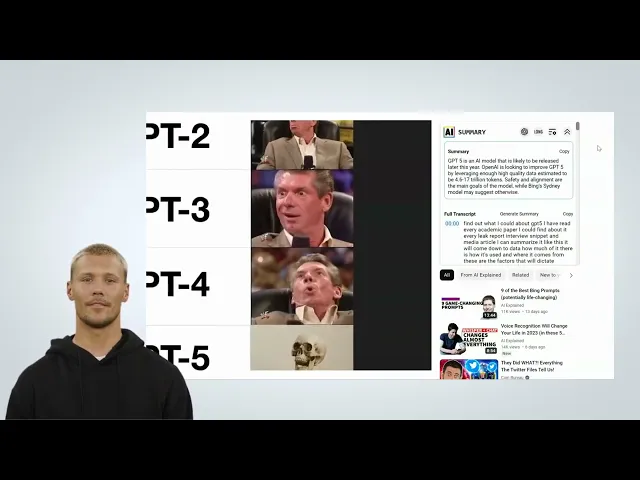
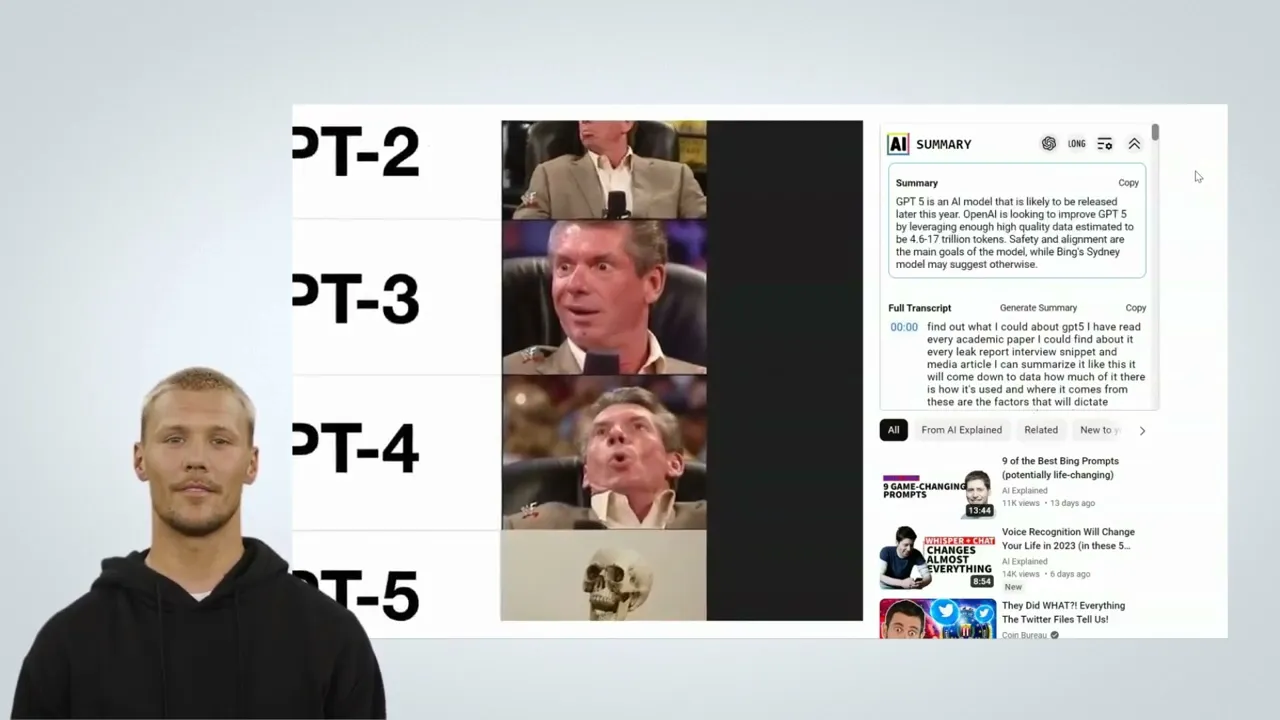
extension settings page to do this open the extension settings page and click the link kit open API key the link opens your openai API key settings simply click create a new secret key and openai will generate a new API key for you copy that key and paste it back into the open API key options and click save options now that you are all set up let's take a look at the other free option Auto generate summary on page load auto-generate summary on page load creates a summary for every new YouTube video upon loading the summary
load time will depend on the size of the video below the summary will be a full transcript of the entire text there is a copy button to quickly save edit or manually import the text directly to chat GPT above the summary is a navigation bar that can collapse and expand the summary open the extension settings open chat GPT in a new tab allowing you to manually copy and import the transcript or a long button to expand the summary the long summary is limited on the free version and unlimited on Pro now you are ready to
use our free version thanks for watching