all right I know that I haven't been recording too many videos but I want to show you this I want to create a flow with you so check this out you can now do crew AI create low and let's give it a name let's say sales spy play Boom create I automatically create ini show folder structure everything that you need let's go into that folder real quick sales Pipeline and boom let's open it pipeline looks a lot like a crew in this show the difference is that you can have a Cru within saves five wies
so you can have out Cruise in here and this main file now becomes your sh pipeline so here is a quick example of trying to create a poem but let's basically scrap this down and do our own thing all right so just create our first blow text out Sal pipeline iner from flow it's a new class in create I and you can basically create a set of functions the first function that we want to execute is fat leads and this has a start annotations or flow know that this is the starting point of the executions
and here we can pull data from the database if we want to and as an example I'm just speaking returning an array and my lead is t t the CEO of zenak just fing it in case we ever want to reach out to them then after that you can have other functions there listening for this function to finish so check this out we have a score leads function that is watching for f leads so as soon as F leads is done then it's going to call score leads passing the leads along the way then we
have a score leads score that is basically listening to score leads but check this out we have two functions listen for score leads we have the store leads and the futter leads both G scores that we're going to return in this function so we can start them we can filter them and then check this out once that both functions are done filter and storing we can write an email and send the emails I'll do this EMP now because now we get to few this with Crews so I let me showed you how we go about
it now what I can do is I can go inside my crew folder and I can do crew AI create crew and let's do lead enrichment crew so lead enrichment so this is going to create initial folder structure for the crew for us so if we look at here now we have this lead enrichment crew but I also want another crew I want an email writing crew now those both of those shoes are going to be in there inside their crew fer so let's do them real quick crew are super straight forward you have the
same structure as always where you have all your tools in here you have your agents and tasks as the MMO files so let's generate those R right so for CRS are ready check this out for our email cre we have two agents and email content specialist and engagement strategist and for our lead enrichment We have basically leader data agent score validation agent cter feature agent then big tasks basically trying to extract find data format data do a whole analysis on leads for us all right so let's close this we have our two crew ready let's
use them in the pipeline now this is done we are importing our two Crews right in here you can see that we still fake cor leads we're talking with them from zesk and then we actually score the leads and there's a crew that does that so this This Crew basically K kicked off for each lead and it's going to score them it's going to research them do everything that we need to find information about dispers about this company about their culture everything that we need to actually talk with them then we're going to store that
information the score every enrichment data that we got everything so that we can reference that later and after ref shter only for the leads that have more than a 70 score what would be pretty high from zero to 100 we write an email and there was another crew in there that used the information from the lead to actually write a tailor made email for that person at that company and then we would send this email using whatever platform we need pretty cool and pretty interesting setup that we have going on in here I also added
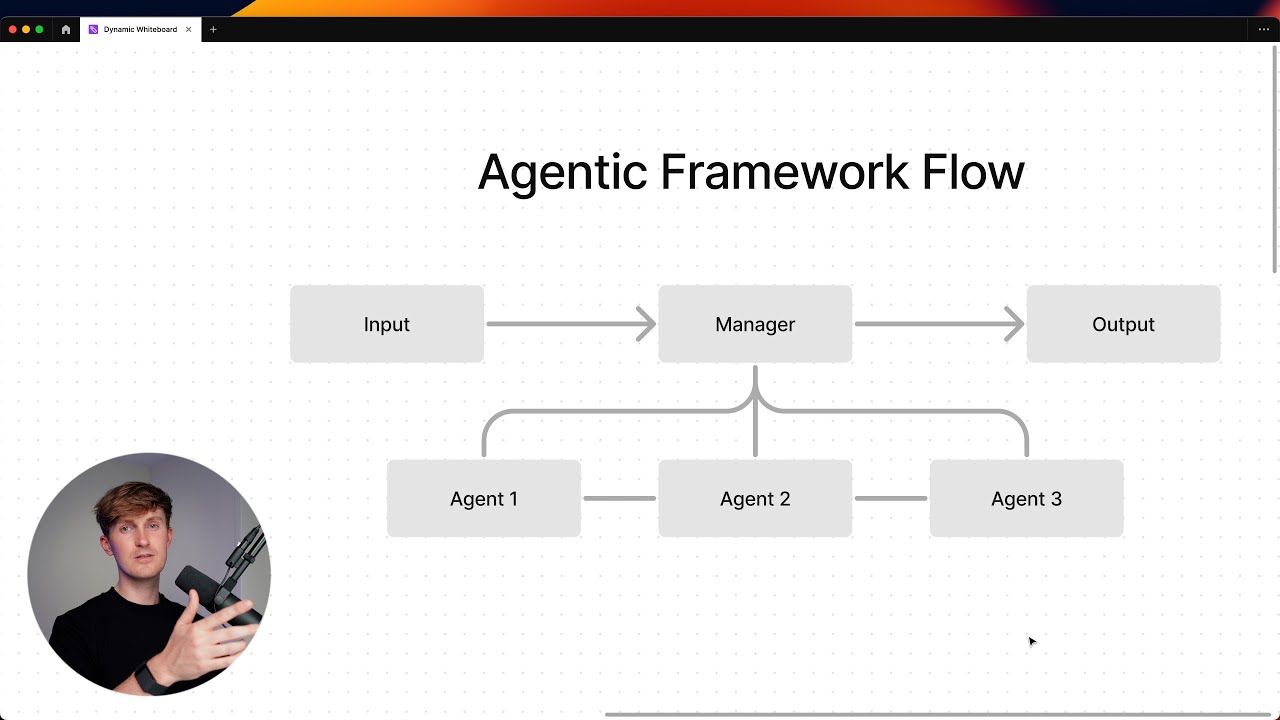
some random code so that we can calculate how much this actually costs given that we are using GPT 40 so let's run that I want to run crei flow plot that will allow us to plot our flow so that we analyze it share it document it whatever we want it so let me start by winning that a r a run create I flow following that so let that run flow is created while it runs let me look at what it looks like and there we go this is our float we fch lead then we score
them and you can see that this is a crew because of the colar then we can store these leads or we can filter them and then we write an email and actually send that email so there you go pretty easy pretty straightforward there's so many other options we could use and routers ores there's a lot going on in there that we could explore now let's check our cruise execution real quick so for our crew execution the lead LLS kicks off it starts to research that lead using serper to find content on there basically scrapping web
pages everything that we need to find the information about this person now this is done there's a bunch of information that we learned through it all we can see the final score being 90 a very good role score a very good company score a very good Market presence and a very good cultural thing so straight A all across and now we already filter the leads and now we have the email content writer taking off to write an email for them so let's check that out and there you go there's our email there's a subject unlock
efficient desk automation you can see that we're mentioning enhancing it ience something is important for zenas we talk about crei we talking about streamline workflows probably things that we learned through research zenas in here so PR straightforward at the end of the day this costed 0.018 plus 0.00003 d That's so low let's do some math here real quick let's send that plus 0180 and this is how much it cost to en reach and write one email so what happened if you had right, I would pay $183 in tokens for doing this for 10,000 people we
searching them find the information and reach them and there's so many information that we found on them I'm going to show you that in a second there we go I got it exported so you can see in J format so you can see the name you can see the job title the RO relevance nothing of the background professionally but Zinda the industry the company size the revenue the market presentence some score criteria and some validation notes so we have a bit of information here that we could go to market with that we could use for
a meeting and we could expend it in so many way I tried to cap it short and keep it simple but there's so many different ways that you can use Flows In order to have your approves execute and basically do more stuff with it all right I'm going to cut this one short I catch you around thank you so much for using crei and I catch you later have a good win byebye