hello everyone and welcome back to the game engine programming series where i write a game engine from scratch if you happen to have skipped over the past couple of videos because there were blue episodes you might be in for a surprise because the user interface of the level editor now looks rather differently we have a dark theme going on here with very different colors than we had before and we also have got some nice animations here but functionality wise nothing has been changed i only made a couple of controls here that i could use to
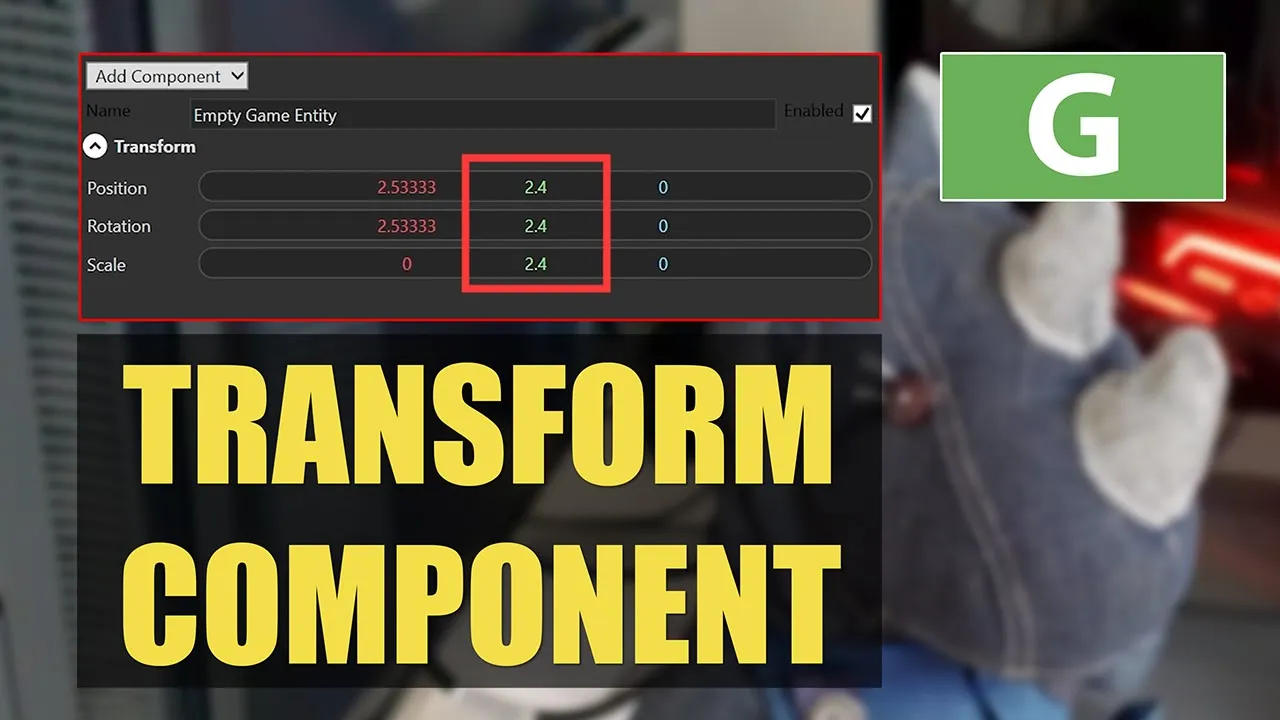
enter numeric data like vectors and scalar values using keyboard or just by dragging the components or the numbers using mouse and today i would like to use these controls actually to make a transform component for our game entities because right now the transform component isn't displayed so i'll spend the time today to prepare displaying different kind of components and also actually make a control that displays the transform component [Music] so first before getting started i would like to correct something i said in this video there is this bug in wpf i think that whenever i
select multiple items in the list box then it will have this disabled color and well if you go back a couple of videos and look at the default style of the listbox and you can see that it happens there as well so it's not something i just did it's just like this all the time which was totally wrong of course because although the colors of the selected items are incorrect the bug is not in wpf actually but that is caused by something i did before and that's if we look at the world editor in editors
world editor view in the code behind you see that i'm giving the focus back to the world editor control every time the undo list changes and guess what every time we change selections of course the undo redo list is also changed which gives the focus back to the world editor control and that means that it takes focus from this list box and that's why the background color of selected items is the color that the items would have when the listbox was out of focus which is of course true in this case so the only thing
i have to do to correct that is just to remove this line i know lo and behold we have this blue background for selected items this means however that occasionally we will lose keyboard focus to the entire interface and that way we can't use hotkeys anymore so for example if i now press ctrl z let me see at some point like now for example i don't have the keyboard focused to the entire application anymore so when i press ctrl z it doesn't undo the selection changed history so that's something we still have to fix but
for now is for me more important to have a correct behavior in the user interface rather than just having the focus all the time with that out of the way let's prepare making the transform component for multiple selected entities now if we look at the diagram for multi-selected game entities and the multi-selected component classes that we have you can see that a multi-selected transform is needed for each multi-select game entity and each of those components have a list of selected components so for example this ms transform has a list of all the transform components that
are in the list of selected game entities so today i'm going to implement this class ms transform and also make the wpf control for it to display the transform okay first i am going to implement a base class for multi-selection components well we have actually a base class here an abstract base class but it's empty so i'll need to add some functionality to it in order to be able to use it with multi selection components and this class is basically the same as we did for multi-select game entities or this base class ms entity in
that it has two methods that would propagate the changes to all selected entities and one for gathering the information from selected entities and we'll have a refresh method to update this instance of the multi-selection component because we are having multi-selection components instead of multi-selection entities we'll need a list of components we have a list of components here that corresponds to the type of components for the multi-selection component for example if we are making a multi-select transform component this t would be of type transform and we would have a list of transform components which is exactly
like the drawing that i just showed you and here in the constructor i check if there are selected entities and this ms entity is not null and then i'll collect a list of components of type t into this list using this select function and then i need two methods to propagate our changes to the selected components and to gather the information from those this method will update the components and this one will gather the information from the components and we can also tell this method what property of that component exactly should be updated for example
we have for the transform component position rotation and skill so we can say okay you have to update a scale property of the transform and the next line of code will make sure that all the components in the selected components list will be updated so whenever one of our properties changes then the corresponding property in any of the selected components will be updated and this enable updates is to prevent a circular update so for example when we use this method update ms component to gather information that will change our properties and then we'll have to
disable the update so it doesn't propagate the changes back to the selected component so i need a boolean here that i can set and we have a refresh method that sets the enable updates to true or false so when we call refresh the updates are disabled so anything that we gather from the selected components doesn't propagate back to the components again and that's all i have to do for ms component next thing i can do is to use this as a base class for the ms transform class here in transform component i can add a
new class as you can see here the base class is ms component and the type of component that we are collecting is transform now i have to implement those two methods to update and gather information but first i need to define the properties that we want to change in the multi-select transform and the way i would like to do this is to decompose all these properties from transform to their xyz components so for example i'll have the position x position y at position z and the same for rotation and scale the first thing that we
notice is that i'm using a nullable float and that's because every time the selected components have different values the value for the position x will be no so if we have different x components for the position then this will indicate that we have mixed values and this floating point value will be no and that's exactly the same as we did for game entity if you look at this enabled property then we are using a nullable boolean as well and that's just because this mixed value methods return null if we have different values and return a
single value when we have uniform values and the second thing we should notice is that i can't really compare floating point values like this directly because of machine imposition and a while back i created this utility method for comparing floating point values and i can use this one instead of comparing floating point values directly so if the position is not the same as the new value that we have then we should set it again and then i have to repeat this for y and z values and for rotation and sketch using these properties i can
set the components of each property in transform components individually and then i can implement these methods now if any of the components of position has been changed whether it was the x y or c component i just return a new factored three instance to the position of each of selected components or each of the transform components and then i can repeat the same thing for rotation and scale as well and this is all we have to do to update the selected components it's a bit jejune but that's all we have to do next i'll implement
this method that gathers information from the selected components remember that we had these methods implemented that we can use to determine if some property in a collection of game entities has the same value or not and i want to use the same method to actually do the same for a component but these methods only use a game entity right now so i'll have to rewrite them in a way that they'll also accept components and the way to do that is just to make this a generic method that can accept different types of classes if you
haven't seen the video about the mixed values and why we did this then feel free to go back and watch this video to find out more about what you exactly did here for now i'm just going to change this to a generic method that means that it will take a generic argument of type t okay now as you can see here we can have different types and if i go back to transform you see that there is no error here anymore but while i'm here i can rewrite this a bit more concise here i skip
over the first object because we are already having the value from that object anyway so we don't have to examine it again and then if any of other objects in this case our component will have this property and the value of that is different from the value that we got from the first object that means that we have a non-uniform value and therefore we should return no and if all the values are the same then we just return this value that means that we have a uniform value and then i can do the same to
the other two methods as well brilliant now they look less like they were written by a five-year-old now we can continue implementing the multi-select component multi-select transform component i of course forgot to use nullable floats here so i'll have to change those by the way some of you asked me to zoom in on a code a bit because it's apparently hard to read on smaller screens so i made the text a bit bigger and feel free to let me know if it's okay now alright the next thing i need is to actually refresh or call
refresh to update this information and that i can do whenever the instance of this multi-select transform is created i just call refresh okay next i'll have to fill in the list of components in the multi-select entity because right now we have this list of components that we are not using anywhere so i'll need a method to actually assemble the list depending on what entities have what components because right now every entity has a transform component but later on we'll have other type of components as well but not all the selected entities will have the same
list of components some of them will have the geometry component and some others will have scripts so we'll need a method that would display the components that are common between all the selected entities here i go through every component in the first entity that we got and then get its type and if all other entities that we have selected have the same component as well then we will be adding it to the list of components here i also assert that this type of component shouldn't be in the list of components already then something is wrong
and other than that i just added to the list of components but our list of components contain multi-select component and what we got here is like a regular component that any entity has so we need to ask a component what its multi-selection variant is and for that i need to add a member to this abstract base class for components a member method that will get me the multi-selection variant of that component now if we go back to the transform component you'll see that i have to implement that method and it's really easy all i have
to do is to return an instance of multi-select transform class now if we continue the implementation of make component lists i can call that method to get the multi-selection variant of this particular component okay now i can already test this to see if this transform component is being included in the components list now when i select one of these game entities then you can see in the list of components that there is an ms transform instance here and now all i have to do is just to make a user control for this first i'm going
to create a user control that i can use to display different kind of components and what this basically is is just the expander that has an item which is the user control for the component that i want to display in order to be able to actually set a header for a particular component type for example our transform component and display its content we need two dependency properties that we can use to set the header and to set the content of this component view okay here i used a code snippet to generate this dependency property for
me and then i'll have one more for the content of this component view and also i'll tell this user control what its default content property will be i can use an attribute class for this and this is just to make sure that i can use this content presenter to display the content without having to type content so for example in this text block i can say okay if i have a text block i can or maybe a button let's put this in a grid if i have a button i can say its content is something
or a button and then button content is something or i can say okay here is a button and its content is this and in the last case i can put a content in a button without having to type in content and that's exactly what i can do with the component view as well by saying that whenever i don't type anything for the content then it should automatically go to this component content property and now that i have those two dependency properties defined i can use them to bind to the header and to content presenter's content
here i am referring to the component view so basically this control where we are already in and i'm bind the text of this text block to the header property of the component view and then i can do the same for the component content and that's it i can now use this component view to display my transform component first i want to get rid of these namespaces with world editor in it and do the same for component view and here i just put in a grid with three rows for the position for rotation and the scale
of the transform component and i'll also have a column for the name of each row for example i'll put position rotation and scale titles next to the numbers i also want all my text blocks to have the light font color i would also like to have a design time instance of my viewmodel which is a multi-select transform now because the position rotation and scale are factor 3 type i would like to use the factor box to display those components for that i need to include the namespace as well and now i can bind the x
y z to our position x position y and position z properties and then of course i need to tell the game entity view which also displays the components that it should use the transform view that we just made whenever the component is ms transform so i'm using a data template here that says whenever data type is of type ms transform that corresponds to a transform view and here if a component is of type ms transform then that data template will be used and now i can check if it works now we have here the transform
component of the game entities and i can check if the multi selection works i don't think our bindings are working for some reason so i have to fix that you see i can change the values and nothing is updated let me see oh now it's working let me try again to make sure that it's working okay and this is the component view that we wrote which was an expander and our transform component is in there what i haven't done yet is to set its title to display transform component so i'll do that as well now
our expanders header is transform so i can set the name of each type of component that i will be displaying and let's add some little formatting for the component view to make it just a bit nicer here i'm changing the background color of the component view whenever i go over it with the mouse so it becomes a bit lighter okay that's good and the next thing i would like to do is to make the changes to our transform components undoable because right now we can't undo anything you see here selection changed but no changes that
i made here are actually recorded as undoable i also made a couple of typos here i need to change this to make these changes on doable i need to go to the code behind of the transform component view and record undo redo actions whenever something changes whenever we make changes to any of these values we can do it in two ways we can drag the value by mouse or input a value using keyboard so we have to attach event handlers to handle those cases okay let's try to implement these for the position first and i
repeat that for rotation and scale so when i click on a value i want to record the initial value of that number because that can change after i drag with the mouse and for that i just record and undo action when we press the left mouse button i remember all the components and the value of that particular property so we can reset them when we are undoing the changes here i get the multi-selection transform component from the data context and if the data context is no or it's not of type ms transform we do nothing
and then i'll just make a list of the transform components and their current value of their positions and when we want to undo whatever changes we did we just set back those transform positions to their old value and then i want to refresh the ms transform component and therefore i need a method from ms entity to get the transform component the multi-select transform component in order to be able to refresh it if we look at the game entity the game entity class has a method here that i can use to get the components of type
t and i need to implement a method in the ms entity just like the one that we have for the normal game entity here i look in the components list and see if there is any component in there of type t and then return it if there is no component of that type found then this method will just return no okay now when we release the left mouse button then we have to check if the value was changed and if so we can record an undo redo action in the undo redo manager in order to
be able to track whether the value was changed i need a boolean field here i use an event handler that i'll attach to property changed event of my viewmodel and whenever any property of the view model has been changed then this field property change will be set to true and then i can check here in left mouse button up if the property was indeed changed and if so i can record the undo redo action so to have a redo action i need the current value of the position for each transform and that's basically the same
thing as we did here except that now instead of having the undo action i'll have a redo action and here i also set the property changed to false again and as the last step i'll just record the undo and redo action by adding it to the project's undo redo manager and also here in left mouse button down i need to reset the property changed this is all we have to do to handle undo redo for changes that we make using the mouse i can already test this you can see we have a position changed item
here and then i can hit ctrl z and it is undone to zero again to its old value i can try doing that for multiple selected entities that works and i can also redo everything again okay now let's handle the case where we changed the values using keyboard because right now these changes aren't registered in undo redo history here in lost keyboard focus i can basically call one of these methods again so if the property was changed and we have an undo action then i call on position left mouse button up to record and undo
redo action and we are using the preview mouse event so we need to change the event handlers names accordingly it's preview because i want to know when the mouse is down or up before this control gets the event and handles it because otherwise if you look at the number box here after one mouse action we set its e dot handle to true and therefore the mouse clicks don't get any further than this control and if you want to know whether the mouse button was down or up then you have to use the preview mouse event
now i have to rename these if you look at these methods you can see that there is a lot of code repeated here and i don't want to repeat all of these for rotation and scale as well so i'm going to refactor as much code as i can and the first thing i can do is just to get this part out of these methods because you can see right away that's the same code basically and here i can just call the new get action method to set the undo action and for the left mouse button
up i can also do this okay so i refactored this part of the methods because that was in both of them and now we can get undo action and redo action just by calling the new method let's see if that works this is the one that i changed using keyboard and this is the one that i changed using the mouse and it seems like it works correctly with undo and redo so we simplified the preview left mouse button down if i have to repeat this for rotation and scale as well then i have to repeat
this part and i think i can even factor out this part as well okay we can use this method only to get the position information so if we would like to implement these mouse event handlers for rotation and scale then we would have to repeat this method to avoid repetition we can rewrite this method in a way that it can be reused for rotation and scale so the part of this method that is different for rotation and scale is this part and this part and the rest is of course the same so if we can
give this as the method parameters to the new methods then we can have one method for different properties we will have a function that i'll call selector that gives this method this part so it's a function that will take a transform component and will give us back a transform component and one of its properties and the second parameter is this part that will indicate what value should go to what property of the transform so it's an action now for example i can have a get position action that will call this method and as the method
parameter i can say okay i want to have this part and the second parameter is an action and now all i have to do is to use these parameters here instead of typing it literally for position and then instead of calling get action directly i call get position action and i can easily have another two methods for rotation and skill by just copy pasting this and using the right property finally i can even factor out this part so we can reuse this as well for that i'm going to write a new method that's called record
actions and i can just move this here and even i don't have to use this local variable i can just call get position action directly here and that's it and this makes it very easy for us to implement these two methods for rotation and scale as well i just go and copy paste these twice and we'll change these to rotation and these ones to scale and then i can copy paste this for rotation and scale again for handling keyboard and then i have to attach these event handlers to the right events in the xaml file
and now i can test if they are working correctly okay one thing that i need to do is to take away the focus from the text box when we start dragging another value right now we have the focus to this rotation x component and we still can change some other value and when we hit enter then this rotation is changed i don't really want that you can see both numbers changed as well not something i want and to solve this problem i just go to number box and whenever we click on a value i give
the number box the focus which will take away the focus from anything that has the focus at that moment now if i have the focus on one of these text boxes and then i can use keyboard to change the value and while i'm doing that i start dragging on another value then the focus will go away from what i was doing and it will be reset to its initial value all right and right now we have another little bug here whenever i change the name of game entity and i go back by undoing it like
so and then just give this text box the focus and hit escape to remove its focus then you will see rename game entity here and the reason is that if you look at what's done in game entity view we are having this property name whenever the property of the ms entity changes then the name of the property that was changed is set here and while we are undoing of course the properties change so we have to set this property name to an empty string again whenever we are starting to record new actions so here in
got keyboard focus i have to set property name to an empty string and that kind of solves the problem now if i select this text box and hit escape then nothing happens one last thing i want to do is to go to this dictionary here we have the event handler for lost focus i think i want to remove this move focus and see if this text box is not visible and if so then we don't have to do anything and in game entity i just want to do a little improvement in is active if there
is active value is not true then i want to check if this entity id is still valid because we don't want to remove some entity that already has been removed and when we remove the entity i want to set its entity id to an invalid value and that's all i wanted to do for today we did a lot of work we now made it possible to add new kind of components in our game entity view right now we have the transform component and we can change those and undo and redo them which is nice for
the next time i'll start actually working on the scripting system which is the part that we can use to write the game code and that way we'll be able to actually make games with our game engine but therefore we need a script component which i'll start implementing in the engine itself so the next video will be a red episode working in c plus plus and actually the next couple of episodes will be red as asphalt because i'll be mainly working in c plus plus part which is the engine to lay the ground for creating the
scripts the game code and loading the game code in the engine and in the editor of course because we'll be running the game code when we press play game in the editor so we need to be able to do all that so it will be rather involved but also a lot of fun to implement thanks for watching if you like this video please feel free to like and subscribe if you join me on patreon you'll get access to the code on github so you don't have to type everything over from the video plus there are
also other nice goodies and reports exclusive to my patreon supporters please use the link in the video description to check them out i hope to see you next time until then take care and happy game engineering [Music] [Music] you