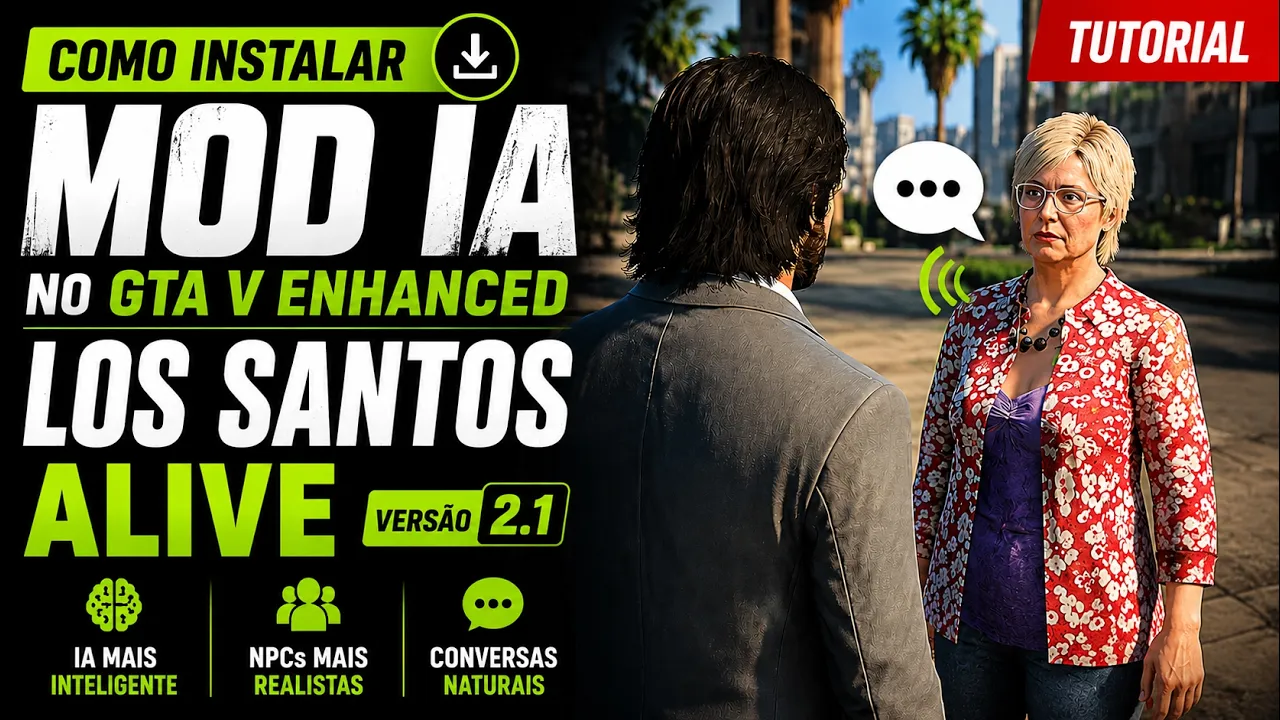
Hey everyone, how are you all doing? In today's video, I'm going to teach you how to install version 2. 1, actually 0.
2. 1, of Los Santos Alive, which is the mod for talking to NPCs in the enhanced version of GTA V. I already taught how to do it for Legacy, and some people aren't sure how to install it correctly in Enhanced.
So, let's go over the installation and file configuration, because something has changed in the files. So, let's start with the mod; you can download it here. For the Enhanced version, you have to go to the LSPD website; you'll probably land on this main page.
Scroll down to this blue one here, click on it, wait for the next page, then go to this gold one here, which is the Enhanced version , and click on it too to take you to the page. Scroll down a little more here. On the right, you'll see " Download Parade.
" You can click on it. Scroll down here to read the terms. You have to accept the terms, otherwise it won't download.
There are two versions here. This first version is the one we're going to download. This is if you're playing LSPD, which is the police mod in Enhanced, and the police station isn't open.
So here, guys, I'm going to put this first one here to download. I'll wait for the verification here. Oh, it accepted.
I'll go to download. I wait 5 seconds and it's already started the installation here. Here I'll pause to give you an explanation.
This version of Los Santos Alive is 0. 2. 1.
If you want to use the police mod, LPED, LSPD in your GTA V in Red, you can check the Los Santos Alive Patreon, all the links will be in the description and you can see that there's a version 2. 0 here. You can scroll down here and take a look at the text, okay everyone?
I like to bring only mods to the channel that are free for us to be able to download. This is a more updated paid version of Los Santos Alive, with LSPD integration . If you play the police mod, compatible with the revamped police menu, you can scroll down here.
Everything talks about LSPD and there are a few more versions here, see? We're installing version 0. 2.
1. So, down here there's a version, see, 0. 5.
0 , which is more advanced than the free version I'm teaching in this video. So, you have to pay for a subscription plan to unlock it. And scrolling down a little more, you have another version here, which is this version here, see, 2.
1. In fact, this is a more complete version that's in alpha, under development. So, if you subscribe, you can test it.
It is fully compatible with the police mod. So, I'll leave all the links in the description. If you want to take a look, if you're interested, you can purchase a subscription and test the alpha version here to have compatibility with the police mod.
This will work in both Legacy and Enriched. I didn't explain this here in the legacy installation, but I'm showing you two files that have already been downloaded. I'm going to select both, right-click.
I want to extract both, guys, so I don't have any problems with corrupting any files. So let's extract them here. The two files are already extracted.
Let's find our game directory. First, we go to the Steam library. We go to GTA V Enhanced, right-click, manage, and explore local files that we can work with in this directory.
In Epic Games, we go to the Enhanced version and you click on the three dots, manage, and this magnifying glass here with the folder; you open the directory. I'm going to work on this one. This is a clean version of GTA, guys, it only has script hook 5 and Rampage to make Rampage work, right ?
No other script modes, nothing else. Okay, now guys, follow the same order as me here so you don't get confused, okay? So you know how to configure it correctly.
So, we're here on the left with our GTA V enhanced. Follow the same order as me, guys, so you don't get confused and can configure everything correctly. First, open LSPD.
Select it here, then press Ctrl + A to select all. Remove these three folders, guys, because that's the police mod here. Unless you want to test this AI mod with LSPD, leave them alone because that is exactly where those police mods are located for you to use.
But since the intention is only to use the AI mod without the police mod, just the files themselves. You can drag everything here to the main directory. Now let's go to Los Santos Alive, we'll get all the files.
See that it already has the plugins folder here? We'll drag it here to the directory too and wait for the process. Okay, guys, I'll close this.
Now we'll go inside our plugins folder and we have some more files here. Okay guys, regarding version 0. 1, the first version we installed, there's this Smart Vehicle here, which is an extra mod, I believe for you to enter as a passenger.
It has a more intelligent system for the NPCs to follow the path, and things like that. Let's go to the Los Santos Alive Server first. Go to this file here, guys.
You right-click, you can open it with Notepad or Notepad , okay? You right-click here, you can go to open with Notepad here, okay? To open it, or double-click on it.
I think it opens too. Let's double-click here, see? It appeared here.
So, I will use a notepad here so that we are able to open it. This is where you'll put our API key and our Gemini API key. How does it ask there?
The link will be in the description, you'll land on this page here. There's no key here, guys. Create API key.
You need to log in, okay, guys? You have to log in with your Google account, okay? Create API key.
I'm going to put my key here, right? NPC AI GTA 5. So, let's click on create key here.
Creating the key is this big number here, guys. You can click here, see, on copy here or copy the key here. If it already exists, you already have a key, if you have it here , you can copy it here too.
And come here, see, and press Ctrl + V here. Once that's done, you come here and save. Our mod is configured here with Aia.
Now, guys, we go back here to the main directory, to NPC Gemini Files. These archetypes here, guys, I've already explained, I'll open them for you, okay? Just to show you.
These are archetypes of the game's characters. This shows how the characters have a small description of how the characters from each neighborhood, from each small town within the city, react and talk to you. There are gangs and police, there are many here, okay?
If you want to translate it on Google and read it later, you can find out the types of characters you'll encounter in the game . The important thing is this Los Santosalive. config file, right-click, open with Notepad, okay guys?
Otherwise , it will open another program that you might not even have installed. This here is mouse button 4. It's showing on the screen which button it is.
You can choose between mouse button 5 or choose . . .
This K is the button we use to speak . So I want to speak with X. You can put capital X here.
K is the button you use to write text, that little window that appears in the game that I'm going to show you. If you leave it on enter and you use any mod menu or any other mod that you already have installed, it will cause a conflict, because when you press enter, especially near an NPC, it will always open the text window. So change it to the T key or any other key you want.
That way you won't have a conflict. After that, you can go to file and save it. Then, when you get close to a character and want to type text, you press T.
And if you want to talk to the character, you hold down the X key. Once that's done, I'll close this up, folks. We have one more step here.
First, let's go back to our main directory twice. Before we continue, folks, and if this is your very first time installing the mod, please head over to the Rockstar launcher and open the settings. This little box here needs to be unchecked, otherwise an input error will occur, in this case, Shinput 14, in the Enhanced version.
So , leave this box unchecked. And well, folks, we're going to configure it the first time by double-clicking on the R Plugin Hook, but you might get a few crashes here. It might happen, okay?
I'm not saying it will. The first crash , folks, if it happens, check if you get a notification from your antivirus. Then you have to go there and enable it in your antivirus.
Another file that might be missing is if you have a game installed on an NVMe drive. In that case, you need to go to the GTA V mods website (I'll leave the link in the description) and download this Direct Storage Fix. This is the LSPD mod, specifically this little mod here, folks, Direct Storage Fix.
It's just this first file here; just drag and drop it into the directory. Since it's here, I've selected "replace. " I only remembered this now, folks, because it's in the description on the LSPD website.
So, when you install the Rage Plugin Hook, it might give an error saying this is missing. This happens if your game is installed on an NVMe SSD. So, it's something you need to pay attention to.
I'll leave the link in the description as well, okay? As a complement. Now, we've installed it; let's click here to configure it for the first time.
Then check your antivirus too, okay folks? It'll do this countdown here. Click accept.
It opened here, folks. We usually put 60,000 here, okay guys? 60,000.
The plugins, guys, I'll leave it on this first one here because I think the game loads faster, okay? And we do the reload inside. Click on save, then click OK as well, and it will open the game automatically by itself.
Every time you want to open the game, you'll have to come to your main directory and start with the R plugin here, double-clicking it, always to use the plugins. And once inside the game, guys , the first thing is to press F4, there will be this little blue key, you start typing here, see, reload, okay? It can all be lowercase, but it has to be this one here, see, reload the plugins.
Press tab and it will fill in, then press enter, it will load. It minimized here, guys, because this prompt opens in the background. So you can accept here, allow it, right, because this is normal.
This stays open, which is where the conversations are recorded here. This stays in the background, see. The game is minimized here.
So I'm going to come back here. Let's press F4. And it probably loaded all our plugins here.
Let's confirm, look, on the NPC NIRB, pressing the T key. The enter key doesn't appear. The T key does, because we modified it.
So let's get close to an NPC. Let's, let's talk now. How are you?
Portuguese. I don't know. What do you want with this?
I'm busy. You were having a coffee. Yeah.
So what ? I don't have time for nonsense. I have to go.
Where did you buy the coffee? Over there on the corner. Leave me alone already, okay?
Oh, then go to hell, you old hag. What's that? Are you crazy?
Just leave me alone. So, everything's working, right, guys? Let's test here a little more, quickly here, holding X, the microphone.
Let's see if the guy can give me a cigarette. Hey, buddy, can you give me a cigarette ? Hey, there are only a few left, man.
This damn smoke here. Just have one. Thanks, bro.
No problem. This dust and everything is awful, isn't it? It seems like it never clears up.
Yeah, the afternoon here is hazy. So, wanna grab a beer to cool off? Man, a beer would be perfect right now, huh?
But I'm kind of waiting for someone. Business, you know? This life here isn't easy, man.
Is living in the countryside easy or hard? Easy. Not at all.
It's a daily struggle , man. And look, the weather's even improved now, right? It's cleared up, but the hustle doesn't stop.
And what kind of business do you do? Business is business, you know? Something you can't talk about too openly.
Better keep to yourself. Okay. Let me ask you.
Do you know Trevor? Trevor? Are you talking about that Trevor?
Man, it's better not to talk about that name too much around here, huh? Get out of here. No, no, man.
Relax, I know him. You can lower your hand. I don't know.
This guy is trouble. If you really know him, be careful. I don't want to get involved in anything.
No, no. Stay cool. Treé is super chill when he's around me.
Silence, man. Don't speak loudly. Super chill.
Ah, I know. A lot of people say he's. .
. well, but do you know what he did to Johnny Klebots? Holy, man.
Be quiet. I shouldn't even be talking about this. I'm out.
It's over. Well, guys, the guy got kind of scared there. Okay.
So, it's working, it works on the enhanced version. You can mess around with it. Okay.
I'm going to finish the video, guys. The installation was just like that, on the enhanced version. And let's move on to the next one.
Bye.