Hello guys and gals. Me Mudahar. There's two types of Lunix users, okay?
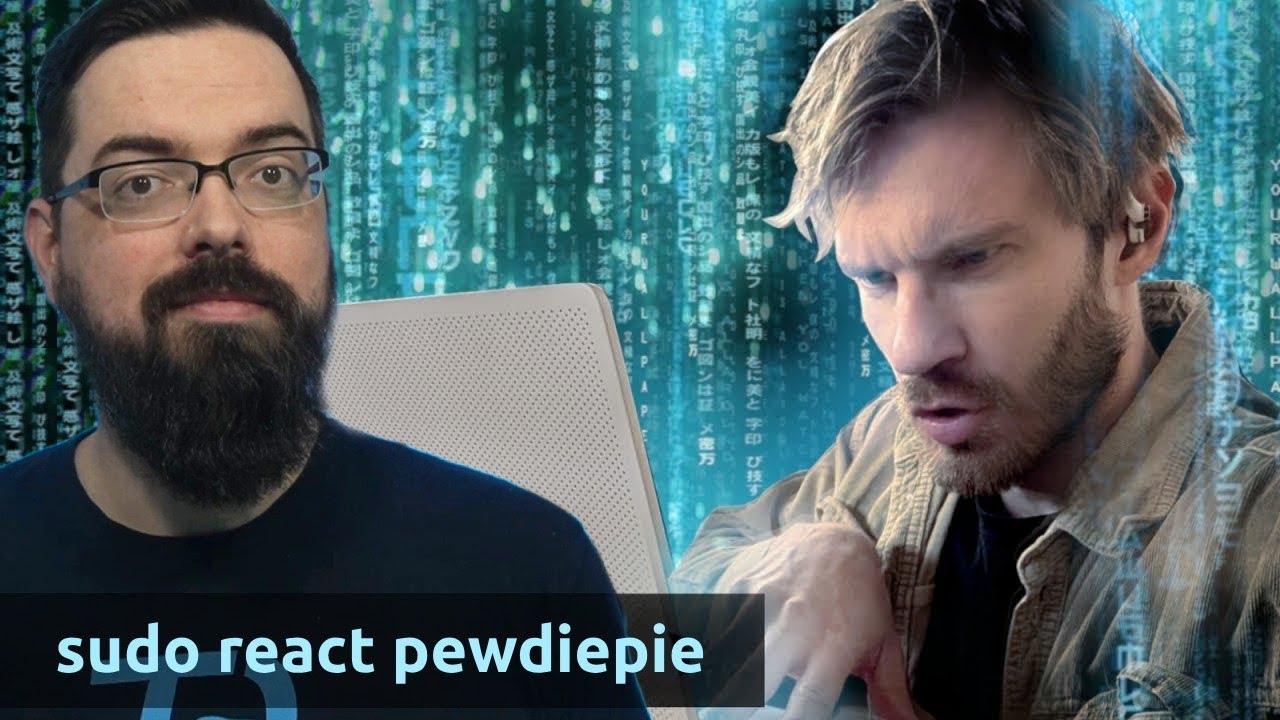
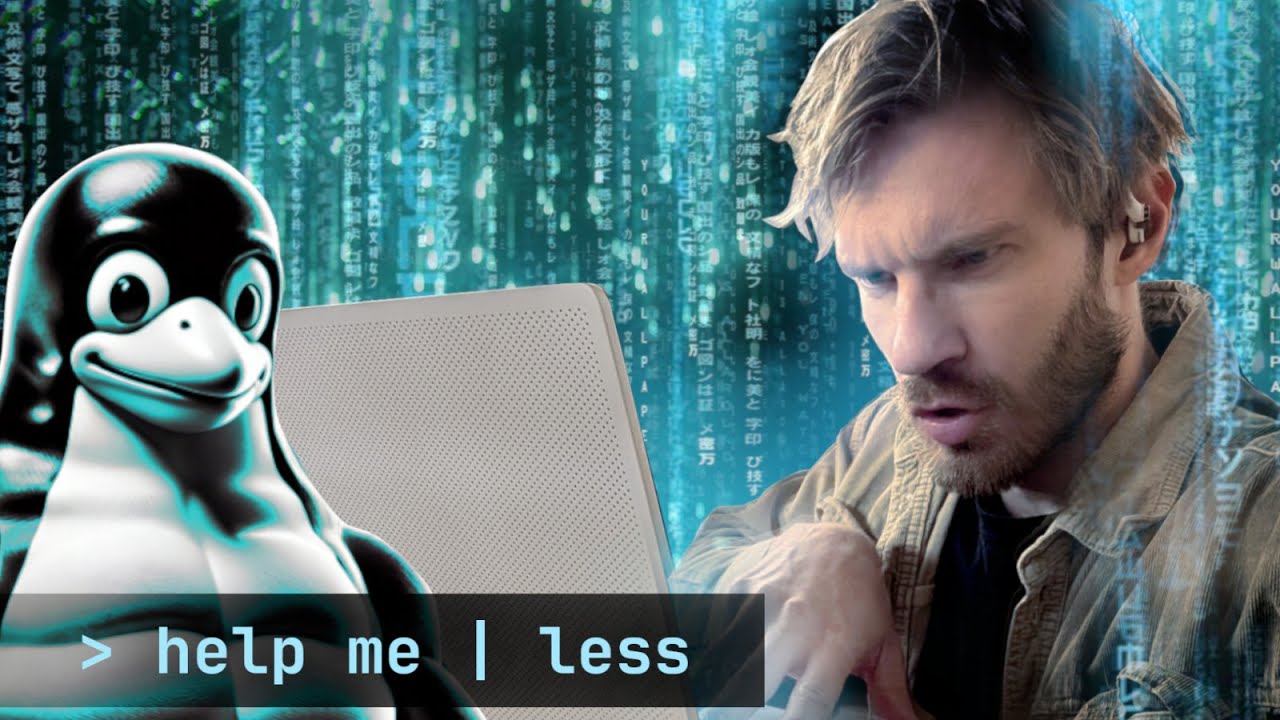
You can either be Terry Davis writing crazy messages to the Central Intelligence Agency or you can apparently be PewDiePie who made a Linux installation video. I installed Linux. So should you.
You know, it's kind of wild, ladies and gentlemen. I remember starting this whole YouTube journey like probably a decade ago, and I was, you know, reviewing creepy pastas like Sonic. exe, exe Godzilla NES Jeff the Killer uh you got crazy stuff like um the Jadis Sable good oldfashioned Majora's Mask creepy pasta and my personal favorite that I'm actually revisiting uh in a recent video actually a couple weeks out is uh Elder Scrolls Morrowind look to the stars okay wild stuff but of course PewDiePie the man here uploaded a video about 6 hours ago I installed Linux so should you now for full context Next to understand a couple like about a month ago, you know, I looked at a video from PewDiePie where he basically showcased his new computer build and he built this all AMD rig and for a few seconds he showcased that he actually had Linux installed onto it.
Now, of course, this got the attention of yours truly and uh actually the man commented on the video that I had uploaded and uh it's surprising to see that, you know, I'm in I'm in the beauty. His whole journey is wild, dude. I'm doing the soy jack.
Not on there. But yeah, PewDiePie was a little shocked that people were pointing out that, you know, he's a Linux user. And it's kind of an important thing to talk about because this video is wild.
Okay, it's wild because one of the largest creators out there, and granted, PewDiePie is a retired guy, but to have his reach and him promote things like Linux, for instance, is actually quite impressive. And uh I wanted to kind of look at this video, kind of look at his perspective of it and how much it actually mirrored. One of the reasons I switched over to it as well too and confused.
Something possessed him to put Linux on it. Some people were excited. At the time, I didn't know the power that I had.
I was like a baby with a rocket launcher for years. I have been tortured by window. So yeah.
Uh you know, that's a great point. He was tortured by Windows. And I think a lot of people are really tortured by Windows to be honest with you.
Now, in the last couple like years, I would say Microsoft has done some kind of goofy stuff with Windows 11. And again, before we go into this video, I don't care if you use Windows. I don't care if you use Mac.
I don't care if you use Linux. Okay? As long as your personal computer has what you feel comfortable with it, I I don't really care.
Okay? I know that I've been hostile to Windows users in the past, but honestly, if it works for you, it works for you. But this video and much like PewDiePie's video, it's all about showing you guys that there is actually an alternative that you can use to switch over to.
Now, there's a lot of people that complain about Microsoft Windows installing things like, for instance, Microsoft Recall Copilot tools, which for anybody that doesn't remember, it's the tool that Microsoft uses to screenshot your computer using the AI features on new Copilot computers and store a record of what you've been doing on your system. Now, this might be useful for some people, but it's also a bit of a security risk for some people as well to understandably, and some may not like these extra bloated features on an already incredibly bloated system. One of the things that I personally don't like Microsoft doing was actually forcing people to use Microsoft account to use Windows 11.
So yeah, about a month ago, they removed this one loophole that actually I had used pretty much every time I made a Windows 11 virtual machine or whatever or just something to test things in. Uh all so that they could force you to use an official Microsoft account. Now, there's plenty of ways still around this, but I think it's annoying that we have to keep playing whack-a-ole with all of Microsoft's like [ __ ] just to actually use this operating system in the manner that we've pretty much been using for most of computing history, right?
If the day comes that you effectively need to be connected to Microsoft services to use their operating system, I think that's going to be a real big kick in the balls for a lot of people who genuinely have become kind of annoyed with Windows. but continue to use it because it's pretty much the only option that they have. Now, obviously, Microsoft Windows is okay for most of the times, but generally it can get bloated and you could use debloating software that exists out there, or you could just roll with the punches.
But switching over to Linux, at least for me personally, and it seems like for PewDiePie and a lot of other people on the platform that have switched to it, it seems like they are genuinely using a more cleaner, more efficient operating system, right? I mean just on a personal level when I switched over to Mac for work I actually felt that I was using like an operating system that was probably like 1015 years more advanced than whatever Microsoft was pedalling. So Microsoft Windows is entrenched.
It's had its market share and it will continue to be one of the most used systems out there. But at the end of all this you now have an alternative like Linux and you've always had Mac for the most part which you can actually switch to. So Microsoft doesn't necessarily have their monopoly that I guess you know they they they've kind of had it.
It is one of those things that is slowly but surely dying out simply because most people you me finally have actual competition. So one of the comments that I saw was just use Windows 10 IoT Ultimate LTSC which is a special version of Windows 10. If you don't know Windows 11 is dying out.
Windows 10 is still supported through these IoT versions. And then they also mentioned use tools like Oendo shut up for anybody that has no idea what that is. Oendo shutup 10+.
Yeah, rolls right off your [ __ ] tongue. Am I right, boys? Free anti- spy tool for Windows 10 and 11.
Like you see the problem over here? Like like when you have to use anti- spy tools to cut all the cords out of your system constantly. This is not okay.
All right, you see the problem here? like when you have to actually like run software that's getting rid of alleged telemetry and all these bloated features, maybe it's time if if you're running this, maybe consider switching over to something that is more respectful of your freedoms, of your rights on your system, and not something that just runs all this crap, so to speak. I want to start off by going through the reasons why I switched to Linux.
It's different for everybody. Number one is how backlit this shot is. Number one, Windows talks to me like I'm a baby.
Now, mentally, I might be, but that does not warrant. You want Candy Crush? You want Candy Crush on your computer?
You want to use Bing? Yes. Are you sure you want to delete that file?
Are you super duper sure you want to delete the file? You know what? I agree.
Microsoft Windows does treat you like a baby. you know, when you download this operating system and install it onto your system, even if you're somehow still paying for a Microsoft key in today's year, uh yeah, you will just have ads constantly thrown into your system, you will have stuff constantly at is why people use debloating software. And yes, you know, Microsoft is kind of patronizing, but I disagree a little bit with Felix.
When Microsoft says, "Are you sure you want to delete that file? " I'm pretty sure it's trying to make sure that people aren't deleting things that they probably shouldn't be. is one of the reasons why on Microsoft Windows, you can't just willy-nilly system wipe system 32 off of your system and kill your system from actually working.
It's also the reason why underneath Linux, if you really wanted to, you can run one simple terminal command and effectively gut and kill your entire system. So, yeah, Linux is meant to give you complete control, whereas Microsoft, you know, they will baby you, all right? And sometimes I do kind of respect the babying, okay?
because I'm sure there's still some dumb users that are still willing to destroy their installations. But as far as it comes to ads like Candy Crush and Tik Tok and all the crazy apps and games they already want pre-installed onto your system, I wholeheartedly disagree. All right, it's one of the reasons why I personally also switched entirely to Linux.
Okay, I didn't want another company deciding what the [ __ ] should be on my system. I should be deciding what I install and what I uninstall. Okay, simple as that.
Three, customization. I discovered this afterwards. Customizing on Linux is a beautiful thing.
On Windows, you can maybe change your wallpaper, change a little bit of colors. Whoopde-doo. On Linux, you can change reality itself.
Now, he's actually not wrong there. Customization for Linux is like the most important thing. Okay?
There's entire people that rice the [ __ ] out of their systems. Now, if you ever want to see customization on Linux, r/ Unix porn is one of the largest communities all centered around customizing their Linux desktop. And of Oh my god, is that serial experiments lane?
Holy, that brings me back. But again, you can see that people take their Linux installations and absolutely customize them. Sometimes to an extensive format, sometimes to, you know, whatever this is, you know, whether it be super cutesy, it's all types of customization.
You can make your system look as clean or as bloated as you actually want. And he's true. Felix is right.
Customizing Windows is really not customization at all. You might change a wallpaper. You might change a few themes, but generally it is exactly how Microsoft Windows wants you to look.
And that's not to say there isn't obviously customization to Windows. I mean, this is a great video right here by VinStar where they actually showcase a lot of thirdparty tools that can be used to modify the Windows desktop environment to a point where I would say it kind of ditches that traditional look that we have, but it's not going to be near anywhere extensive as what you can do on something like Linux obviously where you're really allowed to go above and beyond with modifying almost every single aspect due to its incredibly modular nature. With Linux, you could literally pick mix and match different styles of of system themes.
You could pick which desktop environments you often want on your system. Do you want to have something that resembles Mac? Do you want to have something that resembles Windows?
Do you not even want to deal with Windows in the first place? You have full command and control of your system. Now, I'm somebody that's a pretty regular vanilla guy when it comes to customization.
But I've always appreciated how Linux has allowed people to truly express themselves and make their desktop work the best it can for them. Okay, simple as that. That's good.
That's a great reason to have it. I actually installed Linux 15 years ago. That's right.
I'm old and I uninstalled it after like a couple days as a lot of people do when they realize, oh, I can't use the things I need on Linux. And for me that was gaming back then because it's like well then what's the point you know what that's exactly one of the reasons why I myself probably around 15 maybe 17 years ago also tried experimenting with Linux. So I remember back then I got like a buntu running on my system and I thought whoa this looks really cool this is like brand new stuff.
I was tinkering it tinkering with it for like 5 10 minutes until I realized I can't really run my games on here. Now, back in the day for running Linux, you know, you had wild desktops. Remember back like 15, 16 years ago on YouTube, there would be like people showing you like desktop cubes and like wobbly windows and like genie effects and I was like, "Wow, that's really cool for like 10 minutes.
Okay, now can I play that video game that I want? " So, you know, you you look at the video games being played back then and it was a struggle to get something like Halo 1's demo running underneath Wine, which is the translation layer we all use to play video games. Now, I would probably not believe you if even 5 years ago you told me that I could play something like Expedition 33 day one underneath Linux, which I actually am with modifications.
I would never believe you if I could play Cyberpunk 2077 with all of its DLC, all of its graphics blown up underneath my actual Linux distribution day one. Okay, that would be insane. But here we are, ladies and gentlemen.
Most of the newest releases that have dropped literally this year run day one underneath Linux. And I have not needed to fire up Windows at all other than play, you know, games that, you know, require some sort of multiplayer antiche. That computer back there is my Windows system primarily used just to play games like Rainbow Six Siege and Grand Theft Auto Online.
And out of the few hours that I play it per week, I would probably spend more time if the antiche opened up for Linux. I would probably actually spend more money on those games if I could run them underneath Linux. Windows for me only exists for a handful of video games that are still tied to anti-che systems.
Other than that, most games and the mods underneath those games work pretty much day one out of the box out of Linux. In fact, I would actually say that things like the Steam Deck, have pretty much made Linux kind of a necessity for certain mod communities and emulator communities out there, even indie gaming communities to actually support. It used to be that modding and doing things underneath Linux was actually annoying.
But because of how popular Linux handhelds like the Steam Deck are, there are so many guides and communities that exist where they'll walk you through how to mod games like Skyrim, Cyberpunk, Grand Theft Auto. I mean, it's insane how friendly and how useful the communities have gotten to try to convince and get people to go from Windows all the way over to Linux. And it's not easy to use, you know, Linux day one, especially if you're not completely comfortable with it.
But if you're willing to tinker and you're willing to go through like 10 15 minutes of a user guide or a YouTube video, then I think you'll probably have a pretty good time. Now, PewDiePie kind of talks about like actually doing like creative work. Like as a content creator, he actually uses software like OBS Studio to record a screen.
He also uses software like Photoshop, like a lot of the Adobe suite unwillingly to edit and do thumbnails for videos. I do the same thing myself, too. And that's one of the weaknesses of Linux.
And I don't want to pretend that it's somehow great, but let me explain something here. Linux is all about open-source software. It's all about a community coming together to put together alternatives to the big commercial guys.
Linu Linux itself is a big like actual like [ __ ] you. It's a big like uh I guess you could say it's an alternative a free and open- source alternative to the big commercial guys in the space. It's not perfect, but it's something that's outside the scope of just one company's controls.
So, PewDiePie was showcasing like [ __ ] for instance, which is an alternative to software like Photoshop. Now, somebody that edits their own videos, albeit sometimes pretty poorly. I would say that software that most Adobe most YouTube creators use is probably things like Sony Vegas.
Some people still use that. Uh I think Charlie does. Uh there are software like uh Da Vinci Resolve which I am learning and it's a great software especially the fact that it runs natively underneath Linux but I'm sure that a lot of you guys probably use Adobe Creative Cloud, Adobe Premiere, After Effects, Adobe Audition, a lot of Adobe software which is still locked primarily to Windows and Mac and that does not play at all underneath Linux.
Now, unless you're somebody like me that can run a virtual machine underneath their system with graphics cards passed through, which I'll show you how to do towards the tail end of this video, you could get Adobe technically running underneath Linux. But unless you're willing to pick up some of the alternatives, which they're pretty good. And as long as you're able to relearn some of your stuff, you can actually wean yourself off of Adobe, for instance, or utilizing Windows, you can pick up other software and you can try to change your workflows and you can probably get most of your workflow translated over to Linux and free and open software as long as you're willing to learn and keep an open mind.
However, if you're an actual professional and you absolutely need a certain piece of software to work stably, by the way, then Linux probably isn't all the way there. But it's also not so far in the stone age that you can't at least give it a try. So, at some point, Felix here also starts to show you guys that dreaded terminal.
So, here's Felix actually showcasing some console commands to actually showcase how again the terminal works. Now, the terminal is one of those things that I feel people are unnecessarily scared of when it comes to Linux. Now, to show you guys like a real quick understanding of the terminal, so to speak, right?
This is again one of the fearful things that people look at and they're like, "Whoa, this is so confusing. This is only what engineers use. Okay, I need something simple.
" Now, how many times do you go on like the internet and you have to like download things like Steam or a client like VC for watching videos or something like Firefox, like a web browser? What if you could just do that within seconds instead of going to every single web page, downloading their installers, and running them each one by one? What if all you had to do was type in words like pseudo for super user, which means that you're installing something on a system level, going to have to give it the admin permissions, obviously.
Type in words like apt, which for the Linux distribution that I'm using, which we'll get to in a bit, Linux Mint, apt is the package manager, right? And each different dro has its specific package manager. For me, it's apt.
Then type in words like install. And then you can type in Firefox or your web browser, VLC for your video player, and Steam. And just hit enter.
And as long as you just slap in the word yes, it'll do it all for you right in front. So again, it gets all the dependencies, it gets all your packages, and you can feel like you're the most ultimate like Matrix level. You can feel like you're Neo from the [ __ ] Matrix installing crazy packages and all without you ever skipping a beat.
Literally as I'm speaking, everything is already done and ready to go. And boom, you've got VC pretty much ready. So yeah, this is the beauty of using something like Linux's terminal.
If you figure out how it works and you're not scared of it, and I don't think anybody should be, you absolutely can take severe control of your system and optimize it and utilize it in ways faster than you could ever expect. And it's not to say that Windows doesn't use the terminal either. There's a very powerful terminal for Windows, which you can also use to install applications in a safer and faster way than the traditional method too.
Now, obviously, PewDiePie also was asked, he also talked about like which version of Linux should you get? And he showcased like this whole list of different distributions. Now, this is one of the questions that I get to.
It's like which version of Linux should I use? And honestly, I I'll give you the most simple answer right here. Okay?
Whichever one's the most popular and whichever one's the easiest to use. Now, in this list, he kind of showcased the difficulty curve of tons of different distributions, right? For instance, you've probably heard of things like Red Hat, which is prefer preferably for people in the enterprise, like people who are running like server stacks, like real pros.
Okay? Uh you've probably got things like Linux Mint, which is one that is super easy to use, the one that I'm currently using, the one where literally you don't have to use anything crazy like command lines and terminals. Linux Mint.
I made a video about this probably like 10 days ago at this point and I actually said literally the only reason I use it now is because unlike Arch Linux, unlike any other Linux distributions, it is as easy to use as Microsoft Windows. Now, of course, you've got things like Gen 2 Linux, you've got things like Arch Linux that again require some extra understanding, some some real understanding of Linux, some real learning curves involved here, buckos. And you know, there's no shame in you saying, "I want to use the easy mode version, okay?
I don't want to use hard mode. " There's no shame. As long as it works for you, be fine with it.
Okay? If somebody shames you for it, you can tell them to go [ __ ] themselves. But anyways, one of the sites that I could recommend is droatch.
com. And usually in their top rankings, Mint is actually currently ahead by a large margin. It's one of the most used Linux distributions for good reasons.
It's just simple and easy to use. It's very quick to get going, very easy to install. I've shown you how to install it.
Takes literally minutes to get going, and it's a very easy to use system, very easy to maintain. Literally updating it is a breeze. I open one update manager here at the bottom.
It has all my graphic driver updates, everything else ready to go with one click. And boom, you're done. Now, of course, you can use things like MX Linux, Cashios, Endeavor OS, DBN, Pop OS, Mangaro, Abuntu.
You can use anything in this list. As long as it works for you, that's all that matters. Okay?
Again, you should absolutely be tinkering with this kind of stuff. Maybe run it in a virtual machine. Just play around.
And even beyond this list, there's other Linux distributions like Boss Linux. If you want to use a Indian version of Linux like Linux from India, you can. I wouldn't recommend using any governmental Linux, but it's all available.
Okay, there's RedStar OS from North Korea. In fact, if you're somebody that loves Windows XP and the way that it looks, you can get something called Q4 OS, which actually does look pretty damn close to Windows XP. So, if you just want to use something that looks like Windows XP in the modern [ __ ] era, it's freely accessible and available.
Now, in the end of this video, he does kind of showcas his Ricing, which I highly recommend you go watch. It's like the ultimate tinkerers wet dream. He basically installs something called Hyperland and just makes his computer look the way that he wants to.
Super optimized, superb built for his style. Okay, it's literally ribbed for his pleasure, so to speak. All right, as disgusting as that sounds.
But again, ladies and gentlemen, that is just the beauty of Linux, okay? And when it comes to things like distributions, one of the reasons why I personally really love Linux is just how versatile and how amazing it can be when the community is really involved. For instance, Basite Linux that I showed you not too long ago, I have installed in the Mudabox gaming system down below.
And it's not really a Mudabox gaming system. It's actually a computer I picked up on sale. I decided to install Basite Linux.
And the reason I installed Basite Linux onto it was that I could actually make the system operate like a Steam Deck. So instead of, you know, like logging into my gaming computer and connecting a controller, it actually operates like a real gaming console. So again, one of the things with PC gaming is obviously hooking things up to a HDMI monitor, you know, connecting it.
It's not as simple to use as like a PlayStation or an Xbox, but with Bizite, I actually literally have a consolelike PC system. So, I basically fire it up, it instantly logs into Steam, gets me the user interface that is on the Steam Deck, and I connect a PlayStation controller, and boom, I'm actually playing modern games like Expedition 33. I'm playing really most of my Steam library, and then again, games beyond my Steam library.
So things on Gogg, Lutra, the Epic Games, Soda, so on. So even old games like Need for Speed Carbon, like old PC games I actually have working underneath the system, and I'm playing them as if I was actually running them on a PlayStation. It's super simple, super awesome, and I couldn't recreate this on Microsoft Windows that efficiently if I wanted to.
And look, honestly, like it's kind of crazy to see how far Linux is becoming, too. Like recently, I saw on Lenovo's website for the ThinkPad, which is a pretty popular like release of a laptop, they actually do allow users to install or pre-install Linux Abuntu onto it. And there's also like Linux like laptop and hardware manufacturers, but I think it's pretty cool when a big company like Lenovo lets you save $22 on your device just by having Linux installed onto it.
So, you're not paying for this shitty Windows license that, you know, let's be honest, you could probably save that $200 and get extra RAM onto the system. I mean, it's it's just it's crazy how companies are passing on the savings to you. So, you can actually end up putting that towards actual better hardware, actual better system versus just having Microsoft's dog water bloat exist on your system, stuff that you probably should get rid of anyways in the favor of switching over to something like Linux.
Now, of course, if you're somebody that literally is like, "But Muda, I need Microsoft Windows," you can actually run it underneath a virtual machine pretty easily. So, there's this one GitHub called Quake Cade Void. All right, this complete single GPU pass through.
It constantly gets updated and it is actually one that again, I'm not going to say it's super easy. It's like completely easy to follow. This does require you to learn have a basic understanding of how Linux works, but as long as you're willing to give things a try, it's a matter of following basic console commands over here, dragging and dropping these into a terminal.
And once all of these commands are followed, and you actually really go through with this and understand how it works. It's not too difficult for you to actually open up a virtual machine manager. And like I have things set up over here.
I can actually pass through my graphics card. So, inside this virtual machine, it literally has my RTX 4090. So, if for some reason I do need to have something like Windows underneath the system, whether I want better gaming performance or I just want to run a shady piece of software with all of my computer's resources geared towards it, I can do this.
And again, you don't even need to have multiple graphic cards. I'm sharing my one graphic card between two of these systems. Now, you might be like, why not just dual boot at that point?
But the thing is, all right, underneath Linux, I can contain Windows in all of its bloat and spyware into one container, meaning that it never gets to look at what my computer is as a whole. And if I do want to run shady software, which I have done for things like virus investigations, I have a virtual machine right here with full pass through. So, if I want to game underneath it and do cool stuff like running malware on my system, like PUBG malware that was actually locking my system down until I played a specific game, I have the ability to do so with software like this.
But again, it's just the amount of freedom and versatility you can do with Linux that is impossible in my opinion with Microsoft Windows or even Mac. Okay. It really is a freeing system and it's one of those things where I if you're a tinkerer, which I assume you are if you're following my channel, it's something that would absolutely be amazing for you to just play around with.
And I think right now is probably the best time to get into it. You know, if this was like five 6 years ago, I would never recommend Linux to anybody watching my videos because it really wasn't the the state of it wasn't where it was at now. But with the amount of work that Valve and a lot of companies have put towards Linux, it is probably the best time to get involved.
And uh honestly, I think for many gamers out there, you would actually be surprised how efficient Linux is and how comparative it is to just the Windows experience. But again, it's entirely up to you. If you don't like it, it's so easy to switch back to Windows.
It's so easy to dual boot this stuff alongside. But I think PewDiePie's video is an amazing video because honestly it's like it really is great when a large popular like personality again showcases something like this. But it's also great that it demystifies a lot of what Linux really is.
Some people think it's a highly confusing system and it can be, but it can also be really easy to jump into and get acclimated pretty quickly these days. So yeah, ultimately ladies and gentlemen, I don't even consider this a cope video. I just consider this to be the state of Linux as of today.
So, if you're somebody that was kind of penguin curious, well, I think you should dive right into that [ __ ] penguin, ladies and gentlemen. And maybe, just maybe, you might end up sticking on this island of ours. But if you ever wanted a real alternative to Windows, I think you got it.
If you like what you saw, please like, comment, and subscribe. Dislike if you dislike it. I am out.