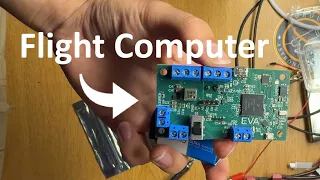
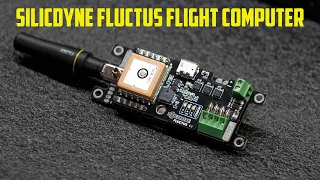
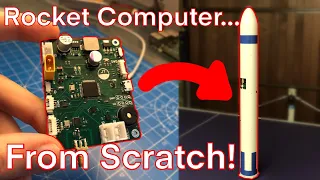
everyone welcome back um it's been a while sorry for that work's been hectic uh but I thought I'd quickly run you through an ox where we at and the design methodology behind the components chosen as well as what the next steps are so let's get into it a lot of you might have seen Aspire One and unfortunately I haven't had time yet to take it out to fly the last mission I missed because I was away for work there's a pseudo Japan flight computer that was put in here I'm still Keen to test it but
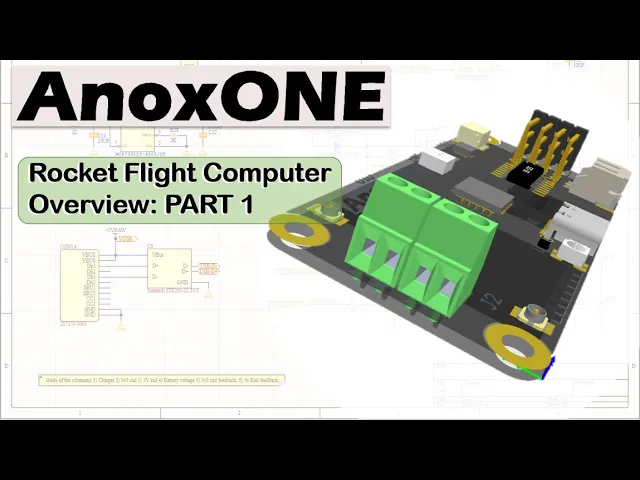
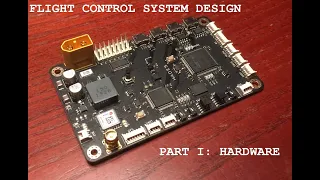
I haven't gotten around to it but in the meantime I have been able to work on anox which is the official flight computer for the stem rocket project and over here you can see the stem project rocket project as to where it is right now making some good progress touch all touch more on that just now if we look at the high level schematic overview as to the different memory block and in the sensor block now this is a work in progress so decorative a pinch yourself so I still have to figure it out and
there's probably some Gremlins to sort out school as well so just be warned [Music] jumping into it let's start with the MCU we've got a microcontroller and the microcontroller of choice here is the Sam d21g simply because it's widely used in Arduino platform and without too many pin changes I should be able to upgrade this to the Sam b51 later on if I can actually find some but for now we'll stick to the same D21 um 48 megahertz should be more than enough for what we need to do with this device so that's the selection
here below here is just some LEDs for human feedback I've got a RGB LED over here all the individual LEDs and it depends on how much space I have left on the board will decide which one I go with but pretty straightforward all the supporting circuitry and stuff around this microcontroller it's just laid out next is the power supply over here what I have is actually a little LiPo battery charger and what I intend to do is charge the battery inside the device so I don't have to take it apart since the rocket is a
40 millimeter tube I don't really have a lot of space to play around and mess around so the least I have to mess around in there and therefore through USBC I can just charge the battery as it's installed in sudo being below here is a USBC connector and a USB data line DVS just to protect from any surges or ESD at the top here we've got in the battery down to 3.3 volt step down regulator and the reason why it's a step down switch mode regulator is Simply Safe power this entire design is actually a
3.6 volt design there's no 12 volts anything like that we do do we do step up to five volts over here but I'll explain that just now and switch my Regulators is just a bit more um energy efficient than ldos there's nothing wrong with ldos but if this thing's going to sit on the bed for a couple of minutes or hours um I don't want it sitting there just draining battery for no reason at all then down here we've got a three volt or whatever voltage comes in Step regulate the buck boost to 5 volt
and the reason for that is I actually have four Channel Servo controller on here that I want to power from 5 volts and servers are supposed to charge or supposed to be powered and controlled from a 5V logic point of view so that's what the Step Up step up here is for if you need to take the battery or 405 volts and if you're testing on the bench and I can enable or disable this from the MCU and that's the reason for having this then below that I just have a battery voltage monitoring circuit voltage
divider that gets switched on and off through two of the iOS over here is two voltage dividers for the 3.3 volt Rail and the five volt rail so I can actually monitor and record this data online for live in the MCU and on memory and then over here just two LEDs to show when the two rails are switched on very important note here again in the effort of power saving these are one milliamp um 0603 LEDs which is just nice because I know then that don't use more power than needed I think normal LEDs is
like 20 milliamps so using the low power LEDs over here I think are they from osram just helps me in overall effort of power saving then moving on let's go to the frame frame is actually spelled out the e over here we've got the SD card connector micro SD card I mean two minds whether we need a SD card in this device but for the sake of flexibility whatever the user might decide to do or I've decided to add the micro SD card holder because who knows what people want to do the problem with SD
cards generally is they corrupt like nothing and they're sensitive to physical damage when you have a unscheduled rapid disassembly or a very rapid unscheduled meeting with Earth but what I'm more interested in is my solid state memory over here which is known as Fram if you're familiar frame it's just another variant like Ephraim or Flash except it is very high speed very reliable and doesn't get corrupted with file transfers because every single pipe that gets transferred is basically finished so it doesn't matter if it's busy writing while the device crashes the likelihood of you losing
anything is slim to none as well as the fact that they don't have or don't really have a breed and write cycle anymore so very nice device to to have then over to the sensor Suite so what I have over here is a invinces ICM 20602 I'm contemplating putting an mpu 6050 on here I know a source where I can actually get some of those chips so I might put both on there just for redundancy right below that is the dps310 which is a very accurate barometer for altitude detection obviously then on top here is
the nicer if a61262 radio now the reason why I'm using this radio is actually a laurel radio if you're not familiar with Laura I suggest you read up about it it's a very long range radio um modulation and uses very little power for the range that you can get not extremely fast but there's a reason why satellites actually deploy lower end radios now to communicate with base stations on Earth and if you're familiar with the channel or familiar with the tiny GS Community um you'll know what borrowers of these little radius I mean they're excellent
for what they do so I don't see no reason why we can't use them for rocketry because low power is what I'm going for and long range who knows where this thing is going to end up on top here is a yec7 um GPS receiver it's the only GPS receiver that I know that is multi-constellation while only consuming about seven or eight milliamps which is crazy because I mean most of these GPS is actually use close to I think 27 23 is the lowest I've seen in the u-blocks range it's not terribly great it I
think it's got a ceiling height of 50 000 meters but for what I'm doing with the stem project that should be more than enough for what we need to do then over here it's just a buzzer um it's nice to have audible feedback inside your device to know which state it is in whether it's storm whether it's disarmed and when you do rocket recovery just having a beep every now and then might help you hear where the rocket is has landed rather than trying to just find it visually and then just a quick connector from
SparkFun over here who knows what's into you want to test in your platform so having a bit of expandability in terms of the click connect sensor allows you to buy any sensor off the shelf and do whatever you please and then the one part that everybody's probably interested in is the Pyro Channel and power monitoring section so I'll be the first to say there is probably a million ways of doing this this is just my way uh that does everything I need to with a minimum component count as well as some safety factors built in
and so starting from the top what I have here is at the very basic level is a connector for the igniter and what I'm using here is the e-matches they light up with three volts I think it's like 700 milliamps um e current for I think 50 milliseconds or something like that so just using a fit and straight from the Vivo power supply it shouldn't be an issue to to trigger these I've tested them before if you've seen some other videos on the first video about the Spire one um you've seen that before Andy what
we have here is just a infect pulling to ground when we're ready to fire the fire Technic charge but everything else on this side is monitoring obviously one of the things you want to know in the field when growing these things is whether you've got continuing when you have a connection through your igniter some reason I'm having a tongue twister today what this is is a comparator and all the comparator does is it checks whether there's a connection through the igniter and switches on the LED as well as toggles a output high or low depending
on the state of the input so we voltage divide by 50 from octopia and anytime this line either goes high or below we have an corresponding output on the other side and the reason why this works is I've got a one make resistor over here and what that allows to do is some current to flow through the igniter through that one make down to ground and that's enough to actually trigger the comparator over here but is miles up from where the igniter needs in terms of current to actually fire so the chances of an accidental
firing here is very slim I can actually put two one in or two two two M resistors in parallel over here if one fails then there's still another one um there is a chance that these might fail closed circuit but highly highly unlikely normally they fail open circuit and then just a choice here if I want to run five volts or or three volts to the power channels themselves been scrolling down I just have another one over here so I've got two channels I might put a third one on if I have the space but
we'll see when we get there then over here and this is something that I see a lot of people actually leave out of their designs and I'm not 100 sure why because it's not very difficult to do but it's just that extra level of security this is a four Channel um Smith trigger and the reason why I'm using it is to step up the logic level to the servers that we might use for active control surfaces or TVC Mount um so the signal comes in from the my MCU which is three volts and immediately it
converts it at a high rate of speed and since the server a 5 volt logic bwm signal so it just makes sure that you're at the right level what the server expects just a fuse every year for the server channels and this is the Workman header for the four Channel Servo header on the board which we'll see just now and that's pretty much it from a high level point of view if we switch to the actual layout of the PCB it's obviously not 100 done yet um I'm still busy with this what you can see
is is the two power Channel connections I might be able to squeeze the third one in here or even a load switch for the video camera and the fpv setup that I want to eventually put in the stable rocket is the Dual comparator for monitoring whether I've got continuity in the devices see I got it MCU buzzer DSP barometer IMU a quick connector Smith trigger battery charger USBC RGB LED and then over here is where that discrete RGB or the screen LEDs will go the reason why it's so empty right now is because obviously all
the passives and stuff has not been added if I added all the passages it would have been a nightmare to show you um all of that right now but flipping the board over there you can see the micro SD card this is the lower end radio and that is the GPS over there and the reason why they place the way they are is because over here you can see the UFL connector that goes to the lower end radio and here you can see the UFL it goes to the GPS so they placed in such a
way the way I envisioned the um the flight computer sitting inside the body of the frame so the connector sits towards the top where the dedicated designed antenna section will actually be deployed and the reason why I'm mentioning that is it's probably my number 15 every time I see somebody integrate a flight computer into a rocket as to what they do with the antennas and every single time they don't get performance or they get a failure and Telemetry or anything like that they often blame not enough power the equipment is crap blah blah blah blah
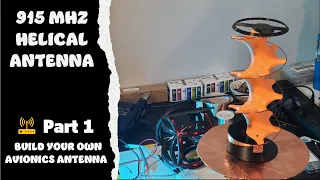
blah but if I see another antenna that's actually cable tied to a steel metal rod or hidden in carbon fiber or anything and I hear from that person that oh this thing doesn't work yeah so what I actually plan on doing is I'm going to make a dedicated video on the antenna system the considerations you need to take wind blowing antenna what type of antenna you need both in the rocket itself as well as on the ground to get the best sort of omnidirectional signal that you can because spoiler alert this is not it if
you think this is going to do what you needed to do then be wrong for a whole lot of reasons and you're welcome to argue with me in the comments but there's far better antennas that actually probably cost less than that if you just know a bit about soldering and and wiring you can do it yourself anyway carrying on over here is the server connector head so I've got four servers the reason for four is I might only need two for a TVC Mount but I've got four since I might want to play a bit
with active control surfaces in a auto home function as part of a recovery system and what's nice about this entire system is the way it is here is it's about 70 millimeters long by 30 millimeters wide and the reason why it is like that is so it can fit inside the little cradle that fits inside the stadium rocket very similar to what you see over here um on NX and the battery itself is actually a little battery for my fpv flight computer um or flight system and the reason why they are very nice batteries is
because one the form factor allows them to fit into a scale like this but two they have a very high C rating which means they can dump a lot of power very quickly and that's exactly what you need if you want to fire fire channels successfully so that's what we'll use here we'll jump into that bit further later but I wanted to give you guys the rundown as to where we're after this right now if you cannot wait for the next video to come out please do consider that I have a patreon page I pretty
much drop comments on the weekly if not daily as you can see I've been making good progress with this 3D printing of the rocket as well as all the parts foot I'm very excited about this it's been a constant battle with things that you didn't think would be the most difficult part to do this so if you want to see updates if you want to support the project there is a patreon page so please do consider just having a view at that other than that that's it for me right now I hope you guys enjoyed
this please give it a like give it a share if you know anybody that is interested in this sort of stuff I am doing this as an open source project so all of these files and stuff will eventually be available if you have any comments as to why I'm doing this or if you have a better way of doing this or if you have any questions drop a comment below happy to help where I can until next time cheers