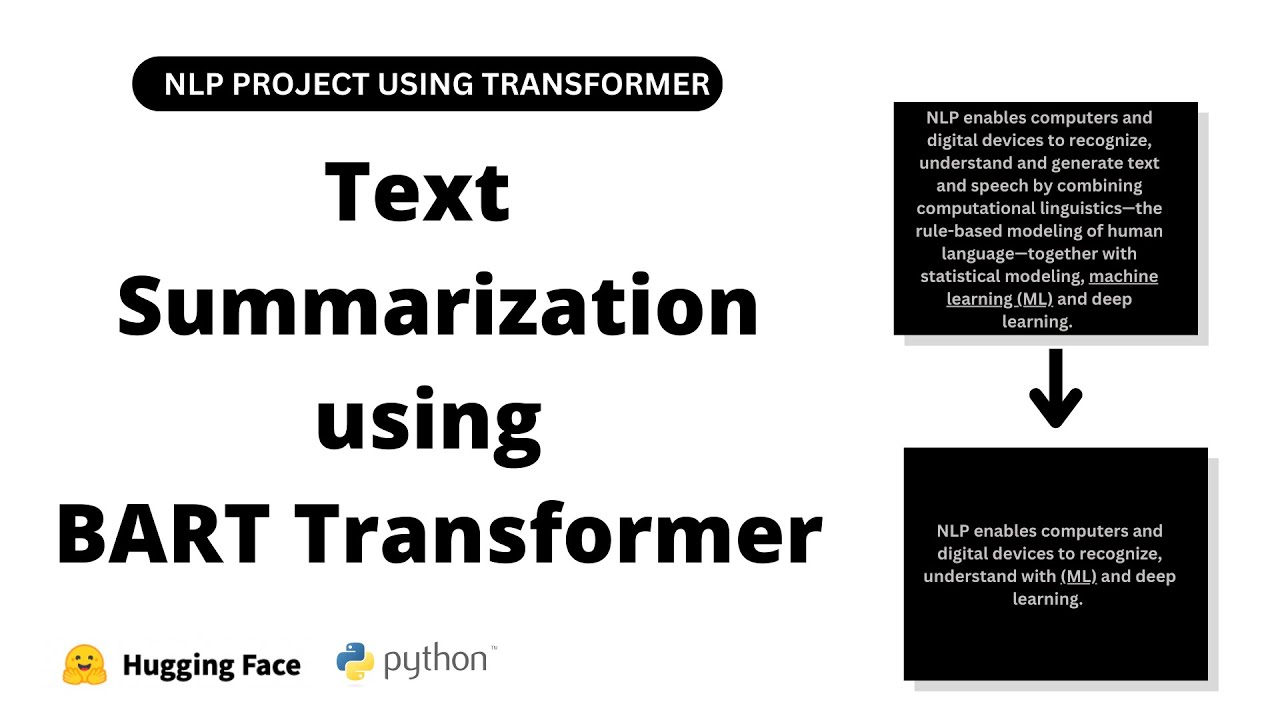
welcome back guys this is sashmin here in this video we are going to see how to do text summarization using transformer model in python so we are going to do abstractive text summarization so that is completely different from extractive text summarization in extractive we have to like pick the important uh sentence from the whole paragraph and sort it out so that's how it is done now in abstractive it tries to convey the information in abstract way like how the humans do so this is like a useful uh transformer model so this is a very useful
model if you want to summarize some news or any document if you want so let's dive into the project so first we have to install a few models so install modules so we have to install transformers and by torch so pip install transformers and pip install torch so this will install the latest version of transformers and torch you can also install some specific motions if the modules have some dependency so now i will just comment this one out after that let's import the modules import modules now for here i am going to import torch and
after that from transformers import t5 tokenizer it's not suggesting anything tokenizer and t5 okay it will be easy if i import it okay i think we have to install it just run the installation so it will install the necessary dependencies also and after that we will comment this one out now i think it will uh suggest all the things so t5 for for condition generation and t5 config so these are the important modules we need so the import modules have been completed let's initialize the model so i'm going to use a pre-trained model initialize the
pre-trained model so model equals t phi for conditional generation dot from from pre-trained specify the model name so t5 small so it also have other variants like t5 based d5 large and if you want a bigger module mean so you can see what all the types of transformer models that are available and just mention the name here so this will download the pre-trained uh module that is the model weights and after that tokenizer equals t5 tokenizer dot from pre-trained again t5 small and device equals torch dot device cpu so i didn't enable the gpu for
this collapse so i'm just gonna go with the cpu as we are going to summarize only a small article so run this so this will download the model so as you can able to see the model size is like 231 mb and it's raising some error so it is showing some error in the tokenizer i will try to import a specific version of our transformer and pi torch that will work i think some dependency errors are there two point eight point zero and torch will be one point four point zero okay the new modules have
been installed i think the pythons in uh google collab as like older version currently we are going for a new version just restart the runtime and this will restart it and we will import the modules again and we'll run this so again it's uh downloading the pre-trained model as you can see i try to use the latest transformers and torch but if it is already existed means so it's not going to update it it will just satisfy the requirements so this is some of the issues you will face while installation just try to go for
some specific version with the dependency by creating some kind of environment if you are using a local machine now as you can able to see the downloading pre-trained weights are completed now let's go for the next step so next we need some input text that means kind of article or a bigger news so input text equals text equals so i can place the text here now let's go to the page so this is the page i am in that is what is artificial intelligence so here i can copy the text and paste there so i'm
going to do here i'll just copy the whole thing i think this will cover at least 500 words so the maximum length of the article can be your fight well so try to remember that we'll place it here okay close this now let's run this now so this is the text we have we have to do some pre-processing pre-process the input text now pre-process pre-processed text equals text dot strip i think that will be enough there is no new lines right so if there are any new lines means so you have to try to replace
it so you can use this replace function so backslash n i'll just delete the new line and after that we have to add a summarize at the start of the text so in order to do the summarization so i will call this as input text equals summarize colon plus pre-processed text so we got the input text for the model you can also say t5 input text to be clear let's run this now let's display the t5 input text now you can clearly see okay we just left a space because there is space here and we
got the text so let's run this again and this okay we have got the text let's try to split and see the length so length of the input text so we have around our 219 words in total maybe we will try to add more so i will add here i can add some thing more so after this i've added this let's run this and this again now we got around 400 watts so that's good and we can also display the pre-process text here just to get an idea now let's tokenize the text so these are
the basic preprocessing uh you will do for any kind of text projects so that's how we are going to do tokenizer tokenizer dot encode okay it's not suggesting but we have initialized it okay i just initialized it the wrong manner let's run this again okay now tokenizer dot encode the d5 input text so t5 input text comma so written written tensors equals pt that is pythagoras and after that dot 2 device so device we have setted as cpu so run this okay token indices sequence length is longer than the specified maximum length for this model
okay i think we got around 562 tokens the maximum length is 512 only running this sequence through the model will result in indexing errors so if we have like this max length fight will let's run this again okay this will just cut out the sentence after the max length so this will be useful if you have a large article now finally we will get the summary results so i will create a text summarize so here we are going to have a summary summary ids equals model dot generate the tokenized text comma minimum length i will
say 30 max length i can go up to 120 so this is like a minimum and a maximum length of the summary and for other things i'll just leave it as it is i'm going to use the default parameters summary equals tokenizer [Music] dot decode summary summary underscore ids comma skip special tokens equals true so now we will get the summary so this will take some time so it is generating our summary and after that we will just print the result so that is print summary so here we are facing some error only one element
tensor can be converted to python scalars okay this is we have to specify the index that is 0 and this so we have got our result let's print this so this is the result we are getting currently i can see it let us remove the sprint run this okay artificial intelligence is a task performed by a mission that would be previously been considered to require a human intelligence its definition under which modern aa power systems such as visual assistance would be characterized as having demonstrated narrow a the ability to generalize training when carried out limited
set of tasks such as speech recognition or computer vision so from this uh bigger article it just converted this uh all these paragraphs into like three small lines so this is the summarized results we are having and here also we can display the summary ids of 0 to see what is inside it so all of them as tensors so here we are getting a list of tinsels and that is it so this is how you can uh generate a summary so this is like an abstractive summary you can change the minimum length and maximum length
if you want to have a different length of summary and this is it guys so you can also go for some t5 base or t5 large model if you want to get some more good results but that model is like a bigger size it will take some time for generating the summary and if you have a bigger article like more than 5 12 tokens means we should uh split the articles in terms of chunks and get the summary for each of these chunks let's say for each 512 words we can get a summary of 50
words and we will do it continuously for the whole uh document or the article so that's how you can get the abstractive summary information here because this is a deep learning module and we have only a limited size input that is maximum length is 512. so that's it guys this is how you can generate a summary you can try out a different articles and see the results you can also fine-tune some parameters are here based on the parameters your results will vary so try to read the documentation and get your own results and that's it
guys hope you like this video i will see you guys with a new project