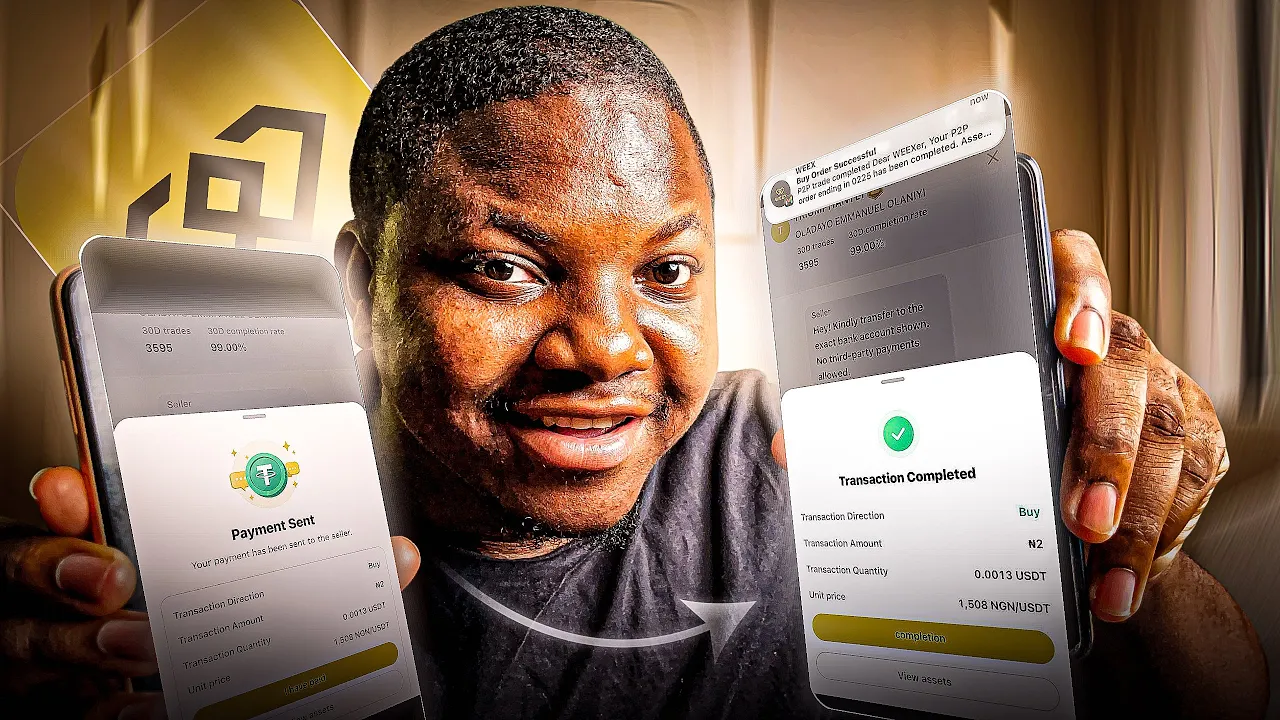
All right, guys. So, it's 2026 and I'm sure that a lot of us right now, we have goals and aspiration for this year. For some of us, saving in USDT has been one of the the top things on our list, right?
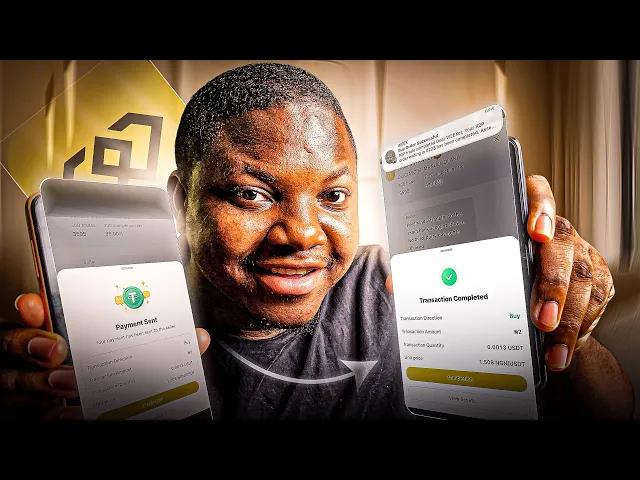
Some of us want to save in USDT. Some of us who basically like to start trading right now. And in this video, what I'm going to share with you guys right now is a way that you can basically get your first cryptocurrency right now using the P2P section on Wix.
When you get your first USDT, you can basically use it to save. You can use it to basically trade right now or do other things for yourself. So if you've been struggling looking for the best ways to basically buy USDT without coming into any problem because obviously P2P has always been an issue.
Buying cryptocurrency right now has always been an issue, right? In this video, I will share with you guys the best way to basically get your crypto that is your first cryptocurrency right now using the P2P section on the week's exchange. There are a couple of things you need to basically check before you place that buy order.
So, make sure you watch this video till the end. And without talking too much, let's just del right into the video starting right now. All right, guys.
So, back to the video, guys. Back to the video. First things first, you need to go ahead and create a Wix account right now, guys.
Yeah, you can go directly to App Store or Play Store. You'll be able to basically download it. Use the first link in the description right now.
Once you use that first link, you'll be able to literally just register for free, right? Uh this $3 you're actually seeing here now was given to me for free from the weeks exchange right every time you actually do a couple of tags like you know trade and all um every now and then they give you commission let me show you guys proof I'm going to click on this notification button here and I'll go directly to this one that is called systems and once I click on systems you see it here right this one right now was credited to me on 13th of January right today is 14th so today I'm actually waiting for you know some extra commission right now. So, this one 0.
07 USDT was given to me as you guys can see. Let's scroll up a little bit again. You can see this one was on the 11th, right?
Um, commission credited 0. 01. It's small, but they basically rack up.
If you scroll up once again, you see it here. Commission credited 0. 04 USDT.
Right? If you scroll up once again, commission credited 0. 01.
Scroll up once again, 0. 04, 0. 07.
here. If I scroll up once again, you will notice that all of these right now basically come in every now and then. This one 0.
09, 0. 05, they are small. Trust me, right?
I know they are small, but literally they basically rack up. But that's not what I'm talking about here. I just had to share that because you know Wix basically gives you know most of these commissions as long as you use their platform, you're consistent with it.
But I want to talk about right now how you can go ahead and get your first crypto, your first USDT that you can use to either, you know, save on the week's platform or probably you want to use to start trading, right? So um first of all, you need to scroll directly to the right. Once you scroll directly to the right, right?
Now you see this one that is called P2P. What P2P simply mean is peer-to-peer, right? you are simply buying from a merchant or someone that is basically um active on the platform ready to you know give you some USDT right now you are going to them with your money saying yo this is my naira or this is my Ghana CDs or whatever right this is my money I want to actually pay you and I want you to give me crypto right that's just what it means if it is sell probably I want to sell this my $3 here I can go directly on on the platform the P2P section and once I'm there I can tell those who are willing to buy from me that yo I have $3 I want you to give me and convert this $3 to my local fiat currency be it naira Ghana cities and so on and so forth so um that's basically what P2P simply mean they are merchants there are people on the platform right now willing to basically take your funds right in exchange for you know either USDT and all let me just show you guys what I mean now I want you to click on the P2P icon right now it is going to load you directly to this page and You're going to see it here.
Buy and sell crypto, right? Buy and sell crypto right now. So, what you need to do once you're on this page right now, the first thing you need to change right now is your country.
As you guys can see, currently it is showing rubble, right? This is Russian rubble. So, if you're in Russia, you can basically convert, you know, your Russian rubles right now.
But if you're currently in Nigeria, just click on that and then go ahead to type in the country you are, right? So, basically, I'm in Nigeria right now. Just click on NGN.
And once I click on NGN, I will see Nigerian um merchants right now, Nigerian vendors right now that are willing to either buy or sell, right? So basically now for you, let's say you want to buy some crypto right now, you want to buy USDT, right? It means that you are coming here with Naira, right?
So let's say for example, right now you want to basically go ahead and choose a merchant right now. There are a couple of things that you need to check, right? First of all, you need to check how many trades that merchant has done.
For example, this person here, SwiftB, as you guys can see, he has done over 1,000 trades. And you can see his percentage here is showing 99. 9.
So, it means that this very person right here, you know, delivers properly. These are a couple of things you need to check. You you're going to see a couple of other people right here that have done about 35 trades.
You see some people that have done 211. You see some people right now that have basically done a couple of trades right now. You just need to check this out.
Make sure that the amount of trades that that very vendor has actually done is a lot. It just shows that this person here knows what he's doing right now and you know there are no issues whatsoever right now. Now that being said um the next thing you need to go ahead and check is the um the price right basically the price.
So for example this person here Sharpment is saying that he's buying your USDT. that is he's buying $1 for 1,475 naira. That's his price right now.
So if this price sits right with you, you can go ahead and then basically get it. Uh there are other people right here that are buying for, you know, higher price right now. Like this guy is saying that price right now is $1 for $1,482 naira.
So depending on the amount right now that you basically want, you can actually choose. So for example, right now, let me just go ahead and share with you guys. Let's say you want to go ahead and buy crypto and you want to use this first guy, right?
Because this person has done a couple of trades here and all. You'll notice right here, he's saying that he's available is 116 USDT. What this means right now is that if you need 200 USDT, you can't use this guy because the only available money left with him is 116 USDT, right?
So, you need to put that in check. For example, right now this guy also sharpenment. Let's say you want to buy a 100 USDT.
That is you need 100 USDT. You can't use this guy because what is available on his balance is 67 USDT right now. So you need to look for the one that you know has the amount you need.
Like this guy right now, fast deal, he has about 703 USDT available. So let's say you want to buy 200 USDT, you can still use him. So there are a couple these are a couple of things you need to look out for before you basically click on the buy.
Also finally, you need to check if they are online, right? You need to check if they online. Most times when you actually hit up these people right now, they basically come online, right?
But, you know, if you want to actually work, you know, instantly, check if they have the online button, you know, the online green button on. You can see for these guys right now, their buttons are not turned. That means they offline.
So if you want to know when someone is online, you can come directly to this filter button right here and then toggle this one that is called available to trade. So once you toggle it on, you know, Wix is going to show all those who are basically active right now. So just reload the page and you're going to see it here that these guys right now are active to trade right now.
Yeah. So it means that if you send them messages right now, that is if you place a buy request, you know, they active. So let's say I want to use this first guy.
I'll just click on buy USDT. And once I'm here, they're going to tell you right now, how much naira do you have? Remember, you want to use your naira to buy USDT, right?
So, how much naira do you have? So, let's say you have 50,000 NRA right now. Just type in 50,000 NRA right now.
Once you type in 50,000 naira, you'll see it here that you'll be receiving $33. 87, right? Based on the price right now that this very vendor is giving you, right?
So, next you need to do right now is to scroll up. You're going to see payment method right here. You can select either by via OP.
Probably you want to actually send payments via your OP account, your pali or probably your cuda bank right now. Yeah, if it is bank transfer, you can actually run that up. Now scroll up a little bit once again.
Make sure you read the advertiser stem right now so that you don't make any mistake whatsoever. And then click on this one that is called I have read and agree with peer-to-peer service. Now go ahead and click on this one that is called buy USD.
And you see it here. There are no fees whatsoever involved in this. It's that easy.
The same thing works if you want to go ahead and make a sell, right? A sell order. Probably you have some USDT in your account right now and you want to basically sell.
Click on sell and then go ahead and look up the guys that you want to basically trade with. You can see these guys right now has done three trades. I would personally not use someone like this.
This one has done 19 trades, eight trades, and all. So, I wouldn't really want to use them. For someone like this that has done 649 trades and it's 100%, it means that this person, you know, has had no issues whatsoever with people.
So, all I need to do is to click on sell USDT. And remember, make sure you check the limit right now, the availability, right? So, if you currently have 10,000 USDT, you won't be able to use this guy because this guy right now, it says here that his limit is 6 million naira.
So, if you have $10,000, obviously you can't use this guy because it's more than 6 million, right? But yeah, click on sell if you basically want to use this guy. Type in the amount of USDT you want to sell, right?
So, let's say you want to go ahead and sell um let's say 50 USDT, right? Let's say you have $50 in your account. You want to sell it and get Naira.
So, type that in. You'll see here that you'll be receiving $73,3 NRA because of this rate right here. Now they're going to ask you to collect your to add your payment method.
What this payment method mean is that you which bank do you want this vendor to send it to? So you can just go ahead and click on add payment method. Once you click on that, you see this one is called payment method.
Click on it and then they will ask you to add method. So basically you can choose your naira and then your payment method can be whichever bank that is here. So just go ahead and select anyone.
Or if it is access bank, pal pay, kuda and so on, just select that and you know once you do that they will ask you once you do that they'll basically ask you for your account number and all that stuff that's where they'll be sending this money to you. Once you set that up you can go ahead and then place that sell order right now and you know everything moves smoothly right now. Remember Wix is more like the middleman right here.
So they are basically watching all of these things. make sure that you don't violate any of their rules. And I'm sure that if you follow all the steps right now that I've given, especially in looking for verified vendors, that is verified merchants that you you can actually use to buy and sell your crypto, you won't actually, you know, get into any issues also because, you know, if you're using people right now that have done over 500 trades and they have 100% you know, in delivery rate right now, it means that these guys have not had any issue with anyone, right?
too. These are basically things you need to actually look out for when you are actually um running your P2P um trades on the Wix exchange. Now remember, if you actually want to use the Wix platform, you can use the first link in the description right now when you trade when you actually complete a couple of tasks right now when you, you know, stay consistent on their platform.
They basically give you commissions every now and then, right? And this commission might look small to you, but these are things that actually rack up, you know, without even you doing so much work. They just, you know, every now and then you get email notifications right now that these commissions right now have been added to you.
So, if you actually want to get started with Wix, I'll be placing a link in the description. The first link in the description right now you can actually get started. Right, this is the video I have.



![6 Step Para Kumita ng ₱30,000 araw-araw [1 hour Tutorial]](https://img.youtube.com/vi/yJhq60VAgKc/mqdefault.jpg)