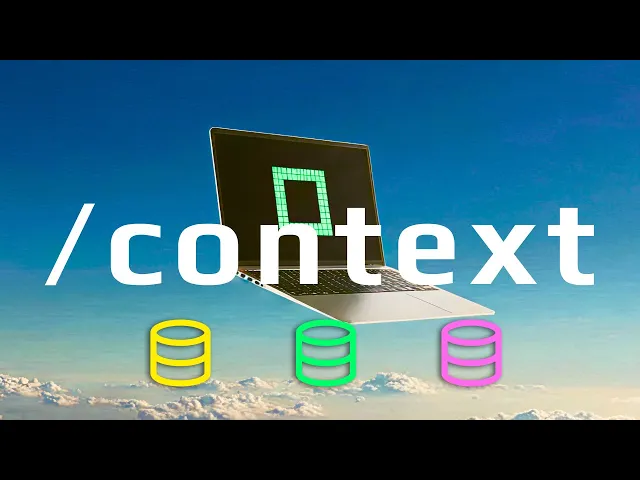
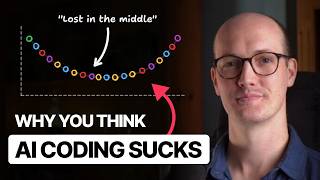
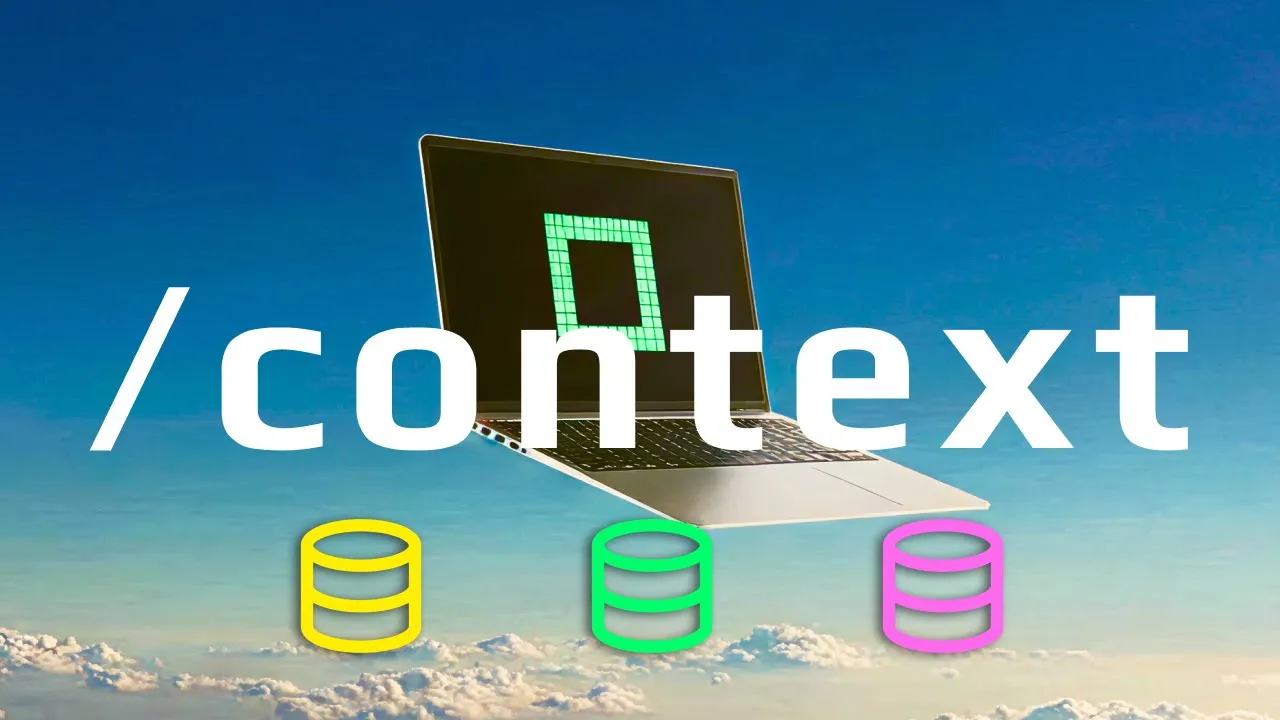
A focused engineer is a performant engineer and a focused agent is a performant agent. Context engineering is the name of the game for high value engineering in the age of agents. So how good are your context engineering skills?
Do you have a skill issue? Let's find out and fix it. There are three levels of context engineering and a fourth hidden level if you're on the bleeding edge pushing into a gentic engineering.
But first, we have to ask why are context engineering techniques so important? It's because context engineering enables you to manage the precious and delicate resource that is the context window of your agents like clawed code. There are only two ways to manage your context window, R and D.
Let's break down each technique at each level and use the R&D framework to maximize not what you can do, but what your agents can do for you. When you boil it down, there are only two ways to manage your context window. R and D, reduce and delegate.
Every technique we'll break down right now fits into one or both of these buckets. Let's start at the beginner level and move up to more technical levels of context engineering. Do not load MCP servers unless you need them.
Take a look at how much of my clawed code opus tokens are being chewed up by MCP tools. 24. 1,000 tokens.
Okay, this is 12% of the entire available context window. It's very likely you're wasting tokens with MCP servers you're not actively using. This is a simple, easy, beginner context engineering mistake to make.
Thankfully, the solution is simple. Be very purposeful with your MCP servers. We have a bad practice of context engineering inside of this codebase.
We have a default MCP. json file that is always loading into the context window of our agents, chewing up expensive, valuable clawed opus tokens. As you can see, these numbers will stack up against you very quickly.
The first thing I recommend doing is get rid of this MCP. json. Just completely delete this thing.
Okay, don't use a defaultmcp. json for your codebase. And why is that?
It's because right away clears up our context window. Okay, if we type claude now context, we've just saved some 20,000 tokens by not preloading any MCP servers. If you do need these, I recommend you fire these up by hand.
claw-smcp config. And now you just pass in the config you want. You can see I have this specialized file here that pulls in just the file crawl mcp server and I've suffixed it with 4k.
Copy the path to this. Paste that there. And if you do have some globals that you want to overwrite, you can use d-strict mcp config.
And then you can fire this off. And check this out. Flashcontext.
We're only going to get that 6k tokens strictly from the firecraw mcp server. And now we can kick off this specialized agent focused on just this one MCP server. And if you do need every single MCP server, explicitly reference it.
Be very conscious with the state going into your context window. There are many places to be wasteful as an engineer to move fast and break things. The context window of your agents is not one of them.
Here we are of course using the R in the R&D framework. We are reducing [Music] This technique is a bit controversial, especially for beginners, but I strongly recommend context priming over using a claw. md or any similar autoloading memory file.
What is context priming and why is it superior to claw. md? Let's first double click into claw.
md. There's nothing inherently wrong with this file. Like most technology, it's how it's used that's the problem.
If we boot up a new instance here, you can see right away we have this error message. Let's address this now. Okay, we have built up a massive, and I mean massive, claw.
md file. If we run /context once again and monitor what's going on here, we've cleaned up our MCP servers, but we haven't cleaned up this massive memory file. We have a 23,000 token memory file.
Again, chewing up about 10% of our entire context window of expensive Opus tokens. I'm of course exaggerating my claw. md file here just to showcase this idea, but I can almost guarantee you there's an engineer out there somewhere with a claw.
md file that is, you know, 3,000 lines long. And why is that? It's because they and their team, they've just constantly added additional items to their memory over and over and over and over and over again until it's become what it is now, a massive glob of mess.
Okay, even the claw code engineers built in a warning here for us. Large claw. md will impact performance.
The claw. md file is incredible for one reason. It's a reusable memory file that's always loaded into your agent's context window.
Simultaneously, a claw. md file is terrible for the exact same reason. It's a reusable memory file that's always loaded into your agent's context window.
So, why is that a problem? The problem with always on context is that it's not dynamic or controllable. Engineering work inside of code bases constantly changes.
But the claw. md file only grows. All right.
So what's the solution here? The solution is context priming. Let's trim down.
Right? Let's use this claw. Right?
It's a lot simpler. It's something that we always want to add, you know, and and take a look at this. Right?
It's only 43 lines. Things that we always want every single agent to have. Okay?
I have to keep stressing that because this is the reality of the memory file. It will always be added. So, copy this.
We'll clean this up. Save that. Reset our agent here.
CLLD is an alias. You can check out all the aliases I'm going to run throughout this lesson. At the bottom of the readme, you can see all the aliases right here.
All right. So, now we have a concise MD file. The warning is gone.
We can type slashcontext. And check this out. Our context window on boot up on startup is looking much much better.
92% free. What's left? Right.
Our small memory file is down to 02% right 350 tokens. This is great. This is a clear focus agent.
Now what do we use instead of this large memory file? We should context prime. What does that mean?
Let me show you. /prime and we hit enter. Context priming is when you use a dedicated reusable prompt, aka a custom slash command, to set up your agents initial context window specifically for the task type at hand.
So with every codebase, I always set up clawed commands prime. You can see here we have two prime commands in this codebase. Priming is just a reusable prompt.
We can take a look at this right here. It's very simple. It has a concise structure, right?
We have the purpose. We have our run step. We have our read step and our report step.
Okay. Now our agent is ready to go. So it's read a couple files.
It's read the readme. It understands the structure of the codebase. And now if we type context, our agent has a little bit of information about this codebase for this specific problem set.
And so this problem set is of course just gaining a general understanding of our codebase. So instead of relying on a static always loaded memory file, we're using context priming to gain full control over the initial context of our agents. This is very powerful.
Unlike the memory file, we can prime against several different areas of focus in our codebase. Okay, so imagine a you know prime bug command, right, for bug smashing. Imagine a prime chore or prime feature or like we have in this codebase, prime CC.
Okay, this is a focused prompt. It's our hotloading memory file for operating with clawed code and updating the clawed code files inside of this codebase. So, prime don't default.
Your claw. md file should be shrunk to contain only the absolute universal essentials that you're 100% sure you want loaded 100% of the time. You see how powerful that conditional is and how strict that conditional is.
So, be very careful with these memory files. keep them slim and instead prefer context priming. This way you can build out many areas of focus for your agents and if you find yourself coming back to some specific area of focus, build out a prime command for that specific area of focus for you and your team.
This is the beginning of a big agentic level technique that we're going to talk about in this lesson. You can see we have this new experts directory. We'll talk about that at the end of this lesson.
So now we enter the intermediate zone. Now it's not just about using sub aents. This is about using sub aents properly.
When you use claw code sub aents, you're effectively creating a partially forked context window. Let's create a claw instance here. If we type context in an agent, a brand new agent, you'll notice something really interesting.
We have custom agents here, right? We have three custom agents that we can use at any point in time. We can of course find these inside of claw code under the agents directory.
We can look at any one of these, right? All of our agents here, our custom agents only consume 122 tokens, whereas you can see my rough token counter is looking at 900 for this one agent. Why?
What's going on here? What's what's the big difference? The big difference here is that when you're working with sub agents, you are working with system prompts.
Okay? There's a massive difference between the system prompt and a user prompt, right? When you're prompting cloud code, you're writing user prompts.
When you're building reusable custom/comands, you're writing a user prompt that all gets passed right into the agent. This is a system prompt, which is nice because it means that it's not directly added to our primary agents context window. Okay.
And this advantage of sub agents continues. With clock sub agents, we can delegate work off of our primary agents context window. This is a massive point for the D and the R&D framework, right?
It's delegation. We are keeping contexts out of our primary agents context window. For example, we can run slashload AI docs.
And so this is going to load AI documentation from our AI docs readme. It's going to read through all of these items. We can load up the AI docs reusable prompt and it's going to kick off sub agents to do this work for us.
So, our primary agents reading this file, and this is going to kick off however many agents we need to to fetch every one of our AD do URLs, right? So, it looks like I don't know, what do we have here? 10 or 11.
You can see this is going to get kicked up here pretty soon after we do a date check on any file here that's older than 24 hours, which I think all of them are at this point. And so, you can see it's removing these and then it's going to fire up these agents. There it is.
Doc scraper. And this is critical, right? A web scrape can consume quite a bit of tokens.
And so we have this load AI docs reusable agentic prompt that's going to kick this off. You can see that the tokens starting to tick up. We already have 3k for each agent.
This is 3k tokens times 8 or 10 that isn't added to our primary agent. Okay, this is sub agent delegation. We're leveraging the context windows of our sub aents to do work and keep it out of our primary agent.
All right, in this case, you know, this is a great use case for sub aents. You know, we have this system prompt here that details exactly how to web scrape with firecrawl or web fetch, right? Whatever web scraping tool you want to use, it has it here.
This would be a good example for us to fire up and load that one MCP server. But now these agents are just going to run the scrape, which will consume their context window, and then they're going to write the output files, right? So now we should see refreshed AI docs written here.
Yep, there they are. And there it is. Yeah, there's our success command here.
We of course are using a great prompt structure. If we go back to load ad docs and collapse here, you can see we're using a classic agentic prompt workflow format where we have the purpose, variables, workflow, and report format. Definitely check out the agentic prompt engineering extended lesson to learn all of the powerful prompt structures you can use inside of both your system prompts and your user prompts like this.
This is a classic workflow we use a lot throughout TAC and throughout our extended lessons. So you can see here all the tokens that were not added to my primary agents context window. We can of course slash context to prove that only up to 9K tokens.
Okay, we delegated work, right? We're stepping into the D in the R and D framework. There's only two ways to manage your context window.
reduce context entering your primary agent and delegate context to sub agents and as you'll see in upcoming techniques to other primary agents. Cloudco sub agents have limitations. Sub aents sit at the intermediate level for a reason because instead of keeping track of just one set of context model prompt and tools, we now have to keep track of as many as you spawn sub aents.
So it becomes super important to isolate the work that your sub agents are doing into one concise prompt to one focused effort. Remember a focused agent is a performant agent. Sub agents are also a little trickier because of the flow of information.
The flow of information in these multi- aent systems is critical. Your primary agent is prompting your sub aents and your sub aents are responding not to you but back to your primary agent. So once we start getting into this intermediate advance in a gentic level, we have to keep track of every agent's core four that we spin up.
If you're losing track of a single agent, right, and you have a bunch of wasted context, you probably aren't yet ready for sub agents. You probably want to spend some more time cleaning up, managing, and maintaining clean context windows for your existing single primary agent. But once you're ready, sub agents are a great intermediate level, a great intermediate technique to step into because you can delegate the entire context window to one or more sub agents.
As you saw here, we saved probably 40,000 total tokens and ran all this work much faster than it would have taken a single primary agent. So, next up, we have a powerful classic pattern. Notice that with each technique from beginner to intermediate to advanced and soon agentic, we're doing our indeed reduce and delegate.
We're keeping track of our context window at all times and we're not outsourcing it. If you want to scale your agents, monitoring and managing the state of your context window is critical for your success. All right, just like context priming, you can push in loop active context management even further with context bundles.
So with cloud code hooks, you can hook into a couple of tool calls to create a trail of work that you can use to reprime your agents for the next run, right? So you can chain together agents after the context window has exploded. So the great part here is we've been using context bundles the entire time.
So let's collapse everything and open up agents. And so agents is becoming a additional agentic layer directory where you can just put output from operations of your agents. You can see we have background and we have context bundles.
Let's click into bundles and let's see what we have in this directory. All right. So if we click this bundle, we have something super simple.
We have /prime and we have read. If we click into this context bundle, you can see we have our quick plan. So this was the work that happened inside of our planner.
It read the file as specified and then it wrote this plan here for us, right? And we have the tool input and we have a couple of other things. Right?
This is powerful. This is a context bundle. What we have here is a simple appendon log of the work that our cloud code instances are doing.
These are unique based on the day and the hour and the session ID. Okay, so how does this work exactly? Fire up a YOLO dangerous mode instance and we just type prime, right?
Let's just rerun a prime and let's prime our clawed code. Right, so we're running our prime command around claw code and you can see this context bundle was generated. Okay, so there's the prompt and let's just let's just pay attention to what this does.
All right, we have read commands, we have search commands. Our read commands are all getting appended piece by piece. And what this does is it gives us a solid understanding of 60 to 70% of what our previous agents have done.
Okay? And so why is this important? This is important because it tells a fuller story for subsequent agents to execute.
There's a bunch of additional read commands and we're getting a log, right? We're getting a full-on context bundle of our agents context window. Okay, this is a very simple yet powerful idea you can use to remount instances to get them into the exact same state after their context window has exploded.
It also gives us a story because we have the prompt operation in here about what the context is and why the context is that way based on our user prompt. Okay, so you know we have this now great, who cares? Let's open up a new cloud code instance and let's say that this, you know, this agent's context window exploded.
We can with this context bundle. Run slash loadbundle. Copy the path.
Paste it. Hit enter. This agent is now going to get the full story of the previous agent.
It's going to dduplicate any read commands. And then it's going to create an understanding of the work done up till this point. Okay.
And so imagine this is much larger, right? Let's say that it's something like, you know, 50 plus lines of reads and writes. We can use a context bundle to get a much more accurate replay of what the previous agent was trying to do.
You can see here in the summary message very concisely the previous agent executed this command and loaded key findings. That's it. Nine files.
You can imagine this getting a lot more complicated with reads writes in additional prompts. But with this simple pattern, with this session ID getting tracked here inside of this context bundle, we're saving a concise execution log thanks to cloud code hooks that we can reference in subsequent agents. And the great part here is of course you can conditionally use this.
A lot of the times you won't need to reload the entire context bundle because it won't be relevant. But if we needed to, we could get the entire replay of the agent up to the point in which the context overloaded without all of the writes and without all the details of all the reads. The trim down version is super important, right?
We're not recording every operation. If we do that, we'll just end up overflowing the next agent's context window. Okay?
So, you do have to use this selectively, but this gets us, you know, 70% of where the previous agent was. gets us mounted and restarted very quickly. This is another advanced contact engineering technique you can use.
The focus should always be better agents or more agents. When you're adding more agents, you're pushing into the D, the delegation and the R&D framework. You're pushing it to the max.
You're using one agent for one purpose. And when something goes wrong, you fix that piece of your workflow. Now, with primary multi- aent delegation, we're entering the realm of multi- aent systems.
In TAC, with each lesson, we built up variants of a multi- aent pipeline using this very technique. And in lesson 8, we showcase several different multi- aent workflows and systems and UIs, right? There are many ways to delegate work at a high level, but when you get down to it, if you want to create an on the-fly primary agent, you have two options.
You have the CLI and you have SDKs. At the mid and high level, we can kick off primary agents through prompts, through wrapper CLIs, through MCP servers, and through UIs. You've likely seen a lot of cloud code management systems, and a lot of agent systems get built up into their own UIs.
That is primary agent delegation. Now, what's the most lightweight version of multi-agent delegation you can use ASAP and get value out of ASAP? It's a simple reusable custom/comand.
If you remember inside of the claw directory in our commands directory, we have background. md. This is a simple single prompt that boots up a background cloud code instance.
This is the simplest, quickest way other than going right through the CLI to delegate work to agents. When you use a pattern like this, we're pushing in to powerful Outloop agent decoding by running a single prompt with a single agent that does one thing, reports its work, and then it finishes. So, let me show you exactly what I mean.
I'll run claude opus in YOLO mode here, and then I'll say /background. And you can see here, this fires off a full cloud code instance in the background. Here's our argument hint, prompt, model report file.
I want to kick off the creation of a plan. There's no reason for me to sit here in the loop prompting back and forth when I can kick off a background agent when I can delegate this work outside of my primary agents context window. Right, we're delegating this work out.
I can open up some quotes here. Paste this in. And this is going to kick off a new quick plan.
So, we're running that plan workflow, that plan a gentic prompt again. And this time we're building out a Astral UV cloud code Python SDK with that same format, right? those three files vantic types low-level file CLI file.
All right, specifying where to create it. This is the plan. Let's fire it off.
This is going to kick off a background agent. Okay, and so you can see our primary agent getting to work here based on the contents of this prompt. We can of course see that, you know, consistent prompt format where you're reusing great prompt structures that get work done for us.
Again, check out the agentic prompt engineering extended lesson to learn how to write great prompts for the age of agents. And it's all inside of the workflow step here. Create the agents background directory.
We have our default values. And then this is important. We're creating a report file.
Okay. And then we have this primary agent delegation XML wrapper where we're detailing a bunch of information for our agent. Okay.
We are kicking off a cloud code instance from cloud code. We have compute, orchestrating, compute, agents, orchestrating agents. Okay, this is where everything is headed.
Better agents and then more agents. Once you master a single context window, you can scale it up. There's a format here, blah blah blah.
Skip to the bottom. But the important thing here is that this frees up the primary cloud code instance. You can see we have a background task.
Background cloud code kicked off. If we open this up, this is the file that our agent is going to be reporting to. And so cool thing here, we can open up a context bundle for this agent, right?
So if we hit up here, you can see that exact prompt background/quickplan read blah blah blah blah blah. This agent is starting to work. All right, it's starting to create this plan.
And we can see that with the context bundle. You can see this is super useful. Adding logging, having these trails, there's the actual plan just got written there.
Having this this trail, the story of what your agents have done is an important agentic pattern. We are building up on every context engineering technique we've used thus far. This agent should report back to its report file here.
This is a great way to track the progress of your agents as they work in the background. So you can see here we still have that one background task running. We should get an update here.
Our agent has there we go. So you can see it's reading its background file now. And then soon it's going to put the right in here.
where we should see this come in live as our background delegated agent instance is just writing this plan for us. There's no reason for me to sit in the loop. I know exactly what this does.
And here is the output. Check this out. Progress task completed.
It renamed this file. I have an instruction to rename the file when it finishes. 130253.
We can click this. It is now complete. A very quick oneprompt agent delegation system.
It's all about the patterns. It's all about taking control of your agents context windows and scaling it to the moon. The more compute you can control, the more compute you can orchestrate, the more intelligence that you can orchestrate, the more you will be able to do the limits on what an engineer can do right now is is absolutely unknown.
Anyone being pessimistic, ignore them. Okay? You know, don't take my word for this.
You know, ignore me as well, but investigate the optimist in the space. See what they can really do. See what see what we're really doing here.
Okay, we have background compute agents calling agents. We have the R&D framework, 12 context engineering techniques. These are concrete things.
Maybe a couple of these techniques fly over your head or you're not interested or you think it doesn't apply to you. That's fine. Just take one, take a couple of these and improve your context engineering.
Okay. The background agent task and multi- aent delegation is super important because it gets you out the loop. All right.
This is a big idea we discuss in TAC and it extends into context engineering. Okay, get out the loop. Set up many focused agents that do one thing extraordinarily well.
All right, in a lot of ways, multi- aent delegation is just like sub agents, but we get complete control, right? We're firing off top level primary agents from our inloop primary agent here. Okay, so there's a lot more control here.
this background agent and the prompt that I passed in. Right? We can just paste this prompt.
I could have asked for anything here, right? This doesn't need to be a quick plan. I could have asked for a, you know, multi-agent workflow running sub agents, right?
There's just so many ways to build and to use multi- aent systems. Let's bring it all back to context engineering. The key idea here is you can delegate specialized work in focus agents by building out some type of primary agent delegation workflow.
You can see here in just one prompt we have a full cloud code instance in the background doing work for us that we know we don't need to monitor anymore. And the more you become comfortable and the more your agentic engineering skill improves, the more you can stop babysitting every single Asian instance. Okay, this is a big theme in TAC.
We want to scale from in loop to outloop to ZTE. All these big ideas. Let's wrap up with potentially one of the most powerful context engineering techniques.
Let's talk about agent experts. Take these 12 techniques and apply them. Get value out of these techniques.
All right? Yes, it takes some time. Yes, you have to invest.
This is not vibe coding. Okay? If it if it's easy, a vibe coder is probably doing it.
And that isn't irreplaceable. Okay? That is replaceable work.
Even one of these can save you massive time. But you have 12 here. Pick one.
Pick a couple. Dive into them. Deploy it into your agent coding to improve your context engineering.
Managing your context window is the name of the game for effective agent coding. And remember, it's not necessarily about saving tokens. It's about spending them properly.
We manage our context window so that we don't waste time and tokens correcting our agents mistakes. We want oneot outloop agent decoding in a massive streak with the fewest attempts and large sizes so we can drop our presence. Right?
In TAC, we use specialized agents. We delegated and we reduced the context window of our agents by building specialized ADWs that shipped on our behalf. We built specialized agent pipelines.
Okay, so the big idea here is simple. It's measure and manage one of the most obviously critical leverage points of agent coding, your agents conduct window. What's better than a prompt?
A prompt chain. What's better than a prompt chain? An agent.
What's better than an agent? many focused, specialized agents that deliver value for you, for your team, and most importantly for your customers and users. Don't miss this trend.
You now have everything you need to win and ship with focused singlepurposed agents. So all of these techniques are us battling with the fact that there are key scaling laws and algorithms inside of these language models, inside of generative AI that decreases performance as context window grows. What does that mean?
It means you can safely bet on spending your engineering time, energy, and resources on investing in great context management. In great context engineering. It's a safe bet to bet on context engineering.
There is a lot to digest. This lesson is going to be here for you. Thank you for trusting me.
Keep in mind, a focused agent is a performant agent.