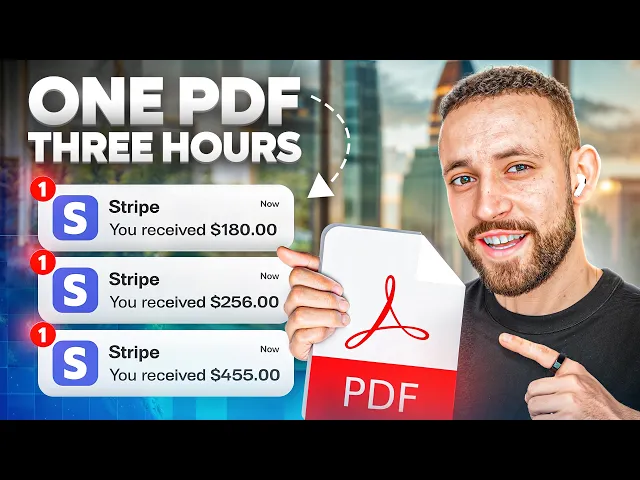
In the last three years, I made hundreds of thousands of dollars creating, promoting, and selling digital products. And today, I'm about to show you how I'm going to create and sell one of these products in less than 3 hours. In fact, that's the reason why I actually have this timer turned on.
Because if there is one thing what I learned about digital products, then it's the fact that everyone is over complicating it. So, in this video, I'm going to show you how you can go from zero idea on what product to create, how to create it, and how to sell it, and how actually find customers to make money to knowing exactly what product you can create, how to create it, how to sell it, and how you can make your first couple of hundreds dollars with it. And this video is not going to be theoretical because I'm going to be showing you everything practically step by step.
I'm even going to share with you my screen so that you can see exactly what I'm doing, how I'm doing it, so that you can replicate it. Even so, you're a complete beginner who is just starting out. Now, even before starting, I just want to say that if you are a complete beginner that is just looking for ways on how to make money online, then maybe creating digital products is not the most optimal way for you to start earning online because you need to spend time with product creation, with learning new skills, and too much tech stuff.
For that reason, I actually recommend you to start with affiliate marketing. That's the exact business model that I used to make over $1 million online in profit. And if you want to know exactly how I started in the first link down below in the description, you can find 5day live challenge that's going to show you exactly how to get started with affiliate marketing.
And now for you people who actually stay and want to create your digital product. The very first thing that we need to cover is the biggest misconception about digital products. But most people believe that digital product is just some huge amount of information, step-by-step strategy, everything that you know packaged into one single product.
And that's entirely wrong. If you are creating a digital product, this product should be solving one very specific problem. For example, let's say you're Instagram marketing coach.
You don't need to create a toz process on how to start Instagram, how to build it, how to brand it, how to monetize it, how to get followers. What also means in this process A B CDE E FG and so on each one of these letters is one specific problem and it may be one digital product and if you're solving just one problem then solution doesn't need to be 20 part video course or 900 pages PDF or any other crazy thing that people are actually creating. See, in the last 4 years, I have invested over $90,000 into different courses, mentorships, masterminds, PDFs, digital guides, whatever.
Just name it, I bought it. And if I could imagine a perfect product for any problem that I have, it would be ideally just one sentence or one page in PDF or 2 minute video because the better the solution, the shorter it can be. And that's exactly how you should be creating digital products.
You shouldn't be overthinking it of how long and how many steps you need to put there. It should be just one problem and great amazing solution. So it could be a five-page PDF or maybe some walkthrough video, maybe a template or three video miniourse and you can literally create something like that in less than 2 to 3 hours.
The very first thing that you will need is going to be idea of this digital product. And by far the easiest way how to find the idea for your mini digital product is just by going to the CHGPT and asking it what problems could people in my audience actually have? And in my niche where are faceless Instagram pages, people are struggling with lack of content ideas, zero knowledge on Instagram, growth algorithm, struggling to create viral realtor corros, no niche clarity, so many different problems.
And for each of these problems, you can create a digital product. And in this video, I want to show you everything practically. For that reason, I'm going to pick the number three.
or is struggling to create viral reels or corros but I'm going to turn it a little bit more on how to find viral content ideas because creating the viral res is not so hard if you know exactly what to create. So, as a next step, I'm going to ask for top five names for digital guide product because I believe the easiest product that you can actually create is a PDF because for most people, it's really difficult to be in front of the camera and maybe it's talking in front of the camera. They don't have any gear.
They have just a phone and maybe they don't feel 100% comfortable and even for people which are buying the product, I believe it's easier for them to read the information from digital guide than watching it. For our digital guide product, we have now the names viral content vault 100 viral content hooks for faceless pages. This is perfect.
This is actually another product. We can create viral content hooks. That is another thing.
Then faceless content gold mine, the viral idea machine, scroll stopping content guide. Now, in terms of these names, I didn't really like them because most of these are about how to create the viral content. I want to create just a simple product on how to create and find the viral content ideas.
So here right away the viral content finder is a perfect one. Discover high performing content ideas that go viral. Amazing.
But also the faceless viral blueprint. Find, reverse engineer, and replicate viral Instagram content ideas in minutes. Absolutely mind-boggling.
I'm going to go with the number five. So I'm just going to copy this, place it here. Now as a next step, creating five subtitle and tagline ideas.
The second one is absolutely amazing. Master the exact process. top faceless pages used to find viral content and replicate it fast.
So now I'm already getting a little bit overwhelmed. So what I want to do, I want to save all of our ideas into the Google document file so I'm not going to lost anything and I can get back to it and then we can create from it a simple ebook that is actually going to be also and then we can create from it a simple ebook in a Canva. So this is what we have so far and I'm super excited.
I would already buy this stuff. I would just need a name and a tagline and I would be sold. And now we need the content or a step-by-step process for our digital guide.
So if you already know what is the process of how to do that, you can just simply sit in the laptop and start writing three to four pages, five pages which are going to in detail explain the specific problem and then maybe throw there some images. Or if you have no idea, you can just use completely ch to generate it for you. and I'm using it for every single product that I'm creating since the AI is a thing where I'm going to ask for a structure from CHGPT.
Then I'm going to throw in my own ideas and from this blend of information I'm going to pick the best thing and then add something what may be potentially missing. And I can tell you in 10 minutes the entire ebook is actually going to be created. So so far with recording it's 33 minutes and I have to say that I'm doing something with ebook for the last five.
Uh but anyways I still can do that. So first thing we need the content. I'm going to use this prompt where I'm going to tell Chip, remember it's a mini digital guide, so we need just the dense information.
And then I'm going to ask him to act as a professional Instagram coach and think about the top three strategies on how to find the best viral content ideas and then to create a structure for a simple 5 to six page digital guide. So now let's send it and let's see what we will get. In the meantime, I'm going to grab a coffee.
Now here are the top three proven strategies to find viral content ideas. The first one is reverse engineer viral post. The most obvious one.
Second one, use AI and spy tools. Not really sure about this one, but it could be something like, hey, we have the viral post and then we can extend it with CH GPT. That's exactly what I'm doing.
And then there is a leverage Reddit Tik Tok for viral topic mining. So all of these are amazing and I would just do a combination. I don't want to make it just AI generated.
I want to make it so it's the best based on my own preferences. So my strategy is going to be first reverse engineer viral post and competitor research method. Then extend with CHGPT and get more ideas and bonus go for a research to Tik Tok to get more viral ideas.
But what I like here as a bonus are three copypaste ch prompts for fast viral hook generation and how to set up weekly 30-inut research system to batch ideas and a final mindset. Stop creating start replicating what works. I don't really like the final mindset because it should be stop creating but try to find out something unique from what you can see.
But if I'm going to close both my eyes, it's all right. But what I really like are these three copypaste chip prompts and the 30 minutes weekly strategy. That's amazing.
So now let's see what we got. First quick introduction why this guide matters. Step one, reverse engineer.
Step two, expand ideas using CH GPT. Uh bonus trend mining on Tik Tok. And and page five is going to have also execution checklist.
What is amazing and what I want to add into this. And now I just want to take these two ideas and add there this. Okay.
So what is now absolutely amazing that we went from just an ebook to a simple three-step process because we have step one reverse engineer viral post. Then step two expand and multiply ideas with CH GPT. And then another step is going to be Tik Tok trend mining and also systemize weekly 30 minutes research and content idea batching.
What is great but now I'm missing the part that I liked here. Weekly action plan. So now moving on to the next step.
I want to take now everything what we just got generated. I want to paste it into our Google document and then if you want to you want to get more ideas you can generate three more structures for this ebook. Okay?
That is going to give you different ideas. uh it's going to think a little bit more out of the box and maybe you will have some ideas that you can then combine and then create the entire ebook from these ideas but I'm just going to do it very simply because I just want as an extra this final note execution checklist what I like the most and I just want to add this as a step six and also in the page six where was the last one here was call to action and next step invite them into your coaching program membership premium content library now this is extremely important because if you a coach or maybe you are affiliate marketer or maybe you have different products that you can promote. What you can do is that on the last page you can add, hey, if you enjoyed these viral content ideas and you want to learn more about how to grow with your faceless Instagram page or whatever your product is, just if you want to get something more, then you can just go to this link what could be your affiliate product, your coaching page and you can actually connect this nature line and journey of the customer from going from low ticket, ebook, digital guide, video to upgrading into coaching program, membership, affiliate program, high ticket program, just name it, it could be there.
So now I'm just reviewing this document and I want to see if everything is as I would create it and maybe adding some more information into it and then we will be creating from with the entire ebook or digital guide. So now I'm just going to use this prompt and then just paste everything from our document here and let's see what we are going to get. Now usually if I'm just going to paste there just create for me the entire ebook, it's not going to create the best ebook and you need to go page by page to actually get the optimal result.
But still it's AI generated so it's not so much hustle. As you can see it's already happening because this is the first page. Then we have a second page that looks something like this.
Then we have a third page that looks something like this. And to be honest it's not the best ebook. Okay?
So it really shorten it down. And then the page six is completely bad. So what we need to do we actually need to go back.
So I'm going to use a slightly different prompt that is more professional. I'm going to leave it to you down below in the description. You can check it out and just copy and paste it.
or maybe I'm going to actually share with you this entire chip conversation so you can see what I did and you can potentially replicate it for you. So now I'm just going to send this. So now what we are getting is actually a real deal.
If you're going to read through this, you can see it's really high level marketing. We have the welcome module. Then we have here is what you will learn in this guide and we have what happens when you master this and quick mindset tip.
It's a formula your first action steps. So now this looks just amazing. everything what I need and I can just continue to page two.
And as I'm going to be using all of this information and putting it into actual ebook or digital guide, I'm actually going to be reviewing it. But for now, this is something what I wouldn't create by myself. So it's absolutely perfect.
So let's check the time. And so far we are at 54 minutes and 44 45 46 seconds. So let's see how we are going to manage this.
And now when the entire ebook is generated, we just need to create some nice design. So the easiest and the best way how to do that is by using kva. com where is a free graphic designing tool.
So just to show you one of the ebooks that I'm actually using that you can find also down below in the description but these are completely for free. I was selling them before now I'm just giving them away and this is how it actually looks like. So there is some combination of text of highlight and also a lot of different images to make it easier to read.
So if you want to check this exact ebook it's down below in the description. You can just add there your email and the first name and then I'm going to send you a free copy of this book into your inbox. But now I want to create something completely different.
So as a first step, what I'm going to do, I want to search for minimalist ebook and this is going to give me 20,000 different Canva templates that I can actually use. And as you can see, these are already looking like the ones that you can find somewhere on the internet or on a social media. So the one that I like the most is this one, the content creator one.
So customize this template. And this one looks really high-tech. I'm not going to be over complicating it that much.
I just want to make it easier, more dense in information. So, at this moment, we have 1 hour and four minutes. So, let's see what we are going to create.
So, I'm going to show you just a little bit of edit so you know how it actually works, but I'm not going to be going too deep into the process because that would be another tutorial. So, at first I want to get some image that I can be using on the ebook cover. And the easiest way is just to use the CH GPT.
And while this is going to be generating, I just want to play a little bit with this text. uh because this is just completely different what we want. So I just want to take the name of this.
I will place it in the middle and I just want to use something like this. Then I want to go back and I want to take the second line and just like place it here. And I'm going to create something like this.
But what I need as a next thing is going to be color scheme. So I so I know what colors I can be actually using. So this is white, charcoal, black, and dark gray.
And I'm going to probably use this one because this one sounds a little bit better. So now what happened? I wasn't getting any good results in terms of creating the image for our ebook cover.
So I just went to another JGPT and I asked it just give it some broad idea and ask for creating the prompt for me. And now this is what we are going to get out of it. Let's see how it's going to look like.
And now what do we actually got out of this is this one. Okay. This looks 100 times better than what we got before here.
So it really really about the prompt. So now I'm just going to download this. This is perfect.
Okay. And I just going to upload it here. And it's going to be our image at the top.
And maybe I'm going to actually change colors which are going to fit more the feeling of this. So I like the colors which are on this image. So I just asked Chpt to create for me new color scheme which are going to be from this one.
And that's the one that we are going to use to edit the actual ebook. Okay. So I also added the sub headline.
Then I added little bit of pictures that I got saved somewhere on a canoa which are showing the faceless content which are actually getting millions of views. These are actually all from my clients. And now when I have the very first page then we can go into the actual page where I can create if I want to maybe table of contents like is right here.
What could be actually a good idea but I'm not going to be overthinking it. It's going to be extremely quick. And then we just want to create a structure where we are just going to copy and paste the entire ebook.
So 1 hour 24 minutes. We have also created table of contents where it's going to be everything explained step by step. And I really really do like the strategy.
And now the next step what we are going to do is just going to definitely delete this one. Delete this one. And we just want to create a one template where is going to be every single page template.
And once we have the template, we can just start copy and pasting everything together. And maybe maybe add some images, maybe some prompts, whatever. But again, I won't be overthinking it because if it's going to be 10 out of 10 ebook based on design, it's more important to have highquality information inside.
So now, let's create our very first template. Okay, like 3 minutes later, the very first page is created. Now, this is just a blank text and I believe the PDF is going to be maybe a little bit longer because there is more text from the CH GPT.
But this page is extremely good. I already read it and it's so so hooking. It's almost amazing.
But while it was white, it was kind of hard to read it. So that's why I added this bluish purple color and then a pink one because now it really going to pop up and it's going to be much simpler to read it, especially with the emoji. So now I have the template and this is going to be the template that now I'm just going to be copy and pasting and reusing over and over in this entire guide.
The next update 2 hours and 2 minutes at this moment. And to be honest, the entire ebook is up and it's designed and it's ready to be sold and ready to make some money. So what we can see right here is the cover that I believe right now looks amazing.
Nothing else to change there. This is going to be this can be easily tens of thousands of dollars in profit from this ebook. Then we have table of contents smooth as well.
Then there is a welcome module. Amazing. The colors everything is popping up.
The marketing there is amazing. Then step one reverse engineer viral post. It just goes one by one and then we have some extra image here.
Then we have a step two again the prompts everything is explained everything is readable and this is how it looks like. And then very important thing that I want to be talking about is that I edit the code to action and I was thinking okay now if they are going to learn how to create a viral faceless content what is the next step that they need to learn? Then of course it's going to be how to monetize their audience.
And by far the best program for this even for complete beginners that have no audience and no faceless pages, they are not creating viral content whatever the best option is is a 5day challenge from my mentor Jonathan. This is the exact challenge that I took as a complete beginner starting from zero. And this actually helped me to make my first $1,000 online.
It's still up and running strong and that's the reason why I'm also recommending it inside of this ebook. And by the way, if you want to check it out, it's also down below in the description because as I said, I'm not promoting too many products, but I'm just promoting something what I believe in. And if you are going to take this 5day life challenge, I have also created for you some custom bonuses, which is something what is not inside of this training, but it's something what I learned by myself.
It's actually connected to creating the faceless content and getting the faceless traffic. So, if that's something that you are interested in, no pressure. You can check it out in the description.
And now when this ebook is created, the one more thing that I would tell you as a recommendation is to add their little bit more visuals which are going to be showing the entire process. So for example, if I'm talking about identify your top competitors like find five to 10 faceless pages, I would just put there a screenshot of what pages maybe screenshot of the search bar whatever then the same I would do for the second step. Find their five best performing post and just like this one by one because it's easier for them to read it and then see a picture of the actual practical process.
So they can easily connect it and then it's going to be easier for them to take the action. I created it this way because I have just 3 hours to set this up and I was actually recording this video and I'm talking with you. So I need to speed it up a little bit.
But this should be also your focus. Like your goal is to put the product, the digital product, video, ebook, PDF, digital guide, whatever to put it out there as soon as possible and start selling it. Once you make the very first sale, you can just postpone it by 24 hours.
You can go back to the ebook and make it the best banger ebook on the planet earth. But it doesn't make sense to be doing it the other way. That means spending weeks and months and years as I saw it in some other creators and even my students, they spend so much time creating the ebook and not actually selling it and making money.
Because the truth is you can always go back into the thing that you have created and you can improve it once you will start getting more and more customers. So for now I'm 100% confident that this is amazing ebook, amazing digital guide and that I can start selling it by the end of this video. So what I'm going to do with it, I'm just going to click on the share.
I will click on a download. And now I want to download all of them as a PDF standard. Just click on download and that's it.
I'm going to have my entire ebook ready. So now I can just check it out. M it looks even better now.
M just look at it. That's amazing. Okay, just couple of images.
This one is actually not really nice, but just couple of images showing the process. This took me 30 minutes, guys. I should probably change my career.
I should be professional ebook creator 100%. Let me know in the comments below this video from 1 to 10, how do you like this ebook? I hope it's going to be at least over eight because this is a banger.
Mindboggling banger. And now when our ebook is finally created, we need to move to the next step and that is selling the ebook. The number one problem that you will have is actually where can you sell it?
How can you process the payment? You probably need a website for it and just so many different roadblocks that may be almost impossible for you to solve as a complete beginner. For that reason, I'm going to show you this platform that is called a gumroad.
com. And what you can do on a gum road is that you can simply create your account and then you can place there your own ebook as this guy has placed his pro panel for Edo Photoshop CC. I don't really know what is that one, but he basically created a product, then just place it here with a simple graphic, with a simple text, two different price points, and he started selling it.
And as you can see, it has 435 ratings. What if we are going to multiply could be around 1,000 people buying this product, what is going to translate to $49,000 to $60,000 from this product on the same exact platform that I'm about to show you. So if you are just starting out on this platform, what I would do as a complete beginner is that I would just go through all of these categories and I would check like what books are the best rated, how much money they are actually making and then I would check how they actually look like so that I know what is actually working on this platform and I can possibly replicate it.
But let's just keep it simple and let's create this for our ebook. So first I would just go to start selling. Then I want to sign up with the Google.
Once I'm signed in, I can just go to create the first product. And from this point, it's just going to be copy and pasting. So, what we will need as a first thing is going to be our name.
So, I'm just going to copy this. Then go back, place it as the faceless viral blueprint. Maybe behind it, I can also add the sub headline.
Let's see if it's going to actually fit in. Seems like it's okay. And this one is going to be an ebook.
And price of the product, it could be from $1 if you want to get started very low. It could be $10, $20. And I'm going to put there $29.
99 because this is a product that is very short. It's just six pages, but it's actually doing the thing that it's supposed to do. That means it's explaining how to create the viral content.
And if you think about it, if you can solve the problem of finding the viral content just by buying this ebook for 30 bucks, is it worth it? For me, 100%. So that's why it's going to be 30 bucks.
But I wouldn't be scared of even going up to $67. 97. The price of the product is really subjective and you can just price it as you want.
So once I will have this I would just go to next and customize. And now what we will need is to actually finish this up a little bit so it's going to look professional. But the very first thing is going to be description.
So for this reason I'll just go back into the GPT and I want to ask just to create for me a description for a sales page for this ebook and let's see what we are going to get. We are going to get a high converting Gamro sales page description and I can already see this is a banger. So I would just copy the first part.
I just place it here. And we want to make this as a headline too. Top faceless pages used to find.
Let's just make it like this. Now let's go back. Let's just copy all of this thing.
Or maybe let's just put it as a header. Ooh, looks great. Okay, we can keep it.
Okay, this one looks good already. But now I'm just going to go through perfect for by the end of this bonus. Your next step.
And I'm just going to keep it simple. Okay, this wasn't hard at all. This was actually super simple.
So, we have the description and as you can see here on a preview, I would say it looks just amazing. Now, the next thing that we need to add is to add our URL. So, here is going to be for me, it's going to be faceless viral guide.
So, I know what exactly is this product all about. And then if you copy this and open it, it's actually going to open you this product. If you want to, you have also option to create a custom domain, but I'm not going to be doing it in this video.
But what we actually want to create is a cover. But I'm going to show you how to create extremely extremely simple cover. So first we are actually creating 1280 to 720 pixels.
So then I would just go to the Canva. I want to go to custom size 1280 720. Click on the create a new design.
And now this is what we have. Now I want to go here and I want to take a print screen of this ebook. Then I will just place it back here.
Make it a little bit bigger like this. Then I want to change also the color of the background. And what I like to do is to take a print screen now of some page with content.
Then place it here little bit. Rotate it. Then I want to send it back.
It's going to look from behind. But I want to also add a border like one. And this one is going to be like this.
This is actually a design that I copied from one of my early coaches at the very beginning. And it was working very well. And now once we have it created.
This looks amazing already. Okay, this is perfect. And now I just want to take the text from Canva and I just want to slightly recreate it.
So just go to faceless maybe like this. So I will have the faceless viral blueprint. Just make this blue.
And also I want to copy the sub headline. Uh but this time I will want to make it like 20. That's too much with 20.
And this one is actually going to be our second favorite color. And then I want to go to the elements. I will look for some money back or viral.
And the last thing I want to do, I want to add a price of $97 like here 97 0. And then I want to add a today just $29. 99.
And this one is going to be green one. And the last thing I want to look for arrow for example like this. And I just want to point it out like this.
Once this is ready looking absolutely amazing, maybe I would change the color to this one as a white. Now just go to the share, click on download, check the time and then just go back to the gum road and click on upload the image computer files. And now the page is going to look like this.
The faceless viral blueprint master exact process. I'm actually proud of myself. Now call to action we can change to I want this.
Then in the summary I'm just going to keep it as it is. Additional details if you want. So you can put there some attributes maybe also you can add there what they will actually get.
But I will just keep it blank. the pages is going to be just eight or it's seven I believe and then integration we just keep this keep these other variations you can also create two different variations so this one could be the faceless viral blueprint okay there could be description it's going to be some amount and then you can add second version what is going to be viral faceless viral coaching plus blueprint and here if they are going to be interested in some extra call this could be additional amount could be 497 for example because it's a coaching it shouldn't be for free or to make it 470. So it's $499.
90. So this is just an option how you can make a little bit more money if you are into coaching or maybe some other stuff. And then I'm going to click on save and continue.
And the next thing that we need to add is a content. Now you won't be just copy and pasting everything here. But what we are going to do is going to be computer files and we need to change a name.
So the faceless viral blueprint. Now I want to upload it. It's going to be uploaded.
And once it's ready, everything is up and running. So now I can click on save the changes but also publish and continue and now you want to go into this copy product URL. If now you are going to open it on the next tab you can see how it's going to look like.
So the faceless viral blueprint master the exact process top faceless pages used then there is the entire description and also on I want this maybe I should also change here the name of the image but then people can just go through email address at their details and buy it. And the same goes for the second product where is the faceless viral blueprint coaching and then also where is the version of faces viral coaching and a blueprint where is the VHD $111. And that's basically it.
Once you have this magic link, you can just go to your audience to your email list. You can start running ads, start sending it to your friends that you know that they have a lot of money or whatever strategy you know and have for finding customers and actually making money because this is the easiest way how to create a simple PDF, ebook, digital guide or digital product and actually start reselling it using the Gumroad platform where you can get just upload your product and start selling it without too many verifications without creating any payment methods and joining payment gates and whatever just difficult processes. This is step one.
Step two, step three, and you can go out there, start selling and making money. And if I'm going to check the time, you can see it's 2 hours and 26 minutes. I believe I forget to turn it on because I got to pause for like 5 to 10 minutes.
And so, it should be like 2 hours 31 minutes, but in 2 hours 31 minutes, I was able to create the product from absolutely nothing. I got no idea when I started recording this what I'm actually going to be creating to launching it into a sales page where people can actually go and buy the actual ebook. And now we are approaching the last part where I'm going to show you how to sell this product.
Now I'm going to be 100% honest with you. I'm not going to be selling this digital guide by myself because right now this is not something that I want to start selling into my audience. I believe I have more valuable assets.
But what I'm going to do with this PDF, I'm going to grab it and I'm going to put it into my programs because I know that this PDF has a huge value for people that want to learn how to create a faceless viral content and it's going to benefit them from there. But if I would want to sell this product, I could easily go to my email list where is 13,000 people. I could just send one simple email that could be also generated by CH GPT and easily like this.
I would just copy and paste this email, go into my email provider, send it, and I'm pretty confident to say that by the end of the 3 hours, what is going to be in 30 minutes, there would be at least 10, 20, maybe 30 sales. But as I told you, I'm not going to do that. But I don't want to keep you handing without actually knowing how to sell this.
For that reason, down below in the description of this video, you will be able to find three different strategies what are also YouTube videos from myself that I'm going to cherrypick which are going to help you to start getting customers and making sales. Even though you are starting from zero, you have no audience, you have no social media following, you have no email list, no money for paid ads. These three tutorials are going to show you how to start from zero.
If you want to get strategy on steroids on how to find customers, then I also advise you to check the 5day live challenge that you can find in the description. And this helped me to make my first $1,000 online. But anyways guys, in this video I showed you how you can create and sell digital product in less than 3 hours.
I showed you the exact step-by-step structure. But if you want to actually make money from this digital product, what you need to do is just take action. So if this strategy is something which you are interested in then just go at the beginning and go with me step by step take the action and in less than 3 hours you can have your product ready to start selling.
And now if you enjoyed this video I'm going to be super glad if you're going to leave a like. And if you want to see more videos like this also don't forget to leave a subscribe and hit that notification bell so that I can notify you every single time when I'm going to post a new step-by-step strategy like this one. So I hope that you learned something new and that you got some value.
But for this one, this was everything from me and I'm going to see you in the next one.