[ MUSIC ] Yogi Pandey: Hello, everyone. Welcome to this session on training and fine-tuning custom large language models using distributed training in Azure AI. My name is Yogenda Pandey.
I go by Yogi. I work on Microsoft AI Platform Product Team that builds product components and productionizes them for large language model inference. I'm going to be joined by my colleagues, Alejandra and John, who are going to present later sections of this breakout session.
Let's take a look at the agenda. We'll start with introduction to large-scale training. After that, Alejandra is going to take a deep dive into distributed training for LLMs.
She'll also present a customer case study on how this distributed training is used for training one of our five models by Microsoft GenAI team. And then John is going to talk about the advancements in Azure AI infrastructure that supports this quickly and rapidly evolving large language model fine tuning space. So when we talk about fine tuning and training of LLMs, it's evolving quite rapidly.
And if you look at the current market trends, the needs of industry are quickly changing around fine tuning and customization of the large language models. So essentially, customers need to have their own data incorporated in the LLMs so that they can get more relevant results for their business. So it becomes very important to enable large-scale training and fine tuning of these models.
Azure AI enables optimized fine tuning to address these customer needs. Beyond training and fine tuning, there is also ability to seamlessly deploy these models and manage these models using managed compute and AIOps. We also provide model catalog and prompt flow for easy prototyping and improving model accessibility.
There are some key features of Azure AI which are the key differentiators of our offering, starting with the Unified Model Catalog, which contains over 1,700 models from our partners, including OpenAI, Meta, Cohere, and many more. Unified Model Inference APIs make it easy to switch between the models if you need to do that. The Azure AI high-performance computing infrastructure is optimized with DeepSpeed and ONNX run time, and that offers scalable options for training and fine tuning, including ND H100 VMs.
There are also offerings such as small Phi-3 small language models, serverless APIs, and managed endpoint that help our customers with customization and cost management. Additionally, Azure AI also supports easy integration with other offerings within the Microsoft ecosystem. For example, you can integrate with Microsoft 365 Dynamics and Power Platform using different functionalities in Azure AI.
Azure AI supports this end-to-end integration for custom large language models. Now, let's take a look at how large language models have been evolving over, let's say, past few years. So if we go back to sometime around 2012, LEXNet was considered a big model, a large model, and it had 60 million parameters.
Now coming from 2012 to 2018, we are looking at GPT. It's still around 110 million parameters, so it's still in millions. But then we are seeing this rapid exponential growth in the number of parameters, getting into billions, hundreds of billions, and as of now, the estimated number of parameters in GPT-4 is over a trillion parameters.
So if we look at the power of these LLMs, it has increased exponentially. The models are more sophisticated. They are more powerful.
They offer multimodal functionality, and they are becoming more interactive for the AI users. Now since these models are reaching to a size which is significantly large, training and fine tuning requires sophisticated advanced AI infrastructure, which is optimized and scalable for larger-scale training, inference, and fine-tuning. To that end, when we think about the LLMs with trillion parameter, they require a large amount of data to train.
Now when we think about training this large amount of data, we have to think about the storage, which can support high throughput and which is scalable enough to handle these data volumes. When we think about such large-scale training, it is obvious that we cannot meet with the compute, which is a single node or single machine, because there is going to be a memory limitation with just one machine. So we have to scale beyond a single machine just to meet the memory requirements.
But when we do that, another thing comes into picture, which is related to the inter-node communication. And if we don't handle that inter-node communication efficiently, then there will be a computational bottleneck, and that is something which has to be resolved to make sure that the training jobs are scaling as close to ideally as possible. Another consideration comes from synchronization of data.
So essentially there are different data partitions across GPUs. They need to be synchronized, and we also need to make sure that checkpointing and data caching is handled efficiently, which brings us to the distributed training to handle all of these concerns efficiently. One of our internal GenAI team worked on training five models using our distributed training infrastructure.
Alejandra is going to take a deep dive into the different details of this distributed training, so I'll hand it over to her. Alejandra Rico: Hello, everyone. Thank you for joining us today to take a look, or a deep dive, into the amazing world of distributed training.
My name is Alejandra, and we are together going to travel into -- deep down into this distributed training world, how Azure ML enables and supports it, and some of the best practices so that your workflows can shine. So now let's just first think about the whys, right? Why distributed training?
So nowadays, you know, the models have exploded in size and in complexity. And then you think about OpenAI, GPTs, GPT-3, GPT-4, 4. 0, or any of the Metas, one, there are billions of parameters, right?
And remember, each parameter represents a weight, and so that weight changes over time throughout the entire training. So to be able to support this, you need a whole lot of computational resources. So definitely, training one of these models is not something trivial for one device.
And if you happen to do it, that probably will take, you know, a couple of months. So with that said, we definitely can say distributed training, then, it is not just a nice thing to have. It is a necessity.
Now we don't talk only about speed. We need to talk about the data, as well. The data size also explodes because, obviously, the complexity of the model grows.
The size of the model grows. So distributed training allows us to partition this dataset across many GPUs. And so with that, we enable that efficient training run, right?
Now not everything is nice about distributed training. It does have certain challenges. One of them is the memory and resource constraint.
Of course, as the model grows and the complexity grows, it grows the need for resources. And when I said resources, I'm talking about data. I'm talking about computational resources, and even networking resources, as well.
The second one is the synchronization and communication. So as more and more devices are in the system, you clearly have to keep them synchronized between each other. And so the more GPUs that are in the system, the more complex is that synchronization.
And then in the infrastructure management layer, again, more devices in the system means that it is a more complex environment to handle or to manage. So that's why I said infra is also one of the challenges in here. Now we said why.
Now let's go with the how. How Azure machine learning enables all this? Through three pillars.
The first one is managed clusters, and with managed clusters, I mean, you have a bunch of VMs, a cluster of VMs, and they automatically scale up and down as you need, meaning that you just pay for what you use, and then you should be using just what you need. The second pillar is job submission part. So in here, we have a couple of things.
We have the configuration YAML file. We have SDKs, as well, and we have CLI commands, and also we have some UI components to it. Now typically, for large-scale training, you will be using a combination of two of these things.
The first one is a YAML configuration file, and then the second one will be that SDK. And why the SDK? Well, the SDK, you will most likely use it for job management.
That way, you don't have to deal with anything around configuration. And then the third pillar is environment management. So we do offer pre-configured Docker environments that will multiply across all of your jobs, giving you that reproducibility of experiments.
So when you're running -- typically when you're running multiple models with different configurations, you will want that reproducibility. Now if you're really particular about dependencies, then you can use those customized as well. You can customize your own, and they will replicate, as well, across all the jobs.
Now let's take a deeper look into how distributed training is in action with AML in terms of scaling and in terms of the integrations that we offer. So first, on the GPU utilization area, our infra is created with efficiency in mind. So what it means is that we try to get the least amount possible on idle time in GPUs, and this is thanks to the HPC capabilities that are backed up by our Azure networking, by InfiniBand, NVSwitch, you name it.
Then there is the scaling part, the elastic scaling part. This one is backed by our VM Scale Sets, which what they do is essentially they scale up and down as needed, as I mentioned prior in the first pillar, and then there is the orchestration part. So in the orchestration part, I talk about the job management with the SDK.
In here, you have stages, and typically in AI and ML, our projects, you will have three. The first stage is typically preprocessing. Then you have the training stage, and in the end, you have the evaluation stage.
Now here, you can set up as many stages as you like, but the beauty of it is that you can actually create triggers to execute those stages. Now, normally, what I've seen among our customers is that they use a normal traditional trigger that is after one of the stages finishes, then the next one will execute. And then the last portion of this is the integration with certain frameworks.
So we support many frameworks. The most salient one, of course, is PyTorch and TensorFlow. Another one is more specific for distributed training and scenario are DeepSpeed, ONNX, Distributed Data Parallel, and so on.
And I will talk a little bit more about those later on. Then now, let's go and talk a little bit about the best practices. So everything is great about distributed training so far.
But in order to be actually good, you have to follow a couple of best practices. The first one is in terms of job efficiency. The first one will be efficiency and data loading.
So a slow data load in your jobs will kill your training job completely. So in here, you can use asynchronous data loaders that load the data into memory. Meanwhile, that GPU is working on other batches, so that your GPU is never waiting for data.
And another thing that you can make use of is our caching for VM so that you save that trip to the store, which is basically that trip to that data store. And then you save, of course, resources and time with that. Then another best practice is mixed precision training.
You can leverage here on FP16 instead of FP32. And what this does is it will speed your calculations and will decrease the amount of memory that you will use without sacrificing the accuracy of your model, of course. Another thing that we have that you can make use of is, of course, the Tensor Cores.
Now for the sake of simplicity in here, I will say the Tensor Core is a unit that is efficient for -- specifically for matrices operations. So you will want to make an architecture. If you're creating your model, you will want to have an architecture that is compatible with Tensor Core.
Why? Well, because it will speed up, obviously, all of your matrix operations. And, of course, it will bring that efficiency that you want in your jobs.
Now the last part is gradient accumulation. So if you have a constraint in terms of memory, what you can do in here is run mini batches and then accumulate those gradients and apply them all at once in the end. So technically, what you're doing here is just simulating a bigger batch with less memory usage.
Now in terms of GPU performance, there are three techniques in here. The first one is distributed data parallel. This is for medium-sized models that will fit in a single device.
Now the downside here is that -- the synchronization overhead because, clearly, if you have a copy of the model in all the GPUs, but each GPU is dealing with a different subset of the dataset, they need to keep synchronized, right? Then you have model parallelism. In the model parallelism, this is when you have a bigger model that won't fit in a single device, so you partition the model across many GPUs.
But in here, the downside is, again, that inter-GPU communication. Of course, as you have a piece of models on each one of the GPUs, they have to talk to each other quite frequently, and then last is the hybrid approach. The hybrid approach is just a mix of the last two that I mentioned.
This is specifically for ultra-large training, and the only downside here, of course, that implementation complexity. It will be easier in Azure because we do have those capabilities with our VM Scale Set, HPC capabilities, InfiniBand, and DeepSpeed as well. Now let's step aside of best practices and go over two important things, two other important things for distributed training.
One is the observability layer, and the other one is the integrations that we have. So in the observability layer, you know that it is imperative to keep a closer look into whatever is doing our job. Why?
Because you are handling with a lot of resources. You are using a ton of resources here. So in Azure, we offer a couple of things.
The first one is Azure Monitor, which is a central offering from Azure, and it will give you visibility into the infrastructure layer. And when I say that, it's, you know, CPU to GPU utilization, networking metrics, and so on. Then the second part is Azure ML dashboards.
These ones are divided in three, actually. The first one is the AI and ML metrics that are, you can think about, yeah, accuracy, loss curve, this sort of thing. Then the next one is Monitoring tab, and that Monitoring tab gives you visibility into the infra as well, just like the Azure Monitor.
And then third, you have access to all your logs that you can download and do whatever you need with them, right? And then the second part here is the integrations. For the sake of time, of course, I'm just going to name three.
We do support way more than this. So the first one is DeepSpeed. So DeepSpeed is a framework created by Microsoft, and what it brings you is that easy way to implement things like as that data parallelism, model parallelism, hybrid approaches, all that I explained prior.
And it also gives you the chance of implementing other optimizers that are baked into that library. Then you have HyperDrve, which is for hyperparameter tuning, and here, basically, it would let you run your experiments with different configurations, and when I say configurations, you can think about grid search, random search, Bayesian optimization, you name it, right? Now the nice thing in here is that you have early termination policy that you can apply, and what it does is that if you're running your experiments, it will stop the ones that are not showing any prompts.
So it saves, ultimately saves, resources and time for you. And then the last integration, it will be Azure Data Lake. So as I mentioned right at the beginning, data is exploding.
It's just getting bigger, and so you have to save -- to put that somewhere, right, and that somewhere might be Azure Data Lake. Why? Well, because it brings to the table two things.
First is the scalability of it, because you're dealing with huge data sets, and the second one is the throughput that, again, as I mentioned before, a slow data load will kill your training job. Now since this is an Ignite, I'll present a new feature for Azure Machine Learning. That one is the Azure AI Training Profiler.
It is in Private Preview as of now, and the reason why we did this is because of those challenges that I mentioned before. You want to see, okay, is your parallelization running right? Is your GPU unbalanced?
When I say GPU unbalanced, I mean one GPU is working, say, 5% utilization versus the other one, 90%. That's not something that you would want to see typically in your distributed training jobs. So how the training profiler does it?
Through all of its features, right? First one is GPU core and Tensor Core utilization that gives you the nice utilization metrics in those Tensor Core operations. Then you have the memory profiling that gives you the memory, out-of-memory events.
It gives you that nice CUDA memory footprint that will help you to pinpoint those bottlenecks that you might want to find in your workload. And then in the distributed training area, our profiler captures inter-GPU and inter-node communication, so it can highlight that excessive communication overhead that you might have. Now a thing that I want to mention here is that our profiler is lightweight, or lighter than the rest of the profiler.
It doesn't mean that it won't consume resources because it will, but not as much. And how does it work? Well, the profiler is activated at job launch and can be implemented or activated through CLI or through UI, whichever you prefer, and that is through three environment variables.
The one controls disable/enable. Another one is the time that you want to take that profiling, and then the other one is the delay between the beginning of a job and where you want to begin to take the trace. And you can see their experience, and on the left, you will see the JSON files.
That is all the raw data that you have access to. Then you have a baked-in visualization where you can see the kernel launches in that case, how much time each of those kernel launches is taking, and you can filter out by GPU. And then you have a notebook, as well, where you can see kernel breakdowns.
You can take a look at your training timeline as it shows in there. And so that is for the new features. Now I talked a whole lot about distributed training.
Now you need to see kind of like a case study in the hands of our GenAI team, the ones that trained Phi-3, as Yogi mentioned at the beginning. So they used two things. The first one is Azure Machine Learning, and then the second one is a secret sauce of Azure, and specifically AI platform, Project Forge.
Project Forge, as you can see, sits down right on top of all of our hardware. And on top of Project Forge, then we have Azure Machine Learning and all our services. When I say services, Copilot, Bing, AOI services, all of the ones that you are pretty familiar with.
Now you ask what Project Forge is. Well, Project Forge is a managed AI infrastructure specifically built out for large-scale training and inference, as well, and it provides that cost-efficient infra by driving a high utilization. And it provides, at the same time, that reliable and resilience infrastructure.
And I always say here, it's proactive because it sets off "fire" before there are actual fires. It's something nice to have for management of your infra, specifically if it's at this scale. And then it provides an abstraction layer on top of your hardware, on top of your environments, and on top of all the network devices, and in general, hardware.
How does it do this? Through different layers. The first one is the AI accelerator abstraction part.
We abstract everything from GPUs to network to environments, all of it. Then on top of that, we have the reliability system that has the failover system, suspend and resume, migrate because you can actually migrate jobs from one side to the other if something happens. Scaling up and down, you also have it in here, and checkpointing.
Checkpointing saves the weights right there, like freezes them, and then you can resume your job whenever you want. So it's like saving in a video game kind of thing. Then you have caching, as well, and something that is not in there is the node health checks.
So before running any sort of job, Project Forge does a node health check, and it will mark those nodes that are, you know, unhealthy and then take them out and then put a new one in place. And then on top of that, you have the global scheduler that serves training and inferencing workloads, as well. Now taking a deeper look into the scheduler, you can see it's not just a global scheduler, right?
It's formed with the global scheduler on top, the region schedulers, and then underneath all that, then you have all the clusters. And, yeah, the clusters do have some flavor of Kubernetes on them. Now that's all the GenAI team used for Phi-3.
Now I'll take a step back into the AI platform, and we can say with all confidence that all these features, from the integrations to Project Forge, HPC, everything that I just explained combined, it marks before and a now for our AI platform, and hence, for Azure Machine Learning, right? At least Azure Machine Learning went from being a training platform for your decision trees or neural network or whatnot to being a pioneer into this ever-changing era of AI. And we did this by acknowledging all the challenges that exist, acknowledging and accepting them.
Those challenges are scalability, are resiliency, are complexity, and we are always working towards improving that and towards getting -- destroying barriers and whatnot. So this is what it is. Foundry AI is a pioneer in this ever-changing AI era.
Now I'll leave it to the floor to John, yeah? That will get you to the HPC road. Thank you, John.
John Lee: Thank you, Alejandra. Good afternoon, everyone. First of all, I want to thank all of you guys for coming.
This is the last event of this event, and I know the party is waiting for us, right? So I really appreciate you guys coming and joining us. So what I'm going to be talking about is something quite different.
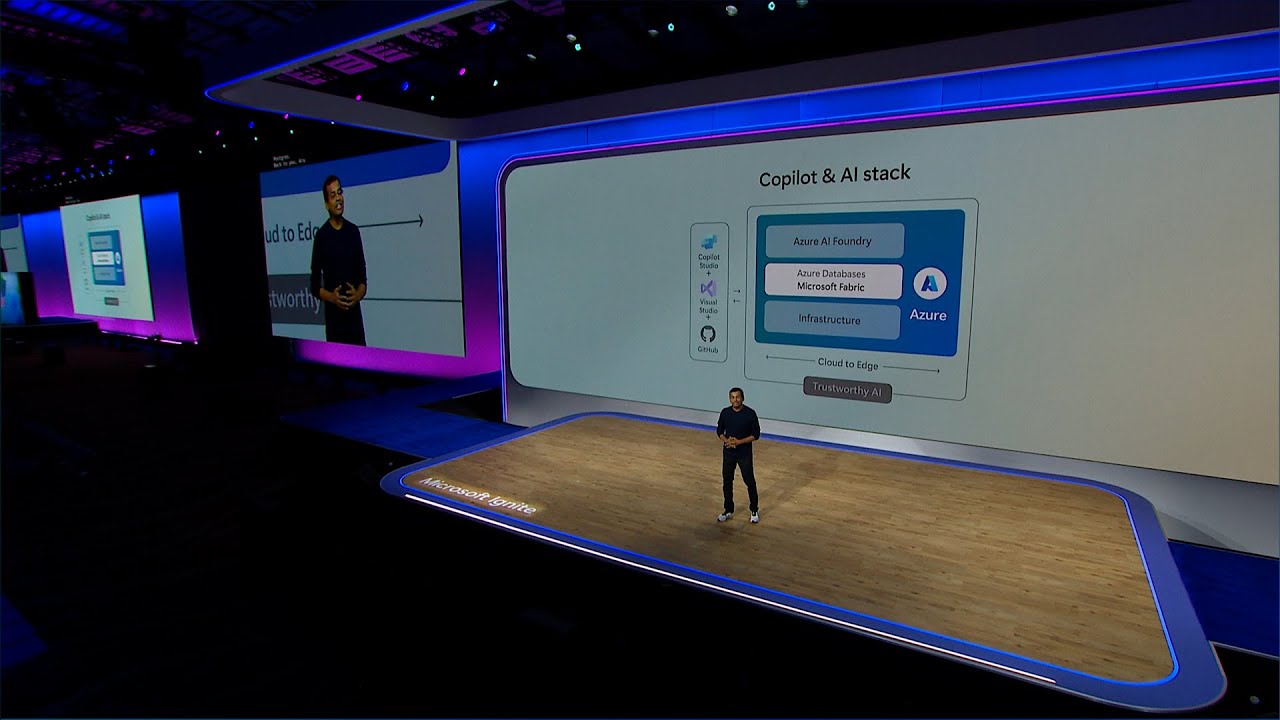
So Alejandra and Yogi have been talking about all the wonderful, amazing things that we're doing in the upper stack. And if you remember from Satya's keynote, he talked about Microsoft's AI stack, starting from the foundation, which is AI infrastructure. So that's what I'm going to be focusing on.
Because Satya believes, as well as everybody inside Microsoft, in order for you to have the best-in-class AI stack, you have to optimize at every layer of that stack, and that doesn't exclude AI infrastructure. So, again, my name is John Lee. I run the product group that's responsible for all the AI in these series, the VM infrastructure on which all the Copilot services run, and all the innovations that Yogi and Alejandra just talked about is really developed on top of our infrastructure.
Now this is a little different way of looking at the same graph that Yogi was showing earlier. Remember that hockey-stick graph that he was showing, right? And the reason for it is take a look at what's been happening in the AI space.
Artificial intelligence has been around for a while. So what's new the last several years, right? Well, clearly, it's generative AI and large language models.
The world changed back in November of 2022, if you recall. What came out in 2022? ChatGPT, right?
ChatGPT revealed the power of what AI could be and how pervasive that technology could be for each and every one of us, and that is what's causing that hockey stick. There are so many innovations happening in the model space. And the way to build better models right now is to have larger datasets, the parameters, the weights that Alejandra was talking about.
And what allows us to go faster and train these models is by being able to throw more compute at it. That is what is causing this incredible growth. And why is there this insatiable demand for this capability?
Think about it. Once we get a taste of something and it's really good, we want more of it and we want something that's better and faster. So when ChatGPT first came out, we put a little prompt in there and we were willing to wait 5, 10 seconds for a response, right?
But now it's going multimodal. We're not satisfied with just simply text. We want to have high-definition video, right?
And now with a simple two-sentence prompt, you can create a five-minute high-definition video that only Pixar was able to do five, six years ago. That's at your fingertips. You can create ultimate images, right?
I use DALL-E powered, you know, Bing Image Creator all the time on my PowerPoint presentation because I need original images, and instantly I can get that. That is behind. That demand is what is behind this insatiable demand in the market right now for these large language models, and hence, the need for more compute capacity and capability.
So one of the things that I want to highlight is Azure has been investing in this capability for a long time. In order for ChatGPT to exist in November of 2022, that needed to be trained a year, year and a half before. What that means is the infrastructure that enables that capability needed to be in place at that time.
So if you take a look at Azure, we've been talking about AI supercomputing and others have also followed and talked about AI supercomputing as well, but this is a capability that you don't suddenly get. This is something that you need to invest, and this is an area that we have been investing for many, many years. So I'm just highlighting some of the big colorful graphs there.
It's a timeline of all these different capabilities that Azure has built for the past several years, starting in 2019. What separates an AI supercomputing capability from a traditional capacity that's in the cloud is scalability. And when I talk about scalability, it's really important for us to understand what I mean.
It's one thing to scale single-node jobs over hundreds and thousands of compute servers. That is one type of scalability. The type of scalability that I'm talking about that's needed for things like AI training is synchronized scalability.
What I mean by that is you need to scale to tens of thousands of GPUs, but you're running a single job. There is a massive level of communication and coordination that needs to happen. That's a different kind of scalability.
So that level of scalability before AI was used primarily in the HPC supercomputing world, and MPI is an API called Message Passing Interface, and that's how compute nodes are able to communicate with one another. In 2019, we were the first to complete a 20,000-cores MPI job, first in the cloud. And a year later, we were able to scale that 4x, 80,000-core MPI job, 12 times more than any other hyperscaler was capable of at that time.
And in 2021, we announced that we built a top-five-class supercomputer in the cloud, again, a first. And in 2021, we ran this little benchmark called MLPerf, which is a standard benchmark that you use to measure a performance, AI performance, of a machine against one another. We landed a number one in the cloud and number two overall, only behind NVIDIA's on-prem supercomputer.
And just last year, we re-ran that test, and we again achieved number one in the cloud, number two on-prem, and we were also the first hyperscaler in the history of high-performance computing, supercomputing, to land a top-three supercomputer in the world. Now TOP500 is an industry list that's generated in the high-performance computing world. It's published twice a year, once in June in Germany, and once in November in some city in the United States.
And in June of 2024, we actually achieved number three in the November 23 list, and we were able to maintain that same placement on the '24 update. Now, in full transparency, this list was updated again a couple of days ago, and we had fallen one spot. So we're in number four, not number three.
So I didn't have enough time to update the slide. But the key thing that I want you to walk away is, I mentioned that we listed that supercomputer in November of '23. Mark Russinovich, our Azure CTO, at Build, at May of this year, publicly announced that we had already shipped 30 times that capacity from November to May.
And we're continuing to ship more capacity. So if we actually ran that benchmark again, we would blow that number one out of the water, and that is the type of supercomputing capability and capacity that our customers demand, our strategic customers like OpenAI demand, in order for them to build and train next large language model, including the 01 that was announced recently, the reasoning model. That compute, that infrastructure, is what is making this possible.
So since I'm talking about infrastructure, I'm going to stay focused on infrastructure innovations that we're doing and that we announced at this Ignite. And when we're talking about infrastructure layer, I think it's really important that I highlight that it's not just silicon or compute or rack. It starts at the data center level.
AI, and what's happening in the AI space, is so dynamic that data centers have to be designed from ground up to be able to accommodate AI supercomputing capability. And we actually have to start planning that way ahead, because it takes a long time to build a data center. But I want to highlight when Microsoft is doing AI end-to-end stack optimization at the infrastructure layer, we're investing and we're optimizing at the data center as well.
And what I mean by that are things like liquid cooling, but it's not just liquid cooling. It's the amount of compute power density that's available in that data center because if you take a look at the GPU silicon power, it has gone from 50 watts, 150 watts, 200 watts. It's right now at 1,000 watts.
Soon it will go to 2,000 watts per GPU, and this desire and this need to couple them as close together is going to increase rack-level power from a traditional data center, which is about 25 kilowatts, 30 kilowatts, to 150 kilowatts, 200 kilowatts. And in the not-too-distant future, potentially 1 megawatt per rack. So imagine being able to put hundreds of those racks in a given data center.
How much power do you need? That is why when you read the news these days, there's a lot of talks about power generation for the planet Earth to be able to accommodate all these AI capabilities that's coming online. So I think it's really important to highlight that all of these Copilot services and all these innovations that's happening all across the stack is running on Azure AI infrastructure, and why do I want to highlight that?
I think it's really important for all of us, mainly because we kind of eat our own dog food, right? Since our own team's inside is running these massively scale training jobs and inference jobs, when you, our customer, land on our Azure VM infrastructure, you could have the peace of mind that we'll be able to scale any kind of job or any kind of requirements that you have, that you need, for your business on our Azure infrastructure. The other key that I want you to take away from this slide is that it's not one size fits all.
So if you look on the bottom there, we kind of categorize our Product Team, the AI workloads into three categories, starting from the left to the right. Real-time inference and low-cost compute, and I'll talk a little bit more about what these infrastructures are best for. There's mid-range training and dense inference.
And on the far right-hand side is our distributed training and generative inference platform. It gets more expensive as you go to the right, okay? So it's really important for you to understand what it is that you're trying to do, what kind of job that you're trying to run, how much data that you're going to need, right?
And then we talk to our specialists inside Azure to make sure that you're utilizing the right tools for the right jobs. So the way I kind of explain this is kind of think of it as like an automobile fleet. If you need a high-performance car, you would buy a sports car.
If you need something to move people, you're going to buy a minivan. If you need something to commute, you want something that's got the best miles per gallon, and you would make a purchasing decision based on what your needs are. So it's really important to understand what is it that I'm trying to do?
Work with our experts, and make sure that you're firing up the right VMs, and you're getting allocated the right VMs, to do what you need to do. Otherwise, you're going to end up potentially wasting a lot of money because these AI fleets are extremely expensive. I do know that.
Okay. So as I mentioned, we have a fleet that we're constantly updating. We want to make sure that we bring the best in class, best available in the industry, as well as best things that we're going to indigenously create to the market.
So we're super excited that Satya on the keynote on Tuesday announced that we are doing a private preview of NVIDIA's Blackwell, the first time in the cloud, and I personally am super excited about what's happening with the Blackwell Generation because it is a step-function increase in overall performance that we're going to be able to provide to our AI innovators like OpenAI, and there are multiple reasons for this. First of all, NVIDIA, our great partner, is coming out with a wonderful technology, this GB200 NVL rack design. What is different about the Blackwell Generation, it's not simply an evolutionary change where you went from Ampere to Hopper to Blackwell, and what I mean by evolutionary is where you, you know, put more cores inside of a GPU.
You crank up the clock frequency. You put more HBM bandwidth in there to make it more performant at a silicon level. What they're doing is they're realizing this insatiable demand for AI performance needs to go beyond a chip.
So they're developing this capability to group bunch of GPUs together from eight today in a single server to be able to scale it up to 72 GPUs in a single GPU pod, and think about that for a second. What used to be a compute element of only eight GPUs is now going to be 72 GPUs working synchronously to solve a complex problem. That's a major step-function in capability.
And then what we do is we take a bunch of those pods, and then we interconnect them using quantum InfiniBand to build out to tens of thousands of GPUs. And that is the computing capability and capacity that AI innovators like OpenAI, like Microsoft, like Meta, is going to need in order to train the next large language models. That is why Elon has been in the news building the Colossus from xAI, the first 100,000 Hopper 100 GPUs, right?
This is the space race of our generation because AI will be pervasive, and whoever has the best large language model is going to win. The other thing is liquid cooling, and there's two reasons you want to do liquid cooling. One is because the silicon is getting so hot it's impossible to cool them by air.
So you have to cool it with liquid. Like if you burn your finger, you don't just blow on it, you go straight to a water faucet because it's a much more efficient way to remove heat. So liquid cooling is becoming a necessity, and this is kind of interesting.
Being a historian of supercomputing, if you recall, Seymour Cray, the godfather of supercomputing, was doing liquid cooling back in the 1970s. It took something like artificial intelligence to make liquid cooling pervasive, right? So we have this thing called Sidekick, our Generation 2 liquid heat exchange unit.
I don't know if you had a chance to see it. It was in our hub. It was this massive beast.
That is what we created. Kind of think of it as a personal air conditioner for the next generation AI IT rack. So every time we ship an AI IT rack to some of the data centers that's not ready for liquid cooling, we need to ship that personal air conditioner.
So that is an innovation that our team has created to be able to do that. And finally, our servers, our infrastructure is custom made because we want to make sure that the hard-earned money that you're spending to purchase these VMs, you can extract the maximum performance for every one of those units and every one of those GPUs. That is why we're bringing this capability to market for all of our customers.
Okay? At this time, I'd like to invite my colleagues back on the stage. We just want to thank you once again for joining all of us.
Hopefully, the information that we shared with you has been valuable, and I know we only have a few minutes, but if you have any questions, please feel free to come up to the mic and ask any questions, and we'll be happy to answer. Or after the sessions, if you're interested, come to the side and we'd be happy to have a one-on-one conversation with you, as well. Thank you very much.
Alejandra Rico: Thank you. [ APPLAUSE ] [ MUSIC ] John Lee: If you want to come to the side and have a conversation with us, we'd be very happy to, okay, as well.