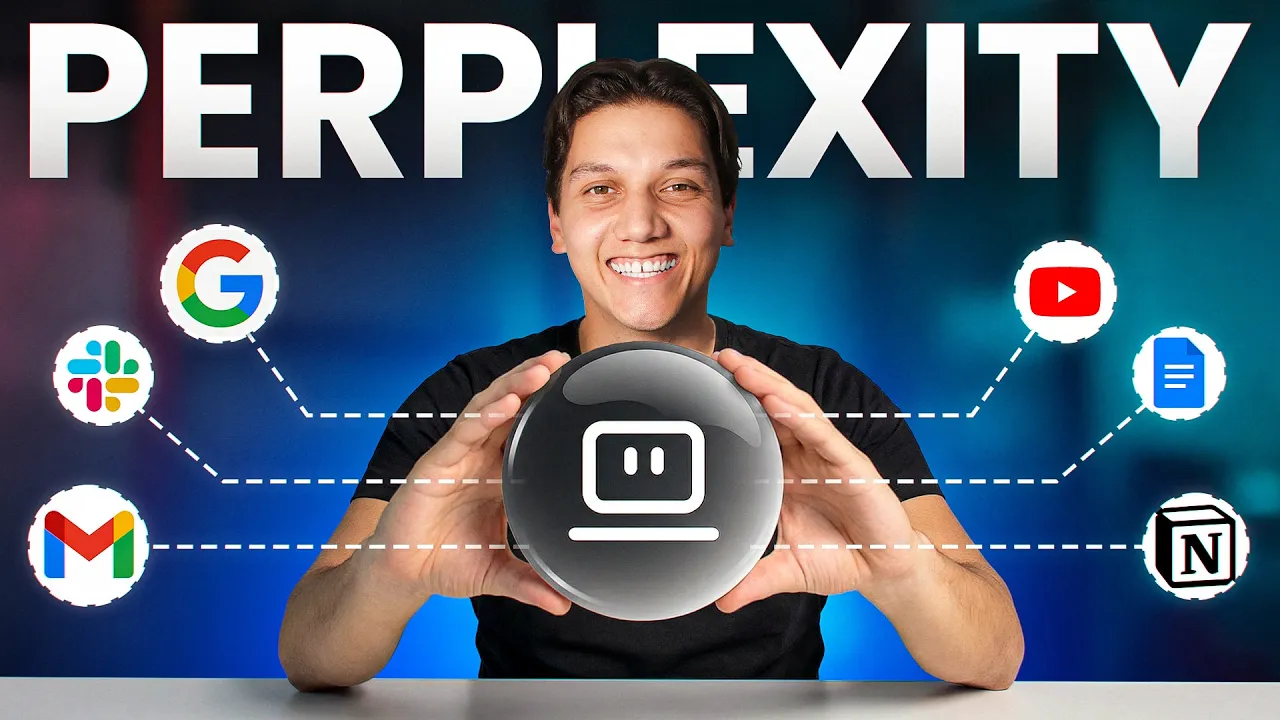
Perplexity just launched their most powerful tool yet, and it's called Perplexity Computer. It's a cloud-based AI agent that can browse the web, scrape websites, build apps, run code, connect to your tools, and work around the clock 24/7. A digital employee that basically never sleeps.
Last week, I tried setting up OpenCore. It took me about 3 hours to configure a VPS, deal with the API keys, and debug broken connections. And even after all of that, it still couldn't browse half the websites that I needed it to.
So I tried the new Perplexity computer. And within just 10 minutes, there was no setup, no terminal, no headaches at all. And it had already built me a full interactive dashboard pulling live data from hundreds of companies.
I didn't write a single line of code. And I haven't opened Open Claw since. And in today's video, I'm going to show you 10 insane use cases for Perplexity Computer, all with live demos that you can copy yourself.
Now, if you want every prompt that I use in this video, they are all in our free school community. The link is down in the description. But right now, let's get into this.
So, before we dive into both tools, we need to understand their differences. So, Open Claw runs locally. You install it, you configure it, you manage your API keys, and you keep your computer on.
It's powerful, but it breaks pretty often, and it takes a real technical skill to set up. Perplexity computer runs in the cloud. There's no setup.
You log in, you type what you want, and it gets to work. It orchestrates over 20 AI models and picks the best one for each task automatically. And the best part is it runs in the background whether your computer is on or not.
Now, when it comes to pricing, a lot of people online say that it costs about $200 a month. That's the max plan, but Perplexity Computer is now on the Pro plan at just $20 a month. And there is fewer credits, but there's more than enough to build real workflows.
Open Claw is free, but you're paying API costs every time it runs, and those add up pretty quickly. And the bottom line is OpenClaw is for technical users who want local control. Perplexity Computer is for everyone else who just wants the results.
Now, let me show you what it can do. Let's start with a feature that changes where you can work because this one removes the biggest hidden bottleneck that most people don't even realize they have. AI tools are trapped in a browser tab.
You have to sit down at your desk. You have to open the app and you have to babysit the process. Perplexi computer.
Well, luckily it doesn't work like that. You see over here, you can manage and you can monitor every single workflow directly from your phone. So, if you've got a task running, say a competitor research report or data analysis, you don't have to be at your computer waiting for it.
You can check it from your phone. The same way that you check a message, but it goes even further than that. Perplexity computer now integrates directly with tools like Slack.
So, you can now talk to it right inside your Slack channels. You type at computer, you give it a task, and it gets to work instantly without you ever leaving the app that you're already in. Think about what that means for a team.
Your whole workflow lives inside Slack. Your AI agent lives inside Slack. There's no switching tabs.
There's no copy pasting. There's no context switching. This is the first sign that Perplexity Computer isn't just another chatbot.
It's built to live inside the way you already work. Now, let's talk about what makes this thing actually useful in your day-to-day life. Perplexi Computer connects to over 400 apps.
That is Gmail, Notion, Slack, GitHub, Salesforce, Google Calendar, and the list just keeps on growing. But here's the important part. It doesn't just read your data.
It actually takes action. Don't believe me? Let me show you what I mean.
Okay, I gave it one prompt. I told it to find the most recent newsletter email in my Gmail, summarized in two sentences, draft and unsubscribe request back to the sender, and show me the draft before doing anything. And that's exactly what it did.
It searched my inbox. It found the email, wrote a polite unsubscribe message, and it asked me to approve it before sending. Then what did I do?
I said go ahead and the draft appeared in my Gmail ready to send. And the important thing is that it never acts without your say so. Every draft, every action, it shows you first.
You are always the one who pulls the trigger. Every time you copy something from your email into notion or you paste a Slack message into a spreadsheet, that's dead time. Connectors kill that entirely.
One prompt handles the whole chain. Here's what happens when you combine that access to your apps with automation. Everything that we've covered so far in this video has been on demand.
You give it a prompt, you get a result. But what if Perplexity Computer could just do the work for you every single day automatically without you ever asking? That's scheduled task.
Okay, so here's what I set up. Every morning at 8:00 a. m.
, Perplexity Computer searches for the latest AI news, finds the top three most important stories. It writes a brief summary of each one and why it matters, and it sends it to me as a notification. The whole briefing takes about under two minutes to read, and I set it up once, and I haven't thought about it since.
Every morning, it's it's just there. And because it runs in the cloud, it doesn't matter if your computer is off, if you are traveling, if you are asleep, it still runs every single day without you. Now, think about what you could automate with this.
Daily competitor monitoring, um, weekly inbox summaries, price stacking, news briefings, anything that you currently have to remember to do, Perplexi Computer just does it. Most AI tools need you. This one doesn't.
You set it up once and then you just go live your life. Okay, so it connects to your apps. It runs on a schedule.
But what if you could actually teach it how to think? Now that would be pretty cool. Custom skills lets you program perplexity computers behavior without writing a single line of code.
You create a reusable instruction set, a skill, and from that point on, every time you need that type of work done, it already knows exactly how to handle it. There are built-in skills for things like research, slides, and data analysis, but the real power is building your own. And here's exactly what I did.
I created a skill called to the planner. I told it everything that I wanted, the destination, the dates, the budget, the travel vibe that I was going for. And then it gave me a full output spec, dayby-day itinerary, the restaurant recommendations with price ranges, hidden gems, weather forecast, packing lists, booking links, the entire thing.
I said 5 days in Istanbul, two people, $2,000 budget, and the culture and food focused. A few minutes later, I have a full dayby-day itinerary. Real restaurants with current reviews and price changes, actual weather data for those dates, local transport outs between each stop, a hidden gym for every single location, places that most tourists never even find, and a packing list based on the actual forecast.
This isn't generic travel advice pulled from training data. It's researching live information, current prices, real reviews, actual weather, and building a personalized plan around it. And the real unlock is when skills start talking to each other.
Stack your research skill on top of your slide skill and one prompt takes you from a blank page to a finished deck. There's no manual steps in between. And this is going to save you so much time.
Now, here's something that sounds small, but it saves you an enormous amount of time. Perplexity Computer remembers you across sessions. Most AI tools start from zero almost every single time.
You have to reexlain who you are, what your business does, what tone you write in, what your audience looks like every single time. And it can get pretty boring. Now, Perplexi Computer, it doesn't do that.
It builds a picture of you over time. your name, your channel, your preferences, your past projects, it then holds on to all of it. So when you come back the next day and start a new task, it already has the context that it needs.
It already knows who you are. Now to test this, I opened a brand new task and there was no context and no setup. Then what I did is I typed write a hook for my next video.
And then it came back with a hook already written in my tone referencing my niche, my audience, and the style that I use. I didn't tell it any of that. It literally already knew what to do.
And the more you use it, the better it gets. And that's the compounding effect. When the tool gets smarter about your specific workflow over time, that's something that most AI agents simply simply just don't have.
And we are only halfway through because what comes next is where it gets genuinely uncomfortable, but in the best way possible. If you have ever stared at a broken spreadsheet and thought, I'm going to need hours to fix this, then this feature is going to feel like a cheat code to you. What I did was I uploaded a messy CSV file.
It was 50 rows of customer feedback data. It was duplicate entries, misspelled product names, ratings written as words instead of numbers, dates in three different formats, broken email addresses. It was basically just a complete disaster.
Then I gave it one prompt. Clean the entire data set. Fix the duplicates.
Standardize everything. Show me a before and after summary. Analyze the clean data.
Find the average rating by product. create a visual dashboard with charts, export the clean data as a new CSV, and give me a PDF report of the full analysis. Then just 4 minutes later, it was all done.
It ran real code. It didn't guess at the analysis. It actually computed it and it showed me the code advance so I could verify every single step.
But then I pushed it even further. I went and I said, "Now build me an interactive dashboard that I can share on the web. " And it did it.
A fully interactive dashboard with filters, charts, dark mode, light mode, and a sharable link that I could send to anyone. And here's something worth knowing. Perplexi Computer also has a built-in access to financial data, SEC filings, S&P global fact set with no API keys required.
So if you want to pull live stock data and earning reports and turn them into a visual dashboard, it can do that straight out of the box. No formulas, no pivot tables, no code, just a prompt. Now, this is one for anyone who's ever signed a contact they probably shouldn't have or sent a proposal with numbers that they didn't double check.
You upload a document, a business proposal, a partnership agreement, a contact, and perplex the computer, review, views it like a senior advisor would. It fact checks the claims against live web data. It flags risky language.
It identifies vague terms and it suggests improvements. Now, that I would consider a gamecher. I uploaded a dove partnership proposal between two fictional companies.
I told her it to fact check everything, identify deal terms, flag any vague language, suggest improvements, and give me a top five concerns summary, and deliver it all in a word document with track changes and comments. 9 minutes later, or about 8 minutes and 55 seconds later, it caught a stat that was completely wrong. The proposal claimed a market grew by 43% year-over-year.
Publicity Computer found the real number was 4%. It flagged payment terms that were risky. It read vague sections and it delivered a fully marked up word document exactly like a human advisor would.
Now, that's the kind of review that would cost you hundreds of dollars from a a an experienced consultant. Well, it took me about 9 minutes and just one pound. Now, here's a feature that most people completely overlook and it might be one of the most useful things out there.
See, when you are making an important decision, a business strategy, a market analysis, a technical question, how do you know which AI to test? Claude might say one thing, GPT might say another, and then Gemini might disagree with both of them. model council.
Well, it solves that. You ask one question and it goes to all the top AI models simultaneously, claw, GPT, and Gemini, and then a synthesizer reviews all of the outputs. It resolves the conflicts and it gives you one consolidated answer that shows you exactly where the models agree and where they differ.
Let me give you a real example. Okay, so I asked it, should I price my new course at $2. 97 or $497?
And then Claude said $297 to reduce friction for firsttime buyers. GBT said, "Go with $4. 97 because my audience skews professional and it can absorb the cost.
" Then Gemini said, "Test both with a limited launch and let the data decide. " synthesizer. It flagged all three agreed on one thing.
Don't go below 297. That's my price flaw. And there basically my decision is now made.
Where all three models agree, that's your high confidence answer. Where they disagree, that's where you need to dig deeper. It's like having three senior advisers in the room at the exact same time.
Now, here's where it stops being impressive and starts being just a little bit unfair. This is where Complexity Computer stops feeling like a tool and starts feeling like a team. Everything that we've covered so far has been individual tasks.
That's one prompt, one output. It's powerful on its own, but multi-chain prompting is a completely different level. You give it one prompt and it spins up multiple sub agents.
Each sub agent gets assigned the best AI model for its specific task. Claude for writing, GBD for code, Gemini for the research. They all run in parallel and they all feed into each other.
Now, let me show you what that basically looks like in practice. You see, I uploaded 150 rows of internal sales data. Then, I gave it one prompt.
Research our top eight competitors. Build a comparison table. Write an executive brief.
Create a visual dashboard. and put together a slide deck, use my sales data as internal context, and pull live web data for everything about competitors. And then just 10 minutes later, I have five deliverables, a competitor comparison spreadsheet with multiple tabs, an executive brief, an interactive dashboard that I could share, and a leadership side deck ready to present.
A full team would need a day to basically just produce what just came from one prompt in about 10 minutes. That's not an exaggeration. That just happened.
And it maps out the whole chain itself. Research feeds the analysis. Analysis shapes the document.
Documents become visuals. And you don't manage any of it. It just happens.
This one genuinely surprised me the first time I saw it. You can describe an app in just plain English and Plexity Computer will build it, deploy it, and give you a live sharable link. Not just code sitting in the chat box, an actual working app live on the web.
And here's what I did. I gave it one prompt, pulled me a client intake form that collects a name, email, project type, budget range, and timeline. Saves everything to a spreadsheet and sends me a Slack notification every time someone submits.
One prompt, no setup, no wireframes. And it just figured it out. Uh, it planned the project.
It assigned the right models to the right tasks. It built the app. It styled it.
And it deployed it with a live link. And I could send this to anyone. Now, I'll be honest.
The first version wasn't perfect. The form styling was off and one of the drop-own fields wasn't saving correctly, but I just told it what was wrong and it fixes both the issues in roughly like under a minute. That back and forth is part of the process and it's still 10 times faster than building it yourself.
And if you are technical or working with a developer then it connects directly to GitHub. It can push the code it right straight to your repository and this means that you are not copy pasting from a chat box into your codebase. It just goes there and all of this runs in the cloud.
Your computer doesn't even need to be on. You don't need to host anything on your side. you just get the link.
So, let's be real for a second. Perplexi Computer is now available on the Pro plan. The Pro plan is about $17 a month and it gives you $4,000 credits.
The Max plan is $200 a month and it gives you about 10,000 credits. Now, here's the honest truth about the credits. They burn faster than you think on complexity tasks.
multi-chain prompting, app building, long research sessions that you might go into, those eat up your credits. So, monitor your usage, especially in the first week. There are also some rough edges.
Some connectors are still being improved. It's cloud only. So, if you need to control a local desktop application, it can't do that exactly.
And like any AI agent, the quality of your output depends heavily on the quality of your plant. But here's my honest verdict. For 90% of people, business owners, content creators, executives, anyone who wants an AI agent that just works, Perplexity Computer is better than OpenClaw.
It's easier to set up. It's more reliable. It's more powerful for most use cases.
and it doesn't require a technical background to get real results. All the prompts that I used in this video, every single demo, all of it is inside the free school community. The link is down in the description below.
Go and grab them, run the demos yourself and see what this thing can actually do for your workflow. And if you haven't subscribed yet, do it right now. We are putting out new AI tool breakdowns constantly.
and I will catch you on the next Perplexity just launched their most powerful tool yet, and it's called Perplexity Computer. It's a cloud-based AI agent that can browse the web, scrape websites, build apps, run code, connect to your tools, and work around the clock 24/7. A digital employee that basically never sleeps.
Last week, I tried setting up OpenCore. It took me about 3 hours to configure a VPS, deal with the API keys, and debug broken connections. And even after all of that, it still couldn't browse half the websites that I needed it to.
So I tried the new Perplexity computer. And within just 10 minutes, there was no setup, no terminal, no headaches at all. And it had already built me a full interactive dashboard pulling live data from hundreds of companies.
I didn't write a single line of code. And I haven't opened Open Claw since. And in today's video, I'm going to show you 10 insane use cases for Perplexity Computer, all with live demos that you can copy yourself.
Now, if you want every prompt that I use in this video, they are all in our free school community. The link is down in the description. But right now, let's get into this.
So, before we dive into both tools, we need to understand their differences. So, Open Claw runs locally. You install it, you configure it, you manage your API keys, and you keep your computer on.
It's powerful, but it breaks pretty often, and it takes a real technical skill to set up. Perplexity computer runs in the cloud. There's no setup.
You log in, you type what you want, and it gets to work. It orchestrates over 20 AI models and picks the best one for each task automatically. And the best part is it runs in the background whether your computer is on or not.
Now, when it comes to pricing, a lot of people online say that it costs about $200 a month. That's the max plan, but Perplexity Computer is now on the Pro plan at just $20 a month. And there is fewer credits, but there's more than enough to build real workflows.
Open Claw is free, but you're paying API costs every time it runs, and those add up pretty quickly. And the bottom line is OpenClaw is for technical users who want local control. Perplexity Computer is for everyone else who just wants the results.
Now, let me show you what it can do. Let's start with a feature that changes where you can work because this one removes the biggest hidden bottleneck that most people don't even realize they have. AI tools are trapped in a browser tab.
You have to sit down at your desk. You have to open the app and you have to babysit the process. Perplexi computer.
Well, luckily it doesn't work like that. You see over here, you can manage and you can monitor every single workflow directly from your phone. So, if you've got a task running, say a competitor research report or data analysis, you don't have to be at your computer waiting for it.
You can check it from your phone. The same way that you check a message, but it goes even further than that. Perplexity computer now integrates directly with tools like Slack.
So, you can now talk to it right inside your Slack channels. You type at computer, you give it a task, and it gets to work instantly without you ever leaving the app that you're already in. Think about what that means for a team.
Your whole workflow lives inside Slack. Your AI agent lives inside Slack. There's no switching tabs.
There's no copy pasting. There's no context switching. This is the first sign that Perplexity Computer isn't just another chatbot.
It's built to live inside the way you already work. Now, let's talk about what makes this thing actually useful in your day-to-day life. Perplexi Computer connects to over 400 apps.
That is Gmail, Notion, Slack, GitHub, Salesforce, Google Calendar, and the list just keeps on growing. But here's the important part. It doesn't just read your data.
It actually takes action. Don't believe me? Let me show you what I mean.
Okay, I gave it one prompt. I told it to find the most recent newsletter email in my Gmail, summarized in two sentences, draft and unsubscribe request back to the sender, and show me the draft before doing anything. And that's exactly what it did.
It searched my inbox. It found the email, wrote a polite unsubscribe message, and it asked me to approve it before sending. Then what did I do?
I said go ahead and the draft appeared in my Gmail ready to send. And the important thing is that it never acts without your say so. Every draft, every action, it shows you first.
You are always the one who pulls the trigger. Every time you copy something from your email into notion or you paste a Slack message into a spreadsheet, that's dead time. Connectors kill that entirely.
One prompt handles the whole chain. Here's what happens when you combine that access to your apps with automation. Everything that we've covered so far in this video has been on demand.
You give it a prompt, you get a result. But what if Perplexity Computer could just do the work for you every single day automatically without you ever asking? That's scheduled task.
Okay, so here's what I set up. Every morning at 8:00 a. m.
, Perplexity Computer searches for the latest AI news, finds the top three most important stories. It writes a brief summary of each one and why it matters, and it sends it to me as a notification. The whole briefing takes about under two minutes to read, and I set it up once, and I haven't thought about it since.
Every morning, it's it's just there. And because it runs in the cloud, it doesn't matter if your computer is off, if you are traveling, if you are asleep, it still runs every single day without you. Now, think about what you could automate with this.
Daily competitor monitoring, um, weekly inbox summaries, price stacking, news briefings, anything that you currently have to remember to do, Perplexi Computer just does it. Most AI tools need you. This one doesn't.
You set it up once and then you just go live your life. Okay, so it connects to your apps. It runs on a schedule.
But what if you could actually teach it how to think? Now that would be pretty cool. Custom skills lets you program perplexity computers behavior without writing a single line of code.
You create a reusable instruction set, a skill, and from that point on, every time you need that type of work done, it already knows exactly how to handle it. There are built-in skills for things like research, slides, and data analysis, but the real power is building your own. And here's exactly what I did.
I created a skill called to the planner. I told it everything that I wanted, the destination, the dates, the budget, the travel vibe that I was going for. And then it gave me a full output spec, dayby-day itinerary, the restaurant recommendations with price ranges, hidden gems, weather forecast, packing lists, booking links, the entire thing.
I said 5 days in Istanbul, two people, $2,000 budget, and the culture and food focused. A few minutes later, I have a full dayby-day itinerary. Real restaurants with current reviews and price changes, actual weather data for those dates, local transport outs between each stop, a hidden gym for every single location, places that most tourists never even find, and a packing list based on the actual forecast.
This isn't generic travel advice pulled from training data. It's researching live information, current prices, real reviews, actual weather, and building a personalized plan around it. And the real unlock is when skills start talking to each other.
Stack your research skill on top of your slide skill and one prompt takes you from a blank page to a finished deck. There's no manual steps in between. And this is going to save you so much time.
Now, here's something that sounds small, but it saves you an enormous amount of time. Perplexity Computer remembers you across sessions. Most AI tools start from zero almost every single time.
You have to reexlain who you are, what your business does, what tone you write in, what your audience looks like every single time. And it can get pretty boring. Now, Perplexi Computer, it doesn't do that.
It builds a picture of you over time. your name, your channel, your preferences, your past projects, it then holds on to all of it. So when you come back the next day and start a new task, it already has the context that it needs.
It already knows who you are. Now to test this, I opened a brand new task and there was no context and no setup. Then what I did is I typed write a hook for my next video.
And then it came back with a hook already written in my tone referencing my niche, my audience, and the style that I use. I didn't tell it any of that. It literally already knew what to do.
And the more you use it, the better it gets. And that's the compounding effect. When the tool gets smarter about your specific workflow over time, that's something that most AI agents simply simply just don't have.
And we are only halfway through because what comes next is where it gets genuinely uncomfortable, but in the best way possible. If you have ever stared at a broken spreadsheet and thought, I'm going to need hours to fix this, then this feature is going to feel like a cheat code to you. What I did was I uploaded a messy CSV file.
It was 50 rows of customer feedback data. It was duplicate entries, misspelled product names, ratings written as words instead of numbers, dates in three different formats, broken email addresses. It was basically just a complete disaster.
Then I gave it one prompt. Clean the entire data set. Fix the duplicates.
Standardize everything. Show me a before and after summary. Analyze the clean data.
Find the average rating by product. create a visual dashboard with charts, export the clean data as a new CSV, and give me a PDF report of the full analysis. Then just 4 minutes later, it was all done.
It ran real code. It didn't guess at the analysis. It actually computed it and it showed me the code advance so I could verify every single step.
But then I pushed it even further. I went and I said, "Now build me an interactive dashboard that I can share on the web. " And it did it.
A fully interactive dashboard with filters, charts, dark mode, light mode, and a sharable link that I could send to anyone. And here's something worth knowing. Perplexi Computer also has a built-in access to financial data, SEC filings, S&P global fact set with no API keys required.
So if you want to pull live stock data and earning reports and turn them into a visual dashboard, it can do that straight out of the box. No formulas, no pivot tables, no code, just a prompt. Now, this is one for anyone who's ever signed a contact they probably shouldn't have or sent a proposal with numbers that they didn't double check.
You upload a document, a business proposal, a partnership agreement, a contact, and perplex the computer, review, views it like a senior advisor would. It fact checks the claims against live web data. It flags risky language.
It identifies vague terms and it suggests improvements. Now, that I would consider a gamecher. I uploaded a dove partnership proposal between two fictional companies.
I told her it to fact check everything, identify deal terms, flag any vague language, suggest improvements, and give me a top five concerns summary, and deliver it all in a word document with track changes and comments. 9 minutes later, or about 8 minutes and 55 seconds later, it caught a stat that was completely wrong. The proposal claimed a market grew by 43% year-over-year.
Publicity Computer found the real number was 4%. It flagged payment terms that were risky. It read vague sections and it delivered a fully marked up word document exactly like a human advisor would.
Now, that's the kind of review that would cost you hundreds of dollars from a a an experienced consultant. Well, it took me about 9 minutes and just one pound. Now, here's a feature that most people completely overlook and it might be one of the most useful things out there.
See, when you are making an important decision, a business strategy, a market analysis, a technical question, how do you know which AI to test? Claude might say one thing, GPT might say another, and then Gemini might disagree with both of them. model council.
Well, it solves that. You ask one question and it goes to all the top AI models simultaneously, claw, GPT, and Gemini, and then a synthesizer reviews all of the outputs. It resolves the conflicts and it gives you one consolidated answer that shows you exactly where the models agree and where they differ.
Let me give you a real example. Okay, so I asked it, should I price my new course at $2. 97 or $497?
And then Claude said $297 to reduce friction for firsttime buyers. GBT said, "Go with $4. 97 because my audience skews professional and it can absorb the cost.
" Then Gemini said, "Test both with a limited launch and let the data decide. " synthesizer. It flagged all three agreed on one thing.
Don't go below 297. That's my price flaw. And there basically my decision is now made.
Where all three models agree, that's your high confidence answer. Where they disagree, that's where you need to dig deeper. It's like having three senior advisers in the room at the exact same time.
Now, here's where it stops being impressive and starts being just a little bit unfair. This is where Complexity Computer stops feeling like a tool and starts feeling like a team. Everything that we've covered so far has been individual tasks.
That's one prompt, one output. It's powerful on its own, but multi-chain prompting is a completely different level. You give it one prompt and it spins up multiple sub agents.
Each sub agent gets assigned the best AI model for its specific task. Claude for writing, GBD for code, Gemini for the research. They all run in parallel and they all feed into each other.
Now, let me show you what that basically looks like in practice. You see, I uploaded 150 rows of internal sales data. Then, I gave it one prompt.
Research our top eight competitors. Build a comparison table. Write an executive brief.
Create a visual dashboard. and put together a slide deck, use my sales data as internal context, and pull live web data for everything about competitors. And then just 10 minutes later, I have five deliverables, a competitor comparison spreadsheet with multiple tabs, an executive brief, an interactive dashboard that I could share, and a leadership side deck ready to present.
A full team would need a day to basically just produce what just came from one prompt in about 10 minutes. That's not an exaggeration. That just happened.
And it maps out the whole chain itself. Research feeds the analysis. Analysis shapes the document.
Documents become visuals. And you don't manage any of it. It just happens.
This one genuinely surprised me the first time I saw it. You can describe an app in just plain English and Plexity Computer will build it, deploy it, and give you a live sharable link. Not just code sitting in the chat box, an actual working app live on the web.
And here's what I did. I gave it one prompt, pulled me a client intake form that collects a name, email, project type, budget range, and timeline. Saves everything to a spreadsheet and sends me a Slack notification every time someone submits.
One prompt, no setup, no wireframes. And it just figured it out. Uh, it planned the project.
It assigned the right models to the right tasks. It built the app. It styled it.
And it deployed it with a live link. And I could send this to anyone. Now, I'll be honest.
The first version wasn't perfect. The form styling was off and one of the drop-own fields wasn't saving correctly, but I just told it what was wrong and it fixes both the issues in roughly like under a minute. That back and forth is part of the process and it's still 10 times faster than building it yourself.
And if you are technical or working with a developer then it connects directly to GitHub. It can push the code it right straight to your repository and this means that you are not copy pasting from a chat box into your codebase. It just goes there and all of this runs in the cloud.
Your computer doesn't even need to be on. You don't need to host anything on your side. you just get the link.
So, let's be real for a second. Perplexi Computer is now available on the Pro plan. The Pro plan is about $17 a month and it gives you $4,000 credits.
The Max plan is $200 a month and it gives you about 10,000 credits. Now, here's the honest truth about the credits. They burn faster than you think on complexity tasks.
multi-chain prompting, app building, long research sessions that you might go into, those eat up your credits. So, monitor your usage, especially in the first week. There are also some rough edges.
Some connectors are still being improved. It's cloud only. So, if you need to control a local desktop application, it can't do that exactly.
And like any AI agent, the quality of your output depends heavily on the quality of your plant. But here's my honest verdict. For 90% of people, business owners, content creators, executives, anyone who wants an AI agent that just works, Perplexity Computer is better than OpenClaw.
It's easier to set up. It's more reliable. It's more powerful for most use cases.
and it doesn't require a technical background to get real results. All the prompts that I used in this video, every single demo, all of it is inside the free school community. The link is down in the description below.
Go and grab them, run the demos yourself and see what this thing can actually do for your workflow. And if you haven't subscribed yet, do it right now. We are putting out new AI tool breakdowns constantly.





![Mix - [HQ]Walking to New York 陶晶莹-走路去纽约](https://i.ytimg.com/vi/RDC82FwG5v9TU/mqdefault.jpg)