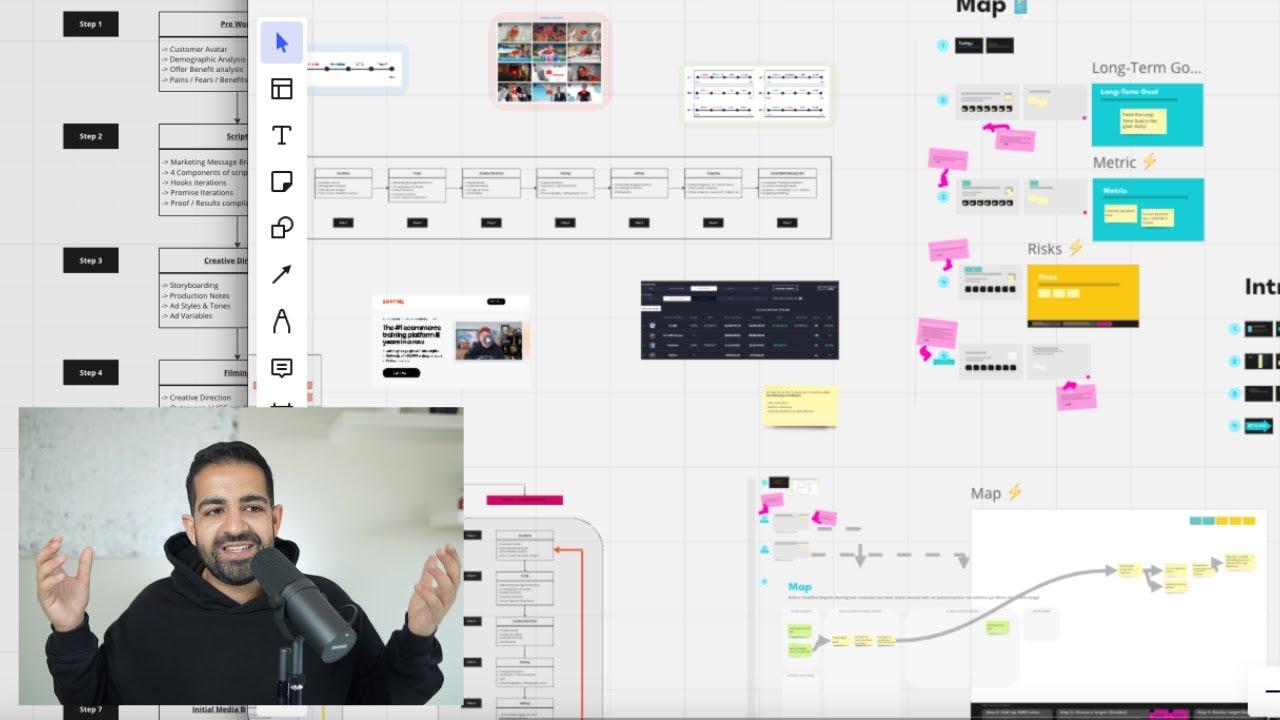
YouTube ads have changed dramatically over the last year placement targeting is gone and so are keywords ad creative matters a lot more now and oh yeah there's more AI than ever before don't worry I've designed this master class to show you step by step how to run YouTube ads profitably with all of these new changes in mind my name is Neil and I run links digital at this point we're one of the biggest YouTube ad agencies Out there and this is the sort of training that I have given to my own internal employees as well
as hundreds of our students with our YouTube ads course so strap in and get ready to start getting some great results with YouTube ads now just a bit of housekeeping before we jump in this tutorial slash masterclass is divided into four sections and if you are somebody that's never run ads before I recommend that you watch all four Sections that's because I will be breaking down all of the little terminologies all of the definitions and strategies step by step right from the beginning just like how I would for a brand new employee however if you
are somebody that has run ads before and you're just looking for the 2023 updated syllabus well then I recommend that you skip ahead to this point right here in the video but be sure to watch the creative and scaling sections because They do have a lot of new updates and with that being said let's jump into my computer and start with YouTube ads right in the beginning all right before we jump into the ads manager we need to understand what YouTube ads are and how they work and the first thing we'll be discussing is the
ad count structure more importantly how YouTube ads are laid out now even before you run any sort of YouTube ads you're going to need a Google account now if you are somebody That's planning to use your own audience on say YouTube or you are somebody with an established business and you've run things like PPC ads before maybe you use some of Google's other assets like Google optimize maybe you have tag manager set up already you have Google analytics or search console setup and you want to use this YouTube ads for that business what I recommend
is that you use that Google account for your YouTube ads now once you have your Google account set up what you're going to need to do is set up a brand new AdWords account and don't worry I will be showing you step by step how to do this later on in the video right now I just want to showcase how these things are laid out so inside your ad account your AdWords account is where all of the fun happens and what I recommend is that if you are somebody that's running multiple businesses maybe you have
several different brands under a Business I recommend setting up a brand new AdWords account for each different brand in your business and the reason for this is say one brand is targeting people that are super old in one part of the world and the other brand is for younger people in the opposite side of the world you don't want the ad data getting mixed up in that AdWords account the second thing is if one of your Brands is kind of on the edge with Google policy you want to make sure that You're saving yourself against
some sort of AD account ban so so in case that does happen your entire business doesn't stop advertising just an ad account gets shut down but you at least you can use your other AdWords account and keep rolling that's kind of the best practice that we suggest with AdWords account so within your Google account you have your AdWords account and then within your AdWords account you have these things called campaigns and think of campaigns As like the main container of your ads these are going to be things that hold all of your ad groups and
your ads and this is where you're going to be able to decide on the different marketing objectives that your ads are going to be running on and this is also where you set the budgets for your ad campaign so what are the different ad objectives you asked don't worry we'll get to it but think of it this way if you're trying to do a remarketing campaign or you're Trying to do a full sale campaign you're going to be making those distinctions at the campaign level and that's why this level is very important now within your
campaigns you will have these things called ad groups and this is where you go in and you decide on the target targeting and placement of your ads this is basically where you get to figure out who is going to see your ad you can also set things like bids and even sometimes budgets for your ads as well as the Scheduling for when your ads are actually going to be shown so this is where the meat and potatoes of your actual ads happen and then within your ad groups you have your actual ad creative level and
this is where you pick which video is actually going to run as an ad and then you can also do things like change the text of the ad figure out what the call to action button is so just to recap you have your Google account which holds your AdWords Account and you can have multiple AdWords accounts for different brands within each AdWords account you have different campaigns and these hold all the different marketing objectives and then finally you you have the ad Group which determines the targeting as well as the ads which are the actual
videos that you're going to be running as at and if a lot of this does sound a little bit confusing here's a diagram that kind of breaks down what a typical ad account Might look like this one's a little bit confusing because it has multiple ad groups as well as multiple creatives within that ad group in the beginning I really recommend that you follow the 111 structure what that is is essentially only running one ad so one video per ad group and only running one ad group per campaign so unlike this example here you'll only
be running a campaign with a single ad group and a single ad within that ad group and the reason for this is One it's a lot simpler and a lot easier to organize especially when you're getting up and started and the second reason is is that you want to eliminate as many variables as possible in the beginning Google has absolutely no data inside of your ad account so it has no idea on how to optimize and for that reason you want to be in control of all of the variables that Google allows you to alter
now once you do have that add data and you do feel a lot more Comfortable inside the AdWords manager feel free to break out of this rule maybe you can add more ad groups to split test targeting or maybe add different creatives to split tests you can do all of that but in the beginning I highly recommend that you stick to this format I want to give you guys an example of these variables that I'm talking about let's say you run a apparel company for women but you aren't really sure what your target audience is
In terms of age maybe you think it's women over 40 and maybe you think it's women under 40. so what you're going to do is set up two different campaigns and within each campaign you're going to have a single ad group and the variables that you're going to be testing which is age in our case whether women are over 40 or under 40 that respond better to our apparel line you're going to be testing this on the campaign level so one campaign one ad group and within That ad group you will say okay I'm only
targeting women under 40. and then in the other AD group in the other campaign you're going to be setting the targeting as women over 40. and within these campaigns in ad groups you're only going to be testing a singular video ad so at the end of the day what you're left with is two campaigns where there's only one variable that's different between the two and that way you can compare apples to apples and oranges to oranges and Don't worry if this section doesn't make too much sense watch the rest of the video get to the
scaling section in this tutorial masterclass and then come back to this section and I promise it will make a lot more sense all right next up we quickly discussed campaign objectives these are the different marketing objectives that you can set on the campaign level so let's really take a look at what the differences between all of these are and one you should use each One of them when you are building a brand new campaign you will be presented with these options here and one thing to note is that the targeting between all of these different
campaign objectives Remains the Same regardless of which option you choose the only things that change is how that campaign is going to be optimized and what it's going to be optimizing for and how you're going to be charged and what sort of AD create creatives you can run so each of these Sections actually limits you in the ways you are able to run YouTube ads and how you're also charged let's quickly go over what a few of these campaign objectives are so we'll quickly start off with website traffic so this is a campaign objective where
Google tries to optimize for as much web traffic as possible now Google doesn't care if the people with visiting your website are actually going to turn into customers it's just trying to send as many people To your website as possible and the same goes for product and brand consideration and brand reach and awareness campaign so in these scenarios Google is just trying to get your ad in front of as many eyeballs as possible it doesn't care if these people will actually turn into customers the app promotion objective is for those of you that have a
mobile app and are optimizing for downloads and store visits and promotions are for those of you that Have a brick and mortar store and are trying to get more foot traffic and then finally we have the create the campaign without a goal's guidance campaign objective which is essentially what it sounds like Google does not do any sort of optimization here and the only real time we actually suggest that you use it is if you are going after one of the very specific bidding options however for most beginners and most people watching this video here what
I Recommend is that you use the sales or leads campaign objective if you are somebody with a e-commerce store or a digital product or someone with a website where there is a purchase Now button and you're trying to get more sales then I would use the sales objective if you are somebody that is collecting leads whether that's in the form of phone numbers or emails I would really recommend that you stick to the leads campaign objective all right with Campaign objectives figured out let's jump into the different ad formats that are available with YouTube ads
now a lot of you might be surprised to find out that there's a lot of different YouTube ads specifically when most people think of YouTube ads they think of the skippable video ads that play before a YouTube video however there's a lot more inventory with YouTube ads that's at your disposal there's a lot of options out there so let's break them down and Figure out which one is best suitable for you we'll start off with overlay ads these are the banner ads that appear on top of native organic YouTube videos you probably have seen them
before next up you have your bumper ads and these are the ads that are less than six seconds long and that play at the beginning of YouTube videos then we have the infamous non-skippable video ads these are the 15 sometimes even 20 second ads that you can't Skip and they play in the middle Of a organic YouTube video next up we have the infeed ads and this is formally known as the discovery ads these are static ads so they don't interrupt the video that appear on either the search result so they'll be the top search
result when you go on YouTube or on the homepage page or on the suggested bar on your right hand column you probably have also seen these as well and then finally we get to the ad type that most people associate with YouTube ads which is the Skippable video ads now these are the ads that play in the middle of videos sometimes even at the beginning of videos that run for five seconds without the skip button and then after five seconds the skip button pops up and then people can skip them so these are the bread
and butter of YouTube ads and this is what I assume that most of you are here to learn about and what I really recommend is that you actually run with these sort of ads and master them first Before moving on to the other types of ads these are usually the most profitable ads that you can run on YouTube now a quick note YouTube also has this thing called YouTube short ads now you may have seen them they're the ads that pop up in between YouTube shorts when you're scrolling up on your mobile phone we won't
be covering these ads in this tutorial here because they're pretty new but if you wanted to learn a lot more about YouTube short ads Watch this video right here let's figure out how you guys are going to be charged when you're running your ads so if you run ads before you must be familiar with what bidding options are for those of you not familiar essentially Google AdWords is a auction based platform you basically put down a bid of what you're willing to pay for your ad to get seen by people and the way it works
is with four main bidding options which we will cover all right let's quickly go over What some of the different bidding options are on YouTube ads so first off we have Target CPM which is essentially a bid that you set that you want to pay for a thousand Impressions there's no optimization with this bidding method and for that reason we absolutely recommend against using this the next up is Target cpv it's kind of similar to Target CPM but instead of paying a bid for a thousand Impressions you set a price for a view that you
want now the Ads are optimized for views here as opposed to just general Impressions and this this is important to note here because YouTube sees views as somebody watching at least 20 to 30 seconds of your ad or clicking on it so because YouTube is charging you on views and not Impressions they actually optimize your ads for views however we still don't really recommend this bidding option because you're not really there to get a bunch of views on your ads you're there To make sales and get customers and the next bidding option is a more
common one that we use which is maximize conversions it does work by charging you on Impressions however unlike Target CPM with this bidding option basically Google goes out there and tries to get as many conversions as possible with your entire budget that's the name maximize conversion and for those of you asking what conversions are these are essentially actions that a user makes on Your website and you can essentially set conversions to be whatever you want so a conversion could be somebody clicking a button on your website somebody adding something to your heart may be giving
a phone number essentially anything you want so what we recommend is that you start off with maximize conversions as a bidding option first especially in an ad account with absolutely zero data because you want to try and get as many conversions as possible whether you're Using YouTube ads to get more phone numbers more emails whatever your conversion is you want to get as many pot as possible when you're first starting out when you do have a lot of data coming in then you can start leveraging some of YouTube ads as optimization algorithms a real life
example of using maximized conversions would be let's say you have a hundred dollars and you're trying to get as many emails for your new newsletter as Possible so you would set your maximize conversion bid to be a hundred dollars and Google will try and go out there based on your targeting parameters and try and get as many new emails as possible with that hundred dollars and finally let's move on to the final bidding option that we're going to be discussing which is the target CPA option now this is is the most powerful bidding option in
my opinion and the one we use the most at our agency now Target CPA stands for Target cost per action this is essentially a bid that you set that you are willing to pay for a specific action and then Google will try and go out there and get that action for the bid you bid price that you set so let's say you are a business that's trying to get sales and you say hey I'm willing to pay thirty dollars in ads for every sale that I get and then so you set your target CPA bid
to thirty dollars and then Google will go out There and try and get you a sale for thirty dollars now here's the catch if Google knows that it can't go out there and get you a sale for under thirty dollars maybe it can only get you a sale for let's say 50 bucks the campaign won't actually spend Google won't spend your money willy-nilly so what we recommend is that you use maximize conversions as your bidding option when you're first starting out maybe when you get a 100 to 200 conversions then you Can switch over for
your campaigns to Target CPA when you also see the data coming in maybe in your max conversion campaigns you see that you're getting leads for let's say 10 bucks then you can set your target CPA bid to 10 bucks if you see sales and add to carts or say add to carts are coming in at say 25 then you can set your target CPA bid for add to carts for 25 bucks and now finally let's get to the ad group level and start talking about targeting Options so the big change in 2023 is that there's
no more contextual targeting so this is the biggest change for YouTube ads for this new year that means Google is removing placement targetings keyword targetings and topic targeting so in the past you used to actually be able to pick specific placements where your ads will get shown so you could pick other people's channels you could pick specific videos where your ads would show up you could Pick specific keywords let's say you have a beer trimmer brand you could actually use the keyword like best beard trimmers and then show up for all of the videos that
rank for that keyword so you used to be able to do that you can't anymore but why exactly is Google getting rid of such a powerful targeting option while Google thinks that it's Ai and its powerful algorithms can actually go out there and find customers for a cheaper price than you can with these Placement and keyword campaigns and for a lot of people I think that's true I think Google knows your customers and its own customer data a lot better than a individual marketer so what we're seeing now is that initial data in a brand
new ad account is a little bit more harder and a little bit pricier to gather but once you do get that initial data Google's algorithms are so powerful that they actually end up being more profitable than those old campaigns and What I relate this to is when Google first introduced Target CPA a few years ago everybody was using the max conversion bidding option and they were doing great and then when Target CPA first came out it was you know a little bit weak it wasn't performing as well as as Max conversions but slowly as Google's
algorithms got more powerful it actually became the preferred bidding option and is now way more profitable than most max conversion campaigns so Let's actually take a look at what is left with the targeting options that are available to us so the most basic targeting option available to you when you're running ads is demographic targeting so essentially you're able to make an audience based on somebody's age their gender parental status household income you can even get into more specific shared trades like if they were a college student or not if they're a homeowner or a new
parent you're also Able to Target via geography and languages spoken within the demographic targeting this is like layer one when we come talk about your targeting options the second type of targeting option that is available to you is your own data segments so these are audiences that are based on their past interactions with your business whether that's through your own videos on YouTube your previous video ads maybe you've had run ads before and you can Target people with This data segment you can also show your ads to audiences that have actually interacted with your website
so think remarketing and then we have the customer match targeting option and these would be audiences that are built on your first party online and offline data so think email lists that you've gathered a phone number list Google ads data if you run PPC ads in the past if you want to upload that data you can Target those people with their emails or Phone numbers and then we also have similar segments so if you've run Facebook ads before this would be like the lookalike audiences so this targeting option essentially helps you by expanding the reach
of your best performing audiences by targeting new users with similar characteristics right to your either your data segments or your customer match lists so in order to show you the red rest of the targeting options I thought it would be best to Actually show you a live demonstration that way you can also see where these targeting options are located and again don't worry I will show you how to set up this AdWords dashboard that you see here just a little bit further along in the video but for now please follow along so you're going to
click tools and settings and there's a couple ways to do this the first is through the audience manager here you will be able to create new audiences based on your different Targeting options right the other way to do this is through your campaigns itself so we're going to come in here create a brand new campaign and don't worry I'll go through all of this a little bit later on and um you will understand what all of these different options are going to be so we're going to scroll down to where we can see the audience
and the way we're going to do this is in the people area so this is exactly where we get to pick who our ideal audience for Our ads are going to be um so what you can do is Click create an audience and this is going to give us all of the different targeting options available to us so like I mentioned you get all of your little demographic options like I mentioned so you get to choose between age gender parental status household income and then you can also do location based targeting the locations area as
well as languages but let's talk about what some of the more advanced options Are all right the first thing that I want to cover is the interest-based targeting options so these are going to be your main audiences that you're going to first start off with and the two that we want to cover in here are the in-market audiences and the Affinity audiences so what's the difference between the two so Affinity audiences are made up of people that are generally interested in a specific interest or a topic right so examples of this would be People that
are interested in let's say news and politics and are say Avid news readers right and then you can go around and take a look at what is available for your specific business or product or service right so there's a lot of different choices out here and these are basically people that might be interested in a specific sub-interest in Market audiences however are people that are actively looking to purchase something in these specific interests so For example if we go down to arts in Peril right and activewear let's say running apparel these were would be people
that are actively looking to purchase something in the running apparel category and these type of audiences are very very powerful now what I recommend is for people starting out is going after people within Market audiences and again I will talk a lot more about what sort of audiences to pick in the scaling and launching Section of this master class at the end of the video okay the next big targeting option available to you is going to be custom segments and these are going to be essentially audiences that are built by Google based on a few
different parameters so you can do one of the parameters which is audiences based off of people that have searched certain things inside of Google so on like the actual Google search and basically you're going to put in keywords like It's showing right here and Google will go out there and build an audience of people that actually search for those terms so let's stick with our running theme here and we will make a keyword so let's do running and see what Google puts out so yeah best running shoes for long run so Google has gone out
there and found a audience of people that would be searching for this now similar to the in-market audiences you can also build custom segments based on keywords With people that have shown some sort of purchase intent so what is the difference between these custom and segments with purchase intentions versus the in-market audiences well with this you can get a lot more specific let's say you're not just selling any sort of running apparel you are selling a specific type of trail running shoe so I can come here put in trail running and get a custom audience
of people that are searching for let's say Ultra trail Running shoes right and now built a custom segment audience based on purchase instant intentions that is a lot more specific than just regular running apparel so that is why this is a little bit more powerful for your targeting options all right so now that you're aware of all the different targeting options available to you right before we can go ahead and start running some ads we have to talk about one final thing now I know this is a lot of theory But trust me you're spending
a lot of money you're going out there you're giving Google a lot of money you want to be able to track the performances of your ad campaign so that you can actually figure out okay are my ads working or is all this money that I'm spending actually bringing in money and the best way to do this is through conversion tracking now configuration tracking can be a very complex system on its own it's a very in-depth topic if You want a little bit more information on it check out this video here but what I will say
is if you are somebody that is going to be spending a lot of money on YouTube ads or you're going to have a very complex business what I recommend is that you either hire somebody to set up conversion tracking for you or you use a third-party company now there's a few companies out there that will do this for you but for most of you watching this tutorial I will break down How to set up conversion tracking in the most basic of forms and this should get you going right away so we have to talk about
what conversion tracking is it's essentially tracking your customers and their entire customer Journey now earlier in this video I mentioned a conversion is essentially an action that a customer takes after seeing your ad and this can depend business to business product to product right however you want to be recording each conversion or Each action that your customer takes throughout every single step in the customer journey and you want to measure this all the way through so if you are a e-commerce company and maybe you're selling e-commerce products you want to be able to track your
customers that click from your ad and then go to your product page your landing page and then you want to track all of the people that hit the add to cart button and treat that as a conversion people that Purchase that's a conversion people that purchase upsells that's another conversion and you want to assign values to these version so in the purchase case obviously you want to assign the value of whatever the product price was so that you can get a value associated with that conversion so every purchase will include a purchase price or every
purchase conversion will include a purchase price if you are somebody that is collecting leads so you're selling Like an information product you want to be able to track people that hit your landing page either submit their phone number email all that sort of stuff and then also go to your thank you page maybe you are somebody that has a lead magnet so you're running things like a vsl a webinar or you're giving out a free pdf those sort of things you want to be able to track and put conversions on every single page on your
customer Journey on your funnel as we like to Call it so your call booking page your call confirm page your purchase page if that's applicable so let's jump back into AdWords and I will show you how to set up conversions so before we even run any ads we're back in our dummy account and don't worry I will show you how to set this up we're going to be setting up conversion trackings for a uh opt-in funnel so let's say somebody comes to our website or they see our ad they come to our website we promise
them say a Free pdf they submit their email they get the PDF right pretty simple so this is what our landing page is going to look like they can get you know this um once they put in their email and then once somebody hits the claim Now button they get taken to this peak thanks and the way I'm going to set up conversion tracking is pretty similar let's say instead of a form and a PDF maybe you had a product page and then somebody could click buy now maybe you were Selling an ebook or a
physical book and again it took you to a thank you page it would all be very similar so we're going to jump into our AdWords dashboard here and go into tools and settings and under the measurement tab we're going to click conversions this is how you set up conversions the most bare bone ways possible but it still gets the job done we're going to come in Click a new conversion action and because we're mostly tracking websites there's no Phone calls or apps we're going to click website and now if you have tag manager installed or
you have analytics installed Google will basically scan to see if that's set up and setting up conversions it's going to be a lot easier in our case for our website we don't okay so I put in my website it wasn't able to find anything so we're gonna have to add conversion actions manually and this is how you do it so the first thing we're going to do is a Page view for this first page right so each page is going to be based on a page load system and each page is going to represent a
conversion so on our first page it's going to be somebody that comes and Views a page and then on the second is when some they're only going to reach this thank you page once they've submitted their emails right so the second conversion is going to happen when somebody reaches this thank you page so if we go back to Google AdWords For the first page I'm going to select page views right you have a bunch of different options so if you are running maybe a e-commerce website so instead of a form that somebody has to submit
and this is a claim Now button this would be a buy now button as let's say you were selling a five dollar ebook or a five dollar physical book then you would make this a purchase conversion right so or if it was add to cart as opposed to purchase now then you would click add to Cart or subscribe if it was a newsletter right for us right now we're just doing page view because this is what the the customer does we're gonna make the name test page view and then the value we won't use a
value for this conversion action right now because it's it's it's a free ebook and then okay now count is super important depending on what sort of product or service you're selling for us we only want to be counting one conversion for every single people a Person that submits we don't want to be having repeat uh conversions because it doesn't matter for us but if you are running let's say an e-commerce store you want to count every single sale that you're getting every single purchase by the same person right um so this is going to be
great um so I'm going to click my view through you can leave this at 30 days engage view view through yeah one day this is perfect and I'm just going to leave all Of these settings default now the second conversion that I'm going to add is for the second page when people reach the thank you page and instead of a page view this time I'm going to say this was someone that submitted a lead form right obviously they came to this page because they submitted that form so I'm going to classify this as submit lead
form let's say test and then you can play around with this if this is the only conversion that you're optimizing for really Depends on what sort of business you're running but for now I'll just leave this unchecked for us and then for Value again I'm gonna go with don't use a value but again if I was selling this safe for five dollars then I would come here use the same value for each conversion it would make it say five dollars if this this ebook that I was giving away this PDF was worth anything and then
uh click once again and everything is done and then we're gonna Click save and continue now there's a few different ways that you can actually install conversion tracking you can obviously email this to your webmaster or do it using Google tag manager these are a little bit more advanced but for us right now we're going to go through the Google tag essentially the Google tag is a all-in-one piece of code that you need to install throughout your website wherever conversions happen and then you will need to install the event Snippet code for whatever specific page
that that conversion happens on so for us we don't have a Google tag a global tag installed so I'm going to install a global tag and essentially you can install this manually and take this piece of code and this essentially needs to go on the entire website right so I'm going to go back to my page builder go into my JavaScript so every single page that we're going to be recording conversions in I need this piece of code So I'm going to go to both Pages here go into my JavaScript put a new JavaScript and
then put in This Global tag then I'm going to go back into I'm going to click done then I'm going to go into my individual events and then copy this event this conversion for wherever it happens on our customer Journey right so the page view happens on this first page and then I will put this code on the first page the submit lead form happens on the Second page so I will come here paste it on the second page and then we are done here and we are done here I can hit save republish this
page save republish this page and click done and that's essentially it that's how you set up conversion tracking um again this is unverified for now because uh we just did it again if you are having trouble with this reach out to us on either our Facebook group Or watch the other tutorials let's get to the fun part and this is where we're going to be launching our very first campaign and in order to do that you're gonna have to sign up for your Google AdWords account and the best way to do that is to go
to ads.google.com you're going to be taken to this page right here and what you can do is just click Start now um since I already have a Google AdWords account I'm going to skip this part but Essentially it's pretty self-explanatory you click Start now you put in your information we're just going to jump into my Google AdWords dashboard so once you have submitted all your information you're going to be taking to a page that looks exactly like this and the first thing you're going to do is go into tools and settings go into settings um
under billing and then make sure that you've uploaded a a payment card whatever your payment method is right And this is where you'll be able to see all of the different information regarding your Google ads account so once you've set up your payments you can go back into your main dashboard and then this is now where we can start creating our very first campaign so let's go ahead and just click brand new campaign like we just did and this is after the fact that we've actually set up conversion tracking so let's go with the example
that we are a company that Helps people getting fit by running marathons right let's go with that example we've been going over this running theme all um tutorial let's continue with it so the thing that we're going to do is take people you know because we're helping people get fit through running the thing that we're going to promote is our running program and what we're going to be selling is a PDF so similar to the conversion tracking thing so what I'm Going to do is uh my campaign objective we're going to be optimizing for leads
and because we have a page view action for the one that we just set up let's just pretend that it's already set up we're going to optimize for this event so when people go into our example and then they submit their emails after which we're going to be taken into this campaign type so this is where you can kind of pick what sort of uh YouTube campaign or Google campaign that you're Running for us because we're running YouTube ads we're going to click video and then go ahead and then our goal again is to drive
conversions we want as many people as possible to give us their email to sign up for our running PDF right that helps people lose weight through trail running and then we're just going to click next and then so the basics of our ad campaign are now presented to us and we can kind of go through this together so the first thing We're going to do is name our campaign so the first thing I'm going to do is click LD that's for links digital and I'll kind of walk you through our nomenclature for setting up these
campaign names so this was a campaign that we're running to get new leads so new leads uh the conversion and and we only want people that live in the US that are under 35 and then this is going to be ad number one right so we're only targeting us let's say you wanted to Target another location like say a specific state or something for us the US is uh is uh great now we can pick our language so I know my ad is actually only in English so I'm going to click English if your video
ad is going to be in a different language you can pick a different language right for us English is great so like I mentioned now we get our bid strategy right so we get presented with the options that we come across and because this is a brand new Ad account we're just trying to get as many emails as possible I'm gonna go with um maximize conversions now this is going to be a very important thing for you to decide which is how much money do you want to spend on your campaigns this is going to
be pretty subjective depending on how quickly you want results however I will tell you to stick to the end of this video when I start talking about launching and scaling campaigns and it'll help you decide what Your initial budgets should be for now we're just going to go within a easy fifty dollars per per day right and then the ad can actually start today and it can start at this time now you used to be able to uncheck some of these networks but because we're using the leads objective we actually have to allow our ads
on their Display Network so next up we have content exclusions this is basically where you can choose what sort of YouTube videos your ads Will show on again they just recently moved this however I think the default setting is perfect however if you are a brand and that has a very small narrow audience or you're you know you can't be advertising your products or service everywhere definitely look into narrowing your content to where your ads can be shown for us it really doesn't matter and we're not really worrying about site links just yet this is
a bit more of an Advanced tactic and it really doesn't matter at the beginner level I am going to click additional settings just to see a few things you are allowed to Day part which means you can set specific times that your ad will run but for our scenario we want this ad to run whenever you can also frequency cap and I recommend that people do this to save on ad costs frequency capping essentially ensures that the person watching doesn't see your ad over and over and over again So I'm gonna do a impression cap
so I don't want the same person to want to see my ad more than three times per week and then I don't want them to view it more than one time time per week and these are pretty standard frequency capping this is pretty important I I want my ads to not be shown on tablets or TV screens if you were an Advertiser that would like to advertise on TVs and tablets do it at your own discretion from what we found is that these two Placements don't really convert for YouTube ads we're gonna stick with just
mobile and computers again if you want to do this for your own brand go ahead try it out but what I recommend is just stick to computers and mobile tablets if you are somebody that's also running a let's say something for desktops maybe your products are for desktops or you're running something that's just for mobiles right pick appropriately depending on your situation for us we Can advertise everywhere now we're down to the ad group level and I will now uh Define my audience so we'll do in Market okay keyword being a keyword of let's say
running runners okay and this is again uh how we discuss in the targeting section that we're coming up with our actual audience so this time around I am going to do a in-market audience let's go into browse in Market these are people that are Looking for they want to get fit right so let's see if they have anything around Fitness let's see Sports and Fitness oh I don't want that big big audience Fitness oh yeah Fitness products and services let's see we're not necessarily exercise equipment and uh let's go with Fitness online fitness classes yeah
this would be people that would be interested in learning to lose weight with trail running and our PDF that we're promoting this would actually Be a great audience right and then we could do demographics so we said this could be uh either male or female but they have to be under let's say 35 right let's go to additional demographics and then yeah this can this this can be top 10 percent to let's say top ten percent so we only want uh people who can afford our very expensive coaching program um and then we're only going
to go after that audience and that's pretty much it Um so for our first round of audiences let's see um let's do uh in Market okay boom I'm Gonna Save this audience right here and one of the most important things that I can tell you is you want to isolate for optimized targeting now this is a new feature again Google's rolling out I don't know how it's going to work on your specific ad account if you are somebody that wants to test out optimized targeting you can but like I said create a separate campaign so
if I Was somebody who was interested in say optimize targeting I would create a separate campaign and then keep everything the exact same and then just click this right however for me I don't want to use optimize targeting at this moment so I'm going to check this off I'm going to go into advanced settings and now we're at the add section level okay now that we're at the add Channel level we can actually run and create our video that's going to be seen by people So what you can do is basically run any single YouTube
video that you imaginable all you have to do is just upload it to YouTube you can even upload it as a unlisted video which is what we suggest and then just grab the URL of that video and then paste it here so for the demonstration purposes let me go into our YouTube channel and I will take let's say this video and I will copy the URL for this and then paste it into this so this is going to act as our ad for The uh product that we're promoting right now we have a few sections
that we need to fill out and these are going to be important details about the ad so firstly where exactly is this ad going to so let's go links digital agency .com and then our URL was Peak and then I don't necessarily need to have a different display URL and this is usually done if like your final URL is very long and it's confusing and it's a Bunch of letters and numbers sometimes people like to use a shorter little term to describe it next up is going to be our call to action and I will
say either learn learn more is a great button or I will say get PDF and then now we can write a headline grab this PDF and then long headline talk to The Experts perfect description beautiful um and then I don't really need any sort of tracking right now and we have a auto-generated companion Banner and this is just going to be ad number one so that's pretty much it guys uh what I suggest is only again running one single ad per ad group per campaign and it really is as simple as that so all you
do is hit create and then that's it your campaign is pretty much ready and what you can do is come inside of your AdWords dashboard go to campaigns and then you will be able to see that your campaign is after getting reviewed running that's essentially how you Launch a campaign okay so now that we've launched our campaign you can see that it's uh back in your dashboard I've just put this one to pause just because we don't want to be wasting a little bit money on these test campaigns so how do you go about actually
looking at the performance of this specific campaign again I can make a whole video on each of the metrics and what to look for when you're running YouTube ads and in fact I have over here or in the description Wherever that's going that video is going to be but uh for the general gist you're going to come inside the columns section and this is going to be on your campaigns tab in your main AdWords dashboard so come into columns and you're just going to customize your columns now some of you might have conversions um or
conversion actions just by default um here some of you might have to hit custom columns in our case we do so with This we'll just say we'll do a new conversion and then we'll do all conversions right so let's say versions and then essentially I can take a look at all the conversions that happened with my campaign I can then go ahead and add a few other custom columns and you can really come in here and mess around with all of these metrics you can take a look at what you've spent I really recommend that
you say put costs here so you can see how much you're Actually spending every single day um and then important things like let's go over the few important ones um the number of Impressions you've got what your CPM is um what your CPC which is your cost per click is going to be then we can also take a look at uh CTR which is the click-through rate on your ad and don't worry when I get to the actual creative section you're going to understand how important this metric is because it's The biggest indicator into telling
us whether your ad is actually good or not and then within conversions we can actually look at the specific conversions that you set up so let's do that let's do a number of signups right so we're going to click conversions again then we we're going to go down to conversion action right and then these are all of the conversions that we set up so this was the first one this was the second one so I'm going to Quickly do this one so now we have all of the conversions and let's say if I wanted to
get um my cost per conversion so how much money did I spend getting a sign up what I could do is come inside here click cost uh actually I gotta it's got to be cost performance cost and then I'm going to do divided by go to conversions and come down to conversion actions and Then pick my conversions so I can see my cost divided by how many submissions that I had right cost per sign up and then boom and I'll save it and then let's just say this is test one and then save and apply
and now you'll be able to come inside your AdWords dashboard and take a look at what your cost is what your conversions are what your cost per conversions are you can look at your click-through rate your view rate Impressions what the cost per click is And start making judgments on what to do with your ads and then you can do it over the different time periods as well right so today we just launched this campaign if you wanted to just look at today's data you could again obviously you can enable pause or remove campaigns I
highly recommend that you don't ever remove campaigns um just because you'll lose the ad data inside them and it's also always nice to come back and see okay even if your Campaigns didn't perform well okay which campaigns don't perform well which audiences didn't do well and that's pretty much it now let's move on to one of the most important things which is scripting all right let's talk about one of the other big changes that's really happened over the last little bit with YouTube ads which is that your ad account performance is really dictated on your
ad performance means that your ad your actual video is way more Impactful in terms of how much money YouTube ads will make than ever before so it's super important that we actually know how to make really effective video ads because the truth is you can have a great offer you can have great targeting and great campaign structure all of that stuff but if you don't have a good video ad you won't make any money and this is because Google is again moving to more of this AI targeting we're getting rid of specific placements and specific
Keywords and more to giving power to Google and its algorithms and letting it figure out where to find find our customers especially in the beginning of AD accounts when it doesn't have a lot of data your ad is going to have to carry most of the weight when it comes to getting your conversions and for that reason I really do think 2023 and Beyond creative is going to be king there's going to get a point with YouTube ads where you don't need to set up any Campaigns or pick your targeting you're just going to be
able to put your YouTube video up and then let Google do its thing Google will find your customers based on no targeting parameters whatsoever that's what we're going to get to so it's really really crucial that you nail your ads what is a way that we actually figure out if an ad is doing well or not so the most obvious answer is if your ad is actually producing a positive Roi or return on Investment let's say your ads are bringing in two dollars for every dollar of AD spend right it doesn't matter how crappy they
add is that is a fantastic ad as long as it's producing a positive Roi it is a good ad doesn't mean it can't be improved or anything but I'm just saying at the bare minimum if it's not broken keep running with it however if you are at the point say let's say even if you are getting an Roi of 200 you still want to go for more what are Some ways that we can actually tell that ads are doing well or not the biggest metric that we look at at links digital and I teach this
to all of my students and my employees is look at your CTR this is going to be your click through rate this is going to be the percentage of people that actually when they see your ad click on it and why is this metric super important well this is because on the uh ad inventory side when people are actually seeing ads it's Consistent throughout the platform right your in-stream ad is going to look like everybody's in-stream ad I mean in terms of placement in terms of how many pixels it's going to take up on a
screen so it's a very good comparison to be able to compare two ads beside each other even if the offers and stuff are different so what makes a good click-through rate well at bare minimum what we recommend is that your click-through rate is at least 1.5 Percent so even if you're getting a 10x row ass right a a return on ad spend or an Roi even if you know your back end metrics are fantastic but your click-through rate is not over 1.5 percent you can probably improve that app I would say a bare minimum decent
ad is anywhere from 1.5 percent to two percent um that's on the lower end we like to see that number a little bit higher good ads the ones that consistently perform Good they bring in a good Roi they're usually from two to three percent um and then every now and then without accounts you'll start seeing some really good ads and these are ads that are getting anywhere from three to five percent and with the right amount of targeting constriction and the right audiences you can even get ads that convert with a click-through rate of five
to seven eight percent and those are what we call our Superstar ads those Are the ones that you keep seeing on YouTube over and over those are the ones that have been running for years with millions of views yes they do exist and they are out there but you are going to have to work a little bit to make an ad that can get that high click-through rate now the other big change that we're noticing with YouTube ads is that YouTube as a whole is maturing as a platform it's not this brand new place that
it was back in like 2018. a lot More people are taking YouTube seriously we're seeing big Brands come onto the platform where we're seeing creators step up their own content on the platform and that's making it a little bit more difficult for advertisers even in the last few years I've seen a flood of advertisers come to YouTube competing over that limit that same amount of inventory so what this has resulted into is that the base level of quality required for a good ad has gone up Slightly now gone are the days where you could just
take like a really crappy iPhone video with distorted audio run it and still see profitable ads I'm sorry that Those ads are now few and far in between again that doesn't mean you can't hit a home run with those ads if you have an offer that is fantastic if you have messaging that is really really strong you can still get away with using just an iPhone and the internal microphone however these ads are Becoming a little bit more rare what we're seeing is quality is starting to matter a bit more we can take the same
ad right in experiments that we've run ads that are shot on a professional DSLR or mirrorless camera with professional audio versus just on an iPhone we're starting to see that ads that are shot a little bit better do perform a little bit better the other thing that's happened is uh brands have realized that YouTube is a great platform to advertise On so they've started investing a lot more money into their ads especially if they figure out that things are working so not only are they making better ads themselves they're enlisting the help of other ad
agencies like ours or other Studios that film ads for them or they're even hiring individual content creators we've seen a huge rise of ugc content user generated content even on YouTube now this is like super true for tick tock for Facebook but uh now we're Seeing this even come through on YouTube so if you are a person who's somewhat struggling with coming up with ads my advice would be don't beat yourself up over it you can easily go and find a spokesperson a voice over actor a ugc content creator for as little as like five
ten dollars on platforms like Fiverr who will make ads for you that are high quality however I deeply believe that you can still come up with really effective YouTube ads all by Yourself as long as you're following this formula and let's dive into what makes a great ad from a scripting perspective so in the past we used to say you need a very strong hook to start off your videos while this is still feel somewhat true we have noticed because of all the content we put on YouTube and other YouTubers finding out about how to
do these scripts we've realized that a lot of people are fighting over the same eyeballs and they're all starting off With really good hooks so what do you do in that situation well you have to get the viewers attention so you got to start off the ad with a attention grabber like think about yourself when you're watching Youtube you probably see four to six ads in a regular 10 minute video and all of these ads kind of blend in and they're all the same so in order to stand out from the crowd we really suggest
that you start off with some sort of attention grabber now these can Be things like a big motion spur waving Graphics that come in even sound effects these are big big components of standing out within the first second or so in your ad maybe you yourself have even seen this on YouTube where you've seen creators begin their ads by starting and saying something like hey stop whoa listen up or like bringing in sounds like bangs sound effects whooshes things of that nature and what this is designed to do is essentially break the pattern And interrupt
whatever little video that the person was watching and make sure that the viewer actually pays attention to the ad and after you've done this little attention grabber the premise Still Remains the Same you still want to come in with a strong hook this is not only going to ensure that you can make it past the first second but that the person actually watches the entirety of your ad and gets the whole gist and messaging that you're trying to pitch so What are some good examples of hooks that we've seen well these can be easily things
like calling out your specific audience if you are selling a product or service to a niche audience definitely call them out in a hook and this basically perks up everybody's ears that are in that audience the second thing you can do is say something out of the norm or ask a rhetorical question or genuinely spikes some curiosity spark some discussions these are all great Methods to grab somebody's attention for a longer period of time and if you are struggling with this what I recommend is the next time you're actually watching YouTube and you see an
ad come through and you have seen this ad a few times before so you can pretty much validate that it's been a long successful ad take a look at what this Creator is doing within the first few seconds specifically what are the things that they're using to hook people in you can Also use third-party apps to take a look at what your competitors or other people in the space are doing again I've made videos on these uh tools like big spy and video ad Vault and vidspy they're all Linked In the channel and be sure
to check them out after this video but you can use these tools to figure out okay what are some things that other people that are successful at ads doing and then use that as inspiration to come out with your own hooks all right next up And this is probably the most important section of your ad which is the promise and proof section this comes right after your hook so you've hooked the viewer's attention now you gotta pitch your case and seal the deal basically in this section are explaining what your product or service does you
gotta really explain what sort of problems or customer pain points does your product or service solve you also have to prove that the product or service has Merit and with Both of these scenarios proving that your product or service works and then what exactly it works at it's always better to show rather than tell them so in any time when we're making ads we always suggest if you can show it is better than telling so instead of telling me what your product does have a live demonstration instead of proving to me by saying hey my
product does this give me testimonials show me success case studies let me know with my own Eyes that your product or service Works customers need to be convinced that your product or service works and this is probably the biggest thing that holds back most ads there's not enough conviction in most ads people don't think that your product or service really delivers on what it promises you can see this with YouTube right back in the day you used to have all of these ads that were like hey click this ad if you want to make you
know a million Dollars in 30 seconds and now these ads are coming becoming less and less frequent it's because people are losing faith in these sort of ads and the people that are running these ads are not doing a good job convincing people that their method really works the ones that are still running do a great job at that so you are going to have to follow this formula and really prove to the people that your product or service is really valuable and delivers on what it Promises and then finally we've spoken a lot about
this is that you want a call to action and and this is a prompt in the video that tells the viewer to take a specific action nine out of 10 times for those of you that are watching this video it's your action that you want the viewer to take is going to be to click on the ad right they want to go on to your website to do whatever the next step is right so at the 30 second Mark or right before uh you definitely want To insert a call to action which encourages people to
click the link in the ad below and then you can even have things like pointers countdown timers I've even seen crazy animations and stuff being used to really get people to click on the link now why do I say 30 seconds well that's uh usually when you get charged for a view depending on what sort of bidding method you're using so you really want to get people to click on your ad and convert before and then You also want to have a call to action at the end of your ad now I say keep your
ads generally under two minutes long so you you want to be inserting this last little call to action right before those two minutes now you can go ahead and play around with where else you can insert this call to action but generally you want to have at least two to three call to actions for every two minute ad next I want to cover the thing that most people get wrong when it comes To making ads for YouTube which is they make one really pretty ad and they put it up on YouTube cross their fingers and
they're like okay let's let's see how it does and I will say nine out of 10 times that ad fails people just then go ahead and give up unfortunately the way YouTube ads work is that you are going to have to try out a few different ads before you find one that's a winner and I can't really tell you how many ads it's going to take because we've had Some businesses that we actually work on with an agency where the third ad that we made for them boom home run we don't need to make any
more ads then there have been ad accounts that we've made like 80 different ad variations and it was the 81st one that finally was a winner and then we figured out okay this is the format that we need to follow and then we were able to repeat that success however that success took 80 tries so don't be discouraged if your first ad or Your first few ads don't do well the thing you want to do is methodically test and make sure that you are testing different variations of these ads in a prompt and quick manner
so what exactly is testing when it comes to YouTube ad creative so testing is you're making different ads attacking different pains that your product or service is solving for in different ways you're highlighting different benefits you're highlighting like let's say secondary or Tertiary benefits of your product or service um and this is because sometimes you probably don't know your product or service best unfortunately or you don't understand how the public perceives it so I'll give you an example right we've been doing this running uh weight loss thing right so for us if we were making
an ad we would say hey if you're interested in this in losing weight check out this running thing now let's Say we made an ad and it didn't work what I would do is in my next few variation I would figure out okay what other pain points does my running program solve okay maybe instead of just weight loss maybe it gives people mental Clarity okay then I would make an ad around the mental Clarity aspect maybe it uh improves posture so I would go after people who have bad posture maybe some back pain and then
say hey this type of specific running is really great For people with bad posture right you see that it's the same exact product or service and it does the same thing but I'm just presenting it in a new way and what ends up happening is a lot of the times that one of these different angles that you're presenting with resonates with your audience way better than your original method so here's my rule of thumb when it comes to testing with creative so in most cases you only need to change and split test like the hook
And like the promise in your script the the proof and the promise right in general I would say you want to be testing at least two to three different Hooks and then you want to also be testing five ish problem solution angles right so you want to be attacking your pain points and problems and benefits that your product or service offers and present them in up to five different ways that way when you combine the different hooks with the different Promises you get a whole level a whole variation of ads and you want to then
take these ads and then start testing them across your different audiences and that way hopefully you find a winner soon now I will give you one final bonus tip and this is what I call my five second rule now this five second rule is absolutely crucial because I think with the new emergence in short form content people's attention spans are getting shorter and shorter so you're gonna have To work extra hard to keep that attention throughout your ad so that's where this five second rule comes in so what this five second rule is States is
that for no longer than five seconds in your ad should there be no sort of attention grabbing tactic or video editing tactic so this means every five seconds in your ad your ad needs to do something new to keep people's attention whether you're changing your shot angles you're adding b-roll you're doing Transitions maybe you add some sound effects maybe some image overlays some graphics something needs to happen every five seconds to keep the people's attention unfortunately this is the way the world is going and unfortunately this is how YouTube ads are moving so you are
going to have to employ some of these tactics on your ads if you want to see success alright so you've picked their targeting you've launched your first campaign you've installed Conversion tracking and you've made your first ad what next well let's talk about what it actually takes to launch a few campaigns and how you should go about it and then what you should do if you start seeing a little bit of success when it comes to scaling all right so in the beginning what we recommend is that you have 3 three to five campaigns right
so you're in these campaigns what you're going to do is mix up your targeting so you're going to use a combination of a Few in-market audiences a few customer audiences those custom segments based on keywords and a few affinities right see what uh your products or service best relates to figure out okay maybe I can Target these people maybe I can Target these people just have a few variations right what I recommend is you want to have three to five different uh little variations in terms of your audiences and your targeting options then I recommend
at least three to five Different ad variations so these are going to be like the things we just talked about you know different hooks different pain points and you want to combine this with the three to five different targeting options and like I said if you remember we want to be following the one one one structure so each campaign you're only isolating for one variable so in total you could have anywhere from 9 to 25 different variations so when you're first starting Out it's going to to be at least 9 to 25 different campaigns now
you might be asking I don't know if I have the budget for these things what's it going to cost me okay so rule of thumb is you want to aim for anywhere between two to six x your initial cost per action right so whatever you're optimizing for two to six x that costs right so let's say you are optimizing for emails like we were and you're comfortable paying let's say five dollars an email so my budget per Campaign would be 10 to 25 dollars right so two to five x or ten to thirty dollars right
and the reason there's a variance in here is because sometimes products are very expensive right let's say you're optimizing for a purchase for a thousand dollar product now it's pretty scary going out there and setting the budget to six thousand dollars per campaign that that could be a lot but what we also recommend is you know these are guidelines you can you can go a Little bit less maybe if you're selling a thousand dollar product maybe lower the number of campaigns that you're running low or the initial budget but do know you want to be
letting your campaigns run and have enough budget in them okay so you've picked your budget you're like okay yeah I I'm good with this how long do I let YouTube ads run now unlike Facebook ads if some of you guys are um coming from that World YouTube ads are notoriously slow to get Off the ground but when they start working they go off into space like a rocket ship right however you do need to let these ads breathe I wouldn't even bother if let's say a ad account has not spent at least 4X the target
CPA let's say again I'm going back to my leads example right we're collecting emails and my target CPA is five bucks I wouldn't even look at that campaign until it spent at least twenty dollars and I won't even like really make a Decision until let's say 30 dollars spent let's say my daily budget was around that ten dollars right so so I'm not really making a decision on that ad campaign for three days maybe four days and that's honestly what it takes with YouTube ads you don't you can't be looking at immediate things when it
comes to YouTube ads you want to be taking a look at performance three days seven days if not longer Windows right so see the how how the ads have been Doing over a few days let the ads let the algorithm learn a little bit and then start making decisions so what happens if okay you've been letting these ads run for a little bit how do you make a decision maybe it's gone to 6X your target CPR right it spent that 30 bucks over three days my my rule of thumb is this if the ROI is
greater than 0.8 for a brand new account I will let it run so Roi is you know money in versus money out so let's say I know Every subscriber on my email is going to pay me five dollars right I want to get that Target CPA under five let's say I can get uh that email for six dollars I will still let that campaign run even though it's losing me a little bit of money because the ad account is brand new and I know when I go for max conversion campaigns to Target CPA campaigns you
usually that cost will get better as the ad account ages so my rule of thumb is if it's break even or near Break even I will let the account the ad campaign run if it is not then we're happy if it's making money let's say each email gives me five dollars I can get those emails for two dollars and fifty cents that means my Roi or roast roas is greater than two that means I'm essentially printing money so I'm getting two dollars for every dollar that I put in I'm gonna be very very happy in
that scenario we can talk about scaling so I wouldn't even consider Scaling until I have at least at least three to five campaigns that are all consistently bringing me in a Roi or rowas or greater than one and when that does happen there's really two ways to go about scaling on YouTube ads there's the vertical approach and then there's the horizontal approach so the vertical approach essentially means that you are increasing the budgets that you're spending on the audiences and then the horizontal way is that you are going out There and finding new audiences for
your ads and both approaches are great it really does depend on your specific business however I will say with YouTube ads some of the easiest ways to scale is through vertical scaling methods right so you want to be increasing the budgets on the campaigns that are working and you are going to find that there's going to be a upper limit so maybe you take a campaign that you started at let's say ten dollars a day you bring it to fifty Dollars to a hundred dollars so let's say a thousand dollars a day and then you'll
start seeing okay my my performance it's starting to taper off a little bit and usually this happens right every campaign has its upper limits and that's why you also need to be doing a little bit of horizontal scaling where you're finding these new audiences so you're not exhausting all of your vertical audiences right and this is why I suggest a mix of the two So what should you prioritize should you prioritize a vertical scaling or horizontal scaling or should you have a mix of both if you are what percentage of budget allocation should you spend
to each I can't really answer those questions without taking a look inside your ad account and this is because every single bad account every single business every single product or service is unique however I will say this if you are somebody that has gotten to the Point that you are ready to scale you're ready to take your ad account to the next level you have a few profitable campaigns and while then that might be a great time for you to take up our team on a free strategy call down in the description of this video
you will find a link that allows you to book a call with somebody on our team we will sit down we'll figure out what's going on in your ad account we'll tell you how to scale maybe even if you aren't Successful with YouTube ads we can take a look at them see what's appropriate and we'll tell you if YouTube ads will work for your business or what are their next steps on it this strategy call is absolutely free there's no strings attached you can book it at any time and somebody from my team will be
more than happy to help you out with your business and YouTube ads and that is essentially it for our YouTube ads masterclass slash tutorial I know this was a long one I Trust me I started recording in the morning it is an evening I hope you guys got a ton of value out of this if you enjoyed this do me a favor please like the video consider subscribing we will be coming out with a lot more valuable content just like this one in the newer future and with that take care guys
![YouTube Ads Targeting Course [+FREE PDF Download!]](https://img.youtube.com/vi/XJtxyuScAXw/maxresdefault.jpg)

![[NEW] YouTube Ads Lead Gen MASTERCLASS!](https://img.youtube.com/vi/4GfD-ObNNFE/maxresdefault.jpg)


![Google Ads Tutorial [Step-by-Step] Adwords](https://img.youtube.com/vi/SNjqe9GT9mw/maxresdefault.jpg)