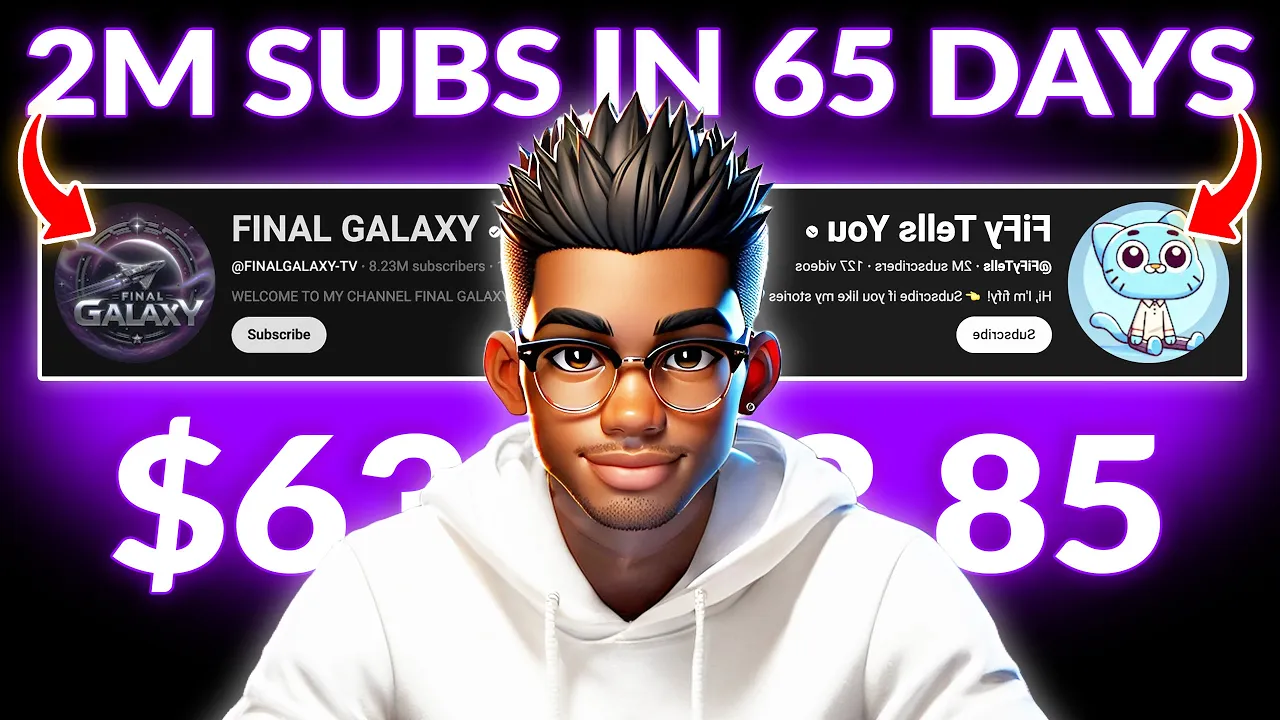
this YouTube channel called final Galaxy is absolutely crushing it with some jaw-dropping numbers and the funny part is that it's not even a year old check this out the channel was only created in August of last year and in such a short time they've managed to rack up over 1.7 billion views yeah billion with a b and on top of that they've already gained 8 million subscribers what's even Wilder is what they're doing to rake in these insane numbers they're simply taking well-known superhero characters Spider-Man Supergirl Wonder Woman Venom Deadpool Joker har Quinn and a
few others and creating fun engaging stories around them but for some reason viewers just can't get enough of their videos just look at the numbers they've uploaded around 180 videos with most of them racking up millions of views and one even crossed 100 million even their newest videos are pulling in millions of views and the craziest part is that they're not the only ones crushing it with this strategy there's another Channel called AI Samosa that was just created this past December and it's already racking up some insane numbers with about 700,00 th000 subscribers in just
a few months and these are just a couple of examples this whole superhero story trend is still blowing up others like this channel called Fifi tells you are using a similar strategy except they're putting their own twist on it instead of using DC or MCU characters they've gone all in on Sonic the Hedgehog mixing it with Incredible storytelling and visuals the result is nearly a quarter of a billion views and 2 million subscribers all from a channel that only launched a few months ago then there's monster verse cartoon Which F focuses on Monster stories featuring
Legends like Godzilla and Kong and Yep they're seeing massive success too this whole Niche is exploding and these channels are proving just how powerful it can be when done right and if you're wondering whether channels like these can actually be monetized here's a quick way to check just copy the channels URL head over to Google and search for YT large monetization Checker click on this option paste the channels URL and enter whatever number it asks for hit enter and in just a few seconds you'll know whether that channel is mon ized or not as you
can see this channel is monetized and so are the others in this video so if you're thinking about getting into this Niche you don't have to worry about monetization it's completely possible to make money with this strategy to make things even easier for you I'm going to walk you through the entire process of creating videos like these I'll show you everything from coming up with ideas to creating images and even how to get some really cool voiceovers for your stories and finally I'll show you how to edit everything together in cap cut to make things
even simpler I've put together a Google doc with every single prompt I'll be using in this video you can find it in the prompts channel of my Discord server the link will be in the description and on my channel page to prove to you that this isn't just some BS check out this short demo I created using the exact strategy I'm about to show you in this video oh no not again what happened my web shooter is broken oh no my Spider Sense is tickling what should I do take this these are shoelaces help me
use this quick the first thing you need is a story this part is actually pretty simple because you can take inspiration from other creators in this Niche but if you're looking for ideas just open the Google Doc and look for this heading you'll see three separate prompts listed under it but before anything it's important to understand the kind of stories these channels are creating most of them follow a few specific patterns and I'm going toing break down three of the most common ones the first one is Spider-Man as the underdog he gets put in some
humiliating situation and the others mock him but by the end there's some kind of poetic justice that flips everything around the second style has one of them struggling with a problem everyone tries to help but fail miserably and then out of nowhere the underestimated Spider-Man comes up with a clever way to fix everything and finally there's the superhero girlfriend dilemma where all of their girlfriends Wonder Woman Supergirl and Harley Quinn get into trouble other Heroes pull off some over-the-top rescue strategies and impress their girlfriends Spider-Man also tries to save or impress his girlfriend but completely
fails getting mocked in the process he turns to the viewers for help before finally coming up with a brilliant unexpected strategy that saves his girlfriend these three aren't the only story Styles these channels use but they're definitely some of the most popular ones now back to the Google Doc you'll see that I've created three separate prompts each designed to generate stories in one of these Styles you can choose whichever one you like or or even test all three to see what works best for you for this demonstration I'm just going to copy the first prompt
and head over to a text generator you can use chat GPT deep seek or quen I'm sure you're familiar with deep seek but if this is your first time hearing about Quin it's a large language model developed by Alibaba and the best part is that it's completely free at least for now one cool part about it is that you can even use it to generate images without paying anything so feel free to check it out but for this demonstration I'll be using deep seek to generate our story now go ahead and paste The Prompt into
deep seek you don't need to tweak much just specify the number of stories you want to generate for this example let's go with five hit enter and in just a few seconds deep seek will generate a list of potential story ideas take a moment to go through them and pick your favorite or if none of them stand out Simply hit regenerate for a fresh batch once you've chosen a story it's time for the next step generating images this part is just as simple you can read through your story and come up with descriptions yourself but
AI can be useful here as well so head back to the Google Doc and copy the next prompt paste it into deep seek and make two small changes first you need to specify how many image prompts you want let's go with 20 for this example then second you need to replace the placeholder with the title of the story you selected just scroll up copy the title and paste it in now hit enter and let deep seek generate a full list of detailed image prompts for your story as you can see deep seek has generated 20
unique prompts that you can use to create your images but keep in mind these prompts may not always be perfect so what I suggest is that you test them out and make any necessary tweaks to get the best results now that the prompts are ready the next step is to generate the actual images for the story you can use P Lumen cart or any other image generator you prefer but Leonardo AI works perfectly for this kind of content so we'll go with that open Leonardo Ai and select image generation now you need to pay close
attention to these settings you can either go with realistic or 3D images for these kinds of stories but for this demonstration we'll be going with 3D so the first thing you need to do is to go to preset and make sure this Phoenix model is selected now close the popup and go to style make sure you select 3D render and choose a high contrast finally go to image Dimensions click more and choose the 9x6 aspect ratio for short form content close the popup and paste your prompt inside the text area feel free to make any
changes to the prompt but once you're done go ahead and hit generate you only need to wait for a few seconds but check out these images they look all right but in case something isn't right you can always modify the prompt and regenerate repeat this process for every other image you need for your story once the images are ready it's time to create the voiceover I've put together a prompt to simplify this part but from my experien testing scripts for this NES it's actually easier to go over the story yourself and come up with the
dialogue manually the interaction flows better and feels more natural that way instead of some robotic sounding AI generated dialogue but if you want to use the The Prompt go to the Google Doc and copy everything under this heading paste it inside deep seek and scroll up to find the story you selected copy the entire story and replace the placeholder text in the prompt hit enter and wait for the dialogue to be generated the AI has created a decent script but again I highly recommend writing your own it doesn't take long and the final result will
sound way more engaging for this demonstration I'm going to use my own for the voiceover generation you can use whichever tool you prefer but 11lbs works perfectly so we'll be using using that head over to their voice library and choose characters an animation the first voice we need is that of Spider-Man so hit this button and select male for gender test the available voices and select whichever one that you like if you want the same one I used for the demo search for mad scientist and add it to your voices now paste the text and
hit generate based on my experience testing this voice you may need to generate it a few times to get what you want you can also play around with the settings and go back to the voice library for Venom's voice simply repeat the same process from earlier or if you want the one I used you can choose this one for Supergirl's voice look for the Legacy voice called Gigi or if you want the same one I used for the demo go to the library and change the gender to female Now search for anakah and add it
to your voices for cases where you need something like Venom laughing you can either find it online or create it yourself let me show you how to do it first go back to deep seek and type this command asking the AI how to generate Venom's laughter hit enter and deep seek will provide some instructions you don't need to worry about all the details just focus on the input text it suggests copy whichever one that fits your narration and paste it inside 11 Labs click generate and if it doesn't sound quite right tweak the input slightly
and try again it's that simple just make sure you label your audio files properly so everything is organized and easy to find when you start editing now that the audio files are ready the next step is to edit the video but before that I like to enhance the quality of my images feel free to skip this but your final video would have a higher quality this way you can also do this after you've created your video except most video upscales can be quite expensive so it's easier to increase the resolution of the images first before
importing them into the video editor the tool I recommend for this is upscale with a Y it's free to install on your computer and works for both Windows and Mac once it's installed you can add individual images and enhance their resolution separately but that can take too much time instead it's better to do them all at once put your image files in inside a single folder then check batch up scale and select the folder that contains your files next choose your preferred model as well as the scale you want to enhance for these images three
or two times should work perfectly hit upscale and the upscaling process should begin the duration typically depends on the speed of your computer and the number of images so the entire process could take anywhere from a few seconds to a couple of minutes now it's time to edit the video you can use any video editor you prefer but cap cut works perfectly so I'll be using that one the first thing you need to do is to import all your images as well as the audio files arrange the images in the timeline according to the flow
of your story I'll start with this one of Spider-Man swinging and bring in the second one the length of the images can be anywhere from half a second to 4 seconds long so I'll shorten this one keep in mind that this mostly depends on your story and the voice over so some of these images may be even longer I'll bring in the voiceover for this part and shorten the clip then repeat this for the next few Clips keep in mind that the volume may not be equal on all the voices so you may need to
increase it to match up with the rest of your audio I'll quickly speed up the arrangement in case you find a voiceover file like this where there's a huge gap and the volume on the first part seems to be higher than the second simply split and rearrange it then finally increase the volume on the lower track now keep arranging the images and voice over till you reach the end of the video next you need to add sound effect for places where you need something like a police siren simply head over to pixabay and search for
police siren play a few and down load whichever fits perfectly alternatively cap cut has a bunch of sound effects available so you can go to audio sound effect and search for police siren drag it to the timeline exactly where you want it to start and crop it at the end now one very important part of this style of video is where the character asks the viewer for help you need the icon of an arm and a like button go to a website like flaton and search for an arm look through the result and download whichever
one you like I'll go with this one repeat the same for the like button and import them inside cap cut before we add them to the timeline you need a dark background so make sure you're on media go to library and grab this black background drop it here and use the crop tool to decrease the height now bring in the like button resize and position it on top of the black background repeat the same with the image of the arm now go to text and drag the default one to the timeline replace the text with
the equal sign and Bolden it move it up and position it between these two images now we want these icons to move on to the screen so we need to add an animation but first select the text as well as the two icons right click and create a compound clip go to animations and choose whichever entrance animation you prefer I'll choose this one the duration is already set to half a second so let's leave it like that and trim the clips for something like a web shooter sound effect you can find it on YouTube import
it inside cap cut and trim it repeat the same for the Joker's laugh as well as any sound effect you can't directly find on cap cut or on pixabay this is already looking good so it's time to add transitions before that though you first need to select these tracks and create a compound clip now you can go to Transitions and look through the available options choose whichever ones you like you can use as many different styles as you prefer no need to worry about it being too dramatic drop as many as you want between the
images the video is already looking good so it's time to add a filter you can test out some of these filters to find the one that fits your style but for this demonstration I'll just choose this clear filter and drop it inside the timeline then extend it to fit the duration of the full video check out the difference when I turn off the filter it looks considerably better now the final step is to add the background music you can grab something from YouTube audio library or a platform like show siick add it to the timeline
and trim it don't forget to decrease the volume so that it doesn't overpower the voice over check out this video it's looking great so you can go ahead and Export it at 1080P or 2K resolution oh and one last thing don't forget to mark this as altered or synthetic content when you upload also if you found this useful then check out this twoe old Channel that's killing it with more than 150,000 subscribers

![This Yellow Chick Got 26M Subscribers! How You Can Do It Too 💥 [AI Tutorial]](https://img.youtube.com/vi/loDleVJDuys/maxresdefault.jpg)