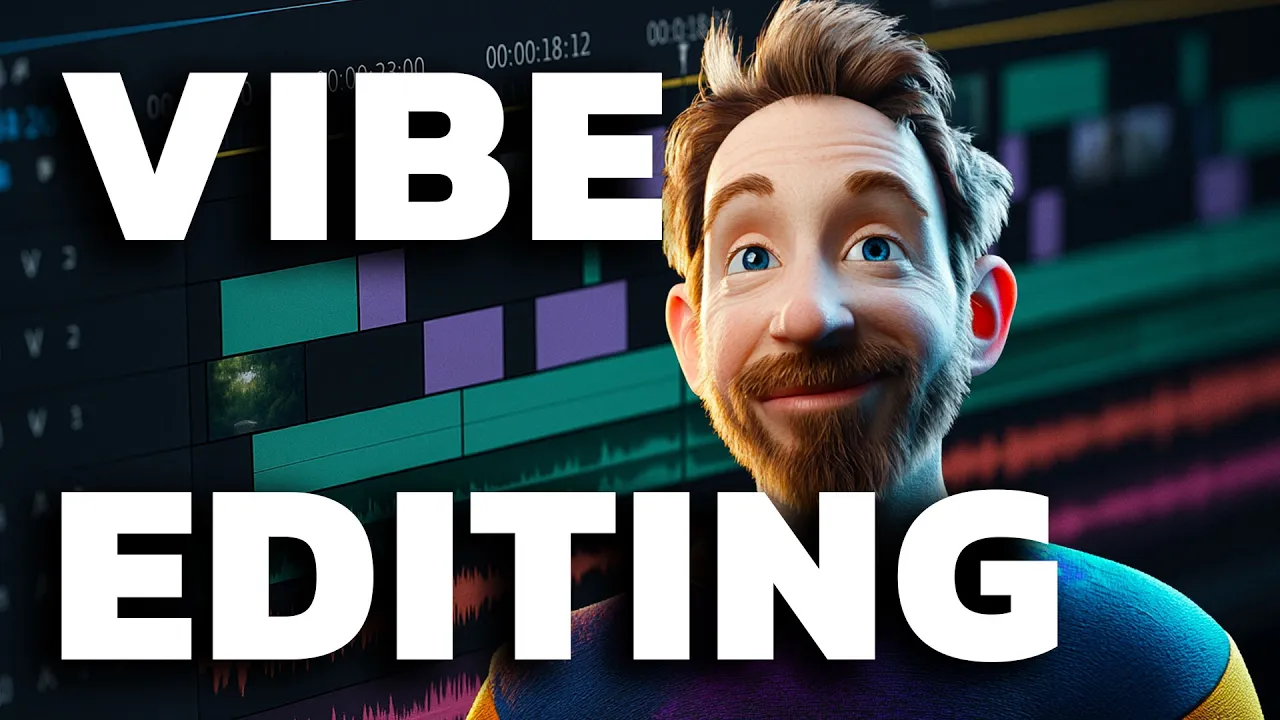
Hello, I'm Mike with this week's new and trending AI tools you cannot afford to miss. Coming up in this video, we're going to Vibe Edit using the latest agents from Descript. We'll take a look at the updates from Anthropic, including integrations and research and a really cool integration with GitHub that's rolled out to all users, including free users.
Finally, we'll take a look at what I think is a better way of generating images using chat GPT-4o image generator. Stick around to the end to see that. Let's dive straight in with Descript.
And, yes, I received this email to say I'm invited to the A-Team. Which means I can actually test out the new AI agents and Crazy times right? if you've seen the video with Andrew Mason, who's the CEO of descript, it looks pretty impressive.
So I'm going to go into a new project up here. It will be a video project. Now you'll see I have a bunch of options I can record.
I can create an AI speaker import from zoom or drag and drop some files. Two video files dropping in now. Transcripts ready in a few minutes.
And that was really easy. Now I've got my outdoor video here and I can click through and see all the different takes. I've also got the second video that I recorded in my studio.
Well, rather than using under load, this is what has been available for quite some time in descript, where you can tell it every single thing you want to do, and there's quite a lot of features and it can get quite overwhelming. Now we just click into agents and you'll see, much like Cursor, this is vibe coding for video. Let me just play some of this video first of all.
All right I'm going to find code a video fix the audio quality. Okay. It's analyzing the script and applying audio enhancement.
And look at this here. Proceeding to enhance the audio quality for all scenes. Now, this is where it becomes a genetic.
Not only did it improve my audio quality, but it actually took the liberty of removing, words. In other words as well. I really like that you, awesome.
I'm simply going to prompt it on how I want the video to turn out. Okay. You'll notice there was an, an an other which it totally removed.
Now it made jump cuts. And I might not like those jump cuts because they don't look quite cool. So let's prompt further.
cover up those jump cuts with some B-roll. Okay, it tells me it's a great idea, and it's covering the jump cuts to make the video flow. How cool is this?
Now you can see it's importing a video down here. This is not me controlling these scripts. This is being done by my AI agent.
Let's check out our first edit. Visuals. The effects.
Everything. Hopefully I'll vibe code a coherent video. actually, I'm going to say for a first edit that looks pretty good, maybe a little bit longer for the B-roll than I would have wanted.
But I can simply drag and move this a little bit further in so that that cut then is shorter everything. Hopefully I'll vibe code a coherent video and then I've got a shorter B-roll transition. Now, maybe I don't quite like the B-roll that's in there, although I think it's pretty cool, actually.
I can say, can you give me three other options for the first B-roll clip? Okay, this is going really well. It's searching for three alternative B-roll clips for the first B-roll clip, and will present those.
can see it's analyzing search results, importing different videos already. You know what I quite like? What?
It's pulled in here as the final option, so we'll stick with that one. I can always step in and change things. So if I want, I can make this across zoom Vibe code a coherent video.
That's a pretty cool transition. I like that, so I have pretty much not touched any tools inside the script. The agent's doing it all for me.
Now let's play this little transition here. This is definitely the future of video editing okay. This is okay.
That's a bit of a slow pause there. So I'm just going to highlight that section there. And I'm going to say can you remove the awkward silence here please.
And it even says I'll identify the exact location of the awkward silence in the script, and I'll remove it for smoother flow in your video. Okay, let's play that edit back. Future of video editing.
Okay, this is insane. And that is so much better already. Vibe coding.
Just type in or speak what I want done and the agent does it for me. But also notice here for this last bit, I'm not making eye contact with the camera. Well, let's get my agent to fix that.
So the bit I've highlighted, could you make sure the presenter is making eye contact with the camera please. We'll just hit enter and immediately the agent is. Yes of course I'll apply eye contact correction.
Give it a moment and a cup of coffee. Take a look at this. I've opened up the layout and we can see not only is studio sound applied, but we've also got the eye contact effect applied down here.
The agent did that for me. And look, I'm actually looking at the camera. This is so wild.
Let's play it back. Let's actually start from outside the future. Making eye contact there.
But this is an insane script. Nuts. Vibe code.
You're absolutely crazy. You're the director, and I'm looking at the camera in order to. I can't believe it.
Using only AI. Okay, I did look away briefly at one point there, but, yeah, that's that's so wild. And then of course, I can disable this effect and look, look at my eyes.
That's freaky. That's how I recorded the video. And this is what the agent did to make my eyes look at the camera.
I can't quite get over some of these eye effects. That's very cool. If you like what you see so far, throw like subscribe.
I do videos like this weekly. How about we just start a new chat with the agent and say, what do you think of this video? How can I make it better?
it says I can have more visual variety show before and after, enhance the audio quality, call to action, tighten the script and use onscreen text. Do you know what I'm going to take that idea of using on screen text, but rather than me do it, I'll ask the agent to do it. Okay, I love the idea of adding on screen text.
Can you add some text of the intro and also maybe a call to action during the outro bit as well? And notice it's going straight to work, but also as it does go to work, you'll also see these rollbacks all along the way. So very similar to Cursor.
If you make a mistake, you can roll it back. Okay. It says layouts being applied.
Updating the scene text. Now. Let's have a look at the start.
Yes. Vibe coding with I let I edit for you. That is insane.
I'm going to vibe code a video. Let's go to the end here. And let's see.
This is insane. Descript allows you to vibe code your own video, meaning you're the director and you give text prompts in order to edit your video using only AI. I'm absolutely loving vibe coding videos.
Create a vertical clip of this for Instagram with some captions to, well, let the agent go to work. Wow. This is repositioning everything.
It's kept my eye contact as well. Okay. This is insane.
Descript allows you to vibe code your own video. Notice it made a mistake with the word Descript. Didn't spell it correctly.
I just click correct here and type in Descript correctly. now, not only does it correct it in the transcript, but also here on the screen for my short. Can you make a German version of this video please?
And it does say it's proceeding to translate the video to German right now. Okay, look at this. We've got a German script here.
This is absolutely unbelievable. Generating AI speech. So it's going to speak as me in German.
Now it tells me everything is being translated. The only thing is, I seem to have lost my scenes. Well, let's play a little bit of this back and see what we got.
Das ist der Wahnsinn. Mit Descript kannst du dein eigenes Video durch Vibes programmieren. Das bedeutet, du bist der Regisseur und gibst einfach Textanweisungen, um dein Video ausschließlich mit KI zu bearbeiten.
Okay I'm really glad that it worked out that way. Showing you that a genetic editing, a genetic coding, a genetic anything is not quite there yet. And I'm sure my German speaking friends watching this video right now will agree, but at least it's a step in the right direction.
The agent did its very best and it translated my video to German. It used my voice, but it sounded like me with an English accent, trying to speak awful German, and it erased my face for some reason. But that said, it did everything else perfectly and it's only going to get better.
This is the worst that Descript’s agent will ever be. Next up, this week, Anthropic announced some pretty cool features just the other day, including integrations. Now you can have verified MCP servers right inside Claude dot AI.
So I did a video yesterday showing you some great mixed use cases for cloud desktop, but that can now be done in the web version and even on mobile, which is pretty cool. It's also got a really cool research ability where it can search the web, and this is currently available to Max subscribers. to get all the goodies, you really do need the max plan.
But with something like Zapier, you can now have Claude AI search your calendar and find all your appointments in the coming day, and then go out to your CRM, such as HubSpot, and research the person you're about to have a meeting with. And Zapier have improved their MCP integration. Now I can just go here to new MCP server and I can choose what I want to connect to.
So you've got the coding tools like Kosa and windsurf. But also Claude is in here and so I can call it Claude MCP server create it. Boom.
That's done. I can add as many tools as I want. All of Zapier's 8000 plus integrations are available for me, and then it's easy to connect using one simple line which I copy and paste into Claude.
But it got me to wondering. Yes, Anthropic rolled out lots of stuff to paying customers. Is there anything for free?
And yes, there is. Look down here at the bottom of the settings page. GitHub via MCP is now available for all even free users to connect.
So I'll now connect my GitHub account to Anthropic. So over here we've got the plus symbol and I can say add from GitHub here. I'll add this old school repo that I made a tide times integration for Home Assistant.
Here it all is. I haven't used this for years. So let's add the whole context into Claude.
And there we go. This is a Python based application called Tide Times. It gives UK tide information.
Okay, this repo is eight years old. How can I modernize it for the modern day? What would be best practices to make this work in 2025?
It had a good old think about that. And now it's actually drafting a modern Tide Times app for 2025. Look at this over in the right hand area here.
It's writing out new code I can take a project to mine that's eight years old, and Claude is literally writing everything based on my GitHub repo to improve things. Final tool this week, not to be outdone by all the other announcements, OpenAI actually slung GPT-4o image generation into their playground. So don't need to know any codes.
You can do this directly in their API playground. I'll link that up down below. By the way.
So now we've got some sample prompts here. If you want to just test it out you can use this icon down here. But also you've got settings.
So you can go for square portrait or landscape. Hi medium or low quality. And there's even advanced stuff such as do you want a PNG, a Jpeg, a webp, what kind of background you want transparent?
And do you need any moderation as well? Generate a magical stars logo for create a magic. Now if I want, I can change this times one setting two, maybe times two or 3 or 4, or all the way up to ten images at a time.
I'm going to generate four images for this one and see how it looks. one version. Let's go.
Oh, there's version two, version three, version four. Maybe. I would probably go with version four so I can download that.
And boom, look at that. I have a transparent logo that I can use the creator magic should I wish to. I can go ahead and upload an image of me here.
Make this into a SouthPark style image and again leaving the four times selected. So it's going to generate this version of me four times. Oh my goodness, that is totally insane.
And here are four versions. There's version two, version three, version four. That is totally cool.
Thank you to Louise Brogan for giving me the inspiration on LinkedIn to generate SouthPark style images using GPT-4o. Turn him into a hippie with long, flowing hair and a rainbow colored t shirt. Oh, my goodness me.
That is, scary good. Remove his beard. Yeah.
Slightly different face there, but you get the idea. Turn him into a lion. We we have a creative magic man lion sitting in the chair.
Now, thanks to GPT-4o image generation. So there you go. I actually think this is a better way of generating images with GPT-4o image generation than actually using the ChatGPT site itself.
This is simply the open AI API playground. Anyone can access it. All you have to do is link a payment method to your account, and you will be charged on a pay as you go basis.
But if you're doing a lot of generations, this version seems to be more flexible. I can do more stuff, and also it's quicker than using ChatGPT itself a better way of generating images. Give it a go and let me know what you think.
Another thing to add about this image generator is that with every generation you've got here, you can copy the code and actually make your own version of this using coding tools. And if you want to get stuck into that next week on the channel, I am going to make a whole video about making a GPT-4o image generator using free AI coding tools. So subscribe to the channel for that one.
It's coming next week. So there you go. That's everything I've got for you this week.
If you enjoyed the video, then do throw a like and subscribe to my channel as I do this stuff for you weekly. I really appreciate you being there. We'll continue the discussion in my community that's also linked up below.
And YouTube is showing a video on your screen right now. You should watch next. Thanks.
![Edit Like a Pro in Descript [Video Editing Tutorial]](https://img.youtube.com/vi/-q8Og7_evuY/maxresdefault.jpg)
![ChatGPT Tutorial 2025 - [Become An AI Power User in 30 Minutes]](https://img.youtube.com/vi/dG3O3ePj-b8/maxresdefault.jpg)