What's going on guys this is Oliver uh formerly from response Ai and now running a few different softwares um trome.com and then get.com listen in this video we're going to be building a software right so there's been a lot of comments a lot of Twitter uh DMS or XDM things like that a few comments on the videos saying look like all of this theory is good but how do we like build the software right now Today basically before I actually build the software with you guys I'll go through a few different you know like philosophical
things and explaining how we're actually going to do it but if you guys want to just skip to me actually building it with the tools and that kind of thing um just go into the description and there's video chapters for each section and obviously we're going to just start straight away so in essence really the landscape of Entrepreneurship um is different now so so software is different in general um because AI has tilted the scales in our favor as people who don't know how to code right so we're like if you're the dreamer or The
Thinker or the do whatever it may be you can now do pretty much whatever you want because AI will build the tool for you right or build the software for you now building a software is not like a privilege anymore um it used to require years of technical Expertise and computer science and stuff like that and now it doesn't right the barriers to entry have crumbled basically so now the playing field is leveled so the most valuable skill guys today isn't coding it's actually the ability to articulate your vision clearly and create the the product
through natural language right so how we speak cuz this is the new era right where ideas are currency so anyone can build anyone can Have an idea right everyone that you know has an idea but execution is now democratized so anyone can execute if they want but you just got to work for it right and you no longer need technical knowledge to code right so the rise of what's called natural language processing or NLP and you've got like you know AI power tools like Claude or um or deep seek whatever it may be or gbt
it's altered the way that we approach software Dev right so you don't Need to know how to write any code uh to build a functional app and today we're going to be building a functional application without any coding experience just knowledge and I'll show you how to actually build it you know like the main skeleton right now what you need is a basic understanding of how software Works you've got the front front end the back end the apis all that kind of stuff and how to communicate your ideas right this is the new Literacy now
Paul Graham said you um the best ideas come from scratching your own itch right but now in the example you don't need to know how to scratch it you just need to describe the itch to an AI and then it'll it'll create the back scratcher for you in that in that sense this shift is insane because it means that anyone with a problem can now articulate it to Ai and then it will build the solution right so how can I speak my ideas into existence so this is The main theme of 2025 right so basically
the most valuable skill isn't technical expertise it's idea articulation so the ability to take a completely empty concept break it down into clear chunks for the AI to understand and the tools that we use to understand and this is what I call speaking your IDs into existence so it's not about how to build something it's about knowing how to describe it right so for example let's say you want to Create a tool that scrapes website data and stores it for analysis right this is what we'll be building today a decade ago this would have required
sort of this deep knowledge of web scraping and things like that and server infrastructure whatever it may be today we just have to talk to Ai and it will build it right and the challenge isn't technical it's more like uh like conceptual right so can you break down the idea into components and how do you Describe each step to the AI so that we know where we're at now the power of articulation means that today no ideas are Out Of Reach right so you can build a mobile app can build some you know complex software
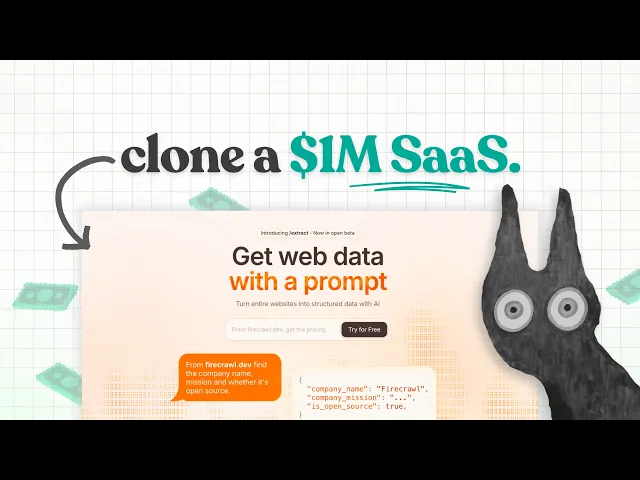
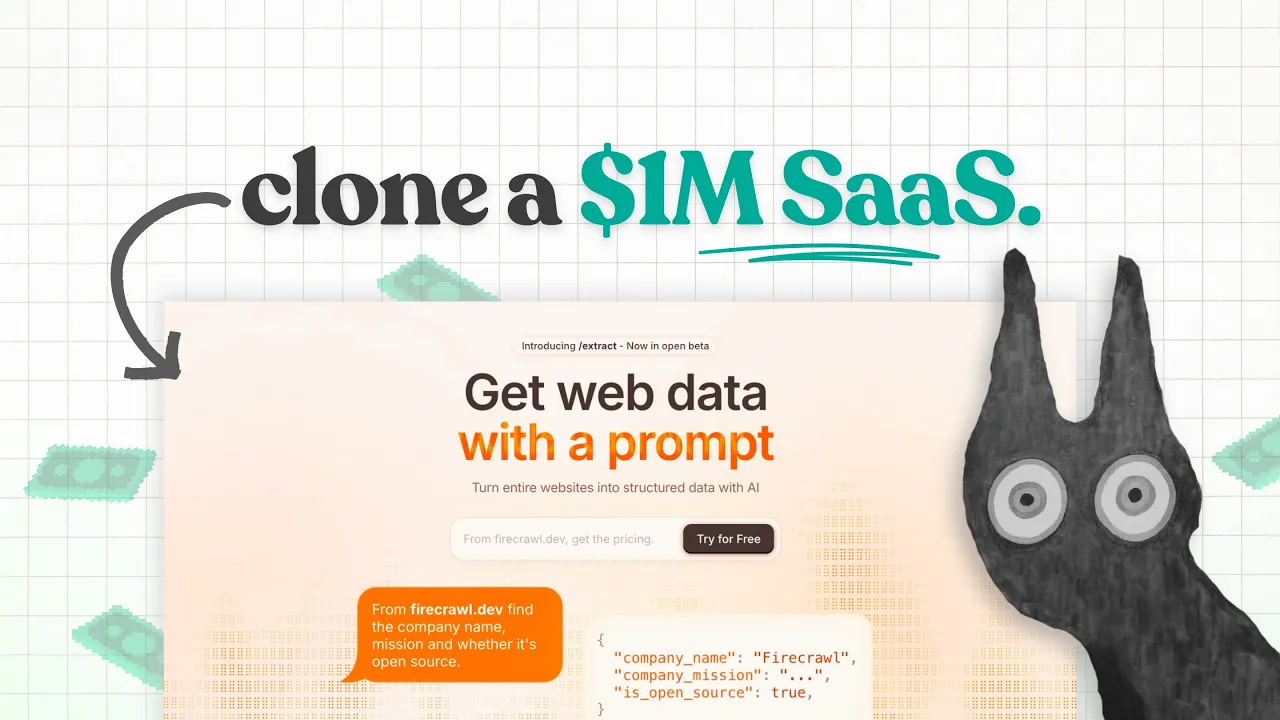
like Zoom or Salesforce this is where the magic happens guys is actually just talking to AI And discussing things I must talk to AI now four or five hours a day uh as part of just running the softwares and building my business right you got to talk to AI More guys you know so by articulating your idea you're not just describing it you're defining that sort of blueprint of it right so let's take a concrete example right so cloning a $1 million SAS product right so suppose we want to build a tool that allows users
to input a domain like apple.com the uh tool scrapes that website and then saves the data for export right there are dozens of these tools that make millions per year and We're going to build one today right but don't worry if this just doesn't interest you this isn't the point you should follow along and see how we build this because I'm talking about how to build it conceptually and the skeleton and you can copy that skeleton to build anything you want guys right so here's how the workflow breaks down the front end in this app
this is where the user interacts with the website and the tool and what they will do is there'll be a Form that they you know they can type in the domain that they want to scrape so let's say apple.com building this is really straightforward guys it's just an input field and a button right now the back end is where the data is stored so I'm going to show you how to build a back end and once the user submits the domain the back end needs to sort of handle the request um and process the data
and all that stuff right don't worry about that the scraper is the Third and most important part and this is basically what we're actually going to be using to scrape the websites right so has to handle the content avoid all the Bots extract the data but here's the thing you don't have to build this from scratch guys you can use an API right now an API is when you piggyback off someone else's code and they either charge you for it or you get it for free fir crawl for example is um is a paid tool
but you have a few thousand credits For free this is just for the example today but you need to get your get into your head guys that when you build a software you don't have to build everything from scratch for example we're not going to build the back end from scratch we're going to get AI to build the front end from scratch we are going to get someone else's code that scrapes websites and we're just going to use that code we're going to piggy back right not only do we not need to know How to
code but we don't even know how to don't even need to know how to build the thing with AI at all because we can use other people's apis and again guys an API is just someone else's code that we can use and they've allowed us to do that it's not illegal or anything like that they have made their API public in other words they've made their code public and we can call upon it to do stuff for us so quick philosophy right at its core Natural language coding or in other words talking to AI is
about trust right it's trust in your ability to articulate the ideas and the ai's ability to understand stand and execute them it's this bizarre relationship guys right because you can Shout at the AI you can ask it questions get frustrated with it congratulate it thank it but the AI does not give a right it's a mirror reflecting your ability to communicate the idea effectively right so let's go Let's do it right this video is going to be choppy it's raw it's live I'll be Brute Force building the app to show you guys that you can
build anything you want with enough persistence right there'll be some cuts and stuff like that for me to go to go to the bathroom and have a drink right but essentially I'm going to be building things from scratch and you're just going to follow along with it and you can just copy me to build your own all right so let's get Died so if we get into the front end right so we're going to be talking about the front end first we're then going to be talking about the back end and then we'll talk about
fir crawl or in other words you know building the actual um API right so all we need to know is that when we are building a front end it is what the user is seeing and using and with a these days we can effectively create beautiful Front Ends by just using reference photos right and Reference screenshots so if I start a prompt now I'm going to write it out as we speak um and effectively show you how I would build this first initial version of the app right which would be the front end page a
input a domain input search bar um a sidebar and then some sort of simple table right so for now let's build a front end um so before I get into this actually guys I'm using lovable right so lovable dodev is a full Scale sort of like front end back end Etc um Builder it's like cursor it's kind of like chat gbt but for building apps right and there's plenty of different plans there's there's you know like a free plan that kind of thing um but in the future I'm going to be doing like you know
cost based ways of building apps so building an app for free building app with paid plans lovable is a tool that I pay for I'm not affiliated with it they don't even have An affiliate program um and none of the tools that I talk about today um have an affiliate program or anything so I'm just trying to give you guys exactly what you need right so you sign up to L.D or you know whatever you want to sign up to and you click for now let's build a front end for this use case so I
want a simple app with sidebar and navigation that allows users on the dashboard to Input a domain into the search bar click scrape and then we call upon a backend API fire craw to scrape the website and save the data I want the app to be beautiful I want it to be Sleek air T style so something quite important guys is that you can reference tools that you like the look of so I like the stripe UI you know when you you're on stripe and It's like really beautiful I'm going to say stripe style air
table Style um table UI minimalist Etc I will add um reference images into this to help right so now let's talk about the functionality so sidebar with dashboard settings export and that's just say help um dashboard is A table with a input field at the top a few columns in the table date website strape data um let's talk about for example let's add another data um analysis and and for example um when was the scrape when script was successful whatever it may be right so the next thing we're going to do is Um add functionality
or at least like at least some degree of like connection to fir crawl but we're not going to build the back end yet um take the images that I add to build this initial dashboard by the way guys you can make spelling mistakes and stuff is not going to matter um it'll understand what you mean build this initial dashboard no backend for now we will figure that out later so what I'm going to do now is go Over to um dribble and find some images of uis and front ends that I like right because we're
just going to be using this as um reference so if I go to table if I look up table UI let's try and find some beautiful tables right so I quite like the look of uh this table so that's really pretty so I'm going to click copy image and it's a simple guys as pasting it in like that I want to have a search input so I'm going to look up a Search input so I quite like the look of uh because we only need a simple search input quite like the look of this one
so I'm going to copy that image and then as a sidebar let's look at some nice sidebars and it will hopefully you know obviously take the sidebar design and and go from there so I'm thinking I just like this sidebar so copy image and then do this now what is happening here guys right so again what I said we don't need To understand how to design front ends we don't need to be designers we don't need to be Engineers we're just asking a tool like lovable to create things based off of reference images so now
you can pretty much make things look exactly how you like them um I've added stripe to as this should be the most resemblance to our UI right so if I go to uh stripe um stripe UI and then where are we just something that resembles the stripe UI so we can say something we could just show something like like that right who cares um and we're going to go back so now I'm going to actually paste this in and lovable is going to take in this information and start creating the app for us right so
again what we've done is we've refused to let it work on our back End cu right now we just want a front end later on we're going to add um the sign in and sign up functionality um the saving data to the back end and then we we have a working app guys we just need to make sure that fir craw works with it which is a tool that we're going to be using for this you know so you see what I've done there guys while it's doing this I've asked it to create a front
end and I didn't need to be a designer because I've explained exactly what the Tool is you know going to do and I've asked it to create a front end based off of the reference images so again what did I say guys earlier on I said that we are in an unprecedented age where you can basically ask the AI to clone something or take full semblance of something and create an app that you really like using right so for this case it's not going to look exactly the same as all of these previews guys remember
that it has to think for itself it has To sort of understand how things work what we're here to do is explain what why it doesn't look the way we want it to look why it does look the way we want it to look Etc right so let's take this example now so we've got a beautiful front end if we actually open up this preview in a new tab it's going to say um no preview deploy found for the project that's absolutely fine I'm going to go back here and now let's just do a test
of this so obviously nothing's Going to happen cuz we don't have a server setup or anything like that but you can just add for example apple.com and then obviously nothing's going to really happen it's just going to say website script successfully or whatever it may be so what don't we like about this tool guys so so far what what's amazing is that we can just basically Vibe with it and say I don't like this I don't like that right so I'll just show you an Example of this so ask lovable um I would say and
I typically do numbers so can we add a um flame icon to the scrape button and what you can do is click edit and you can choose the button right and margin whatever um and I'm going to click just ignore that actually can we add a flame icon to the scrap button um can we make the outlines of the table a bit lighter and more modern Uh and then can we make the sidebar more beautiful with more gaps and design right so again guys you see how I'm being super vague here but the whole point
is that I'm just asking it very very vague things and because the AI has so much knowledge it kind of understands what I mean right so can we make the outlines of the table like a bit cooler you can just use these Vibe words guys you don't have to understand coding or Anything like that you can just say oh that doesn't look sexy enough right if I just say uh all in all make things look a bit make things look a bit sleeker it's just going to like it's just going to change the vibe of
the of the whole project right so again this is only the front end but let's just add this in right so now what's happening is again like I said we don't have a back end so none of this T none of this data is actually saving None of the data is like being saved anyway where you can't you can't even log in and out of this app right now right but you see how we're creating the tool as we go along so I'll I'll help enhance the visual design to make it sleeper more modern so
just to recap guys I'll keep on doing some Recaps all we've done is ask for lovable to create the actual you know front end and we've given it some um example um UI from dribble so dribble is Free everything is free and it's just going to change things so again hasn't really done a lot right it hasn't really changed much it's added the flame icon like we wanted which is absolutely great right so now let's see if the preview is working I feel like it's not going to awesome the preview works so this is great
guys so what we're going to do let's test if the settings page even exists it doesn't even exist right so That's absolutely fine the exports page doesn't exist help page doesn't exist so let's go to exports and I'm going to now build the page so thanks list looks great take my new reference images and build a beautiful export page that allows users to see their recent exports so all this is going to be guys is basically when you have a table like this and you have a thousand websites that you've scraped We want to be
able to export that data right so basically the table should have date time name of export um number of you know uh number of leads or um or data number of leads an export button and a status button complete right so all this is is that if ever we scrape a thousand Websites with this tool we don't want them to just fill up on the front end we want to be able to export that data so if you have Apple Samsung um you know Nvidia and thousand other sort of you know websites that we've scraped
we can't just like we want to be able to look at it we want to be able to extract that data we want to be able to export it we want to be able to you know bring it to an Excel spreadsheet or a Google sheet whatever it may be so now now that We've asked it to create the export page um I'm going to add I'm going to look up export on dribble and we can just give it some dumb thing like this right so again it's just about design it's just about like the
style The Taste um and we're going to just add a list UI so maybe like again like it's kind of all looking pretty similar we can just add this copy image and it's just it's just the point of giving it a bit more like Bit some more tasteful sort of Vibes guys and like what we want the actual tool to do I suppose you know so I feel like my camera's going a bit wild right now so um I think it's because uh my webcam is broken so date and time name of export number of
leads an export button status button and that's fine right so next create a settings page that allows users nothing real yet just placeholder Info to access a few tabs their subscription tab billing tab their email and nickname tab their [Music] um their uh uh what would we have on a settings page guys so access a few tabs their subscription their email and nickname um and say for example their cookie preferences I don't Know I don't give a right so and then help desk should forward user the help nav in the sidebar to uh let's say
it just forwards it to my Twitter profile because right now guys like I said in a previous video we're not looking to create these beautiful support systems to be honest with all of my softwares I just forward people to my Twitter to DM me my DMs are open and they can just ask me a question About the app you know what I mean um x. well so let's add all of this now let's add a quick settings page um UI so that it knows what we're on about let's just add this one this is a
pretty beautiful one um where are Sleek scrip ler and now let's go so this looks great tip my new reference images build a beautiful export page date time name of export whatever it next create a settings page that allows users um to Access their billing script yeah so now we've got the front page which is the websit that we've extracted um and the settings is being built the export is being built and the help is sending them to my Twitter right so again we're done guys this is basically the front end in a nutshell and
we don't really have to do anything else when we create the apple.com um uh you know when we write apple.com in the scrape bar and then we click scrape when we've got the back end Set up it's actually going to allow us uh to effectively save the data to the back end and we're going to be using something called super base for that back end okay so I might just add some some cute little sort of like um additional settings here might add a bit more of like a I suppose like a dashboard to this
because right now it looks pretty bare but you've got to think guys like when you're building a really really like beta version of your Tool what how much do you need you've got to take the initial idea and the initial style of what you want for your app and what you want the app to do and you can't be stressing about all these tiny little details and how things look and stuff you just got to worry about what it does so exports page it looks like this is done right so if I go over to
the settings and there's the settings which Is great right a problem here guys is that it doesn't have the sidebar so we can't actually navigate we click account awesome that's looking good we can't actually like navigate back to the side you know back to any of the pages um so I'm going to say thanks but the new pages don't have a sidebar um but the settings looks great thanks U what I'm going to do now is I'm just uh you can go here and go to an Actual page I'm going to go to the export
page and see that again um also export page doesn't have um a sidebar either um so that's okay because it's just going to be it's just going to fix it itself and again this data guys is just is just Demi data right so um all in all looks great but make sure that the new pages have the same size font as the dashboard and style so it's all congruent right so now we've asked it to Not only add the sidebar guys to the new pages it's created because sometimes it just makes that mistake but the
other thing is that we've asked it to make all of the designs more consistent with the rest of the app so again guys this is front end stuff like it just it just doesn't really matter that much what you know what you're building as long as it it works to create it works to give that value right so remember what our value is is that we are creating a frontend App that allows users to input a domain and then scrape the data right so that is a simple as that now once that's done it's going
to be editing the files as you can see here here and there we are we now have the dashboard um in the sidebar we have the settings export like normal and we can now go from page to page um effectively navigating through and that is just sent me to olle Roswell which is Fine okay what do we do now so now if we have got a very very simple front end that allows us to scrape data from a website and save it oh actually as you can see here inside the table inside the table on
the dashboard um there's no there's no way to see the data that was actually scraped EG the text and stuff from a website add a button that says View script data in a new column to the right of analysis column so once we've done that and we're going to add that in now it's going to add another um column to the table that allows someone to view the scrape data and we obviously want to be able to view the actual scrape of apple.com or example.com once it's done now guys it looks pretty boring but once
this is done we've actually completed the front End of the app right and then I'm going to show you how to build the back end so I've added a new actions column so it looks pretty ugly right now if we go to the preview actions view scrape data okay that'll do looks pretty ugly but this is the whole point of just building an MVP guys I'm going to stop the video now and go straight into the back end so the back end is what we'll be talking about regarding uh super base um and Fir crawl
okay so let's just recap guys we Have asked lovable to create this app based off of um you know sort of like simple UI designs that we've given it we've asked it for a sidebar a dashboard where you can save the scrapes of data an export page a help page or help you know Navigator the settings page all of these things work and now actually need to make the functionality of clicking scrape and then it's saving data to um a backend table the other side that the other thing that we need to do is Massive
which is authentication guides look you can't log in or log out right now you can't you don't you're not a user this is just like a raw app that anyone can look at right we need to create authentication so that only a logged in user can use this only a paid user for example can use this and only only someone who's logged in as themselves can see their own data CU it's not going to be very good if you can log in as anyone and see anyone's Data cuz that's a massive security issue so let's
stop the video and then I'll um go into the back end now right so this is the harder part so now that we have created a very simple front end we actually need to add authentication so you know user login and user sign up that kind of thing and we need to actually allow it so that users can save the data right so by the way I've got my camera back on cuz my camera was just having a ridiculous M um in in in in the Last section of the video right so anyway let's assume
now that we've got the front end done and the back end is a basically a system that we'll build and you just copy me a system that we build so that users can log in and log out they can save the data that they've scraped and they can export the data that they've scraped for now what that will look like is a sign in and sign up page when users sign in to the dashboard they see their scraped data they can add A new domain like apple.com and scrape it and it will save the data
here and then they'll be allowed to um you know effectively change something like um their nickname in the back end right so the first thing we're going to do guys is head over to something called superb.com SL dasboard signup right I'm going to create a uh new account here so let's say Oliver B 3 plus 100 my password is going to be um example for YouTube 1 two3 right and then exclamation mark So example for YouTube 23 exclamation mark we click sign up it's going to send me an email confirmation I'll just do that now
we're going to click the email confirmation confirm email address it's going to send us hopefully to the dashboard and I'm just going to send you through the whole process of creating the project right so we're going to click new Project and it's going to ask us to create an organization so excuse me the Oliver bir 3 plus 100 email organization we're going to click create organization now it's going to ask us if we want to create the project with a specific region so I'm going to add a database password which will be the same as
um my login so example for YouTube 123 and for now I'm going to make the region um Ohio right it doesn't matter um it matters guys long term if You're making you know a project with thousands of people um but for now I just use the us because it's just I don't know it's just a massive place where most of my users are right going to click create project and now it's going to say we are provisioning your database and API end points and all this malaky right you don't have to worry about any of
this just going to give you a quick setup a quick sort of tour around the dashboard Um after this is done okay so our back end has now been built right so effectively guys superbase is just a service that allows you to create a backend server as if you were like an EXT extremely you know an extremely sort of uh powerful developer right all we need to know is that here in authentication in the dash in the dashboard sbar is where all of our users are going to be we don't have to worry about anything
else really I'm going to Go into project settings authentication I'm going to go to General user signup go to email and for now I'm going to remove the need for a user to confirm their email because we just it's just an extra bit of friction that we don't want guys okay going to go down here and save this don't have to worry about any of this now we're going to go back to our dashboard and just start from here right going to go over to our uh our lovable um tool I'm going to say thanks
for all The help now I want to guy beeping outside man now I want to create create my signup flow and user authentication with super base let's say what we want guys we want a new signin signup page um authentication to be fully set up with superbase I've disabled um Confirm email ready for this a or authentication so that only a user can see their own data and log in to their own account whatever it may be that's just normal authentication I now want I now also want you to after super base is connected I
want a backend table designed perfectly for the Dashboard so what does it do guys we're going to create a table on the back end so don't worry about this I'll just show you exactly how to do it saves the domain that the user input to the dashboard search field so this is this search field guys we want we want to build the back end on superbase so that a user can save the website URL and that's the first Thing allows users to um save the data from a scrape we'll use fire craw or this later
um shows a date of when the scrape was done um and then only users can see and access their own data the table on the front end guys crucially right now it's just random demy data we don't want that we want the actual data that showing on the table to Be their save data because right now this isn't any save data guys this just doesn't exist it's just fake right the table on the front end dashboard currently with dummy data should persist this table that we build for the user so what does that mean guys
when the front end persists a backend table it just means that if you have a table on super base that says name is Steve nickname is stev and um website is example.com to Persist a backend table on the front end just means that it's going to show up here that's all that's all it means you are just calling data from the back end that's all it means guys so table on the front end dashboard currently with Demi data should persist this table that we build for the user let's call the table user underscore um scrapes
right so what's it Going to do guys it's going to prompt us to actually connect our super base um accounts right so to implement authentication we'll need to connect your project to super base first so let's start by connecting your product to superbase click on the superbase menu in the top right and then we're going to add another organization we're going to authorize The API access on this organization and now it's connecting what it's going to do guys is connect our frontend you know dashboard to our super base table we're now going to go down
here and click this again and click connect we're just going to click connect here so now it says please connect my superbase project um oliverb 3100 gmail.com project says I'm now Connecting your database it looks like you haven't created any tables so let's get started with building the or and the table I asked for so what it's going to do now is it's going to create a table on the back end that is going to help a user save the data that they scrape and um persist that data so I'll help you set up authentication
first let's create the table for storing user scrapes with proper relationships and rs policies Guys don't worry about any of this all this means is that it's going to give us a table on the back end just apply the changes it doesn't matter and now if we go over here to the table editor we should have a new table guys and look at this ID user ID that they're domain the scraped data the status created that and updated at which is fantastic we've now got a backend guys that's it we've now got a Back end
that used to take years and years to build and you know years of experience sorry to build properly and now this AI has created our back end what's it going to do now guys now that we have our database table let's create the authentication system so remember guys authentication is just a username and a password and a sign sign in and sign up so we need to allow users to log in and log out of this dashboard and if they get their password wrong it doesn't Let them in if they try and log into someone
else's it doesn't let them in and if they try and see someone else's data it doesn't let them in if we really quickly go here we'll we can see a glimpse of what policies are so I've inside the table on the back end there is a policy that says users can insert their own scripts so in other words it's that's that's what it needs to is users can create their own data right next is a policy that says users can view their Own scrapes right and then users can update their own scrapes and they can
delete their own scrapes so all this means guys is that our back end is now built to handle all of the requests that are possible from a user so a user wants to send data to the back end it wants to see the data now a complete authentication system has been built so log in sign up protected routs that require authentication so all this means guys is That say if you go to um you know salesforce.com that is not a protected route if you go to salesforce.com dasboard that is a protected route because it is
a route in the app that needs to be um accessed only by users because imagine if you could just go to go to um Salesforce and log into anyone's app it wouldn't make any sense that's what basics security is the data is now properly persisted uh and protected right so let's try and Create this guys we're going to click sign up I'm going to add Oliver Bert
[email protected] and then the password is going to be example 123 and we're going to create an account but first if we go into the dashboard there's no data here
if we go into authentication it it says no users in your project right ideally when we Create this account a you know a created user should should um appear inside the back end because we've built a backend server that is supposed to help us sign up accounts let's click create account and there might be um errors right it's asked us to check our email but we're not going to do that we are going to go to all super base and see if a user has been added so a user hasn't been added which is absolutely
fine we're going to go to Lovable and say I tried to sign up but it's broken a user shouldn't need to confirm email as I've turned this off creating an account should create it simply and then just send them to the dashboard we are not using or via email verification so in other words we're not verifying an email because we're just making a simple app We just want the user to be able to sign up and guys again my typing is terrible but it doesn't matter because it'll understand it to sign up immediately and get
sent into the app so now I've told it that I tried to create an account and it hasn't let me because it's claiming that I need to confirm my email but remember guys we turned off email verification inside the settings because We don't want to have to do this yet we have to S we have to to do this we have to set up like email servers and stuff like that which I'll help you build in a different video right I understand the issue the signup flow is currently expecting email verification when it shouldn't let's
modify the or logic to immediately log the user in after sign up okay so make sure you've disabled email confirmation let's go to sign up and I'm going to do it again so I'm Going to say Oliver BT um let's just add uh 3 + one for now gmail.com and I'm going to add the example 1 2 3 exclamation mark So if we create an account now it has logged Us in guys okay which is great now if we go into authentication and go to authentication there should be a user that signs up and appears
inside this project so if we just um refresh the page as you can see we've now got the Two users but we're not going to worry about this one we're just going to worry about this one so Oliver bir 3+
[email protected] he is now a user guys he is now a user with a username and password and he can see his own data which is amazing right so let's just test this out so I'm going to say thanks the user is now an authenticated user on superbase so guys what would have taken Years now we've
done in about 20 minutes we have created a backend server that allows users to create accounts for our web apps that's SAS guys that's all SAS is right so the user is now an authenticated um user on super base please persist the users's email in a tab at the bottom of the sidebar so in other words you know guys when you log into an app it says like your email there and it says login or log out and a log out button tasteful Sidebar log out and email icon um I will then test login log
out okay so the user is now an authenticated user on superbase please persist the user's email in a tab at the bottom of the sidebar and a logout button that is tasteful and shows an email icon I'll help you add the user's email and log out button to the sidebar okay so what this should do now guys is pull the users's email and persist it there and there it is so now we've got The user's email of the you know the logged in user and a sign out button so I've made the following changes now
what we're going to do guys is sign out and it's taken us there if we try and log in with something bogus um let's just say g.com whatever and sign in it is going to say invalid login credentials which is great now now if we add the email that I wanted and created and the password which is example 1 2 3 And sign in we're it so now we've created an app that allows you to um log in and log out as a user which would have taken weeks to build if you didn't understand how
to code long ago and we've done it in 19 minutes guys okay awesome so now the next thing that we're going to do is allow a user to save a domain to this backend table now as you can see the table is changed and it say it now says add to Q so I'm going To say thanks now back to the front end the table on the dashboard has changed it's a weird shape the scrape button now says add to Q for some random reason and the table is a different shape to what it was
half an hour ago a few prompts ago make sure it looks beautiful and same as before right now Next add functionality guys so we are now going to build the backend logic that helps us scrape the website add functionality to the scrape button where user adds a https link EG https apple.com the apple.com domain is then saved to the backend user scrapes table And this persists in the frontend table and uses um frontend logic so it immediately shows up after they click save after they click screen so guys what we've done here is we've now
asked it and it's going to create functionality so that a user can go here type in apple.com and save apple.com to their back end now when we go into the table editor and user Scrapes when we add our first domain it should say the user ID which is us like Oliver B and it'll be like a special code and the domain that we've saved there'll be no scrape data or anything like that because we haven't added um that logic yet right so if we go here I'm going to click this now it's to build this
functionality to scrape the data sorry not to scrape the data but to save the domain to the back in So when a user Adds https apple.com it's going to save that down here and they're going to be able to see um that they've added a domain right but it's not going to be scraped yet so just to recap while it's doing that we've created a dashboard settings export help a login logout system so that only users who have created an account can log in and log out and now we've got our cool table back and
it says no scrapes yet add a website to start scraping So now the scraping flow now works like this user enters a https URL on click it extracts the domain apple.com saves to the database and immediately shows on the table so let's just test this because it's got It's it's stepped ahead a bit for us right so https uh apple.com right going to click script and now it's saved it to this front end table when we go to the SQL editor sorry I'm go to user scrapes now guys we've got the ID of the scrape
the user ID which is um us so 4 DC just to double check you go to authentication notice how the email has a unique user ID and it says 4dc 999 whatever it may be but we go to table editor you see that the user idid is that so that's how we know that a user can only see their domains right so if we go back here something's logged something's like logged us out that's Absolutely fine so Oliver ber 3 um let's say + one and then example 1 2 3 and then log back in
hopefully that'll uh log us back in and now guys can you see that it's we've logged back in and the data that we saved earlier on is still there which is f fantastic like we have done it we have now allowed users and let's just do this again salesforce.com scrape and it's added Salesforce we go back Here and just go back to the table we now see that Salesforce is there so now guys to recap we've created a front end dashboard that allows users to add domains to a back end and they can only log
in and out to their own account and they can only only see their own data if someone else logs in they will not be able to see this because we have policies on the table that protects users data okay that's why you can't log into zoom and join someone else's call With their family it's because there is authentication systems in place guys okay so now we're going to go into something called fir crawl and Fir crawl is what is going to help us actually scrape the data from the website so I'm just going to stop
the video and then start again and that'll be part three of the video which is scraping the actual data and saving it to the back so now that we've done this we've done the front end and We've set up a simple back end I'm now going to go into fir craw which is a um API that we're going to be using to scrape the data and I'm going to build the logic to scrape the data extremely quickly from apple.com so all of the data and text from apple.com main page will be available to the user
okay right if we are if you're still watching right now obviously fantastic right um like And subscribe and all that malaky right but what we're going to do now is I'm Going to sign up to something called fir crawl which allows you to um scrape the data from a website right so if we go back as a recap we're going to go into the dashboard we're going to add a website to scrape right the status is pending because we haven't scraped anything and we can't view anything because there's no data on the back end you
can see that we've got Apple in Salesforce no scrape data the status is pending so here's What we're going to do I am now using fir craw I signed up to the firec API and now want to add um functionality so that when a user adds the domain to the backend user scrapes table which is the table that we've got guys just to double check we've got this user scrapes table and when the user adds a domain it sends it to the back End that's fine back end user scrapes table the fir craw a API
is also invoked and the data is scraped from the website and saved to the what is the column called the column is called the scraped uncore data column so that's what we're going to do guys so if I really quickly show you what fir craw does so if we sign up now We'll just go through this um name let's say Oliver B 3 + 1 and then the password can be um we going to click sign up and the plus symbol oh that's annoying I'm going to I'm just going to log in with Google so
now that we've signed up to fir craw um we have this dashboard and there is an API key right so if we view that API key now something really important guys never ever this is obviously for testing purposes never Ever let anyone see your API key right because they will use your API keys so this is basically a key that tells you okay your account is linked to this key right and this happens in frontend development if your API key is exposed to people they will use that API key and destroy your life right so
let's assume your API key is for chat gbt right if someone gets hold of your API key they could make 10 million requests to chat Gbt and bankrupt you right you do not want anyone to ever see your API key because if they get hold of it they can put it in their own project and spam requests and that will cost you loads of money so in this this example I'm using a API key and we can copy that API key and now we have it right all the API key is is basically a password
to say I'm using fir craw let me in right so in other words excuse me when a user saves apple.com to the back End then our app is going to send a request to fir craw with the API key and say this is my key let me in and scrape apple.com for us then the scrape is going to be saved to scrape data so we go to here I well um I have the API key ready and we need to make sure that the super base that the sorry we need to make sure that the
scrape button calls upon the fir craw API to scrape the content and then Save the content to the user scrapes table help me implement this so this is a big step guys we are now asking lovable to create a bridge between our front end table the scrape button and Fir crawl which is a a tool that's going to allow us to scrape the website right so if we go into playground I'll just very quickly show you what this looks like so URL let's add apple.com I'm going to choose single URL and I'm going to click
run it's going to call the scrape and now it scraped the URL and it's going to save the data to our table so as you can see total page is scraped one and this is the front page of apple.com when a user scrapes the page it's going to save that data to the um scrape data column right so help you integrate fire craw with your scraping functionality we need the Fire craw key so what you can do guys is to keep things really safe and you can be safe with lovable you are going to go
to fir craw go to overview and click copy API key add API key and submit that now that you've added the API key it is going to create the functionality so that when a user adds the domain and clicks scrape it's going to add the domain to the back end and it's going to begin the scraping process Help you implement the fire C integration now it says let's create an edge function to handle the fire craw calls right so in other words an edge function is just like a little server that gets launched to make
a request so for example when when you log into an app a little Edge function says olle has logged in show him the data when you log into Zoom to see you know to join a call when you log into Microsoft teams when you log into notion the little calls are Made with functions um and it tells you it gives you data and like lets you in right so in other words it's implemented a complete scraping solution that creates a new Edge function to handle the calls updates the front end to trigger the scraping it
adds colorcoded status badges which has already got so now let's test it enter a URL click scrape to start the process and then watch the status update in real time so it's given us an error guys now remember With lovable right if you get an error it doesn't charge you credits for the error right so we're going to go here it's going to say resolving dependencies all this malaky right so I'm going to click try to fix it and it will show all of the co all of the errors to lovable and it will create
um the the fix the issue is how we're importing the super based client in the function in Doo we need so it doesn't matter about that don't worry it'll just Fix the bugs for you right so crucially if we go over here don't have to worry about this for now guys but you can go to Edge function we don't currently have an edge function right that's okay CU it's going to build us one so remember guys just to recap The Edge function is going to allow us to scrape the website with fire craw okay the
error occur because of abc1 23 so if we go to Edge functions now the edge function should actually Pop up there it is guys so we're in business so now lovable is created the AI is created a edge function that allows us to scrape the website now all this does is when a user adds the domain it saves like normal but the scrape button also calls upon fir craw to scrape the website and then save it so let's try this okay so what I'm going to do now is add a new domain so let's say
close.com I'm going to click scrape and I think there's going to be loads of errors and that's okay so close.com it is now pending if we go into fir craw and check if we've scraped anything it's saying no if we go into activity logs it's saying that nothing has been scraped and again there's only been this apple one as of recent right so let's go into the scrape website and see if anything was invoked because Maybe nothing was invoked so logs start scrap and close.com okay so this is good news if we go into fire
craw now and we refresh there's still nothing okay so this means now that when we called upon it it has failed and that's okay so if we go to um this now so we've created this we've asked it to scrape the table and nothing is happening so if we refresh This the raw table so this is what it's all about guys it's all about creating like like I said I I think there was going to be an error right there has been an error and that's absolutely fine CU what we're going to be doing now
is debugging this error so let's refresh this one more time nothing has happened let's go to fire Quil one more time nothing has happened uh overview and we haven't scripted any pages so it Did not work okay so I'm going to go to lovable and say it did didn't work the edge function booted and then you copy this guys which is the raw response and paste that in it started the scrape but fir craw was never launched close.com never got scraped and nothing ever saved to the backend user Scrapes table and the column guys is
script data isn't it right so remember just double check we go into the table we're trying to scrape the data from close.com and save it to scrape data right that column so what's happened here guys it hasn't worked so I'm going to pop that in and now I'm going to say add more logging to the function so we can see what's going on this is such a crucial step guys right so listen to This when you are building with AI you need to be very serious and very meticulous with asking the AI to add logging
right because logging is what's going to tell you why something is broken and the AI won't have any reference or context it will build things that are broken and don't work and that's okay but you need to ask it find your own mistakes and fix them right so add more logging to the functions that we can see what's going On now it's going to create the function and remember guys I'm going to add all of this um all of this text and all of these steps into a document so that you can just copy paste
and follow along with me um but don't worry about that because you know you can always reach out and ask me questions anything like that right so I've added extensive logging through the edge function to track initial request Data okay so now when we go back to the edge function in super base we've now got a new log so if we refresh it's shut down so we're back to square one that's absolutely fine we are going to go back into fire crawl soor sorry back into our app and we're going to scrape a new one
so let's scrape nike.com okay going to click scrape it's added nike.com which is great let's go into the edge function It's 1259 it's booted at 1259 it has uh let's go back here so received request for nike.com we've got the fir craw API key it's initialized the scrape it's initialized the client on superbase it's updated the stus to scraping status updated successfully and starting fir craw scrape for the URL nike.com right and now nothing else has happened okay so now if we go to activity Logs so close.com is back there so that means that the
other one ended up working which is fine oh I see what we've done I see what we've done we are scraping dozens of pages okay so we don't want to do that guys because it's going to use up a lot of our um plan right so what we're going to do instead is go to um settings docs um and we're going to go to scrape I'm going to paste all this let's go to here activity logs so basically guys just double just to like double check what we've done the reason it took so long it
was never broken in the first place the reason it took so long is because it scraped like a hundred of the pages from close.com right and that means now that now that we've added Nike it's going to add it's going to scrape a hundred of the Nike Pages as well right so it's shut down and now in a couple of minutes time it's going to scrape the data all of it right we only want to scrape nike.com as one right so we're going to go to settings uh sorry we're going to go to docs we're
going to go to the installation D scraping scrape a single URL we're going to paste this um and we are going to say sorry the reason it is not really working is Because we are scraping way too much data 100 plus pages I only want to scrape the single URL and Below I've added docs to explain this now guys just paste that in and the AI is going to read the entire documentation so this is a another important lesson guys whenever you get stuck with things you ask it to add more logs and you ask
it to read the documentation right so for example I've Copied all of the documentation from F craw I have now added it to the chat and I've asked it I don't want to scrape hundreds of pages I only want to scrape one page which is nike.com not nike.com shop not nike.com help or whatever support just one page we should use scrapey URL instead of crawl URL okay guys you see what we've done when the AI built this scraper it is using crawl which crawl scrapes dozens of pages we only want to scrape one which is
the Scrape URL so let's go back what I bet is happened now if we go to activity logs refresh so it's still not done so the Nike the Nike um scrape is going to be scraping hundreds of them right so let's try again we go toly scrape let's now try with um zoom.com and we're going to scrape now hopefully the scrape has changed to only scrape one page so if we go to activity Overview and we're going to go to the edge function and see if it started scraping things started fire craw scrape for zoom.com
which is fine the raw one is this and now we're going to go back to fire craw activity logs let's just and there we are guys so zoom.com has now scraped one document and what we need to do now is check if the data has been Saved to our back end so let's go to table editor user scrapes domain is zoom and there it is so what we've done now is we have created a front end that allows users to add a domain scrape the website and now the website scrape is appearing here Moment of
Truth guys let's click View and see if we can see the data and there it is okay this is crazy so now what we've done is we've created The front end the back end oh God this looks awful cuz it's like stuck so let's refresh that there we go so this is big news because what we've done is we've built a front end that calls a firra API key we're allowed to log in and log out and we can scrape a website from here and then view the action okay and the action is the entire
scrape thanks but it's giant an Vios and loads of data The scrape should only be the text and important stuff on the page so in other words guys I don't like that when it scraped it it scraped like all this like nonsense look at all this stuff man so it has scraped like we wanted it to but look at all this nonsense it's script it's script like numbers and text and stuff right we only want it to say like modernized workflows and stuff and all the all the actual text like the stuff cuz AI if
we Ask AI to analyze this it's just going to be like what the are all these numbers right so now that that is done we're going to go into Quick Start and we're going to go into extraction and we are going to um just copy paste this into here and I've said thanks but it's giant for both loads data um there's loads of numbers and random HTML ideally the scrape contains text and front end stuff only so what are we Doing here guys I've basically told off the AI for scraping all this like all this
sort of like so there's just loads of on the scrape so it's work to scrap zoom.com and the status is completed it's created at this time and finished at that time we can go into the edge function and see that it successfully scraped the zoom.com table zoom.com website true error and defined markdown whatever it may be and now I've told off the AI and said look Like it's basically got loads of this random stuff right so key changes made added to basic schemer to structure the content use Json format whatever it may be right so
now what we're going to do is if we go into scrape now again let's scrape piped drive.com right I'm going to scrape it and it started to scrape and hopefully this scrape now will not be as ugly looking with loads of like random stuff oh there's been an error show the Log so status there bad request unrecognized Keys um let's see if that actually meant something or whether it worked so failed to scrap URL so now our changes have caused an error so let's copy the raw error log go back here and I'm just going
to click try and fix it instead because it understands this problem ER indicates page options there's not a recognized key in the API key um looks like let's fix this by using the correct API the documentation Okay so basically it just it just basically gave me like the wrong thing right so it told me to do the wrong thing um so this resolve the unrecognized key so let's add a new um let's add a new oh is it is it started now or something no so let's add a new thing so let's actually uh scrape
super base just like the front end or let's say notion actually so HTS notion.com Screen and there might be another error if there's another error then it means that we need to go back to the documentation and ask it to properly scrape um without the errors right so let's go to Edge function and now it's received the scrape request for notion and it started the scrape so as you can see if we just keep refreshing keep going so nothing's happening right now that's okay we're Going to go to the activity logs notion has been scraped
now let's see how the scrape looks cuz we asked it to be less like annoying looking okay and there it is guys look there's no nonsense in this it's just the text amazing so now we've taken it from this ugly looking thing with all this like random nonsense to asking it to only return the actual data as you can see it's just the main content of it Right so let's recap on what we've done guys all together because this is now technically the end of the video because it's very very simple what we've done but
I wanted to show you that you can build an app that allows you to scrape websites and allows you to create user authentication and allows you to use a backend table to save data and do stuff right the last test we're going to do is is we're going to actually sign out guys and we're going to sign back in and Hopefully the data that we scraped all day is going to be there so plus
[email protected] and the it was example 1 two 3 was it sign in and there it is guys now if we actually
view the notion scrape there it is very very quickly um I'm going to change this so thanks but add but make the view results model a central model that has an internal Scroll and users can view the data in the central model instead of this ugly massive model right now also give the model an X so they can shut the model so as you can see guys it's just really ugly when they click this so when they click this there is an X which is fine but I want it to be Central and look cooler
and have a scroll so we can scroll through the data and again let's just recap we have Created a front end which is all the stuff you see here we have created a backend server on superbase we've signed up to fir craw and gotten the API key and now we have created a um scraping mechanism that allows a user to input the data and scrape the data to their table now when they log in they can view the data they scraped and what you would have to do next which we can talk about in another
video is You' have to create um a sort of mechanism that allowed you To cue dozens so an example would be I want to upload a thousand domains as an export and then um allow users to scrape hundreds at a time do you see what I mean so right now I don't want to have to scrape one at a time I'd like to upload uh a CSV and then scrape the data that is more complex and we'll cover it in a different video but the only thing we haven't covered guys which I'll cover in a
different video as well is stripe so We don't just want users to be able to log in and use this cuz it's they want they you know you need them to pay right so what we're going to do is in a different video we'll add it so that not only do they have to be authenticated as the email but they have to be a paying user or a trialing user in stripe okay and that is as simple as that what we're going to do now is just double check that the that the module looks a
bit cooler and there it is look at that so Now if we go into there's something weird there's two x's which we don't want but it doesn't really matter for now if we actually open this as a uh thing let's just do one more test Oliver B 3 +
[email protected] um and then example 1 2 3 let's sign in see all the data there and that's View and there it is there's the scrape data for notion and there's in the logs you can see that it's Successful because we called upon the backend function it scraped
no and then saved the scrape data to our user scrapes table and that is our very very simple web app that we've built in about an hour with user authentication a backend server and then an API call to fire C desra the websites what I'll do guys I'll end the video there if you have any questions or any ideas let me know but there's going to be um lots of stuff coming up I'm so Proud um of you guys um you know and and thankful for you guys to have given me all these ideas to
make videos and stuff let's just keep going let's keep building let's keep growing take care