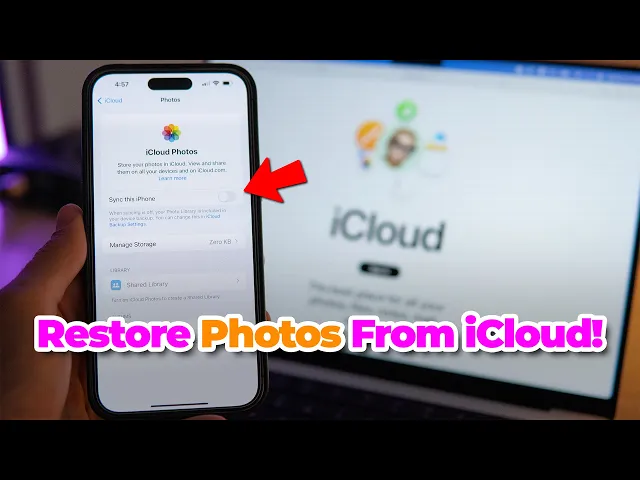
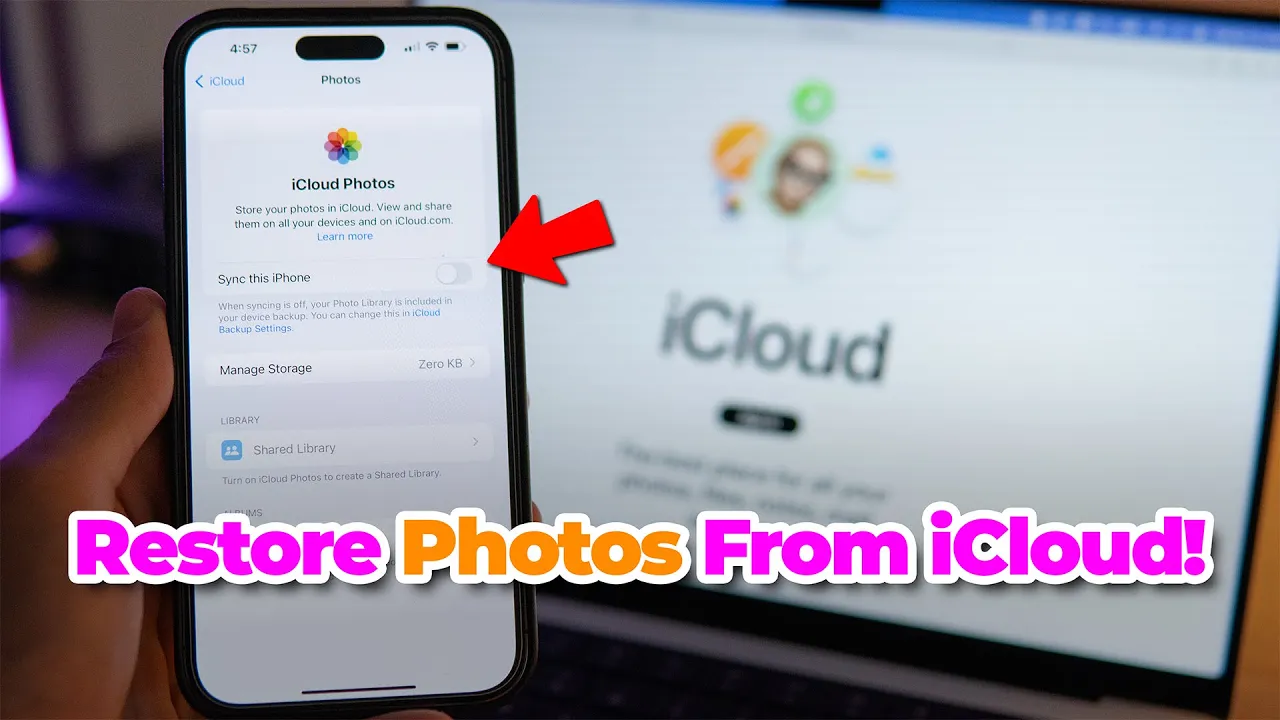
let's check out how you can put your iCloud photos and videos back onto your [Music] iPhone hey everyone DS here so let's just quickly check it out and then I'll talk about how you can save some more space with your photos and videos or how you can improve them if that's what you need so go to your settings on your iPhone and then tap on your name here naturally you need to be signed in with your Apple ID for this so in case you haven't done that do so next tap on iCloud here here you'll
see your storage usage of your iCloud which is important because if you have a large iCloud subscription say 2 terby which is much bigger than your phone's internal storage you won't be able to move on to the next step or at least it won't work the same way that is if your iCloud storage is full of photos and it's taking up 2 terabytes because now you need to tap on photos and within photos here you need to turn on sync this iPhone if you have that turned on all of your photos will be stored in
iCloud and then it will also be downloaded to your phone I mean for that you actually have two options because you can optimize storage which means that only little thumbnails of your images and videos will be stored on your phone but not the full size this also means that anytime you'll want to check out an image you'll need internet connection which can affect your mobile data usage although you can turn off mobile data for photos but that means that you can't watch your photos and images anywhere anytime so it's something to consider and then you
have keeping Originals which naturally means that the full-size images and videos will be stored both on your iPhone and in iCloud and in that case if your iCloud storage space is much larger than your phone and you have I don't know 35,000 pictures in your iCloud but you only have an iPhone with 128 GB or 250 even you won't have enough space in your iPhone so you might have noticed that I don't have it turned on and that's because this way I'm more conscious about the photos I take and keep also my phone is 256
GB so if I want to back everything up I didn't need the two terab iCloud subscriptions which I do not want to pay for but that way I also don't have enough space to back up all my photos as well so I just separate the two things you know it's a personal choice and everybody does as they please but I found this more convenient because this way I'm actually paying attention to how many photos I'm actually keeping on my phone uh so you know I don't run out of storage space now in the second part
of this video I'd like to talk about the uni converter and how it can help you to save space and improve images with the uni converter you can compress your images and also video files which then you can store in iCloud as a second copy of your files now to compress images you'll need to use the image converter tool and with that tool you can reduce the original resolution and or output quality for compressing videos you need to use the compressor tool where you can set up a compression [Music] ratio in special cases if that's
what you need you can use the unic converter to improve images with I mean photos don't always turn out perfectly they might be too blurry a bit dark or not large enough this latter one is more true when it comes to older iPhones either way you can use the AI functions within the AI image enhancer tool to make your images is even nicer to use it it's really really easy it supports batch processing and then you can just click on an AI function you'd like to use and then click on export all very easy in
fact everything in the uni converter all the tools are super easy and straightforward to use it's a great tool to have on your computer at all times to get it go to videoon converter wondershare.com and don't worry you can try it for free before you decide to get a subscription all right that was all for me for today let us know if any questions you might have and we'll answer to you um and if you like this video leave a like And subscribe to the channel but I'm going to thank you for watching and I'll
catch you in the next video [Music]