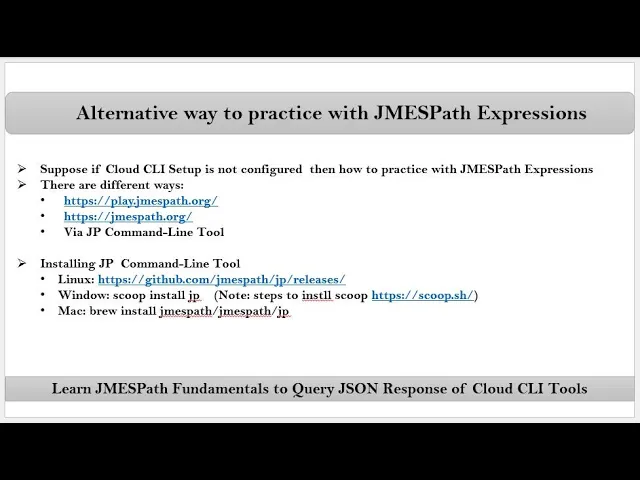
friends here we are talking about alternative way to practice with James path Expressions see suppose if Cloud CA setup is not configured then how to practice with jamesp Expressions so for that there are different ways they are we can use online editors or we can also use JP command line tool first let me open any one of the online editor this is one of the online editor where we can practice with the James path Expressions see suppose I want to practice with AWS CLI Json response data then here I will provide sample Json response data
so for that what I do is suppose let's say here I'm searching with sample output for AWS am get user just open this link scroll down somewhere you will see sample response see this is the sample response so that data I will provide here for time being let's say usern name as E2 admin now let's say I want to get this object by using this key so for that we need to write jamesp expression that we have to write here so here I'm writing user see now let's say I want to get this value so
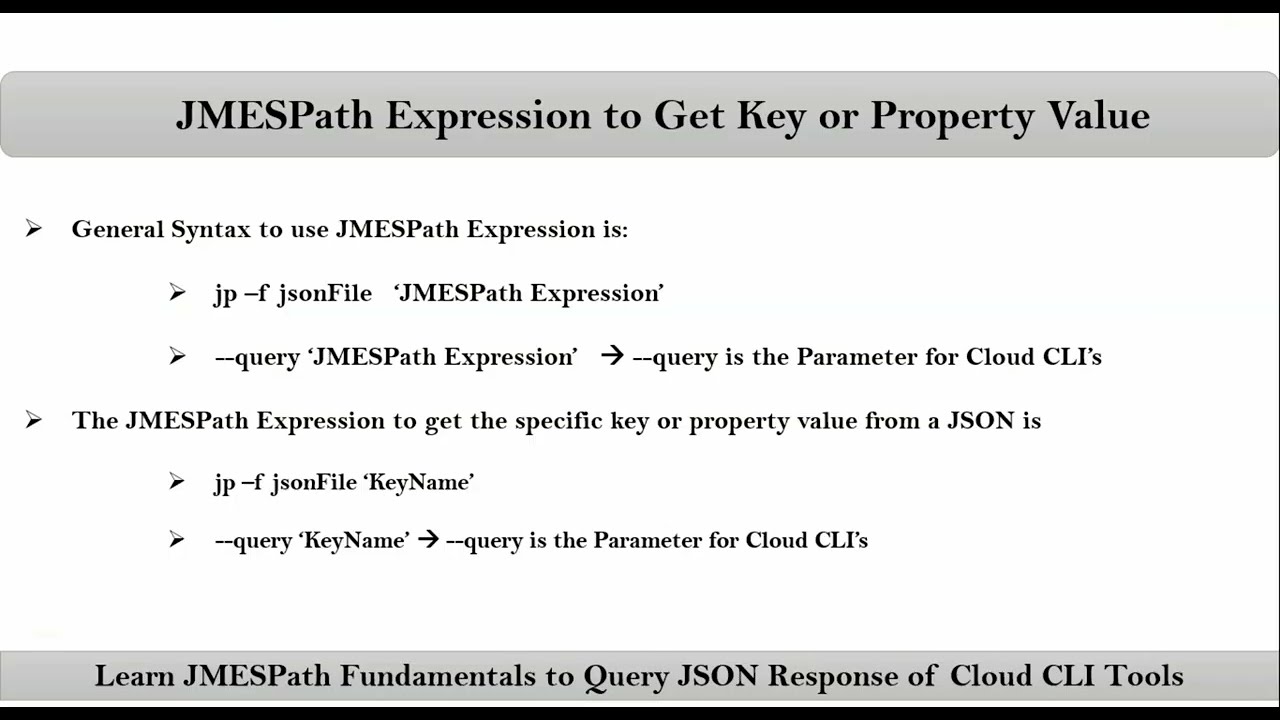
for that first you have to get this object from that object with respect to this key you can get this value so simply user dot user name see the result that's it now this is the jamesp expression suppose if AWS CLI is configured on your host then this jamesp expression you can pass for your aw CLI command with hyphen iph query parameter so here I am doing hyphen ion query inside quotations double or single that's it and of course there is one more way that is using JP command line tool so in order to use
JP command line tool you have to install it that is based on your operating system see suppose as as of now my operating system is let's say Linux so here just open this link and here let's say mine is uh AMD 64 just give right click then copy link address then go to any location let's say temp location then here using WG command download that JP now let me rename that JP Linux amd64 to JP and then I am providing execution permission for it then I am moving this to let's say user local bin JP
now with JP it is there now let me copy this sample response let's say say VI sample. Json now simply use JPY F sample. Json must provide at least one argument that is nothing but basically your are required James path expression so suppose here I am providing let's say user that's it suppose I want to get let's say user name that's it okay thank you












![What is programming MVC? [Detailed Explanation]](https://img.youtube.com/vi/1IsL6g2ixak/maxresdefault.jpg)