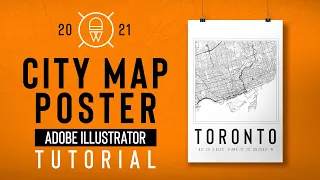
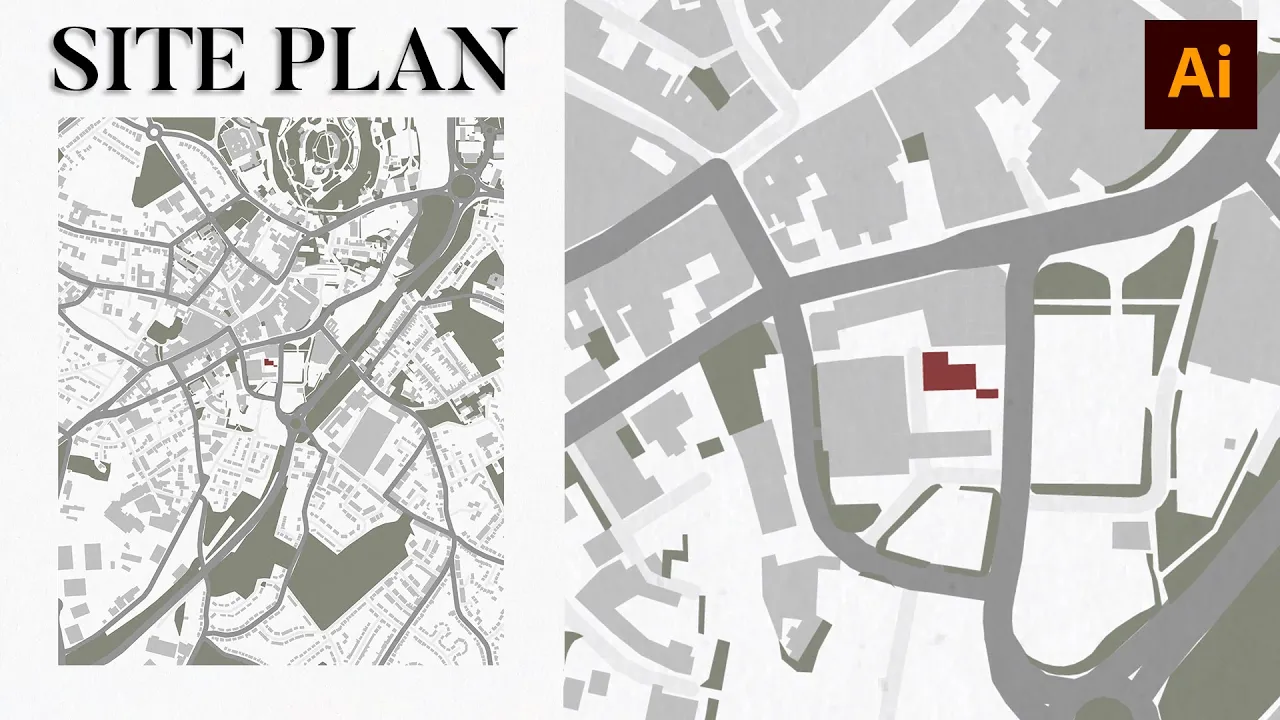
this video is going to teach you how to create a location map in under 10 minutes with no digimap and no choicing use an illustrator and let's get started the website that I'll be using today is openstreetmap and it works for any site in the world and it's free there's also different map players that you can choose from so these are really helpful if you create inside analysis drawings but for the purpose of this video I'm gonna go with standard go into the share Tab and then select the format of the image to be SVG
or PDF that also works in illustrator and you can also set the scale but for me personally it doesn't matter because it's just a location map but if you are using this website for a site plan I do recommend exporting to scale this is how the file looks when you open it in illustrator you can see that the boundary is not perfect but it doesn't really matter because we can hide that in the final drawing for now let's select the artboard tool and then resize the artboard to fit the country of our site I personally
prefer portrait drawings especially for location map and then if you go into window and trim view you can see that it hides all of the extra boundary and now it's not distracting the perfectionist in me anymore you can see though that I can't select any individual shape so first I'm going to ungroup the drawing and then I still can't select anything so that's probably a mask usually it will say release mask but if it didn't all you have to do is just delete it but I'm going to select the same appearance just in case there's
multiple masks in the drawing and now that I can select individual shapes and lines I can move on to the next step previously when I used to create these types of drawings I would select all of the things that I didn't want in the drawing and then I would delete them but I found that to be so time consuming when if I selected the things that I did want because from openstreetmap is so detailed and it creates icons and texts and so many things but I didn't want them in the drawing so instead selecting the
things you do want and organizing that into layers saves you so much time and you get to be in control of how those individual layers look and are presented in the final drawing so that's what I'm going to do I created a layer for buildings for green if I had canals I'd probably add that too and if there is any tram lines or train lines but this side is pretty simple so it didn't need a lot of layers and you can select the same appearance or fill color or by stroke color do whatever you have
to do to get all of those selections into layers and it's really helpful when you're selecting roads to think of it as a line with a stroke so select it through the middle of the line and that's how you actually get to select the line instead of the stroke if that makes sense I've had to select the green spaces quite a few times even though I'm using the select same appearance because there's just too many shades of green in the drawing and sometimes I'm selecting the pattern that's on top of it so I'm going to
keep doing that until I select all the green spaces and add that to the layer and also the project files for this video and other videos are on my patreon page so if you're interested I'll have that Linked In the description box so now that everything's in layers you can go back and start coloring each individual layer and start identifying the color palette for this drawing I quite like minimal drawings and monochromatic so I'm gonna go with Shades of Gray even the grass or the green spaces are usually green I I'm gonna make it gray
but with a little bit of green in it I wasn't going to add the secondary roads just to keep the drawing minimal but I feel like I can still add them and keep it minimal if the color is light and close enough to the background so I'm going to select same appearance and move it onto a new layer [Music] and of course the main roads I would like them to be thicker and Bolder than the secondary roads which would be lighter and thinner I think the colors were a bit too dark for my taste so
I'm gonna lighten that up and now it looks so much better also select your building or your site and color that with a gray red make it stand out in the map I found that color in the side instead of adding a stroke as way Bolder and it highlights it more on the map in my opinion and now for the borders of this drawing I want to clean it up and then add some white space around it so to do that I'm going to select the rectangle tool and then draw a rectangle that fits the
artboards and make sure that it's perfect edge to edge or at least close to perfect because nothing is perfect she says but does not believe and then we're gonna add a stroke not the painful one but you can't make it as big as you want depending on how much white space you want around your drawing you can also change how the stroke is aligned so either in the center or inside or outside and once you're happy with that you can go back to your artboard tool and then resize the artboard to fit around the white
space or the frame I've sped up certain parts of the video just to keep it entertaining but I promise that you can do this within 10 minutes maybe 15 minutes if you're a beginner and this is your first go but trust me do it it's so quick and easy I really like adding texture or grain specifically to illustrator drawing so that they're not flat found this on Google if you search up grain texture or noise effect you can download the image and add it to your drawing you can also change the blending mode and the
opacity of the image and voila you now have a site plan or a location map in under 10 minutes creating a high quality drawing does not have to take so much of your time so that's why this is one of my favorite tutorials for creating a location map it's simple clean yet it's still effective with presentations and it's totally customizable to you so if you wanted different colors or if you wanted more information like text and road signs and landmarks and stuff although I don't really recommend that but you do you and I would love
to see what you guys create if you have any video requests or recommendations please leave them in the comments down below I'm Russia and I'll see you next time





![Concept Diagram in Architecture [Illustrator tutorial for Architects]](https://i.ytimg.com/vi_webp/JlSNG4aS-sk/mqdefault.webp)

![[Updated] How to Render Master Plan/Site Plan Architecture in Photoshop](https://i.ytimg.com/vi_webp/77etKxRyRB0/mqdefault.webp)