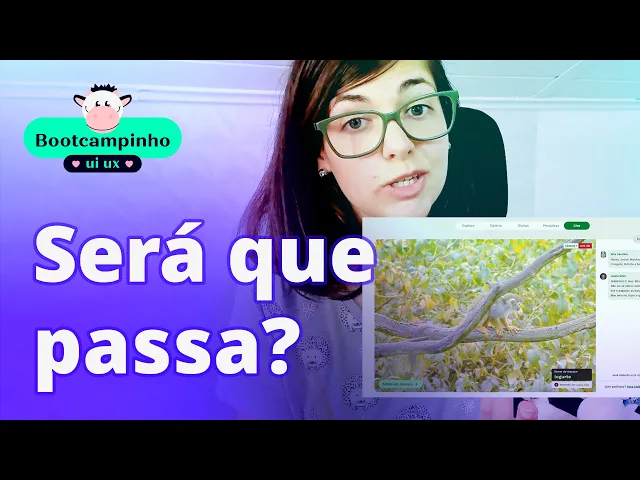
Today we are going to put our Amazonian layout to the test. How could the tests have been done on that project? I'm going to be very honest with you that when I did this Amazon project I did it all in 6 weeks, as I told you.
So I didn't get to run tests on it. Also, I didn't have time later on because, as you can see, there are some courses and some random things that I come up with, you know? Anyway, let's go to the computer where we're going to try to see how we could do these tests.
For us to start, here's the layout if you don't remember. It's here, pretty cute, looking at us. And there are several things that I think would be super feasible to test on this website.
First thing would be related to feelings. Do you remember that my whole project had a lot to do with feelings, what did people feel when they saw this website? If they knew where they were, if they didn't?
So, this was certainly one of the first things I would like to test, is trying to understand, talk to people, understand about them: what do they feel? How do they relate to this website? What makes them feel good or what makes them feel bad and so on.
Another important point, remember when we talked about user flow? I'll even open it up here for you, so we can see. There were a lot of tasks that I had put in when I designed those very simple user flows.
For example, the task of finding out how deforestation is going on in the Amazon. I can use this same task that I had already created, and test it with the user. Call a person, arrange a Google Meet with them, for example, let them know that we are going to record the screen.
This is always important when doing research, testing and so on, ask the person, "Oh can I record? Are you comfortable? Is everything ok?
". If the person authorizes it, then you record the interview and then you can see it with them, for example, I could ask the person: "Your task is to find out how deforestation is going in the Amazon". And then the person would have the link to this prototype, right?
And they would be able to get in here okay, "how am I supposed to know how deforestation is going on in the Amazon? " They could come in here, then I don't know what they would do, would they try to search? Would they try to go in "status" which is where I expect them to go?
I honestly think that maybe they would even try to search here and that would be very important data for me, because depending on what the person searches for here, I could refine the searches or, if nobody uses this search bar below, for example, I can remove it, put it up here. I have to understand if my users will use it, if they don't. There were also some other tasks here that could be tested, for example "Explore the Amazon with your friends".
Would a user be able to explore the Amazon with friends? When they enter here, they probably wouldn't be able to, because they don't even know they would have to log in. So, maybe I could do some refinement on this screen, looking at it right away, for example, there could be a circle with people here, just like there is when the person logs in, then the people would appear here and everything else.
So that way you could understand. In fact, I shouldn't even have the login button here, right? Looking now that the person is already logged in.
. . but that's okay, it happens to the best of us.
That way it might be clearer for a person who is not logged in how they could explore with their friends, but these are the insights I'm having now. If I asked the user, they might have a totally different insight, they might get it without any issue. So, that's why it's important to test with users, see what the user will tell you and especially let the person tell their story.
Also, here's another example, here, "Learning how to make cake and açaí for the grandchildren". This is the objective of Ruth Lemos, one of the personas I had created. Would she be able to learn how to make cake and açaí if she left this home page?
Maybe she didn't even realize, for example, that there's a search tool down here. Maybe she tried to go to the gallery, then she saw the search tool and then she tried to do it, but it's unpredictable for me to say what the user is going to do. Users are totally unpredictable, guys.
It could even be that, for example, Ruth Lemos is the person over here that I put who has more difficulties, it could be that Ruth Lemos unintentionally drags the mouse in here and she lands on this page and doesn't know how to leave this page, it's a risk that we face and that's why it's important to test with users because you'll understand risks that you didn't even imagine you had in your interface, ok? So, just to finish, take a look here at this interface: what do you think would be more worth testing? It's certainly something I'd like to understand, for example, here it has these animations, very subtle.
I would like to know if these animations, if they help, if they hinder, if they are indifferent. For example, I personally like it, I think it's cool, I think it can give a feeling of immersion, mainly because they're very slow. So, probably in terms of accessibility, they shouldn't get in the way and for a distracted user, they won't even notice.
For a user who is not distracted, it may be something else, but it could be that some user has a labyrinthitis problem and attacks his labyrinthitis, this animation, you know? So that's why it's great for us to do these tests and these are just a few examples of the types of tests you can do. Of course, you're going to be put to the test, right guys?
In this lesson you will also be put to test because Alfredinho will not let you leave without running your tests. Your challenge today, guess what Alfred is going to ask you? Obviously, right, guys?
Select three to five people within your target audience and you'll have to do usability tests with your users. That is, well within what we were already talking about. Write down what are the main tasks, what should or should not be tested, what is important to gather from your users.
From there, talk, interview these people, if possible record the conversations, write down all the data, have everything neat, try to organize the data again, very similar to what we did in that Definition stage, if you need to go back to that definition, take a look at how to organize data and so on and after that, once you have the data from several users, understand what needs to change, what doesn't, you can and it is recommended that you run the same test with several users, that is, you ask several users to perform the same task, because it may be very easy for one, it may be difficult for another and another may not even be able to do it. That's what's nice for you to understand, see what's working, what's not working and after you have these insights, of course, guys, go back to your interface, change what is necessary, if possible test again and that way keep refining your layout, and go with an open heart in the testing stage, guys, try to listen to your user, try to put as little bias as possible in your sentences. We know you've built it, that you're excited, but take it easy, your work may be criticized, be ready for that, but if they criticize it, take it with a grain of salt, criticism is always important for our growth, okay?
So, go with an open mind, with an open heart. Humility will make you grow a lot in this world of design, okay? And if you want to know.
. . alright, I've done everything, I've tested it, I've fixed it.
And now, what do I do after I finish Bootcampinho? How to continue my life as a designer? You can click on this card because in the next lesson I'm going to tell you about it.









![2024-09-29 [AI Stocks]: "Microsoft's AI Advantage: Can the Company Catch Up to Demand?"](https://img.youtube.com/vi/ytN63LXztfw/maxresdefault.jpg)

![[Tutorial] Como melhorar a qualidade de uma imagem no Photoshop](https://img.youtube.com/vi/4PwjfGFEoTs/maxresdefault.jpg)