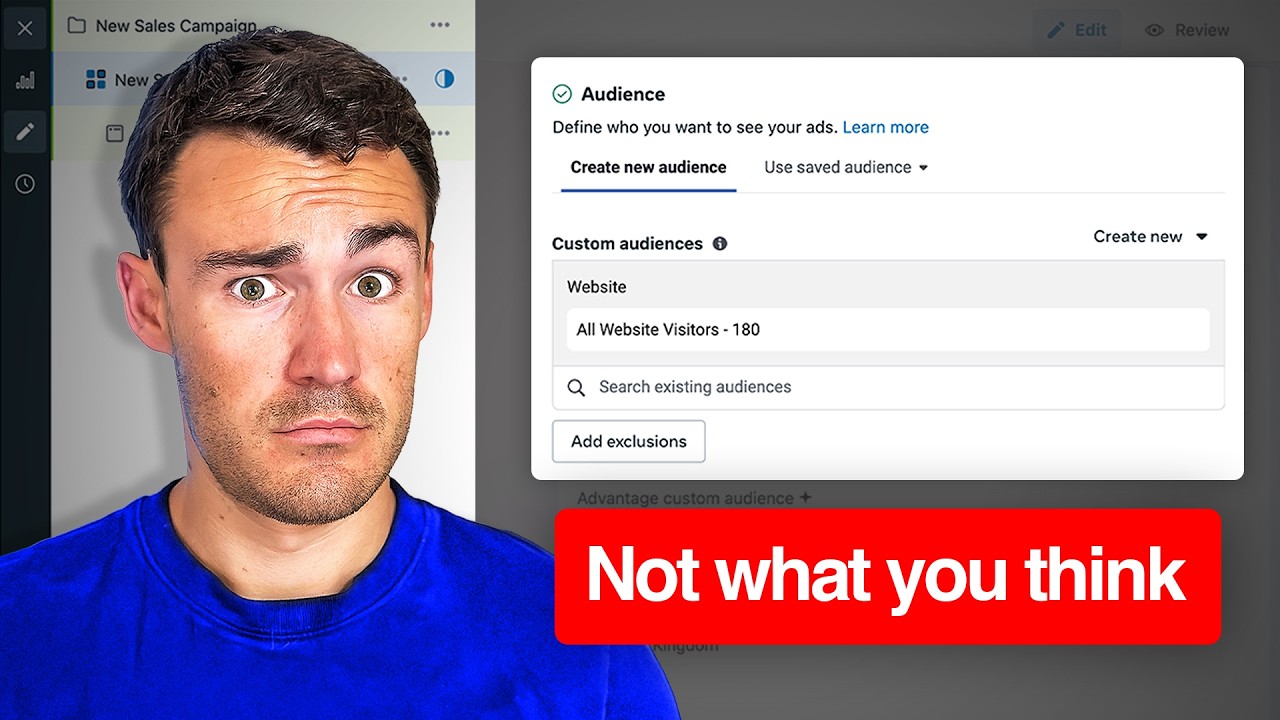
if you want to scale your Shopify store using Facebook ads and Google ads and every time you try to scale you hit a wall when you spend a certain amount or even worse you're focused on the learning phase making 10% improvements every single day because of some arbitrary rule that Facebook ads and Google ads seem to have made up then this video was made specifically for you in this video I'm going to show you step by step behind the scenes for how we're actively scaling a brand right now and exactly how we're going to continue to double the ad spent and therefore double the new customer revenue on a daily basis but none of that actually works without sticking along from the very beginning so I can show you all of the reports every single step by step that I'm going to be making not only in the ad accounts but also the theory behind it all and why this works so incredibly well for hundreds of brands that we've managed so first off one of the most important things is to actually understand why you're hitting a point of diminishing returns essentially what's happening is when you look at your Shopify Revenue you'll look at a chart that looks like this in the red this is your existing customer Revenue so think of this customer Revenue as a percentage of your total Revenue that's going to happen very very consistently we're just going to pretend that new customer Revenue represents 30% and then above that new customer Revenue everything here is new customer Revenue so when you try to actually scale your ad accounts what's happening is your ads are hitting this new customer group who were very likely to convert anyway and then instead of actually going out and finding new prospecting customers they're constantly hitting with really high frequencies on this existing customer group and the way that you could identify this right now is first by going coming into your Facebook ads manager clicking the breakdown buttons right here and selecting audience segments what this is going to do in Facebook is it's actually going to show you the breakdowns between new audiences engaged audiences existing customers and then a small group for unknown if you see all unknown here or if you see nothing here click on your Advertiser settings go down to audience segments and then within your audience segments make sure you have set your engaged audiences which in this case we're using visitors 30 days and add to cart 90 days and we're also enhancing this with our clay data for our existing customers we just have a massive list of anyone who's purchased in the last 90 days and anyone who's been to our website and made a purchase with a pixel in the last 180 days what this allows us to see in the ad platform is the actual breakdowns between new engage and existing now we could actually understand the different swim Lanes in the account for the first time we're actually able to see what's our new customer row as what's our engaged customer row as and what's our existing customer row ads this is going to make a big difference because when you're spending in Facebook ads and you try to just keep spending and spending and spending ultimately what's going to happen is they're going to distribute a large portion of the cash to existing customers so what you need to make sure you're doing properly in your account is you need to make sure that if you want or if you are not okay with the way that the distribution is going down you need to go into your settings whether it's on your campaign or your adset level and you need to go into the adset and actually select exclusions now you can do that directly in the audiences in the custom audience section you could add an exclusion right here if you're in Google ads you could do the the exact same thing by just looking at your branded Search terms and your non-branded Search terms so the short solution just to make sure you're spending money on the right cohorts is literally create swim Lanes in your ad account make sure that you have at the tippy top of your account prospecting pure prospecting net new customers only under that retargeting retargeting should really just be focused on anyone who's been to your site or anyone that's engaged on your Instagram or on your Facebook finally you have your existing customers also known as retention because you are retaining these customers we're going to talk to these a little bit differently in each part of the funnel but the key here is just for spending and scaling because we haven't even got to how you actually scale those new and engaged customers yet we're going to get there in a second but what you need to know is at its core make sure you are not overspending in the wrong cohort in many many cases people don't know what to look for and don't know if they're actually overspending and the best thing you could do is grab a column called frequency so you can go to your columns click the edit button and type in frequency now I already have it selected and if we go down to the right here you'll see the frequency column right here and what frequency is it's very simple it's the average number of times the average person saw your ad if we click down at the very bottom to expand your breakdown summaries that's going to open up the entire account show us all campaigns combined and it's going to show me our frequency for engaged existing and new now this is for a really long time Horizon so 26 and 38 on frequencies are extremely high but if you're using a smaller time Horizon like 7 days or 14 days you should know that your new customers should really just have a frequency of 1 to two your existing customer should have a frequency of 5 to 7 and anyone in the retargeting group should also have a frequency of 5 to 7 I created a spreadsheet that you can get down in the description below 100% for free it's really really simple and it just shows you everything that we just talked about really in a simple chart if you just look at the current expenditure here I've created this to be as simple as possible we have a current scenario we have a simulator and we have a second simulator these simulators are just for you to be able to see different scenarios in real time the first scenario here is very standard new customers return at a two return on ad spend retargeting returns at a three retention returns at a four and we're spending 1,000 on prospecting or AKA new we're spending 250 on retargeting and 250 on retention what that means is Blended we're spending 1,500 at a 2. 5 Raz which drives $3,750 for the business on a daily basis so what I'm going to do here is I'm going to make a different scenario in simulation number one first thing we're going to do is we're just going to increase the new spend to 2,000 we're going to keep retargeting and retention at $250 a piece and what you can see right away the actual return on ad spend has decreased about 10% total or2 on an actual scale of course we're driving more Revenue because we are spending more money and most people would be very happy with a 2. 5 or 2.
3 return on ad spend but what I want to just get out is that your overall return on ad spend drops not because your retargeting or retention got worse not even because your new got worse just because of the distribution of spend and this is a big unlock for people I've had this conversation with dozens of clients in my time and ultimately this little tiny explanation goes a really long way into actually allowing someone to realize that oh we could literally just spend more money at this profitable 2x return on ad spend our existing customers and our retargeting audiences are still going to do work for us just at a lower scale in the second simulation down here I want to give us a very realistic example let's say we brought spenta $33,000 on new now right away you can see that even if we did nothing at all here our actual return on ad span drops another point to 2. 2 but as we triple ad spend we're going to expect our return on that spend to actually drop a little bit so if this moves from 2 to 1. 8 or even 1.
5 you can see our blend takes a big hit so what you need to very clearly establish in your business is what is your new customer acquisition goal and the way that I always recommend doing this is establishing your break even you should know what your break even return on ad spend is and this is so easy actually so easy that I'm going to take 2 minutes to build it right here so that if you download this exact tool you'll also have it as well a few minutes later by the magic of doing hard work and putting a calculator in here we now have the break even calculator the break even calculator in this case is actually going to show you very simply all you need to plug in is your average order value in this case let's say it's 100 bucks your cost of goods on average don't overthink this if you're not 100,000% sure round up so we're going to say 30% for this example which will spit back our actual cost of goods of $30 and then a be Raz also known as a break even Raz of 1. 43 that means in this example we only need to acquire customers at a 1. 43 return on ad span to break even and then we can make money on all of the retention every single time those customers come back over and over and over again let's say you've implemented this you're Distributing your cash to the right appropriate buckets you have new customers retargeting retention your clear swim Lanes in your account you're spending more into new customers over and over and over but you're kind of doing it slowly because Facebook tells you hey 10% 10% 10% I'm going to show you how you could just throw this out the window completely I have legitimately tripled ad spend more than once in one day for many many Brands and yeah we do go into the learning phase but but guess what the learning phase is not what it used to be Facebook has improved and the only way we're actually going to grow our business it is not with 10% increases in scale It Is by attacking when the iron is hot so if the iron is hot for you if you are achieving above your break even return on ad spend for new customers you're going to go into your Shopify dashboard or whatever eCommerce platform you're using and you're going to find a conversion rate overtime report the conversion rate overtime time report is going to show you a very clear breakdown of your conversion rate by day or even broken down in the case of Shopify by hour by hour of day by week and so on I'm just going to show you an example of how you could scale on a daily basis and then we're going to take things to the next level in just a moment on how you could legitimately triple or even go beyond what I've done in the past and scale intraday what I want you to do is look at your overall conversion rate and what you should be establishing is what is the conversion rate that you need to be profitable as a business there's a large calculation that can go into this including new customers not new customers Etc but generally speaking you're going to have a good pulse on this by simply looking at your conversion rate your total sales and then your total ad expenditure once you find that conversion rate profitability measure the next thing that you're going to need to do is look at your conversion rate by day what you should be doing on a daily basis is every time you increase your ad spend so you're legitimately in Facebook and you are increasing your budget now this is not going to be as noticeable if you're just just increasing your budget from $50 to $75 or doing those 10% adjustments what we're focused on here is a big adjustments if you're moving your budget from let's just say $1,000 a day to $2,000 a day you should see immediately your sessions in your Shopify go up and you should also see your purchases go up right that should be a given if your new customer acquisition is dialed in what I want you to focus on is your conversion rate by day so the way that you can do this on a weekly scale is let's pretend that on March 2nd I increased my budget double right I went from $1,000 to $2,000 and I'm noticing that I had 1.
5 and 1. 5 conversion rate I know pretty confidently that I don't need to worry about what I just did I don't need to worry about the $1,000 increase and in fact I should probably be aggressive and go from a th000 to 3,000 now or the th000 to 2,000 to 3,000 I should stair step it up another level and I should check the next day now next day is sometimes scary cuz spending $3,000 and if that $3,000 doesn't pay its return quickly could also really really hurt so what I like to do and this is where the sauce comes into play and this is legitimately how you triple your daily new customer acquisition instantly at the beginning of the day you're running in Facebook you're on a hot streak you're spending $500 $1,000 a day or so hopping into your conversion rate over time grouped by hour this is very important you're grouping by hour and I am not worried at all about what I did yesterday or what I did last week I know what my break even conversion rate is and I am tracking this by the hour this is the stuff that I used to do at some of the biggest brands that I've ever worked on but the exact same principle also applies for the smallest Brands too you're tracking your conversion rate by hour because Let's Pretend here at 8 in the morning I changed my ad spend from $11,000 to $2,000 all I want to do is get a 3-hour sample size to understand if that impact has impacted my conversion rate heavily or not if you're a very quick direct response brand that drives the majority of your conversions on a single click you could literally double your budget once at 8: in the morning again at noon again at 400 p. m.
again at 8:00 p. m.