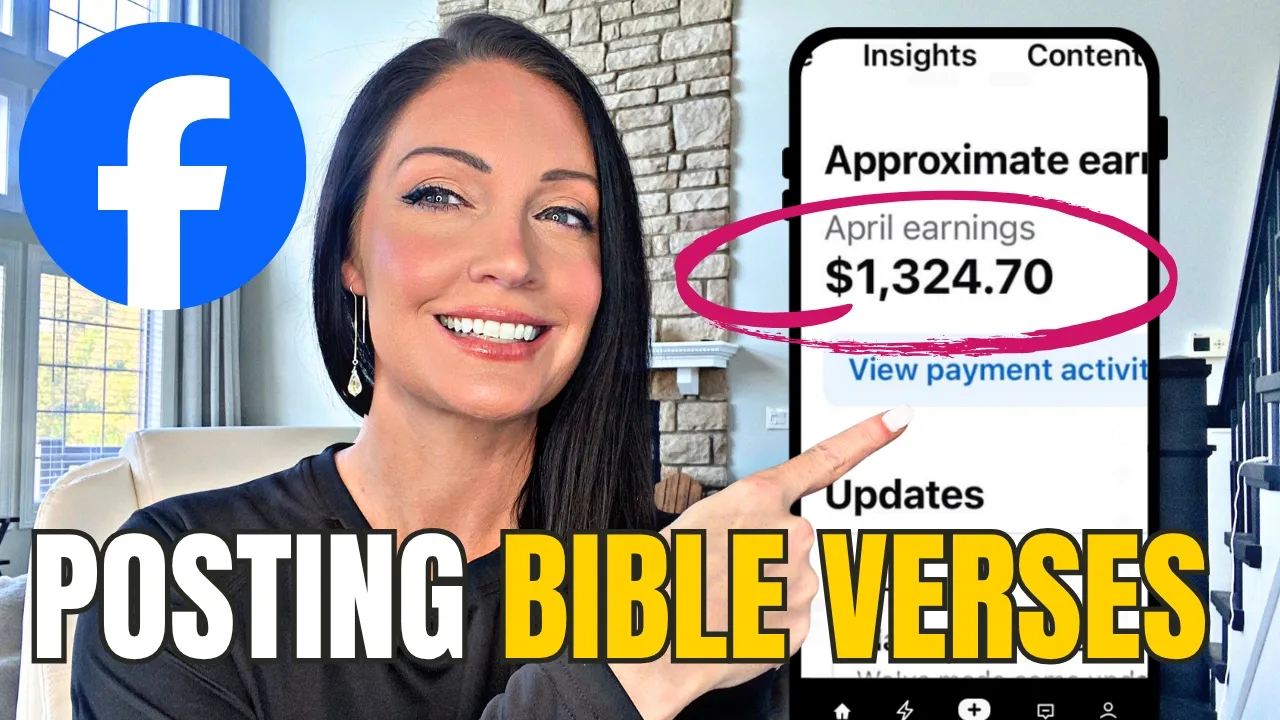
Most people think you need a business, a product, or even followers to make money online. But right now, my students are getting paid just to post Bible verses on Facebook. Take for example Jason here, who made $1,300 last month just by posting image posts on Facebook in the Christian niche.
or my student Nathaniel, who grew a brand new page from zero to 5,200 followers in just 2 weeks in the Christian niche by running ads using our very simple strategy. He paid only $100 to get in front of 5,200 targeted Christian connections who are highly engaged on his Facebook theme page. This is not luck or a fluke.
I have students repeating this over and over again inside of my mentorship group. And in addition to getting paid by Facebook just to post image posts, my students are also learning how to take that to the next level and turn this into multiple income streams. We're taking winning Facebook posts and turning those into products that sell automatically and with automation using Gelato.
So this is a print ondemand business model. So that means no inventory, no shipping, no complicated setup, just content to income. And in today's video, I'm going to show you exactly how to do this step by step.
And before you start thinking, this is one of those strategies that sounds good, but it doesn't actually work. And if it's on YouTube, it's probably already played out. No, I have students doing this right now in this very, very moment.
The only difference is most people just spend all day long scrolling on Facebook instead of realizing that the people posting are actually making very good money from their posts. And here's what most people don't actually understand about Facebook. Facebook doesn't care who you are.
It doesn't matter if you have the most boring life on the planet. Facebook cares about one thing and that is attention. Likes, comments, and shares.
And one type of content consistently gets all three of those, and that is faith-based content in the Christianity niche. Bible verses, encouraging messages, Christian related news, the type of post that screams, "Send this to someone you care about today. " People don't just like this kind of content, they actually share it.
And that is exactly what Facebook rewards. So, let me break this down very, very simply. Number one, this niche has a built-in audience.
Millions of people are already engaging with faith-based content on a daily basis. Number two, it's highly sharable. The content creates emotion and emotion gets shares.
Number three, this is a great evergreen niche. Bible verses don't expire. There's always a Christian-based news.
You can repost, remix this, and scale it long term. This is not a trend and there is a complete system behind how we do this. So now join me over my laptop and I'm going to show you step by step exactly how we do it.
So step one, we actually have to create a Facebook theme page and you can do this by logging into your personal profile. Over here on the dashboard, we go to pages. We can click that and create a brand new faceless business page.
So then we click create page. And the key for a theme page is to actually get the keyword in the name of the page. So when people are scrolling, they're going to be way more likely to hit follow versus if they just see some random person's name, they know nothing about you.
They're going to be less likely to follow then. So you want to get something in there like Bible, Jesus, holy, gospel, faith. to write something along those lines that's going to speak to that audience.
So, just for example purposes, I'm going to create a page called daily Bible verses or the category I put it under church. And then I just also want to make sure that I get a keyword right there in the bio. And then we continue to create page with this button at the bottom left.
Then inside of Canva, we can create oursel a very simple banner under the templates and just fill in the blank with what our page is about. So, that's very simple with a template to fill in the name of your page and then go ahead and download it. And we simply come back to our Facebook page and add our cover.
And then I do the same thing with the profile photo. And you don't have to overthink this. It can literally be this simple.
And then hit save. So, there's our page set up in less than 2 minutes. And then we simply need to get some inspiration.
And for that, you can just use the Facebook search bar and type in all of the different keywords related to the niche. So, for example, we type in Bible. We can find tons of different Bible related pages.
Here's one that I found. It's called the Bible people. Says, "We create resources that help people read, engage, and apply the Bible.
" And if you click on their link, they're actually selling books on Amazon. So, that's one way that you could monetize a page like this. I'm going to show you two other ways that you can monetize the page.
One of them is literally just by posting content like this. And when you're looking at pages for inspiration, you want them to have, you know, the majority of their posts getting few hundred, 200, 300 to 500 likes and then some exceptional outliers around, you know, over a,000, some maybe up into 80,000. And that's going to let you know that if you go and post similar type of content that you too can reach a very large audience and also get paid by Facebook to post these kind of posts.
So then I would load the page up into my post planner app to do some research and see what kind of engagement they're actually getting overall. So, this they posted 6 months ago and it got 13,500 likes, 1,300 comments, 3,000 shares. And as you can see, they have tons of posts like that with thousands of people engaging with them.
So, I [clears throat] would collect 10 pages like this that you save in the post planner app that you can reference for inspiration for your content on a daily basis. This is already proven to go viral content. So, you know that if you build an audience in the same niche and you post something similar with your own vibe, your own color scheme, you two can get the same amount of engagement.
Now, Facebook currently is paying me 23 cents per 1,000 views. Now, we can see how many people like this. We can't quite see how many people actually viewed it, but the views are always way more than the actual engagement.
So, the most I've gotten paid for a single image post on Facebook is $500. The most one of my students has gotten paid in the Christian niche is $400 for one photo. Right?
How long does it take to post a photo? Right? Less than a minute to create this in Canva and post it to your Facebook page.
So, the income potential here is huge if you dedicate yourself learning, implementing, and staying consistent. So, how do you actually get paid by Facebook? Right here is your professional dashboard.
We need to click on that and express our interest in the content creator program. So on our professional dashboard, we click on monetization and these are all the ways that you can get paid by Facebook and we're going to click on content monetization and then we're going to click notify me when eligible. This is by an invite only program.
However, my students are having great results by doing the steps that I am outlining and getting invited fairly quickly, right? Some as soon as 28 days and some have taken a little bit longer, like 4 months. Now, you just need to focus on posting that content every single day.
And for example, Jason started with seven posts and started working his way up and testing what he could actually stay consistent with, right? because Facebook loves the same posting cadence. So, if you can post the same amount of posts every single day, that's going to be in your best interest.
So, figure out what you can maintain and post that amount. Now, most people just stop here, right? They post daily.
They get paid by Facebook. That's fantastic, right? That's a dream to just post images on Facebook and get paid for those posts.
But now, we want to take it a step further. We want to turn this into a business. We want to create digital assets and we want to create multiple income streams.
Multiple income streams is the best way to safeguard your income online, right? Because things do change. Some of these platforms can be finicky and you want to make sure that you're spread out.
So, step number two, I'm going to show you how to use Gelato in order to create Bible verse wall art and earn extra income without stocking any inventory and without doing any of the shipping yourself. It's all 100% automated on the back end once it's set up, right? This is one of the best business models out here.
So, I'm going to link for you down below Gelato. You can get set up with this completely for free and you can get 30% off your first purchase if you make that within the first 2 days of creating your account. And this is wholesale wall art that you also get an extra discount on.
I personally have purchased things just to hang in my house and test the quality and that is fantastic. Definitely don't miss out on that offer. Again, it's linked down below.
So then once inside, you can take a look at the product catalog. And for this purposes, we are doing wall art. So I'm going to do wooden framed posters.
And then I like to go with the ones with the bestseller tags up here cuz that lets you know that the other sellers are selling a lot of these. So we're going to click on this one. And now I already have an Etsy store set up.
If you don't have one set up yet, then you're going to need to do that. And then we will be able to add our store. So if you don't have an Etsy store yet, it's very simple to get one.
Just go to etsy. com, scroll all the way down to the bottom and click sell on Etsy. And then it is going to walk you through the getting started steps.
And it is very, very simple. Now, keep in mind there is a $29 fee to set up an Etsy store. And each listing is 20.
But if you do a good job on your store, then a lot of people are able to make that investment back fairly quickly. All righty. So, back over on Gelato, we are going to do a vertical image 8x10 wood ready to hang.
And so, as you can see, the product price is going to be $20. 99. If you have Gelato Plus, which is a membership, then that's going to save you some money.
And every time you sell one of these to an Etsy customer who pays you the retail price, you will only pay $16. 79 out of whatever the customer gave you to fulfill this order. So, let's click add to store.
And this is where you will select your Etsy store or add it if you haven't already. And now we just need a design to our print ondemand wall art. Now, I have taught on my page here how to use chat GPT.
I have taught how to use Canva and today I'm going to show you how to use a template inside of KD to create your actual artwork. Now, you can just take one of your top performing posts from your page like this and create a text wall art out of that exact post. And then on your Facebook page, just comment the link to your Etsy store listing that matches your Facebook post and say, "You guys absolutely love this, so I put it on wall art.
" And pin it as a pinned comment right there to go along with this post. And you already have tons of people already engaging with that. it's most likely going viral and so a lot of people will see that if they're engaging with it.
There's also a good chance that they want it on their wall and will purchase that too. And another way to go is to research what's already selling on Etsy in their marketplace because Etsy has a marketplace of buyers and those buyers are searching for particular types of products. And if you can create something similar to what's already selling, there's a good chance that you are going to be able to tap into Etsy buyers in addition to Facebook theme page customers.
So, here's an example of a Bible verse wall art that is selling. This one makes 154 sales per month estimated with an estimated monthly revenue of $3,850 for just this one actual listing. So we can just take some inspiration from this actual listing, create something similar but unique enough that we are not a direct copy of them.
So inside of KD, they have tons of different types of templates that you can utilize for wall art. And here is a perfect one that I found that has birds very similar to the inspiration one. So let's go ahead and use this template.
And now we can alter this in any way that we see fit in order to make it unique to us. We can change the colors, the text, the imagery. So, what I'm going to do here is go ahead and erase some of this bottom text and change this top text here.
So, I moved the text around and then we can change the colors. We can browse different color palettes and see what looks best here. So, if we wanted it to be blue, we could do that.
And then we can do the same with the text here. And then in order to export this, I'm going to change the DPI to 300, optimize the quality, and then click export. So now I have uploaded my file.
We're going to add this to our template. And then we will continue to mockups. Now you have several different options for displaying this to your customers.
You can order a sample and take your own pictures however you would like to do that. And if you do create your own images, you can upload those right there. So, now we're going to continue to details.
And we can generate our title and description with AI. I love this so much. And I'm just taking the title of the other inspiration Etsy listing and I'm going to paste it in here.
And then Gelato is going to optimize it for me. Tada. Title, description, tags, all done for me.
And if this is going on Etsy, we need to note that this is made with the help of AI. And then hit apply. And then we can price our product.
You can set a profit margin right here. With a 35% profit margin, your profit is going to be $1130. Now, keep in mind, all you have to do is the exact process that I just showed you and list it on Etsy, share it on your Facebook theme page, and everything else is going to be automated.
Once you set this up one time, you can sell this over and over and over again. Completely automated. Like I said, priceless, priceless business model.
And now we're going to continue to review. And then we hit publish. And you'll see it being published to your Etsy store right there.
And when it's all finished, it will say that it is a draft in your Etsy store. So here it is under my listing draft. We can click on that and get it published.
Now in your listing, you have to make sure that you select that you use an AI generator. You also have to add Gelato as your production partner and select a section. So we are going to do Bible verse wall art.
and then go ahead and publish it. It is 20 cents to list on Etsy. If you join Etsy through an affiliate, you get your first 40 listings for free.
And there we go. That is literally how simple it is to create something that you can sell over and over again branded to your own theme page. So, let's say that this is your theme page.
You're doing something about Matthew 6:26. And then you can come over here and post the link to this listing over here and just say something like, "You guys absolutely love this. I had to put it on wall art.
" And then pin it as a comment right here. You never want to put a link in the actual post itself because Facebook will limit it. But it works perfectly well as a comment.
And I've gotten tons of print on demand sales doing it just like this. Now, for my Etsy store that I share on my Facebook theme page, I have listings that have done $14,200, right? $723 orders off of 6,000 views from just linking that on my Facebook page.
And it does very, very well from my theme page. When you show up and put in the work, this is a simple business model that really anyone can do if you're willing to put in the work. Now, I'm sure the last question that you have is, "How are you going to get sales if you don't have any followers?
" Well, as you saw at the very beginning of this video, I showed you my student Nathaniel, who was able to grow to 5,200 followers in literally 2 weeks. And you want to know what he did? He used this little advertise button right here on Facebook.
He spent a 100 bucks and got over 5,000 followers in 2 weeks. And those people are engaging with him. He can then sell his print ondemand Bible verse wall art to them.
is an actually very simple strategy. We have this dialed in and nailed down. It's working for a lot of people and I would love for it to work for you too.
So now you understand the full system. Number one, post content. Number two, get engagement.
Number three, earn from Facebook. Number four, turn posts into products. And number five, make additional sales.
Then repeat. And this is exactly how you build something that compounds. If you want to try out the product side of this, I highly recommend Gelato for wall art.
And they're offering 30% off your very first order within 48 hours of signing up. And if you look behind me here, that photo on my wall and that photo over there in the corner on my desk, those are both from Gelato. Excellent quality.
And I have two other videos on my channel where I show you the quality in more detail. So, I will link those down below in the description for you. So, if you're even just thinking about testing this, go ahead and get signed up with that link down below and at least create your first design so you don't miss out on that discount.
Make sure that you're subscribed so that you get all of my free training on how to succeed with creating Facebook theme pages and multiple income streams. And when you're ready to take this to the next level, I would love to see you inside of my full program and live mentorship group where people are having breakthrough after breakthrough in their business. Again, all of it is linked down below.
So, start simple, stay consistent, and build the system.