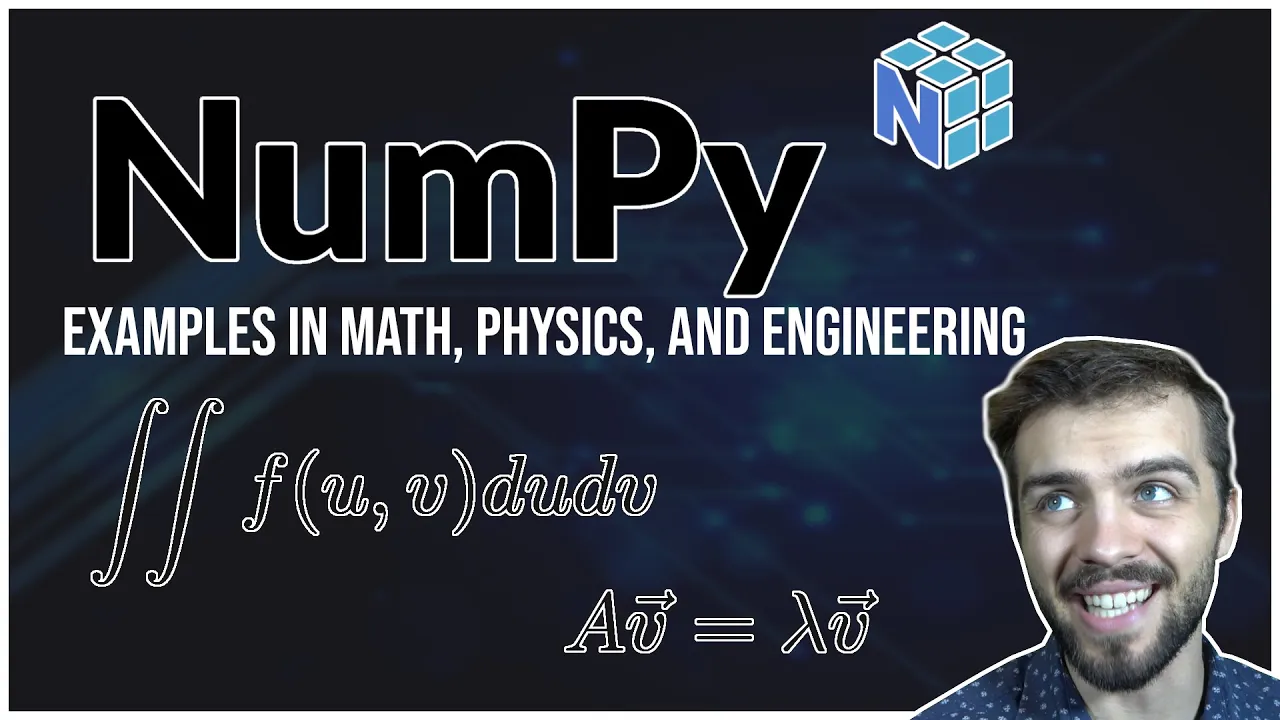
Today we're looking at numpy one of the fundamental python packages that you have to learn if you wanna go on to do scientific programming in the future i'm gonna be doing a video series on various packages today we're looking at numpy eventually we'll go to scipy matplotlib senpai and slowly build up that toolbox that You need to eventually be able to solve problems of all sorts at an advanced level anyways let's get started so i'll be importing the packages numpy right this is of course the one we're looking at the only other package i'm going
to import today is matplotlib and that's just going to be doing some very basic plots so you don't need to Know a lot about matplotlib i'm just using the very basics so let's get into numpy let's actually talk about what numpy is so numpy is obviously what i would call essentially a system of dealing with arrays in a computing language that's very fast and very efficient so before we get to anything complicated let's create arrays so an easy way to create an array Is uh always using the numpy array mp.array and i feed it in
a list and the list is contained in these square brackets so i could have you know just some random numbers in this list here and of course i need to import the package first and i can look at this array and it's just a bunch of elements but there's many ways you can create numpy arrays and you might want to Create them differently for different purposes so for example i can create an array of all zeros by using numpy.0s and typing in 10 for example and that gives me an array that has 10 zeros i
can also do the same thing for ones as well and it will just give me an array of ones i call this a3 and of course now i get an array of ones like this there's other ways as well i can create random numbers Mp.random.random and i specify the number of elements well this gives me an array of 10 random numbers they're uniformly random between 0 and 1. i could also create random gaussian numbers as well mp.random.rand n so this n means normal distribution ten numbers also create an array like that this will give me
ten numbers that are distributed according to a gaussian distribution With a mean of zero standard deviation of one uh the two most important ones that you'll probably be using all the time are linspace and arrange so i'll show you how they work so with linspace i say okay i want arrays elements that are equally spaced apart that go from one value to another value so what does that look like i say okay well i go Say i want 0 to 10 and i want 100 values right so what does that look like well what it
does is it goes from 0 to 10 and it equally spaces the elements apart so it equally spaces up from 0 to 100 this is really useful if you want to do things like plotting for example uh mp.arrange which is the other one you might use often is similar to linspace Only instead of specifying the number of elements you want in this one you actually specify the spacing so here i say i want the spacing between consecutive elements to be 0.02 and then you can see that it's uh well let me go to a7 here
it goes up from 0.02 all the way from 0 to 10 as such so these are two different ways of essentially doing the same thing here you specify a number of elements and Here you specify the spacing and as i'll show in a sec this is really useful for plotting so remember all these ways of creating arrays you'll be using them all the time and this is your bread and butter of numpy but then there's array operations the question is why do we use arrays instead of lists for example in python well numpy arrays have
very special properties to them So for example i have the array um a1 3573 suppose i want to multiply every element by two well i do two times that and it will do element-wise operations and i can do any operation i want and it will do it element-wise so for example i can also go one divided by a1 this looks weird you're dividing by an array but what it does is it takes every element in a and it will divide it One over that so here i have 3 5 7 3 so this is you
know all the corresponding things there so array operations are really useful because you can apply a bunch of operations to a bunch of things all at the same time very useful the other thing that's useful about numpy is the boolean operations that you have here because of course you have numbers and in my previous video i went over boolean Values so i have a one here like this three five seven three suppose i want to get the locations where a is greater than four so i can go a1 greater than four you'll note that that
returns an array in and of itself of falses and trues so it says the first element was not greater than four the second element was the third element was the last element was not And sure enough that's true here now why is this useful well we can actually then use this for indexing for example i can go for example a1 where a1 is greater than 4 and it will take only those two elements in the middle but i'll get to that in the next section uh i just want to be you know speaking more about
array operations in this section i can also go for example One over a one plus two what this will do is it'll take like one over all the elements in a1 and then it will add two to all of them right and i can you know add a one and i can add plus two and i can do all sorts of things and so what this does is it's basically the function one over x plus x plus two applied to every element in that array very very very useful And it's useful for plotting too and
i'll show you exactly the sort of thing you do for plotting so suppose i want to plot x squared from zero to one well i can go x is equal to mp.linspace 0 to 1 and i take 100 values so if i look at x i have 100 values here and now i'll take x squared for all those values so i can square every element in this array and this will give me all the elements x squared And i can plot this really easy and this is how you're always going to be doing plotting so
get used to this i go plot.plot x and i can plot x squared and what it will do is it will put a point at x and x squared so this is my x uh you know maybe it makes more sense to define a new array y is equal to x squared and then i plot x versus y and so now i'm plotting a function so note that i use Np dot lens space to get a bunch of different points then i use x squared to get the y height at all those points and then
i can plot them and it will connect all those points together so um you know i can also do things like make histograms of things plot.hist i defined this array as a bunch of random numbers a 4 for example so um you know i can look at things for this Array for example it gives me a histogram so i can also chain functions together in numpy so for example suppose i define a function f of x and it returns x squared times mp dot sine of x note that this is a numpy function takes in
x returns the sine of x divided by np dot x of negative x so normally with functions you think okay i give it a Number it returns a number but because i'm dealing with arrays i can do these operations to many many many values at once so um for example i could say x is equal to mp.linspace 0 10 100 values so this is 100 values between 0 and 10 and i can go y is equal to f of x so what am i doing here I'm taking in the array x i'm passing it to
f and f gets evaluated at every single x value in the ray at the same time so instead of having to do a for loop to accumulate elements i can do it like this and then i can plot x is a function of y for example here in this plot and i include a list of many many many mathematical functions here so there's lots of things that you can use with Numpy all sorts of functions here i would recommend going to this link and taking a look at that i'll leave a link in the description
of the video um so the next part we've got the basics right this is the basics of numpy now we're going to start building up some more complicated things so indexing and slicing very very useful so suppose i have an array a1 is equal to mp.array I'll go 2 4 6 8 10. let me put that in here properly so here's my array i can look at it i have an array of elements now i can get elements for example suppose i want um the second so know that the first index is 0 1 2
3 4. so if i go a 1 2 it will return technically the third element this is because 0 always corresponds to the first element in programming so a12 Will give me 6. so 0 a1 0 gives me 2 4 6. the basic indexing but of course indexing can be much more complicated so for example suppose i only want 6 8 and ten i can say okay i want a one i'm going to start at element two and i put a colon and that says take me every element from two to the very end and
that will give me six eight and ten and i can also say well What happens if i only want you know two four six up to the second last element here like that well i can go a1 uh colon negative two so this is the difference right i have uh two this is my first element go on to the end this says colon at the start so start at the beginning and go all the way to negative 2 and i get something that looks like that And of course the general notation of course is say
i want the first element to the second last element i would go like this so this is start at one so that would be four and at negative two that's six so that would give me four and six this is sort of how this indexing works now the boolean indexing is probably the most important for many many data applications So suppose um a i get a1 is greater than three for example and that will say okay well it's false and then true true true true and i only want the elements of a1 where a1 is
greater than 3 well this itself is an array you have to realize that a1 greater than 3 everything i have highlighted itself is a numpy array it's just an array of falses and trues and i can use this array for indexing Like such so it says at a1 give me only like these elements here and so when it's false it will not return that element and when it's true it will return that element and sure enough it gives me 4 6 8 10. um so uh there's ways you can do this with uh characters this
is useful when you're managing lots of data suppose i have an array of names names is equal to mp.array i'll just come up with some random names Uh jim uh luke josh and pete so this is an array of strings now numpy doesn't just deal with numbers it can also deal with strings so i go to names and it's got all the names here now suppose i only want the names that start with the letter j well first let's get the um you know trues and falses we want true false true false So how do
we get that well i'm going to call this array first letter and this is equal to and i'm going to use some magic here and i'm going to explain it and there's a few things going on here but bear with me and i'm going to break it down bit by bit [Music] okay so what am i doing here so first of all this is a lambda function Right so suppose i said a function f is equal to this so basically lambda means it takes an s and it returns the first element of s so if
i say f of animal for example it will return a returns the first letter of a so all this lambda s thing here is that's a function that says give me a string and i'll give you the first character of the string so this is a function that i've put in Here now np.vectorize is somewhat complicated and it acts like a for loop so if i have np.vectorize here and i put an array in here what it will do is it will create a for loop and it will go each element in names sequentially and
it will apply this function to every element there so for example if i go Mp.vectorize just like this what it says is okay i'm going to apply this function to every element in names and i'm going to return an array so it takes this array and it returns only the first letters which is what we want so now we have another array here so this whole thing that i have highlighted here itself is an array let me zoom in a little bit So this whole thing is an array and so what i can do is
i can then say well if i go equals equals j right then it will should say true false true false remember keep track of this go slowly i'm going faster the video take your time code yourself and make yourself understand this it's not going to come instantly you got to feel your way around here so this True false true false exactly what we expect so i set this whole thing equal to first letter j array and sure enough uh first letter j has true false true false then i can index names using this array because
this is a boolean array first letter j it's the ray true false true false so i enter this and it will only return jim and josh so you know this is a somewhat Complicated thing right if you have a lot of names and you only want the names that start with j for example put this all in one code and one line and it could do that in like very very very few lines of code very very powerful stuff numpy uh also stuff to do with um you know dividing so for example a1 looks like
this suppose i i go a1 modulo4 well modulo 4 means divide it by 4 and tell me what the Remainder is so if i look at a1 as well well when i divide 2 by 4 the remainder is 2 and i divide 4 by 4 0 remainder when i divide 6 by 2 the remainder is 2 when i divide 8 by 4 the remainder is 0. that's the modulo operator and i can say what elements of a are divisible by 4 by setting this equal equals 0. anything that's divisible by 4 has a Remainder of
0. so i go like this false true false true this itself again is a boolean array and i can use it to index a so um i've turned on insert a one modulo four equals equals zero and i can use this to get only the elements of a that are divisible by 4. again very very powerful stuff so we've gone through the Very basics of numpy we're going to start to get to calculus and statistics this is where numpy gets very powerful very fast so suppose i generate some random numbers um a equals and i'm
going to go 2 times mp.random dot rand n 10 000 plus 10. so what's happening here well remember np.random.random it generates numbers that have a mean of 0 and a standard deviation of 1. if i multiply all those numbers by 2 it expands that standard deviation they all get bigger so the standard deviation goes from 1 to two this plus ten well i multiply by two it gets bigger and then plus ten shifts them over so plus ten will shift the mean of these random numbers and times two will expand the standard deviation so i
have ten thousand numbers They have a mean of um 10 and a standard deviation of 2. and i can evaluate this in numpy these are the statistical functions for example np dot mean a1 will give me the mean it's close to 10. you know it's it's distributed somewhat like that so it's not going to be exact i can find mp.standard deviation of a1 it should be pretty close to 2 which it is also things like percentiles I can say how many numbers are bigger than a certain thing so that's percentile so for example if i
go mp.percentile a1 80 right it will tell me the number such that 80 of numbers in that array are less than that number so i have a bunch of random numbers i tell you i want what how many uh values are 80 less than a given number that's percentiles So 80 of the numbers in that array are less than 11.678 so there's a bunch of numbers eighty percent of them are less than eleven point six seven eight statistics integrals and derivatives you know this is stuff especially if you're just getting out of first second your
calculus you're starting it to get into coding this is the really fun stuff to look at the power of numpy for integrals and Derivatives and as you'll see in future tutorials remember to subscribe so you get notified of that when i go into scipy numpy provides a pretty basic way of doing these but when you get to simpai especially scipy there's even more advanced ways of doing this but again this is the bread and butter so i'm going to go over it using numpy so integrals let's form a linspace array We'll go 100 values between
0 and 10. that's what i have here 100 values so i can use that to create a function for example let's create the function y is equal to 1 over x squared plus mp dot sine of x so now i have this function here plot.plot xy and can you guess what we're going to do we're going to plot the derivative and we're going to plot The integral and this is not a function it's not you know tough actually here let me do it times because you know this is a function that is not very nice
to integrate if i gave you this integral and you saw this you might be like i don't really feel like doing this not a very easy function to integrate but with numpy numerically it can be done very very easily so we're going to Find the derivative we're going to find the integral and we're going to plot them first the derivative so i'll define it i'm going to call it dydx i think it's really good practice to name your variables short and concise so dydx you know that that's the derivative and it's just mp.gradient right if
you're taking secondary calculus you know what the gradient is But the gradient you can think of that like the derivative and i can plug in y so it knows that y is the thing it needs to evaluate the derivative on but using x it knows about the spacing right because if i just gave it y it doesn't know how wide the x spacing is between those values but if i give it x that says okay i'm evaluating the derivative of y knowing a certain x spacing and i can Add this to my plot i'll pull
out x and d y d x and now i have the function itself in blue and the derivative here and now for the integral right i mean you could take the derivative of this function by hand um here but it's obviously harder to take the integral so this is where coding is doing something now that you can't do by hand you're going beyond the scope Of what you've normally been able to do so i'm just going to call it y underscore int for the integral of y and i use this function mp.cumulativesum like this i
plug in y so what that does is i have my array of y values and it says i'm going to make a cumulative sum so the first element is just itself the second element of this uh sum array is 1 plus one and then the next element is The first three elements summed the first four elements summed and that's exactly what an integral is and so it's it's cumulatively some that's what the integral is right it's a sum and as you get further and further you're summing all the previous points together so a cumulative sum
that's exactly what you're doing here for example if i had um let me just demonstrate this Imp dot cumulative sum i'll just do a really simple array mp.array one two three four think about what that is and i'm gonna show it so the first element is just one by itself right the second element is two plus one which is three the third element six is three plus two plus one the fourth element is ten which is four Plus three plus two plus one so it's cumulatively summing the uh elements together that's how you take an
integral i take y and i take the cumulative sum of the elements in y but of course the integral also needs that you know integral of function times dx now we're working in a discrete form so we need to multiply it by delta x so here i have to multiply it by well what's the width between the x points you could think of this here as being Like dx in your integral you always have to write dx they always tell you write dx in your integrals well you always need this when you're evaluating your integrals
this is times dx so now i have y int and i can add this to the plot so now i have my function in blue derivative and orange integral in green quick fast easy to do a numpy you've evaluated an integral that you can't do By hand very impressive already now i'm going to put some examples in here these examples are going to be tough i encourage you pause the video try the example yourself like you got to code along with these videos or you're not going to keep up it's so important to code you
can't just watch this video and expect to know everything you gotta open a terminal like i have code along with me anyways Look at this question try it out now i'm gonna try it okay so part one uh here's a function y equals e to the negative x over ten sine x so we're gonna plot y versus x well this is easy always start with the linspace array x equals mp.linspace zero uh we're considering ten thousand x intervals in the range uh zero to ten so something to note is that ten thousand intervals right is
actually 1001 x points and i'll give You this analogy here if i'm building a gate right and i say i want you to build two gates on my farm two gates right and they're gonna be side by side and they'll open up right how many posts do you need for that gate right and it's assuming they close and there's a post in the middle we need a post on the left a post in the middle and the post on the right two gates three posts same thing with Intervals two intervals three points so ten thousand
intervals ten thousand and one points you always need plus one if you have ten fences you need ten plus one eleven fence posts so zero we're gonna go uh well let's set n is equal to ten thousand good prac good programming practice uh we'll go zero to uh ten and we'll go n Plus one right so that's my x and uh y is just equal to mp.x uh minus x over 10 times mp dot sine of x easy we have x and y we can now plot them and here's our function you know it's uh
somewhat easy you this is an integrable function but it's sort of a pain you have to use a double uh integration by parts if i remember correctly Uh so now we're starting to get a little complicated compute the mean and standard deviation of y so y is an array so it has a bunch of values for x values in four to seven so here we got to use boolean indexing very very uh clever here so first of all uh this will tell me the location of the points where x is greater than four right so
it'll be false false false false for All these points in here and then true to true to true as soon as it's greater than four now the same thing can be said for when x is uh less than or equal to seven x is less than or equal to seven it'll now print this it's choo choo choo choo all the way up to seven and then false was false was false and now we're going to use boolean logic in order to get the uh four less than x less than seven So i can do that
by saying uh x is less than four i surround it in circular brackets times x is less than or equal to seven so it says take all the points in x where x is greater than four or x is less than seven that's what the times is right so now to be phosphorus also is false and it'll be true in the middle and then it'll be false False at the end and then i can say okay because this itself is a boolean array i can use it to index y so i want the y values
here and this will return only the values of y in this range here and you can see it starts at four it's about minus 0.5 and that's exactly what you see here and at 7 it's about 3.2 so exactly what you see here So now we can compute the mean and standard deviation of this so mp.mean again notice how i'm chaining functions together here this is some practice that you'll get very used to chain everything together so it's on one line so mp.mean of this i can print this and it gives me a mean value
and i can also get the standard deviation here as well right so pretty easy this is a complicated thing that you know you it's It's not easy for you to do by hand right if i told you to do this by hand you would have no way of doing it but numerically now you're starting to see how easy things can be uh question three here uh for x in the range four to seven find the value y m such that eighty percent of y values are less than y m well this is the exactly the
percentile function i say okay there's going to be a bunch Of y values in that range four to seven right so four to seven there's a lot of y values here i want the value y m such that eighty percent of these blue dots are less than y m that's a percentile uh mp.percentile i need to feed it only for these values here so again i use this boolean indexing thing here and i say okay 80th percentile and it will give me a value here which is Pretty close to zero which is sort of you
know you think like okay about eighty percent of these from four to seven are less than that 0.06 number uh next it wants us to plot the derivative that's pretty easy i can just do it directly by chaining functions i can say multiply x mp dot gradient take the derivative of y with respect to x boom and it gives us the gradient here And um now find the locations where d y d x is equal to zero this so later on when you start doing things like this you'll realize that there are special functions especially
in things like scipy for example for this is called root finding but here of course you know we see we have our function here and there's going to be a few places where the gradient is equal to zero and you might be able to look at this Function and uh take the derivative and you know find them by yourself but um you know there's an easy way of doing this right now i know that d y d x is equal to np gradient of y with respect to x right and so dy dx will be
positive for certain values as you see here it'll switch and then it will be negative and we know that it's equal to Zero the x locations when it goes switches from positive to negative right now here's a little trick and i'm going to go through it and you're really going to have to sit and think about it and see what's happening i want to find the places where this swaps from positive to being negative and there's a trick and it's it's not something you could just think of yourself unless you're Maybe you're a genius and
you know i know exactly what to do but i'm about to tell you a trick to do this now watch this dydx one i'm going to take the elements here like that only elements greater than or only um everything after the first element right now second thing i'm going to do only elements up to the minus first element now here's what you can do with This dydx array there's a bunch of blue dots here right if i multiply consecutive points right so i take the first plute up two two blue dots and multiply them positive
times positive is positive positive times positive is positive so multiplying consecutive elements they're all positive now if i'm in negative values and i multiply consecutive elements negative times negative is a positive so They're all positive the only time when you multiply consecutive elements in the in the array when it's not positive is if you have a positive going to a negative or a negative going to a positive if i multiply the consecutive elements here next to the zero positive times negative gives me negative so i know if i just can take the multiply consecutive elements
of this array over and over and over And find the points where the consecutive elements are equal to less than zero then i know where the derivative switches place i explain that quickly i encourage you pause the video think about it go back re-watch it this is a very very interesting technique so how do i multiply consecutive elements of an array well that's exactly what i'm doing here This times this now maybe it doesn't look like that's what i'm doing and you have to convince yourself of that right because you know this if i if
i just look at these two arrays like this right now this skips the first element and this is the first element so if i multiply these i get this times this which is zeroth element right this is the zero index zero times index One index one times index two so you know it'll multiply like that and i'll get my uh consecutive elements so that's what i do when i multiply these two functions here like this right and i want only the locations where they're less than zero so now i i chain it together to a
boolean array less than zero false velocity is false there'll only be certain points where this is true right now i want the locations of X where this is true so i can go x but unfortunately because x is a different length than this array right i'm chopping off an element from the beginning and the end so i can only index this i'm going to chop off the first element of x so that the arrays are the same length so that the operation works and i'm going to use this everything in these last square brackets here
recall that This itself is an array boolean and and this itself is an array right x 1 0 this itself is an array so this is an array being indexed by this array watch that five times right this is important this is an array being indexed by this boolean array looks complicated you gotta think of it that way this is how it works go like this boom nice tells me exactly The points of the roots 1.472 right here 4.613 right here and 7.755 right here very very nice i found the roots of this function that
would be normally very complicated to find okay you've seen me go through that question you have to do it yourself and you have to understand it you can't just go through the motion you gotta understand the problem then you'll be able to apply it to Things later on this is a fun question here sum together every element from zero to ten thousand except for those that can be divided by four or seven do this in one line of code you try to do this in one line of code and something like c nah you're gonna
need a for loop you're gonna need to check stuff i promise you this can be done in one line of code in python And i'm going to build up to that line of code first of all we should start the simplest way is to get all the elements from 0 to 10 000. and that can be done using the range i've used linspace up to so far but you'll remember from the beginning there's also the arrange function zero to ten thousand i have to go ten thousand and one one because it actually goes up two
but Not including this number so this gives me zero all the way up to ten thousand uh so that's good now suppose i only want i want an array of trues and falses and i want it to be true um where it's not divisible by four so here i have an array here and i can go modulo four so i'm doing this operation here modulo 4 so that it will give me the remainder of all these things when divided by four Right so zero one two three zero one two three it'll just kind of go
like that so divide zero by four remainder zero one by four remainder is one all the way up to the last element and i want it where it's not equal notice i'm chaining things together equal to zero so here it is divisible zero is divisible by four and whenever it returns true it's not divisible by Four so that's good but i also want it to not be divisible by seven to do that i can multiply these i want this or elements that cannot be divided by seven modulo seven now i have an array of true
or falses that are true when it's not divisible by four or not divisible by seven so there might be a cleaner way of like Defining this as an array above in fact it can be done on one line of code but i'm gonna go like this i'm gonna say all um let's just call it nums these are all the numbers is equal to mp.range and then i'll just go like this i know this is two lines of code it can't be done in one line of code but it's not as aesthetic and it's actually not
good python practice so i'm gonna go like this so this gives Me a boolean array of the locations where it's not divisible by four and not divisible by seven and i can say okay well what are the numbers at those locations one two three doesn't tell us much there's a lot skipped in the middle this is something you're doing when you do research you say okay i actually want to look at the first few elements of that array well let's look at the first 30 elements So 0 up to 30. look at the first 30
elements to make sure it's doing what we want it to do one two three skips four good we wanted to skip four because we only want the elements that are not divisible by four five six skip seven right don't want elements divisible by seven skips eight because eight is divisible by four skips twelve because twelve is divisible by four skips fourteen because fourteen is Divisible by seven these are the first three elements first 30 elements so it looks like it's doing the right thing all i need to do now is include a sum on the
outside and it gives me the sum of all these elements so very easy to sum all the elements together this is something again by paper you try doing this without a computer It's going to take you a little while okay so stuff with polar coordinates if you've done first year calculus you know about polar coordinates uh and actually this is the same function i use for my current loop video where i say how to get the magnetic field of any current loop so this function might look familiar if you've watched my other videos consider the
flower petal r of theta is One plus three fourth sine three theta and theta goes from zero to two pi so i can plot r the radius from the origin as a function of theta and it'll make some little shape uh first let's make a plot of the flower now this is sort of non-trivial and i encourage you to pause the video try it out but we'll do it here right now okay so first we're going to create an array of theta and then we're also going To create an array of r so theta is
equal to mp.linspace 0 2 times mp.pi this just gives you a nice value of pi np numpy.pi and we're going to make a thousand values so now i have an array of thetas like this all the way from 0 to 2pi uh then i can get my r's as well using the function r is equal to 1 plus 3 4 times mp dot sine of 3 times theta So now i have my thetas and my r's but in order to plot it i need x and y but that's actually pretty simple because there's a function
you can use to get from r and theta to x and y and that's x is equal to r times mp dot cos of theta and so i'm starting to do complicated things here y is equal to r times mp dot sine of theta so now i have an array of x and Y points and with x and y i can actually plot these so if i go plot.plot xy we'll connect them all together and i get this cool looking flower shape so i've done a lot there right this is pretty cool stuff i've made
theta r which are cool but then i've converted from polar to cartesian coordinates so that i can make a plot very cool a question to compute the area using the Calculus formula the area is equal to the integral zero to two pi one half r squared d theta this is just a formula that you learn in calculus so let's actually evaluate that integral um so a is equal to one half times okay we're going to sum all the r squared values together right because our r was created using theta theta goes from zero to two
pi and then i have to multiply by d theta Um theta 1 minus theta 0 this is the difference between the theta elements of course and i can look at a and it gives me about an area of 4.02 which sort of makes sense here uh now we want the arc length using l is 0 to 2 pi now this would be something that would be a bit more complicated to do by yourself right you have to compute the derivative Put it in the square root it might not even be analytical it might not even
be able to do this but we can do it numerically so l is equal to um well let's let's start with what we have here so we know we have um in our square root mp dot square root r squared plus and then the gradient of r with respect to theta squared and that will give us an array Of values here right this is what's inside the integral this is the integrand so i sum these together and i multiply by theta d theta and it gives us our arc length which is you know seems sort
of reasonable a length of about 11 uh units here so that seems sort of reasonable so question four is a fun one this is where you start getting into You have physical expressions that have a lot of quantities and a lot of unknowns and so you're asking yourself how do i deal with variables that i don't know for example in this question blackbody radiation power p is equal to a sigma epsilon these are just constants times temperature to the force so it says that the power of a black body emitted is proportional to the Temperature
to the power of four so the temperature gets a lot hotter a lot more power is emitted but we don't know what a sigma and epsilon necessarily are suppose you're doing research and you measure the temperature of a star and you find that temperature is a function of time so the star changes temperature over time is equal to t naught which is some reference temperature times one plus e to the Negative kt so the temperature goes and in this case the temperature will the denominator is decreasing so it will increase the temperature will increase over
time plot the total energy emitted by the star as a function of time well energy is the integral of power with respect to time but there's a lot of quantities that are unknown so how are we going to plot the energy if we don't know A sigma and epsilon well i do this a lot in my videos and i want to spend some time slowly explaining what you can do here you can only deal with dimensionless quantities and i say this a lot my videos but let's sort of analyze this in depth so i can't
deal with p right on its own because there's a sigma over epsilon but what i can do is i can define a quantity And i'll write this in latex here p divided by a sigma epsilon and this is equal to t to the four so show up in a sec i'm going to look at this quantity here it's a dimensionless quantity right well it's actually not dimensionless because i still have this t to the 4 here so notice what i've done is instead of dealing with these constants i'm going To plot the left hand side
here and then i don't need to worry about the constants because i'm just obtaining this here now what about t to the 4 well i also don't know what t naught is right but if i divide by t naught on both sides so i go over t naught here and then i just write whatever this is this is going to be 1 over 1 plus e to the minus kt Look what i've done here i've arranged this equation like such and this actually should be a t naught to the power of 4 here using all
this information above i've written everything like this so now the thing we're going to be plotting is actually this because a sigma epsilon and t naught to the four are just constants but i can actually evaluate this but of course there's still that pesky factor k Right if i had t's right and i knew what k was i could just evaluate this on the right hand side here and then plot this thing maybe call this a new variable this is dimensionless there's no dimensions here this is power divided by power um but i could evaluate
this if i knew what k was now because i don't know what k is it just means i have to keep kt together So i'm actually going to say kt i'm instead of varying t i'm going to vary kt kt k is just a constant so kt is mp.linspace and i'm going to go from let's say 0 to 3 and we'll go 100. now kt has no dimensions because k has inverse units of time so that the exponential argument is dimensionless so here's kt mp.linspace like this and then i can evaluate this right hand Side
as the quantity that i want so i'm going to call it p this is something again i do in my videos p actually means this whole thing i'm not looking at p here but the power that i call p in coding is a dimensionless quantity no dimensions here so when i say p in code it means p divided by a sigma epsilon t naught to The 4. this is equal to 1 divided by 1 plus np dot x minus kt notice i keep kt together so i can do that to the power of 4. so
now i can plot okay t versus p i can plot the power emitted it looks something like this but i want the energy and i want to do an integral right so you'll note that um there's that factor of k here that's again pesky I can't integrate with respect to time but i can't integrate with kt so e my energy is equal to np dot cumulative sum right this is how i do my integral of p times kt 1 minus kt 0. now you'll note that i multiplied by a k because i'm doing d kt
here right i'm integrating from uh d kt so i also need to multiply by a K on this side so i'm actually finding e is equal to k times this so i'll you'll see this when i do the plot so e is this right i'm just doing the integral of power with respect to time this is the integral and i can run this and i can also plot the energy so blue is the power emitted and orange is the Energy emitted energy being the integral of power with respect to time now if i get rid
of power and i just look at what my label should be well my y label on my x label for example we know that already instead of looking at time i'm looking at k t right because i have to keep k t together because k t shows up in this exponential here and i'm looking at a dimensionless Quantity my y label well what am i doing i'm integrating this i'm integrating p with respect to t so i um if i divide both sides by a sigma epsilon t not to the 4 then i can integrate
this quantity here on the right hand side so then i plug in this right hand side quantity into the integral right And i integrate with respect to kt so i also need to multiply by a k again look at the math and go through the algebra yourself and you'll see that this is equal to um let's go fraction here [Music] so i have a k divided by a sigma epsilon i'm doing some latex here t naught to the four e as a function of kt i need to make sure this is a raw string Sometimes
you run into issues with latex like that and i'm going to make the font size the 20. so you can see it so instead of plotting e right you'll notice it wants me to find e but i can't do that because i'm not given enough information about the constants but i can plot as a function of kt i can plot this quantity here so k over a sigma epsilon not t to the 4 E as a function of kt so i'm making everything dimensionless and then i'm plotting it right and i sort of talked about
how to do that with the power here so this will be used in further physics problems um down the road and you'll see it in textbooks too where there are unknown variables for example um and if i want the value of e at a Specific kt i take a number here which is dimensionless for example 0.8 at this value of kt and i multiply it by a sigma epsilon t naught to the four divided by k right i just i instead of um because this tells me that this whole thing is equal to 0.8 so
if i isolate for e to the kt i multiply by the inverse of the factor out front And i can find e of kt for any value that i want and kt stays together because k and t need to stay together okay so we finished with the basic calculus and basic statistics now we're going to move on to multi-dimensional arrays greater than one dimension so creating a multi-dimensional way array isn't too tough mp.array um so for example if i go four six four notice how i fed it in there uh this is My first row
second row third row first row second row third row it's like a matrix of elements it's a two-dimensional array and of course i can still do normal operations on it as well a 1 times 2 it'll just take every element in this 2d array and it will multiply it by 2. i can do the same things like that weird stuff when you divide 2 divided by a1 it takes every element In this array and we'll divide it 2 divided by each element now something really useful is um i'll put this here just to be like
this you can turn any n-dimensional array so two or greater dimensions here we're using two dimensions to a 1d array using the ravel method a1.ravel this is a very useful you'll see me using it all the time in my videos so it takes um what would be a One that looks like this and it just ravels it like unravels it right that's what you do when you unravel something you just pull like a string that's all knotted up and you pull it into a string and i'm taking this 2d array that's connects in a 2d
array and i'm just unraveling it so i have 464 122 and 687 like that a boolean indexing of course works the same way A1 greater than 5 it'll tell me all the places where a1 is greater than 5. so this is greater than 5 this is greater than 5 and this is greater than 5 and 7 is greater than 5 so true and true to true so boolean indexing works the same way um now i could also use that to then index another race so for example i could go a2 is equal to mp.random Rand
and this is how i would make a 2d random array so a2 stay with me for a sec and you see that now i have a bunch of random normal elements in a 2d array and of course i can index a2 according to a1 so that will only give me the elements of a2 in the specified location so it'll give me this element this element this element and this element when i run the cell and Sure enough it does just those elements where a1 is greater than 5. again a2 this element this element this element
and this element and then there's also element indexing um and slicing gets a little bit complicated with 2d arrays but it's important to learn so here i have a1 now if i go a1 0 it will return the first row when you Do your first index it says row give me the row number so a10 will return 464. a11 will return me one two two and i'm going to a one up here just so you can see it a one of two will return me the third row six eight seven like that now if i
want the first column which would be four one six i can instead put a semicolon comma zero and i'll tell you the way that you Need to think about this this says semicolon go across all rows it's saying go across all rows so it's gonna go okay i'm gonna go across all rows so boom boom boom but only take the zeroth element of each row four one six so saying go across all rows only take the zeroth element similarly i could say go across all rows boom boom boom Only take the second element and we
should give me six to eight like such uh suppose for example i want two eight right i only want two eight well i'd say okay i don't wanna go across all rows i just wanna go across the first row and down so first row and then everything that follows and i only want the first element boom it'll give me 2 8 which are these two elements here get Used to indexing in two dimensions it's very complicated and try these examples yourself be like okay well i only want this bottom you know cube here for example
how would i get one two and six eight well i'd say okay i only want the first two rows or so i only want the last two rows right so i have the right thing here taking the last two rows and i only want the first two elements So i want to go up to um the the second element and it should give me this bottom thing here like this one two six eight one two six eight this says first this one semicolon says one colon sorry says go this row this row and up to
two says only give me these first two elements remember semicolon up to 2 says first two elements Now we've dealt with one-dimensional functions in numpy now it's time to look at two-dimensional functions of course you can have a function f which is a function of x and y and you have a point f the question is how do we do this at numpy in an efficient way i'm going to show you something supposed to have an array of x values thousand x values and let's say we have 500 y values right So i have my
array of uh and say it goes from zero to five so the same spacing right so i have my x's and my y's and i try to say okay well let's say that our function z which is a function of x and y is equal to x squared plus y squared well what happens if i do this i'm just plugging in x and y and it should give me my z right no you have an error and the error is because these are different lengths Now if these were the same length technically it would work
but it's not going to give you what you want it's not going to give you a two dimensional function it's just going to give you you know it's the same as saying x squared plus x squared right because these are the same array that just gives you z is a one-dimensional array but you want a 2d array the way to do this is using mesh grids And mesh grids are going to be the thing you use all the time if you do physics in python how do mesh grids work well i'll put a little diagram
above me on the video and what you should see is that the way a mesh grid works is that you have basically a map right so suppose you're looking at a map and there are little coordinates on that map and at every coordinate there's Going to be an x value and there's going to be a y value so if you're in a certain city you're at you know x is equal to this y is equal to this it's like battleship right um there's you know you're a 6 or whatever but here you have an x
coordinate and a y coordinate so at every place you have an x coordinate every place you have a y Coordinate but the x coordinate for example is the same as you go down it's always the same x coordinate per column right so if i had my 2d array of x values it would be for example 0 0 0 0 0 0 you know 0.10.10.10.1 all along the columns so if i have my 2d array of x it's repeated and my 2d array of y is repeated and then i can you know if i have two
2d Arrays i can go x squared plus y squared put them together and my z pops out up top so we need to make that mesh grid so xv this is how you make a mesh grid in python xv yv is equal to mp.mesh grid xy so it's taking my xy array switcher 1d arrays and we're going to make a 2dx array and a 2d y array right and i can look at this mesh grid And here as you can see um you know it carries over a little bit but the first column is zero
zero zero zero zero zero in my 2d x matrix where it says you know i don't care about y just tell me where i am in x it's always the same a lot across columns and with y v it's always going to be the same across rows first row is all zeros right tell me why Tell me why right it's all the same across rows now i can get z and i'm going to call zv zv is equal to xv squared plus yv squared like this and now i can make a color plot of this
and this is how i make a color plot i go plot dot and i'm going to use contour f it's a contour plot xv yv Zv and i'm going to go uh levels is equal to 30. so if i go less these levels are these like strips here so if i had 10 levels it wouldn't look as good it's just boom boom boom these are all the same color 30 levels makes it spread out more so here i'm 0 to 10 0 to 10 and i'm plotting the function x squared plus y squared and of
course it's a good habit also to have a plot dot color bar so it tells me it says Okay if you're this color here you're at 168. if you're this color here you're 120. this is dealing with two-dimensional functions in python so you've got to use those mesh grids all right now we're at basic linear algebra again psi pi is really the python module out there for linear algebra but a lot of it can be done in numpy and so we're going to do it in numpy for now Uh so i can make a matrix
right these 2d arrays can be thought of like matrices mp dot array and let's just make a random array i'll go uh three two one five negative five four and a 6 0 1. so of course this matrix a can be interpreted as a matrix like this just as what you would see written and let's make two vectors i'm going to make b 1 as a Vector just a three vector i'll call it uh one two three and i'll make another uh vector here mp dot array um and i'm gonna go negative one to negative
five i have my two vectors here like this and i have my matrix now you could do a matrix times a vector right that's an operation and for that use the at symbol in python so a at b1 that just Says multiply a the matrix times b1 the vector so that'll do this operation remember that a is equal to this and b1 is equal to this so it says multiply this matrix times this vector and of course matrix sums of vector as a vector there's of course other matrix operations you can do as well a
dot t will give you the transpose that's where you flip the rows and the columns Get used to the idea of a transpose it's very important in computer programming so now 3 2 1 which is the first row now becomes the first column 5 negative 5 4 sec this next row becomes the next column et cetera et cetera i can take the dot product of vectors mp dot dot b1 v2 this is just taking the dot product of these two vectors here and it can do stuff like take the cross Product of vectors np dot
cross b1 b2 and you take the cross product the cross product of two vectors is itself another vector we can also solve systems of equations right this is an application of linear algebra and it can be done very quickly on a computer so we need to set up our matrix so here mp.array it's a 3x3 system so i need Um matrix like this so our first is three x plus two y plus z is equal to four so i need three two one uh five x minus five y plus four z is three so five
minus 5 4. 6x plus 0y plus z is equal to 0. so the coefficient's 6 0 1 and the vector on the other side 4 3 0 i'm going to call that b is equal to mp dot array 4 3 0. and i need to solve this System of equations i'm actually going to call it c so i can solve this using mp.lin alg dot solve a which is the matrix which contains all these coefficients here and c which contains this vector of things on the other side ac and it will give me my values
of x y and z x is equal to this y is equal to this and z is equal to that so very easy to solve systems of equations in python Sometimes you might want to find the eigenvalues of a matrix which again is another interesting example so here's a matrix that has eigenvalues to it some matrices don't have eigenvalues of course but i chose one here that does have eigenvalues um four two two two four two and 2 2 4. again this is like a 2d array can be thought of like a matrix I can
find the eigenvalues very easily mp.lynn alg dot i a so what does this do it returns actually the eigenvalues and the eigenvectors it's a little bit confusing about how it can uh returns the eigenvectors so first of all when it returns it like in a tuple like this remember this is a tuple i can say okay i'm going to define this as wv So i'm going to separate it how it returns oops so w i have my values and v well v is a 2d array right but what are my eigenvectors well as it turns
out my eigenvectors are like such so v 1 my first eigenvector is not the first row as you would think but it's actually the first column so in order to get the first Column remember i have to go semicolon or sorry colon to go all through all the rows and then comma 0 to take only the 0th element here so colon says go through all the rows 0 says take the 0th element and i get my first eigenvector v1 and then i have my eigenvectors and i have my eigenvalues right and i can check to
make sure that this is right so i can say a At v1 of b1 v1 gives me this value and this should be equal to the first eigenvalue w 0 times v1 and i get the same value here right so it says my matrix times my vector is equal to this constant times this vector that's exactly the definition of eigenvalues and eigenvectors all right time for some fun examples so this is the sort of thing you might see In a calculus um 200 level course let f of x y is equal to this 2d function
e to the negative x squared plus y squared times sine x and we're looking at this range firstly let's make a contour plot of f so i told you how to do this you have to use the mesh grid right so first i'll say x is equal to mp.linspace we'll go negative 2 and i'll choose About a thousand points and y same thing and then i need to make my mesh grid so xv comma yv is equal to mp.mesh grid and i feed it in x and y and now i need to get f so
f is equal to um mp.x and i need to go negative xv remember i'm using my mesh grids plus yv squared like this times np dot sine and again i'm using my mesh grid Like that and now i can make a plot a contour plot so i have f i can say plot dot contour f and we're going to look at xv ybf and again i'll go levels is equal to 100 levels and i'll add a color bar it's a little while to run and this is my plot here so purple negative right these are
negative values so it almost looks like two humps like that uh so not Super hard to make a uh contour plot there now it's just to find the volume absolute value f of x y in this region so you'll note that it's positive here negative here we're looking at the absolute value so it's like total volume if it was negative right you'd have a negative integral but because it's volume we're considering the absolute value of This function uh so to do that um we need to sum all these f points together right the integral is
the integral double integral f dx dy so we need to sum all of f together well f.ravel right gets all these points in a 1d array that you need to sum remember that f is a 2d array but i can unravel it like such And then i can chain together a dot sum and it will sum my value together but remember we need the absolute value so np.abs of f dot ravel we'll take the absolute value of all the points chain together a little sum at the end so that will sum all these points together
boom you get the sum but you need to multiply times dx times dy little trick here if you want dx i've been doing it one way now i'm going to Show you another way x right all these points here i want dx i can go mp.diff x this gives me the difference between all these points here they should be constant because i'm using mp.linspace and it is constant and if i want one of those elements i can just index and take the first element so this is the x this is the typical way you would
get dx times dx Times dy boom that's your volume look how simple that was that would take a long time to do on paper you've just solved a complicated volume problem instantaneously now here's one that would take even longer on paper almost impossible to do on paper i would say find the volume only in the region where the square root of x squared plus y squared is greater than 0.5 so it's saying i'm Going to set a boundary here a circle and i only want to calculate the volume outside that circle on this plot that
means i only need the value of f where that's true right how can i do this well x v squared plus yv squared is greater than 0.5 squared right if the square root is greater than 0.5 the sum of the squares is greater than 0.5 squared that will give me an array of trues and Falses which is exactly what i want i can use this to index f and it will only give me f at those points right and i can basically use everything i have here but replace f here with this so now it
says only give me some of the points where x v squared plus y v squared is greater than 0.5 and sum those together and multiplied Times dx times dy right do this you get a slightly smaller area this would be very difficult to do by hand we've done it very quickly on the computer okay so you're working in the lab you got a bunch of resistors you got your circuit right you want to find what's the voltage at all the given points given your resistors well you set up a system of equations and you find
this Complicated system of equations find the voltages again try it then watch the video all right you're watching the video so here's my array um we need to make our array a which is equal to mp.array this time we have a um four by four array so my first system equation is three two three ten uh two negative two five eight two negative Two five eight uh three three four nine and three four negative three negative seven and then we need the vector of the things on the outside four one three two that's our vector
c c is equal to np dot array four one three two and i can use mp.linalg.solve like we did before um [Music] And it will give us the value of v1 0.783 v2 0.36036 blah blah blah v3 v4 so pretty simple problem right solving systems of linear equations in python is very fast and very efficient and you can do this to check anything you want in your courses for example okay here's a sort of tougher problem this is something you might see in third year for example but it's useful to go over Now we have
an electric field right electric field in space given by an x component here and a y component and we want to find the magnetic field at all points in space uh using b equals z cross e like that we'll set c speed of light is equal to one common in physics to set c equal to 1. so as a matter of fact i'm going to remove this that will be our choice of Units [Music] okay so first let's get an array of e x values and an array of e y values but you'll note that
it's a function of z and t so we're going to have to use a mesh grid because it's actually a two dimensional function it's a function of z in this range and t in this range so z is equal to mp.linspace we're going to go 0 to 4 times np Pi i'll take 100 values t is mp.lens space 0 to 10 seconds and we'll take 100 values as well so now we have z and t we need mesh grids for this problem because we're dealing with a certain kind of function tv zv always have the
little v at the end for the mesh grids for naming convention t z now we have our mesh grid of t and z as we need it to be you're used to Seeing x and y but it can also be for any time that you have two independent variables like that now we need to get e x and e y so e x is just equal to n p dot cos zv minus tv y is equal to 2 times np dot cos zv minus tv mp dot pi and e z which is always zero a
little trick zero times t v that will give me the Right dimension array now you'll note that there's these e knots here and again what i'm doing is i'm looking at dimensionless quantities so you'll get used to this at the end what i'm not looking at is e here i'm looking at e divided by e naught so that e naught gets sucked to the other side now i have a 2d array of e x e y and e z so one axis gives me Time when axis gives me the location right it's a function of
location and time uh and i can plot these of course so i can plot e x as a function of t at z equal to zero so plot that plot t e x of zero you'll note that um e x is um zeroth element that gives me t time and it goes like this from 0 to 10 seconds and Ex semicolon 0 would give me so here's a function of t at z equals 0. here's a function of z at t equals 0 and for this i need the colon zero and it looks sinusoidal both
ways of course that's what you expect if you fix one of these at zero you'll have a sinusoidal function either way now we need to get um b of course now this is where it's a little bit Complicated so my total electric field e i'm going to set that equal to this is going to be a 3d array now we're going to have e x e y e z so if i look at e right there's gonna be three 2d arrays there's going to be this array this is all my e x values all my
e y values and all my e z values like such and i want to evaluate z cross e for all elements so i need to take a bunch of cross Products what's the most efficient way of doing this well instead of having these 2d arrays like this i want an array such that every point has e x e y e z e x e y e z exe you said so i want each one of these points like i want for example this is the e x e y and e z should be as a
vector and i can do that by swapping the axes of the array and this is where you really start to Get into the sort of complicated parts of um numpy so i can use a function called mp.swap axes watch what it does e the two axis i'm going to swap the outer axis so the outer axis remember is like it's saying okay like boom e x e y e z that's the outer axis and i'm gonna swap it with minus one which is the last axis Which are all the individual points themselves and i get
exactly what i want i have an array where this is my ex at this location ey sorry ex ey ez and that's at the first point and like that and i can use this to actually take the cross product so if i go mp.cross here's my z right this is z hat 0 0 1 and i take the cross product of that With e it's going to take the cross product of every one of these vectors with this vector and it will return an array and that's what b is of course b is equal to
this so here's my array b but then i have it in this sort of unfortunate form i want to swap the axes back so i actually can say b is equal to mp Dot square actually is b now it's going to flip them back to the original way that it was so that i have my bx b y and b z and i can actually say b x b y b zed is equal to b so this automatically says um because it's it's listed like this it'll say okay the first thing here this is uh
bx Y b zed and it knows to do this with numpy because i have three elements on my first axis i'm allowed to do this and then i can for example um plot things right i can plot that plot t e y of zero and you know let's plot bx at the same time [Music] and you'll see that they're the negative of each other and actually if you Just plug in these functions here and take the cross product like this you'll find that b x is equal to negative b y or e y and uh
that's one of the results um and then we can compute the pointing vector of course using the same sort of um thing um so i have e is he in the right form it's got all my vectors vector vector vector so that's good um How does b look b is not currently in the correct form it still has these 2d arrays like this so b is equal to mp dots i'll swap them back again b 0 minus 1. i'll have to run this twice so now i can look at e is it in the right
form yes it's got vector vector vector b yeah v b has my vectors like that too and the pointing vectors S is equal to mp.cross of um e cross b so now i have my pointing vector and once again i can swap this axis back uh swap axes s zero negative one swapping these two axes together s equals mp dots now i have my uh pointing vector array like that and of course i can extract my x yes y and s z components Of the pointing vector and uh xx and sy it turns out are
zero but sz has values to it in this particular case so here's another question you'll see come up all the time these eigenvalue differential equation problems that you can solve with numpy um we want to find solutions to this here with specified boundary conditions so here's my function f lambda is unspecified and so basically what you're saying this is like a Eigenvalue problem right you're saying an operator times a function is equal to a number times a function and there are specific values of lambda that correspond to specific values of f that allow this to
be true and so this is analogous to with matrices and vectors where you have a matrix times a vector is equal to a constant times a vector it's an eigenvalue problem only this Time it's an eigenvalue problem of functions and we can use the eigenvalue method using this fact about the second derivative to solve this problem so we can actually use a matrix vector problem by making the function discrete all right quick little mathematical interlude here so the problem we want to solve is d Squared dx squared plus some function h of x all times
f of x is equal to lambda times f of x and i claim this can be written in the language of linear algebra so we'll make a little box around here okay let's do this quick so here's our axis we have f and x and so here's x here's f and suppose we have some Function f that sort of looks like this of course it's zero at the boundary conditions here and here and there's going to be uh what we can do is we can descritize this function make it discrete and have a bunch of
points in between which i represent by these red dots right and there's finitely many points so this could be represented by a vector our function can be represented by a vector so we have f1 F2 all the way to f n and i'm going to call this first point f naught and this last point f n plus one there's n intervals so there's n plus one points as i mentioned earlier in the tutorial so we need to find what um this operator here is as a matrix so what is d squared dx squared as a
matrix well i know that d squared f dx squared is approximately equal to f i Plus 1 plus f i minus 1 minus 2 f i divided by delta x squared so this tells me that d squared dx squared at location i'm going to write it in box like this at location f1 is equal to f2 plus f0 minus 2f1 same thing with e squared dx squared at location f2 is equal to f 3 plus f1 minus 2 f2 all divided by delta x squared This goes all the way up to f and the final
point of is equal to f n plus 1 plus f n minus 1 minus 2 f n divided by delta x squared and so if i write this as a vector remember f as a vector can be written as f1 f2 all the way to fn right so if i write d squared dx squared of f right this is equal to well i have F2 minus 2 f1 i'm going to bring that delta x squared out on the outside one over delta x squared so i have f2 minus two f1 the reason why i don't
include f0 is because f0 by definition is equal to zero right there's the boundary conditions here and here the next point is going to be plus f1 minus 2 f2 and this keeps going and going all the Way to f well fn plus 1 is also equal to 0 because of the boundary conditions so this is just equal to f n minus 1 minus 2 f n but this can be written as the following matrix right if i write this as a matrix like this and you'll have to convince yourself of this i have minus
twos on the main diagonal all the way ones on the off diagonal All the way to minus two at the end one one and zero is everywhere else and i multiply this times f1 all the way down to fn well that exactly gets me this here so in other words this matrix here everything that i surround in these blue brackets here this is the matrix for d squared dx squared in a finite form uh so i know what that matrix is i have something like h of x what's the matrix for h of x Well
i know that h of x times f is just going to be h1 times f1 h2 times f2 all the way down to hn times fn if you're wondering why this is well i'm just multiplying this function f this blue curve here times some other function say in green h of x right here's h of x and they just get multiplied you know at every single point you're just multiplying two functions so this tells me that the matrix h This is also just equal to h1 h2 dot dot all the way down to hn zeros
times f1 down to fn so everything in blue brackets here is the matrix h so if i want the matrix that represents this entire operator here i just sum these two matrices together and i get the matrix for the operator so let's create the matrices that i described in the video So we'll use a thousand points and we'll say x is equal to np dot in space this is going to be our x values between uh 0 and 1. so we'll choose maybe 0 1 remember we want n intervals so that means n plus 1
points and we'll just say dx we'll find dx as well so now we need to make this max make our matrix with those diagonals that we talked about So our main diagonal of our matrix that's just a 1d array of course it's a diagonal that's equal to -2 times mp.once we're using that matrix creation method that sorry array creation method and it's going to have n minus 1 elements right notice we have n plus 1 from zero to one including zero and including one but we we don't include these like we Talked about so we
only want the elements in the middle so uh only n minus one elements because we're knocking off the ends our off diagonal this is just equal to mp.ones and n minus two because there's one less element on the two off diagonals our derivative matrix this is uh d squared dx squared is that equal to mp.diagonal main So what this does this function here is it it creates a 2d matrix it says um [Music] i need to find this first so mp.dag my main diag so main diag is just a bunch of minus twos and it
will put those minus twos in the matrix like that and if i go uh for example my off diagonal one this will put it above one above the Main diagonal and it will as you can see it goes like that so i just need to create three of these matrices and add them together so i get my minus twos my ones and my ones so mp.dagman.egg plus mp.dig and we want the off diagonal here to be at location uh one below the main diagonal and we also want one above the main diagonal This gets divided
by uh dx squared right as i showed in the notes and our x squared matrix right is going to be mp.diag and of course here i have 10 x squared so those all go on the main diagonal as discussed 10 times x i'm not including the first or last point again uh important point here so only 1 to negative 1 and i square these and these go also on The main diagonal so that means our total left-hand side matrix which represents this entire operator is equal to derivative uh matrix plus x squared matrix so now
i have this matrix right left-hand side matrix and i can use this matrix all i need to know is this and i can get my values f and lambda that satisfy this and i can do this Using an eigenvalue method so w v is equal to mp.lin alg dot ike and i'm going to plug in left-hand side matrix and it will give me eigenvalues and eigenvectors of this operator and i can plot some of these and you'll note that eigenvalues come in order of decreasing magnitude in numpy so if we want to look at the
first Magnet eigenvalue the smallest one i actually need w of minus one and that will give me my smallest eigenvector here um so let's look at some of them so plot.plot we'll look at uh v of and v of negative one so remember the way that eigenvalues are returned or eigenvectors i have to take the columns so i need to index using that special notation so This says go across all rows right and i only want the minus 1 so that's the last element there so that that corresponds to the smallest eigenvalue the eigenvalues go
from largest to smallest so i need to pick the last eigenvector here so this is my first so it's weird because this the they come in opposite order that you would think So these are the first few eigenvalues functional eigenvalues that you see here and for example if you're in physics you've done quantum mechanics you know that things like the um infinite square well has corresponding eigenvalues and eigenvectors this sort of thing is exactly the sort of problem you might see for example this is a quantum mechanical problem here um it could be written like
this so this This is sort of what you might see is the hamiltonian right in quantum mechanics you want to find the eigenvalues and eigenfunctions of the hamiltonian in different potentials right and so this is something that you might see and of course i can also get my eigenvalues as well and et cetera et cetera so these all these have different eigenvalues so these correspond to the Lambdas here and the v's correspond to f and so these functions are discrete right these vec they're technically vectors here because i've made my function discrete but it still
works okay so finally i'm going to talk about how to read data in numpy typically you would read data in something like pandas but again numpy is like the bare bone essentials That you're going to be dealing with all the time and there are simple ways to read data in numpy as well so here's a little csv file right and it's got a person and it's got their height the question is how would you open up that data in something like numpy well first i'll uh i noted the path but anyways you would use the
numpy.load text function and i know that the path is two folders back In a folder called input and it's called sample dot csv so this would be the naive way of opening it but if i do this you'll see that there's actually a problem could not converge string to float so sometimes when you're given data it's it's in a weird file format always use the data type equals object that's what i would suggest to avoid this sort of thing so d type is equal to Object so here's my data but it doesn't look very nice
right i i want to show you a clean way of opening it up so we're going to build upon better and better practices here there's commas mike comma 6168 bobcombe182 it's not in a very neat form i want people's heights or sorry people's names in one array people's heights in the other array That's the neatest way to open the data so to do that well let's let's first note that it's making an error here right i have the csv file and it has these commas and that's because the comma is the delimiter in the file
remember any csv file is just a text file and the comma is what separates the entries so i need to make sure i add delimiter equals comma now it knows okay At least it says okay it's got person height these are the titles jim mike blah blah blah all like this right but it's still not in a form that's really nice right it says i can actually unpack that data and if i know that there's going to be two columns here so names and then heights i can um unpack that using an unpack Equals true
argument so unpack equals true and then i will say um it returns two things so data will look like this it's got my people and it's got the heights so instead of right having two arrays like this i can also just write this as names heights and now i have my names notice how i'm doing that here i have I'm allowed to define things like that this comma this and it will take the first element second element of the 2d array so the first element of the 2d array is a 1d array another 1d array
and i got my names and i got my heights but there's another problem i still have this first element here right maybe i don't want the header columns then i can go skip rows is equal to one so it'll skip the first Row now it's got my heights and it's got my names like this so it's exactly how i want notice how i built up on these arguments in this function to show you the best way of opening data and now this is data type object right i did that so that i could open the
data but maybe i want it to be actually in string so i go names equals names dot as type as type will convert the data string now names is an array of strings And my heights which is this weird object data type i can go equals heights dot as type float and now heights will be an array of proper numerical form that i want in numpy