how do you start using chat GPT first step is to go to chat gp.com where you can access the chat interface completely for free and here instead of typing a question you can click one of these pre-made questions plan a mental health day to help me relax and immediately chat is thinking about your question and then it asks you a follow-up question I'd love to help you plan a rejuvenating day could you tell me what your favorite ways to relax are I personally like hiking and reading okay so just type in your response here then
click enter and now chat GPT is analyzing your response and using your response to formulate a personalized answer tailored to your preferences so this is chat GT's response crafting a relaxing day around hiking and reading in the morning begin with a gentle wake up head out to a nearby Trail or Park Quiet reading time tea or coffee break some evening reading so what's great here is that you can actually use chat CHT for free without signing up for an account I really want to emphasize that the best way to use chat GT and think about
chat GT it's an ongoing conversation the more chat GPT gets to know you and what you're looking for and your preferences the more tailored the responses are going to be so now what I'm going to do here is I like this plan but I also want to incorporate stretching so here I'm giving chachu PT additional feedback to improve its plan even further and now here here you can see it's it's sprinkled in a little bit of stretching in the morning right when I wake up before hiking doing some dynamic stretches to warm up which is
great relaxing activity a few more stretches focusing on areas that might feel tight from your hike or sitting and so what I did there is I gave chat GT feedback to improve its answer and then it came back with an answer even more personalized to my preferences because now it includes hiking reading and stretching now even though you can use chat gbt without creating an account I high recommend you create an account so that Jack gbd can remember your conversations and update its memory so that it can give you better high quality more tailored answers
in the future so you're not starting from scratch every single time so to do that just click sign up for free here and then you can create an account with your email address or you can log in with Google Microsoft or apple so go ahead I'll just sign up with a fake email okay just so you can see what the next step is so after I put in an email then it asks me for a password okay at least 12 characters in the password go ahead and do that and now what it's going to do
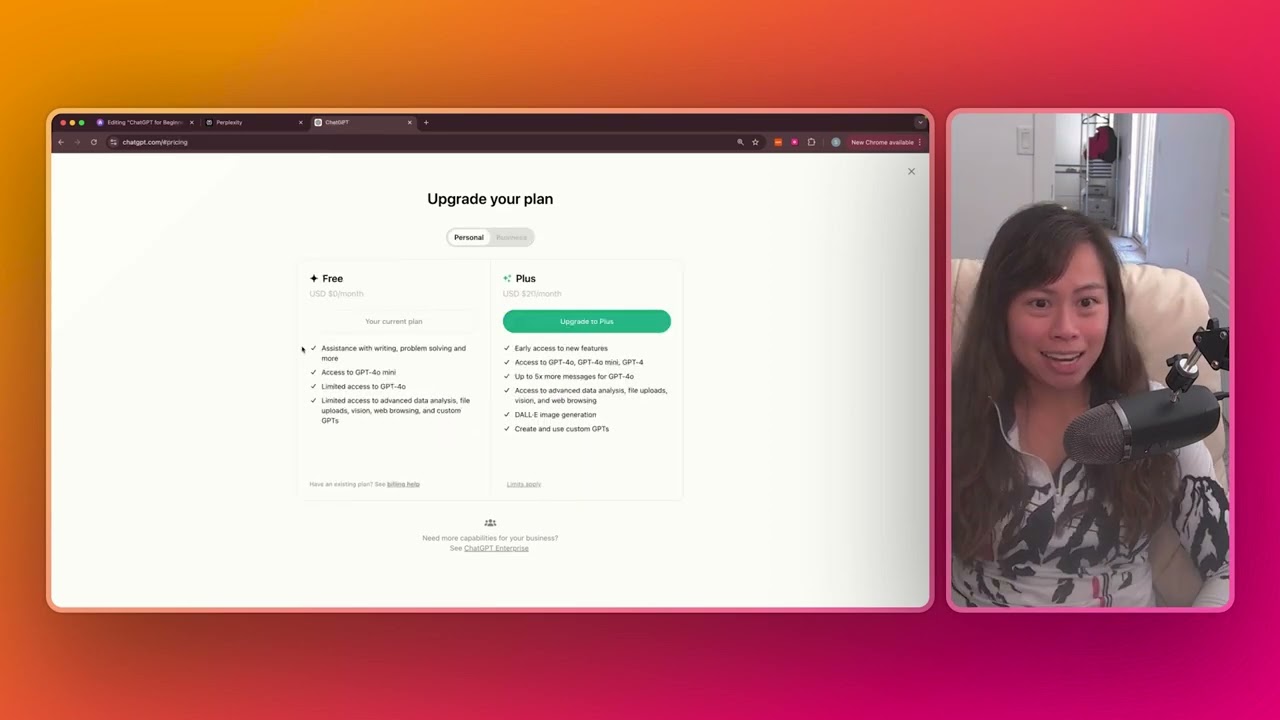
is send a verification email to your email address so open your email click on the link inside the email to verify your email address and once you verify your email and log in you'll see a screen like this this is the chat gbt web app interface on the free plan okay so on a paid plan for example you'll have a couple more model options here on a free plan you you'll be using this chat GPT model that's already pre-selected and so before we start having a conversation with chat GPT let me point out a couple
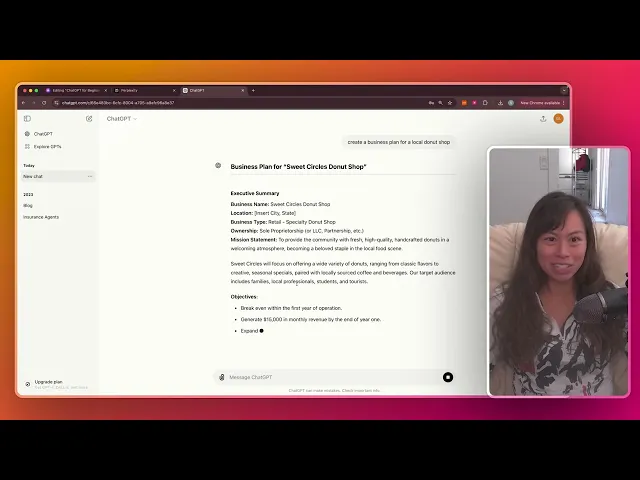
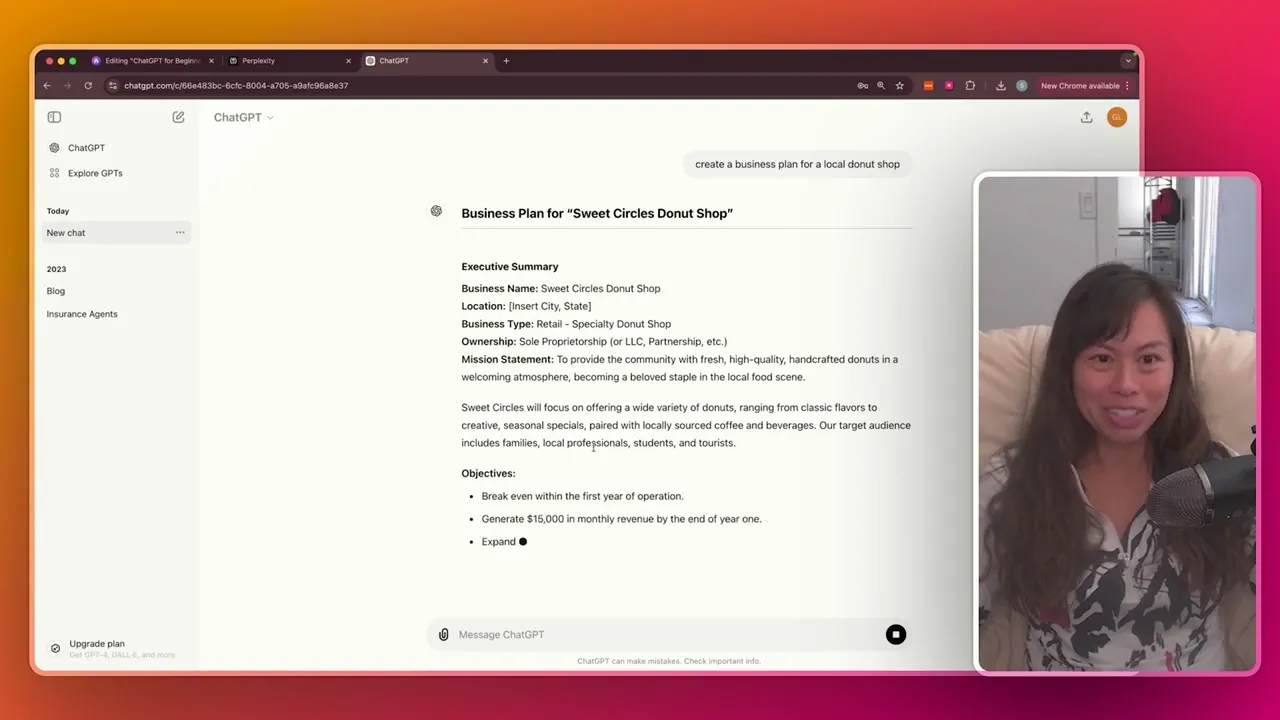
of things in this interface so this Central Area here where it says message Chat GT is where we're going to be having a conversation let's ask Chad GPT to create a business plan for a local dut shop and you can type anything you want here I'm just giving you know simple instruction and chadt is already creating business plan for my local doughnut shop and here it keeps going so just scroll down to see the rest of its response you can see it outputting this information in real time including the executive summary company description market research
and more now if you ever want to stop let's say you messed up the prompt you want to ask something else you can click this button to stop the generation so here you can see there it just kind of stopped it mid sentence and that's really useful if you kind of realize you know the prompt is not great or not specific enough you can go ahead and edit it by clicking edit message here so let's say in we want to add additional more detail create a business plan for a local doughnut shop in Salt Lake
City okay so here I'm editing the prompt adding more detail and clicking send and now chup is going to try again using the additional information and what's cool here is you can see the previous response as well so these buttons here toggle back and forth this was the first prompt I put put in without specifying the location and this was chat GT's answer then click the right toggle and you can see chat gpt's answer for this updated prompt and what I'm calling prompt here is just me talking to chat GP in the context of interacting
with chat GPT everything you tell chat GPT is essentially a prompt so you can see here it's creating the business plan but you can also ask questions ask for explanations ask for definitions ask its update its previous response for example okay and here you can see the end of chat's response and it actually Auto suggests follow-up questions that you might want to ask like what's the break even time that you're forecasting how much is it to franchise you can go ahead and click one of these to get chat of answer this follow-up question or you
can type another follow-up question here and you can see on the left hand side chat GPT automatically gave a name to our conversation based on the topic that we're discussing right I asked for business plan it gave me a business plan and summary so it titled our conversation business plan summary so this is super useful to go back to previous conversations you've had with chat gbt and easily reference them by what you were talking about now you can go ahead and edit this name so if you click rename you can go ahead and change the
title to say donnut Shop Salt Lake City okay you can also share this conversation let's say you have a marketing partner who wants to use the research and recommendation from chbt so Click Share then click create link and then you can copy this link or share it directly via LinkedIn Facebook Reddit or Twitter and then down here and then down here below our conversation are previous conversations that you've had with chat gbt so obviously if you're brand new logging in for the first time this will be empty but as you have more and more conversations
with chipt you will see this left sidebar populate with different conversations all you have to do is click on this conversation and will take you to the full conversation history and you can even ask follow-up questions even if you had it in 2023 and now the last thing I want to show you is let's say you go to a previous conversation you've had how do you create a new chat so just click this icon in the upper leftand corner that says new chat go ahead and click that and it's going to open this blank screen
where you can ask chat upt a question or click on one of its suggestions here let's ask it to create an illustration for a bakery and what's really cool here is this is showcasing chatu PT's multimodal capabilities all that means is in addition to text it's also working with images multimodal just means multiple modes in this case text and image right my prompt is just a text consisting of two sentences asking for an image and then chat gbt replied with an illustration and let's say we want a logo for the bakery which was one of
the suggested follow-up questions now it's going to ask you a bunch more questions about the logo let's just answer them real quick for fun let's just call it Salt Lake City Bakery and pink I would like to include bread in the bakery logo and let's see what it produces so it's spelled SLC wrong text in images is a pretty difficult problem so AI currently isn't super great for that but I do like that it tried to make it modern and pink it had the symbol of bread and so just in the past 10 minutes right
we've gotten a business plan for a hypothetical local doughnut shop in Salt Lake City as well as two pictures for Bakery specializing in sourdough bread and this is on the free plan right we haven't paid for chat GPT at all the benefit of signing up is that chat GPT remembers all of your previous interactions and history and will start to learn your preferences over time for what constitutes a high quality answer so highly recommend signing up for an account even just a free account so so that you have that conversation history with chat GPT so
that covers everything you need to know to get started using chat GPT today you don't need to download anything fancy no additional apps or anything like that just go to chat gp.com start having a conversation there when you're ready create a free account and then when you log in it will look like this interface with your conversations saved on the left hand side