hey guys and welcome back to a new video in this video I have five coroutine secrets for you that you are probably not aware of and that I wish I would have known earlier so I always say that cortines in cin are very easy and very simple on the surface but very difficult once you dive a bit deeper into them and try to understand the details and if I would have known these five things about cortines earlier then that would have really Sav me a lot of frustration and debagging time starting off with secret or
mistake number one and that is when you create a custom cortin scope and that is something you very commonly need to do if you have some kind of um custom component that has some sort of Lifetime for example a service in Android which certainly has a lifetime a life cycle since a service can be started and it can be destroyed and whenever we have a component like that that has such a life cycle we can also perfectly bind a Curtin scope to that lifetime so while activities and view models already have such a Curtin scope
built in life cycle scope and view model Scope Services for example don't have that built in so you might be like okay I will create a service scope in my service create that with the cortin scope Builder and then pass in some kind of dispatcher all cortines in that scope should be launched with by default when the service is destroyed we then make sure to cancel the scope and therefore all the cortines and child jobs launched in it and in between so during the lifetime of the service we can then launch individual coroutines using service
scope making sure each singal cortin job is bound to the lifetime of the service but what could possibly go wrong here well let's actually take a look how life cycle scope is created which is a very comparable scope which is just bound to the lifetime of the activity in this case and we have a scope that is bound to the lifetime of a service so let's go to main activity type in life cycle scope and then command click into that to get to the source code here we can then command click into cortin scope to
get to um how this is actually created and the important part happens here where the cortin scope is created because as you can see it's not only defined which dispatcher coroutines launch in life cycle scope are um launched with by default but it also kind of adds this supervisor job so what does this mean and why is this relevant for such custom cortine Scopes well to understand this you first of all have to understand what the normal cortine job is that's really just a reference that contains information about the current launched cortine so every single
individual cortine has its own Associated job supervisor job is now a special kind of job and it has the special behavior that if a coroutine is now launched in the scope which is constructed with the supervisor job if that coroutine fa fails this failure won't have any impact on other child coroutines launched in that scope so what this means in particular with our service scope where we don't have the supervisor job here defined in the cortine scope that as soon as just one single cortine launched in the scope fails this failure will propagate up to
the parent scope so the the service scope and this failure will cancel this whole scope involving all kurtines which will completely prevent you from launching any more cortines inside of the service that is the default behavior of cortine scope but it's very unlikely that you want to have this Behavior right because in your service you might be launching lots of very independent cortines where the failure of one cortine might not result in a failure of another cortine but by defining your scope like this you achieve exactly that one failure will result in failures of all
cortines if you explicitly want this Behavior then feel free to use this cortine scope like this but in most cases where you really want to bind a cortine scope a custom one to the lifetime of some kind of custom component well then you want to make sure that it uses a supervisor job so instead of just defining the dispatcher here we also want to say we combine this with a supervisor job which make up the initial starting cortine context for all cortines launched inside of that scope and therefore one cortine fails so throws an exception
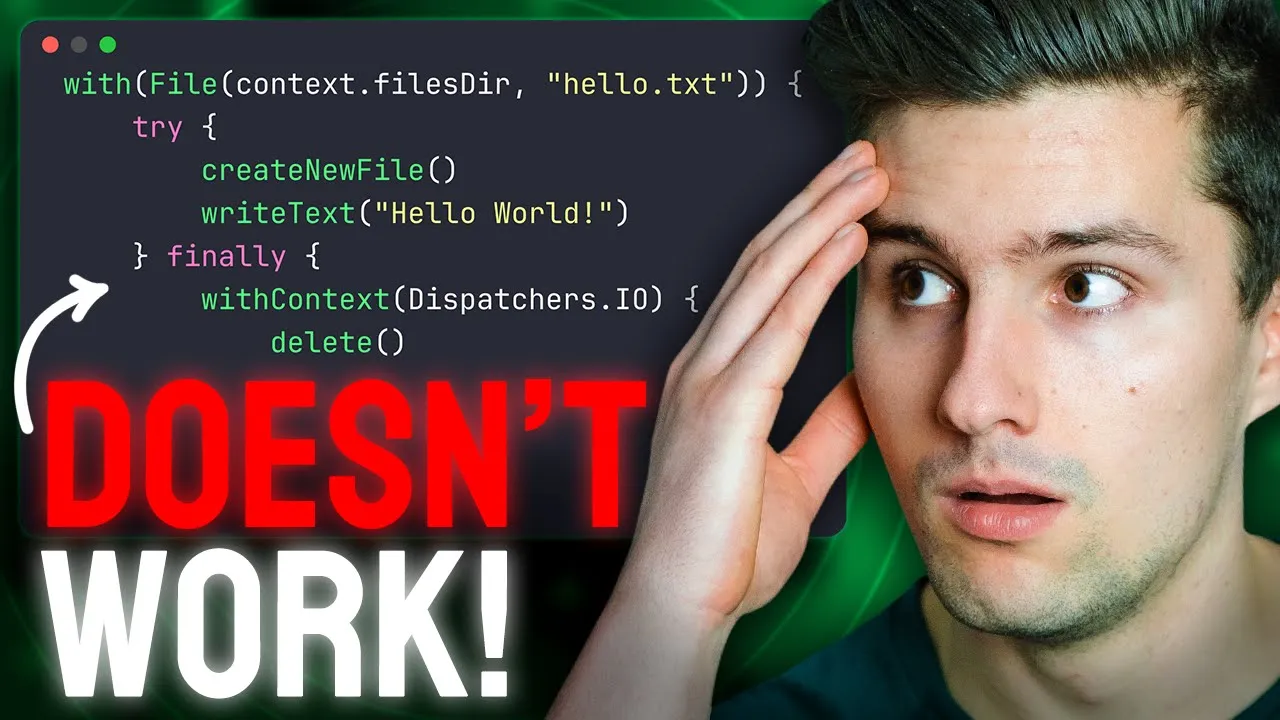
then this won't have an impact on another cortine that might be running in the service you will find this behavior in most predefined cortine Scopes like view model scope life cycle scope because these Scopes want that every single cortin launched in these Scopes is independent and failures are also treat it independently coming to secret number two let's take a look at this code we have a suspending function that creates some sort of temporary file we create a file here and then in a try and finally block we write lots of lines to that file and
since it's just a temporary file want to make sure that we definitely delete it afterwards so even if the coroutine is cancelled while writing all these lines to this file we make sure that it is deleted afterwards and we don't leave an empty blank file on the file system or just a file with just some written lines to it if if we take a look in this right lots of lines function then that's also also suspending function we use with context we make sure to switch to the right dispatcher for this job and then we
just write 100,000 lines to this file and we also make sure to call Insure active which will just check whether the cortine was canceled in every single iteration if it was cancelled then cortines do guarantee that that the finally block will be executed and deleting a file works very similarly also suspending function since this could take a little moment this is a blocking call we switch to the right dispatcher and then delete the file let's see how this really behaves in practice on one hand I want to add a print line statement here finally block
entered I then want to add a print line statement after deleting the file file deleted and then we go to main activity and launch this here we can just use life cycle scope for now for demonstration launch a routine in there and then we have a right file job where we say okay that is a new color job and we say write uh how did I call it create temp file create temp file this one here pass in our application context and also get rid of this here and then in this outer independent cortine we
delay this for maybe 50 millisecs and then cancel our job and this cancellation doesn't need to happen explicitly like we do it here this could also be due to a screen rotation maybe because then life cycle scope is cleared this could be due to the user navigating way and view model scope is cleared depending on which scope you you execute a certain suspend function in the scope can of course also decide about when a cortine is canceled so let's see how this behaves we launch this and then take a look in lock cat there we
go and we do see finally block entered but what we don't see is that our file was really deleted so that's interesting isn't it I said that cortines guarantee it that the finally block is executed when a cortin is canceled and we also saw that by seeing this print line statement but for some reason this file deleted function was never executed so even though we put the call here to delete the file inside the finally block the file wasn't deleted in order to understand why this misbehaves here we have to understand how cancellation of cortines
works because the moment the cortine is canceled like we do here with this right file job. cancel then the currently suspending function will throw a cancellation exception so this will be this one here since writing 100,000 lines to a file is obviously a call that takes a little moment so this is the function that is currently suspending when the cancellation happens this function will throw a cancellation exception which will then be thrown here so the tri block will execute the finally block because an exception occurred but the thing is when a cancellation exception is thrown
and the cortine the suspend function is running in is currently in the canceled State then all suspend functions will be just skipped so the moment the cortin is canel it won't execute any more suspen functions like deleting a file and rather just skip these and that's why this just silently fails so definitely avoid calling suspend functions inside of a finally block and if you really do need to do that so if you really have a suspend function which execute some sort of cleanup code that has to be executed inside of a finally block well then
you have the option to surround this with with context non-cancellable this is really a special cortin context that makes sure that this code can't be canceled be very careful with this non-cancelable context since it could be possibly quite dangerous since the moment you switch to this you completely lose the control over the execution of this code and if it maybe jumps into a w true loop with a with a delay block or so then this will just execute forever so definitely make sure to only use non-cancellable for cleaning up code or for um clean up
operations like in a finally block where you have to delete a file where you have to close some kind of input stream or so cuz if we now execute this and then take a look in lock at you can see we now get the finally block entered and the file deleted even though all routin was cancelled let's get to secret number three and for that I want you to look at this code we have a fetch Network function which takes in a Kor HTTP client and in a wre Loop it regularly fetches a certain endpoint
so you can see we delay this for 30 seconds after fetching this so every 30 seconds we fetch this uh endpoint again fetch certain posts or whatever you want to fetch in a polling task and if something goes wrong here then this get function from Koo will just throw an exception which we catch here and then just print something in our console or handle that in some way we then take this fetch Network function execute it here in our polling view model inside of view model scope so you can see this is where we trigger
this function so while our view model is actually alive while view model scope is alive we also want to um keep fetching the network to maybe update some kind of local database to update the UI or whatever you want to achieve with this polling but let's now see how this behaves in practice for that I've prepared a little nav host which I want to add here in main activity which just involves a very simple two screen setup so here we call our nav host uh not that one but my nav host and here we can
also pass a modifier with our inner padding if we now execute this and take a look here in our running devices tab we do see we have a button that leads us to the polling screen where this polling view model is bound to if we do this then you can see we are currently polling if we take a look in lock CAD we also do see that the request was made you can see we got an okay response and here is our Jason response body and after that nothing will happen only after we waited for
30 seconds like here in our um delay block and then it will start fetching this get function again and since both the cas fors get function and the delay function are cancelable when we navigate away from The View model so when the view model scope is cleared then we should also jump out of this while true block right let's see what happens if we navigate away take a look and lock CAD oh what is happening here uh that is probably not what we expected right let's see what happens here and try to understand why we
just got that infinite stream of locks well what happened here first of all we navigated away from that screen when we navigate away from a screen then that means the screen is popped from the back stack so it doesn't exist anymore that means that also the view model is cleared that is bound to that screen that again means that the view model scope is cleared so all the coroutines launching the scope are cancelled in including this one here of course including this fetch Network function and yes as I said the get function from Kor And
Delay function are cancelable so they do regularly check for cancellation but if you remember what I said in the previous secret when a cortin is cancelled the currently suspending function will throw a cancellation exception so in this case either the SC function or this delay function depending on which function is currently suspending when we cancel this when we navigate away so this cancellation exception will be thrown but we do have a catch block here which catches General exceptions and that will of course also involve can cation exceptions so the cancellation exception is properly thrown but
what happens here is we eat that up with our catch block and when we eat that cancellation exception that means it will never reach the parent scope this suspend function is running in so the parent scope won't know of this cancellation and this simply results in this function to keep on executing forever and the infinite stream of locks as we've seen here is caused because of the same behavior that I've shared in the previous secret if a cortine is in the cancel state which the cortine will be at this point it will skip all sus
pending functions so it won't execute the get function it will just skip it yet there seems to be some kind of internal mechanism that still fires the lock and it will also skip the delay which is why it keeps on spamming these locks so at this point it will just be trapped in an infinite W true Loop without having the chance to escape so what can we do about this whenever you catch General exceptions like here inside of a suspending function or inside of a a COR in suspending context so it would of course be
the same if you would have this while true Loop directly here in this view model scope launch without explicitly putting it in a suspending function but whenever you have a context where you can call suspending functions and you catch General exceptions then you have two options option one is you check if e is actually a cancellation exception and if it is you rethrow it so you you just ignore this here in this catch block and just rethrow it so the parent scope will be able to catch it again and just properly handle the cancellation if
you do this and we launch this we take a look in a locket on the one hand and on our running devices on the other hand we go to our ping screen you can see our Network request is fired we then get the response shortly afterwards and if we now navigate away then we don't get these infinite locks because our Curtin cancellation information was properly sent to the parent coroutine scope that is one option actually there are three options to have the other option is that you say okay we use our ctin context so the
current context of the running cortine and we call Ure T active so this is really just a check for cancellation and if the chotin is in the cancel state it will throw a cancellation exception some people consider that safer because this um really only involves cancellation exceptions thrown from the cortin library and not if you maybe accidentally throw a cancellation exception yourself which would be possible but it wouldn't be a real cancellation or another option would be to just not catch General exceptions and rather just specific ones like um I don't know how these are
called Network exception or whatever kind of exceptions you might get from uh K in this case so therefore always make sure if you have try and catch inside of your suspending function or in for cortin body and you catch General exceptions at this line of code coming to secret number four and five which are actually both in the same class and that is an image reader so assume the user picked some sort of image from the gallery then the typical thing they receive as a Content urri so just an identifier pointing to that image which
you can then use to open an input Stream So to really read the raw bytes of that image that works with content resolver so we can then call open input stream we pass in our URI and then in here we do get a reference to the input stream which is it in this case and we can call read btes to read this input stream as a bite array because this is a blocking function call we make sure to switch to the right dispatcher before since this is an IO related operation we switch to dispatch's IO
so what is the issue what actually the two issues in this class well the first one so secret 4 is actually not really an issue in the sense that it will cause a bug in your code but it is more an I would call it architectural issue or architectural practice that I would promote here and that is that if you switch the dispatchers to either IO or default inside of your custom class inside of your custom function I would provide a way to also be able to pass different dispatchers so I wouldn't recommend to hardcode
these dispatchers here to be exactly the io dispatcher in all scenarios but rather inject the dispatcher that you want to use for this use case and the reason is simple if you want to test this code and this code uses either the io or default disater and for test cases we want to use a special test dispatcher that just gives us full control over the coroutine inside of the test case one that also makes sure that everything is executed sequentially and so on for test cases we actually have to consider quite a few things which
this test dis pater mostly um helps us to do but if we would want to test this function here then inside of a test case there would be no way for us to pass the test dispatcher here instead and that is why I recommend to inject dispatches and the way this works is we Define an interface call this dispatcher provider so just an abstraction that provides dis patchers and for every single type of dispatcher we use we want to now have a reference here so on the one hand our main dispatcher we have our IO
dispatcher and our default dispatcher those are at least the ones that you typically want to use in your project and then for our production build so here for our production code we of course want to use the real dispatch so dispatches main dispatches iio dispatches default for the production build we have an implementation that sets these dispatches to exactly these variant so we say we have a class or actually that can be an object call that maybe standard dispatcher provider which is an instance of dispatcher provider and in here we will then overwrite the main
dispatcher which we set to dispatchers do main we do this for Io dispatches Io and we do this for default and set this to dis patches. default for the test code base however I will put this here in this file but you would of course put this in your test code base you would instead decare something like a class test dispatcher provider where you pass an instance of your test dispatcher which is then a test dispatcher that is also a class you will have access to in a test case if you include the coroutines test
library but then you also make this off type dispatcher provider and in here you just assign this test dispatcher to every single dispatcher you have in your interface so to IO to default and Main of course so for our test cases we can then pass an instance of this test dispatcher provider which will make sure that no matter what kind of dispatcher our class uses we always use the test dispatcher which we do want for our test cases and for a production code we will use the right dispatcher for the right task so if we
now take an instance of this dispatcher provider and includeed here in our image reader are this dispatchers for for example dispatcher provider and then we can replace this with dispatchers doio and for production code this will then resolve to the standard dispatcher provider to our dispatcher IO just what we had previously but for a test code we can then pass test dispatcher provider which will resolve to the test dispatcher if you just use the main dispatcher for example in your view model scope coroutines or so um then there is a way to actually replace that
main dispatcher so there is a function called dispatchers do set main um also for the test cases which allows you to replace the main dispatcher with a test dispatcher but that only works for the main dispatcher and not for Io and default I'll remove this one here again since it's unresolved and keep the rest I think you got the idea and by the way if you've already learned a little bit here then definitely do check my channel in a week from today because I will launch a huge cotland coroutines and flows master class which is
a new course of mine so what we did in this video we really only touched the tip of the iceberg there is so much more that we have to talk about cortines and flows and in this new premium course I will really dive into the details into the internals of how everything works so you can fully Master this topic so this already helped you then guess how much this course will help you uh just make sure to follow this Channel and in a week I will make a video about all other details you need in
order to get it but let's now get to secret number five and as I said that is also inside of this class and for secret number five it depends a little bit how large the file or the image is that we might want to read here but images could possibly become quite large and then reading these images can take a little moment and as you maybe know cancellation in coroutines is cooperative so that means if you write a suspend function that converts a blocking function call so not a suspending one but a blocking call which
would be this read bias function and opening the input stream if you convert that to a suspend function then it's you who has to take care of cancellation or who has to take care of this suspend function supporting cancellation because by default suspen functions are just not cancelable you have to actively check for that and the thing is if you just have a single blocking function call like opening the input stream here which might block for 5 seconds or so and the cortine is not cancelable Within These 5 Seconds since normal blocking function calls don't
check for cancellation so if we take a look here in this read bites function what this effectively does is it makes use of a bite array output stream and then copies this input stream to this new by array output stream and this copy two function is actually the blocking call here that will not be cancelable since it's not a suspend function and if our image is Maybe 30 megab large if it's a really if it's an image that was made with a really good camera and this might take a little moment and in the meanwhile
the cortin won't be cancelable let's see how we can achieve this especially with reading files that can be a bit tricky but if you really need this function to be cancelable which I would usually recommend if it's just a small image and you know this will only be a small image then I would consider it fine to do it this way because it's definitely simpler but if you can't but if you can't be sure that the user couldn't also pick very large images well then you need to read in the file a bit differently so
what we want in this case is we want to read in the file bite by bite and after every single red bite we want to check for cancellation so we want to check hey suspend function hey cortine are you currently cancelled and if so we will stop reading any more bites so what we will do instead is we will say we have a bite array output stream just like this read bite function also did and then we call that use so it use is really just a utility function which will open and close the scream
which will open and close the stream automatically and in here can get reference to the currently red bite which is equal to input stream let's give this actually a name of input stream and this one output stream where we want to write something too so this bite will be input stream. read which will just return a single inte a single bite and while this bite is not equal to minus one because minus one marks the end of the stream we say output stream do write and here we can now write the single bite to that
output stream and then we say the bite is equal to input stream that read again so we read The Next Bite until we eventually hit minus one which means okay there are no more bites to be readed down here we can then take our output stream um actually inside oops what did I do actually we want to do this inside the use block of the output stream so here want to say output stream to bite array which is a very fast operation in this case since we've already written all the bytes to that output stream
but the catch comes here the moment we now have a while loop and we really read in this input stream bite by bite we have the option to also check for cancellation after every single red bite and we can do this here by just calling andure active so this will just check if we take a look in here and here and here that if the cortine is not active anymore it will throw a cancellation exception which will um pause the execution of this function so if we've read through the file halfway and the cortin is
canceled then we will jump out of the W Loop here at this point so just as a recap whenever you have a potentially long blocking call like reading a large file and think about if you can kind of split that up and break it down a little bit to just read that in smaller chunks but also if you don't have that if you just maybe have multiple blocking calls that you execute one after another then in between these blocking calls it's very important to call ensure active or alternatively you can also call yield which is
a suspending function while Ure active is not yield will make sure that other cortines can also do some work if if there's more important work to do while yield suspense but it will also check for cancellation I talk more about yield and interactive in the upcoming course but therefore always make sure if you have a suspend function which converts blocking code so not suspending code but blocking code to a suspending function then make sure to check for cancellation and while I think many people know that cancellation is cooperative and that you have to check for
it I don't think many are aware of that when seeing something like this which is more a real world use case and now I am very curious which of these five Secrets didn't you know yet let us know that down below and other than that thanks so much for watching this video I will see you back in the next one have an amazing rest of your week bye-bye [Music]








![The moment we stopped understanding AI [AlexNet]](https://img.youtube.com/vi/UZDiGooFs54/maxresdefault.jpg)