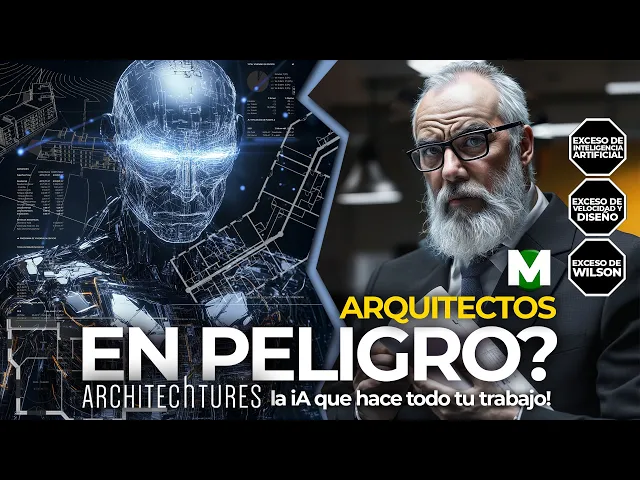
Hello, today we are going to talk about the latest update of a tool that is causing a lot of talk in the world of architecture: ARCHITECHTURES, an artificial intelligence capable of designing buildings in real time. And here comes the big question: if ARCHITECHTURES does all this, what is left for architects? Is it a tool that empowers us or are we facing a technology that seriously endangers our professional role?
In this video I'm not only going to show you how it works, what's new, how it works with 3D topography or how you can get a free trial. We are going to see all that, but we are also going to reflect very seriously about how this technology is changing our profession. So, if you are an architect, if you are interested in the future of architectural design, stay until the end of the video because I can assure you that it will not leave you indifferent.
ARCHITECHTURES is an artificial intelligence designed to create multi-story residential buildings in real time. Access is very easy: click here and you only need to register with your first name, last name and an email to try it free for 7 days. You can also request a personalized demo by completing this form, where a dedicated team will provide you with a personalized live demo and answer all your questions.
From the main page you can upload the project data, define design criteria and regulations, and the AI automatically generates a 3D Open BIM model ready to go to the executive project. This model is fully optimized, compliant with local regulations and reaches LOD 200 development level. Everything is interactive: any changes you make are reflected in real time with automatic adjustments to calculations and designs.
ARCHITECHTURES is not only accurate, it is supported by thousands of users in 140 countries and more than 150 million square meters generated. Well, teacher, but show it to me. Well, I'm going to log in.
From the start I fall into my projects. Are all those projects yours, teacher? Yes, but don't be scared.
That is, many of these projects are actually works that we put together in the workshops that I usually give in different cities. One of the artificial intelligences we work with initially is ARCHITECHTURES. We quickly created a new project.
Let's give it a name: let's call it “Wilson Building. ” We put the country: Argentina. It is in Argentina, and we are going to put the location: let's say it is here, in Córdoba.
You can work in the metric system or the imperial system. We create the new project and that's it. Notice that it appears up here.
We simply click where it says “Go to editor” and the interface opens . We click “continue”. And he didn't do it?
No, he hasn't done it yet. We have to load the data. Ah, I thought it was automatic.
Yes, it is automatic, but it works with data that is already loaded in a pre-established way. Ah, we have to set the height of the stairs, the height of the steps of the stairs and many other things. First of all, we are going to load the environment, and we can do this in two ways: the original way is from a CAD.
I'm going to show you the other way. It gives you all the instructions to be able to interpret the language of the layers and translate them for artificial intelligence. I'm going to select this file.
What is it? It is an AutoCAD file. Here you have it.
It's that simple: it has very few layers. One called “environment”, another called “plot” (plot) and another about urban planning. This is drawn in 3D.
And all those things are going to appear? Of course, the environment will appear, our plot will appear, which is this one here. And even, when we talk about topography, we are going to see how topography is also a super important piece of information that can appear in the model.
We open the drawing. It says you have loaded it correctly. But he didn't draw you anything?
No, because we have to come here and tell you what layer the plot of this drawing is. Then, the plot layer corresponds to the “plot” layer. The buildings layer corresponds to “urban planning”.
The urbanization layer could be the same; We are also going to leave it empty. The environment layer corresponds to the one that says “environment”. And topography?
No. No, not yet. We are going to show that as part of the news.
Ah, it already appeared to you! Of course, it already appears the moment you put it here, for example. I take him out now, I tell him that the plot is in layer zero, and he can't find it.
And he deleted it? No, it's not that he deleted it, that is, he is showing me the information that layer zero has. If you don't have information, then I put it here in “plot plot”.
And there it appears. Well, let's do the building. Let's do the building.
Here we have all the parameters. Note that parameters emerge from each of these menus. We can start with the objectives, where we can upload the number of homes we want: how many four-bedroom homes, what percentage of three, two, one, how many studios; If we are going to have commercial buildability along with residential buildability.
Ah, there are a lot of things, teacher. Yes, but we all know them. Well, tell him, let's see, tell him that you want one-bedroom homes.
Well, let's put it like this. Look, we took down the two-bedroom ones. Oh, it automatically uploaded those of a bedroom!
Exactly. To the extent that I make the two-bedroom apartments go down more, the one-bedroom apartments go up more, etc. Even if you want three-bedroom homes, we can upload them.
And notice how the surface balances depending on the three bedroom alternatives that you are giving it. Let's continue going down. You have the surface area of the plot, you even have the surface area of the pool, the total occupancy factor (or the FOT that is known), the budget.
What do you have? Well, there are a lot of things. We are not going to stop at all of them.
You even have to analyze the calculation: how much are the outdoor terraces, the covered ones, the semi-covered ones counted. . .
Stop, there are a lot of things, idiot! That already made me dizzy. Well, but we architects work with all this data.
Let's go into the ladder parameters here. Oh yes! That's what I wanted.
Well, you see here that you have, for example, that the riser is 0. 19. Is it wrong?
Where is wrong? There, where it says 0. 19.
Well, yes and no. How yes and no? Either yes or no.
No, look, there are different codes in each city. Sometimes they are applied by region. In this case, for the building we are doing in Córdoba, Argentina, 0.
19 is not possible. So we're going to lower it to 0. 18.
Very good. And the footprint, the minimum footprint here in Córdoba is 0. 26, so we put it there, at 0.
26. You have many more parameters. We are going to focus on the minimum interior dimensions, which are usually quite regulated and very well specified in each of the building codes.
You have the minimum width of a room: 3. 30. Little one!
Yes, it is small, but it is the minimum. And it doesn't have a maximum? No, you put the maximum.
Ah, if I want to make it 4 meters. . .
You can make it 4 meters, even if you want, you can make the minimum side 4 meters. But doesn't it comply with the regulations? Complies with regulations.
Ah, because that is the maximum, it is the minimum that must be met. Of course, if you suddenly say: “No, 3. 30 is a lot” and you lower it to 2.
60. . .
No, 2. 60 is crazy. You ca n't make a room like that.
Exact. Let's leave it at 3. 30, where it was.
And you see, you have kitchen widths, main bathroom widths, what do I know, you have tons of things: minimum exit width, solarium. . .
Teacher, you have minimum exit width for the solarium! And is that fixed by artificial intelligence ? Everything is fixed.
Then, within the construction parameters you also have the thickness of the facade, the thickness of the separation between terraces, the structure, the minimum section of each pillar, the bay in X and Y, if you want to force the structural alignment or not. . .
there is everything . Let's go down, and I want to stop at this one because it is the one that interests me the most: the general design plan. Because this is where we are going to start the design of the building.
Yes, that's what I've been asking you for a while! Well, I had to show you this. The buildings that ARCHITECHTURES designs, for now, are buildings of linear generation, that is, from an axis.
Therefore, the first parameter is the axis phase: whether it will be centered, left or right. We are going to put it on the right for now and we are going to concentrate on the typology of the building, which basically has three typologies: a building with vertical cores, one with a central corridor and one with a lateral corridor. I play center runner.
Well, then we have a central hallway. And from the outset it gives you a minimum width of the building. And can I change that too?
You can also change that, either due to regulations or because you want it to be, I don't know, 20 meters. That's a lot for a central corridor building! But it can be.
No, leave it at 17. Well, we leave it at 17. I select there and that's it.
You have the possibility of recessing to adjust the surface, if you want, the position of the vertical core, if you want it to be in front or behind, if you allow cores in the corners. . .
Well, there are a lot of things. I'm not going to focus, but we are going to create the building with all these parameters that are here. Before I forget, notice that the building we are building has three floors.
What if I want more? If you want more, upload it here. How many plants do you want?
Up to 35 floors can be in this version. 35 floors! Wow, teacher.
No, I put three because it makes me dizzy. Well, we put three. Well, we put three plants and let's draw.
How to draw? Didn't you say it did it automatically? Yes, but we have to draw the axis.
So, we come here at the top right, we click where it says “Axis” and we can start marking from where to where we want this building to go. For example, we had put it in the right phase, so it is better for me to start it from here and finish it, for example, at this point. And once you finish, you move the cursor a little where it was and press “Enter”.
Notice that the building is being processed. This is being done in real time. Oh, it doesn't do it instantly.
No, it takes a little while, but it doesn't take too long either. All this time that we are talking. .
. Oh, idiot, he already did it! Exactly, that's what I wanted to show you.
He already did it. Those few seconds that we were talking about were enough for the artificial intelligence to generate the building with its typical floor plans and its 3D model. Wow, teacher, this is very good!
Show me more. Once you have the building selected, you simply click and start working on this building itself. If you click on a department, some little circles appear.
What is that? That takes you to a floor where you can see department by department. Oh yes, because we had requested different bedrooms.
Exactly. And if you make a change. .
. Now change! Yes, what change do you want to make?
This one, which has a central aisle, I want it to have vertical cores. Well, then you come up here, you position yourself in building one (because you can have more than one building), you select the building and you simply come here, to the typology. What had we told him?
That's a central corridor, and I want vertical cores. Well, I take it there, I put vertical cores in it, and there it starts processing effectively. And you already finished it?
Yes, that's where it ended. Wow, teacher, how fast you do it! Clear.
In this case, look, if we enter the building, you will see that the departments are interns. As interns? You see, this is one unit, this is another unit, etc.
It's great, teacher! And what are those little circles? These little circles and dots have to do with whether the minimum distances or minimum surfaces are met.
When it is red, it is because there is undoubtedly a problem there, and it is something that must be paid attention to and corrected manually. Oh, is that possible too? You can also.
You see, I go into this particular department, and here the cleaning room, well, it has several problems. Then, we can enter what is a manual edition, and from there we will be able to take, for example, that wall and move it a little further inward. Did the color of the circle change?
Clear. When it is red it is because everything is wrong. When it's orange, it's because it's on the edge.
And how much is the edge? There it tells you: you have to get closer 0. 09.
This has to be 1 meter for it to comply. So, you have to take it to a value greater than 1 meter, and now it appears green. Wow, teacher, this is very good!
Of course. You can make all kinds of modifications you want. For example, you can select a partition and delete it.
You can select a window and you will have all the properties of that window up here. For example, instead of a width of 1. 60, I want it to have a width of 2.
50. Change? Yes, it changed.
You can even move it if you want. You select it and move it, and place it where you want: if you want it to open outwards, if you want it to open inwards, etc. Did he do all that for you in 3D?
He did all this in 3D. Here you have it. Ah, look, there's the window we modified!
Of course, you see, this window here is the window that we modified. But it was not modified in the other plants? No, because in this case I had selected that I wanted to work only in that plant.
But can I modify all the plants at the same time? Of course, you can modify all the plants at the same time. Teacher, I have a lot of questions.
I imagine, but let me show you the news first, and then you can ask me all the questions you want. Let's say that, in the middle of the project, we want to change the mix of how many two-bedroom apartments we have and how many one-bedroom apartments we have. So we come here and modify.
Suppose we want them to all be one-bedroom apartments. We calculate, and of course, it updates absolutely everything. Are all those one bedroom?
Yes, and the “cto” means it's perfect. But how do you know they have one bedroom and not two? And counting the bedrooms.
Well, but you have to go department by department and pay attention. Actually, look, let's say there are 50% and 50%, more or less there. There he already changed it.
And if you look closely, you will see apartments that are darker than the others. Yes, correct. Well, those are the colors you have here.
This is one of the first new features, because you can modify the colors of each type of department to identify them more easily. For example, we want the two-bedroom house to look, I don't know, blue. There it turned blue, logical.
Now, we have studies, and we want the studies to look, for example, red. Ah, but the studies are not there. No, there are no studios on this floor .
But suppose we modify: we are going to set a three-bedroom housing target and lower the one-bedroom housing target. That's where the studies go up. And can you do more than one thing at a time?
Yes, you can do more than one thing at a time because this is synchronous. That is, it is not waiting for you to give it information to do something . To the extent that you get to work, artificial intelligence works alongside you.
Ah, now I understand, teacher. What you say is very good. Of course.
On this side you have the balance of surfaces and, in turn, all the typologies. On floor 3, you have each of these unit by unit. Even if you go down further, you have all the information that has to do with the surface area of the plot.
Well, the housing program on the plot is no longer on this floor: you have a lot of information. Professor, what if I now want the building to be wider. .
. Yes, we are half in the game, because notice that we have premises that are quite, quite oblong. What is oblong?
Oblong means longer than wide. Ah, less square. Yes, oblong.
But suppose we go back to work on the building. So, I go up one level in the hierarchy, and there I have my building. Let's select it.
This building, instead of 14 meters, we want it to be, I don't know, 20 meters. Crazy, teacher! Yes, crazy.
Let's see if it solves it. Yes, it solved it, but it made you some thin and long premises. Yes, oblong.
It's true. But let me show you something else. I'm going to come here, where it says "Crop", and I'm going to define the shape I want this building to have.
So, for that I click where it says “Create cutting line”. Suppose we start here, we come here, and from here I start doing whatever comes to mind. For example, I come up there, I go down here, I go up here, I go to the bottom and I take the municipal line again.
I close my perimeter. Ok, and what does that do? Well, notice that it is processing.
Don't tell me the building is going to cut you off! Effectively, it cuts the building based on the perimeter that you gave it. Wow, teacher, that's very good!
Show it in 3D. Well, let's see it in 3D. Wow!
Look at all the things he did to you, teacher. Sure, it's great. We return to the plant.
And now I want him to be a central runner. You're a ball fan, right? Well, we select the building, we go to the general design floor, and we tell it that, instead of vertical cores, it should have a central corridor.
And is he going to give me shit with the weird shape you made for him? Obviously. Wow, teacher, you did something strange there!
Yes, because there are no apartments on that side, so he made some spaces that are not apartments, they are common spaces. And can I modify them? Sure, you can modify it.
You select the cutting line and move it as far as you want. And there he takes it. Wow!
I figure I can delete it and start over. Logically. And are the other plants the same?
The other plants are the same. We are going to enter the building and the plant. In this case, it tells us that we are in plant type one.
We can go to the ground floor. Does the ground floor also have apartments? Yes, but if we want, we can ask that it be all commerce, for example, or that some sectors be commercial.
I want this to be commerce. So you select it, you come here and tell it that this is a commercial space. Oh look!
Is this a business, a warehouse? Yeah, whatever. In this case, we are working on the plant itself.
But we can go one level of hierarchy higher and, in the general design floor, we can say that we want the entire ground floor to be commercial. So, here where it says “Number of commercial plants”, we add a plant. And there it is processing?
Yes, but he didn't change it because at this moment we are on the type one floor. If I go to the ground floor, everything is already commercial. All commercial?
That's great, teacher! And make a basement? Well, let's quickly do the underground.
Let's assume that we are going below ground. That's our entire plot. So, here we are going to determine the area in which we can park.
Suppose it is up to here, it comes this way and we close there. We press “Enter”. It starts processing and, in seconds, because we are doing this in real time.
. . Look, it already did it!
Teacher, it's great! Notice that he lowered the core, lowered the columns and, in addition, he put in the structure to support the entire slab that is above. And can I change it?
Obviously, you can change it. You could make this much wider. Let's take it, for example, up to here.
And does it update itself? It updates itself. In fact, notice that now that we are in the underground, all the parameters that have to do with the underground appear and that we can change.
Like what? For example, here the type of subsoil perimeter. Now it says it's parking.
We are going to make it a lane, that is, the perimeter of the subsoil allows cars to turn around the core. Ah, look, how good! Or, in one of those, we want it to be, I don't know, parking and storage room.
Storage rooms are storage rooms or those places that each apartment has to store things. Ah, my tricycle, I don't want to throw it away. Of course, those things you have when you're a kid and then you don't want to throw them away.
I get it, it's great! What else? Well, let's talk about the news.
I already told you about the apartments and that you can change their color scheme. But look: one of the new things it has is the possibility of incorporating design presets. Within these design presets you can choose, for example, all the regulations that have to do with your city and save them in a preset, so that the next time you go to do a new project you don't have to load everything again.
Are you telling me that before you had to put them one by one? Clear. Oh no!
Well, that's great. Yes, now it is present not only for what has to do with the regulations, but also with the objectives. If you always want to make apartments with 50% one bedroom and 50% two bedrooms, you can already plan it.
And the width too? The width, the corridor, whatever you want. Wow, very good!
In addition, you also have presets for costs. Notice, this is an Excel as it is returned by ARCHITECHTURES. In this case it is from a project that is in Malaga.
And why in Malaga? Because the developers of ARCHITECHTURES are from Malaga. And what does that have?
Well, I was telling you about the presets because, look, here you have all the different surfaces: how they are distributed according to the one, two or three bedroom apartments, etc. How they are distributed depending on the type of area: residential, commercial, facilities, whatever. And notice this, let's go a little further back.
I wanted to show you this: Here you see the cost of this building expressed, in this case, in euros. Even if we continue moving forward, you have the cost item by item, depending on the surface, volume or per unit. And how does ARCHITECHTURES know how much it is worth here, in Córdoba?
Well, that's precisely the point. This is an Excel. If you enter this particular item, for some reason you do not want to work in euros.
Suppose you want to work in Argentine pesos, and the cost per square meter of land clearing is, I don't know, 850 pesos per square meter. So, the result of cleaning the site would be 7,794,000 pesos. Wow!
And you can change that with everything? Of course, you can change everything. But now you have the possibility to change it only once.
And as long as inflation is not brutal, you will have your budget updated. What if there is inflation? Well, eventually you could add a little column to this Excel, where you multiply this value by the percentage of cost increase in construction.
And so you have it updated. What if I work in Valparaíso? You would make another preset for Valparaíso.
Ah! So, every time I work in Córdoba I charge the one from Córdoba and then the one from Valparaíso. Exactly.
And the budget is super detailed. No, look. We're going down, it's very complete.
Another of the great novelties it has is that the distribution in the corners has been greatly improved, which used to cost a lot before. Notice that here we have four buildings, and each of those four buildings has the corners with the vertical cores very well resolved in this case. That is greatly appreciated.
Another thing that has been greatly improved is the percentage of the result based on the objectives. For example, in this project we had a goal of 50% three bedrooms, plus 30% two bedrooms, plus 20% one bedrooms. And intelligence tries to squeeze the maximum out of the plant to achieve a result that is as close as possible to the objectives.
That's great! Obviously yes. Another new feature, and this leaves the door open for what I am going to tell you right away, are the partitions.
What are partitions? Look, I have a complete building here, and I say: “I want to split this building into two or three,” for whatever reason: for a matter of administration, for a constructive matter, whatever. Then, you can directly split the generating axis of this building into three.
And instead of having a single building, like you had here, you now have three buildings. And you can work on each one separately. Ah, in this case, what would the buildings be like?
For example, building one has a central corridor, and buildings two and three have vertical cores. That's good! Of course it's good.
And what is the important thing you were saying? It is very important for Latin America. This opens the door for us to be able to work with buildings between party walls in the next update of ARCHITECHTURES .
That is, generate a building that has two neighboring buildings, in such a way that the wall that comes here and the wall that comes here are absolutely blind. Oh, and that's not done in Europe? No, it's almost not done.
In Europe almost There is no land within the cities to build on, and on the outskirts buildings with free perimeters are made. And what else is there? Another super interesting novelty is that what I showed you about generating an outline for the building, making crazy shapes, can now be done per floor.
So, pay attention: you can make a staggered building, cutting a little on each floor. Oh, and it wasn't possible before? Before you couldn't, and this is very, very good.
Another super important thing, which already leads us to talk about the topic of topography (something highly anticipated), is that we now have access to OpenStreetMap. For example, in a new project I want to geolocate it and bring in topographic and environmental data. So I come here, where it says “Load environment”, and instead of loading a DWG file, we go here where it says “Import location”.
This brings us to OpenStreetMap. And what do you do there? So I'm getting closer.
Here, Córdoba, La Calera. Let's assume this is the plot I have to work on. I draw a rectangle and I want it to bring me that data.
I click “Import” and it imports absolutely the entire location, including the data it has about the survey of buildings and so on. And does it have contour lines? Of course, if you look closely, it brings in the contour lines.
Ah, how good that is, teacher! Show it in 3D. Look, let's see it in 3D.
You see how he brought the contour lines. What if I want to remove the buildings? If you want to remove the buildings, come down here and uncheck where it says “Buildings”.
And you don't see them anymore, you only see the topography. And can I delete buildings manually? Yes, even if you go to the floor, select the buildings you don't want and delete them.
Let's delete this one too. But do people live there, Wilson? It's a simulation.
And if I build there, does it take into account the contour lines? Of course, I'll even tell you more: these curves are brought from OpenStreetMap, but you can also load a topography from a CAD file. For example, we are going to delete the current environment and load a DWG file with topography modeled in three dimensions.
We loaded the topography… Nothing appeared? No, because, remember, you have to come to the topography layer and tell it which of all the layers is your topography. In this case, it is this.
And there, notice, how it loads all the contour lines. What if I create a building with this slope? Don't tell me he's following your slope.
Let's try it. We are going to create a building with vertical cores. We tell him to come from here, go through there, come here and finish there.
Let's see what he does. And do you solve it, teacher? Look.
He already solved it. Let's see it in 3D. Wow, teacher!
Look how he made one part above and another part below. Of course, all this can be adjusted. In addition, it creates the embankment volumes and the excavation volumes.
As? For example, if I come here, where it says “Topography”, you see that all the points appear. You can ask it to self-level and create new platforms based on what you need to do.
In this case, you have excavation on one side and embankment on the other. What if I want to level with another difference? You can take a section of your topography and ask it to self-level, for example, 3 meters apart.
This way, when you generate your building, it adapts to the proposed leveling. Wow, teacher, that's very difficult! Yes, but ARCHITECHTURES does it automatically.
It seems to me that artificial intelligence is going to… Wilson? …it's going to leave us unprepared if we don't start studying, teacher. Exactly.
This is the time to understand how these tools can help us be better. Professor, come closer. You have one eye balled up.
I think someone hit you for last week's video. No, don't believe it. Look, let's talk about prices.
Today, January 18, 2025, the ARCHITECHTURES Pro license costs $49 per month. And is it billed annually? Yes, exactly, it is billed annually and costs $588 per year.
It's a lot, teacher! Does it seem like a lot to you ? Think about how much you should pay a single person to do a project for you from scratch, that gives you all the floor plans in CAD, an Open BIM file to open in Revit, ArchiCAD or the BIM software you use, and also gives you a super detailed calculation and budget.
No, you're right. It's very cheap. Well, then I told you: you have this license for $49 per month, and then you have a Business license, which has everything of the Pro and also many additional functions.
For example, adapt ARCHITECHTURES to the needs of your company, adjusting the typology of buildings, processes, workflow, etc. What we have seen today with ARCHITECHTURES is impressive. This technology has the power to absolutely change the design process.
And if at this moment you are asking yourself: “What do I have left to do if it now turns out that everything I know how to do is done by an artificial intelligence? ”, the real question is: how do we redefine the role of the architect? The role of the architect is not only to sit down and design a plan, arrange environments and comply with regulations.
The problem may not be the technology, but rather where you think of yourself as an architect. For many years, architecture has been understood, especially in recent times, as a deliverable: plans, approvals, renders, BIM models, etc. But if we reduce our profession to that, we are putting ourselves in competition with a tool that does it much better, much faster and much cheaper.
And there we have everything to lose. So what do we do, teacher? Do we resist change?
Do we sit back and wait for things to change and go back to the way they were before? No. This is the time to rethink ourselves as professionals.
The architect is not a producer of plans. He is a visionary who connects spaces with human emotions, who reads the context, understands it and acts accordingly. That anticipates problems and generates proposals that deeply impact people's lives.
From that place, ARCHITECHTURES does not come to replace us. He doesn't come to do what we did before. It comes, in some way, to free us from all that tedious and repetitive work , and to give us more time and space to dedicate ourselves to what is really important.
And what is important? What an artificial intelligence cannot do: add value to the architecture. Creativity, empathy, the ability to read human needs and transform them into meaningful spaces that improve people's lives.
The machine can't do that. So, instead of seeing artificial intelligence as an enemy, let's start seeing it as an ally. As a partner that allows us to be better, faster and more efficient.
The future of architecture does not belong to those who fear change, but to those who lead that change. And perhaps the real question is not whether an AI can do your job, but whether you are capable of transcending it. So I'll leave it to you: are you going to stay doing what a machine or artificial intelligence can already do, or are you going to use that technology to become the architect that the future needs?
The change is already here, and the decision is yours alone. Well, we're done. Super interesting everything we saw today.
Now I am going to give you the conditions to participate in the raffle for an online class. Remember that there are two giveaways: one for those who comment on this video and another exclusively among those who are members of the channel. To participate in the giveaway, you have to comment on the video using the word ARCHITECHTURES.
Note that it has an H. Yes, it has an H. I'll leave it well written so you can see how to write it.
Because in reality, ARCHITECHTURES is not the same as “Architect”. It's a play on words, but you write it like this: ARCHITECHTURES. And now, immediately, you are participating in the draw.
Of course, don't use the comment just to put the word ARCHITECHTURES. I want to know your opinion. I want to know if you are ready, if you are still afraid or what your position is in all this that is being debated in the 21st century.
Use the space to express yourself, okay? And nothing more, we end here. Remember that on this side you have the button to subscribe to my channel and not miss any videos.
And on this other side you will find two videos to continue learning, because in this time of change, there are more and more things we have to learn. Bye!