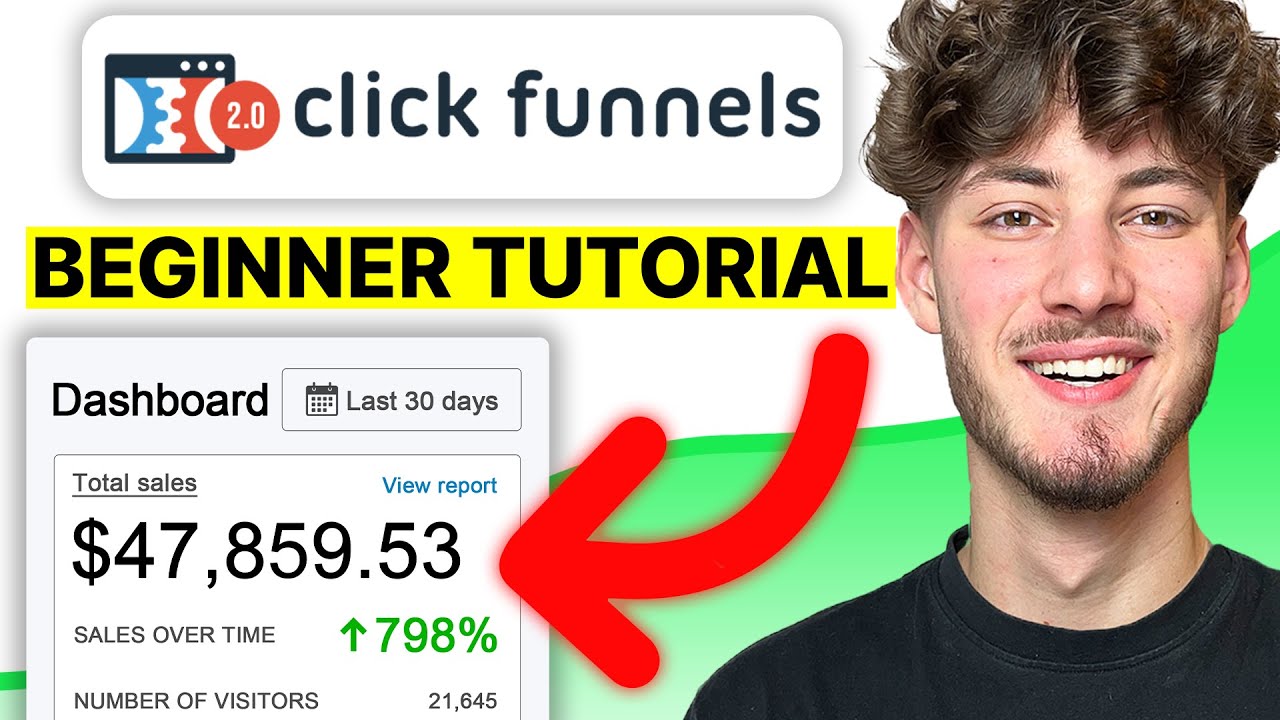
so I remember the first time I used clickfunnels a few years ago I was told it was this drag-and-drop builder and to be quite honest I felt like I was told a lie as a novice as someone just starting out with it I clicked around for hours and hours with frustration then I ended up spending the next few days not a few hours but literally pretty much an entire week on YouTube desperately trying to figure out how to use the software and after a few months I could say that I had a intermediate understanding of
how to use click funnels well I'm here today to break things into little building blocks piecing back together so by the end of this video you will go from zero to hero with click funnels and a lot of the other tutorials out there literally go on for an hour two hours three hours I've sat through those I want to respect your time and keep this as short as possible without missing any detail or nuance and if you're on this video I probably don't already need to tell you but I owe so much credit to click
funnels and if you're new to the channel and you don't know who I am and you're wondering who the hell is this guy and what right does he have to teach me about click funnels well I've personally used click funnels to build my own multi seven-figure webinar funnel I've built seven and multi seven-figure webinar funnels for clients of my advertising agency I've used click funnels to build out case study phones that have landed my agency high high four figure even five figure a month retainers and I've even used click funnels in the past when I've
been hiring for my agency or my education company I've used it for announcements I've used it for surveys I've built pretty much every single kind of funnel you could imagine and as I said I'm giving this entirely to you for free all you have to do is go ahead and smash that like button because all I can say is thank God you didn't pay for this information I'm here to give it to you for free now let's go ahead and hop over on my computer I'll be doing most of teaching on there and then I'll
refer back to you when I want to make a bit of a longer point so let's get into it now first things first is you actually need a click funnels account click funnels gives you a 14-day free trial to entire free weeks before you even get billed which is incredible that said once again I'm so grateful for click phones I mean it's it's helped me build my businesses to where it is now producing multi seven figures a year they actually went ahead and created some free gifts for you guys so if you use my link
all you have to do is go to grade 0 calm clickfunnels gifts and I'm gonna go ahead and leave that top line of the description you go here you claim your free bonuses all you have to do as you normally would is sign up to clickfunnels sign up to the 14-day free trial at the end of the 14-day free trial obviously you'll become a paying customer now once you do that you are eligible to these two free bonuses right here you can see the six figures in six months mini course and then mastermind meetup event
sales page that earned me over ten thousand actually at this point it's only over quarter million and this is a sales page for a offline mastermind that I host so as I said click funnels gives you a two-week free trial which is incredible amazing and and either you can go for this or a literally no extra charge all you have to do is click on the link in the description click this button right here use my affiliate link and my team here are great sincere calm will send you out these free gifts entirely free on
us so once you get inside of click funnels and you actually have an account just look at my you know my best recommendation is look around have a feel you know open up the funnel portion open up the build a funnel portion you know you're gonna see right here you've got the cookbook builder process so if you got the classic funnel builder my best recommendation is for the first hour to just kind of look around some of these features like backpack and action etics which is their in-house or email provider is only available once you
have the full suite for most people to be honest you don't need that for some people for example like myself who runs an education company and an agency with law traffic you know that's needed but apart from sort of the first setting up moving your stuff around I want to get too far out to start my click funnels account from scratch what would I do so first thing I do is go top right here and just go add a new domain now this is a relatively new feature from click funnels they'll actually register your domain
for you so you can provide that service so if you already have a domain and you know you may have a domain for your agency your coaching business your e-commerce business whatever you're using you may already have a domain and then you just add an existing domain or you may not have a domain you know and now click funnels actually offers that to you as an option so we're just gonna assume and you know if you want to register a domain super simple you just pop in your dummy right there but we're gonna assume that
you already have a domain so you're gonna go use an existing domain so you're gonna type in here for example I might type in although I've already added this I believe grade and c-calm which is my education company so you can see right here what you're gonna do is in order for your custom domain to work you'll need to log in to where you bought your domain and add a cname record so what you need to do is you need to add a cname record to wherever you purchase that domain from and you can see
detailed instructions right here so they give you a bunch a bunch of options so you know really the most common places people buy a domain from is um name or at least I found is named cheap GoDaddy CloudFlare Bluehost really whatever you have they've got it and if you don't see your domain registered then once again they have a full instructional video for their I'm not gonna go too far into that because once again everyone has a different domain provider but assuming you've done that step you move forward to the next one well assuming that
you've done that right then you should be connected and should be ready to use so if we go back here you can see right here it says unverified because obviously I haven't gone ahead and done that as of yet but if you've done that then you would show secured and it would say domain is secured with SSL and that's very very important okay so now that you've set up your domain it is important to set up your email integrations because you know you should be collecting emails once again if you are an agency owner or
an e-commerce business or coaching business whatever it is you should have your email system whether that's active campaign whether that's drip whether that's Infusionsoft whatever you use for your emails you should have that set up with click funnels so I'm gonna show you how to do that so you go right here account settings and you go on the left side setup integrations and there's a bunch of different integrations you know there's like webinar stuff with every webinar there's messaging stuff there's SMS stuff as you can see right here but we're gonna go email yeah we're
gonna go email and once again just pop in your email provider you know MailChimp Aweber convertkit drip response I've used you know five or six of these in the past but let's just go ahead and say that yours is milchem for example you just come here and you just all you do is integration nickname here you would just put MailChimp right and or you could just call it email integration or whatever you want this is literally just a nickname for you all you do is you grab your API key so this is something you'll grab
within MailChimp and the beautiful single click phones is if you need any help super super easy you just come here and you just look up integration stuff so let's just say I want MailChimp my integrating with MailChimp it's super super easy there their system and this will show you exactly step by step how to find your API key because there's certain variables that are constant no matter what you do like you know the setup process for your integration or your domain setup there's certain things that are constant throughout like for example with email you have
to get your API key it's just different in different places like for example you know retrieving your mail trip API key is different than you know finding it on active campaign for example give it a nickname pop on your API key and it really is that simple now you're set up and as you can see I use or I used to use get response I've got a couple things set up here ever webinar active campaign Infusionsoft these are the two that I use day-to-day for both my education company and my agency so in the space
of minute you literally did what took me hours to do when I first got clicked phones which was like figure out how to find like my API key and integrate my email and like and for some of you guys watching this you might think that's so basic and simple and for me right now teaching this to you guys it feels very basic and simple I'm just gonna go ahead and pull out a concept here which is that what is obvious to you is amazing to others and and I know there's a large majority you guys
watching this that you know just having that broken down so simply and just knocking those two things out which is so important the amount of times that I've seen someone have a for example Eman gadget dot clickfunnels comm and it just looks so unprofessional if you're running ads to a dot clickfunnels comm which is what you get out of the box out of the box with clickfunnels let's say your name is just John David right you're gonna get a John David dot click funnels com that's very very unprofessional and as I said when you're running
ads any sort of subdomain stuff you're gonna have a tough time with Facebook as well as Google if you run a Google ads so just even having your domain set up that quick and having your email integration done within minutes there we go we can move on to the next step and this is kind of the exciting bit you can poke around through the settings but the two main ones are integrating your domain and email and then we'll get into integrating your payment system a little later down the line in this video but now let's
do something exciting and let's start building some funnels so when you go ahead and you build a funnel you have two options you can go for the classic funnel builder or you go for the cookbook builder process and if you're new I recommend opening up the cookbook okay here you select a funnel type okay you might have a webinar funnel right so you're creating a automated webinar you recorded the webinar once and then it's you know it's a free training it's a free masterclass etc etc or here you may have a lead magnet phone for
example maybe you might have a free cheat sheet or a free ebook that you're giving to people in return for their email and then that takes them further down the funnel and eventually maybe they might buy something here you've got an application funnel you know very very useful if you're trying to find a contractor have people apply to work with you through an application funnel webinar funnel once again this is a webinar funnel except this is different from auto webinar this is if you're doing a live you've got a product launch funnel so you know
you might do a seven-day or 14-day you know lead up to your product launch I mean there's just a hundred and one sort of different funnels beautiful one here a traditional website that pushes people in to your core funnels homepage funnel you know you might want to have and I'm actually gonna use this as a demonstration you know you might want to have some sort of a homepage right and here with click funnels you've got paid versions as well I really recommend you stay away from those just because the free ones are so good and
you're you have the ability to change them so much and you know you could build a funnel from scratch and you know there's so many different things you can do with it but let's just say for example I'm not gonna go for a homepage funnel actually I want to go to I'm gonna choose a let's do a fun one maybe let's do ya lead magnet funnel so let's use a little lead magnet let's let's find something we're gonna give them for free in return for their email and out of these I am liking the look
of not a fan of the colors here but will still go for this one okay you click that and once again you can kind of see this is the number one the lead magnet and then this is a thank-you page very very you know it really is as simple as that and all you do is you press a get funnel and now this is going to be ported straight into your click funnels by the way also you remember what I was talking about with the domains email gadget click forums column this is kind of what
happens out the box unless you press here you go to settings and this is one of the first things I recommend you do once you start a new funnel come here you you tag it you know you put the group tag you put the name so I might go YouTube test funnel and then here you're gonna go domain and you're gonna go I'll just say imagicon right let me go here save and update settings and then now when we go back to this phone you can see this now HTTP colon slash slash WWE man GOG
calm lead Magnus is really really ugly and we're gonna want to change this and I'm gonna show you how to do this in just a second but first things first I just want to open up I want to open up the funnel builder and just run you through the different elements and stuff like that now the first thing you should do once you open up a new funnel is you should go to settings right here and remember how I told you we should have integrations now I you you you see right here how someone's putting
in their email at the moment if you don't set up the integration this will do nothing this will now go to your email when someone puts in their email here and they submit the page nothing's gonna happen they're just I mean the emails can be lost so you go to integrations you pick your integration for example I might choose active campaign and you know I won't show you any further than that in terms of my my agency lead lists and stuff like that but you put that you select an action add to list and I
like to go add to list with tag and once again this all depends on your email provider and then there we go and boom the integration is set up the next thing I recommend you do is go SEO metadata and for here let's just say let's just say I'm actually making a cheat sheet that I'm giving away for free for click funnels click funnels free sheet my Eman gadget so this is going to be the title in here here you know you put a description an entire 390 page cheat sheet to take you from zero
to zero with your with your click with your clip phones knowledge here you're gonna put your keywords your SEO keywords all through your name and then if you want a favicon you know you want a social image which is this thing that comes up here you can put that here so this is how this would show up on SEO click phones free cheat sheet by him engaging entire free 90 page cheat sheet to take you from zero hero with your click funnels launch okay so that's all done there and that's been saved next thing is
tracking code there's different softwares let's say you're using a webinar or something and you want to track certain pages you can do that if you are wanting to use a Google tag manager or a Facebook pixel or anything like that I recommend you do it at the funnel level which I'll show you in just a second I hope that doesn't confuse you I wouldn't recommend you do a page by page because what that means is you would have to put the Facebook pixel on every specific page when you can just pull on the funnel and
even if you have like 30 steps in the funnel it doesn't matter the Facebook pixel or the tracking pixel whatever you don't platform you're using will reflect on every single page so that is that and then custom CSS you can add basically this is like you know if you're into if you're developer or anything like that you can add custom CSS on here you can also do that by like opening up a new element I've done it before where we have a custom HTML so this is like custom JavaScript HTML this just basically gives you
added functionality like you can basically do the sky's the limit with that background here so you get to choose the background image you can have a background video as well you could have a background image or color I'll leave that as black typography so you know you can choose a Content font the headline font the different color schemes I'm always a fan of montserrat slash Roboto let's see where does that change yes you can see those two change there and you can see that change if I change it to Roboto and monster off let's see
general here you can go to on submit go to so you know when it submits the page you know you can decide where it actually goes digital asset if there's any sort of digital asset you're providing a philia badge I almost recommend you turn this off hide what that actually does is that removes the thing that says this page was made of a click for answer this was made with clip phones you know like no one really wants that so what I want to do first is I want to tell you the difference between a
section a row and an element so a section is this green thing right here you can see there's one section here's 2 section 3 section and I think for section and that's it a section the way I describe a section is it's a a section is maybe a chapter in a book row is maybe a page in a book and the way a page is structured like for example a chapter of a book is the main theme of that of that part of the book alright let's say the book is this is the is the
web page the chapter the sorry the section is the chapter which is kind of overarching theme of that part and then the row is a page and the way that a page is laid out within a chapter and then an element is basically a line within that job within that chapter alright and within that page so I hope that kind of makes sense totally off-the-cuff but you can see right here these green things those are the sections so for example this section right here I feel so I don't actually really need there was no use
for that so I can delete that right here you can move sections about so you can see now these two are inverted I'm gonna go ahead and bring this back up to the top awesome and a row right here you can see the the row are these blue things right here these blue things right here so you can see there's one row right there and then you can see here this is split up into two and the reason that is is because this is a when you go here and you go add row you know
you got up to six different columns and that's basically you can see right here in a row how many it's divided into this is a two column row so you can see right here if I go add new row and go six columns you can see how many it's divided into so for example let's say you add testimonials and you want to put testimonials all lined up next to each other that's how you would do that so I'm gonna go ahead and delete this and the next thing is element and element are these orange things
right here an element is really where the versatility comes in so when you go ahead and you add a new element I'm gonna run you through it you've got a headline sub-headline paragraph and bullet list this should all be pretty self-explanatory you've gone image once again self-explanatory you've got an image pop up so this will be an image that at some point you decide how many seconds or after what action it'll actually pop up it won't initially show up when you first go on the website next thing is video on skin self explanatory video pop-ups
kind of same concept as image pop-up you've got audio player you've got up just a button and when you add these elements you can also do a bunch of stuff with it you know you can have different themes the different ways of arranging it the button can actually do a bunch of different things so the button could submit a form you can open a pop-up it could go to a different website URL Facebook opt-in you go to the next step in funnel so yeah that is pretty much a button pretty self-explanatory I'm gonna go ahead
and delete this the next thing is Facebook opt-in input select box text area check box headline and this all falls on to the form aspect so this is where you're taking information and you're sending it elsewhere you've got some advanced forms SMS signup billing address shipping address survey you've got countdowns countdown minute time or day timer some content blocks so you can have icons navigation frequently asked questions progress bar you can just have a divider which is just for aesthetic purposes image lists you could have a pricing table I'm just gonna go ahead and do
a new row here just to give you guys an example and give you guys some a little bit of space so for example we have a pricing table and you can almost go into advanced and you can see you can add different things whether it's flat you can add a shadow' you could have a little subtle shadow on this you can't really see that because obviously the background is black you could have a border there's just tons of different things that you can do and let's try corners here you can see the corners kind of
cave in here as we add more points you can add different animations so you can actually only include this after a certain point okay so yeah that is a pricing table if we keep going we've got things such as social share privacy Noah's Facebook comment so you can actually add facebook comments onto a post here once again I've already mentioned a custom HTML and JavaScript you know once again if you're selling products boom easy you collect all their information here right so you've got all their information and such add new element and then you can
go shipping as billing address shipping address similar sort of thing now one thing that I need to make clear is depending on what funnel you've chosen now I've chosen here this is a lead generation funnel so click funnels know that it knows that I've chosen lead generation funnel so it doesn't have any of the payment stuff they would normally have for example on an order form okay now I'm actually gonna show you guys how to set up an order form and you know how to do all that jazz in just a bit but that is
something to keep in mind here so remember green is section which is horrible probably horrible analogy but it's a chapter of a book it's the overall arching theme of that part of this web page then you've got your rows right here which is a page of a book which is the way of a certain page is formatted within a chapter and then you've got your elements which is just kind of the different lines of the book okay an actual content of it so probably terrible analogy nonetheless I hope that makes sense if someone wants to
go ahead and drop a better analogy in the comments section go ahead and you know feel free to do that now one thing I want to do in the section ninja hack they're not well I say it's a ninja hacker just something I see most people make mistakes and I'm talking experienced marketers at this point is making sure that all paths align so for example if I want to call this thing a magic calm slash YouTube clickfunnels test right what I need to do in most people here will let go and put the path here
YouTube click files test right you can see that right there saving update settings they think okay awesome I've done it within the funnel it should be fine now well no because once you click here you can see it still says lead magnet even though that's not at all and the reason it says lead magnet is because this is the name of the funnel step when that's not at all what I wanted to so now what they might do is they might go to the actual because this is the settings for the funnel okay then once
again there's different breakdowns so this is the funnel settings in the entire funnel settings then if we go two steps the funnel steps you've got separate settings for the funnel steps each step of the funnel so now you might come here and publishing and go okay alright awesome I'm gonna change it here the path is gonna be YouTube click forms to us and it shows that it's gonna be YouTube click form stuffs but you click here and once again it just goes back to lead magnet and the reason that is is because you need to
there's the the total funnel settings there's the funnel step settings and then there's actually the page settings so what you have to do right here is you have to go edit page split test and the path here you have to go YouTube clip forms test okay and sometimes it takes a little while to load but if all goes well this should actually load as YouTube clip forms test now it's showing three six number number and we can go back and we can change that inside of here sometimes it adds additional numbers I'm not entirely sure
one why so I'm just gonna play YouTube clip four plus one and if we go back here I should have updated yeah you can see YouTube click phone's test one so as I said I've seen experience experienced marketers and obviously you guys know that I run an advertising agency and we work primarily with majority with like info product and education businesses and I've seen so many people have a lot of really professional well-versed marketers don't even know how to do this and clip form so don't realize why they're not getting the you know they're not
getting the last URL path that they want so if you want to go ahead and actually sell your part you'll go here to classic funnel builder and you just go sell your product and let's go product launch give funnel name I actually did this twice before glitched out so let's go YouTube product test to now at this point you're gonna go here and you're just gonna go sales page or now this is obviously for the sales page itself and like here you can just kind of choose any sales page you want like VSL traditional you
just select this template and once again this will be your actual sales page okay this will be your sales page now your sales page is not where people actually order and you collect their payment information when someone orders they're gonna go to the order form so here you choose order form right and you just pick out of one of the many options just you know this template right here looks good now you can see this will be your order form now all you have to do to make this look good and ascetic is just literally
follow the other steps you know once again you want to remove the made with click phones you want to go ahead and make this your own using the knowledge that you've already acquired but before we can start selling products right we have to do two things so before we can start selling we're gonna have to come up here to account settings okay we're gonna have to go down to payment gateways and you're gonna add a new payment gateways so you've got a couple options here you've got Infusionsoft you've got a stripe Clickbank or your plus
we're currently paypal I think really the two most popular are PayPal and stripe to be honest the easiest one to set up by far is stripe so all you're gonna have to do here is go stripe now I have already set up my stripe and whatnot so you know that's I'm not gonna go ahead and do that again but really really easy to set up your stripe it's kind of the same way as an email the way you set up your email with API and whatnot with the API key so you set that up now
once you set that up that allows you to come here and I don't know if you guys notice on the other pages like opt-in pages etc etc you've got overview automation and publishing this time you have products as well so what you can do is you can come here you can add product in here you just choose your integrations so for example I'll choose stripe and here you choose is a subscription you know are they're paying every single month or every single week or however you arrange it or you know is a payment plan or
is it one time here I'll choose one time now you're gonna go save and next you're gonna product details and let's say I'm just gonna go ahead and call this premium premium [Music] click funnels training okay product price let's just say I'm gonna call it 99 bucks 99 USD and then shipping Origin address billing description this is all stuff you're gonna want to put just on their end as you can see the billing description this will appear on your customers credit card statement and alongside your coming name that you set and your payment gateways things
this is just important just for legitimacy purposes tax purposes a bunch of other stuff and then here you can choose is a bump product should this product be the bump on the order page F present so remember I said or I think I might mention earlier that there's one-time offers you know people have other bump products and then here you can also choose you know is there a limit to the product quantity if it's an online program or it's a this or that then obviously you're gonna want to add a limit for any you guys
that know me you guys also know that I have a physical ecommerce fashion brand so before we got the website developed you know we're doing a really scrappy first sort of pre-launch I did have a maximum quantity so I actually use a quantity limit on here for that so we go to the next thing which is fulfillment email okay should we send a fulfillment email now if you're selling a product there's a bunch of ways you can actually fulfill it for some of you guys that may mean that once they buy it they enroll into
your course on kajabi or teachable or that may mean that they get sent a PDF or this or that or the way that I've done is I also use AP err and that just means that when someone purchases it does some sort of action in wherever we're delivering the product to them now if you want to do this all inside of clickfunnels you can do that too with this fulfillment email so once again you can go ahead and select this on if they should get a fulfillment email and then this is also the thank-you page
or membership page this is where they go after they've ordered now if you select none and then they're just gonna go to the next step of the funnel now here is also follow-up actions now follow-up actions as I mentioned you know just a second ago it would zapier is this should trigger a follow-up action so this you know you check from your current integrations and if they've purchased then it'll trigger the follow-up this is all of this has to do with you actually delivering the product or the service etc etc okay now as I said
if you use ap er then you are basically 101 different avenues and routes using those so you do that and shipping here you can go ahead and put in your shipping information as well if you know once again if it's a physical product and if you've done all of that then BOOM return to product list and now you have a actual product here and when you go to the order form this time when you go to the order form you go over view and someone actually clicks on this they will actually have the option to
check premium click funnels training you know this is dynamically adjusted to how many products you have and you can have multiple products okay so you can see right there that works now and if someone puts in their information their card information etc etc take their payment and once again it depends on whether you stripe or PayPal I'd say stripe is definitely the easiest set up if they purchase you will receive money on your stripe and it's as simple as that so now one last thing that I want to go ahead and show you and I
mentioned this earlier is the pixel code now remember when we opened up the specific pages you know you bought the you went into settings and it had like the custom CSS I literally used to do this when I first got started I would take my Facebook pixel code and I just you know looked up an example Facebook code and this is you know your your Facebook pixel code and I would literally take this I'd copy this and I'd paste it into every single step of my funnel and there was just no need for that whatsoever
so instead what I do now is I take that pixel code I copy paste it and I just paste it into this body tracking code and you can see funnel wide tracking codes for the body tag I just paste it in there I press save and update settings and that's it it's done no matter if I have three final steps or thirty final steps it will apply on every single one and you know I just I laugh at myself looking back now when I first got started click phones you know literally taking this code and
applying it on every single funnel page so ladies and gentlemen that is it zero to hero with click funnels I hope you guys found value from this as I said there may be aspects of this say you may have already known but what's obvious to you is amazing to others and just remember that and if some of you guys would literally just call click funnels like yesterday or were thinking of getting click phones in my opinion is a holy grail of marketing there is no bed tool out there there's no tool that has made my
life easier as a marketer and in fact has made me more money as a marketer than click funnels so as I said now you kind of have two options you can go to click funnels dalkom and get the 14-day free trial or going back to my computer you can get the 14-day free trial as mentioned but if you use my affiliate code and you try out for two week and I'm telling you you're gonna fall in love with this damn thing by the end you'll be a proud paying click funnels customer and all you have
to do at that point is just send a receipt to support a grue agency com will just check your validity and will go ahead and get you over six hundred dollars worth of free bonuses for something that you literally would have gone in anyways so ladies and gentleman I hope you enjoyed this video as I said go ahead and smash that like button if you have any questions whatsoever just leave them in the comments I'll do my best to try and respond to every single one go ahead pick up click funnels and in two weeks
me and my team are excited to send you over your seven hundred dollars worth of free gifts [Applause]