running PBC ads on Amazon can feel like a guessing game but if you want to get your product in front of the right customers you need to know how to set up your campaigns the right way in this video I'm going to walk you through the exact steps to create a PPC ad campaign that drives traffic and sales on Amazon I'll be sharing my screen and breaking it down step by step so by the end of this video you'll know how to set up and launch your ads with confidence so let's get into it first
things first is you're going to go to your Amazon ad campaign manager in Seller Central and you're going to click create a campaign where you're going to be brought to this page here and you're going to see three main ad types we're going to just disregard sponsor TV because this is in the beta for larger accounts so we have sponsored products sponsored Brands and sponsored display ads now sponsored brand and sponsored display ads are only for sellers who are brand registered or have a trademark link to their Amazon account now something that a lot of
people don't talk about is that sponsor oned products equates for 70% of AD sales on Amazon sponsored Brands accounts for 20% of AD sales and sponsored display accounts for 10% of add of sales and when I first started selling in 2019 there was only sponsored product ads now why do I say all of this because if you're just starting out or you're not profitable on your ads or haven't fine-tuned them you shouldn't even be focusing on sponsored brands or sponsored display ads sponsored products is what's going to help Drive the most amount of sales and
help drive a rank for your product so that's where we're going to start once you select sponsored products it's going to bring you to the page where you create your Amazon ads and the first thing that you see is AD groups now something to know about Amazon ads is that you have the campaign itself and then within that campaign you can have one or multiple ad groups now the way that I structure my PBC ads and I have a video on this that I'll Link in the description of this video is I have one campaign
one ad group per campaign and no more than three to five product or keyword Targets in each ad group that'll make more sense as we go on but the next thing that you're going to see is products and this is going to be where you select the product that you want to run ads on so we're going to go ahead and select that then we have targeting and you have automatic targeting and manual targeting in simple terms automatic targeting you're allowing Amazon to pick the keyword or product targets for you and with manual targeting you're
picking either the keyword targets or product targets because there's both keyword and product targeting ads yourself we're going to go over how to create both of these campaigns but let's start with automatic targeting once you have that selected you're going to see automatic targeting right here and you're going to see two options set default bid or set bids by targeting group you're going to go ahead and select set bids by targeting group now you're going to see four different match types here close match loose match substitutes and compliments each one of these performs differently so
close match is going to show keywords that are related to your product loose match is going to show keywords that are Loosely related to your product substitutes is going to show product targets that are closely related to your product and compliments is going to show product targets that can complement the product that you sell so because match and loose match mainly Target keywords and substitutes and complement mainly Target product targets I like to segment these into their own campaigns so I'll do close and loose match into their own campaign and I'll do substitutes and compliments
in a separate campaign if you really wanted to separate and segment things you can do one close match Auto One loose match Auto One substitute Auto and one compliment Auto campaign and then you have suggested bid here what's this it's where you're letting Amazon know this is how much you want to spend on every click every time a customer clicks on your ad because Amazon ads is on a PPC ad model which stands for pay per click you pay for every click when a customer clicks on your ad and so when I'm first starting out
I usually like to stay on the more conservative side of what Amazon's suggested bid range is and if I don't get any clicks or any Impressions after about a day of running ads then I'll slowly increase my bids by 10 to 20% and then you have negative keyword targeting and negative product targeting which isn't something that you have to worry about when setting up your campaigns this is for when you're making optimizations then we have campaign bidding strategy and let me explain what each one of these are you have Dynamic bids up and down Dynamic
bids down only and fixed bids so with Dynamic bids up and down you see that they say it will raise your bids by a maximum of 100% in real time when your ad is is more likely to convert and lower your bids when you're less likely to get a sale so essentially if you're bidding $1 they can increase your bid to $2 but they can also decrease your bid to 60 cents 50 cents depending on the likelihood of a sale and then you have Dynamic bids down only where they say We'll lower your bids in
real time when your ad may be less likely to convert so if you're bidding $1 then they may drop your bid to 60 cents or0 50 cents when conversion may not be the best and then you have have fixed bids where they say we'll use your exact bid and won't change your bids based on the likelihood of a sale so if you bid $1 your cost per click is going to be $1 I personally like to use Dynamic bids down only but there's not a one-size fits-all strategy with this I've seen people make their ads
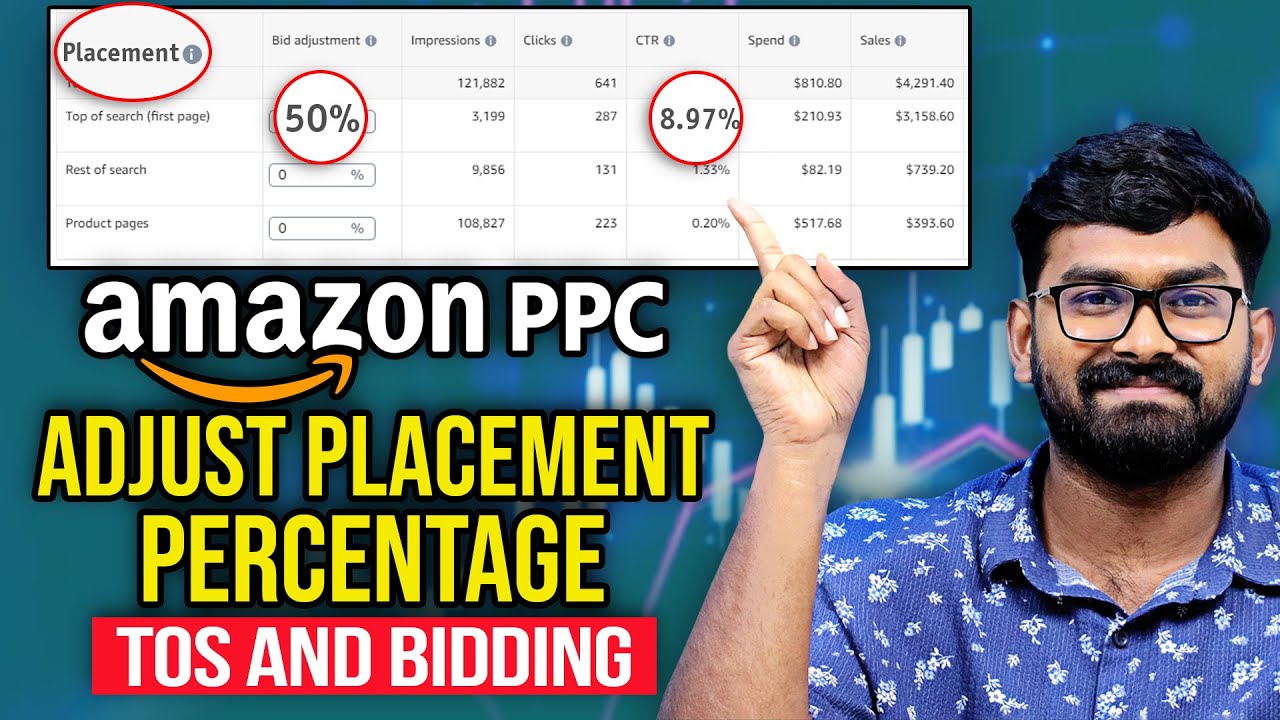
work with each different bidding strategy but if you do change the bidding strategy after you set your bid make sure that you go back up here because you actually see that your bids and cost per clicks change changed so you're going to have to readjust those we also have bid adjustments which we're not going to set up at the start but I'm going to briefly explain it so you see right here it says increase your bids for a specific Amazon placement we have top of search right here and this is page one the first four
ad placements on the page then you have rest of search which is essentially any other ad that you see on the pages and then you have product pages which is ADS positioned on a product detail page now let's say that you wanted your ads to show up more on top of search placements and you were bidding $1 you can set a 50% bid adjustment and what this will do is if your clicks are going to top of search placement you can potentially increase your bid by 50% so instead of $1 it would be 150 I
see a lot of beginners feel the need to make bid adjustments at the start even I don't set this until I am making later optimizations to campaigns now we have our campaign name now I always name my campaigns pretty similar structure so I'll have the product name and then I'll do the As and then I'll say what kind of campaign that I'm creating so product name Asin automatic and if this was for example close match I would also put close match and what I do with my campaign names because I only have one ad group
per campaign is I'm naming my ad group the exact same thing you see start date and end date right here I never set an end date to my campaigns if I ever wanted to stop one I would just pause it and then we have daily budget you don't have to listen to the suggested daily budget I usually start with a more conservative budget so that I can test my ads performance at the start and then you would launch that campaign but let's get into how to set up a manual targeting campaign so when creating a
manual campaign everything that I just went over is exactly the same except for the targeting so product will be the same and when we get down to targeting you're going to select manual targeting so there's two different types of manual targeting as I mentioned we have keyword and product targeting we're going to focus on keyword targeting here and you're going to see that it has three options suggested enter list and upload file we suggested it's going to give you a bunch of different keywords that Amazon themselves are suggesting I personally like to do manual keyword
research so I'll enter the list myself and I'll create a separate video on how to do keyword research for your PPC campaigns but I personally use tools like helium 10 to do this and whether I was using Amazon suggested keywords or doing the keyword research myself I'm then going to put in no more than three to five keywords in each campaign and the reason for this is because Amazon doesn't evenly distribute the budget amongst keyword wordss so all five of these keywords aren't going to get the same amount of clicks maybe one will get 10
one will get eight one will get six and so if you put 20 keywords into one campaign you may not actually be bidding on the keywords that you think because you're not actually getting clicks also if you notice right here you're going to see match types you have broad phrase and exact and all three of these work differently broad match is going to show your ads for a wide range of related keywords including spellings and synonyms so let's say you were bidding on a keyword water bottle your ad May show up for water bottle bottle
for water insulated water bottle or water bottle that's insulated phrase match is going to show your ad for keywords that maintain the exact phrase so for example let's say you're bidding on water bottle in phrase match your ad may appear for water bottle for kids water bottle for adults insulated water bottle but it's always going to maintain water bottle in that order and for exact match it's going to show your ad on the exact keyword that you're bidding on so for water bottle it would show your ad for just water bottle or water bottles and
because each one of these match types performs differently I'm going to segment them into their own campaigns so for those five keywords that I researched I'm going to make one separate broad campaign for them and then for those same keywords I'm going to make a completely separate phrase campaign and you guessed it for ex exact match I'm going to make a separate exact campaign so I never mix Broad phrase and exact in one campaign and for each one of those individual campaigns I would set my bidding strategy and then remember for campaign name product name
asent and if it was the broad campaign broad if it was the phrase campaign phrase and if it was the exact campaign exact now let's go over product targeting campaigns so with product targeting you have two different options category targeting or individual products category campaigns work a little similar to automatic campaigns where they're going to Target related products that are in the same category as you and with individual targeting you're either going to be able to use Amazon's suggested product targets or you're going to be able to enter your own list of products that you
want to Target with product targeting campaigns I recommend only targeting asens that your product is better than or has a Competitive Edge over so maybe you have more reviews maybe you have a better star rating maybe you have a better price maybe you have a better differentiator but if you have 10 reviews and you're priced at $30 you shouldn't go Target the top seller with 5,000 reviews who's priced at $15 and same thing is our keyword targeting campaigns no more than three to five product targets per campaign we're going to go through all the other
steps is our other campaigns we're going to set our campaign name budget and launch and just a tip good campaign naming is going to save you a big headache in the future especially when you start to add more and more ad campaigns and when I'm first starting this is exactly how I do it one broad campaign one phrase campaign one exact campaign One auto campaign close and loose match and one product targeting campaign if someone had a smaller budget and didn't want to test five campaigns at the start I think the first four are the
most important and you could always go and test product targeting campaigns later so there you have it how to set up and launch your PPC ad campaigns the right way now if you want a more indepth guide on my exact tips and strategies how I scaled multiple Brands to seven figures over the years on Amazon be sure to check out the AMZ masterclass mentorship program in the description of this video if you want to have access to in my opinion the most in-depth guide on PPC ads out there and have me as a mentor this
program is for you but on that note don't don't forget to like and comment on this video And subscribe it really helps out the channel a lot on the road to 10,000 subscribers on YouTube and as always have a blessed day ladies and gentlemen