hey everyone YouTuber checkup here let me know how you're doing down in the comments below because I do really want to know in this video I'm excited to finally present corvos I'll be covering some benchmarks what coros is and some plans that I have before releasing it let's start off with What It Is Well it's basically going to be a very debloated very privacy driven and performance optimized operating system and that's the best way for me to completely summarize my goals for this project so how's this achieved with a program called ight and a lot
of scripting that I've made which the scripts will be leaked on my own GitHub so you can go searching through them at your own pleasure and this isn't sponsored but I am going to give a little rundown on entl because it is important to know how we got here in their own words ight gives you control for updating and editing Windows images and deployments which it is both a little vague and Broad let me elaborate further provides you the option for very great customizability within Windows stuff like pre-installed apps and bloatware can be removed and
you also have the ability to adjust Windows settings and services so it can be tuned to your specific liking whatever you want and then the last part which was a huge help was the ability to add in a post installer which some of what I've added is a custom background a power plan timer resolution Revo uninstaller Discord and a few other stuff like my scripts which keep in mind will be on my GitHub unfortunately to change the settings to the extent that I did you will need a license with NL I myself chose the professional
license but you do have the option for home which is significantly cheaper and the free version while not as customizable you still can have some fun with it onto the plans that I have for it sometime after this video releases I'll have a website set up where you can learn more about in-depth What I've Done along with purchasing the fruits of my knowledge for the low price of $3 there is no ETA on the website but I'm working hard every day to make sure that it's good for you guys but let me explain some legal
disclaimers as Windows being Microsoft software this is one not a way to circumvent getting the Windows activation or to get around licensing requirements you'll have to find your own Windows key and license to Windows and two under Microsoft terms and conditions they hold the right to ownership and when using Windows you only have the right to use so what you're paying for is my optimization pack time knowledge and effort in fine-tuning Windows settings so now that that's summarized I'll go over some quick benchmarks and teach you how to make your own coros for all of
you math geniuses out there we got three tests today buffer blow fortnite valerant and the Wukong benchmarking tool for something a little bit more intensive the test itself is against stock settings for both corv OSS and a Windows 11 Pro the operating system that I use now buffer bloat refers to a network issue where excessive buffering and devices like routers switches or modems leads to significant delays or latency in data transmission this problem arises when Network buffers which temporarily store data packets to manage traffic become too large when these buffers fill up they start to
hold more data than necessary causing a backlog this leads to increased delays because data packets have to wait longer to be processed and sent to their destination there's a multitude of ways to potentially solve buffer blo but for me only using Windows settings we went from a grade D to an A+ with cor o as someone proficient in getting D's in school wait pause it was nice to get an A for once and that result was achieved with utilizing settings that focused on latency rather than throughput an example of such being the congestion control provider
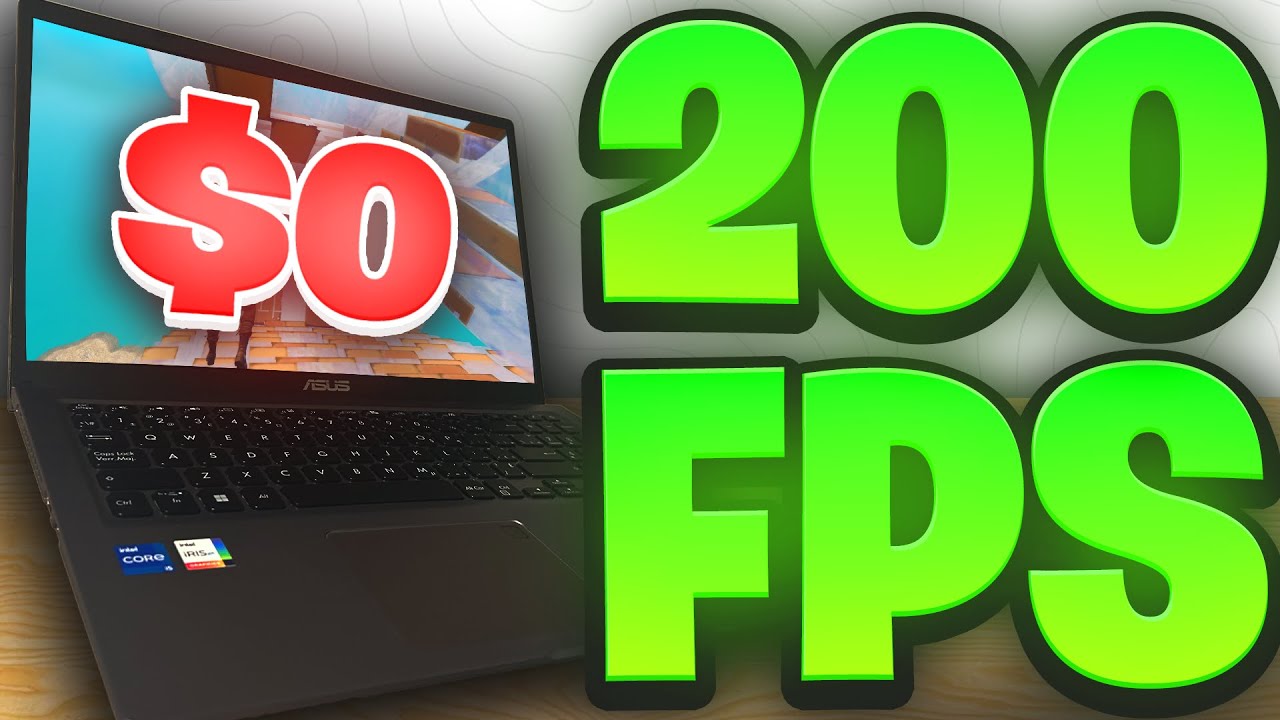
but I won't bore you on that extensive Topic in the Wukong testing tool 11 Pro averaged around 200 FPS and at some points dropped down to 103 coros had a minimal effect here with an average of 210 and slightly better lows in honor of providing honest results I have to Showcase both the good and the bad and this one wasn't as good that Benchmark was a killer in valerent everyone's favorite spyware go check out the video on it on 11 Pro pointing out just the average here of 763 we can get boosted up to 912
so about a 20% increase isn't all that bad and you see about a 10.5% increase on the 1 percentile lows and almost a 6% increase on the 0.2 pertile lows I now want to drag your attention over to driver Laden where we see improvements all around in coros for the average latencies the Nvidia driver did have a slight Spike but outside of that looking very solid for valerant inside of fortnite the crazy X that I keep on coming back to you can expect on average 10% better fps and a moderate increase to your lows and
for the driver latencies once again better averages all around but we do have a spike on the operating system kernel now keep in mind this is all just straight out of the box you can totally optimize as much further with your favorites like exom electron zilly and even a shout out to the small but super smart Alchemy tweaks go ahead and show him some love now on to how to make your corvos open up nlight and you want to start off with downloading the iso that you'll be using I personally recommend and for corvos use
the Internet of Things ltsc Windows 11 as it already comes very deep loaded just by itself you will have to get your own download from Microsoft so once you've done that you click add at the top top image and then choose whichever ISO that you're using select the operating system that you want to use once again for me it is the internet of things ltsc so click on that click load mine's already loaded so it's grayed out and then after it's loaded is when we get to the good part and I won't go through everything
that I've done since that would take way too long but I'll show you guys why I make the claims of a very deep loaded privacy driven and performance optimized system for starters with the Internet of Things LTS C these are all the pre-installed apps literally just these ones here and there is a lot more that you can do to deblo any sort of drivers or Hardware support that you don't use you can go ahead and trash that along with that too any other sort of system features or system apps you can get rid of that
too now there is some creepy stuff in here that you 100% want to get rid of and the main creep Factor here is Microsoft tracking stuff like collecting your contacts or collecting your typed text or written text allowing Telemetry let Windows collect your activities from this PC and there's a lot more like that too they might have running in the background that you don't even know about for showing you a little bit of how the operating system will be performance optimized we got some basic stuff and I mean like super basic anyone can do it
like disabling full screen optimizations enabling Global timer resolution requests Hardware acceleration but where you can get a little bit more advanced is within the post install and I'm going to specify one last time that everything that I do in the post install will be available on GitHub some of what I've added is win32 priority separation adding a custom power plan setting the custom timer resolution and obviously these are all quick examples but there's so much more that is added within not just within the post install but within the settings that you're able to Define too
ight is and I don't know if it's the right word but very Diversified and extensive and what you are able to optimize so so as a quick little recap corvos will come as a free bonus in my $3 optimization pack or if you want to make your own you now have the resources to do so and if you do want to support me further you can do so for $1 on the YouTube channel memberships every dollar goes through fulfilling my dream of being able to do YouTube fulltime but do not feel obligated in any sort
of way if you can't afford it or honestly just don't want to do it you know that I'll love you either way that's going to cut it for me in this video see you guys in the next one