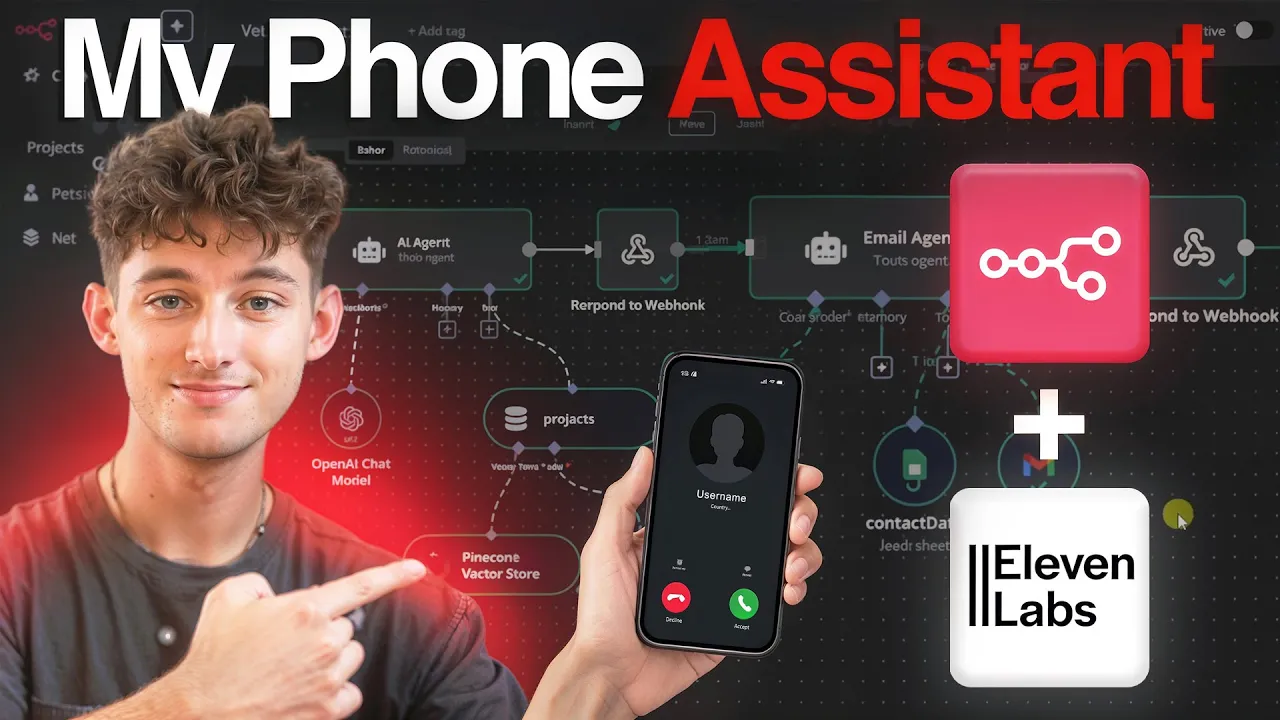
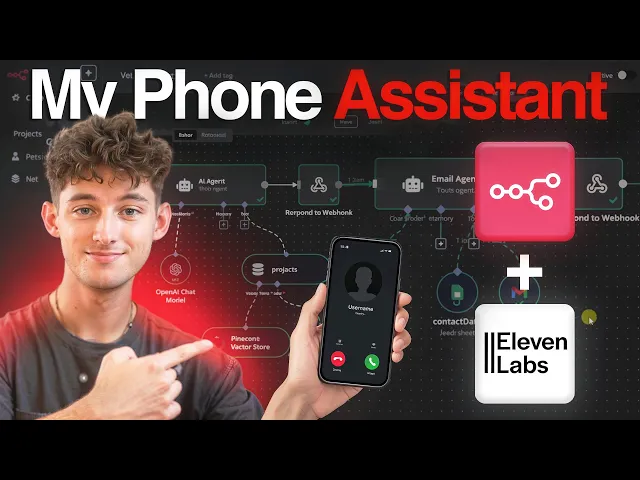
This AI sales agent I've built can automatically handle phone calls that answer any customer questions, qualify leads, perform literally any other action like getting your calendar availability, grabbing order statuses, booking appointments, and so much more. So whether you are an e-commerce company looking to handle your support tickets, or if you're a law firm wanting to handle case inquiries and qualify your leads, or even if you're a real estate company, it doesn't matter. I'll be showing you how you can set one up using 11 Labs new conversational AI agents, N8N, and Twilio.
But of course, let me just show you guys a quick demo of the system and how everything actually works and sounds. So, what I have done is I've just deployed this voice system or voice agent, phone agent, however you want to call it or frame it as. I've deployed it on a website.
So, I just created a random website using go high level, but you can also deploy this wherever you would like. If you want to deploy it on WhatsApp, Slack, or if you want to just have people actually call the number as opposed to just clicking on this little button down here, you could definitely do so. So, the options are definitely up to your discretion.
So the options are definitely up to you on which one's going to be the most applicable to you and your business or you and your clients. So of course for sake of the demo, we're just deploying this on our website. And you could think of this as maybe an e-commerce company who wants to have this as an options to call them, answer any FAQs, manage subscriptions, and you know, maybe have it be able to cancel the subscriptions, whatever.
There's so many different options. But let's just go ahead and test this out and see how it actually sounds and plays out. So, what I'm going to do, I'll just click on start a call.
I'll click on the agree and the terms and conditions and we'll see what happens. Sales. ai.
Ella speaking. How can I help you today? Hey, Ella.
I was curious about what services you guys provide and how you might be able to help my business. Gotcha. Thanks for asking.
We help service-based businesses like yours scale without hiring more staff by using AI to automate sales tasks, stuff like lead engagement, qualification, follow-ups, and booking appointments. Our AI works across voice, chat, and email so you never miss an opportunity. What kind of business are you running if you don't mind me asking?
Yeah, before that, what industries do you, you know, operate within? Well, we work with a bunch of industries. Real estate, home services like roofing or solar, medical spas and clinics, e-commerce support, and education or coaching are some of the main ones.
If your business is service- based and deals with leads or appointments, we can probably help. What industry are you in? I don't want to answer that right now, but how long does these setups usually take?
So, hypothetically, if I were to hire you guys and we start onboarding ASAP, how long would it take? No worries at all. Well, most setups go live within 30 to 45 days, depending on how complex your workflows are.
We handle the whole process and tailor everything to your business, so you don't need to worry about the tech side. Is there anything else you'd like to know about how it work? No, I think that's I think I'm good.
All right. Glad I could help. Can I help you with anything else before we wrap up?
Do you guys offer like a demo call or anything else? Gotcha. Yeah, we do offer a demo call.
You can book a session with Nick, our expert, to walk through your business challenges and see how our AI sales solutions could fit into your workflow. Would you like to set up a time for that or do you have any questions first? Yeah, let's let's set up a time.
Let's do it. Awesome. Can I get your name to put down for the booking?
And just to make sure I spell it right, could you say it slowly for me? Yeah, it's Nicholas. N I C H O L A S.
Thanks, Nicholas. What day and time would you like to book the demo call with Nick? Let me know what works best for you.
Could we do maybe like 900 p. m. on Thursday?
Thursday the 15th of uh of May, obviously. Gotcha. 9:00 p.
m. on Thursday, the 15th of May. Hold on just a sec while I check if that slot is open for you.
Good news, Nicholas. 9:00 p. m.
on Thursday, the 15th of May is available. Would you like to go ahead and book that slot? If so, could you give me your email address?
I'll spell it back to you to make sure it's right. Yeah. Uh, my my email is n i c k p r i s ai.
com. Perfect. Let me spell that back to you just to be sure.
I c p r i s ai. com. Does that look correct?
If so, I'll go ahead and book your demo call. I'm not sure if you included the N at the very beginning, but it's just to be clear, it's n I c at r p r i s ai. com.
Thanks for clarifying, Nicholas. So, it's N as in Nancy, I as in indigo, C as in Charlie, K as in kite, at R as in Roger, E as in echo, P as in Peter, R as in Roger, I as in indigo, S as in Sam, E as in echo, S as in Sam, A as in apple, I as in indigo. com.
Is that right? Yeah. Yeah, that's right.
Thanks for uh going slowly for me. No problem at all. Hold on just a sec while I book your demo call for 900 p.
m. on Thursday the 15th of May using that email. You're all set, Nicholas.
Your demo call is booked for Thursday, May 15th at 9:00 p. m. Is there anything else I can help you with today?
Nope. I think that'll be everything. Thanks.
Great. Your demo call is all set. If you need anything else, just reach out.
Have a good one. Okay, awesome. Well, you guys saw it there.
It was able to take the desired action of being able to book an appointment and also really just encourage them to book that appointment. So going all the way from answering their questions to dragging them along and encouraging that appointment. So again, like I mentioned, you are able to take any sort of action.
So for us, we want to be able to book appointments, get the availability of the company, make sure that we actually have a time slot available for them. But of course, if you want this to create invoices, get invoices, order statuses, manage subscriptions, the sky is the limit really for this sort of thing because we are integrating with N8N where we can just build a plethora of different solutions and different systems out. But of course, before we get into the actual tutorial, I just want to kind of break down everything that we're doing very surface level.
So, of course, as you guys can see, we are using 11 Labs conversational AI agents. With this, we are just combining it with Twilio where we're just buying a number, deploying that on 11 Labs. So, we can either call the number or just deploy it on the website like this.
We're also combining this with N8N. We have two different workflows. The first workflow is scheduling a meeting where it's just going into the Google calendar, creating that event.
Within the other workflow, we are using the get availability where it's going to be just grabbing my calendar's availability. As you can see, if I were to say something like, "Hey, do you have any availability for Monday? " You know, hopefully it would say that I don't because I had like a million meetings, but of course, we just wanted to find some availability for some time in the week where you can actually set up an appointment.
So, those are the two different actions we are going to be using for the system. But just keep in mind, it's not just limited to those two different destinations. Now, without further ado, I do want to jump into the first step and how you can actually get started building this.
But of course, before we do that, I just wanted to quickly mention if you are looking for a hands-on approach to learning and building AI agents and AI systems or automations for yourself or for your company, then check out the link down below in the description where you can join my community. We have almost 5,000 members now. All of which people are AI entrepreneurs, all looking to learn how to build AI automations.
Either it's to sell to business owners or it's to build out for themselves and their own company. So, check that out. We also have a whole range of different resources, different templates just like this template in this video where you can get access to.
So, if you want all that different stuff, then check that out. And if you're a business owner looking to have us build out solutions completely custom for your own company where we'll build out different things like this or a plethora of other ones, then check out the link down below where you can apply to set up a call with my team and I where we'll go over how we can actually implement these systems for you and your team. But of course, let's start getting into the first step, which will just be diving into 11 Labs.
So 11 Labs, if you're not familiar with it already, it's by far the best platform for finding different voices for your agents. So if we go within the dashboard, let's actually back out, go to the home, we can find that there's going to be thousands of different voices. So it's pretty nice to be able to integrate that already with our own AI agents.
So the AI agents are relatively newer and it's comparable to Vappy to retail where these are just different telefan systems that you can deploy for, you know, pretty much replacing receptionists or outbound calling. So let's go back into our conversational AI. Go into the screen now.
If you haven't already, make sure to sign up for an account. It's completely free and if you use the link down below in the description, you will get a handful of free credits. So you don't have to start paying right away.
After that, it's going to be about, I don't know, maybe $15 a month, depending on how often you're going to be using voices and how often you're going to be using these different systems. But again, just make sure to use that link down below to sign up for account with some credits. Now, let's go into the agents and I'll give you guys a tour of what I have set up.
As you can see up at the top, we just have agent language. So, it's not just English that this is restricted to. It's anything from Arabic to European languages to Asian and so much more.
So, I'll allow you guys to explore this for yourself, but we're just going to stick with English. Below that we have the first message. So if you guys remember when I first called this it just picked up like hey this is Ella from sales done.
How can I help you today? That's exactly where this comes into play. Super straightforward.
Below that we have the system prompt. So it's no different from chat or anything like that. You put in your prompt how you want it to give you an output and it's going to respond accordingly.
And I do have a particular structure that I prefer to follow and I find it to be the best for building out any sort of voice solutions. And I do also have a custom GBT which is going to help you build out the structure of whatever voice solution you're trying to build. All you really have to do is just give it your business, your information, what you're trying to really accomplish, and it'll be able to help you build out your voice solutions.
So, you can get that within my community. Make sure to check that out if you do need help building out this prompt. Or you can just heed my instructions right now, which I do implore you to do as well because this is the best way to learn.
So, starting off, we have the identity, we have the style, response guidelines, tasks, and goals. and error handling and then additional notes. So generally this is the structure that you should be following.
Starting with the identity we just say you're Ella a sales caller for sales and AI which is an AI development company. Here's the style I want you to follow and this is giving it its demeanor essentially its emotions. So we say use a friendly casual and conversational tone.
Use phrases like gotcha and well to create a relaxed environment. Keep your responses short and simple as well. So sometimes you'll find that if you say things like use phrases like gotcha and well it does make it seem more humanized and more personalized even just more realistic overall.
But sometimes it can overdo it and that's where the LLM model that you are actually using is going to make a huge difference. I find 4. 1 to be the best.
You know you could explore with 4. 1 nano 40 mini 4 turbo whatever but you know something like this is going to be super fast. There's going to be little to no latency.
So I would recommend using this. But again, if you need something that's going to be more, you know, heavier and you're fine with more latency, then use better models like you can use a reasoning model or you can use Gemini 2. 0, whichever.
I highly recommend to just explore for yourself. But at the beginning, just go with something simple like 4. 1.
In any case, let's move on with the response guidelines. So, what we're saying is offer concise and to the point responses suitable for a voice conversation. Do not keep sentences longer than necessary, maintaining a dynamic flow.
So sometimes our voice solution or agent can just continue talking and just never stop. And of course we want it to be short and to the point. So this is a pretty common common thing that I like to say across all my voice solutions to not keep senses longer than necessary and maintain a dynamic flow to just kind of keep things a little more random and not too static within the tasks and goals.
This is just defining everything that we want it to do and its main purpose. First things first, we say aim to answer any questions posed by the user, providing clear and informative responses. Number two, highlight the benefits of booking a demo call with Nick, such as analyzing core business problems and identifying opportunities for implementing sales solutions into their operations.
And I only want to present this information if they ask why it's beneficial or anything to book a call or also anything along those lines or if they have doubts. So, very long run-on sentence, but it gets the job done. Number three, I say if the user wants to book a call, just confirm their name as well as the time and the day that they would like to book it.
From there, you can confirm the user's name with them. If the user's name or if the user indicates the name is incorrect, ask for the name again and spell it out slowly to reconfirm with the user. And I just say it's very important for you to spell out the name slowly, otherwise they won't be able to understand you.
So, if you guys remember from the demo call just a few minutes back, it actually spelled out my name. So like N for no, I for indigo, something like that. So the first time it just spewed it out and the second time did all those different spellouts for me, which was, you know, very useful because collecting emails and collecting names, phone numbers, credit card details can be super pivotal.
And if an agent messes anything up, then, you know, obviously it can be make or break for you in your company. Number four, run the get availability function/tool with the provided details to get the open slots for the requested date using the output of the availability function respond to the user accordingly. So I'll cover this more in depth in a second and what it actually looks like to use these tools and to set them up.
But moreover, all we're doing is we're just including the get availability from N8N. You know, using that workflow and having it call that workflow every time we want to check the availability within my calendar. And the same thing with actually booking that appointment.
So that's kind of what's going on there. Again, we're just being very specific about what we want. If you have different tools, then describe what those tools are, how you should introduce them to your agent and everything.
So maybe if you wanted to create an invoice. Maybe you could say I like at the bottom you could write out if the user asks about their order status, then trigger the check order status tool. Of course, you'll have to build out that tool and its functionality, but I'll get into that a little bit later how to actually do that.
But you just want to be specific and introduce it in your prompt how you want these things approached. So again, we go to how to spell this out. So the possible email format, we go how to spell this out and we use the at is pronounced by at.
I would always include that because sometimes it just doesn't understand what this symbol is or how it should be pronounced. Lastly, we just say run the booking time function to book the time using the output of the availability function and then respond to the user with the output of the booking time function. Lastly, we just have error handling and feedback.
So, this can go a few different ways. If you would like, you can have it be human in the loop where you can forward the call to somebody if the user is upset or just wants to talk to a real person or if anything's just not working, you can have it forward that number. And I'll show you guys that later.
But what we say now is if you encounter unclear inputs, ask clarifying questions to ensure a comprehensive understanding. Then politely offer to reconnect or defer the question if information is unavailable. Lastly, I'm just saying the current year is 2025.
And when you use the tools, you are to tell the user to hold on just a sec while you are using that tool. Scrolling down a little bit, we have the LLM, which I showed you guys. Just choose the model you would like to use.
I would keep the temperature as default, which is 0. 5. And scrolling down a little bit further beyond that we have the knowledge base.
So the knowledge base as you guys saw it's we're just using rag and you could go about actually using nn for this if you wants to vectorize everything and chunk your data but that's only going to be instance if you have huge pieces of data in you know very large systems that needs to be broken down a little bit further. So something like this it's just a few pages and it's perfect for my example which is just where you can leverage the knowledge base within here or the rag system within here. But if you need something that's going to be much more scalable and you need to upload thousands of different documents, then you could look into using something like N8N where you could just add Pine Cone or Superbase and chunk all your data that way and retrieve and you know just use rag using N8N instead of 11 Labs.
But just for simplicity and for sake of the demo, we're going to be using this knowledge base because it's the quickest and uh will get us a pretty easy turnaround. Moving on is where we actually have the tools. So, within the tools, like I mentioned, we have the booking time, we have the getting availability, and then this one was already in here.
This is just default ending the call where 11 Labs is just going to determine when to actually end the call. Honestly, I've noticed this to be a little bit gimmicky and to end the call when I don't want it to. So, I'm going to remove this.
So, that just leaves us with these two different tools. So, super simple stuff. So, let's just open this up and see what everything looks like.
Let's actually check out the get availability first. So, we have the get availability. So, before we get into any end and showing that off, we'll show off this first.
We're starting off with the configuration of get availability. So name it whatever you would like. Just ideally you make it pretty clearcut what description of the tool is.
So we just say get the company's availability and then for the method of the endpoint we're going to be using post and then the URL that's where we're going to be getting the web hook from N8N. So not to get things too to be creating two different workflows within N8N. So getting availability and also booking an appointment.
So let's go to the get availability and I'll show you guys really quick how we can actually start building this system. Obviously you can see we're starting off with a web hook and this is just going to allow us to connect these two different softwares together. So we just search up web hook and if you choose the first one you will get something like this.
And if we go to production go ahead and just copy this post endpoint and we're going to paste it within 11 labs just right here. Below that we're going to leave the response timeout as default which is just 20 seconds. I wouldn't mess with any of that.
The one parameter that we are going to be messing with is the body parameters. So, make sure to enable this first off. From there, we have the description.
So, we have two different things that need to happen. So, just think about it. If we're going to be grabbing the availability of a company, what are some of the things that we need?
Well, we might need the date definitely and we might need the time. So, those are just the two different things that we want to check my calendar's details with. And that's all we're going to be providing within 8N as you can see.
So just think about it for a second. Like if we're trying to grab the calendar availability, we just need the start time, the end time, and the date and everything. So pretty simple stuff right there.
You just have to use a little bit of common sense when it comes to building out these different systems and everything. So let's go back to 11 Labs. Let's start off with the date.
So for the date, we just say find the availability to schedule a meeting. So this is just really just for our sake and also I guess a little bit for the prompt to say like hey in the event that you're using get availability use this specific property to find the availability to schedule the meeting. So we're choosing the specific data type of a string and the identifier is the date within the description of here we say the date or the dates the user requested and of course this is an LLM prompt as opposed to dynamic or constant variable.
Similarly we're doing this for time. Instead, we're saying the time or the times the user actually requested. And that's literally all we're doing for these tools.
It's actually pretty clear-cut. Although, this is probably the hardest part of building this entire thing out, which says a lot about um how easy it actually is. So, let's go ahead and back this out.
And let's do the same thing for the booking time where we're going to have a different workflow this time. Of course, at the top, you'll see that there's going to be web hook and the client. A lot of the times you're just going to be using the web hook.
That's how you're going to be triggering different things to happen within NAN. So, just stick with this. Now within the configuration this time we're just clarifying this as booking time.
The description says when the user wants to book a call. We could also say or appointment. Yeah, just because there's some different language for booking a meeting.
Okay. Again for this we're using the method of post and grabbing the endpoint from the other workflow. So going to n we'll grab the web hook from here.
So we grab the production, grab this and we will just paste it right within here. Keep everything else as default. If we scroll down to the bottom now, let's just think about some of the different things that we might have to include for booking an appointment.
As you can see within Google calendar to create an event, some of the different things that we need is the attendees email. We need the name of the person. We need the date and the time.
I believe that's everything. Let's go back to just to make sure. Yeah.
So, we have the email, we have the time, the full name, and the date. So, this is the same exact situation as the previous tool that we just built out. So, we're using a string as the data type.
Well, if we back up a little bit further within the description, we just say when the user wants to book a call. The properties for here is the date as the string, the value type LLM prompt, and then the description for this is the date to book the meeting for. For the full name, we say the name to use on the meeting invite, the time to book the meeting for, and the email to use the invite to.
It's pretty straightforward. We're just describing all the different properties that we want to send from 11 Labs, you know, live on that call to N8N. And if we open this up, we can go to a previous execution.
And we can see within this web hook, we can see that it was trying to book a time for 2100, which would just be 9:00 p. m. It gave me the email, it gave me the name, so Nicholas, and also the date.
So, this is exactly the things that we just mapped out within 11 Labs. Now, it's just sending it to me. And this was from that demo that I showed you guys at the beginning of the video.
Okay. And that's pretty much everything that we're setting up within 11 Labs. So that covers the knowledge base, that covers the prompting, the LLM that we're using, and of course the tools.
So the tools are going to be the hardest part and it really comes down to what you build out within N8N for what you can use within here. But as you can see, you can use different custom tools. You can use an end call tool and be pretty descriptive with um how you want that to work.
You could also transfer to humans or transfer to another agent. So if you would like, you could create a completely different agent. If we back up, if we wanted to create a new agent that is um I don't know, customer support, then we could create one and connect that to our sales agent.
So, anytime somebody asks for customer support while using the sales agent, it can forward them to that different agent with its different functionalities, with its different actions, it's able to take its different language and information. So, pretty cool stuff there. And we could also, of course, transfer this to a human.
So if anybody has issues, what you can do is just say if someone has problems or this isn't working, then transfer to a real person. And then we would have to add the tool. Let's go to this.
We have to add the rules. This is just where we're providing the number. So we would give it my number or a different employees number, something like that.
I'm going to delete these for the time being. Okay, moving on. We have the voice.
Of course, this is going to come down to personal preference. I find Heather Rates to be a fantastic voice. So, go ahead and check that one out for sure.
But obviously, this is going to be completely dependent and it's um you know, not going to make or break what how the system works, but definitely test it out for yourself. See which ones you like and which ones are resonating with your audience. Down below is where we have the settings for adjusting the voice.
So, we could change how fast the voice is talking. So, I would probably have it be somewhere around 0. 9 at least for this voice I found to be like a happy medium.
But, of course, it's just going to depend on the voice. So it'll depend on a lot of testing from year end. And with the stability, I keep this around 0.
35. This I don't really play around with too much. And the similarity I keep this relatively higher.
Analysis, we don't touch anything here. Security, we can leave alone. If you would like, you could send a post call web hook.
So anytime the meeting finishes or the call finishes, it can, you know, make a call to another web hook in N8N. And hypothetically like what you would use that for is if you want to send your sales team or whoever else just some updates like hey a call just finished and we booked an appointment. That's where you can use it.
So I just trigger web hook then maybe send to Slack or send to teams or send an email something like that. And within advanced uh we don't test or we don't mess with anything there. And then the widget this is where we're actually deploying the agent onto the website.
So how we actually go about this is we copy this. And if we go into go high level, you guys can see that I have my editor open. And of course, you can use this for different hosting systems, not just go high level.
You can use it for WordPress or whatever website builder. What we do is we just drag over a code function. Drg that within here.
I'm going to delete it because I don't want two of them. And then we open up the code editor and we're just providing that embed code and putting it within here. And obviously, as you guys saw from the demo, you get something that looks like this.
If we refresh it down at the bottom, it just says need help start a call. And you could also customize this if you would like. Um, if we scroll down here, we can change the background color, the button color, the avatar, and really any other options that we would like.
Now, as I mentioned, you can have a post call summary. You can also check out the call history just within 11 Labs yourself. So, let's go to the most recent one where we had a 3minute conversation, the demo call.
Essentially, we see the overview. It says, "Nicholas inquired about a demo call. The agent Ella scheduled a demo call with Nick for May 15th at 9:00 p.
m. and all that good stuff. " We can see how much it costed.
We can see how long it lasted, the date and the LLM price. And then we have the transcription. So just everything that happened on the call.
If we find somewhere within here, we can see the tool succeeded using the get availability. So you can use this for troubleshooting and building out your system. So if a tool is not working, you can see why.
Okay. And that really covers it for everything within 11 Labs besides the phone number which we're going to be using 11 Labs or Twilio for. Of course, within here we have our knowledge base.
You can add URLs. You can add files. All we did for ours is we just downloaded our document as a PDF.
So we just have a simple Google Docs right here. We downloaded it and we just dragged it into our knowledge base within our agent. So I'll show you quickly.
You can go to add document, add a URL. Also, if you want to upload your website or if you just want to add files or create simple text, then you could do so. Now, within the phone numbers, like I mentioned, we're going to be using Twilio or what you can do is you can use SIP trunking.
And this is going to allow you to use numbers that you already have set up. So, if you have a receptionist and you want to continue using the number that receptionist is using, you can set that up with SIP trunking or SIP trunking. still not exactly sure um how it's called, but we're just going to be using Twilio because we want to buy a number and we want to deploy it within our agent.
So, how you actually do that is just sign up for an account on Twilio. You're going to have to configure a few different things, but sign up for a number. It's going to be completely free to sign up for Twilio and pretty cheap to actually purchase the number.
So, the monthly fee is about $1. 15. Of course, it depends on where you live.
Of course, you'll want to buy a number where your customers are going to be handling and using um the system, but you know, here in the United States for a local number, it's about a dollar every single month, which is super cheap. And the only other thing you're going to be paying for is the usage of the number. Okay?
So, go ahead and buy that number. The only other thing you will need is to grab your account SID. So, if you go to your account dashboard, you can grab your account SID.
So, we just grab this number right here, and we also grab the O token. So, let's just first grab our phone number, and we'll be pasting it within 11 Labs. Put it right here.
and then our account SID and consequently our authorization token. And that is literally everything we are setting up within 11 Labs. It's actually very simple and pretty straightforward.
They make it pretty easy for us to accomplish all of this stuff. Besides that, it's just setting up N8N. So, as I showed you guys already, we first are creating a web hook.
From there, we just use a date and time node. We don't even really need this. Um, we could just use the, you know, if we were to insert like now instead, it would work the exact same.
But we have a date and time and then we're connecting this to the AI agent. So let's go to a previous execution. Let's go to the one where we had a demo call.
All right. Now within this AI agent, let's open this up and we can see here's the current date and time that we're giving it. We're just grabbing that from here.
We give it the calendar availability data. So here's the requested date and here's the requested time. And remember, we're getting this from 11 Labs.
So within this web hook, we're scrolling down and we're grabbing, let's see, where is it? Here's the date and here's the time. I'm literally just grabbing this, plugging it into here, doing the same thing for the time.
So, 2100, also known as 9:00 p. m. Next up, we're just saying, here's the working hours, 9 to 5:00 p.
m. Buffer time between 15 minutes. Duration of each slot should be 30 minutes.
And the processing steps, check if the requested time is available for the requested date. If it is available, confirm the booking and inform the AI. If unavailable due to a conflict, just suggest up to three closest availability slots while ensuring buffer time.
If no slots are available on that date, find the next available weekday and provide alternative slots. Here's the output requirements and just being, you know, providing with some different examples and examples are the most important thing that you could be doing for training and prompting your agents because it's giving it a successful criteria that it can reference, you know, a proper output. So, make sure to always provide examples within your agents.
You'll be saving yourself a lot of testing um and just save yourself time in the long run. We are using GBD 40 mini. I would probably recommend to use like 4.
1 or 4. 1 nano. Besides that, we're connecting this to a get all events and we are just literally letting the model define everything for us.
So, if I copy to the editor, I'll show you guys. So, we're letting the AI model, if I close this out, if you just press this button, it's going to define all the logic and all the expressions for you. The only thing you will have to do is hook up your calendar, just connect your credentials.
That's it. It's super simple. Um, returning all the events and everything, making sure that there's not going to be anything overlapping.
Basically, just trying to get the availabilities and open time slots for the user. Same thing for the getting the calendar availability within here. We include the start time, let the AI model define it, and the end time here.
And of course, we have the time zone. Now, last but not least, we have the respondent web hook. We do have a think tool as well, but I'm going to remove that.
We then have the respond to web hook, and we're just responding with the first incoming item. So, that means if we're using this note at the end right here, we also have to define at the beginning to respond using respond to web hook node. And that means if we're getting something from 11 Labs, I want you to send the information that you get back into 11 Labs.
So that's where this response to web hook node comes into play. Now the only other thing that we have to cover is the scheduling a meeting. So again, we have this web hook at the beginning which is just going to use that tool to trigger every time somebody wants to schedule the call.
And we're connecting that to another date and time. So getting the uh current date, of course. Moving on, we have the AI agent.
So let's again find our most recent execution and that demo. And I'll show you guys what we say here is to book the user specified meeting using the calendar tool and the provided date and time. Again, we're grabbing the date and time from the web hook which is coming from 11 lab.
So this date right here, we're dragging within there. Same thing for the time. We're just dragging it right here.
We say the meeting will last a duration of only 30 minutes. We say that because we wanted to um only create the meeting for 30 minutes, not an hour or anything else. And then we also provide it with the current date.
Again, you don't have to use that other node, that current date node. You could just say now. So that's just another way to use it.
Unless you needed your date in a particular format like ISO or anything like that, but I doubt it. Within the system message, we just say something like configure the output to have the following structure. Success message to confirmed meeting date and time.
Example, the meeting has been successfully scheduled for March 17th, 2025 from 2 to 2:30 p. m. And that's where we're going to get an output like this.
The meeting has been successfully scheduled for May 15th, 2025 from 9:00 p. m. to 9:30.
And that's relaying it to 11 Labs, which in 11 Labs, our agent is then going to say, "Hey, Nick, I just scheduled that meeting in. " So stuff like that. Now, the only other thing is to create this meeting within Google Calendar.
Again, we're letting the AI model define the start and the end time. For the use default reminders, we also just do that. I don't even think has that much of effect if we did remove it.
I guess we'll just leave it out for the time being. What we do include is we add different fields. So, we add the attendees and we add the summary.
Within the summary, we grab the person's name. So, we grab, let's find uh Nicholas was the name I used in the demo, which would be my full name. So, Nicholas, we grab that in here.
And then we just say and sales done demo call. And then we get something. Well, actually, I already deleted it within my calendar, but it would say Nicholas and sales done AI demo call if I hadn't deleted it already.
Okay. And of course, we're doing the same thing within the email where we're just grabbing the email Nick reprisi, dragging it within here, and that is all there is to it. We're only building two different end to-end workflows which take you just a few minutes to spin up.
And of course, if you guys want the template to these workflows and systems, then check out my community where you can get them and you can just plug and play yourself. But I implore you to do this yourself. It doesn't really take too much effort and it also encourage you to learn a little bit.
So that's really everything. But of course, if you guys have any questions, any concerns about everything, join my community, ask other people. They're more than happy to help you.
There's about 4,800 other people who can assist you with this sort of thing. Also, you can message me at any point and more than happy to help you out. We of course have other different videos, different tutorials, different resources and templates that you can use, different plug-and plays that you can just use for yourself, for your company, whatever the end goal might be.
But yeah, guys, that is everything. Of course, sign up with 11 Labs using the link down below in the description. And lastly, just wanted to mention again, if you're a business owner looking to implement systems like this, different voice solutions, or other custom solutions, then use the link down below in the description.
and it'll take you to my website where you can schedule in a call with my team and myself where we'll go over how we can increase your revenue or drive operational leverage to save you guys some time and also get you caught up within this new AI age and beat out your competitors. So, with that being said, I really thank you guys for watching. Make sure to check out all these different tools.





![The Agentic Web [Part 1] | KEY030](https://img.youtube.com/vi/bmHJFRNHmoc/maxresdefault.jpg)