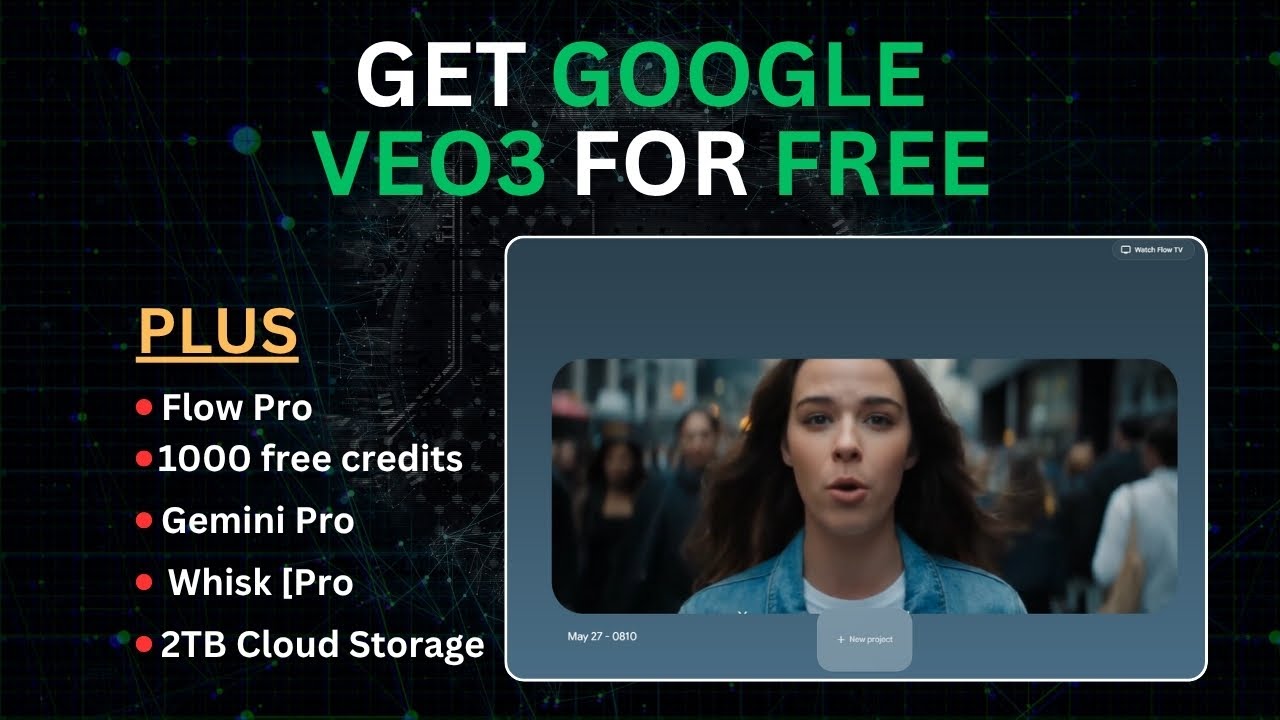
I was able to get V3 for free and boy oh boy this thing is a masterpiece. For those who don't know Google just dropped a massive news in AI space which is V3 with its audio feature totally destroying video models like minimax and runway even cling 2. 0 is a child compared to this thing.
And in this video we are going to test every single thing from ASMR. I hope everyone is having a lovely day to GTA gameplay to Minecraft gameplay. to street interviews.
I think it has become a threat for some people in society. Yes, definitely. Uh to vlogs for your AI influencers.
Hey guys, so I'm finally going to try this new face cream I've been dying to use with perfect lip syncs to Call of Duty gameplay to car edits. We are testing the whole bunch. And at the end of this video, I'm going to show you how anyone can get this and test it for free from any country.
So I advise you to watch everything till the end. If not, you may not be eligible to test this out for free. Also, I've prepared a document containing series of prompts and ways to make money with AI and AI influencers.
If you want it, first hit the like button, subscribe, and comment. I want the full document on V3. Once my AI bot sees that you've done all three of these, it would send it to you.
Trust me, you wouldn't want to miss out on the document. It has lots of info. If you want to see more demos with V3, check out the YouTube channel in the description and subscribe to it.
So, let's get started. Okay, so now let's get started. And this part is crucial and this is where we're going to talk about how to access Google V3.
And you should pay attention here because it may or may not determine whether you can access it or not, or whether you can even use it for free or not. So, just pay close attention and watch to the very end. Don't rush to create your account yet.
So, now if you search for VO3, you would see this interface here. You can simply click on it and it basically integrates with Gemini. As you can see, we've got the latest Gemini 2.
5 here. There's 2. 5 Flash, there's 2.
5 Pro. And essentially, you want to be in the Pro cuz it's the best. Then you can go here to where it says canvas.
You can turn on the canvas or not. Or you can go here with video. And as you can see, you can generate video with VO3.
However, any random person cannot access it through this place if it was already blocked in your country or if it hasn't been released in your country. So, pay close attention. And ideally, while you can also access it here, I advise you not to if you want to use it for free.
And if you want to really test out the full features for that, all you need to do is just search for Flow V3. Search for it. Don't worry, everything should be in the description.
Then, click on any of these ones like this one. And as you can see, it has this cool little animation here. and it has honestly revolutionized storytelling.
And I'm not joking. Now, in this video, this is going to be a full breakdown of every single thing you could do with V3. So, just calm down and watch if you want to really know all the possible use cases because this is definitely revolutionary.
I'm talking 10 times better than Cling, 10 times better than Sora in all or most aspects. Just take a look at this. As you can see, all of that was generated with V3.
And we are going to cover literally everything. I think we're going to cover everything. So, be sure to pay attention.
Now, the difference between this and V2 is that there is now ingredients to video. Essentially, you can combine two or more objects into one video from just your text, meaning it's perfect for consistent characters. Essentially, you can bring in your own assets and generate with flow.
Something like this. As you can see, the new ingredients to video, and you can now create scenes, meaning you can legit make a movie with this. Don't worry, we're going to test all of this out.
So just pay attention and remember if you want to access it for free do watch till the end and let's get started. So these are just some of the videos that you can generate with it. And this looks amazing.
So as you can see this is the prompt that was used for this and we're going to generate our own. Don't worry, trust. Just watch this to the end.
So let's go to the next one. So we've got this one. As you can see it is actually good with text.
At least if the text isn't long then it's going to get it perfectly. And wow we can see the prompt here. Then this is the other one.
As you can see, it's very very cool. So this is what a lot of people don't show you. How to access prompts from various trends that you see in social media.
So we also have this one. And then we also have this one. Then you can also change the channel.
And as you can see, this one is very good. This one is awesome. All generated with V3.
Plus, you can be changing the channel over here. As you can see, it also gets stop motion so perfectly. You also have this.
So we're going to test all of them out. So if you want to start all you need to do is go here and click on create with flow. This is an example of one image that they have.
This is another one that I did. Then you can simply click on create a new project if you want and you should be presented with an interface like this. So let's get started and remember to watch this very closely.
So we can just simply type in our prompt. So if you want to generate the GTA 6 gameplay videos, all you simply need to do is just type in a prompt like this. Just something like this.
And before you rush to generate, you can either clear the prompt if you don't want this or make sure you go to settings, go to quality, and you select V3. It's very important. If not, then you're just wasting credits.
You can also choose the amount of output per prompt. Of course, the V3 does cost some AI credits. Well, don't worry.
Just watch to the end. And yeah, you can go ahead and generate it. So, this is one of the results that I got.
So, as you can see, I'll play this full screen. As you can see, it got it so perfectly. Just take a look at how he is running.
And it actually comes with audio. As you can see here, it comes with experimental audio. But the audio is still perfect.
Now I like the second one even better. Just take a look. As you can see, it got it perfectly.
So now let's try another one with a real human being. So something like this. Just type in a prompt like this and make sure V3 is selected.
Obviously, you actually want to be checking this sometimes in case you maybe refresh and it returns back to V2 and click on generate. So, here it actually switched to V2. That's why it doesn't have any audio.
But if you go up, this one has audio. And let's check this one out. Thank you for the $2, broky.
Now, I know what you might think. Yes, the screen is a bit off position, but I want you to notice how good the lip sync, audio, and hand movement is with this. Just take a look.
Thank you for the $2, broky. As you can see, it got it perfect. Now, another reason why it may have had this error is because we just used a very simple and basic prompt, but actually on this second one, it did an even better job.
Just take a look. Oh, thank you for the $2, broky. Oh, thank you for the $2, broky.
So, as you heard, it even had added the proper emotion to this video. And even take a look at the gaming chair. Everything is on point on this video.
So, now let's try a different style. You know, since this is VO3, there has been a lot of hype around this. So, let's see an actual gameplay of another game, maybe Minecraft.
So, just a simple prompt like this. Obviously, you can always make the prompts a whole lot better, but let's just keep it simple and see how it can work with the basic prompt. So, just click on generate now.
Boy oh boy, V3 actually did cook with this one. Just take a look at the audio. Not just the audio actually, but even look, just take a look.
So, the point was a Minecraft gameplay and it even went on to add something like this at the very end. As you can see, even the sound is on point. The physics, the material, everything, even the way this hammer is moving is so on point.
Now, let's take a look at the second one. [Music] As you can see, it also did a decent job. So, the point was destroying the house or the house breaking down.
Now, we can go further and click on add to scene. But, let's not do that. Let's test it out with a different style.
Maybe we can go through the popular arcane style actually. So, now we're simply going to paste in something like this once again. We'll make sure that this is V3 and click on generate.
Now, boy or boy, I must say it's really good. Now, this one actually looks more like League of Legends because in our prompt we did say League of Legends style, but this second one is much better. Let's just look at this one first.
I must control this power. As you can see, it tried, but this second one is lovely. Just listen to the audio.
As you can see, it got there perfectly. And if you look closely at our prompt, we never even told it to speak, but using AI and its knowledge, it's added the perfect script for it and lip-s syncs so so perfectly. Now, you can actually go ahead and download this.
Now, when you are downloading it, you can decide to upscale the video cuz currently its base form is at 720p, but you can simply upscale it. Right now, it's currently upscaling. Okay, so now for some weird reason the upscaling is taking way too long, but you can go ahead and try that and it should work perfectly.
And let's move out to a different style. Let's see if we can generate a real football match or scene. So just prompt it like this.
Just a prompt like this and see how it does. Just click generate. Now this is what it cooked for us.
Now I must say that this is evidence that AI is not perfect yet. Just take a look at this. Although it did get the sound quite well.
[Applause] As you can see, it's far from perfect. I mean, even though this is a small prompt, it shouldn't be all crazy like that. But let's take a look at the second one.
[Applause] So, as you can see, this is evidence that actually Google used a lot of either YouTube videos or whatever Google data to train the model because if you watch football, you'd realize that these are actually some of the real teams on this video. Some of the real life teams had worn this exact same jersey and even with the sponsors. So, you can tell that that data set used a lot and a lot of real footage actually.
And we didn't even specify any particular team. But I mean, no other AI can really get this perfectly. So, let's try a conversational style video.
Let me show you how to make them talk like all the videos you've seen on the internet. So, now, as we saw last time, in actuality, Google Vo on this model was specifically able to generate a script on its own that matched the scene. Let's see if it can do it with a prompt like this.
Now, of course, if you want more prompts like this, you already know what to do. Subscribe and comment. I want the free document and you get the full guide on everything on how to make money with AI.
But let's proceed. So, um, we've got this prompt here and let's see how it's going to do. Okay.
So, now this is what it generated from the V2. That's why I say always check cuz trust me, you don't want to waste credit and you don't want to waste time. So, always make sure you have V3 selected.
Now, this is the second one that generated with V3. And you can take a look. You can see for some weird reason the audio isn't reaching out as you can hear, but it did say it was experimental.
But look at the second one. Have you heard about the prom theory? Have you seen uncircul?
I have not, but I am definitely intrigued. Have you heard about the prom theory? Have you seen circle?
As you can see, we never texted to say those exact words, but using AI, it did come up with what to say. However, around the middle, it did glitch out a bit. But let's now prompt it better.
So, something like this. So here we've got a prompt like this now. So as you can see we didn't tell it what exactly they should talk about.
So we just said that they are talking about the effects of AI. So we didn't really give it a script as detailed as this. Now let's see how the AI is going to interpret this.
So make sure VO3 is selected and click on generate. So essentially both of them have generated and I want you to see how realistic this actually is. Do not forget the fact that we told it to talk about the effects of AI in society.
Now let's listen to the first one. A threat for some peop do you think it has become a threat for some people in society? Yes, definitely.
Uh do you think it has be So as you can see it's essentially saying do you think AI has become a threat to some people? And as you can see it's so realistic the way they move around the way they ask really natural looking body movements. It's very very realistic.
It's very good. Now this is the second one. Now, this second one is actually a bit more blunt if you don't really know the context, but let's watch.
I think that's a really complex question. Yeah, but what do you think? I mean, are we there yet?
I think that's a So, it did a very very good job. Of course, the question is, are we there yet? Which doesn't really relate to AI like that, but it's meant to be talking about whether AI has taken over jobs.
But yeah, the video on its own is very good. Now, we can go ahead and add to scene. So we've got this scene like this.
Then we can now go here and then make sure you're in the scene builder and prompt like this. Then we'll click on generate. So actually I did make a mistake.
So first of all you go here and can choose to jump to or extend. I think we just jump to or rather we can extend and prompt it like this and hit generate. Here it is done.
And this is actually what it cooked. As you can see, it's not perfect. It does signify AI is far from perfect.
However, I do see in the next coming years, maybe 3 to 5 years, I think we are all going to be astonished from the results by then cuz don't forget Google has YouTube which gets tons of videos uploaded every day which they can use as training data. So now let's try the jump feature. Click on jump, type in your prompt and click on enter.
Okay, so now it's done. Now the prompt is for him to enter a car. Now he actually doesn't enter the car, which is strange for some reason.
Of course, better prompting can fix that. Now let's try out other scenes or other possibilities with this. So we can test out something like this.
So something like this. We should make sure V3 is selected and click on send. Okay, so now it's generated.
As you can see from the get- go, I'm pretty convinced it did a good job. Let's test it out. Hello.
It's so nice to see you again. As you saw it, it did wonderful, wonderful job at this ASMR video, which is insane. Meaning you can literally create an AI influencer for ASMR and then redirect your fans to your exclusive page for AI influencer which is awesome.
Let's test out the second one. So now it's done. I had to download it and look at the results.
Everyone, how are you? I hope everyone is having a lovely day. Hello everyone.
As you can see, another perfect job. Now let's test out another style. So this time around, I actually want to see if it can do edit style videos.
So here I asked the Gemini to help me with the prompt. So I can simply copy it. Go back here and paste it in and click on generate.
And let's see how it does cuz I don't think I've seen anything like this. Let's just see how it cooks with this one. Now it did cook.
Not exactly like a car edit, but it did really cool effects with the car. Just take a look. [Music] It really tried.
Now, let's try another one. So, I've got this prompt here and click on generate. And this is what it generated.
You can see it did very well. Now, another feature I'd like to try is the ingredients to video. So, now before we actually do that, I want to actually test out another prompt.
So, something like this. Let's see now. Boy oh boy, it cooked.
Just take a look. Then this other one, as you can see, it's in Nuke Town. Both of them kind of resemble Nuke Town, which is very good.
As you can see, even though he does knock down his teammate, I suppose, but it did a very, very good job. Now, one more thing before we move on, I will show you how you can try and see if you can get this for free. But first, let's see if it can replicate popular people.
Something like this. Let's see if you can replicate a popular figure with just the text. Now, just as I imagined, it actually reached like 99% and it said it couldn't generate.
So, for the text to video, don't even use any popular person. Now, if you actually do want to get the people to talk, all you need is a prompt like this. So, something like this, just this prompt, you have to include what you're saying.
Of course, you will include the quotation marks and do make sure you use VO3 and generate. So now it's done and look at what it's cooked. Subscribe to Brain Project and you'll get his free AI master class.
Subscribe to Brain. You can see it got it perfectly from the hand movement all the way to the actual mouth lip syncing. Now this is the second one.
Subscribe to Brain Project and you'll get his free AI master class. subscribe to Brain Project and you'll get his. As you can see, that one was also good.
And you can go ahead and upscale these to about 1,080p. So now, let's try the ingredients to video. So, as you can see, I've got these two here of a robot and an apple.
So, prompt it like this. And don't worry, you can also generate images from here. Just simply type in what you want, then click on generate.
So actually you actually need to switch to V3 exclusively for this and hit generate. So yeah it is done. However, if you can notice if you play the video as you can see the robot doesn't walk but you can see we've got perfect consistent characters with this and with more prompting you can actually get a very very good result.
Now before I show you how I got this for free I do want to test out one more thing with the text to video and I'll simply tell it to make a YouTube tutorial on how to create a crypto account. And this is just obviously me trying to see how far Google used YouTube to train their model. And let's see how far Google has gone with their training because so far VO3 has been impressive.
Okay, so this is what it cooked as you can see. Yeah, it actually didn't get this text correctly. Okay, so first we need to go to our crypto exchange website.
Okay, so it did a pretty funny but decent job in the grand scheme of things. than this other one. So, let's walk through creating your crypto account and it's really easy to do.
That one is better. So, now how can we use this for free or how can you try and see if you are eligible or if you can. So, firstly, I would create a new tab and simply paste this link.
Now, you already know what to do if you want to get the link. It's also in the documents. It's whisk.
And all I need to do is click and enter tool. Then click on continue. Now this whisk is basically like GPT4 but it has the video model.
This is image and this is for videos. You can go ahead and add your videos. You can add images.
You can create scene something like this. Then just describe what you want. Then you can simply go ahead and go to animate and then you give it what you would want it to do.
I do know that definitely they give free credit here and this is from Google. So something like this. So here we do have this cute animation here.
Of course, there are also some limitations. This one doesn't come with sound and ingredients to video, but all in all, it's still the same. Now, another way that you could try is this.
If you go back here, as you can see, they've literally got a Google AI pro plan that allows you to use $0 for 1 month. And I'll share how to get it consistently for like 15 months. You can get V3 with this with the text to video and frame to video along with the scene builder and 1,080p upscaling.
So basically this account is for students. Now there's a video explaining how you can do this but essentially you're going to create a student account. So essentially it is like this.
You're going to create a student account with Gemini. Now for you to do that obviously some of you guys might not be in college. So to do that you need to create an email with the edu domain.
So then you go to this temp email. Make sure that you're using this yomail. edu to create the account.
Of course you need to get a VPN. Um, you can just use this particular one. That's the one I got.
Make sure you connect it to the USA, use it to create the student mail, and then use it to register for Gemini Pro. So, of course, the full tutorial will be in the link in description. Just comment down what you need to comment.
And yeah, so that's it for this video. Don't forget to like and subscribe for more AI videos. And of course, this doesn't work for every single person.
It's just you try it and test out your luck. So yeah, that's it for this video.