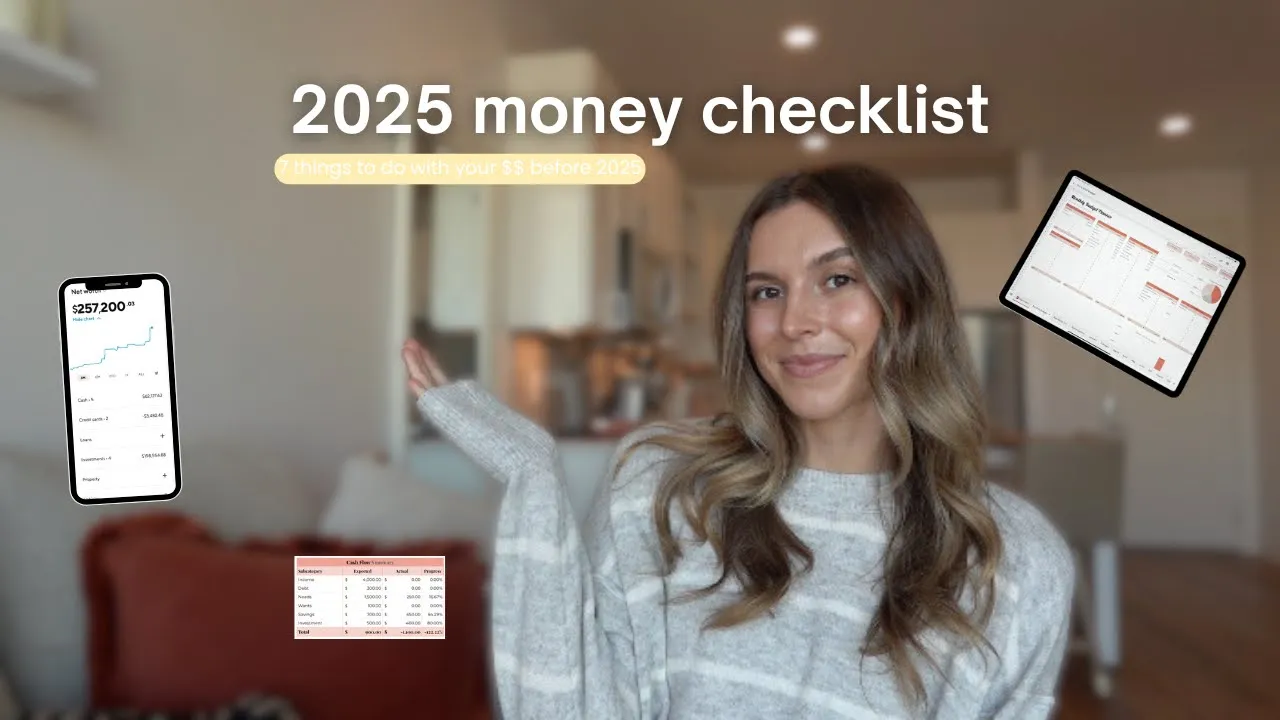
welcome or welcome back to my channel we're only a few weeks out from 2025 and I love year end planning so much just in general I've been spending the last couple of weeks organizing everything on my iPad layout setting my vision board as my wallpaper I just came out with the 2025 version of my budget template so I've been spending some time setting that all up and making sure my money is all organized for 2025 so that is why I wanted to film this video today I'm going to give you seven steps that I've been
doing and that you can do to get your money all organized and feel really good about your money going into 20 this is going to be your little year-end Financial checklist because I think it's really important to go into a new year feeling really good about your money and feeling really empowered to manage your money next year so in this video I'm going to help you do that like I said there are seven total steps that we're going to talk through today and to make everything easier and help you actually take action on these when
you're done watching this video I made a little year-end Financial checklist that you can download for free I'm going to put that in the description of this video so again when you're done watching the video make sure to download the checklist and take action on all the things we're going to talk about by the end of this video you will have reviewed all of your 2024 financial information so all of your expenses progress on your financial goals all of that good stuff we're going to talk about trimming our expenses before the new year how to
start building better money habits now so that you feel prepared going into 2025 we are going to build our 2025 budget in this video and then last I'm going to show you how to automate literally everything so that in 2025 you don't have to spend more than like 10 minutes a week on your money I'm super excited to talk through everything in this video so let's get right into it the first step in our year-end Financial checklist is to review your 2024 expenses I feel like most of the time when people try to get their
money organized they always skip over right to the budget portion they want to create a budget and start sticking to a budget but it's really hard to jump right into creating a budget when you have no idea what you're currently spending or what you've been spending most people if you've never tracked your spending before you have no idea how much money you're spending or what you spend your money on I would say 99% of people can't answer the question of how much money did I spend on groceries this month how much did I make versus
how much did I spend last month it's really hard to jump into creating a budget for 2025 if you have no idea where your money went in 2024 so that's what I'm going to show you how to do we are in the 2025 version of my budget template and I want to show you how I would go through this entire process if I've never tracked my expenses before and I want to get a really good idea of how much money I have been spending I use this template to talk through all the different steps in
this video but since we're talking about our 2024 transactions and then also our 25 transactions going to use two separate copies of the template download this budget template you basically get access to make as many fresh copies as you want to so if I were you and you wanted to start tracking your 2024 expenses I would make two copies of the template start with your 2024 information use that to kind of like practice the budgeting process almost make a fresh copy for 2025 and that's what we're going to do in this video what it looks
like as soon as you download it and we're going to go through the process of how I would start tracking my expenses for 2024 this assuming that you've never tracked your expenses before or you don't really have good habits around tracking your expenses so you want to get a good idea of how much money you've been spending tell people when I meet with them oneon-one or when I help them with their budget that A good rule of thumb is to go back to the last full month worth of transactions and log all of the transactions
for the entire month now we're in December I'm going to go into my credit card and my bank account and log all of the transactions for the entire month of November do that we're going to go into the monthly tab so we'll go into November and this is the transactions log where you start logging all of your transactions so again on my phone I'm going to pull up my credit card app and then also my bank account app start with whichever one and and literally just go through the transactions and log them so if my
credit card app says that I spent $45 on groceries and then I got gas and I spent $25 since you're doing this for the entire month you really don't have to worry about the date here just list all of your transactions and you'll start to see your different C at ories as you're going through your transactions you might realize that there's some subcategories that aren't already currently prepopulated into this template so you're going to want to add those that you're going to come into the budget setup Tab and this is the tab where you're creating
your budget so you're also creating your budget categories in this tab not going to worry just yet about editing any of the numbers because that's what we're going to do when we go to create our budget what we can do is we can edit all of these categories here so that the categories populate in the monthly tabs mean by this is as you're going through your November transactions let's say you spend $35 on parking and you come down here and you're like okay well that was a one but I don't see a parking category and
I do spend a lot of a lot of money on parking or like uber rides so I think I need a transportation category in my budget you can come over here into the budget setup category go down to once and you can list transportation in the category so now when you go over to Once under subcategory transportation will populate so what you're doing is as you're kind of going through all of your transactions for the month you're also taking note of which subcategories would make sense for your budget I just added a few more sample
transactions you can kind of get an idea of what I'm talking about here but essentially as you go through this you'll probably end up with like 50 some transactions throughout the month and what this does is it allows you to comb through all the transactions and be like wow I spent $500 on grocer in the month of November or I didn't realize how all of those little trips to Target are actually adding up and a lot of money is kind of being like wasted in my budget because of that might realize you have a couple
different monthly subscriptions that you forgot you even had and you want to cancel those it makes you list everything out so you can see the totals in each of the categories after you're done logging all of your individual transactions you'll want to use the rest of this tab just to kind of look at all of the totals again since we're not creating our budget yet you don't have to pay attention to any of these columns so the expected columns because that's going to be your budget columns what you're going to want to look at is
all of the actual columns so here here down here is the needs and the wants so you can look at here and here and you'll just come down here and be like okay I spend $2,300 this month on rent I spent $167 this month on groceries just kind of like take not of how much money you spent in the month of November this process for 1 month I feel like is a really good exercise on its own but I also think you can get a lot more accurate of a picture of how you spend your
money if you do it for multiple months you do really want to get into it and you want to do it for multiple months repeat this process for October and September you're already going to have your categories listed in the budget setup tab so just go through and repeat the process each month logging all of your transactions and reflecting on them will probably take you like no more than 20 minutes each the end of the day you're only really dedicating like an hour to logging your transactions and you're going to have three full months of
data to be able to see how much money you spent step number two in our yearend financial checklist is after you have already come through all of your expenses at least for the you're going to use that information to trim your expenses and simplify your finances before going into 2025 I just did this for both my personal finances and my business finances this week and it honestly felt so good because again I was going through all of my credit card statements and my bank account statements and looking at my expenses being like which of these
expenses don't feel good to me which of these make me like cringe at how I've been spending my money and then for a lot of the recurring transactions so monthly subscriptions Annual fees that are going to be hit I can take action right then and there and cancel all of them to simplify everything this step is also a really good time to simplify all of your financial accounts so just like we're simplifying a lot of our expenses we're also simplifying all of the accounts that we're spending money and saving money in so for example when
you were logging all of your transactions did you have to pull up multiple credit cards to get all of your spend accounts or when you're thinking about where you save money are you saving money in a bunch of different accounts like are things just confusing right now I do say this a lot but it's a lot easier to build good money habits and like constantly check in on your money when you only really have one or two accounts to check on a weekly basis so in my opinion I think it's easiest to keep everything with
one credit card if you're spending on a credit card obviously you don't have to spend on a credit card if you can't manage that and you're going to potentially get yourself into credit card but if you are spending on a credit card keep it to One credit card and then on the bank account side get one bank account that has both your checking and your savings and make sure it's a bank that the savings option is a high yield savings account so that you're actually earning money on the money that you're saving for a good
bank account option that checks off all of those boxes I personally use Sofi checking and saving I really like them because they have a great high yield savings account their high yield savings account lets you split up your savings into buckets so when we're talking about the financial goals section in this video I'll be showing you my Sofi savings account and how I organize all of my different savings goals it's a high Yi old savings account so I'm earning money on the money that I'm saving I have both a checking and a savings account with
them so my direct deposit goes into the checking account portion and set up automation so that I don't have to remember to physically save the money every month it also has a bunch of tools right in their app like spending insights and then there's also a net worth tracker which we're going to talk about in this video as well so all around if you're looking for one good bank account to keep all of your money organized I personally really like Sofi step three is reviewing our progress on all of our financial goals so this is
going to be the step where we are reviewing all of our different Financial accounts there's a ton of different ways to do this you could get out a piece of paper and write down all of your accounts with all of the current balances but I personally like using a net worth tracker tool because at the end of the day our debt our savings and our investments so all of our financial goals that's what's going to make up our total net worth it's really nice to use a net worth tracker and get a really clearcut like
in real time picture of what all of your balances are and what your net worth is like I said I use Sofi as my checking and savings account and what I really like about Sofi is that they have a free net worth tracker right in their app on the desktop version right now but literally just on your phone or on your computer you can link all of your external bank accounts and get a really clear picture of what your net worth is here's what the main page looks like you can see here what your current
net worth is and then you get a breakdown of what makes up your net worth so here you're going to see all of your cash so between your checking and your savings account how much money you have in cash or Investments so if you link all of your investment accounts like your 401k if you invest in a Roth IRA anything like that that's going to make up your Investment Portfolio and then on the liability side you're going to see all of your debt so if you link your credit cards if you link your auto loan
your student loan you'll be able to see Cash Plus Investments minus all of your debt that's going to make up your net worth you can click in here and say view all accounts to be able to see all of your different accounts so what makes up your net worth so as you can see I have 41,000 in cash that's between my checking and my savings accounts these are my current credit card balances I pay my credit cards off in full every month but these are just like the current balances on my cards right now and
then I have my entire Investment Portfolio here as well so I have my solo 401K my brokerage account my Roth IRA and then my old 401K from my old employer what's nice about doing this and kind of like getting a grasp on all of your different accounts is it really helps you set your financial goals for next year so you can come in here and be like okay this is currently how much money I have in my emergency fund what would I like my emergency fund to look like next year do I need to increase
it at all you can come in here and be like Oh my debt has gone down a lot in 2024 but I really want to make debt payoff a priority in 2025 as well you can kind of just get a good clear-cut picture on which of your financial goals you should be focusing on step number four in our year-end Financial checklist is to start the process of building good money habits right now I say this all the time but being good with your money is like very very little about learning the concepts and becoming financially
literate and it's way more about being financially disciplined what money habits do you have day today are you impulse spending do you know how much money you spend do you know where your money is going like 10 to 20% about learning the concepts and 80 to 90% about being financially disciplined every single day if you've been following me then you know for me personally my money habits look like sitting down every single week and tracking all of my spending it's my weekly money routine and every single week on Monday morning I sit down for 10
minutes and I track all of the expenses that I incurred the week before into my budget chbl what this does is it forces me to look at all of my accounts on a weekly basis it forces me to pull up my credit card and my bank account every single week through that process of pulling up my credit card seeing how much money I spent logging it into my template I'm really getting to hold myself accountable in real time for all of the purchases that I'm making so in step one we went back in time and
we tracked all of our expenses for the last couple of months which was great moving forward we need to get into the habit of doing it more in real time so that we can change our spending habits more frequently for example if on a Monday morning I sit down and I log all of my transactions for last week I log that I spent $200 at the mall or I log that I spent $100 going out to the bar with my friend that makes me see in real time that okay it's only a third of the
way through the month but I'm already over my shopping budget for the month we're only a third of the way through the month and I've been spending a lot of money on groceries this month so I know I need to kind of cut back for the rest of the month checking in on your finances once a week is going to be way more impactful for changing your spending Behavior rather than waiting until the end of the month logging all of your expenses and being like Oh my gosh I totally blew my budget this month try
again next month I said we only have a couple of weeks until the end of the year so you have a couple of weeks to kind of like practice doing that and really building the habit now so when we do get to 2025 and you do make a new copy of the template you make your budget you're going to feel really motivated to stick to it because you've already built those habits step number five is definitely the fun part this is where we actually get to create our budget for 2025 so like I said at
the beginning of this video the template that we were working through to like log our 2024 expensive we're going to make a second copy of the template for 2025 so that we can like completely start fresh because the last couple of months of the template are going to have all of your 2024 data into it so we want to make a fresh copy so that you can log 12 months worth of expenses in 2025 the monthly budget planner tab of the template and this is the spot where you can kind of like play around with
the numbers and set up a budget that makes sense for you and so I came in and I created sort of like a sample budget so you can see exactly how this works essentially you're going to come in here and just start listing basically like what you earn and then about how much you want to spend in each category this tab is just kind of like an overarching average of like on average I earn about this much per month I I spend about this much per month don't get into the weeds of like well one
month I'm going to spend more because of this because the budget setup tab is where we're going to actually put in all of that monthly data and actually create our budget every single month planner tab is really just to get us started so that we can sort of see like on average we earn this much we spend this much and we should have about this much left over to save you don't have to use this planner tab at all you can get right into the budget setup tab if you like that I personally just really
like to be able to see like all in one tab like okay if I earn this much and I spend this much this is how much I would have left over so I came in here and I said that on average my salary would be $4,000 and I would earn about $500 a month babysitting in some sample needs categories again since you went through the process of tracking all of your expenses you would know what categories you would need in your budget so you don't have to use these exact ones you can create your own
needs I put some things like rent utilities groceries gas Insurance you could have things like phone bill WiFi and list the amounts here for that listed some once's categories like restaurants shopping Fitness under debt payments I listed a car payment and a student loan payment this could also be if you're in credit card debt and you're trying to pay off credit card debt you could list that here as well say credit card payment and let's say your goal is to put $200 a month toward your credit card payment you spend on a credit card just
fig your like monthly expenses but you pay it off in full every month you don't have to list your credit card payment here because you're paying it off in full every month and you're logging those transactions individually so the only time you would list a credit card payment here is if you're in credit card debt we're going through creating our budget step number six of our year-end Financial checklist also kind of plays into this because step number six is creating our financial goals final goals are going to be the debt savings and the Investments portion
of your budget you're going through this process you can come down here and say okay I have on average about $500 left every single month if I stick to this budget so where am I going to allocate that money is it my goal to beef up my emergency fund this year is it my goal to invest more into my Roth IRA this year allocate the numbers here and as you do that you'll see this amount left over is going to keep dwindling down until you get to zero if you do have $55 left let's say
you wanted to add a car fund to start saving for a new car and you're going to do $55 a month so the goal is to set all of your financial goals until you get this amount left down to zero now to finalize steps five and six after you've kind of worked through the planner we're going to use the budget setup tab to actually create our budget for each individual month since your budget can obviously change a little bit every single month I wanted to give you guys a space to be able to kind of
reflect that in your budget so we're going to take the information from the budget planner we're going to populate it into the budget setup Tab and then we can kind of adjust things monthly I would just come down here and I would copy this and I would copy that and then you can also copy this and copy that in there I copied all of our subcategories over and then also all of the numbers into the January columns see what your budget looks like for the month of January you can use this annual budget setup overview
to kind of see like an overview of everything so again overall your income would come to 4500 and here's kind of the breakdown of what you're budgeting for where you want that money to go entered all of that information into the budget setup tab now when you go over to Janu M you'll see all of your expected columns are populated with that information so the cash flow summary you're planned this will be the exact same amount of money as this all of these like income summary breakdowns debt payment summary breakdowns all of the expected columns
are going to have the information populated from the budget setup tab so these are going to be your budget you'll see all of the actual columns are blank and that's because the actual columns again are populating from the transactions log so so once you actually do into January and you start logging all of your transactions you'll be able to see really clearly okay what did I budget for this month and then what did I actually spend and as you go throughout the year you can obviously continue making your budgets for the other months a lot
of categories are going to stay exactly the same with little variances here and there by month get into the summer months if you want to increase your restaurant spend category you're going to get a bonus in February then your income budget for February would be a little bit higher and things like that now step number seven of our year and financial checklist is to automate as much of our financial life as possible like I said at the beginning of this video I'm going to teach you how to automate so much of your financial life that
it really only takes you like 10 minutes every week to log your transactions and that's all you have to do I personally have automation set up for debt savings and Investments so all of the kind of like financial goals portions of my budget meaning that my credit cards are set up on autopay meaning that I have automation set up to transfer money from my checking into my high Yi old savings account so that I don't have to remember to save money every month and then also automation set up for my investment so that I don't
have to remember to invest my money every month I'm going to show you how to do all three because it actually is very simple first for automating your debt payoff this one I can't like show you because it's going to look different depending on what all of your accounts are but any debt you do have that can be automated to pay it off so obviously if you have a car loan your monthly payments are probably on autopay if you have a student loan those monthly payments are probably on autopay you can adjust those payments so
let's say your student loan is $400 a month but you actually want to pay $450 a month to pay it off faster you can go into your student loan account and increase the amount of money that you're paying toward your student loan every month and have that automated so that you don't have to think about it as for paying off your credit card so first in a situation where you're using your credit card just for regular everyday expenses like you're not in credit card debt you can go into your credit card app and set it
up to pay the entire statement balance on the statement due dat and last I'm going to show you step byep how to automate both your savings and your Investments so the first step in doing this is figuring out exactly how much you want to save and how much you want to invest every single month which is what we were doing in steps five and six so we're back onto our monthly budget planner tab if you started here and under your savings and your investment schools this is where you were mapping out exactly how much you
want to save and how much you want to invest in all of your different categories every month take this for example on the savings side I said that I wanted to save $350 every single month in into my emergency fund I'll show you how to automate that we're back into my Sofi checking and savings account and I'm going to go into the banking section before we set up automatic savings we're going to set up our different bolts or our buckets so that we can save for very specific savings goals as we mapped out in our
budget planner so we're going to go into savings you can see all of the vaults that I currently have set up but you can set up your own for whatever you want to save for have set our fund money holidays pet fund and travel also really just to organize your money so instead of just throwing a ton of money into your savings account every month without a clear purpose you're splitting it up so that you know exactly what you're saving for you come in here and it says what are you saving for you can say
emergency fund say how will you save money I'm going to come up here and say set up recurring transfers and then I'm going to do that $350 amount because that's what we figured out in our monthly budget planner you can pick which day of the month it goes fund has been creative so then now coming back into the vaults you can see that you have an emergency fund here and every month on the first of the month money is automatically going to go from your checking account into your emergency fund is really what it means
to pay yourself first back to this main page in banking there's a little autopilot section here you can see all of your different automations so if you need to edit anything or you just want to see like where the money is flowing and when you can manage everything here and add new automations here as well I'm going to show you how to set up automatic Investments so if there's anything on the investment side of your budget and you want to get that automated so that you don't have to think about it and you don't have
to remember to invest your money every month I'm going to show you how to set that up you don't already have an investment account you need an investment account provider personally really like betterment especially for beginners if you're overwhelmed with the whole investing thing and you want to utilize kind of like a robo advisor platform to set up basically everything for you we love betterment for that it's super easy to use I'll show you how to set it up here I am inside of my betterment account I already have an account so I can't show
you how to set it up but already have one right on the homepage it's super easy to set up an account and it'll walk you through which account to set up and all of that you can set up your Roth IRA through betterment if that's the account that you decide is best for you so once you're inside of your account like a Roth IRA account we're going to set up the Automation and it is super easy on betterment all you have to do is hit automate your savings to set up your deposit you pick which
account the money is going to come from so it's going to come from a checking account to go into your investment account so something like a Roth IRA account the type is going to be a contribution the frequency you can do monthly twice a week every other week we'll just do monthly for now on the first of the month and then whatever amount you want to do so if you want to do $250 review the deposit and hit submit and there you go your Investments are set up every single month and why it's that easy
on betterment is because betterment is a robo advisor so all you have to do is deposit the money and they invest the money for you automatically using an account provider that is not betterment it's not a robo advisor it's not that that simple you have to deposit the money and then you have to actually invest the money so I do want to put that caveat there something like Vanguard you can't just deposit the $150 or $250 every month that would just be sitting there in cash but what I like about betterment is that you just
deposit the money and they do everything for you that's what it means to be kind of like a robo advisor and that is all for our yearend financial checklist like I said I made this all into a freebie kind of like checklist document that you can print out or just like look at on your computer I'll L that in the description so definitely download that so you can actually take action on all seven of these steps that we talked about today but hopefully this video was helpful to make you guys feel super prepared to manage
your money in 2025