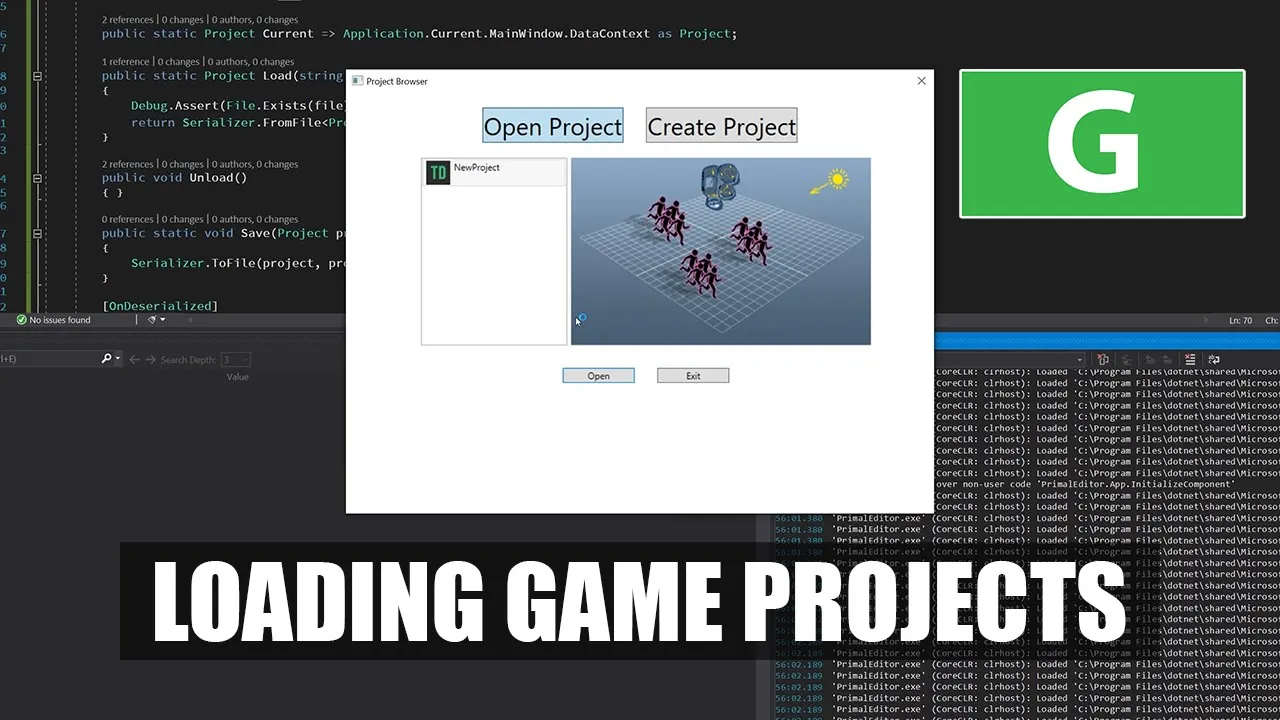
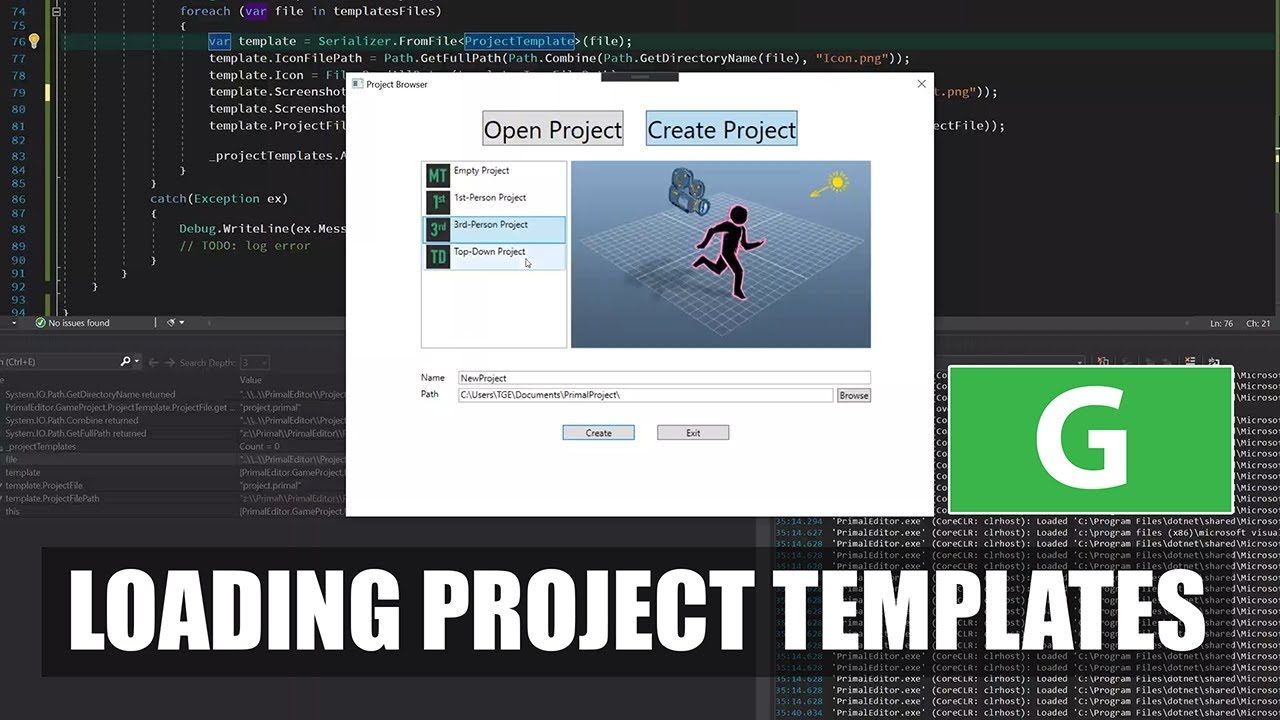
hello and welcome to the game engine programming series where I write a game engine from scratch in the last two videos we spent time working on the part of the project browser that allows us to create new projects and as a result we are not able to go to create project and choose one of these templates and create game projects today I want to start working on the open project part so we can get a list of the projects that we already created and can choose one of those and open it [Music] you so last
time I created this class Oh project that would become the view model for the open project view that we have here so now I can set this as the data context for the control now the thing is that the only part of this data context that I will use to bind to this control is the list of the projects and otherwise we don't have any properties to bind to and therefore to do the things a bit differently I'm going to remove this inheritance and I can just write an aesthetic constructor for this and the only
thing this class does is basically to remember when where we create projects and save that data into a file that is independent of the project locations and display that back when we restart the primal editor in order to save data about projects I need another class that would contain this data and the information that I need are the project's name path and the date of access the data at the last access or open the project and because I am going to save this to a file I need to serialize that so as before I'm going
to use data contracts a realization for this and then I need another class that represents a list of project data and this class contains just a list of project data as the name indicates and again this is the list that I am actually going to serialize so this one should also use the data contract attribute and in the open projects class I need the consent that would contain the path to a location to save this project data list for that I want to use the application data folder that is available to all applications on Windows
and I can use this special folder method to get to get that you this is the location of application data and at the end of this I append a name of the application which is primal editor and this is a location where we want to save the list of projects and I need another string that would contain the full path of the the file that where I save the data and it includes the file name as well in a constructor I'm going to create this folder if it doesn't exist and and also construct the full
path from it since again I'm working with files I'm going to use a try-catch block to catch any exceptions that might have been thrown you and this application data path is just location and foreign name together so the file name is project data XML and this location is just the application data path once I read data from this dislocation I want to compile that into a list that I can display so for that I need an observable collection here again I am using a private observable collection and a public read only observable collection too to
bind to my control you so this is a read-only property that I can set here in the constructor and of course it's needs to be static since our backing field and our constructor basically everything else is static a method that reads data from this file okay my habit and convention is to contrary to common use that I put the Constructors at the end of the class instead of at the top so that's why I'm replacing everything that comes after my constructors to someplace above it for now I'm going to leave this method empty and I
would like to first make something that writes to this file so the way I'll set up this this class to save data to this project data is that whenever I use a class to open a project I'll just remember whatever I opened and unsaved it to this this project data file so now I go here and make a public static method that gives me back a project because I am opening a project so it should give me back that project and the method name is open the first thing I want to do is to read
read project data this is because of course we read project data here in the constructor as well but suppose we have multiple instances of the editor open and one of those will save data to this file by opening or creating another project then this file will be updated right so I need to read it here again in order to to stay updated okay and then I'm going to see what which one of those projects was was chosen by the user are selected to be open I'm going to search these projects lists and see if any
of these elements has the same full path of course I don't have property debts will give me the full path and that's just a path of the project and its name you so in this list I can look for this full path and see if the data the project data full path is the same and if so we have we have got this project if we don't find any project so it must be new because we just created it and we can handle that separately so if it's not if this project is not no it
means that we found one in the list and if it is then we apparently have a new project that we need to add to our list so I'll have this project set to data we have this new one this means that this method was called with a data project data that was not in a list and the way that happens is from create new project view model as I'm going to implement in a minute but for now here I can say I can set the project date this should be date to the current time and
date and just add it to the rest of projects and if we found a project that was already in the list that is good we just sent we just set its state because we are now access and get at it again so it's date should be updated and since we now updated the list of projects we also need a method to save it and since I have to return our projects I need yeah I'm just going to return return nil for now until we are done doing this so generate this function I'm moving it to
to be next to this one now the only thing that I need to do here in right project data is to order it by date of access and then serialize it to this this file location you so this is right data and you read it I'm going to check if this file exists in the first place if so I did serialize it after I read from the file I'm going to again order the projects from new to old for that I can use order by descending I clear the list of my projects so I can
set the new one or replace it with a new one now Here I am checking if the full path which contains the project's file name as well if that exists if that's not the case that means that the project was deleted or is missing so we don't add that to the list to be displayed now here again in order to display the list I need more information like the icon and the screenshot that means that I'm going to add a couple of more properties here in project data they won't be saved but I just use
them to contend some data that I can read so here again there's a byte array that contains the icon the binary content of the icon and one for the screenshots so here I can read the icon from the project location and remember that we saved those icon and screenshots in this hidden folder or subfolder that we create for each project which is just a primal folder okay now I've got everything that I need for the project to be displayed and I just added to the list of projects so here in the constructor I set up
my data and read from this file if it exists whenever we create a new project we also need to call this method to open the project because we just created it and when we click create then it also opens the project after it was created so here in here we have to do that now so in this place where I have created the project I can call open project open you and this will give me back the project use in the rest of the editor but for now because I don't create any in this method
I just return nil so this project is unused for now and after this I can go here in the open project control and find the list of projects to this list box and again I'm going to give this a name in order to be able to access it and it's pretty much the same as I did here for for the creation for the create project screen so I can just copy paste this parts actually and of course I want the first element or the first item in the list to be selected that's good and this
is icon and because now each item in the list is a project data type so as you can see here we can bind to project name and the icon and the screenshot so this one is already okay other than that for now I can just build and test if if we can do something with this so we don't have any project created yet or our this application doesn't know about them of course because we created our projects before this so here primal projects I can delete all of this now I can go and create a
new one like so we can see that there is already one item here I can open this again and yeah it's kind of working I don't see the screenshot for some reason but I do see from project that we just created so let's see what's going wrong with the screenshot so I've got an icon and the screenshot is the same size what happens when I create this I'm saving to I'm saving the icon again to the screenshot that's not correct it should be screenshot file path I wasn't saving the icon in to the screenshot that's
why it probably didn't yeah here I have the screenshots this is the same as the icon now I'll make a new project I still don't see the screenshot let me see of course if you already have spotted that I use the wrong name here for referring to my list boxed and you would have been correct I of course need to update this as well so this is project list and I think now it should work yeah there is there is a screenshot here as well next the only thing I have to implement is this button
that's when I click it on it or if I double click any of these items then it should open a project for me let's do that now I can basically copy paste this from create projects to open projects so first just make an event handler for this so now I can get the data context which is this time the open project class and a project that I want to open is the one that I selected and that's from the project list box projects lick list box and it's a project data type and of course this
method is static so I don't actually need to get the data context anyway I just go here and do like open project and call this static method and of course I shouldn't use the same method name for for this class so I'll rename this to open selected project and this should work and here I just check if this project is not know which right now of course is because I only returned and know from this method this can go away okay and whenever I double click on one of these items I want to open it
as well so I'm going to have an event handler here for that so I need a list box list box item container style so I can set the style of my list box items and in here I'll just have an event setter for double-click so events mouse double-click and here again I just call this function so now if I double-click on this one then well obviously it will close the application because the project is no so the result the dialog result will be false and if that's the case the application will terminate now we almost
have completed both new project and open project controls but we still need to pass the project that we opened to the main window to continue working on it the way I want to do that is to use the data context from the dialog box because I can access this dialog box from both the project browser itself so the new new project control and open project control as well as in the main window so when I set the data context of the dialog box like so to the project that we just opened I can use this
to get the project in the main window and now in the main window I can say that data context for this window is the same as that of the project Russia of course I want to check if this data context is not no so if it is no that means that we for some reason failed to open a project and set it as the data context of the dialog box and then we need to exit and shutdown the application otherwise we have the project as the data context and we can continue in the editor one
thing I need to address now is something that could become a problem later on when we have the ability to close a project and open a new one in the editor that means that we need to unload the project that we already have if we take a look at the project class we of course don't have any methods that load save or unload the project so I can do that now first out as a a property that will just return the current project that is loaded you if the death context is set to a project
and this will return a project and otherwise it will be no so whenever I have a method that would unload the project like so then I could go here in main window and ask the project if we already have a project loaded then we can just call unload and otherwise this doesn't do anything and we can set the data context to the new project and of course I would like to unload the project whenever I exit the application as well so I can go to the constructor of the main window and have another event handler
for the case when we are closing you now I want to write the methods for loading and saving the project these two methods are static because for loading a project we just have a path and we don't have a project instance of this project class yet so it should be static and to save it we well we could use a non-static member method but to be consistent with the way we load the project I am also going to make the save method static as well you the safe method is this load button the other way
around of course so this should be safe and then we give it a project to save one more thing I want to have in this class is a pointer to one of these scenes that would tell me which one of these scenes is active so I'll have an active scene property and I also want to have a default name for the projects that we create well it's not truly necessary because we are only creating projects by this realization by using this function so actually we are we don't even need this constructor anymore but I'll leave
it there for now just in a case that we want to just create a project for in a code for some reason I still have to initialize this list of scenes with the observable collection there writable the modifiable list normally I do that in the constructor but the serializer when it's constructing this object it doesn't call this constructor because it also has these parameters that it doesn't know about so its constructs these objects in another way not by calling the constructor so what I can do is that after the serialization I can have a method
that handles the rest of the initialization that the serializer doesn't for this we have an absolute class that is on this realized and it it marks a function that is called after the serializer is done you and here I can't do anything that needs to be done after this deserialization is done so for example if this scenes is not know that means that it has been initialized with this then I create a new scenes or read on the observable collections since because this unless realized is not in constructor then of course I need a private
settle for this scenes as well and because this code could be executed after everything all controls my main window and other UI elements have been loaded we need to update the bindings to this list and here I can just say dusk just called on property changed method this makes the controls to update their bindings to this list and whenever we want to construct a project using the constructor I just call this method that we just wrote on this I realized and this streaming context doesn't really matter because I'm not using it here anyway that kind
of covers the basics of the project and now I'll move to scenes and see what's missing here in order to [Music] yeah to be usable in the editor first thing I would like to add here is because we have here an active scene I would like the scenes themselves also to know whether they're active or not they have a reference to the containing project so I could use this to ask the project what active scene it is and then if the scene is the same as this one then we are active and otherwise we are
not active so I'll just have a property a boolean property so we can ask the the scene itself if it's active or not in the project class I want to be able to save which of these scenes is active as well because whenever we load the project we have no idea which of these scenes we have to set as the active scene so here I'm going to save it as the data member like so and I probably have to update our templates that we have to include this as well okay I probably need to do
something like this because I have one scene here and I would set this one to be active and there is a reference to this I - and it's also refers back to the project so I can see in what way I can set the references in this in this XML file now I can just copy paste this to the other templates you let's see if it still works okay now I have this project here and I can go in the main window and set a breakpoint here to see what the data context will contain we
are still failing to have the data context I had any errors no oh of course I have to create new projects that would contain this new scene reference that we just made so I'm going to delete these projects that we already had going to create a new one it is still failing so here in the open project I return the I returned no of course so we never get a project of course need to create to load a project that is that we chose so here load this project file and now it would hopefully work
yeah so here we have a data context set to a project I see that the active scene is no so what I did wasn't the correct thing to do let me see how to I actually need to do that okay I just think that the way I handle this is it's not a right way because if you look at the project I don't know in what order the serializer constructing all this all these properties so it could as well be constructing this active scenes before it's adding the scenes here so the reference to one of
these things doesn't make sense because well these scenes would be empty I think I'm just going to save this instead so this one is not the property that is saved but this one is and I have to make this like a regular property then and I'm just going to make it like this bindable property because who knows how I will be using this is active in the user interface and then I'll save this instead and in the projects in the Disraeli deserialization I can then go through these scenes and and find the one that is
active and set it as the active active scene and then once again I have to change back our templates I need to remove this line now and then add a new line here so let's test what happens now going to create an empty project so I can see now that my scene has my scene list has one element one scene and it is not active let me see maybe these properties need to be in alphabetic order you never know you okay going to make a new project yeah that worked so if I put these properties
in alphabetic order in the template file then it will read it just fine so now this active scene is no and hopefully now it is set to the one that's active so that's good what else here we had also a breakpoint and that's okay all right I think I'll wrap it up here the only thing I still have to do is to again copy these templates okay okay so today we finished working on the open project and create project controls so these are ready as far as I can tell and now we also have access
to the project that we loaded or created in the in the main window of our level editor and here ya in the project we now can load and save the project as well and in scenes we have now an active scene or the ability for a scene to be active or inactive and yeah next time I'll start working on the main window because yeah right now is just a blank slate and I'll make a start on the initial interface of the primal editor once we have a project opened thanks for watching if you like this
video please feel free to like and subscribe if you join me on patreon you'll get access to the code on github so you don't have to type everything over from the video plus there are also other nice goodies and rewards exclusive to my patreon supporters please use the link in the video description to check them out I hope to see you next time until then take care and happy game engineering [Music] [Music] you [Music]






![C++ DirectX 12 Game Engine - [S01E03] - Creating A Game Engine](https://img.youtube.com/vi/YgZSSE3qZqA/maxresdefault.jpg)