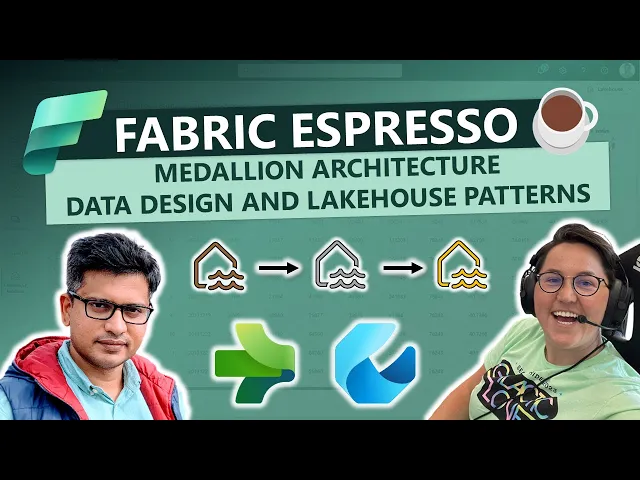
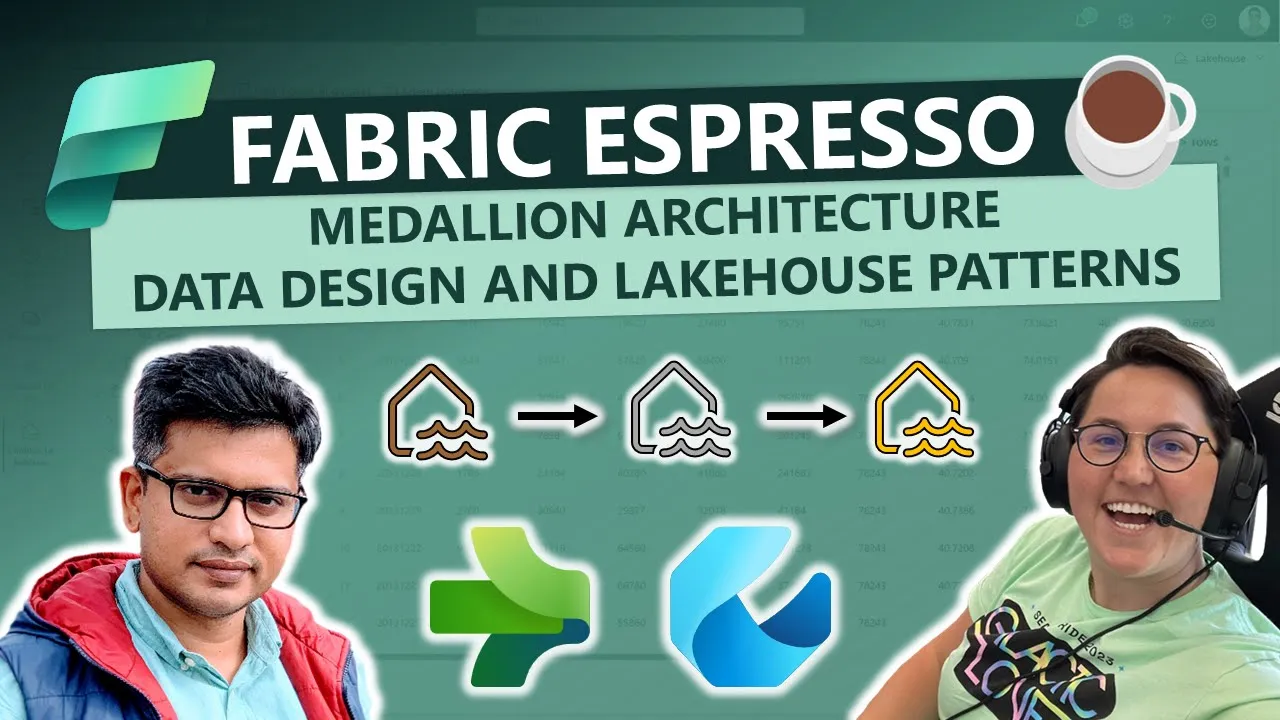
hey everyone welcome back to our Channel we continue our journey into data science data engineering and data Factory at Microsoft Fabric in this episode we have a privilege of Hosting abishek to kick things off abishek could you introduce yourself and share how we are shaping the future in data Factory area absolutely thank you esta for inviting me into this uh beautiful talk um so I'm abishek and I work as a product manager in the data Factory team in Microsoft Fabric and I'm here to talk about Medallion architecture and data ingestion um Into The Medallion architecture
in Microsoft fabric fantastic so let's start with the details and the brief introduction so could you explain the concept of br of silver of gold ingestion patterns layers those concepts are well known but how those layers those names are related to fabric Lakehouse absolutely and so these are patterns um in the data engineering world uh where especially in the lakeh house architecture in the era of lak house where um people have uh quite distinguished ways of storing the data uh and especially with lak house it gives you infinite uh scale in terms of what data
you would want to store uh you can start creating these architectures to keep your data and scale your data Engineering Process and so the whole idea is to kind of distribute your data into three different zones bronze silver and gold and by these names as you would understand bronze is the layer where you get started with where you put your raw data in the original data formats so let's say if you have uh csvs you have uh you know orc's you have uh whatnot even the binary data sets that you have you may want to
ingest those into a bronze Zone uh and these are you know do not may not have well- defined schema at this point in time uh these could be binary data as well like images and things like that and so you start with storing them into the bronze Zone and you know that this is at this point in time this is not consumable or not ready for consum assumption uh into your reporting layer right and then you start enhancing this data or enriching this data and moving this data into the silver Zone um this could be
done via various tools that we have in Microsoft fabric uh you have pipelines to operationalize an inchest data which we'll see in this talk and then you have notebooks where you can write code in Spar SQL and then you can transform or enrich that data you can also do ingestion while notebooks and then once the data is ready which is cleansed which is standardized where you have well- defined structure to it this is where you store it in the silver Zone and then comes the final thing which is the uh the gold Zone many customers
use silver Zone but then the gold zone is where it is the final curated data that you have think of it is if you're joining data if you're doing things like uh joining data across multiple uh you know tables dimensions and facts and then you are kind of getting into a final state of the data which is ready for consumption via reports or even by data science team for their ml learning model and so on and so that is where you have this concept of a gold or a curated zone now when you're implementing this
think of it as you can use different lake houses in fabric you can create absolutely different lak house by the name of bronze silver gold many customers can you know they they can end up using the same lak house as well uh within you know different zones so it's it's a pattern uh and so we do suggest using you know you can use absolutely three different lake house for these three different zones so abishek just to recap it's a design pattern The Medallion architecture is named because those are the colors of medals mhm and some
customers can use different lake housee or the same Lake housee I would like to follow up on the question can I use or should I use different workspaces absolutely so that's a great question now the the concept of workspaces uh comes in um where you have to segregate work like think of it as that is the segregation when you're creating notebooks for what we see customers doing is they create a workspace for a given project but of course you can have workspaces created for different environments as well and I would consider these zones as different
environments like the Bron the silver and the gold and they will have different use cases on which users are acting on these three different zones and hence it does qualify in case if you want to have them across workspaces uh it gives you another security guard rail on like workspace has its own role based access control so if you want to have an additional layer of control on who gets access to these zones or layers it makes complete sense to kind of even make use of workspaces the so this design pattern requires keeping the three
layers it at minimum three layers that is right okay so let's continue uh with with the next question I would like to ask you about the key strategies that are involved when we are ingesting the data into the the first stage the initial stage the bronze stage yeah that is extremely important and so few of the learnings that I have is when you're ingesting data into bronze uh make sure you don't over complicate it what I mean by over complicating it is don't worry about uh getting the right schema uh or getting about you know
doing the right Transformations or cleansing at that point in time the whole idea over here is to get the data as is as much as possible uh and then keep it in your bronze layer it's kind of P point of record uh you know for for your data and so keep the data as raw as it can and and that's a great learning uh that I have had with different customers is keep it for example if you're copying data from ADLs Gen 2 or Amazon S3 like any of these file storages when you're loading via
pipelines it gives you an option of ingest binary data which means it'll not consider the schema it's not going to make change in that schema and it's going to copy those files as is and that is kind of keeping the file as Raw as possible without touching the actual data set and that's what is expected at this phase of ingestion and at the same time you can imagine that the size of the bronze probably would be larger if not equal it it mostly will be larger than the size of silver and gold and the reason
is that you have the raw data uh and when the data is raw it's uh uncompressed it may be compressed or uncompressed it can have a lot of columns which are not needed uh which is not a bad thing at all because when you're are doing analytics the more data you have more columns you have the merer it is right so all the data should be captured in bronze number one number two performance is an important criteria that you need to keep track of because your sizes as you know is large uh what you're ingesting
into bronze and hence there needs to be a perf and and a scale guidance used there as well and so we'll talk about that during this session later on of course but um performance is the key criteria over here while ingesting it keeping the data raw these are kind of two things which I would keep in top of my head fantastic the last question before digging into the details and the demo could you comment as some customers uh have the the worry that because they proceed with those three layers they duplicate the data essentially can
you comment that oh absolutely so um duplicate of data uh can add a lot of cost it can also add a lot of management headache because you have like multiple versions of the data and especially when it comes to uh data which is stored in the same region or in the same lake house there doesn't make sense to kind of duplicate such data points and this is where shortcuts are extremely useful when it comes to your bronze data sources and think of it as if your data resides in Azure blob storage within the same region
and I'll talk about why I'm talking about this word called region so so and stressing on it um so if it's in the same region you absolutely don't need to duplicate the data sets across in multiple copies uh because it adds not much value uh because all you're doing is you're referencing them as a source and you're not modifying this layer uh think of bronze as where you're kind of ingesting data and then leaving that data to be processed and then written into silver so you're not going to go back into bronze and then update
the data sets no and hence it completely makes sense to have these beautiful capabilities in fabric like shortcuts which can access those data sets and it can directly access it without ingesting it or physically moving that data into the bronze Zone while it still feels that it is inside bronze you see the shortcuts option over there you can actually access it by notebooks spark SQL and so on so it's it's awesome it feels absolutely the data sets there but in reality it is a shortcut or a reference to that data which is sitting in in
ad L Gen 2 and so imagine that if your three teams working on the same data sets you don't need to have three copies of that data set rather uh you would um have a single copy and use a shortcut to kind of access those data sets so that's a beautiful thing in fabric uh that helps you with uh with that it helps you save cost it helps you save time it helps you save management efforts in terms of managing uh ingestion process which needs to incrementally load data and things like that for for those
data sources which you don't really need to have multiple clones or copies of it makes sense so how does the data pipeline so data factory data pipeline within Microsoft fabric facilitate the process of the data ingestion why it's critical for every data engineer and what are the benefits absolutely so uh I'll talk about two benefits for now and let's start with dig into the demo as well uh with this so here I am on a pipeline and so what I'll I'll do is I'll I'll do a few things here I'll start off with an ingestion
pipeline which basically incrementally loads data and this is this is these are scenarios where you're not using a shortcut and there could be multiple reasons for that for example shortcuts may not be available for operational database right and sometimes you know that operational databases using a shortcut or something uh even if if that exists may not be a good idea because you don't want to overload those operational databases and so we have another set of toolings in terms of replication uh available in fabric which are awesome tools to kind of replicate that data but what
I would talk about pipelines is it gives you control flow it is visual in nature and so as a data engineer you can focus on writing SQL or writing notebooks um you know python uh spark SQL and and let the orchestration work uh which is more visual in terms of how the flow of your data processes are happening is what is defined in the pipeline and pipeline gives you resilience and things like that it lets you build an item potent data U operational process item potency is extremely important as a data engineering person because when
you define a certain job like a store procedure or a notebook or a SQL script you should Define it in a way that it doesn't corrupt your data right so every time you run it you should be able to recover the data you should be able to run it and get it to the same state even if you're doing end runs with the same parameters right that is more about item potency but I keep stressing on this because it's extremely important for a data engineer when you're building these resilient data pipelines you have item potency
you have start from failure and things like that so pipelines gives you those capabilities of restarting your pipeline from the point of failure so that you don't have to go back and run your whole notebook all over and over again in case of failures and you can start from the point where it failed and things like that so those are one of the benefits the second benefit which I want to show here is the data ingestion capability and you can ingest large data sets uh for example I have a pipeline here uh and I have
a activity called copy activity you can access all the activities through the activity canvas here and you will see bunch of these activities and and a lot more that we are adding on a regular basis um and so uh apart from those activities we have the copy data activity which can be easily configured you can even use a copy wizard experience and it's known as copy assistant uh and this gives you this beautiful experience where you can click on what data sets you want an example is uh let's load the NYC taxi green data right
uh it's 2GB in size it's a sample data set and the idea of sample data set of course is to kind of play around if you're playing around with fabric you can use this in real world scenario you would go down here uh create a data source to your data right could be on Amazon S3 it could be on blob it could be po SQL it could be any data source the benefit of using pipelines is you get 100 plus data source connectors and a lot more coming in the future for example right now you
see a bunch of 50 connectors but uh we have data flow Gen 2 as well which offers 170 plus connectors and pipelines would support those 170 connectors in the future in the near future as well now on top of that we do have different run times like you can use on premise data Gateway or Enterprise data gateway to load or ingest data from on premise Source you can set up that's like a client that gives you access to data sources which are not visible or are line of site from the cloud directly and it could
be protected data it could be data behind vnet it could be a data uh sitting in on- premise Enterprise environment or network environment and so to access such data we do have concept of on premise data Gateway or Enterprise data Gateway which is an installer uh once you install that via that Gateway you would be able to access your on premise data sources it could be hdfs on premise it could be a SQL server on premise and ingest data so these are the benefits you get using pipelines at this point in time when we're talking
we are running a preview right now or a private preview for uh ingesting data via the on premise data Gateway it's not publicly available but it'll be available publicly very soon probably when this video goes out may be already publicly available so that's about the ingestion capabilities you get managed connectors and that's extremely important because when you are ingesting data even in raw what you expect is scale you expect no security issues with the with the connectors that you're using there a lot of open- source data sources like postgress equal and so on uh and
and so the moment you start using your custom or or custom drivers um you have to take the ownership of managing them there are security concerns their patches and a lot of things goes on in the open source world now with the managed set of connectors that you get with pipelines and data flow gen to is that these are scrutinized by Microsoft security make sure that these are managed connectors it matches the performance bar uh you can you can extract data at the highest possible rates and so those are are the things that we have
already taken care of and so this is the second uh thing apart from operationalization and and the control flow that uh pipelines gives you it gives you a data ingestion capability which we will use to ingest data into bronze let's go to the pipeline where I was loading data and and I want to show here in this pipeline what I'm doing is I'm doing an incremental data load while it may sound complex this is the real world data engineering requirement I want to do data uh from various sources A B C D and I only
want to load incrementals uh in the sense only the newly created data sources or data records is what I want to copy rather than copying all the thing all the time because taking the full copy into the raw Zone means you have PBS of data and you're copying PBS of data in every run which is which is not practical at all so coming back to this um scenario is where we have to ingest data into raw and then into Raw or bronze and then we will do it via the copy activity I do have a
few activities above it uh and the idea is you know we are doing some kind of watermarking watermarking is again a data engineering concept where you're using one of the columns that is available in your data source uh let's talk about operational DB where I have list of employees and I have a column called date time stamp or unique ID it could be an ID column itself identity column and so I'm going to use that ID column and then be able to extract the diffs and based on that diffs I'm going to insert that into
the bronze uh and I'll do some data inuring work over there so this is where I start with a lookup and this is the idea is to retrieve the last High Watermark value stored in external control table and so here we are using a control table and the control table actually it's not external it's a data warehouse table that I'm using so if you look into this settings uh it is a contesso DW table and I can absolutely open that one and show you what that control value it currently stores so this is my EMP
table and this is my Watermark table this is what I'm referring to and right now it has a watermark value of 20 so think of Watermark as what is the last record that you have copied and in this case it's the ID with value equal to 20 right and so let's do now some fun thing uh let's see how this pipeline works and how it makes sure that it doesn't copy everything that this particular data source has and for that I'll have to pull up this um uh data Studio because this data lives in the
Azure world uh so I will do some insertion into this database so I'll insert two records here which is uh you can see E3 uh let's change this name to uh maybe esta and abishek we will insert these two employees here and then what I would do is uh run this this quickly and now what it does is it affects two records which means it inserted two values so if my last run was 20 this would now create a watermark or ID column as 22 uh that's expected and so now when I get back to
my Pipeline and I'm going to give it a quick run and it takes only a few seconds and then I'll explain you what the St procedure and this uh you know teams activity does and I have an option of overriding these parameters this is also a very good fundamental that data Engineers should follow is how to parameterize your notebooks your pipelines so that you can make it more and more generic think of it as creating more as libraries which can be instantiated to any data sources that you want and that is one critical part of
data Engineering Process so here I have created just as an example my table names my Watermark column my destination container but I want to store this data into my raw or bronze Zone and then uh what is the table name and the control table column name that I'm using which means if I want to reinstantiate this pipeline for a new table let's say sales table right it just takes me this screen and I can just update the value of the table name over here as sales I can update the watermark column it could be date
time stamp right like sales date or something right and then similarly I can change the destination folder to sales right and this way I can have a very generic pipeline which does this work all the time across all tables and I can even build a metadata driven pipeline out of it even fun is I can create all the list of tables in my metadata table in in a database and then use a lookup to fetch that and then start this whole set of pipelines Dynamic pipelines so I can have like you know instantiate 100s table
ingestion processes into bronze using a single pipeline by making parameter like an array or which I can use a lookup activity to extract that metadata from an Excel sheet or CSV or you know from a table uh anywhere right uh whichever works so this is the beauty of using pipelines and making it more and more generic and you can start you know adding more specifics into another set of pipelines and then Stitch it all together by invoke pipeline so that's a typical thing so I'm going to use the default here click on okay and it's
going to take a few seconds before it gets the pipeline to a run State and then you'll be able to observe each of these executions in real time and you can see the pipeline status is in progress and I'm going to take a few more seconds before my lookups are done and I can see the output of these lookups you can see the new Watermark value that it extracted was 22 as I said because we inserted two more records the previous lookup value if you see was 20 because we inserted it to record so it
became 22 now now the fun part is let's go through and see what the copy does now um it's only two records so it shouldn't take much more time and so uh it should be done by now and so if I click on it you can see that it actually read two rows and wrote two rows uh which is good uh and it finished all the other processes as well which is perfect uh and it then updated the watermark because we need to update the watermark because I showed you earlier here our Watermark value was
20 and if I just refresh this value I think this should be 22 now because we used a storage procedure let's hit the refresh button here and it's 22 so we were able to iner ingest and then insert it back here now let's quickly check on the data that we injected here um and uh what I want to show you here is the actual um destination that we set here it was a lake house bronze and you would see a lot of parameters being used Expressions being used uh it may sound complex but it is
not and I'll explain you in a bit uh this is basically an expression language that the pipeline uses and what it's doing is it's concatenating and it's creating a data set path where we'll store this data and to keep it more generic we would want to use parameters and expressions and so this is what it does it's it says that it's it's using the data set uh data destination container remember it gave me five options to enter when I was running the pipeline it is using one of those parameters which is your destination container name
this is how you can customize whether it should be EMP or it should be a for a different table might be a different folder that you want to insert data into and then I'm saying let's create subfolders inside it so I'm doing a slash and then I'm using a datetime logic because every time when I ingest data I do want to keep a watermark over there uh well partitioned data it's again a very good in data engineering fundamental so that you don't overload your data Lakes uh and you have well partitioned path information because how
the data lakes or or the binary blobs work is basically they are well partitioned based on the the structure the name the the the paths that you provide and so what we are doing is I'm creating a function called I mean it's a function available in pipelines UTC now and I'm formatting that UTC now to look something like year year year year SL Monon Monon SL DD and these slashes will transform into folders inside my lak house and I'll show you how how it it actually looks in a second and then I'm also appending a
pipeline run ID which is specific to this specific run of a pipeline as I said item potency is important it is equally important to be able to find out who wrote the records uh for for admin and governance for example if you have if you know there's a failure in a pipeline or there's something wrong in the pipeline you can easily understand find lineage of that you know data coming from that pipeline so what we doing is we are injecting here as an additional step a run ID of the pipeline and you can always find
or search this run based on the Run ID in the monitoring Hub as well right so you can do a correlation back who created this file this was the pipeline run these were the parameters use and so on so it's absolutely important think of it as 4 and six in case if you need it right uh you can find exactly who generated it what was the parameters used to generate this file and things like that and troubleshoot things in case if you get into data issues later on so I'm doing that it's it's doing as
as much as that now let's go to the bronze to the actual lak house and see how these folders turned out to be or these files turned out to be so I'll go to my uh bronze Zone here and in the bronze Zone what I'm doing is I'm actually writing into files and not tables and as I told you earlier the consideration of bronze is that we would uh we would keep the data injection performant we would not change the format we would not change the schema uh and we will keep it as raw as
possible and that's what exactly I'm trying to do here by adding them into files right not into the tables because if I'm doing the tables I'm already committing it into a Delta table uh and then I'll have to maintain the Delta table uh I'll have to do compaction blah blah blah blah all the kind of right practices that I should be doing but I don't want to be doing those in my bronze right and so in bronze I'm just going to copy data as is and this is what was dynamically created path using that expression
which we just saw now is it creates something called employe it adds the Year beautiful and and um and then it adds the month then it adds the day and then you will see a few run IDs because I have done some runs before this is where is extremely critical for you to understand even in the dev environment that I have generated multiple runs and these have generated different files the good part is we are only doing incrementals as you saw right in our query we are only doing the watermarking and we are running queries
based on from last Watermark to the current Watermark and only extracting the diffs so if you see that if I were to get the all of today's data all I have to do is point to this folder uh from a notebook and and do a star out of this folder and then say read the files and it's going to read all the files across these folders and get me a data frame right that's how easy it is to work on it and we'll we'll get there in a bit but more importantly let's correlate the Run
IDs that we were talking about um and you can easily find them in the pipelines that you run so the pipelines that we had over here um incremental data ingestion uh we got a run ID which starts with 6 C3 and if you look look into this um we will have a similar ID here um in my [Music] bronze employee 23 12 29 and the bottom one here 63 this is the one which just ingested and it should have the two records with uh estera um and and my name and what it does inside it
it is it you can customize this name by the way in copy activity if you wish to uh but if you don't customize that name what it does is it just gives you data underscore and pend the Run ID uh of the copy activity which is again a useful thing because if you want to track back ae8 for example let's say you had multiple copy activities inside a pipeline ingesting data from different partitions right you might want to know exactly which partition is it ingesting data from so this is a8e and if I go back
to my pipeline um I would be able to kind of correlate it with uh the particular copy activity that I ran here uh and if you want to see the Run ID of this copy activity you can click on it um and you will see the Run ID here a8e right is the same ID and so this is where forign six and stuff comes into picture that you can actually correlate between these files it's fun uh uh if you want to for me it's fun uh but then uh coming back uh to this view of
bronze and actually validating the data inside it uh when you click on it uh it's it's the format that we selected over there was um a delimit text or CSV and so it shows up in CSV format and you will see the same names that we injected uh right in the first phase um in through through our Tool uh and we can see exact those data ingestion so this is how you do Dynamic data ingestion why I keep word using the word dynamic is there are a lot of parameters being used in this pipeline it
fetched watermark values and so it's dynamic in nature because it's only ingesting only the new records right uh it makes it Dynamic the second thing is the table names the folder paths in bronze everything is parameterized from the pipeline right which means tomorrow or in 5 minutes I can move this ingestion from this table to another table in my database or uh another folder in my ad layers Gen 2 and and stuff like that I don't have to recreate a pipeline again and again and again I I just have to uh reparameterize or rather uh
control the whole flow via a set of parameters and that's the beauty of it and these are my earlier loaded files and that's a quick demo of how you would ingest data we haven't talked about scale yet which I will talk about scale but this is how you start ingesting data into your lake house bronze as is as much as without transforming the data the beauty you get is since you're not getting into schema conversions and things like that you you can extend this whole process across hundreds of tables uh and you can load data
from hundreds of tables that was truly phenomenal abishek thank you so much I'm sharing my huge impression as that is what we are going to talk about during the next episodes how to build ETL Ops meaning that how to operationalize everything what we are doing within Microsoft fabric so could you please com the case that we have a varying data types we have a varying changing data volumes and by having the pipelines how we can be sure that the efficiency and reliability is there absolutely that's a great question so uh I'll switch quickly to another
pipeline that I have and pipeline if I go into the details in the previous example we ingested data from a database but that's not what pipeline is meant for it can ingest data from various sources it could be database uh it could be a data Lake as well for example I'm just going to use my blob for a bit here and I can point it to a data set or a path um and I'll show you uh basically a good amount of data that I have uh and I'll ingest that data um and so if
I use the co tracking data uh right now it must be in a few GBS and what things we support over here is apart from different file formats we do have something called binary and the purpose of this binary is to keep performance on top of the bar like think of it as if you're not doing any schema alterations or type conversions things like that which kind of are part of Transformations you must be able to ingest the data at scale uh whatever that size is like whatever storage allows you or whatever one Lake allows
you let's say it allows 5 GB per second ingestion we should be able to get you that 5 GB per second ingestion um by doing such kind of tweaks which is changing the settings to Binary uh and when you do that settings to Binary uh make sure you do the same thing in um lak house as well in lak house you can choose it to be files where you can actually make it uh binary you can give it a directory make it binary over here uh don't do any format conversions and then you will see
that mapping section is disabled right so because it's not looking into your schema uh you don't need to do any mapping there uh and that makes it much more performant especially scenarios where loading in or ingesting using pipelines into the bronze section um right many times you cannot use it especially when you're using tables it's not binary because you have to understand the scheme of the table and then read that files um but then we have different performance scaling mechanisms there we do have things like throughput optimizations where you can suggest uh which which mode
you want to use maximum uh what what these modes does is it kind of defines how much of compute are we allowed uh as Microsoft to use to run your job and if you say Auto we will you know try and figure out the best uh you know compute for you but if you say standard balance to maximum uh you are specifying yourself what level of Compu you want and in in the ADF world we used to term this as integration units dius um uh but now we have kind of simplified this in three mod
standard balanced and and maximum and so standard gives you the minimum number of nodes it gives you more cost efficiency and U balance maintains balance between cost and performance and maximum gives you the best performance like imagine you have to hit 5 GB per second you know in the back end we may even have 256 nodes running to kind of ingest your data across your ADLs gen account into lakeh house or S3 account into lakeh house and that's what's going to give us that capability of ingesting data with 5 GB per second or more uh
bandwidth uh using a single copy job is when you choose this maximum right if you want to be cost conscious um and take the decision up front you can make it up uh standard right for example you know that your records are not going to be more than 100 or thousand uh in a single run uh you can absolutely choose standard or you can use Auto because our Auto will never like push the limits when the data is not available so the logic that we use here and that's why we call it intelligent throughput optimization
is because we start running the job on a single node first and then we analyze the metadata based on the size of your Source data set we then scale the nodes to you know 10 100 200 whatever the need is and so this scale is very Dynamic and you're not paying Upfront for any of these right so if you choose Auto uh we will never end up charging you for 10 nodes 20 nodes or VOR uh you know unless your data actually permits us to do so so that's why we call it intelligent and that
helps you with your cost as well now there are a few other things uh degree of parallelism think of this value as within a single Nord how many parallel processes that we will run right to load your data and this is extremely useful when you're doing like performance tuning and you're seeing that you're using the throughput as Max yet you're getting only 1 GB per second performance or 2 GB per second performance how can I further raise it and that is where you will come to this property which is data uh degree of copy parallelism
which can help in some cases in many cases actually uh improve or push up your performance because if you're doing binary copy uh mostly doing it by a single thread is not very memory intensive so if you want to do it on 7 or eight parallel ones on a single node it kind of makes better use of those machines and gets your performance up so this is where uh you can again leave it to Auto we will try and determine from our metadata parsing uh what the best value is but if you're sure of your
data sets and if you're a pro and you know exactly what to do what to expect you can give it a value and we will honor that value and then we'll make sure those many partitions are read in parallel and written in parallel and so that's why these two properties are extremely important for performance tuning and these two properties are also valid for some of the data sources like uh databases as well which supports partitioning and then we have a few other properties which are again very useful especially when you're moving large data sets is
consistency verifications these are values we were talking about what are the values or what is the benefits of using pipelines right so when you're ingesting data even binary so you can actually mark this check box as consistency verification right and you can specify fall tolerance settings for example sometimes when you're accessing data from data laks these files are not accessible or someone is reading those files at the same time or writing those files and so it is a common problem in data engineering world is not all the files that you're trying to access is readily
accessible to you in in our PCS and demos yes everything works well because I'm doing that but in real world there are hundreds of people working on their data sets and so at times these are are common issues and so you can make a call whether you want to skip these files you want to uh skip Only The Forbidden files that you don't have access to or files with invalid names which will cause you further Downstream problems because of the naming constructs that they have used so we have these things and if you have chosen
a table or a tabular data like a database it would give you more options like skip that incompatible row option and so it's very very useful where if you find some row which is compatible with that data source let's say postc SQL but it's not compatible with lak house tables right and so you want to capture those files and not lose them right so you we give you an option in such cases is log those incompatible files into a different file itself so this gives you again an audit trail of those records which were faulty
or which were not compatible with your destination and hence you don't lose them but you keep a log of those records uh in some other place so you get all those beautiful fall tolerance features in pipelines which many people don't know of so I just want to talk about them this settings thing is does a lot of hard work in terms of doing those you can set up a different logging account as well you know where you would want to store these skipped files or skipped rows and things like that and then you have staging
option for performance sometimes you know performance can be improved via staging and the reason is that the computer that you're using imagine that when pipelines are using on premise data Gateway which is running on a single node you may not be in a best place to be able to write par files directly right uh if especially when you're not doing a binary copy when you're writing a par files because it can be Memory intensive and it's a shared compute and so it's going to die if you if you overload it and so that is the
cases where you would want to use this staging button on and what it does is it's going to copy data as fast as it can from that compute into a staging environment as binary and from there it's going to use the cloud compute or the cloud runtime to kind of do a partition load into your lake house and that'll be much more performant so these are some of the performance and reliability options that wanted to quickly run through that's huge as majority of those options are unnown as it's the last tuab can you comment just
a little about what is the compute under it absolutely uh and and that is the magic thing right so number one thing which I want to call out is it is truly servess for customers uh the compute right in terms of billing in terms of experience it is there's nothing that customers have to provision here uh you don't see any provisioning options there's no latency you saw how quickly the copy activity finished it took 16 seconds though it copied only two records so I would argue that 16 seconds is too much for two records but
what we need to understand under the hood happening is it probably took 15.5 seconds in terms of getting the Run time the compute ready and then uh it took you know5 seconds or less uh to kind of actually record uh those rows and then report it back to the uh reporting system so that it can show you in monitoring so I think the the cool part here is while we say it's serverless uh yes we making it serverless we are having huge dedicated pools of compute running for customers these are all the run times that
we use we don't disclose what runtime we use and and the reason for that is we want to keep it agnostic and transparent to customers so that it doesn't break your flows or pipelines with with versioning for example right like we don't want to break your pipelines because we are shipping a new version of a connector or new version of a runtime and that's why we don't expose the details of the runtime so that's why it is truly sassified already because you don't have to worry about the runtime it is a lot of work on
our engineering teams to make sure there's compatibility with 170 connectors uh we don't break customers anytime while we are doing security fixes performance fixes all the time all the time all the day in the week yet there is no promise of breaking these for customers and hence this is completely serverless because one of the requirements for seress is it shouldn't be something that customer is provisioning it should be available all the time it should build only for the execution duration and these are all the things which is being followed here and to get to more
details we do give you other additional options like bringing your own connectors via odbc and you may have guessed now the runtime is net based because obbc drivers uh works with net and so you can extend to your data sources which are Beyond these 170 sources using your own obbc connectors as well and uh yes it's net based run times but it runs on distributed comput so we have a distributed compute and it's all dedicated for customers it's very well isolated per run per customer uh run actually and so you get all the security features
yet it's so and you only pay for the durations of the job so if you run for 5 seconds you pay for 5 seconds it's true SAS I love it and have to you know kind of a shoot into my leg as that's the difference when we are running some notebooks um in the spark run time spark is bringing new versions every six months and we have to migrate we as a user we a customers we have to migrate we have to change adjust our notebooks our code and with this approach it's a true S
I truly love it absolutely do it once and forget it exactly exactly so let's wrap up that episode today and we'll continue the discussion about making our ETL repetitive so we'll talk about operationalization of etls during the next episodes thank you for today h thank you for watching us if you like this episode for sure I love it please leave the like button subscribe leave a comment leave the suggestion and until next time please discover Medallion architecture the the bronze the silver the gold layer everything without Microsoft fabric touching data Factory touching Lakehouse so you
can get the true design pattern implemented there thank you so much [Music]