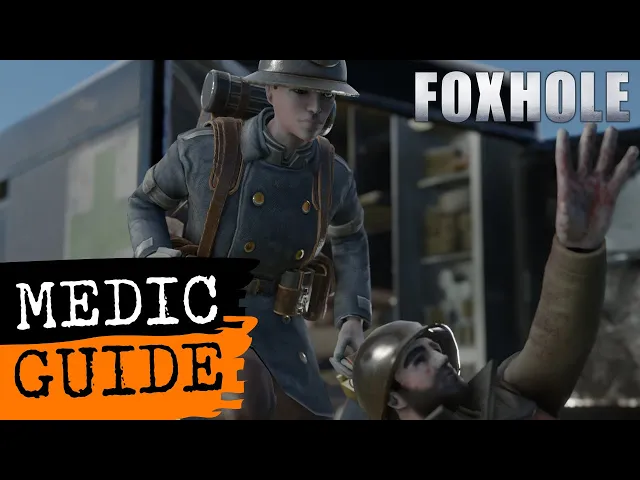
When you want to provide medical assistance to your fellow soldiers, there is some basic gear that you need. So if we press "E" to open the town base and we go to the medical category in the stockpile by clicking on the cross icon, we can see that there are different types of medical gear. There is the first aid kit, which is used to heal soldiers, and it uses bandages as a quote unquote ammunition.
The bandages themselves can be used on yourself to stem bleeding when you're bleeding out. And there is the trauma kit, which is used to revive downed soldiers, and that uses blood plasma as quote unquote ammunition. To grab a first aid kit, we can simply left click on the icon of the first aid kit and that will assemble it into our backpack.
If we now tab out of the menu and we press "TAB" to open our inventory, we can click the first aid kit and we can see that it goes into our tertiary slot. If we hover over it, we can see that it says it uses zero out of 10, and that is because there is no quote unquote ammunition or in other words, bandages inside the first aid kit. So if we press "TAB" to exit our inventory and we press "3" to equip our first aid kit, we can see in the top left that we have it equipped, but indeed we do not have any uses.
So we need to grab bandages and therefore we open the base again by pressing E. We left click on the bandage icon that will put one bandage into our backpack. If we now tab out of the menu and we look in the top left, we can see that we still do not have any uses.
To fix this, we can simply press "3" to unequip the first aid kit. And if we press "3" again, we equip it and it will load in the bandage we had in our inventory, which we can see if we press "TAB", we can see that the bandage is gone. And if we hover over the first aid kit, it says 'uses 10 out of 10'.
Same thing for the trauma kit. We press "E" to open the base and we left click on the trauma kit icon that will assemble the trauma kit into our backpack. If we tab out, tab to open our inventory and we click on the trauma kit, we can see that it goes into our primary slot.
We tab out, we press "1" to equip the trauma kit and we can see that it has zero uses. So here too, we need blood plasma. So we press "E" to open the base.
We left click on the blood plasma and that assembles it into our backpack. We tab out of the menu and we can see in the top left that even though we have the blood plasma, it's still not in our trauma kit. We fix this the same way as with our first aid kit.
We press "1" to unequip our trauma kit and we press "1" to re-equip it and that will load in the blood plasma that we had in our backpack. Now with a trauma kit with one blood plasma only giving you one revive and a first aid kit with one bandage only giving you 10 uses with your bandage, we want to carry more. So we press "E" to open the base again.
And if we click on the bandages a couple of times, we can see that they do not stack into our inventory. The same is true for the blood plasma. If we click on the blood plasma, it does not stack into our inventory.
And that is because we are running with the normal uniform. To carry more medical supplies, we can use a medical uniform. So if we go to the uniform category in the stockpile by clicking on the helmet icon and we click on the medical uniform, that will assemble a medic uniform into our backpack.
We then tab out and tap to open our inventory. And if we now click on the medic uniform, it will swap out with our normal uniform. And we can see that when we did that, it suddenly stacked our bandages and our blood plasma.
We now tab out and press "E" to open the base again. We can click on the infantry battle dress to bring it back into the town base because we don't need it anymore. We go to the medical category in the stockpile and we click on the bandages some more.
And we can see that bandages stack to five in your inventory when you have a medical uniform. The same is true for blood plasma. If we click on it a couple of times to assemble more into our backpack, we can see that it stacks to a maximum of five.
We won't be needing our hammer so we can put our hammer away as well. It can be useful to have a secondary weapon since your trauma kit goes into your primary slot and the first aid kit into your tertiary slot. That means you still have room for your secondary weapon.
Since the use of deadly gas on the battlefield is pretty prolific in Foxhole, it is probably best to use a gas mask as well. So if we press "E" to open the base again and we go to the tools category, we can see that there is a gas mask here. We left click on it and that will assemble it into our backpack.
We tab out, we tab into our inventory and if we click on the gas mask, it goes into our gas mask slot. If we now hover over it, we can see that it has no filters. So we need to find a filter and if we press "TAB" to go out of our inventory, press "E" to open our base, we can see that it has no gas mask filters.
Because we don't have any filter in our gas mask, we can see in the top left that our gas mask icon is very translucent. So we want to grab some filters. So we press "M" to open the map.
We hover over bases to see if there is any gas mask filters. And for instance, if we go over Old Jack tar, the relic base over here, we can see that it has 24 filters. Now that we arrived at the relic base, we can press "E" to open its menu.
And if we go to the tools category, we can grab a gas mask filter by simply left clicking on it and that will assemble it into our backpack. If we now tab out, we can see that our gas mask icon in the top left turned white. But if we press "TAB" to open our inventory and we hover over the gas mask, we can see that we still have zero out of 100.
So we need to make sure that the gas mask has the filter. And for that, we need to make some space in our backpack. So we press "E" to open the base again.
We put one blood plasma away. Open our inventory again. And if we click on the gas mask, so it goes back into our backpack and we left click on it again, we can see as soon as it goes back into our equipment, it took the gas mask filter with it.
Now, if we hover over the gas mask, we can see that it has 100 out of 100. To heal people we need to first identify who is injured and to do that we look at the uniforms and when the uniform is bloody it means that they are injured. And we walk up to them, we hold down the left mouse button with our first aid kit out and as we can see we are treating them now.
If we're not sure if people are injured we can simply hold out the first aid kit and walk up to them and hold down the left mouse button. It says 'no one to treat', it means that they are not injured. To grab a downed soldier we can run up to them and press "E" to pick them up which will carry them over our shoulder and then to revive them we can simply press 1 which will equip our trauma kit and we'll drop the injured soldier on the ground.
And if we aim at the person that is downed we can hold down the left mouse button and that will revive the soldier. Then to heal them we press "3" to equip our first aid kit. We aim at the soldier again and we hold down the left mouse button and that will heal the soldier.
When their uniform is fully cleaned that means they are fully healed and if we try to heal them we can see that it says no one to treat. If you are bleeding out as you can see in the top left you cannot heal yourself so if you equip your first aid kit and you try to hold down the left mouse button you see that it doesn't do anything. So if we tab back in and we equip a bandage into our third slot we press "3" to equip it and we hold down the left mouse button.
We can see that we are bandaging ourselves. Now bandaging ourselves will only stem the bleeding and it will not heal us up. So to get properly healed we need to find ourselves another medic and they can heal us up.
Just like friendly fire exists in foxhole there is also the opposite and that is enemy healing and reviving. So if you see a downed enemy soldier you can pick them up, revive them, and heal them. There is a special vehicle for medics, which is the ambulance, which can be made in the garage.
So if we press "M" to open the map and we look for the truck icon on the map, we have one here. We can come to the garage, press "E" to open the garage menu and we can see that the first option is the Dunne Responder 3E, which is the ambulance. To make it we need 150 basic materials and ideally we bring some diesel as well so we can refuel our ambulance.
To build it we simply left click on the icon of the ambulance, which will put the blueprint in the middle of the garage. We walk up to the blueprint and hold down the left mouse button to hammer in the basic materials. With the ambulance built we come to the driver's side and we press "L" to lock our ambulance and we press "Q" to hop into the driver's seat and then we can simply use the WASD keys to drive our ambulance out.
If we press the left mouse button, we will sound the siren. Now to refuel our ambulance, by hand we press "Q" to hop out, we press "TAB" to open our inventory and we click on the diesel so that it goes into our tertiary slot. With it in our tertiary slot we tab out, we press "3" to equip the jerry can of diesel, we aim at our ambulance and we hold down the left mouse button and we can see that we are refueling our fuel tank of our ambulance, which at maximum holds 100 liters.
The ambulance is unique in its inventory in the fact that it can stack medical supplies and that it can carry critically injured soldiers. So if we come to the base over here and we press "E" to open it up and if we go to the medical category and we shift click on the bandages we will start assembling three bandages at a time and as we can see they will stack in the inventory of our ambulance and they will in fact stack to a hundred. And we do the same thing for blood plasma, we shift click on it that will assemble three at a time into our ambulance and for blood plasma we can see that a stack is at maximum 100 as well.
First aid kits and trauma kits when empty will also stack to 100. The reason the stacks of bandages and blood plasma are important is the assembly time. So if we come to the base and we press "E" to open it up and we want to grab bandages we can see that we have assembly time and the more we assemble the slower our assembly will be.
If we want to grab bandages from our ambulance we come to our ambulance we press "E" to open its inventory and if we hold down the shift key and we left click on the bandages we can see that we instantly transfer a stack of five into our inventory. We can do the same thing with blood plasma we can hold down the shift key and left click on the blood plasma icon and that will instantly transfer a stack of five blood plasma into our backpack. Transferring first aid kits and trauma kits is also instant so if we left click on the first aid kit it will instantly transfer and the same is true for the trauma kit.
To turn critically wounded soldiers into shirts, we need a field hospital or a hospital. Hospitals are world structures and are pre-placed in the world by the developers. So if we press "M" to open the map and we make sure that we only have the hospital icon checked, we can see that only in some cities are hospitals available.
If we want to make a field hospital, we can do that ourselves. And for that, if we press "B" to open the build menu and we go to the base category, we can see we need 200 basic materials and it is built with a hammer. So we open the bunker base, we make sure that we have a hammer and we need 200 basic materials.
So we make some room inside our inventory. We go to the materials tab and we grab basic materials. With 200 basic materials in our backpack, we tab out and tab into our inventory.
We click on our hammer, so we have it in our primary slot. We tab out and press "1" to equip our hammer. So with our hammer out, we can press "B" to open the build menu.
And if we simply left click on the field hospital icon, that will put the blueprint of the field hospital underneath our mouse cursor. We can hold down the right mouse button and change the orientation of the blueprint. And since the area is obstructed, it is red now.
But if we hover the blueprint over somewhere where we can build it, it will turn into this very pale green and we can simply left click to place the blueprint. We then walk up to the blueprint and hold down the left mouse button to hammer in the basic materials. When we are done building in the bottom left, it says press "E" to use the field hospital.
And if we do that in the top left, we see the inventory of the hospital. That is where we can store items like, for instance, our trauma kit and our blood plasma. And there is the hospital panel, which has a bed allotment.
Each bed can turn one critically wounded soldier into shirts. So the capacity of a field hospital is six critically wounded soldiers. When you see a soldier that is lying laterally or on their side, you can run up to them and press "V" to pick them up.
And these so-called accurately wounded soldiers can be turned into shirts inside a field hospital or inside a hospital. So if we press "M" to open the map and we look for a field hospital, we can see that there is one in the salt farms. And if we turn on hospitals, we can see that there is one in the plaza in abandoned work as well.
Now it is a very long walk with a critically wounded soldier on your shoulders, but luckily that is where the ambulance also comes in. So we bring the critically wounded soldier to our ambulance over here. We press "E" to open the inventory of our ambulance.
And in the actions panel, we can click the submit large item button and that will put the critically wounded soldier inside the ambulance. Another way of doing that is if we grab it from the ambulance by simply left clicking on it, we are now carrying it over our shoulder again. We come to the ambulance and when we are at the back, we press "V" and that will submit the critically wounded soldier into the ambulance as well, as we can see if we press "E".
Now we hop into the driver's seat of the ambulance and we drive this to the hospital. When we arrive at the hospital, we press "Q" to hop out of our ambulance. We can open our ambulance by pressing "E", simply left clicking on the critically wounded soldier again and that will put it over our shoulders.
We walk up to the hospital until we see in the bottom left, 'press E to use hospital'. We press "E" to open the hospitals menu and to put our critically wounded soldier in, we come to the actions panel and we click the submit large item and then the submit patient button. We can see that one of the bed icons is slowly going white and that is the indicator of the process of turning a critically wounded soldier into shirts.
When the process is done, we can see that the bed allotment icon is free again and that we gained shirts in the inventory of the hospital. To bring the shirts to a base, we can simply shift click on the shirts and that will put the stack into our backpack. We walk to our ambulance, we shift click and put it into the inventory of our ambulance, press "Q" to hop into our ambulance and we drive towards a base.
When we are near the base, we can press "E" to open up the base menu and in the bottom left, we see the inventory of our ambulance and if we right click on the soldier supplies, we can say 'submit all to stockpile' and that will put the 32 shirts into the stockpile of this particular base. If for whatever reason medical gear is not available in any of the nearby bases, you can always look for a nearby storage depose or seaport to see if they have medical gear in their public stockpile. So if we press "M" to open the map and for instance here in Saltbrook channel if I hover over the seaport we can see that we have all the medical gear.
So medical uniforms, first aid kits, trauma kits, blood plasma and bandages. When we arrive at the seaport and we are close to it we can see in the bottom left that it says 'press E to use seaport'. So we press "E" to open its menu and if we go to the medical category in the stockpile we can see that all four medical supplies are there.
So we shift click on the bandages which will assemble three crates of bandages into our truck. We do the same thing for blood plasma which will assemble three crates of blood plasma into our truck. We left click on the first aid kit icon and that will assemble one crate of first aid kits into my truck and the same for the trauma kit.
Left clicking will assemble one crate. We then go to the uniforms category by clicking on the helmet icon and we can see that we have both the colonial and the warden uniform. Since I am currently warden I cannot use the colonial medic uniform so we just leave that in the stockpile of the seaport and we simply left click on the physicians jacket and that will assemble one crate of physicians jacket into my truck.
We then go to the tools category we grab a crate of gas masks and a crate of gas mask filters. And then to fill out our truck we might as well grab some extra bandages, some extra blood plasma, first aid kit, trauma kit. With these in our truck we can drive these to the base where we want to have the medical supplies.
When we are near the base that we want to deliver the medical supplies to we look in the bottom left till it says 'press e to open base'. In this case the border base, we press "E" to open it and that will open up the menu. In the bottom left we can see the contents of our truck and to deliver that to the stockpile we can simply right click on any of the crates and on the drop down menu select 'submit all to stockpile' and if we now open the medical category we can see that we delivered a whole heap of medical supplies to this border base.
And press one and that reloads. That's not how this works we can do this differently. Fuck.
Oh every day I'm st- every day I'm struggling. Any of the safe houses have filters. Come on.
Daddy needs filters. Daddy needs filters.