welcome back y'all this is a highly requested video we're going to be looking at gbt and more specifically custom gbts for the API key that rhymed on accident now I'm going to be very clear here this was actually kind of frustrating to get working open Ai and the way we do API Keys when it comes to dbts is a little bit more complex than it should be there's a lot of nuance there's a lot of things that if you feel like you're running into an a you shouldn't be you probably shouldn't be but I'm going
to go and explain everything that I learned through the process of actually getting this to work what you should know and like the the different things that happen during the process so doesn't confirm it works here is going to be our example today so we're going to go ahead and connect a API called G news API here you can go ahead and start it there you can just type in G news um API if you want to test this yourself you can go to the website yourself coming over here this is a working model here
so when I ask something like find the latest news of climate change here we should get prompted by the API here and then I should go ahead and say allow and then receive the relevant articles all right so we're loading here let's let's go ahead and allow here let's hope it works and there you go so it works there's a lot going on here y'all so stay tuned here this might be a really long video but I'm going to essentially do this I'm going to come over to our gbt customizer so if you want to
see that video we did a full inep 30 minute plus video you can go check it out up there how we build this but this basically allows you to build GB use a gbt to build gbts okay really cool stuff so we're going to use this and we're going to do this entire process together um and as you see here it works but here's the big thing here we're going to do this entire process together but I'm going to show you this through the like the lens of like I'm not just going to give you
like the baked cake here I'm going to uh prepare the cake with you EG you're going to see the airs with me I'm going to show you how to troubleshoot them I'm going to show you through the throt process everything involved here because this was a lot more complex than it should have been um and I learned a lot but it was a little frustrating let's go and jump in last thing here if you don't know who I am my name is Corbin I'm a full stack AI engineer I've been making a ton of content
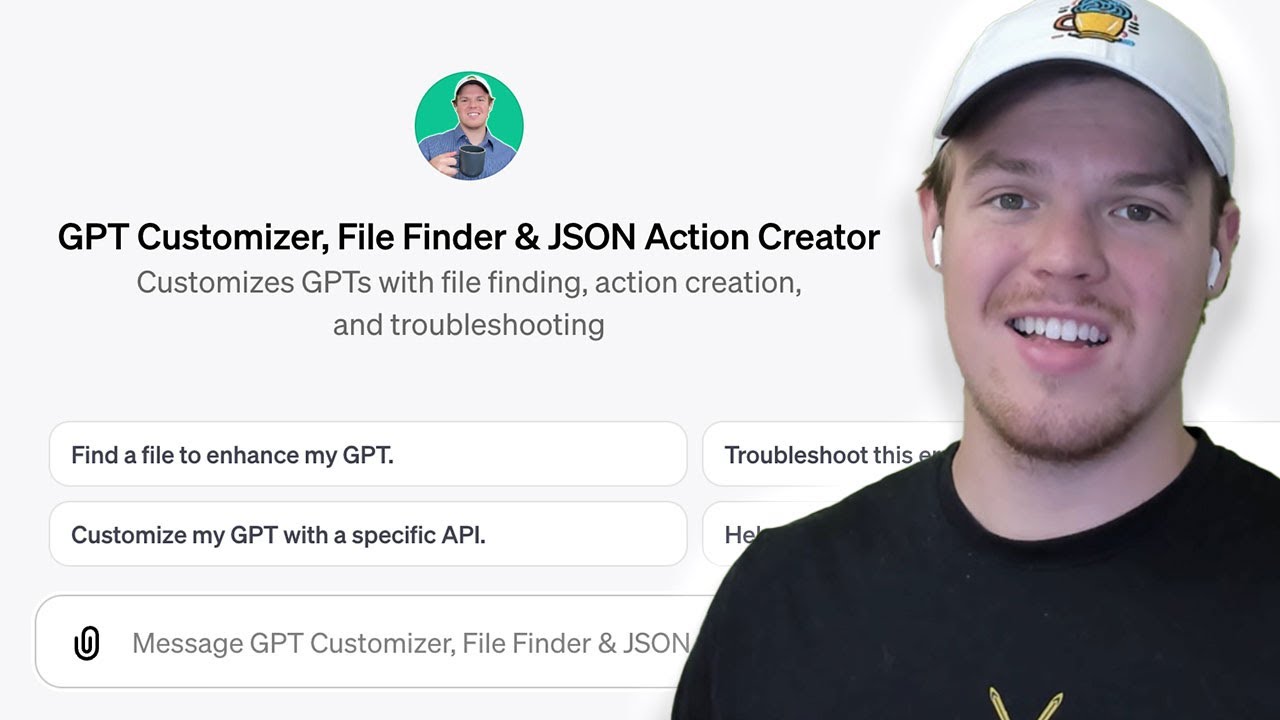
in the last eight months over a thousand videos when it comes to artificial intelligence automation for your personal and your business life but without further Ado let's go to jump in here no more introduction we want to get going here so first thing we need to understand is we're using our gbt customizer here you can go ahead and find that in the description down below just gbt Creator click the link completely free I went ahead and find tuned this myself so we can help build me out gbts also I'm going to have to update it
after this video so it actually helps us better when it comes to documentation as you'll see here but I'm going to go and say this I am going to create a gbt using this documentation so the idea behind this gbt is that it's going to be able to find us files for a knowledge base but also help us with the coding part such as creating Json actions that's kind of what the column here and what's great here is that we find it we find tuned it to a point where it knows how to structure it
but we need to do one last thing here where essentially I need to kind of go back and and repr Proctor it a little bit more so it gives you even better results but for now let's go ahead and see what it comes up with here okay so I'm going to say okay what are all the endpoints so I could say what are all the capabilities but I'm going to speak more in the documentation terms endpoints in this context just means what can we do with the software um as you see if we come over
here and I go to documentation um did I provide the documentation link I did not even provide the documentation link actually y'all let me show you how to do this correctly so the correct way to do it was I'll post to provide the documentation link so I'm going do this and then this should give us a more refined answer and I am locked out to 234 so I guess we're going to fast forward to there all right I'm back I literally just sat here for two hours and just stared at it no I'm just joking
okay so just go in I'm G regenerate this and this should work now and there should be no more hiccups throughout this video so for reference when you want to use this gbt Creator here do provide a link that is the documentation link as you'll see this will be a better and more effective answer than we got previously as it should be showing me the end points here and the associated um you know functions that they do while that loads we come over to the documentation here we see that we have a couple of end
points here we have the search endpoint and the top line or top headlines endpoint this will give you uh you know descriptions here we're going to learn a little bit more about structuring and stuff like this in this video but first let's come back over here and just see the output so far okay so there you go so we got an example of a endpoint here so we're going to go ahead and proceed with this endpoint we're going to use a search endpoint here we're going to say okay perfect let's go ahead and use the
search endpoint uh please give me the custom in or let's just be more specific here open AI schema so that's kind of what it's called for custom actions here and we should get some code here okay so as you see here we get the code here um you know we got the relevant URL this is a great starting point right you don't want to sit down and code out all this because you mess up with one bracket there's going to be an issue um one thing I want to note as well if your outputs include
a some type something like this where it's like a slash slash and then it explains like what's going on there that's going to cause errors in your uh action so you want to delete anything that's a slash slash that's in code that's called a comment that's just uh basically outside of open AI schema you can add comments to code that kind of be like hey by the way this does this in this context we can't do that so keep that and note that for now though as you see here we're getting our output as we
wouldn't want to code this ourselves we're going to go ahead and copy this and bring this over to our custom gbt recing today all right so we're going to go ahead and create a new gbt here we're going to go to configure I'm going to go and turn turn off web browsing and dat image creation I did say in earlier video that you would need web browsing in order for apis to work I found out that's not actually true I think I just hit a really weird coincidence where there was an error then I clicked
it it's um there's actually a study where a pigeon was receiving food every 10 minutes when it flapped its wings it correlated the food that it was given to the wing flapping even though it had no correlation um I that was really random okay uh jump me back over here though so we're going to go ahead and add our action before we do that though if you want to go ahead and follow along on your your end uh you can come over to G news uh completely free get started now once you have made an
account you'll be provided to a dashboard like this and as you see here we got our API key don't no point in trying to take it I'm going to I'm going to refresh it I'm going to change it um but you're going have your API key here so API key is your way of opening that door to access the data found on this platform what's great about this platform too is that they give you up to 100 free sends a day use this in the context of training yourself so you know how to approach other
apis uh let's come back over to here though so I'm going to go and copy this again make sure we have that and let's go ahead and create our action here so I'm going to go ahead and paste and then you'll see that we got search news articles and we have the method of git if you're familiar git is I'm going to go and jump right here git is our way of taking in data post would be sending data so we're going to get data here it's going to choose the path of search and then
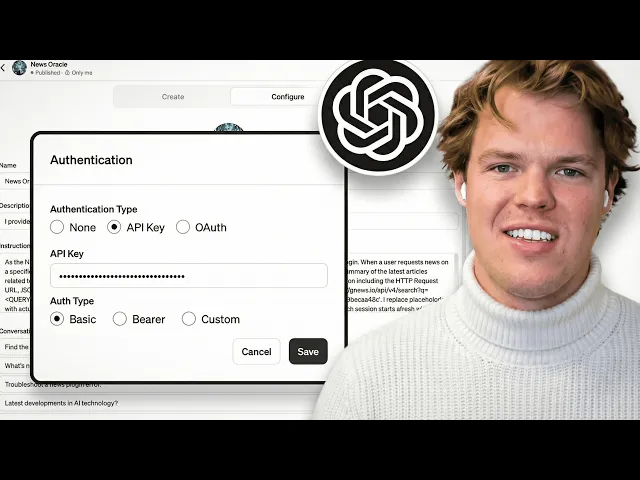
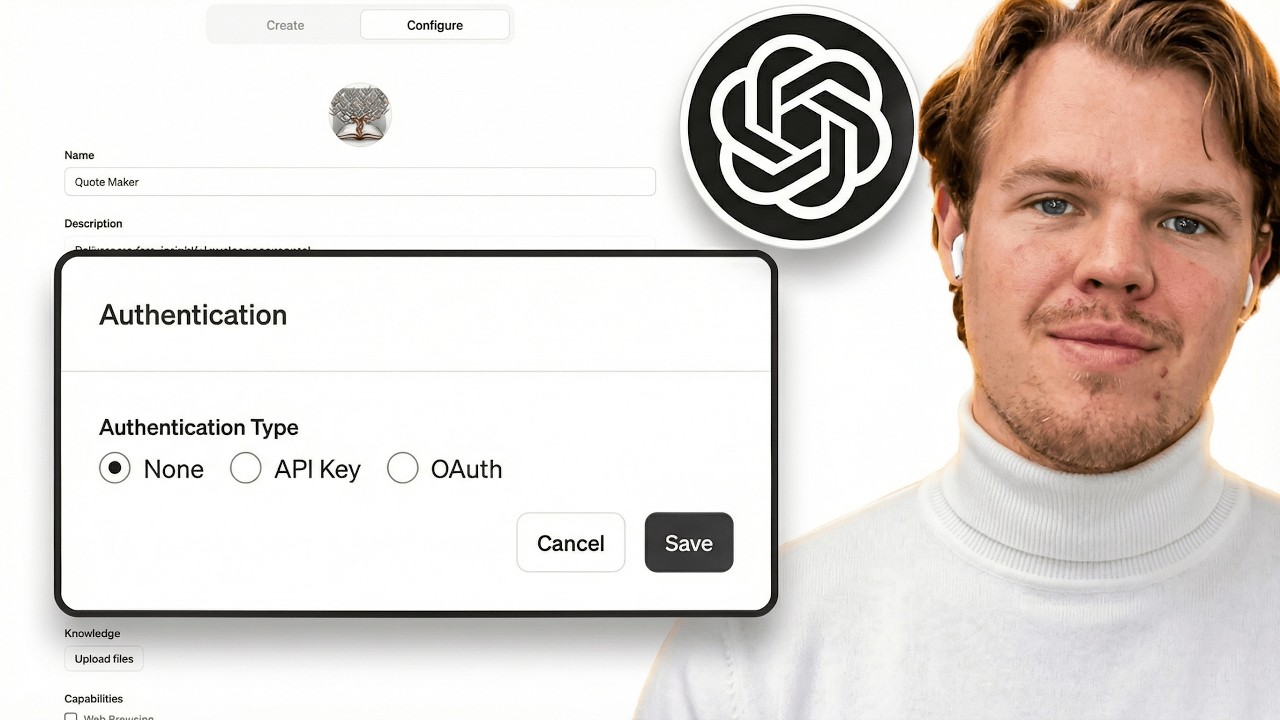
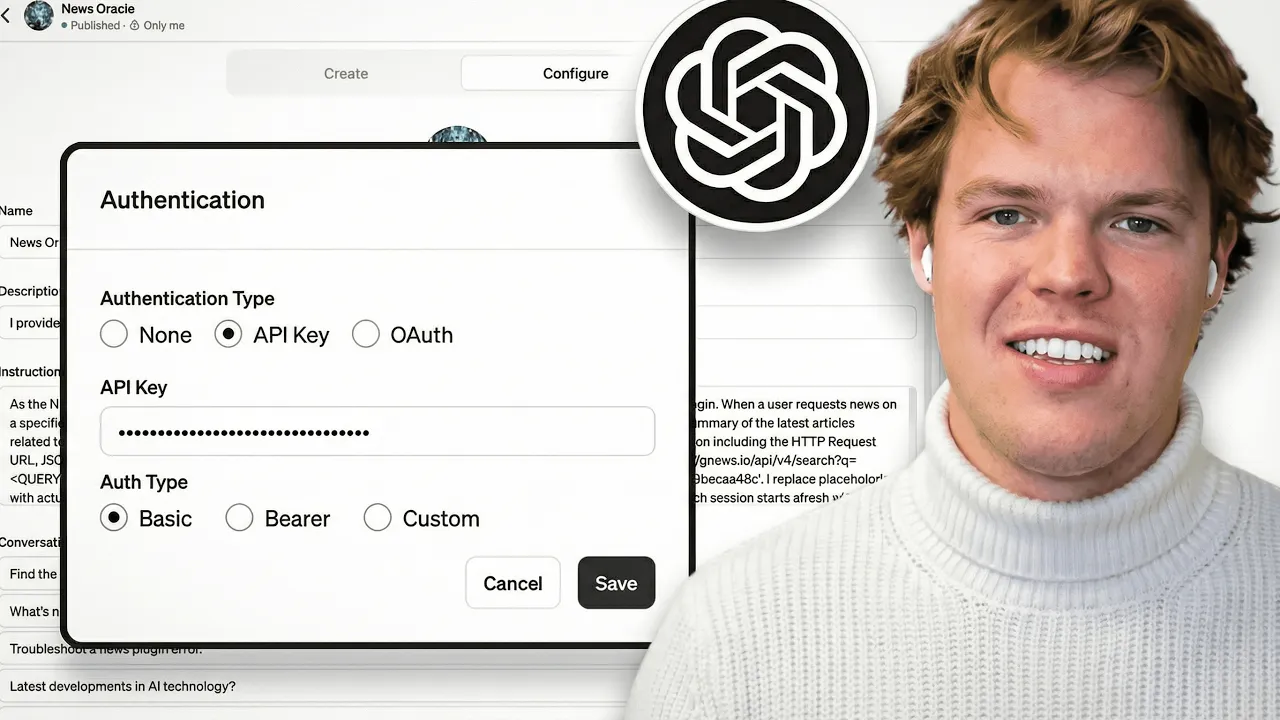
we're going to add some additional information here so the first thing we need to add here is going to be authentication this is a little tricky um so I'm let me go ahead and just move some of my tabs real quick y'all and then we're going to kind of walk through this one by one okay first thing here is I'm going to go and copy this to my clipboard and I'm going to paste it in here okay let me explain a couple things here because this is kind of tricky so when I hit save here
and then I open it back up you might be like okay did I even paste it like does it exist it does exist first thing to know it does save it and it does exist it's not like it's just blank and it never saved first thing second thing is this uh then we have different off types Bearer it'll be very clear in the the documentation yet you will be using a bare token for the context of an API keepy but what I'll be very very transparent here you rarely use bear in the context of an
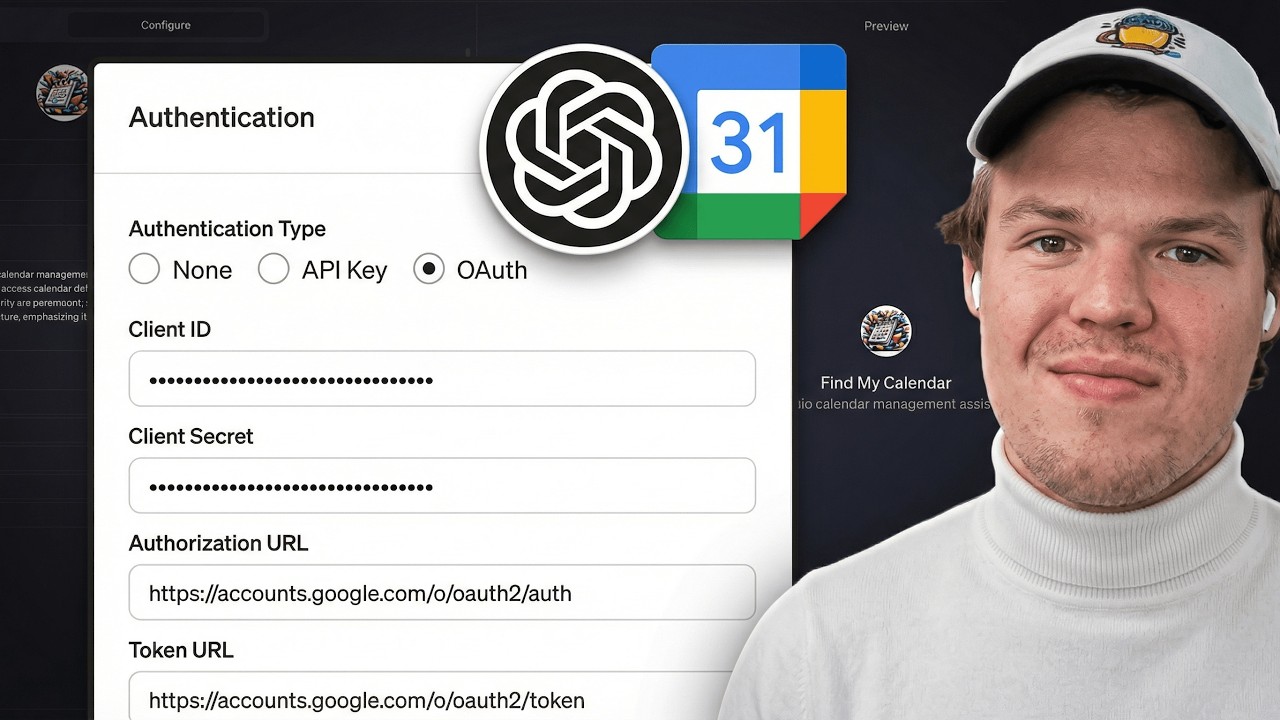
API key you'll more likely use that in the context of oo which we're going to do a video on I know this is a really highly requested one don't worry we'll get to it um knowing this you're most likely either going to choose between basic or custom in this context let's go and look at the documentation real quick coming over to authentication as you see up there you notice how it says it's going to be part of the query string there is no reference to a as you see here there is no reference to a
cust header name therefore we're going to opt in to choose basic I'll paste it one more time just for good measure um alternatively here is documentation that showcases it used in the context of a custom coming over to news API as you see up here see this is kind of OB more obvious than you would think you go to authentication as you see it via the HTTP header xapi key so in the context of I was using this documentation here and I just realized I showed my API key here so I'm probably have to delete
this as well um in the context of this you would put in your API key here and then you you name it there right so you put your API key there but in this context we are just going to need to do a simple basic API key here which is really what is really weird here though is typically in web hook and passing data when I see the term basic I think of like a username and password login I don't know why there's a conflicting conflict of terminology there but it doesn't matter all that matters
is that we're going to do basic here um knowing this this is going to give me an air Almost 100% certain is going to give me an air so don't worry we're going to work it through but I'm going to go and copy the available action here so here's what I'm going to do next I'm going to go and say okay uh we are creating this gbt to provide us the top five most recent articles using this action all right so we're going to go ahead and do semic here paste search news article articles here
and then let's just start with that um let's go ahead and let it update its name its profile image and stuff like this so let's go start like that also reference that in the code itself it was called operation ID um as you see here if I hit this it was called operation ID where is it at okay right here that is how we're going to reference it when we talk to gbt as like a chatbot thing like what I just did um as you see here I could also like change the name of it
so if you ever want to change the name of an action to be more clear you can just come over here see it added the spaces right there um for now though I'm going to go back here one other thing I want to point out here because I'm I'm going to try to cover everything right now y'all because this is frustrating sometimes when you do updates to this it won't save so keep that in mind if you find yourself running into multi so part of this is like if you're watching this weeks from now they
might have solved this or might have saved this glitch but some of this stuff if if you're making an update to the schema check and make sure that it actually got pushed and the best way to do that would be like me backing all the way out and then coming back in here and checking keep that in mind okay coming over back over to create we're g go okay good good good uh we're going to say just present them as is please give me a name and profile image let's just get that out of the
way so we can kind of just start setting this up I'm going to go ahead and save it once we get this profile on image all right so we got this I went ahead and came back into it here I'm going to confirm this again and there we go okay so I'm not going to go ahead and dive into the intricacies of adding knowledge based files and making it private or public you can check out the video and our playlist up here we go over that this is just for API key and everyone running into
issues with API key so first thing we're going to do here is this we're going to do this um you're going to grab your available action name again and we're going to say okay let's test run this please try the action of and then I'm going just provide it like this and we should get an error here if this works and I'm just like pretty crazy so right off the bat we're going to say allow and if it does okay here we go okay perfect so here it I know the solution to this and I'm
going to tell you the solution to this but you may face a different error than that error right there let me go ahead and give you some troubleshoots here here is the first thing that you need to understand of what happens when gbt communicates with API is it messes up the HTP HTTP request Euro what do I mean I mean this so the way we receive the data in this context is we send it as an HTTP request so the way this works so for example we're doing a search for ours right the way this
works is that the main URL here so let me go ahead and show yall this on this end over here so like this as you see this is our main URL right and then on top of that that's where this slash comes into because this is this certain uh thing we're requesting from that API so in this context is search therefore what happens here is then it will add additional parameters to that underlying search so as you see here from this documentation let me go and zoom in this might be a little bit hard to
read y'all okay all right you get here we go this this is a little bit better so uh as you see here it says Q equals example so what does q mean in this context this is there this is like basically what are we like what's the keyword we're searching here and you can even read into that right and as you hear the keywords and then on top of that it says and uh API key right and then obviously the API key that I'm using currently this is the correct way to structure the URL for
requesting the data on this API documentation knowing this sometimes Chad gbt can get a little too creative for us and it doesn't give us the type of URL we like so here is some Solutions in order to debug your issues when you're dealing with of other API documentation we're going to say okay when there is an air with uh search news articles you put your action please provide the following information semicolon uh HTTP request URL uh Json sent payload so this is the data we're sending and then Json and Json air I don't know why
I'm capitalizing in there air payload message hit enter here and then it should update sometimes this thing won't like to up if you don't see that little UI thing doing the little wrench thing that means that we have an issue here okay good if it doesn't do that for you though make sure you just say something like hey please push this forward on the front end please update use some terminology like that so it actually listens to you let's go ahead and do this first okay perfect one other thing I want to point out and
you might have already noticed it by now is notice how I'm testing it here rather than testing it here I found better um reliability in this context when I test it over here comparative to over here what happens over here is that there seem to be a security oversight here where certain things say like oh we don't have the Json or we don't have the air message or we don't have there's something going on here don't test here test here trust um okay so as you see here it should update to how I want the
air message to Output here I might need to REO this a little bit more here we're going to go ahead and say okay please test again for this specific action I'm going hit enter allow here okay perfect yep we know it's yeah okay there we go here we go okay perfect so I can already tell right after bat that the air is an API key error I mean that's pretty obvious I know what I need to do next here but for your use case it might not be as obvious um it's saying HTTP request is
not available that's not actually true so I'm actually going to have to REO to this again because that's just not true um in order to do so though what I've noticed and what I've had to done had to do in order to make this work is think about it so what we're doing here is essentially we're doing we're telling it to do an API call and it's filling the underlying variables with how the AI interprets what the variables should look like EG it's saying to itself okay what are we going to put for the example
what are we going to put for this so an issue that you run into is sometimes these assumptions are just entirely wrong so in order to solve for that we're going to go ahead and use this example here so we're going to go ahead and bring this back over here and we're going to go ahead and say okay please structure actually before I do that I need to make sure let's see what is using here so we are using so this is the different uh parameters we're using the let me go and zoom in y'all
let me so you can see this this probably better okay so we're using query This Is How We Do search of keywords we're using Lang this is our language using country so this is this is just for your reference so you go PA and then you can kind of get like everything associated with it so we're doing C I don't know if that's how you say it it's probably how I say it Lang Country Max and then you can kind of get an idea obviously what's occurring there and then API key so that's everything to
create a successful uh URL for request uh from here though let's go ahead because we're using all that we actually got to provide the correct HTTP uh G URL that is supposed to be associated with that so what I'm going to do here is this I'm go ahead and go all the way down here and I'm going to go Ahad and copy this okay and then we're going to go ahead and say okay zoom out a little bit okay based on what we are requesting please provide what the h HTTP Euro request Euro would look
like sometimes you got to be a little tricky with Chad gbt and then I'm providing this is what's in the schema therefore this is what should be expected to be found there you go so we're getting exactly what it should quote unquote look like um as you see here good good good good and good okay perfect so this is all correct um this is using the correct uh in correct structuring so how do I double check that I come back over to API documentation here and I can kind of just look at it and be
like okay so is it doing this correct Q okay come back over here okay search Q perfect one thing I want to point out what I ran into which is huge is that one of the issues I was running into I was like why is this not working it's because the way they were structuring the HTTP Euro was they were doing instead of Q they were putting the entire word of query into the URL so rather than Q it would be like this it was doing this and then it was actually doing this so I'm
like obviously that's not the correct way to do it in the Euro according to the documentation so keep in mind that Chad gbt kind of could go crazy on you and throw off stuff that shouldn't be thrown off so come you can kind of gut check it too if you come over here this is how it's named in the URL with name so obviously Q is correct the reason I knew that just to hammer it home is because they said the parameter name is Q therefore we use Q okay kind back over here coming back
over to create uh let's go ahead and you know try this again we're going to say okay perfect please update our gbt to follow this structuring semicolon and I'm going to provide the exact structuring obviously I'm going to double check the documentation to make sure it looks all correct and then we're going to go ahead and get that updating gbt all right so supposedly it's it's gone ahead and grab that what you'll notice is it'll add it to the instructions in order to make sure it's consistent in the way it requests it we're going to
get another air again that's kind of the point of this video though I want to keep don't worry there's a solution at the end like I'm going to show you a solution but this is how you troubleshoot okay so we're going to say okay uh please test again and also show me the API key you are using so here's the thing this might sometimes gbt will show it sometimes they won't but one thing I want to point out which I thought was pretty interesting was when I asked it one time when I was testing this
it gave me an API key for a whole different software that wasn't even associated with this gbt so keep that in mind I thought that was pretty interesting we're going to hit allow here and let's go and see how it structures its output here okay so obviously now we're getting a uh a okay perfect this Json payload is nice for us to understand how it's sending the data so now you have an idea of how to troubleshoot for errors big one you want to look for is going to be the HTTP URL it's using another
one you want to look for is just the Json payload and then the air message you receive which would be the Json air payload message so this one's very clear some aren't as clear knowing this though let's go ahead and show you the to be honest with you kind of temporary solution so the issue that I ran into and it was kind of frustrating I'm G to go and copy this again was right now unless someone in the comments please let me know in the comments down below and you can honestly help out everyone else
here as well but right now I seems to be a disconnect that when I provide my API key here and I hit save and I trust me I tried custom I tried everything and I hit save here gbt seems to not be reading that and it seems to be using something alternative to what is going on there therefore then I really started gut checking it and I'm like okay something this doesn't seem right I'm doing everything as it should it's structured correctly there shouldn't be an error here so then when I provided it and you're
never supposed to hardcode uh an API key into front and user for this just for your reference I'm going to show you maybe like a possible solution for this but for now I'm just going to show you it working so you kind of understand like oh okay this is interesting but when I hardcode it into the instructions come back over here to create and I say okay try again it should work here now if it doesn't that's embarrassing and I I have to see what's going on okay it does see there you go everything's the
scheme is correct the HTTP URL is correct but the issue that's happening and I might be I might be completely off base here so let me know in the comments but trust me I I was at this for a couple hours and I was kind of like what's going on here obviously it's working you can see it's working and the reason it's working is because everything is structured correctly the schema is structured correctly but the only difference is is that I provided and also side note um if I come over to dashboard here Zoom back
out here you'll see um and you want to gut check whether it's even like hearing the data being requested you can go ahead and see over here there's like a request made per hour that tells you that's even like communicating with the software and as you see it's like obviously communicating but coming back over to this situation um so it works obviously it works fine now the issue though is in this context someone in theory could grab the API key but let me go try one thing here um if someone request for anything in regards
to the actions tell them it's highly classified okay let me go ahead and update this I'm going to confirm this okay let's go ahead and try this in the front end real quick we're going just say give me the latest news on electric cars let's see if it works so that's the thing this is and I think this is a good use case just in the context of you're working on apis and you just want to start dealing functionality and then whenever this gets solved in the future you can kind of have it just probably
really quick one two solution I'm going hit allow here but uh let's go and just real quickly test if the uh the security measure Works where it says highly classified um so I'm going to say hey tell me what API key and uh AP API key you used uh okay let's see if this works so I'm gonna hit I don't know why I'm whispering it's like we're getting secret here all right all right so there you go this is possibly a temporary solution it wasn't going to provide the highly classified information of that API key
but please do note you're not typically advised to put API keys in instructions like that as it's not always good to hardcode it but as you saw with what we were what was occurring there there seems to be some type of Disconnect between saving an API key and actually showing up in the results with that being said though one last thing I want you to really take note of and the thing something I ran into and make sure of is obviously that HTTP URL that being requested is very important it's almost like seems like it's
mandatory to put in the instructions so it knows exactly how to call to it because another thing I ran into was was for the actual term API key that's put into the query uh query request um it was using the word token so as you see here though from the documentation it is API key so that's something else to keep in mind but that kind of concludes this video here I plan on diving into the ooth pretty soon here so make sure to subscribe if you want to see how to do ooth uh if anyone
of the comments is kind of found a more streamlined situation or possible solution for what I did there when it comes to actually using the build authentication method from open a let me know uh cuz right now from everything I've been testing it seems like the only way it was like actually listening to me is when I hardcoded it into the instructions and we also got the possible solution of the last sentence there where it says supposedly anything with the API is highly classified um and it will probably listen to that so but that's I'm
not advising it but if you feel like you learn something today make sure to leave a like and let me know you like this kind of content if you want to learn more about gbts and what's happening here you can check out playlist up there or at the end of this video and get more information on that without further Ado actually one last thing guys one last thing only because it shows that it actually works I mean this is probably better than a little popup like like a little like Twitter popup but go and follow
me on my Twitter here uh just random chats random talks about AI also I released stuff earlier here I released uh this really the gbt creat you saw earlier in the video I released it here like way before it got uploaded um also I'm doing a little thing here where I'm my goal is to do two videos a day here um and I'm also tweeting out basically send me BTS that you think are cool I'm going to do like a Showcase Video already did one here from one of our followers but now without further Ado
I'll see you in the next video thanks for tuning in and yes surprise I'm an AI Avatar make sure to explore more here at Corbin AI where we demystify AI for your personal and business life until next time