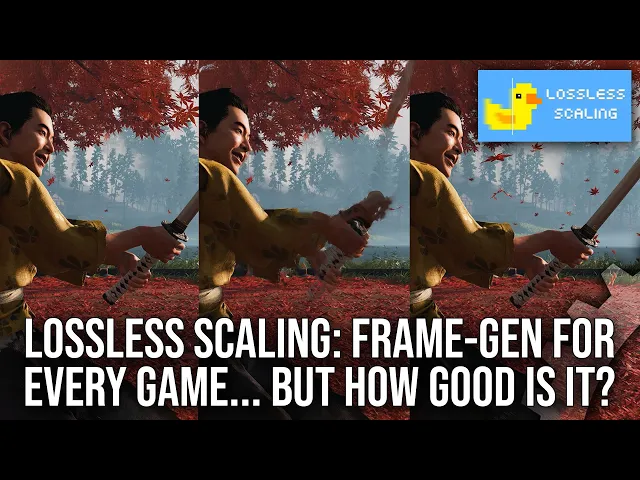
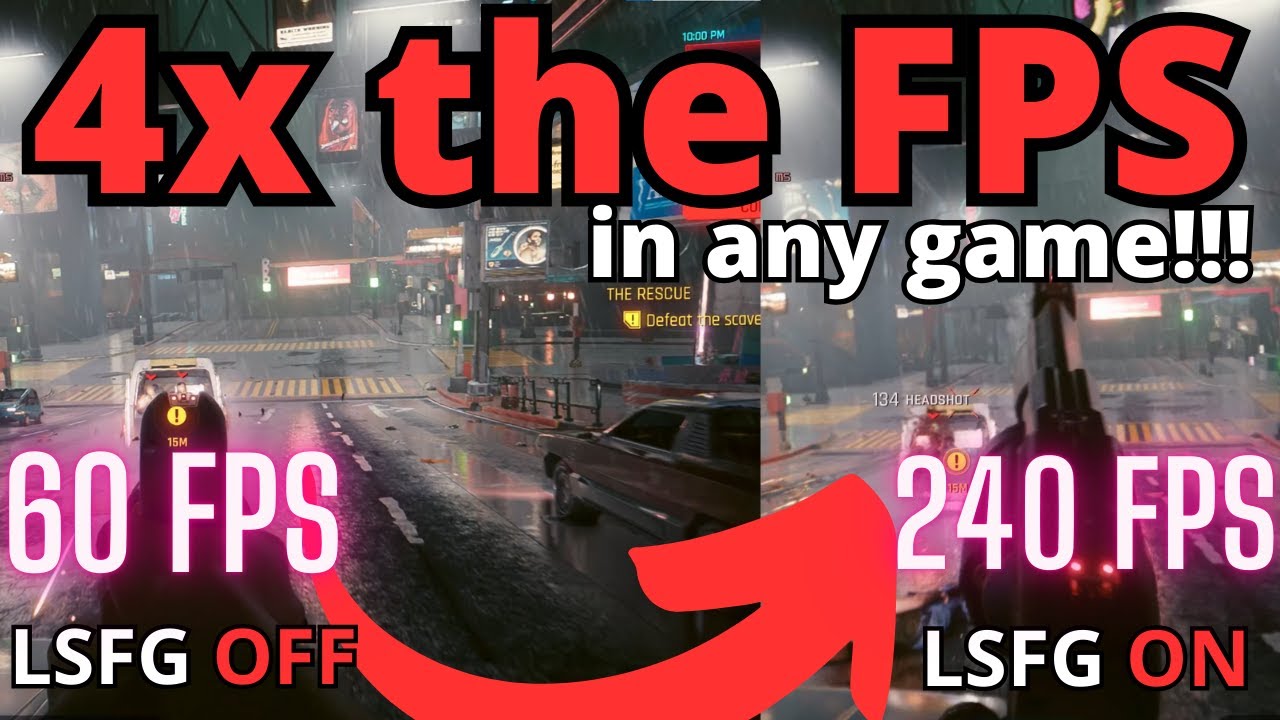
[Music] what if you could increase A Game's frame rate by two or three times just by downloading a small program on your PC ghost of tsushima running at 40fps while you can click a button and now it's running at 120 FPS that sounds like a pipe dream but it is more or less what the program lossless scaling can do for you by utilizing frame generation technology in this video I will detail how lossless scaling Works how the generated frames look and feel and I will describe what I think are some of the best use cases
for this interesting program getting right into it the multiplication of your frame rate via lossless scalings frame generation is not magic and it is important to detail what lossless scaling does to increase frame rates via its frame generation as it is fundamentally different to that which we see in D lss3 or FSR 3 frame generation D lss3 and FSR 3 leverage the final color frame of two rendered images before the Hut is drawn plus motion vectors for both frames to generate the in between frame motion vectors can be thought of as a cheat sheet almost
which tells frame generation Tech where and how object are moving dlss 3 and FSR 3 have access to motion vectors since they are integrated by developers in a dedicated way into the game code lost to scaling is a mod and does not have access to internals of a game and it is a postprocess after the game is done all the rendering so it only has access to two full rendered color images with the HUD on them and it has no access to motion vectors L of scaling has to guess as to what in an image
is moving according to the developers of loss of scaling the frame generation used in the modding tool utilizes a form of machine learning to more accurately generate the in between images it makes with the latest version loss of scaling can generate two in between frames instead of the one if you choose to D lss3 and FSR 3 currently can only generate one in between frames so at Max they can double your frame rate lost to scaling can amplify frame rates by up to three times since it's generating potentially two in between frames that sounds pretty
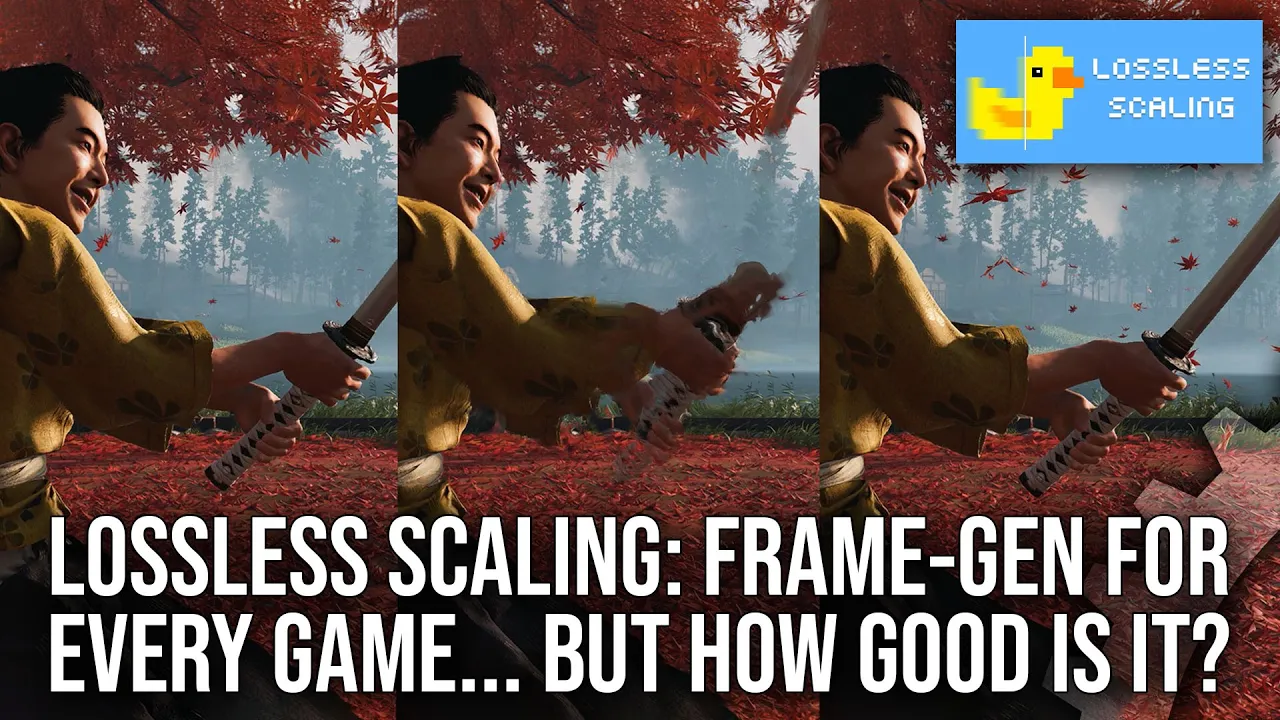
awesome but I think based upon this description here you could imagine where the limitations might be compared to the other techniques we can see what I mean slowing down and looping 120 FPS footage we can see that there is a hierarchy of quality lossless frame generation's interstital generator frames have more visible error taking up a larger portion of the screen and FSR 3 with its access to motion vectors fares better by a healthy margin dlss 3 with its usage of machine learning has even less error on screen than FSR 3 where there's less ghosted empty
space behind the hand and sword in each generated frame the larger the error per frame and the more repetition of that error over time leads to an increased likelihood that your eye will notice that something is wrong with the game's rendering in front of you so it'll present as an artifact on average this means you will see more errors with lossless frame generation than you would with something like dss3 though it must be said due to the stroboscopic nature of frame generation where you have a goodlook frame than a less than perfect one it will
inherently hide some of the issues in a surprising way sometimes it could be tough to spot something like garbled hands or a garbled sword when at 120 FPS when every other frame is essentially pristine your mind's eye will not always perceive it but it is of course still there using ghost of tsushima as an example when running around with lossless frame generation you will often see an outline effect around solid objects like the main character or his Limbs and these things will assist in your mind's eye while things are moving it's almost like there's a
layer of displaced air around moving objects that is a visible error I would say another error that you can see sometimes is a subtle flickering of transparent objects like Shadows or particles these don't interpolate well so they almost look faded or at a lower frame rate than the rest of the presentation another issue is at the screen edges generated frames are going to be faking the screen Edge quite a lot when the camera moves so if you look there you will notice some distorted bubble of displacement will be happening there while you pay attention to
it the less movement though the less obvious such an error is and this will apply to all frame generation Tech the last most common error you would see with lossless frame generation is in HUD elements or with the mouse cursor as I mentioned earlier lossless frame generation has no concept of what a Hut is and what is not so it's going to have issues check out me using it in turu dinosaur hunter here notice how the weapon wheel when it comes up looks weird and distorted as I move if you pause a frame you can
see why loss of scaling is having a hard time understanding what is background and what is the foreground HUD hence the issues this happens in pretty much all games and it comes with the territory since this is just a postprocess unlike dss3 or FSR 3 which will have workarounds for such things these limitations and errors I just mentioned will increase at a higher scaling Factor so using the 3x frame rate mode for example here where there's two generated frames we can see that the left is running 60 FPS in internally while the right is running
40 FPS internally but they're both outputting at 120 FPS you pay attention there's more Distortion and greater error visible over time on the right than there is on the left as more of the frames on the right are generated and the gaps between real frames are larger in time running ghost of tsushima again in this 3x mode targeting 120 FPS makes the error in images obvious I would say the game does look pretty fluid for a lot of the camera movement but larger movement of characters or the camera will break the visuals I would say
40 to 12 120 FPS frame generation as I'm showing here does work but I think many people will find issues at this lower refresh rate of 120 htz that I'm showing here I would say if you're going to use the 3x mode which triples your frame rate then you would want to start from a higher frame rate usually on a higher refresh monitor so on a 240 HZ monitor or higher I think this 3x frame rate scaling mode could really sing and it could offer a compelling experience visuals are not the only thing you have
to think about though with frame generation as input latency is important to gameplay experience and the way loss of scaling does it means that it's going to be more noticeably heavy than other frame generation techniques in the best scenario possible with Reflex on in a game like cyberpunk 2077 maxed out in DSS quality mode I can measure significant differences in input latency including the display latency from my lgc1 OLED the 2x mode clocked in at 99 milliseconds the 3x mode interestingly clocks in at lower input latency of 92 milliseconds dlss 3 clocked in at 59
milliseconds and without any frame generation there's 44 milliseconds of latency in a like for like scenario with Reflex on as we're seeing here the 2x frame generation from loss of scaling has almost doubl the latency of dss3 and given how it's adding 48 to 55 milliseconds of latency depending upon the mode you're using you may feel a bit of heaviness in the controls by turning it on in any game so input latency and visuals are not exactly perfect with loss to scaling frame generation and I think in isolation if you look at all those negative
aspects you might be starting to think okay what's the point of this all is this really recommendable my personal experience while using it though is anything but negative I generally found it usually compelling functional and genuinely worthwhile for many titles for modern titles that offer things like FSR 3 or dss3 I obviously wouldn't recommend using it as you would be increasing latency artifacts and more for little gain versus traditional scaling but for titles that lack modern integrated frame generation then it can offer a really positive enhanced experience for fluidity and I would highly recommend it
generally as you've probably guessed based upon the b-roll in this video I think my favorite usage of this lost to scaling frame generation is to take titles up to a higher frame rate than they otherwise possibly could although the PC platform always has been the one for high frame rate since the mid 90s not every game was always coded in a way to allow it take Freedom Fighters This is a personal favorite game of mine and this game maxes out strangely at 62 FPS if it is unlocked to go higher the whole game speed would
go up with it so loss's frame generation as I'm showing here can ratchet that up to 120 FPS in its 2x mode and you can enjoy a game with vastly increased visual fluidity on a 120 HZ screen I think it really made the game shine again where otherwise would kind of look framy on my setup same with tur Roo's 2015 re-release By Night dive while it is a great re-release it lacked the kex engine upgrades to allow for arbitrary frame rates so it's been stuck at 60 FPS for the last 10 years with lossless frame
generation I played at a cool and unwavering 120 FPS which I really loved and I think this is my new current favorite way to play this game yes the latency is increased but in a title like this one which is a fast FPS game I still didn't actually have trouble with it on a mouse and keyboard as I was definitely shooting enemies like I always have and I was making deifying leaps with the copious amounts of firstperson platforming that this game has so I think the best way to use loss of frame generation is taking
older titles that are locked in fps up to a higher frame rate like Resident Evil 4 as we're seeing here the game is locked at 60 FPS in all versions and you can bring that up to 120 FPS in the 2x mode on 120 Herz screen or something like 180 FPS in the 3x mode on a screen with a higher refresh rate this gives the game a new level of fluidity that you have probably not ever seen before and I think this is the best case scenario really these older games locked at 60fps not every
game though has been fortunate to have only been locked at 60 FPS though some of my favorite games are locked at 30 FPS even like Command and Conquer 3 tiberium Wars I love this game but my goodness it is so sluggish when you're commanding due to the 30fps loss of scaling frame generation in the 2x mode as I'm showing here or in the 3x mode on a vrr display dramatically increases the fluidity of the game though it must be mentioned on a game like this one which requires a mouse and keyboard the extra input latency
from lossless scaling and that 30fps input will make the game feel sluggish on a mouse it was borderline for me in this game and some of you may not like the way it feels on the other hand there's something like the original Dark Souls release you know the one that's locked at sub 720p at 30 FPS yeah I used lossless scaling there to see what it is like and I think in a game that uses a controller primarily as its input like this one does here lost of scalings increased input latency even at 30fps was
a lot more tolerable for sure you could feel it but it didn't get in the way of gameplay so badly as it did for example in Command and Conquer where the mouse felt pretty bad to be honest with you those games that already had a large amount of input latency like Dark Souls does in its base combat well it's going to feel better on average than other games especially like those which are using a mouse so it's going to be something you're going to have to decide on a per game bases some titles will feel
fine While others will feel a lot [Music] worse these are just some of the games that I tried out loss of scaling can really though apply to any and every game that runs in a window including emulated Games should you so wish like here I'm showing something like Killzone 2 in the 2x mode that game has a hard time running at anywhere near 60 or 120 FPS and here thanks to lossless frame generation it looks a lot smoother than it otherwise would sure there's more input latency but you can deal with it on a controller
I would say and that's a big part of using lossless frame generation it is a mod so you have to keep your expectations in check and Beyond the quality and latency concerns you also have to remember that it cannot fix the game's performance an Elden ring as I am showing here it can boost the game up to 120 FPS output in the 2x mode but that will not prevent the hitching and stuttering that that game can have it being enhanced by lost to scaling will not fix larger frame time spikes like I'm showing here and
if a game has issues with camera motion well then they will also show up to a degree while using loss of scaling it cannot just magically fix a game that has technical issues it will just amplify the game's base frame rate another thing to watch out for is that you need to configure a game right for loss of scaling to present those generated frames well loss of scaling only presents fluid motion if the game is running at exactly your native refresh rate or below it with vrr so you need to have the game at least
running at half your refresh rate or lower that means you'll need to lock the game usually by some other means to exactly 1/ half of your refresh rate check out this example here in Ghost of tsushima here the game is running internally between 60 and 70 FPS and lossless frame generation is trying to bring that up to 120 FPS on a 120 HZ screen this random value between 60 and 70 FPS does not evenly divide into 120 so the visual output as you can see is uneven and motion looks wrong as we can see when
the camera is turning it's jutting all over the place I think loss of scaling is trying to force true triple buffering which can lead to improper visual smoothness as we're seeing here to fix this I find the best thing to do is to use special case frame rate limiter or to use in-game vsync options should they allow for things like half or third refresh rate when using one of these two methods I find that games will present perfectly smooth with little to no issues you can see the big difference in side by sides one using
Special K while one not capping the frame rate interestingly I also found that nvidia's half refresh rate vsync or rtss do not present smoothly with loss of scaling perhaps they can but I could not get smooth motion out of them so definitely use Special K if you can [Music] getting to the end of this video loss of scaling isn't exactly a perfectly magical tool that'll just triple your frame rate you have to think of things like frame generation input latency and artifacts when using it even with those issues in mind though I find it a
powerful tool in the PC users toolbox that you can take advantage of it's especially great in those older games that have frame rate caps with the frame generation from this tool you can increase A Game's fluidity and a Sur surprising way and I think a lot of people will end up really liking this tool for this use case so I definitely recommend checking out lossless frame generation if you can as I had a good time using it and while you're using it you can discover other nice things that the program offers like integer scaling as
I'm showing here in Perfect Dark zero that game running at 720p essentially output and being integer upscaled up to 4K and looking really great as a result but that is really all I have to say like subscribe ring the bell and as always this is Alex Bing you farewell on Al Z get let go