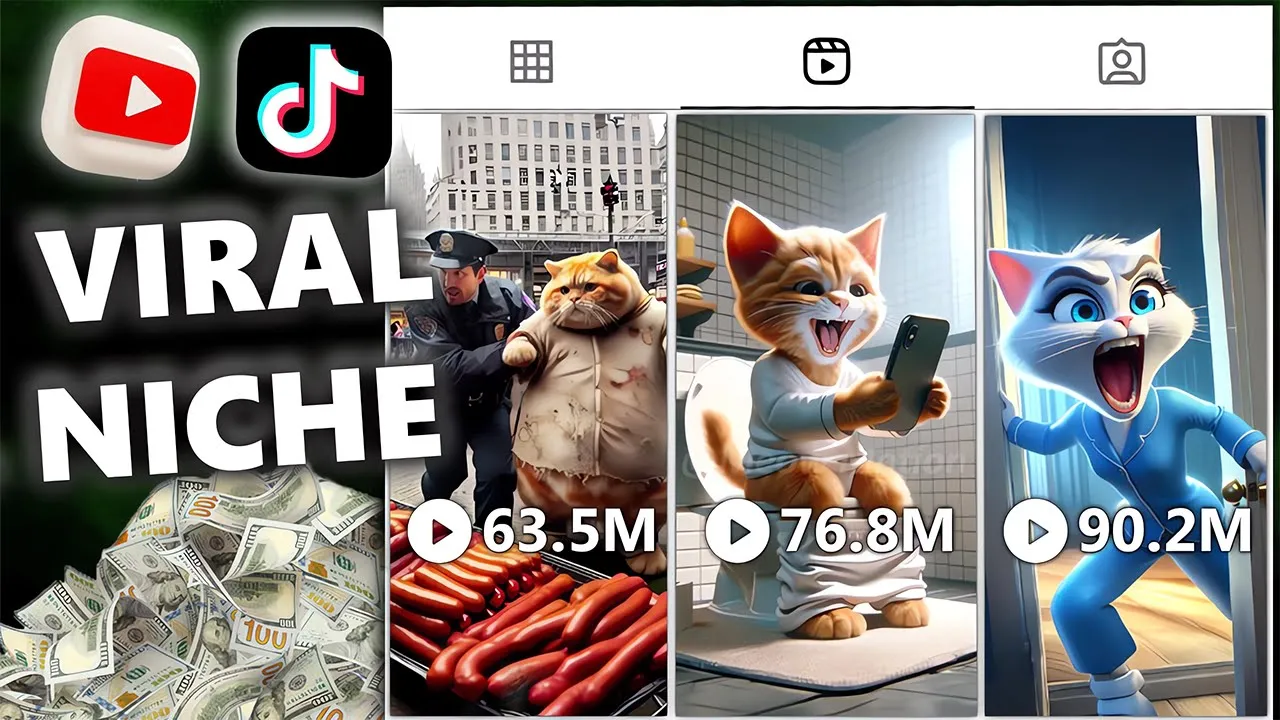
this AI cat channel gets millions of dollars by simply posting millions of views videos about cat stories have a channel Revenue range of $33,000 to $500,000 per month according to Social blade can you believe what we watch some of those videos as you can see this Niche is easy to make but insanely attractive and so far low competition I haven't seen any tutorials on this Niche but that's why I've prepared it just for you so you know what it is now right now in this video I'm going to show you exactly how to make those
kinds of videos using free AI tools without using much of Ado let's start with step one now let's take a closer look using artificial intelligence this channel has managed to attract the attention of millions of people when we look at the numbers it is staggering imagine that videos that simply tell fascinating stories of cats can earn up to half a million dollars a month it shows that with a creative idea and smart use of Technology great success can be achieved one of the reasons why this channel has been successful is its ability to create content
that is both simple and very attractive the cat Niche has always been popular but combining it with artificial intelligence and unique content production has made this channel a fantastic source of income competition in this field is still low that's why there are many opportunities for those who want to enter this field with free artificial intelligence tools available to everyone you to can produce quality videos in this video I will show you how you can produce similar videos using these tools and take advantage of this opportunity so without wasting time let's start the first step and
see how we can easily create these types of videos Do by following the following simple steps you too can become one of the successful content producers in this Niche first visit the Lexica website this website provides you with powerful tools to create beautiful and Creative Images step two search for cat images after entering the website you should look for pictures of cats to do this search for the phrase fashionable cat you can find pictures of cats in different moods and attitudes step three create trendy images imagine a cat walking down a small Runway with a
stylish and modern attitude Lex allows you to create very beautiful and special images of cats in such situations step four select and download images after creating the images you need to review them many images are generated by Lexica that you can browse and select the ones you like like then download the selected images you can download as many photos as you want to have a collection of beautiful and unique images how to add cat sounds to your creative videos continuing to make attractive videos using pictures of cats now we come to the stage where we
need to add appropriate sounds one of the best sources for free cat sounds downloads is the website pixabay here we explain the steps to get and use these sounds for you so that you can complete your video in the best way first go to the website of pixabay pixabay is one of the largest free resources for images videos and audio you can access tons of free resources without having to sign up or pay searching for cat sounds after entering the website type Cat Sounds in the search bar and search you will be redirected to a
page that contains a collection of cat sounds in different situations from simple meows to playful sounds and even purrs select and download sounds browse the list of cat sounds and listen to them choose whichever one you think is best for your videos click on the download button to get the audio file for free you can download as many sounds as you need video editing with cap cut the comprehensive guide now I will show you how you can make a professional and attractive video using the cap cut program cap cut is a free and very easy
video editing program that allows you to easily edit your videos Step One log in to the cap cut program first open cap cut and create a new project after entering the program import your images and videos that you want to edit into the project the Second Step cutting and adjusting the duration of the images imported images and videos are 5 Seconds each so you need to crop them to reduce their duration to do this click on the image or video and then reduce its duration at the bottom of the page repeat this for all your
images and videos until you reach the desired length third step adding animations to add animation to images click on the image and select the animation option at the bottom of the page select the desired animation and click add to all to apply the animation to all images step four save the video once you've made your edits click the save button at the top of the page to download your video now your video is ready and you can save it to your device step five upload the video to upload a video you must first choose an
appropriate title for your video go to a popular short video and choose a similar title after choosing a title click on use this sound to add the sound to your video step six add video to gallery go to your device gallery and select your video then click done to start video processing after the processing is finished click the next icon and then choose a suitable thumbnail for the video finally write a suitable title for the video and upload it step seven make the video public after uploading the video make it unlisted and make the video
public after 1 2 hours this will help your video get more exposure and more views generate unlimited images to generate unlimited images you can refer to the images below the video and put them in the search bar this allows you to generate new images and create more similar videos if this tutorial was useful for you you can follow our Channel and if you have any questions or comments tell us in the comments comments section we are always ready to answer your questions and prepare more training videos for you I look forward to seeing you in
the next video [Music]










![It took 2 hours to make $220,000 with this AI video [TikTok Shop Affiliate]](https://img.youtube.com/vi/VOxTHGyQzbA/maxresdefault.jpg)