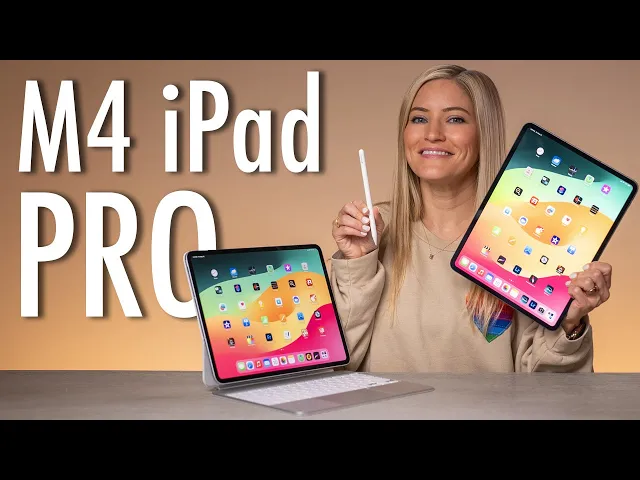
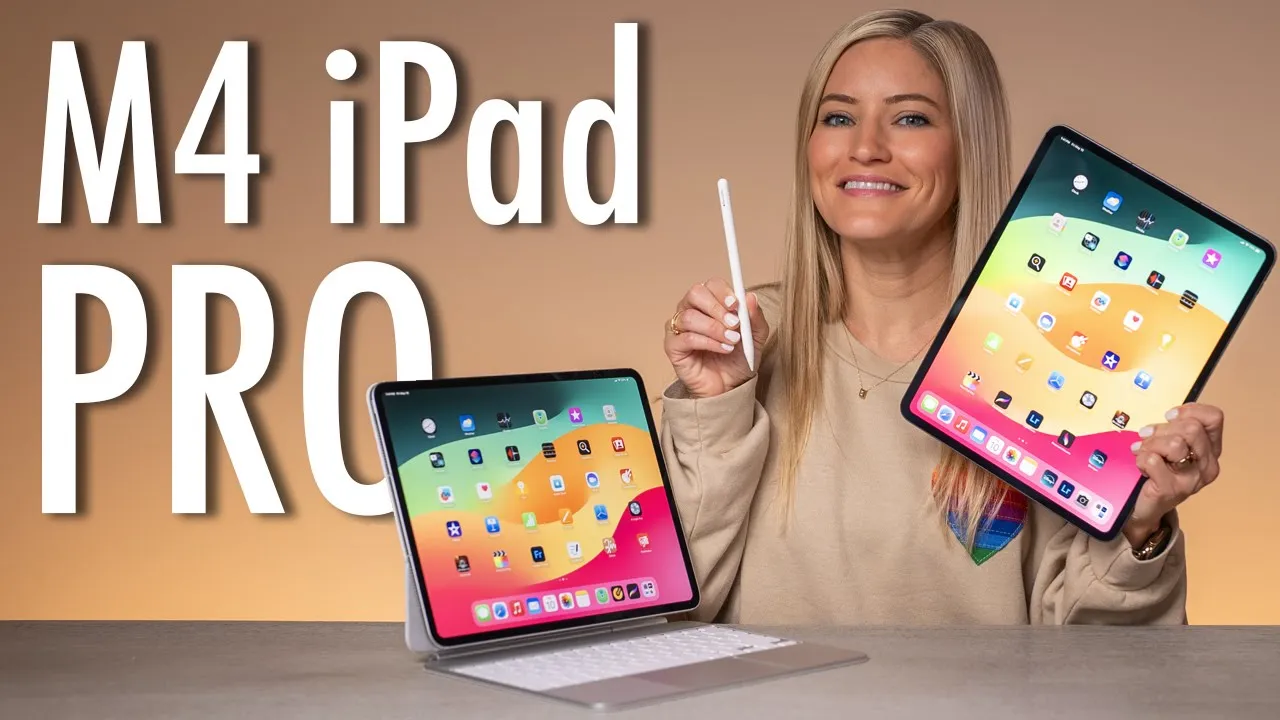
hey guys it's Justine and today we have all of the brand new iPads here in the studio we also have all of the accessories as well we've got four new iPad Airs in all of the colors and the two new M4 iPad Pros let's start unboxing cuz we've got a lot to cover here first up let's start with the iPad Pros now I'm pretty excited to unbox the new iPad Pros because they now come in a nano texture option which will give you a nice matte finish on the display and I love having this on
my Pro display XDS and on my studio display because it really does cut down on Reflections so if you're somebody that's working near a window or you go outside and use your iPad often I feel like this is a really great option and definitely something that you might want to check out I would recommend going to the Apple Store to see what it looks like and see if you actually are interested in it because it really is a different experience so we have both options to check out the standard glass and the Nano texture and
we do have both colors we have the space black and the silver is it called space black did I just make that up it's called space black let's open up the Nano texture one first I'm so excited I just love that this is something different because I feel like the iPads have been pretty much the same for quite a while so the fact that they're introducing a nano texture in the pros is pretty exciting and this is so light oh my goodness like it really does feel like a piece of paper like this is like
holding [Music] nothing wow oh I can't wait to show you the difference you can kind oh my God my camera can't even focus on it because it's so confused you can see the outer bezels here have some reflection and you can tell like right here is what the nail texture looks like like look at that camera bul like this is so thin right inside the Box we've also got a nice charging brick and of course a USBC cable what is this surprise a little polishing cloth look at that so clean so fresh and it's got
the little Apple logo on it okay but did we get a sticker no sticker here's our cleaning instructions clean your iPad Pro display only with the included polishing clo for infrequent cleaning of hard to remove smudges a 70% alcohol solution may be used okay good to know look at that silver all right let's unbox the next one next up space black with the standard glass finish okay the space black looks really good wow that looks so nice here I was thinking I was going to get the silver but then space black is out here just
looking like a snack so here's the front glass I mean you can already tell how reflective that is like you can see the entire grid of the light that's in front of me ooh a color matched USBC cable yes totally here for that that looks really nice no polishing cloth with the standard texture glass okay here we are check it out look at the difference in these Reflections you can see the full grid over here in the standard glass and you can't see barely anything at all in this matte Nano texture finish all right well
these are activating let's unbox the accessories now when they first introduced the magic keyboard for the iPad I feel like that was the first time that I really felt like it became a device that I was able to use and become more productive with because you were able to type it had a trackpad and it really changed the game for the iPad and now with these new updated keyboards they look so awesome the trackpad is much bigger and it has a much more premium finish let's open up and I'll show you here they are we
have one of each color to match each iPad this feels much lighter than the previous version like I don't know for sure oh it has such a good smell to it too oh yeah this one smells good too I had to bring over the old iPad first because I just need to just need to see it okay this is so much thicker I can't tell it feels very similar I thought it would feel lighter it's definitely much more Sleek that's for sure you can even tell here like on this finish this is this nice aluminum
and they even switch the orientation of the USBC ports so it's definitely a much more flush to look but here you can see the difference between the two trackpads they've also now added a function Row the keys feel about the same trackpad as larger this also has the nice aluminum finish around the sides too and even inside of here I really like this a lot this really does elevate the iPad in into an all new level it's still kind of crazy that they decided to go from an M2 to an M4 they really really went
for it I also thought that the camera bump was a little bit larger than it is on the old iPad but surprisingly it looks to be about the same so yeah it's about it's about the same thickness in the camera bump but I think what's also making it look way more Sleek is that it matches the iPad whereas before it kind of stuck out a lot because they did kind of do like that black finish way more seamless and I think that was a really great decision and as far as how thin it is I
mean when you hold these up next to each other considering the old iPad is also still pretty thin they really managed to make this even thinner is pretty impressive let's see what this looks like look at that oh yeah that is so Sleek definitely much thinner I like to travel with my iPad with a magic keyboard so having something that saves me a little bit more space is definitely an A+ in my book wow these look so good when I was watching the event I was like cool yeah they look awesome but then actually having
them here and just seeing how nice they look all next to each other with these new keyboards these new keyboards really do make a huge difference hi I'm Siri I'm Siri I'm Siri I'm Siri I'm Siri oh my goodness they're set up look at them they look so good wow we also have two other case options we've got the iPad smartfolio I like these a lot as well but if you do want to have a keyboard obviously the magic keyboard is the way to go and here's what the smartfolio looks like so nice I mean
it makes it so thin cuz I'm so used to carrying around the magic keyboard with my iPad what do you want do you want to see it do you want to give me a hug oh you want to give me a hug okay this is the new M4 iPad Pro how do you feel about it no okay bye then we've got the space black with the matching smartfolio as well oh they look so nice so thin like this just feels like a tiny little notebook I can't even handle it now to go along with the
new iPads the apple pencil Pro will work with both the new iPad Air and the new M4 iPads it will not work with any previous gen iPads so please do not buy this apple pencil thinking that it's going to work with your old iPad something else that's kind of cool is they have different colored boxes and little drawings on all of them I think my favorite one is the purple this one's really cool here it is look at that it looks pretty similar to the previous version you'll see here it does say apple pencil Pro
so you will be able to tell them apart easily okay this is going to be the first connect of the brand new apple pencil Pro look at that it's connected welcome to apple pencil Pro oh my gosh it's giving me a little tutorial oh The Squeeze it's so weird switch tools with a gesture double tap scribble easily capture screenshot swipe up from the bottom left the test the squeeze I did it hover over and squeeze it brought up my display writing on this mat feels so different and I think I'm into it oh wow it
feels really nice the other incredible update about the apple pencil Pro is it has fined my integration so if you've ever lost your apple pencil which I know you have because I have lost so many so now that the iPad Pros are unboxed let's start testing them out this is definitely one of the most exciting updates to the iPad Pro that we' have seen in a really long time it has an all new design a new display technology new accessories and the latest Apple silicon the brand new M4 now first of all the new iPad
Pro is so thin it's coming in at just 5.1 mm for the 13-in model which actually makes it the thinnest Apple device that Apple has ever made they've also finally brought olded technology to the iPad Pro with a new Ultra Retina xdr Display they're using something that they're calling the tandom OLED basically this is using two OLED panels to deliver amazing colors and contrast without sacrificing brightness in fact it gets so bright with up to 1,600 nits Peak HDR and for the first time ever there is now a new Nano texture option for the display
and this seriously looks so good I mean check it out like you can definitely see just sitting here like if I move these iPads like you can see no reflection reflection it's incredible it also came with a little microfiber cloth special for the Nano texture now I think that we were all kind of shocked to see that the iPad used the new iPad Pro to release their allnew M4 chip now we knew that it was coming at some points and now that it's here it is of course super powerful with up to 4X faster Pro
rendering than the M2 it has an allnew display engine and a GPU capable of Hardware accelerated Ray tracing so that will give you the phenomenal graphics for gaming and productivity apps and the M4 16 core neural engine is a huge leap when it comes to AI capabilities it was also kind of fun during this Apple event Apple really went all in on AI they had mentioned it more times in this event than I've ever heard them say which is kind of getting me really hyped up for what they're going to announce at WWDC it's all
happening so soon and of course to go along with the iPad Pro Apple also dropped an all new apple pencil Pro which is getting a ton of new features to take precision to another level there's a new Barrel rule gyroscope that can make adjustments depending on the position of the pencil there's a squeeze gesture that lets you quickly switch between software functions and it now has haptic feedback which I think is going to unlock so many new experiences on the iPad I know the first time that I test it out the new Apple pencil and
I squeezed it I actually thought that I was squeezing the pencil because the haptic feedback felt so real that it tricked my mind into thinking that I was squeezing the pencil and when I squeezed it and it wasn't connected like nothing happened now the squeeze feature is really cool it's going to be great to see this integrated into third party apps so when you squeeze check that out the menu pops up and it's the haptic feedback that is tricking your brain into thinking that you're actually squeezing the pencil next the gyroscope allows you to do
a barrel roll so a good example of this is pulling up the highlighter and when you hover above the iPad you'll be able to see as you do the barrel roll the highlighter will also go with it Apple adds a fake Shadow to whatever tool you're using so it makes it look like it's a highlighter or an eraser or something similar it's really neat see look at that shadow that's not real that is a Digital Shadow do a barrel roll so that's what's new in the apple pencil Pro do you need it probably not do
you want it yeah is it cool no doubt about it now the camera system on the iPad Pro is also really nice on the back there is a 12 megapixel wide camera with an Adaptive Flash and a lar scanner for enhanced AR experiences something that's always so funny is watching people make content with their iPads like taking photos and videos because it's so massive but this really is an incredible content creation device Nori do you want a model for me look at you you're so cute okay so I'm making a video and what's so awesome
like check this out it's so crazy having this matte display because everything just looks so crisp and clean there's no reflection there's no glare and this is something that I'm just really not used to having on any type of device like this [Music] one of the most exciting updates is the camera is now on the top where it should be I'm so excited to test out FaceTime this is going to be my first FaceTime call on the new iPad Pro so I'm going to call my friend Joe and hopefully he actually answers oh we can
see the center stage working though while I wait Hey Joe it's Justine thanks for not answering my call it's cool I'm not mad or anything okay I actually really like being able to delete video messages oh my goodness hello hello hi Joe how are you I'm good I'm eting a snack oh that's cool what are you having oh Jes is hasht AD we love it we love to see it how does my video quality look I'm calling you for the first time ever on the brand new iPad Pro oh my god oh this looks really
good actually yeah so it's cool because they moved the camera up here to the top so it's now landscape so you can actually do calls this is so much better Center Stage hello look at me this is cool okay you might convince me to actually get one of one of them camera quality looks great yeah you can order them now apple.com IAD check it out uh cool well well thanks for picking up my call I appreciate it yeah of course I'm going to get back to my snack okay yeah enjoy your enjoy your snacks okay
bye and now that these magic keyboards are making it more kind of MacBook like being able to have this FaceTime camera up here is just it really is is gamechanging I feel like if anyone has ever done a call on the old iPads you know how awkward the positioning is but now it's perfect I'm just going to be real with you I just kind of wanted a reason to go to the driving range but there's this really cool app called on form and I kind of wanted to try it out it's pretty cool because it
has this mode where it'll Auto detect your swing and it'll give you the ability to do a compare to previous swings also just for the record I don't really know how to golf but I'm learning here we go let's start our free trial [Music] now it's the fun part we get to analyze our swings so I've popped in two different swings and it's amazing because when I hit play you'll see these are all linked up the neat part is I can do a little scroll wheel here so I can slow it down and really see
where I messed up like where did things go wrong if I knew what I was looking for would probably be helpful and I will definitely be using this anytime I go golfing [Music] so now with this being the iPad Pro there are a couple of pro workflow features that I really want to test out with this you can connect up to a 6K display so now I have my iPad plugged into my studio display now these other monitors here this is actually just my MacBook they just kind of looked pretty so we're going to leave
them on for the sake of the video but as you can see the iPad is plugged in and you have the option to either mirror the display so right now I'm not mirroring the display so when I go over here I can open up my apps and I can also still have access to the iPad here so it really is giving you kind of like this dual monitor situation so this is going to be great for if you're traveling you can be working on your iPad and then as soon as you come home you can
basically just dock it to your display and be ready to work now you can also use an external Mouse a Bluetooth keyboard as well for the sake of this we're just going to be using the new magic keyboard and it's cool because this does feel so natural to use this because I'm so used to using my MacBook now when we go to the settings this will give you the chance to change how you want this to behave so right now now I have it as two separate displays but you can also mirror it I basically
just clicked mirror and this is what you get the other thing that's really cool is much like on your computer you can also rearrange how you have the setup so in this Arrangement it's basically just how I have it set up on my desk the iPad is off to the left so anytime I scroll over here the cursor will go right to the iPad as it naturally would so I'm going to go over here to the monitor we're going to open up Final Cut and get a project started so this isn't the new Final Cut
that they just announced but I will show you a little demo of how I can import footage and edit pretty quickly and seamlessly on the iPad and using the studio display so I already have some saved files so we're going to select those and open so I'm going to make a little multi-cam clip here and it's interesting because this is clearly a final cut that is tailored more towards touch so it is way different than when you're using it on regular Final Cut and there it is we're going to pop this into our timeline look
at that I'm cleaning up these are the things you don't see so here at the bottom you can see both of the multi- cam angles and what I like about this in editing multicam is you just have to press one and if I want to switch angles I just hit two one two a one two and if you have a three and a four you could also do that as well this makes editing multicam footage so easy and it's definitely completely changed the game for me as far as editing goes it makes everything so much
faster the other cool thing about using the trackpad is I can use all of the shortcut keys that I'm used to using when I'm using normal Final Cut but what if I want to just edit on the iPad yes of course you could do that as well this Final Cut is made for touch if you've used an iPad before like I feel like if I gave this to my 4 and a half-year-old niece like she would probably be able to edit a video once she figured out some of the main controls like I mean you
just you pinch the timeline it just makes sense now gam on the iPad with the M4 chip is giving us a huge update with Hardware accelerated Ray tracing now one of the games that I'm so excited to get this update is Diablo Immortal I got a chance to try it at the Apple event and it looked so fantastic so I can't wait for that to launch later on right now we're going to test out War Thunder which is not quite updated yet to take advantage of the hardware accelerator R tracing but it will be soon
the graphics still look incredible so that means they're only going to look better once it's updated I've never played this game so I'm just going to test it out and see what happens obviously gaming on the iPad is awesome because you can connect Xbox controller PlayStation controller or a Nintendo switch controller so I connected my Xbox controller the touchcreen is pretty awesome we're going to cruise around here and see what we can see I got to get over here so the graphics on here look pretty awesome and I think the thing that I'm really enjoying
is this nanotexture display like everything just looks so crisp and clear because there's no Reflections so it's kind of like confusing my brain like what am I seeing no no no okay maybe I know I I feel I feel more confident doing this let's go let's go let's [Music] go so now outside testing the new nanotexture compared to the standard glass and it's really wild to see the difference you can see me waving here in the reflection you can't see me waving in the Nano texture and even when I point to it like you can
see a little bit of a shadow but there's almost no reflection and it still is so mind-blowing how awesome this is and it's been such a great experience using it thank you guys so much for watching this first look at the brand new M4 iPad Pros I had the absolute best time testing these out so if you want to see any more videos I will put them here on the end screen and don't forget to subscribe like and comment and let me know what your new favorite iPad feature is I'll see you guys in the
next video bye