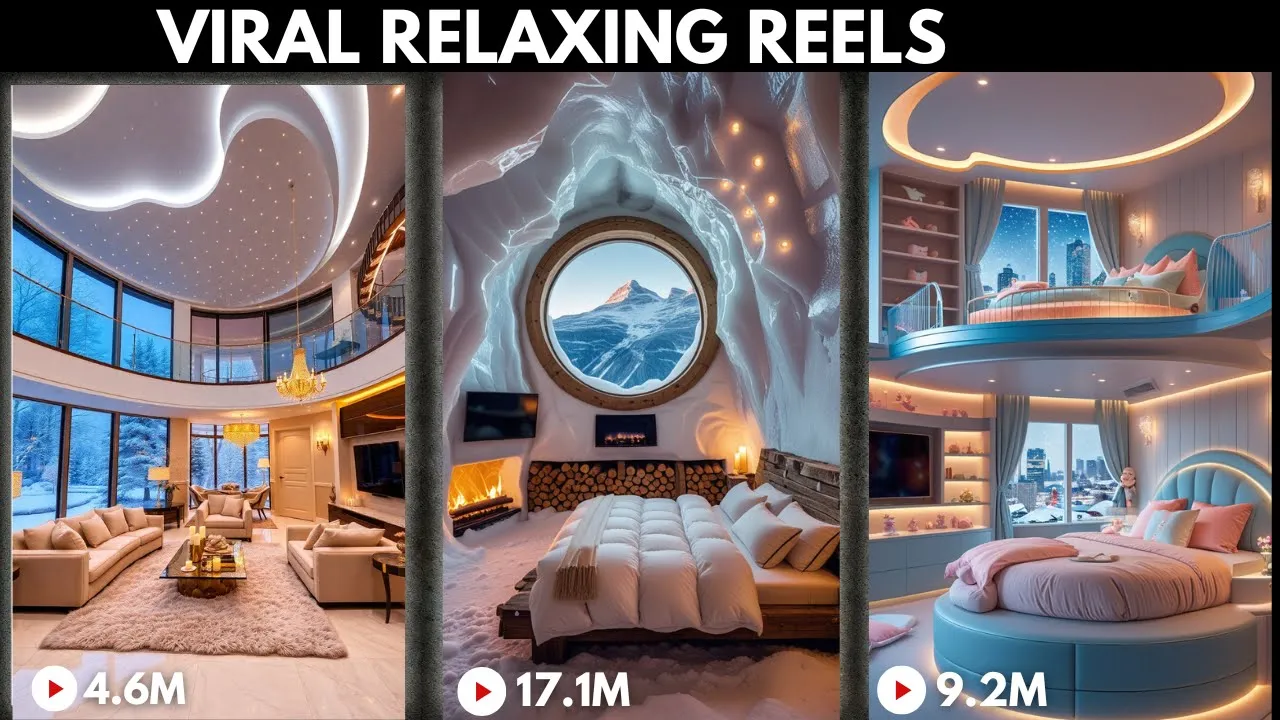
I was scrolling through Instagram the other day and came across a page that posts relaxing videos this page has over 10 million followers and almost all of their videos have hit millions of views I also found this channel that posts videos of cozy homes you know those dreamy relaxing scenes with warm lighting soft blankets a crackling fireplace and snow gently falling outside massive Windows the kind of video that makes you want to curl up with a of hot cocoa here's the crazy part these Pages have millions of views just from posting these types of videos
and the best part you can create videos like these yourself even if you're not a videographer or designer how by using AI tools to generate them just imagine having the ability to create stunning cozy scenes that not only Mesmerize viewers but also have the potential to grow a following and even earn you thousands of dollars a month whether you want to start your own page enhance your creative projects or simply try something fun I'm going to show you exactly how to do it let's Dive In Step One generate a prompt let's begin by creating a
prompt to generate the images we'll use for this video we'll use chat GPT to help with this simply give chat GPT this prompt and chat GPT will craft suitable image prompts for you I have also attached the prompts in the description of this video step step two generate images using AI to get started use an AI image generator I recommend Leonardo AI which provides 150 free daily credits that can enable you to generate images for free we'll use Leonardo AI to create images of cozy living rooms click the link in my description to get started
once you land on the Leonardo dashboard select image creation next select flux Schnell model select the right dimension for your video since our video is for Instagram and YouTube shorts let's use 9 by 16 just copy the prompt you generated with chat GPT paste it here and hit generate in just few seconds your images will be generated aren't they cozy and relaxing if you are satisfied with the images click here to download them HMS AI is another amazing tool you can use for creating highquality realistic images it's easy to use and can turn ideas designs
into real items click the link in the description to explore this amazing tool HMS AI has pre-designed templates and prompts you can customize to make your images unique since we are using a prompt for this video we will go straight to clicking design and pasting our prompt in the text to image section then hit design just like that we have created these clean realistic images you want to push your creativity more with items go back to the homepage and explore the top challenges if a challenge catches your interest click on it to open the topic
page there you can use the AI tool to create designs that fit the challenge theme with the make it real feature you can transform your ideas into something tangible and bring it to life in just three steps use the AI tool to generate a unique design turn your design into a detailed 3D model print out your 3D model and bring your design to life get started and watch your creativity take shape if you're enjoying the video so far do me a quick favor hit that like button and subscribe to show your support thanks and now
let's dive back in step three convert image to video next we will convert the images we just generated to videos and to do this we will be using Hilo AI first head over to the Hyo AI platform using the link provided in the description of this video and log in to your account if you don't have have an account yet don't worry signing up is quick and straightforward once logged in click on create on the image to video section upload your image next give it a prompt and hit generate the process typically takes a few
minutes once your video is generated preview it to ensure it looks exactly how you want [Music] if needed make adjustments to the settings and regenerate when you're satisfied with the result click the download button step four cap cut now it's time to bring your video to life open cap cut a free and easy video editing app import your room image and the video you made earlier to create a cozy Vibe adjust the brightness of the background image in cap cut dim the light to make the room feel warm and inviting this step is simple but
adds a lot of charm to your video before finishing set your video to a 916 aspect ratio so it fits perfectly on Instagram reels or Tik Tok you can also add motion to the video by using key frames to make the scene gently pan from side to side [Music] once you're happy with your video export it and share it [Music]






![How To Make ORIGINAL TikToks & Reels With AI [TikTok Creativity Program Beta Course]](https://img.youtube.com/vi/VIZwu9g8KPs/maxresdefault.jpg)