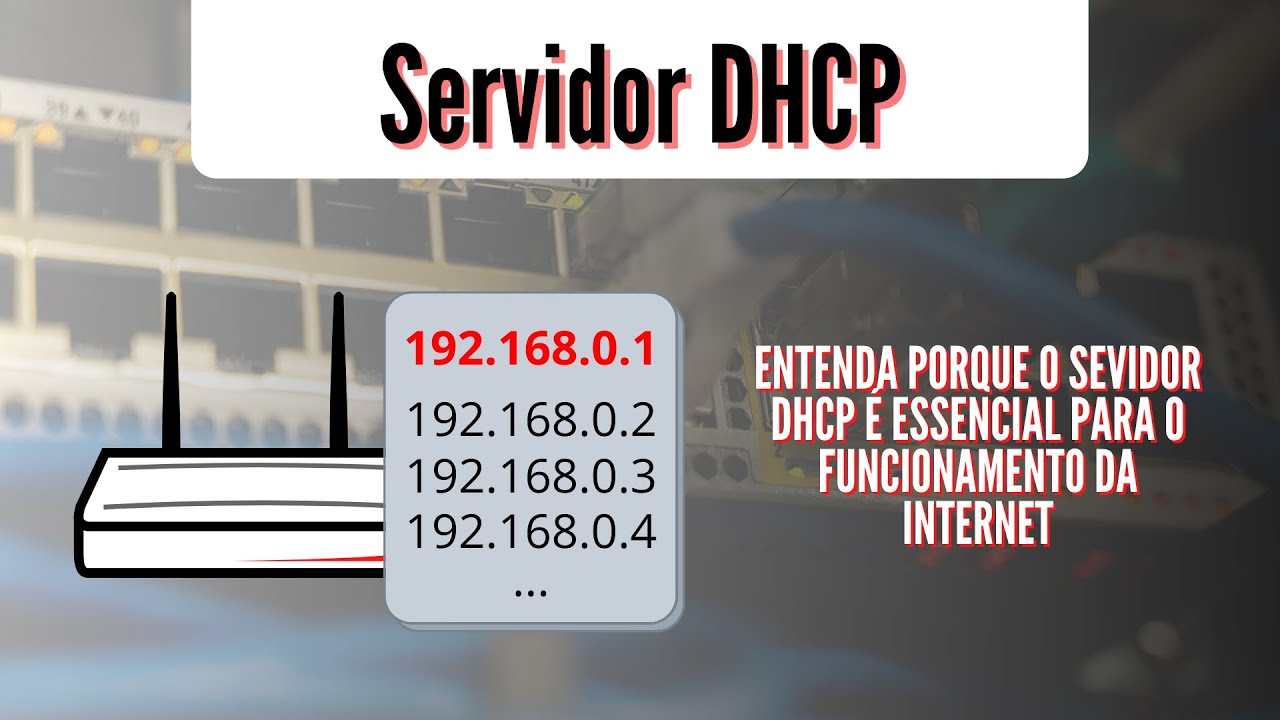
Today we are going to talk about the DHCP protocol. How can computers communicate on a computer network? How is the IP packet addressed?
So, we are going to deal with this protocol, which is widely used in various areas, from IT to public tenders. Anyway, let's go, let's go to our class today, okay? So, DHCP protocol.
It is a dynamic IP configuration, so it is Dynamic Host Configuration Protocol. So, the protocol. So, they are a set of rules that dynamically configure IPs.
Here it is important to pay attention to the following terms: Host in a computer network is any device that is connected to the network. So, when we talk about computer networks, we don't talk about computer addresses, how many computers are on the network, we say the following: how many hosts are on the network. Because nowadays we have smartphones, we have laptops, desktops, printers, scales, various devices that use network addresses.
So, when we talk about computer networks, the name given to the network element connected to that network is called host. So, DHCP is a protocol designed to dynamically configure these hosts. And what would be dynamic?
Dynamic would be automatically. So, machines, to communicate on a computer network, need to have a network address, which we call an IP address, Internet Protocol. It's a routing protocol, it's a protocol that gives an address.
Just as in your house you have a number, a street, a number, a zip code, in computer networks, for computers to be able to exchange data, each one needs to have its own number, its street, which is its network, right, and so on. So, let's understand how this DHCP protocol behaves, how it goes about configuring these machines on a network. Okay, so, let's go, let's understand more about what it does.
So, it assigns, DHCP, it automatically assigns, which we dynamically place, you know, IP addresses, network addresses, to all devices connected to a computer network. So, how does it work, how does it work, right, how does this attribution happen. Then, there is the discovery, the offer, and the confirmation of that address.
So, it's a process: when you turn on your computer and connect a network cable to it, or when you go to Wi-Fi, find the available network and enter your password on that network, you will notice that a process appears: "obtaining address IP". So, this first step, for it to happen, there has to be a discovery, it is a process that occurs, so, for you to have your IP address configured on your computer, what will happen, so let's go, first thing, there are messages, there are commands that are sent to a DHCP server. And now another computing concept comes into play, which is client-server architecture.
If I have a computer that will configure this IP address for other machines , we call it a DHCP server, it is the computer or equipment capable of automatically configuring the computer network, so every network that is configured automatically has a server DHCP. In the case of a Wi-Fi router, it has a server that is a program that controls the IPs and will provide it to your equipment when you enter the correct password. So, the Wi-Fi router has a DHCP server, and those who use this service are the clients, right, the computers.
So, your cell phone is using a service, it is being configured. So, all machines that are configured are clients on that server. Ok, so, let's go, let's understand these parameters that are sent by the protocol.
The first thing is discovery, DHCP Discover. So, what would this first it be, which we call Discover here? Discover is discovery.
So, every time you request an IP, a signal will be sent to all devices on the network, saying the following: "see, is there anyone capable of configuring my IP address? ". So, he's trying to find out on the network if there is anyone capable of doing the network configuration, which is, is there a DHCP server out there, that's the big question he asks.
After that, comes a process, from the moment it finds this person, the offer comes, DHCP Offer, OK, the offer is the following: the DHCP server, upon receiving this request, will look at several parameters, whether this machine is blocked or not on the network, whether it is on the server's black list, whether it passes through some parameters , from the moment these parameters are accepted, it says the following: "the DHCP server says, look, my friend, here's the thing, I can configure you, okay? I have this ability to configure, if you want we can start to make this transaction, then I will send you the network parameters and I will configure you". So, this is the offer, from the moment an offer is made, the DHCP will reserve it, it will take it from its list there, say: "look, this address here is vacant, I have the IP address, I will write it down here that It's going to be for you, so I'm going to reserve it for you here.
" Then what happens, the client machine, it will make a request, it will say: "oh, great, man, send it to me, send me this address that I want to enter the network, you can save it for me". So, send it, he makes the request and says: "you can send it, since you have the possibility of configuring me, please configure it there, old man". Then he does the configuration and the final transition, right, it would be this PC here, then, it would be sending these packages.
So, the DHCP server, it does this whole process to make it easier , right, to configure the computer network, right, it will have an entire annotation system, and we call it an IP pool, okay, here we are we have IP pool. So what are the components of DHCP? DHCP server is the machine that configures the network, so the DHCP server is either the Wi-Fi router, or it is your DSL modem, or it is a network server, a computer with Windows Server or Linux, a computer .
It could be, right, there are several devices capable of making this configuration, the clients who use this configuration property, okay, the IP pool, this IP pool would be which address range it is capable of assigning to your computer. So, every computer network has a group of addresses within a network, so there are larger networks, smaller networks, they are in various IP addressing classes, this is a detail for another class on IP protocol. But then, it has a range that it can provide, let's imagine a Wi-Fi router, a Wi-Fi router normally works with a range of up to 254 valid addresses to provide to its clients.
So, this range, as it is used, this is the IP pool, meaning it goes from address 1 to 254, for example, as people connect to this network, these pools are used and reserved, right, it will each interval being used. So, think of the IP pool as a range of addresses available for allocation by the DHCP server, and we have the leases, right, which are the releases and the time that this reservation will be made, okay, so the IP, the IP when it is provided by a DHCP server, it is done in such a way as to reserve that address for you for a while. This is very interesting, when you see problems related to the DHCP server happening in practice, I'll give you an example here that happens a lot, you go to a cafeteria, you go to eat a snack, and when you go to enter the router, you realize that it doesn't connect, you enter the password and it doesn't enter, you enter the password and it doesn't enter.
Wow, what's going on? And a friend of yours who works at this cafe says: "no, mine is coming here, look, I'm connected". Yes, my God, but I entered the correct password and no one enters.
There is a reservation time. Normally, when you get a standard DHCP server, it will have a reservation for 12 hours, 24 hours, what do you mean? Remember those 254 addresses, it will provide you with an address and reserve it for a period of time, it will be yours, you can leave, you can come back, that reservation is made there in DHCP.
So what happens, that number can no longer be used. So, imagine that in that cafeteria they started serving snacks at 7 o'clock at night, and by 8 o'clock at night 254 people had already been there and left, they are no longer there, but the reservation was made for 24 hours. So the IP pool has no more address to give, you try to join and does not enter.
What do people generally do to solve the problem? Turn off the router, plug the router back in and everything goes back to normal, then it says: "ah, my router is freezing", it's not, your DHCP configuration is wrong, places that have high turnover we have to leave the smaller reservation interval for this IP pool, otherwise it will be exhausted. So, if I give an address in the long term, it will run out, okay, and the first people who connect to that network will have that reserve, that's why they can always be connected, which are the employees at the location and people who entered before will be able to stay on the network, people who arrive later will no longer have an address for it.
So, this is an interesting feature for us to learn a little in practice about the impacts that DHCP has on a network configuration. Okay, so let's go, for one more step here, what are the advantages of using DHCP? So, DHCP has the advantage of automating the network configuration process.
So, through DHCP, I can automatically configure each computer that I put on the network. It would be a very complicated job to increase the number of computers on a network if you couldn't do this type of work. So, guys, here scalability is the ability to increase the number of computers on a network, centralization of network administration.
So, from the moment I have a single point that configures the entire network, I can, together with this DHCP, pass other network parameters, right, and make more efficient configurations. So, the advantage of DHCP is that it will make the network more flexible, I will be able to have more computers, I can accept that other people who do not participate in that corporation connect to the network, right, in an easy way, giving just one user and password, or installing a Wi-Fi router, for example, in the hotel. So, you can have greater control of the network without the intervention of the technician, the network administrator, who has to go there and make these settings, right.
So, it is very important to understand DHCP, it has a function, whoever is going to do a public tender, right, understanding what it does, what it is capable of doing, it is very important because it is one of the main computer network protocols, It will provide ease and efficiency in a computer network. So, understanding how DHCP works is very important, folks. Thank you, click there, like, share, leave a like, a big hug, see you next time.