Welcome back to the King's Queen, where I teach you how to master your hustle. First of all, before I get started, I would like to say thank you so much for all the people who watched my clip art video. I know that clip art is kind of big, but I had no idea that so many people would click on my little video so fast.
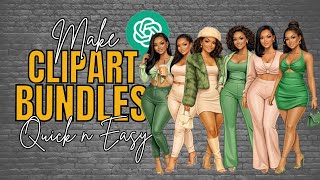
So, thank you all for that. And because of that, I started thinking and the wheel started turning in my head. People are really into this clip art bundle on one page thing.
So why not make it even easier for them? Especially the beginners who are new to prompting and GPTs and AI and all of that. Let's make it a little bit easier.
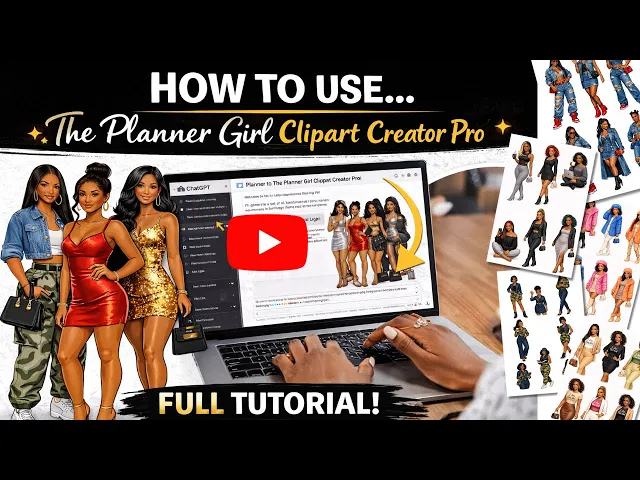
So, I have created a custom GPT to help you along the way. A lot of you may not need it, but there's a lot of you who do need the help and want to get started, want to jump into this world with us, who are already making money with AI and so on and so on. This GPT is mainly for you beginners, but the pros can use it as well because I'm having so much fun using this.
I created it for everyone else. But since I created it, I've been using it a lot. And if you're watching this video right now, that means that you can purchase it on Etsy.
So, the link will be in the description box. Just look down there, find the link, and you can purchase it. But let's get started.
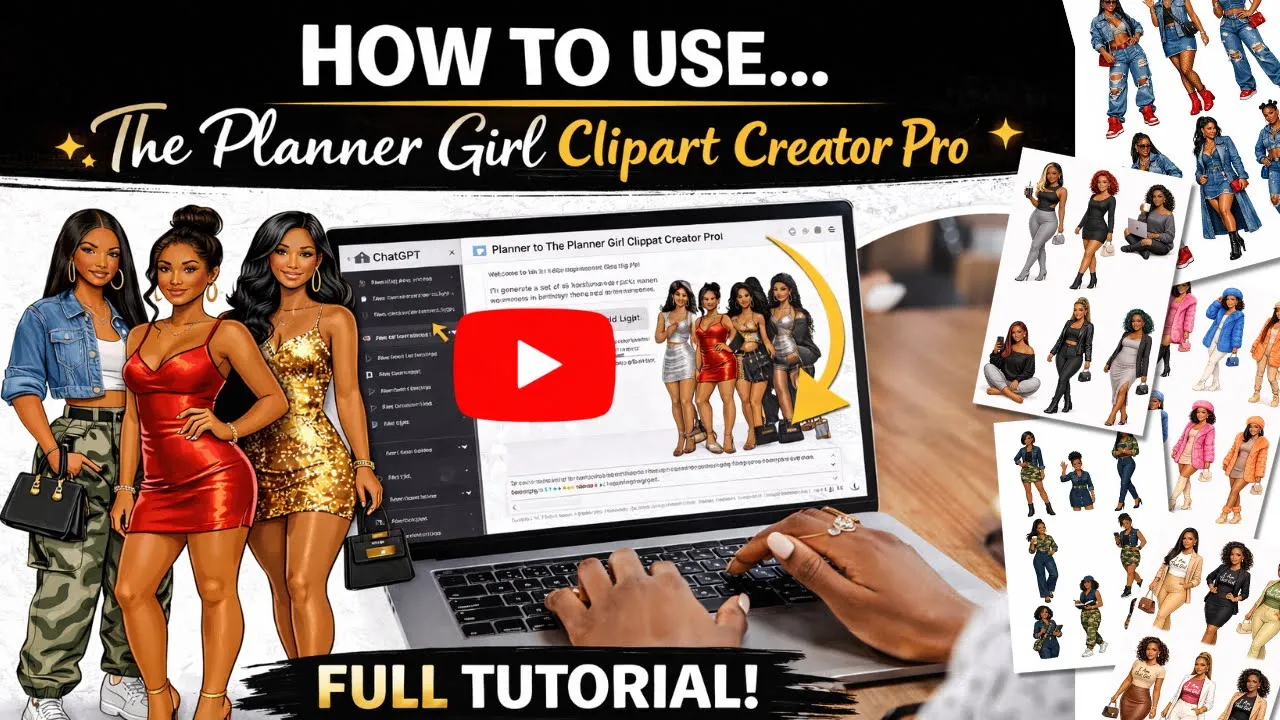
This GPT is called the Planner Girl Clip Art Creator Pro. I know it's a mouthful, but this GPT is a mouthful. So, right here, I have three conversation starters, and this is going to get us started.
These two right here, you can click to create a boss babe pack or a just a random girl. But we're going to pay attention to this first one right here where we're going to start a bundle. This is starting from the bottom and we're going to go all the way through.
So, let's just click on it and it's going to take us step by step all the way through until we get our desired bundle. So step one or question one, what's our race? What race are our planet girls going to be?
We got black, we got Latina, Asian, white, Middle Eastern, South Asian, indigenous, or a mixture of all of these. You know me, my shop caters to African-Americans. So I'm going to select African-American.
But depending on what you want, you choose what you want for your footart. Next, what's the body type? You got slim, athletic, curvy, plus size, BBW, petite, tall, medium size, or a mixture?
I've been working with the curvy girls. So, I'm going to say curvy. That's number three.
So, all I got to do is put the number three. And if you want more than one, feel free. You put different numbers or just tell it.
I'm number one and number three and number four. Okay. What's going on?
What's the occasion? So, we got some choices. Every day, brunch, concert night, back to school, boss babe, workday, winter cozy, vacation, spring break, birthday glam.
You could say Valentine's Day, Christmas, Easter, going to church, journaling, whatever you want to tell it. This is where you do it. So, I'm gonna say it is since it's still winter, I'm going to say winter funday.
Next, we go with our clothing. What's going to be the vibe for the clothing? So, it's based on what I said the occasion is, it's giving us some choices to choose from.
So, it makes it a little bit easier for for you. So, we got a puffer with leggings. We got a faux fur with denim knitted set.
Ski Bunny Glam. And it goes all the way down and it says that you can type your own. I'm going to go with H faux fur and denim because I love denim.
So, I'm just going to put number two. Number two. And I'm going to also say I'm going to add a little color.
So, I'm going to say pops of emerald green and pink. Just throwing something different in there. So, we got number two is going to give us our fur, our fake fur and denim.
And then I want pops of emerald green and pink. Okay. What's the hair looking like?
And knotless braids, butterfly locks, passion twist, goddess braids, all the way down to where you can say a mixed variety, different styles across the girls. So, I'm going to say number eight because I don't like it when they all have the same hairstyle. That's just me personally.
Okay, now we're going to get into the accessories. So, we have iced coffee, a phone, headphones, shopping bags, planner, hot cocoa, and mittens, snowball, ear muffs, camera, or mixture. And again, I'm going to say a mixture because I don't want them all to be doing the same thing.
Again, it's my preference. And this right here is the sheet structure. So since they're all going to be on the same page, it wants to know what's the layout going to look like.
Are we going to have six girls with no speech bubbles and text? And speech bubbles is just like the like if they're going to the girls are going to be giving a message or something, it's going to say something or if you're going to print them out or whatever you're going to use them for. You can put your own little messages in the speech bubbles or you can choose one that already has text on it.
Um, you can have the, like I said, the where it has the speech bubbles and the short text like br since it's a snow day. You can have one saying burr and then one that says snow day. So on and so on.
And we got one that has eight girls with different poses. No bubbles and text and all the way down to different choices. I usually go with number one.
I don't really need the speech bubbles and text. So, I'm going to go with number one. You pick the one that fits you and fits what you're trying to create.
Okay. here. It's going to give us a summary of our choices and then it's going to give us a master prompt.
And this master prompt, you can copy it and put it into a different generator if you're not using Cat GPT. Copy the master prompt, take it over to your favorite generator and see what it gives you. But it's a very long detailed prompt.
And here's just stating all the things that we're not going to have in this bundle. And that is no cluttered background, no scenery, no patterns, just we just want girls. We just want planner girls.
No overlapping figures. So, we'll have space to cut them out and we'll have to worry about um them being too close. There's no brands or no logos because we know that if we're selling these, nine times out of ten we're selling them on a public platform and we cannot sell Nike and Gucci as bad as we want to.
We can't do that without getting in trouble. So, we're not going to include any brands, no logos, no trademark designs. Um, this one says no kids, no teens.
I don't have it set for kids and teens. I think I'm going to create another one if I do. Um, no nudity, no lingerie, and no blurry lines.
Okay. And this down here gives different variations or some changes we can make. But now, all you do after it gives you all of this, tell it to create or create my bundle or something like that.
Let it go. Get ready to create your bundle. I don't know what this is.
It's giving me the master prompt again. So, I'm going to stop it cuz we don't need the master prompt again. It's never done this before.
It wouldn't want to act up when I'm recording. That's generally how content creating goes, though. Okay.
So, I'm going to say again, create the bundle or create the sheet, however you word it. Let it know you're ready for your bundle. Okay, there we go.
I don't know what all of that extra was, but I'm going to have to go into the back end and kind of work on that. But like I said, if you're watching this video, everything has been fixed and should be working smoothly for you all. This shouldn't take that long, hopefully.
Here we go. I see the green. I see the pink that I asked for already.
I don't I can't see it clearly because it hasn't been revealed, but I can tell there's green and pink. So, that's a plus. And here they come.
And there we go with our our snow day, our winter day fun. We've got her pink bag with her coffee. She's on her phone.
We got a shopping girl with her cute shades. She's got her warm drink. This one here, I think this one here with the green cross body and the green shirt.
I think she's my favorite. And this one with her tote bag and notebook or or iPad or something. These are adorable.
These look really, really, really good. I really like that. I really, really like that.
These came out really, really good. I'm going to show you with the um with a master prompt. Like I said, you could take it and put it into another generator.
You can also put it into this generator. So, I'm going to copy this prompt. Copy the entire master prompt.
Copy. Then I'm going to say create again with the colors purple and gray and leather. And I'm going to say change the poses.
And then I'm going to paste our prompt and enter and see what we get this time with this. filling out those questions of what we want. We got six designs already and doing it before one by one.
It would have taken a lot longer. We got six and we're about to have six more once this one is done generating. I don't know about you, but that's that sounds good to me.
And those of you who are wondering after you take the background off and all that good stuff, how do you actually make a bundle, I'm going to show you that. Just keep watching. And I also got another idea from somebody else who I was use I was doing this, but I didn't show it in the video.
So, I'm going to touch on that. Also, I'm just rambling while we're waiting for the generator to generate. Here we go.
We're see what's what. I see the purple. I see some leather and it's still got that winter vibe.
So, this could all go into a bundle together. You could create one more set and you have three different colors or whatever you want to do. And since I created them with purple, you know the trick that I taught you all well over a year ago.
When you have purple with Africanamean skin and you want to change the colors, it's simple to do this in Canva. You can have a bundle of every color that you want just because you use the purple and it's not going to alter their skin tone. So look at this.
Look at these. These are cute. These will be so cute.
Um on notebooks, making sticker packs. If you make sticker sticker packs, this will be great for you. Um GoodNotes, using them on your phone as stickers.
Guys, I have started doing that now and it's it's kind of fun when I text somebody and I use a sticker that I've made myself. But this is cute. The hair is cute.
The poses are adorable. I love it. I love it.
I love it. I love it. Let's go over here to Let's go over here to Canva and I'm going to show you how to create the bundle now that we've done that.
So, let me go to Canva real quick. Okay. Now, I'm going to go to right here.
I'm going to make a custom in pixels. I'm just going to go 1,00 by 1,000. You use your preferred uh size and make it bigger than that or you can make it smaller than that.
I'm going to go over here to my uploads and I'm going to use some that I've already been playing around with. these girls right here. And I'm going to change the color of this so that you can see the background is removed.
But I'm going to show you a different way from the way that I showed you before. The young lady said to me in my comment section, "Why don't you just use magic grab? " And a lot of the times I do use magic grab, but I was using magic grab on some of the other clip art that I was creating and that clip art had like extra stuff behind the girls and when I would magically grab it, it would grab everything that went with the girl.
So I just started using background remover for that reason. But using magic grab is actually better with them being just the girls and there's no background to go with them. So this magic grab would be perfect for this and you won't have to do the steps that I showed you before.
So I'm going to show you magic grab this time. So you clicked on the image and all you do is go to edit. We're going to go to magic grab.
And I'm going to just grab her. Now, we're going to do it one at a time because I don't want them together. And this is how we separate them.
We're going to grab her there. Now, she has been removed. And we're going to do the same thing all the way through until we've got them all.
I'm just going to click on that sheet again. Go back to magic grab. And it is tedious, but come on.
We got through the hard part. It's okay to have to do a little bit of work ourselves. We got to do something, too, so that we can say we earned what we're going for.
I don't mind clipping out some images if all the hard work has been done already. Click on that to magic grab. I'm not going to do them all just to save some time.
Grab this her last. And right here, you see it did not grab her purse or what she's holding in her hand. So, I'm going to click on her purse and her phone to make sure everything that comes with her comes with her.
And now we have our three girls right here. And they are super cute. Super cute.
Really nice. They look really, really good. Now, before you remove them, if you want to upscale them and make them a little bit clearer, you can do that.
I'm going to show you how to do that as well. You can do that individually or you can do them all at the same time where they're on this sheet. So, I'm going to I'm going to make another page and I'm going to pull the sheet down here and I'm going to enlarge so that you all can see what I'm doing.
Make it bigger so that you all can see. I'm going to go down here to the apps and I'm going to use the upscaler. And the one that I use is called image upscaler.
It's the one with the butterfly. Okay. So, I have my the image that I want upscaled.
I have it selected already. And all I do is click on the butterfly to open it. And it's going to give you some choices.
you want to upscale it times two or times 4. I'm just going to say x 2. And I'm going to click upscale.
And it takes a few seconds, no more than a minute. And it's going to upscale this page. They look really, really good, but they can look better.
Okay. Okay. Right now All you got to do is click on replace and it's going to replace your image with the upscaled image.
Now it's replacing. And look at there. It was a little bit foggy.
Now they are much much much clearer than they were. I'm pretty sure your customer will appreciate that. But yes, here we go.
I'm going to show you how to create a bundle is not hard at all. What I do is I'm going to delete them. I put each girl on a page by herself.
I'm going to put her here. Just make them bigger. And I put them on sheet by themselves.
Let's move this one down here real quick. Now we're going to make her bigger. And then I put it in the middle and the center.
Go down here and do the same. Move her up a little bit because her foot may get cut off. We cannot have that.
And go to this one and make her bigger in the center and the middle. Think these are my favorite clip art so far. They're really, really cute.
Like I said, I love denim, so they're cute. Now, right here, you want to name them. I'm going to I'm going to name them.
Just naming them individually makes it easier for your customer. So, I'm gonna say denim girl one, denim girl two, and denim girl three. Denim girl one, two, and three.
And after that, you name your bundle. So, I'm going to say denim girl bundle. Name it whatever you want.
This is your your project. Name it how you want to. I'm going to go over here to share.
I'm going to click download. And I want them to be on a transparent background. And I want them all.
So, make sure all of them are. It says page one through three. And now we're going to download transparent PNGs.
Now it has been saved to my computer. Go in it in my downloads folder. And here is the folder that you would take over to Etsy.
You can either give them this entire folder or open your folder. I'm going to I'm going to click controll and a to select them all and controll C to copy them. And I'm going to go back to my downloads and I'm just going to paste them here.
And if you want to just give them individually on Etsy like this, load them individually instead of them all being in the same folder. That's how you put them on Etsy. And Etsy will allow up to five files individually or if they're in a zip file, excuse me, if they're in a zip folder, it cannot be bigger than 20 megabytes.
So, take that into consideration. That's why when I do clip art, I make the size 1,00 by 1,000 or 2,000 by 2,000 so that I can fit more of more bund more um PGs in a bundle inside the compressed folder. So if I had 20 megabytes in five different folders, that's 100 megabytes and that's a bigger bundle for customers.
So, just take that into consideration when you're making your bumbles. And I believe that is all. But yes, I am loving how the um how this GPT is turning out, how it is responding to what I want.
But um like I said, if you all are watching this video, it has already been uploaded to Etsy and nine times out of 10, I'm going to have it on sale for the first week. So if you want it, you want to get it, today is the what is today? The 13th going on sale today.
So, let me know down below if you're interested in the GPT. Tell me what kind of videos you want to see next. Tell me what you're doing.
Just tell me hi, what's up, how you doing? Just say something down below. Promise I'll respond back.
But until the next time, be blessed.