Create comic directly from nano banana pro. Provide an image like this and get a autographic blueprint like this. I upload an image like this to understand the physics and it gave me its understanding.
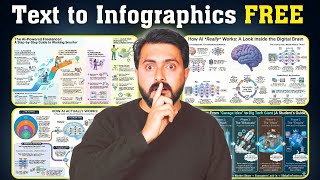
Explain me how the physics work and this is now converted into this. Further I was able to change the item into flowers. Provide a input image like this and get a stunning infographics.
And I'm going to take you through step by step how you can create inst in infographics like this and also other features in Nano Banana Pro. I'll also provide all the prompts in the description below so you can try it out for yourself. Let's get started.
Nano Banana Pro one of the latest most advanced image generation and editing model. To get started go to astudio. google.
com. You can also try that in gemini. google.
com. So getting started is very easy. Just type what you want to create and choose the image option.
Then automatically it'll get started. And here you got the generation first is thinking of itself about the requirements and then it start creating the image. So you can see the image here getting started with nano banana pro.
Then I asked continue this comic by incorporating Marvin Pasen who teaches about AI. So it's going to add me to this comic and then here is the output. So the whole thinking process is incorporated and that is really nice.
Similarly, you can easily extend this same type of comic with character consistency with this nano banana pro. So that is a key advancement. So now I'm mainly focusing on creating infographics.
So I gave how to create a a chatbot infographics and based on that here is the output. Plan and define, design and architect, build and train, test, refine, deploy, integrate, monitor and improve. Core AI chatbot components under the hood, user interface, knowledge base, dialogue management, external integrations.
That is really nice. Everything connected to AI. So when you see the thinking process, it was thinking and also it searches the internet.
So this infographic is based on the search results from these sites because this is based on grounding with Google search. So the result will include searches from Google. You can also disable this if you want.
Also you got other options such as the resolution. You can have 2K resolution, 4K resolution. Next, I'm uploading this image of a plant and I'm saying explain this plant using infographics.
So again, here is the output care guide, benefits, air purification, temperature, soil, water and light, aerial roots. And this is really nice. Imagine instantly you can create infographics from any image.
If you are new to something like Kubernetes and if you want to understand what this is all about, you can just ask for cubernetes pods explained with infographics and think and here it includes text and infographic image for us to clearly understand. So one basic pod and explains like this then one pod with multiple containers and pods running on a node. So if you want much more beginner's guide then you can still prompt further to get a basic answer.
If you are a startup or starting some ideas then you can tell something like this. Show me different logos and brand swag ideas for my startup called aa and here you can see it's giving me these ideas and again these imagine how much time it would take normally to design something like this. But now we got everything done immediately.
As simple as that. Next, I uploaded this image and then asked for the orthographic blueprint that describes this building in plan, elevation and section. And I provided the format in what format I need this image.
And here is the output. Plan view, upper level, front elevation, section view. This is detailed.
Again, upload this image. And here's the prompt. create an illustrated explainer detailing the physics of the fluid dynamics that are caught in this image and what happens next.
And as a result, what happens next? And here is the illustration. Impact splash, buoyancy force, drag force, fluid force, everything clearly explained in one image.
Similarly, upload one image like this. And here's the prompt. create a fashion product collage on a brown corkboard based on this outfit.
And here is the output. And this is really nice. You can even change any item in this image.
And I asked it to change it to flowers. And here is the flowers. Overall, I'm really impressed with the Nano Banana Pro.
Do try and let me know in the comments below what you think about this. And I hope you like this video. Do like, share, and subscribe.
And thanks for watching.