[ MUSIC ] WANMEI OU: Good morning, everyone. Thank you very much for coming to these sessions to learn about, share with us your experience and about how we can use Azure OpenAI service to fight against cancer. Before I start, I would like to play a little bit of the movie so that it will give you a sense of what Ontada and McKesson is.
AMY O'SULLIVAN: Early cancer detection is critical to improving treatment outcomes and increasing patient survival. SAGRAN MOODLEY: Ontada and McKesson Company is providing innovative technologies at the point of care. WANMEI OU: Manually dealing with unstructured healthcare documents is time-consuming and error-prone, but are where important insights can sit.
SAGROON MOODLEY: Azure OpenAI service batch API was the solution. And through this partnership, we're able to reduce our processing time by 75%. WANMEI OU: We have implemented the latest GPT models to target nearly 100 critical oncology data elements across 39 cancer types.
AMY O'SULLIVAN: This allows healthcare providers to identify key cancer attributes, like tumor site comorbidities and clinical stage. WANMEI OU: Azure AI opens up computing power and transforms an estimated 70% of previously unanalyzed, unstructured data. SAGROON MOODLEY: Our strategic partnership with Microsoft allows us to advance AI-driven oncology research and drug development.
AMY O'SULLIVAN: We have access to richer data at much faster speeds, which allows our life science partners to obtain, meaningful insights much more quickly, driving treatment adoption and positively impacting the lives of cancer patients. [ APPLAUSE ] WANMEI OU: Thank you. So yes, let's begin with the fight against cancer.
So you have seen that Ontada. Ontada is a business unit within the McKesson corporate. We and a number of sister organization are forming these, oncology ecosystems to help collectively to fight against cancer.
I also want to call out that US Oncology Network, we have our sister's organization here. They are focusing on helping the practice to streamline a lot of back office activity so that the clinician can spend more time with the patient. Sarah Cannon Institute is our clinical research organization.
What they bring to the table is, helping the patient to get onto the clinical trial. Because as you know that cancer, a lot of time the standard of care may not be the best one for the patient. Getting into the clinical trial is a life-saving opportunity.
Along with McKesson, Onmark and Unity GPO, helping our practice to get access to the vast majority of the oncology treatments in time so that our patients to get to the life-saving medications. So for Ontada, Ontada is in a very unique position. We are sitting in between technology, data and insight.
For technology, we develop and manage one of the best medical oncology electronic health records, called IKnowMed, it's service to close to 3,000 people and helping annually 1. 4 million patients coming to see the practice. And because of that, we also have the large scale of longitudinal patient records, 2.
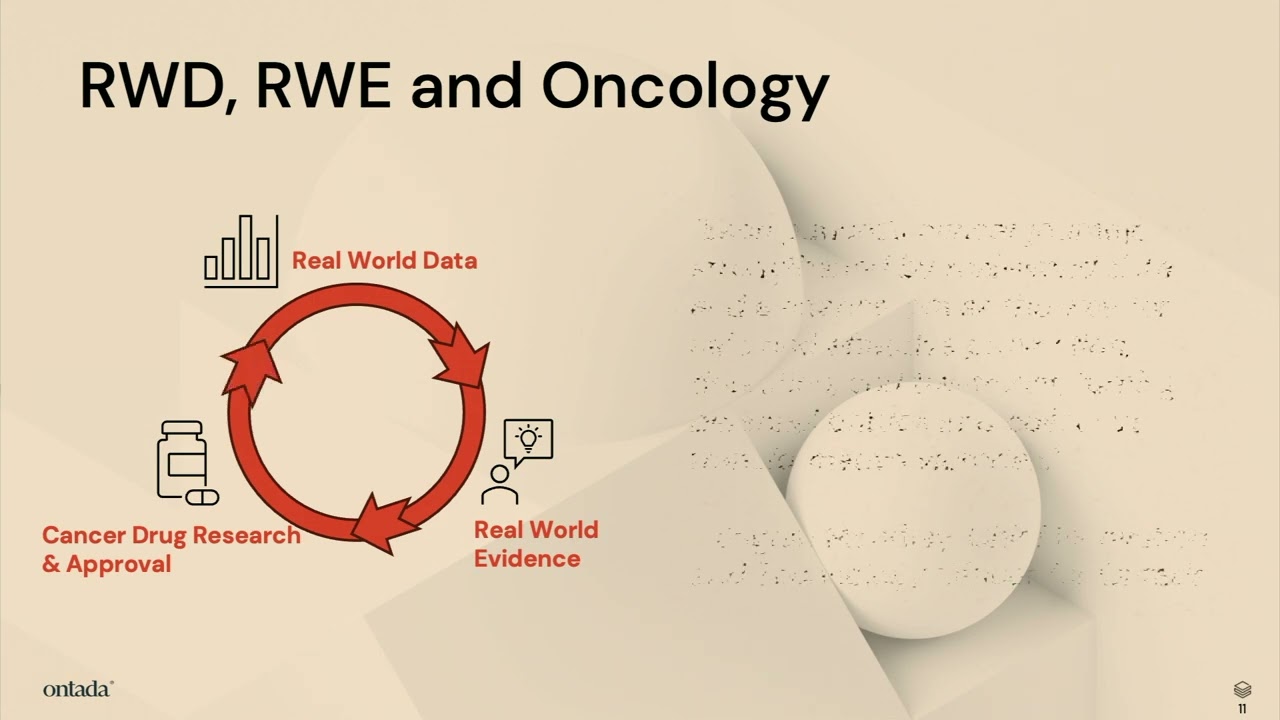
4 million patients, which can be de-identified and used to help address a lot of clinical trial, recruitment, as well as real-world evidence, real-world data study, needed to understand the true effectiveness of the therapy brought into the market. So at Ontada, we grouped our use case, or AI use cases, into three bundles. They are in the increasing complexity in terms of clinical reasoning.
Let me walk you through one by one. The first category of use case, very much focusing on leveraging AI, to generate solid real-world evidence. What it means is, we use AI to help extract clinical information from unstructured documents, using AI to help draft protocol, as well as background literature research, so we know where the true problem is, and also using AI to help digitize external protocol, so we can execute our analysis plan much faster.
The second bundle of the use cases are using AI to reduce physicians' documentation burden, whether it is a chart summary, whether it is about value-based contracts, need to report certain information out to the payer, or the US government. That is where we see that AI can help reduce that administrative burden for our clinicians, so that they have more time to help when they're face-to-face, and understand the problem with the patients. The last bundle of use case are really at that edge of clinical reasoning, which is beyond the first two bundles of use cases.
What I meant here is that, imagine, right, our memory capacity, so that's the physician's capacity in their memory, are somewhat limited compared to AI. Using AI, it can see through, right, for each of the patient, both structure, unstructured records, and even biometrics of the patients, really understand what are the risk factors of the patient, what are the next best treatment options for the patient. So that is what we see as the most advanced clinical reasoning.
At this talk, we'll primarily be focusing on the first category of use case, where we successfully ran production for 150 million documents. We would love to share with you some of the details behind that. So you may have a question that, okay, Ontada has an electronic health record system.
You develop that, you manage that. What is the problem with the data? You should have really complete data, right?
So the answer is, we wish about that, too. But in reality, that's not the case. That is mainly because of two factors, two challenges we're facing.
One is the clinical workflow itself is usually in the EMR, it's not necessarily that streamlined, so that our physicians usually prefer to document those information in the unstructured or progress notes to himself or herself, so that the next time when they see the patient, they kind of can just glass through the summary, as well as their thinking process. A lot of the time, they are writing down, it's the thinking process, not the action. And so that they can remind themselves, what is the best treatment option for the patient.
So that is one source of the unstructured data. Another source of unstructured data comes in when our practice are primarily medical oncology practice. But as you know, that when a patient have cancer, they have to go through a lot of different services.
Very likely that they go through the surgery first, and then they have the molecular testing, they periodically got to see the radiology, to continue to monitor the tumor site, right? So all those outside services that conducted outside of our EMR forward are coming in very often as a report of facts in, or sometimes a patient before they get referral to see our physician, they already come with a stack of paper in hand. So that is the second source of where there are tremendous information, amount of information, sitting in the unstructured forms.
We estimate that roughly 30% of the information in the longitudinal patient records are in the structured form, while the remaining 70% of the information are sitting in the unstructured format. That is what in the video we mentioned about, those are currently, before this project, is an analyzable data sitting at your storage. So in the past year, Ontada has invested on unlocking this set of information.
We first streamline our ETL process on the structured data, making sure that the data are captured using FHIR and EMCO format, so it's more reusable. Next, we apply two layers of technology to solve the unstructured data problem. One is the natural language processing and AI, which we will focus on in this talk.
And we also develop a much user-friendly application for, it's called Onnotate, is to assist a human abstractor to review some of the NLP output to validate that, along with abstracting even more highly clinical cognitive, require clinical variables. We can see that, roughly, we have about 150 million unstructured documents, 60 million other progress notes, the source one, 90 million PDFs, those are the source two, where it comes from, the external services. Once the data get organized, harmonized, and cleaned up, we see that they can be used for many opportunities, including enhancing oncology model submission that just took place about three weeks ago.
So you may ask, so how do you work on your model, making sure that the model is of high quality? It's absolutely important for us of the model accuracy, because we are at the healthcare, highly regulated, and also it is a moral responsibility for data scientists in our organizations to get it correct, because these have a life impact to the patient. So far, our team have developed close to 100 models in extracting the clinical variables across eight different domains, including biomarker, diagnosis characteristic, surgery, bone marrow biopsy, et cetera.
When we develop this set of models, we follow the proper lifestyle cycle management framework, even proposed recently by the FDA. What we do is we first do the data preparations. We then select about 1,000 documents to have at least two of our clinical nurses to annotate, manually annotate them.
And we only take the fully aligned annotations as the ground truth, which is used for the model development and validation. Only when the model meeting the F1 score, which is a combination of sensitivity and specificity, only the F1 above 85%, we say that this model is sufficient to go production use. Where we work closely with Microsoft team, as well as our in-house engineer, to do that model deployment, optimizations, which Jay, in the next part of the discussion, will share with you some of our secret sources there.
And then once the model is optimized and deployed, then we put them into the production operation of the 150 million documents, along with we ongoingly select a small subset of those inference result back to let our clinical nurses to confirm that the model is still working at a high quality. And if we see that there are data drift in the process, we will go back to that second circle on this slide to re-annotate some of the new documents, and then we update the models itself. So what is we have achieved?
One of the use cases that we achieved in the past few weeks is to help the White House Cancer Moonshot Initiative to submit a set of data in this EMCO format. We further add on the AI-enriched data to assist the clinical nurse to identify those information so that they do not have to go thick into the chart and go look for those information one by one. What we see that is compared to without using AI technology in the chart abstractions, it takes 40% more effort.
So essentially, we are helping the nurses to be more productive by 40%. And this work definitely is not possible without the collaboration with our Microsoft partners here. Next, so to go deeper dive into how we apply the different models into operations, what are the complexity, as well as what are the secret sources to optimize your run, I would like to introduce Jay Hugalavalli to come to share with you the details.
[ APPLAUSE ] JAY HUGALAVALLI: Thank you, Wanmei. Good morning, everybody. Thank you for joining us.
In the next few minutes, I'm going to talk about how we went about executing our AI strategy, the use cases, and what was the scope, and how we were able to scale our solution. As Wanmei was explaining, our requirements was to process 150 million clinical documents mainly coming out of our EHR as well as some external labs. We needed a solution that can extract text from this large volume of documents, use the text to identify, interpret, and retrieve that complex, clinically relevant information.
Not only extracting this information. We need to identify it. We need to associate it.
We need to harmonize with our existing structured data so that it is usable and it is accurate. The solution needs to be highly accurate, scalable, and has to be cost-effective. And more importantly, we need to future-proof this solution.
These models keep changing. We need to build a framework so that we can handle any changes that come along the way. When we started, the initial data flow looked like something like this.
We have the documents, clinical documents, sitting in our repository. We are going to run it through an OCR solution, extract the text, then we build prompts, or the models on top of it, and apply our preparatory knowledge, the text that goes along with it, any intelligence we can plug into the prompt so that we can run those prompts, get the output. Output has to somewhat look like what we usually do with human abstraction.
So that was the solution with a very simple manner. So how do we take it? How do we scale it?
How do we run through this massive amount of documents we are about to process? So this is how our solution looked like. As Wanmei was talking about, every AI strategy has to have a data strategy to go along with it.
Every AI platform has to have a solid data platform to support it. That's what we have. That's what we have built.
The solution we are going to execute was built on top of our existing data platform. We made sure that it gets plugged into the data platform seamlessly to do the activities we wanted the solution to do. Our data sources, as I was pointing out, mostly coming from EHR, we bring this massive amount of documents.
Some of them are stored for several years. We have to go back and process those documents, bring into the processing pipelines. These documents can be PDFs, HTMLs, notes, progress notes, a variety of formats.
So once we identify those documents associated with the patient, then we have to run it through an OCR solution. In this case, we started out with Azure Form Recognizer. Now it's called Document Intelligence.
We run through this service. We extract the text, extract the data, in a somewhat standard format. Once we have this raw text, then we have built our own models or the prompts that will question, along with the text and the knowledge that was provided, that will question the OpenAI to look for the specific clinically relevant information we are looking for.
Once we get that response back at scale, we bring it back to our NLP pipelines. We process it. We standardize the data.
We associate the data with the already existing structured information. Make sure that it complies with our common data model, which is based on MCOR and PHI standards. Once it is ready, once the data is curated, then it is made available to our data products, clinical studies, any other insights and analytics use cases.
Now I'm going to dig a little bit deeper into some of the core services we use and our experience with these services and the lessons learned on the way. For starting with the bulk clinical document processing, we started out with Azure Document Intelligence or the form recognizer, as it was previously called. We started out with pre-built layout models, which we thought is needed for these complex documents to extract the data.
Once we started this journey, as any service, we had to understand how the service operates. So that's where we ran into issues around how do we scale this? How do we achieve the speed to process these documents?
To do that, we had to work very closely with the product team and the engineering team for Azure Document Intelligence. We had to work closely, adopt their best practices, even minor things like TPS, the output that comes out of this service. We need to look at the workload, we need to work with the engineering teams at Microsoft, adjust that so that we will get the necessary speed that is needed.
That was the journey as part of our initial iteration. Now, in the last few weeks or so, we started using a brand new service, Azure Document Intelligence, which gave us extraordinary lift in terms of performance and speed. Just to give you a scale or a matter of how much speed we could achieve, whatever we took six weeks to process, we were able to process the same amount of documents in literally under two days, or maybe even less than that.
So that is the benefit of using this batch-oriented services for this particular purpose, and it gave us enormous lift in terms of speed and agility. Next, I will jump into the core of our solution, which is clinical insight extraction. So we started out with early models, GPT-Turbo 3.
5, when we built our initial prompts and the models. Then came GPT-o, which offered much more robustness, much more accuracy. So immediately, we adopted that service, started using it with a pay-as-you-go model.
Essentially, we were calling the API again and again with the documents or with the prompts. This approach, even though it is good for a smaller scale or for testing purposes, for our specific use case, it proved insufficient. So we had to work very diligently with this service to make sure the proper error controls are in place, proper error handlings are in place, how do we put in options like exponential back-off and things like that, so that the service keeps running.
Then, on the advice of Microsoft Azure AI team, we started using the provision throughput model, which gives a sense of predictability on the service, it is good for a high-volume data processing. But again, it has a ceiling. We could do only so much.
And we have to work smartly to split our workload so that we somehow maximize the ceiling. So again, this option also proved insufficient for us. Then comes the new offering from Microsoft, which is Azure OpenAI Batch API service.
This worked out extremely well for us, and Amit is going to talk through some of the details. This, we could achieve the scale and the speed we could not have imagined in the past two options. It literally saved us several months out of our projected timelines.
And also from a cost standpoint, all these models, once we started using it, typically the cost goes down in the sense that Batch API, out of the gate, it is 50% cheaper than what we were using before. So now I'm going to talk about some of the scale, just to give you an idea of what exactly we, we mean when we, when we scale this process. We handled the documents coming out of eight clinical domains.
We are targeting to extract around 500 variables. Out of these documents are the PDFs and the progress notes. There are around 150 documents.
These documents addresses around 39 cancer types. When it comes to the GPT models, we started with 3. 5 into GPT-4o.
Even within GPT-4o, we are using the latest one, 006. This is GPT 4. 6.
And also GPT-4o Mini, which proved pretty effective for certain use cases. And the inference tokens, this is the count from last two months or so. We are close to a trillion when it comes to the inference tokens we consume.
So, talking about the Batch service itself, every batch in the language of OpenAI Batch service, every Batch is a collection of prompts. So we could stuff around 50,000 prompts in a batch. And we could run around 200 to 300 batches per day.
This is only for one certain, one certain endpoint. We typically use either two or three, in some cases four, four endpoints to run our batch service. Now I'm going to talk about our collaboration and the work we did with the Microsoft team here.
Seamless collaboration with the Azure AI teams. I cannot thank them enough for the effort they put in, the support they provided, and the very active engagement. 24x7 expert, access to their expertise.
I could call upon any of their experts any time of the day. They sit in our Microsoft teams. We can ping them anytime we want to call, talk to them.
Dedicated product and engineering teams. And more importantly, Microsoft team here, whom we work with, they put in their effort to understand our problem first, our challenges, so that they can propose the right solution at the right time. And when it comes to the usage of the services, pioneering use of the Azure OpenAI Batch, Amit is going to talk about it, we are probably one of the largest deployment of the service.
And on top of that, learning our requirements, learning our infrastructure, they also developed a batch accelerator, developed by several teams within Microsoft. That proved extremely helpful for us in automating this entire process. On top of that, we still have a very robust, ongoing strategic alliance going.
We have a very strong commitment with the Microsoft teams, right from product to engineering. And we share our commitment towards shared continuous collaboration and the shared growth. With that said, I'm going to invite Amit to come on the stage and talk through some of the core services we used in this engagement.
Thank you. [ APPLAUSE ] AMIT MUKHERJEE: Thank you guys for joining here. Thanks, Ontada team from McKesson for trusting us and giving us an opportunity to build this innovative and seamless, scalable solutions on top of Azure platform.
So as you saw that there are two main core AI services has been used in the overall solutions. One is Azure AI Document Intelligence and second one is Azure OpenAI Batch. Now as Jay and Wanmei talked about, that they want to extract first all the PDF documents, the unstructured data in a raw text so that they can feed into back to an OpenAI service so that they can extract the relevant clinical insights.
So Azure Document Intelligence is a service where it is basically meant for extracting the information from unstructured PDF documents or scanned documents. It has a few models. So the read model which is a plain OCR kind of a model where they can extract the text.
You can detect different languages from that. Then it has a layout model. If you have a complex document, let's say paragraphs, the key value pairs and selections marks, it can extract that too.
Then it has some pre-built models. So industry standard pre-built models such as if you want to extract from a W2 form, you don't have to train that one. You can just feed a W2 form.
It can understand the layout and structure, can give you the information. It has the driving license and many other different pre-built models or pre-built templates has been done so you don't have to train it. But if any of that doesn't match to your need, you can also do a custom extractions model.
And we also recently announced custom extraction through Gen AI. So you can feed a document and you can let Gen AI to define the schema and Gen AI will automatically extract those informations in the specified schema. And if any of the information you feel is not correct, you can go and human in the loop, you can correct it by yourself and build the model, deploy it.
And it just required a couple of documents. You don't have to feed tens of millions of documents. Just a few documents, you train the model, deploy it, and then the next time the similar kind of a document comes in, it can automatically identify the structure and it can give you back the information in a JSON format.
Now, when we use that document intelligence, initially they said they are using more on API-based. So each document they are passing through an API, they get a response back, they process it. So it's kind of an each document one-one API.
But that's limiting them because they have 150 million documents. It's not just one by one. They can keep on calling that one.
So they recently announced the document intelligence batch analysis, which is already GA now. And the way it works is it supports blob storage. So it means you have your own blob storage account where you can feed all the documents which you need to process at a bulk.
And then you either select whatever the models you want, so we mentioned the read model, the layout models. It all supports these models. So you pick one of the model based on your needs.
And you say, okay, this is the model I want to process on my document. Let's say read models. And then you say, okay, where do you want to process all the data?
So you just mention the output locations. And then boom, one single API call, everything will be processed at a stretch. And the way, if you double-click this one, the way it works is you will first submit a batch request.
And through the batch request, you get the resource locator, the operations locator. And then it will, whatever the storage locations you define, it will read from all the data. And you can keep on checking the status.
It's an asynchronous process completely. And you can keep on checking the status. And once everything processed, the output of the all input data you asked to process to the service, it will be put it back to a defined location you mentioned.
And also it can have a subset of documents. Even though you have, let's say, 20,000 documents, or 1 million documents in a storage account, but you want to process only 10,000 out of that, you can also subset that as well. So that service actually they used to process the millions of and billions of documents through the Azure Document Intelligence so that it can be done within a few weeks.
Now, other service, which is Azure OpenAI. So we love OpenAI, right? It's a strategic partnership we have.
We want to make sure that our customers are getting a value out of OpenAI, different models. We also use our OpenAI for our first-party services. And it has a different set of different models.
So we have recently announced the o1 models, which is best for the reasonings. We have multi-model for GPT-4o, GPT-4o Mini, where we can feed on data, the text and images. We have real-time APIs for the audios.
We have the text regular, GPT-4-turbo. You can also do fine-tuning. For transcription, we have a DALL-e.
So there are different models through OpenAI. Now, in this OpenAI service, we offer three different offerings. One is standard, batch, which McKesson has used, and the provision support.
Now, standard is something pay-as-you-go. If you don't know where to start, start with standard. So that should be the first goal.
And then, if you need some sort of very predictive performance and the latency has to be very minimum, your production-critical, mission-critical applications, you go with the provision. When you get a dedicated capacity, then you can process faster. And it does, provision capacity does provide you 99.
9% SLA for uptime and 99% performance latency SLA. And then, the batch. Every use case needs a real-time inferencing.
There are many use cases where McKesson has been used where it required a batch service, where maybe the standard or the provision may not be that much use, because those are typically meant for real-time processing. And for the batch, is a service where you need a low-latency -- I mean, sorry, latency is not that great, but you can process it offline. That might be needed for the batch.
And all these three offerings, we offer three types of deployment. One is a global. It's a global.
And then second is a data zone. And third is a regional. So the global is basically if your data residency is within the region you started, but the data processing could be anywhere in the world where you get the maximum capacity and maximum model availabilities at the very beginning.
But the data zone, we recently announced two data zones, EU members data zone and the US data zone, where data residency could be the region where you initiated from, but the data processing will always happen to the given data zone boundary. Either it can process within the US or it processes within the EU data zone, depending on where you started. And that is basically needed for many sort of compliance requirements.
Your data cannot live within the US boundary or maybe the EU boundary for GDPR compliance and things like that. You have to go for the data zones. And regional, which is the region you started the service and the same region data residency and data processing, if you have a requirement, is very strict.
In that case, you go with a regional deployment offering. Now, coming to batch, because the Ontada scale is really huge and they want to process really fast, so they also want to optimize the cost. Who not want to optimize the cost?
Everybody wants to optimize the cost, right? So the batch is definitely, from use case standpoint, is the right way to go. At the same time, it does offer 50% reduction compared to the standard deployment.
So that's one of the reasons they also think not only is meeting their use case, but it's also decreasing the cost. That's the best way to go. Second thing, it can efficient a large-scale workload.
So we're given a specific quota for the batch, which is separate from this online batch. So online deployment, we give some sort of quota, depends on what region you deployed. But the batch, we give a separate, it's not mixing with others.
And for Ontada, we give 10 billion quotas per minute to process. So huge amount of quota we have allocated for them so that they can process it. And because it's a separate quota and the processing is completely separate, reduction of the cost is basically best suited for the mechanism to process this data.
Now coming on the batch, we already talked about the offering, the global batch right now has a global deployment. Very soon, we're going to be coming in the data zone. And it's basically, if you want to lower the cost, if your document doesn't require low latency requirement, it can process offline, and there are some use cases you can do that, like call transcription, entity extraction, or in translation, something like that, you can use batch.
Not for the, you know, regular chat interface. So the batch is for the other non-critical kind of things you can use it. Now, even though we have the service, we have the, you know, platform, we have the, behind us in capacity, we have the right service, but there are still one problem.
It's not just one or two document they want to process. They want to process 150 million document and also, in a very strict timeline. They don't have a timeline for six months to process.
I think maybe three weeks or four weeks, they want to process that 150 million. So when you have a very strict timeline, and you need to process humongous amounts of data, you need something beyond the service. And that's where we introduce our batch accelerator.
It is not an Azure service, it is an accelerator, and my friend, DJ Dean, who is also listening here, he is instrumental to building these particular solutions, and this batch accelerator, what it does, it sits on top of the Azure OpenAI batch. And I'm going to show you a quick demo how that works. In that accelerator, it does support sort of multi-hierarchy data, the folder structure.
So you can have all the documents feed into whatever the folder structure you want, and then it automatically submits the files into another service, the OpenAI batch service, automatically create the batch jobs asynchronously, and then, once the processing is done, it will download the results, and then from a compliance and security reason, if you want to clean up those data which is uploaded to the Azure service, it cleans up that as well. So I put a GitHub link on there. Let me show you how this solutions accelerator architecture looks like, and then I'll come up with a quick demo.
So once you create the files, which is a JSON format, because batch accepts the JSON format file structure, so once you upload the file into a blob storage account, which is your storage account, and then this accelerator is basically take the files and upload to the Microsoft managed storage account for processing. That's the first step. So file upload is the first step, and after the file has been uploaded, it process through a batch, and the batch gives back you the results.
The OpenAI batch gives you the results. That's the results. It's then put it back to a blob storage account wherever you specify it.
And then from there, you can do any downstream process because now the results is already processed. You can do whatever you want. You don't have to write any codes.
It's already there. You can just use it. And again, this accelerator is, they're already using in production.
If you want to tend to use in production, just have a look on that. If you want to modify it, do it. It's not, you know, particularly we say that it's for production because it's not Azure service, but you can use it and you can change it based on your needs.
So now let me show you a quick demo on this batch accelerator. So the first thing what you do is you create a batch deployment. And the batch deployment, you go to our Azure AI Foundry and you click on the deploy a base model.
Whatever the model you want to use for the batch, you can pick that model. For example, if you use GPT-4o, then you can use that one. And then you, in the deployment type, you have the option for global batch.
You choose that one and then you can get the NQ token. So NQ token is basically the number of, whatever the files you are putting into the batch, in the files, whatever the prompts you are feeding on, that's basically measure the NQ token, not the output, only the NQ token for the input one. And then you can use enable dynamic quota.
So even if you got, let's say 150 million, you know, NQ token limit, but, if our servers are, you know, have enough capacity on the given region and you need more, we can automatically scale that up. And once you're ready, then you can go ahead and deploy it. I've already done that before, so you can see that I have already created a GPT-4o global standard batch here.
This one. And now once you do this one, you basically download this, the GitHub samples repo, which you provide. And this accelerator, it has some sort of readmes that how to configure it, what are the parameters you want to put it.
So I'll quickly show you how that looks like. So basically, it has three parameters you need to put in. First, you need to define your Azure OpenAI key.
And then you need to provide your Azure OpenAI deployment endpoint and the deployment name. And then you have your storage config. So basically, you tell where is your storage account where you want to keep all the JSONL files.
And then you define where you want the input output. That also you define the input output. And if any error happens, you need to also track that one.
Right? So you need to provide an error location for that one. And after you do that one, there's an app config.
It's pretty simple. You just say that, hey, there is my AOI config and Azure OpenAI config file. This is my storage config file.
And I want to start with 10 files at a time, for example. I want to continue to run it. That's pretty much it is.
Once you do that one, then you come to a runbatch. py file. And you just initiate that one.
So what I'm going to do before I initiate, let me quickly do this one. So I'm going to run this one. So I'm going to run this one.
You can see that it's already running, actually. And it is waiting for the files to get uploaded. So it's every five seconds, it's waiting for the files to get uploaded.
So what I'm going to do, I'm going to quickly go to my storage account, which I already defined here. And this is my input file where I want to put the input, all the files. And I decided my output would be in the process folder.
If any error happens, put it in the error folder. So now I'm going to upload the two files. So I'm going to upload this one too.
And upload it here. And the moment I upload it, you can see that it immediately is starting. So it immediately takes those two files.
And it's now processing. So you don't have to do anything manually. You're just processing.
And immediately you get, you know, it's going to be in pending status, and eventually it goes to the process status. So you can see the file is successfully uploaded. And to verify it, you go back to that Azure OpenAI batch, the portal in Azure Foundry, and you can see it from the studio.
If you refresh it in the data file section, you can see that there are two files that are uploaded before. So just to test it out, you can see the file has been uploaded. And now, if you go back here, it's that batch is already started, and it is in the validation state.
So before the batch process, they have to go through multiple steps. It's going to validate, make sure all the organizational structure is correct, everything is intact, and you're going to go to the queueing state, make sure you get the compute capacity allocated so that it can process it, and then finally it's going to be processing state, and the processing is going to be done. It's going to take, to be very honest.
Typically, we say 24 hours turnaround time, but in their case, because we have a very dedicated engineering team who have been working with McKesson, typically we process their document within 30 minutes or max 45 minutes. So if you want to see how the status looks like, so if you go to the Azure OpenAI batch jobs, and you can see here it's automatically coming all the job IDs, it's showing validating this kind of a state, and then eventually it's going to progress. Now, as it's validating, let me show you that how the file looks like, so that you can get some sense how you're going to structure the file.
So as I said, JSONL format. I have to provide sort of custom ID, it has to be unique ID, so that you can identify each in the batch what files you're processing, and it has to be in the method with the post, this is the URL, and here you define the model. In this case, it's a deployment name, it's not the actual model name.
And then you have the actual content. So you have a system message where you're going to define what exactly this model needs to do, and then you provide your actual content. In this case, I'm just doing a quick test, just asking a question, but you can feed in, let's say, your own content.
That's what McKesson has done. In the method, they feed their own context, and they're asking to extract that information from there. So that's how they've been done in their cases, but in your cases, it could be a little different.
And it does support a structured output, so if you want to extract in an output in a very structured JSON form, it's going to support for GPT-4o Mini as well as GPT-4o 86 version. So once all this process is going to take a little bit of time, I don't want to wait to hear, but I'm going to show you that how, once the processing has been done, you can see from -- let me go to AY-Batch. So if you go to the process folders, which I've done before, it's not this one running, you can see it's going to create a timestamp, and here you will have the actual metadata, means what's the batch ID, what's the file ID, how much token it's taking, plus some other information, and the actual output file, and we also move the input file from the input location to the output location, so that you can match it, this is the input file, and that's the corresponding output file.
So that's how we're going to process. So I'm not going to let you sit here, but here if you want to use any vast processing through batch, you can definitely use Azure Open AI as a great service, and at the same time, it's going to reduce 50% cost. So with that, I'm going to say thank you and let me know if you have any questions here.