What if you could replace your entire LinkedIn agency? Now look, I get it. Creating viral, decent LinkedIn posts and lead magnets that clients actually want to use can be timeconuming and it can be difficult.
Well, that was of course until we combine two beautiful technologies, lovable. dev and the phenomenal NA10. And this system guys is crazy.
It will take your avatar. So say for example, we are targeting doctors. We could do a topic.
I don't know what could be relevant. I don't know how about how many patients aren't turning up to their appointments and how much that costs doctors in missed leads something like that right tone of voice we can select conversational enthusiastic whatever you want to and we can even include a lead magnet right URL so we we talk to these guys we create compelling LinkedIn post then they get a link to a really cool lead magnet so you can even say like what do you want to point them towards we'll say nothing for a second we can hit generate this thing and like that we will get these beautiful high quality LinkedIn posts that we can just literally guys come down here, copy and post directly. But on top of that, what is really cool is we get this phenomenal uh lead magnet that we can then send out to people.
So look at that. This is literally insane. I pulled this one up as an example.
We get this market intelligent snapshot, different data points, beautifully generated stuff. But how does it work? Well, what we're doing is when we submit this form, okay, if I come down here to create the new content, this is your dashboard.
Give this to your teams, give it to anybody. You fill out the information. It comes through to this system here, okay?
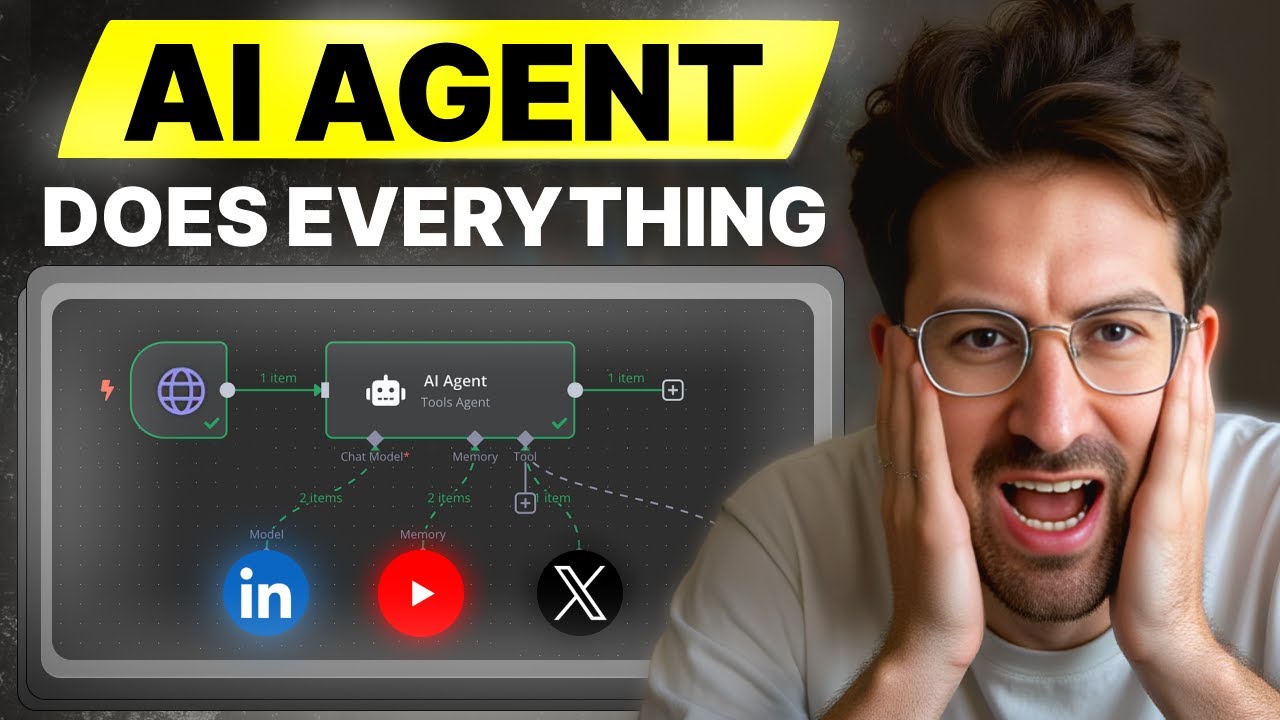
We grab it via a web hook, which I'll show in a second. And this agent here will go forth and ruthlessly research that topic to enrich it with the most market leading interesting insights for that. Then it goes to not one but two, but three LinkedIn agents that have been trained on loads of really cool stuff.
They know what goes viral on LinkedIn and they'll generate for you three posts. But then this is where the magic happens. We go to a lead magnet agent whose sole job is to go forth and create that beautiful PDF that you just saw.
And then we convert that text, that HTML into a gorgeous PDF along these kinds of design criteria so we can then send that to people. And the way that we use this guys very simply is we create an awesome post. We say, "Hey, type the word dentist or doctor down below and I'll DM DM you over a full helpful guide.
They download the guide and then they're into our funnel. " And the whole beautiful upside of this guys is we have a button here to upgrade or do cool stuff. So, we're going to cover through in this video exactly how you build this entire system on Livable, how you build this entire thing on NAN.
And the great news is even if you've never coded a day in your life before, it will make sense. So, if you haven't already, grab that coffee and let's dive straight in. And by the way, guys, this is a working strategy.
It's the same thing that I do to get over 150 emails every single day with my content. And so, I'm super stoked to dive in. All right, cool.
So, we're going to do this into two parts of the video. Part one is creating this amazing dashboard on lovable which effectively functions as our front end. And part B is going to be just developing out this whole system in NHM.
So what I'm going to do very quickly is reach over to the community. I'm going to grab the blueprints to upload this. And there's one really important detail that I want you to double click into.
Okay. So come on here. Let me just download this.
And that's that these systems are exceptional. Now, if you're focusing on growing on a social media platform, then the best advice is to pick one and really double click and grow into that because for example, we have these different like prompting systems for different like social media platforms, right? And they all work and create good content, but it's better you focus in on one and extremely value out.
So, if I come down here, let me just import this thing. We come down here and click on import from file. You select the file and the whole thing will populate automatically.
What we can also do if we wish is to integrate image asset generation. I covered that in my last video, but I'll include it in the blueprint here, uh, so you can have some good fun with it if you choose to. All right, cool.
So, I suggest we do this in two parts. Part one is creating a thing of Lovable. Then part two is then building this system out together.
So, for that, let's go over to Lovable and start from scratch. What I'll also show you in Lovable, if you want to, guys, as well, is how you can actually name this to anything you want to. So, this is Lovable.
dev. Loads of crazy things. I'm going to show you how you can actually name it anything you want to.
For example, if you check this one out, this one here, which is where, you know, in Accelerate I do to help people like, you know, scale their agencies and stuff. Um, I actually save this entire thing to growithjack. com, which is really flipping cool, right?
And it's so unbelievably easy to do. Like, it's outrageous. So, what we're going to do is we come into this box here.
I'm going to give it a prompt. Okay. Hey there, I would like you to create me a sleek uh crisp form for a LinkedIn lead magnet generator.
You're going to ask four questions. Question number one is going to be desired topic. Question two is going to be avatar.
Question three is going to be would you like to include a lead magnet URL? And then I'm just going to check what else ah tone of voice. Okay.
Then I would like you to ask whether or not um actually yeah question four should be provide a tone of voice and then provide multiple selections for that. Underneath that once that's been submitted uh I'd like you to display confetti and display a loading animation. Send all of that information to the following web hook.
Beautiful. Now the web hook is how we connect lovable bolt new all these incredible features to NA10. Remember if you can get it into NA10 you can do anything you want to.
So for purpose of this guys I'm going to come over and I'm going to quash bam it's gone. It's gone out of here so we can build it together. Come down to first step.
Let's go for web hook real quick. Uh let's have a look. Okay.
So flood web hook is called excellent. Uh turn this production URL uh method is post. Okay.
And you just click it once and it copies it. Let me come back over to this guy here. Phenomenal.
You'll be returned three different articles. I'd like you to display those as three columns. Provide the ability for someone to oneclick copy it.
Uh show confetti once they hit submit. And I think that should be fantastic. Oh, one other thing.
I'd like to have the LinkedIn logo at the top and try to use some nice futuristic engaging design. Beautiful. Now, this will go forth and do exactly that for us, which is excellent.
And what I always recommend you do when you're vibe coding or vibe building these things is to twin track it. So build the automation alongside this because you got to take like 20 seconds as it's actually developing out to do this sort of stuff. Cool.
So with that in mind, let's go back to our automation and build out the fundamental bits. Now for testing purposes, I'm just going to leave this guy over here. I'm going to deactivate him because we want the automation to run perfectly and then we'll bring in the web hooks to make sure that it makes sense.
So if I come down here and I'm looking for add another trigger. Let's go for trigger manually. Now the first thing I want to do is a set module.
So come down here and type in edit set. So what this will enable us to do is grab the information from our hook and assign a name. And then we can just use that name throughout the rest of the scenario which makes it super easy.
Cool. So let's go in. First one here is going to be tone of voice.
Beautiful. And the value I'm just going to give a fake value like professional. The next one is going to be the topic.
Um, why are patients not able to get appointments at their GP? Okay, something a little bit controversial for a beautiful phenomenal uh what date? Tuesday afternoon.
Okay, and then we go for the next one. This one I'm going to go for platform. I'm going to put LinkedIn.
Now, I've got a multi-step system where you can actually use like LinkedIn, Twitter, Facebook and stuff. So, we'll bring that data over just for the sake of it. Uh, but it just means if we've got a multi-stage system, we're able to do that.
And then finally come down here and this guy will be avatar and we'll say um medical practice owners. What's really cool about the LinkedIn thing guys is with these lead magnets if we wish to and again this is just think of this as like a core concept upon which you can build them. So we could say for example in our lead magnets the whole purpose is add value.
The strategy is get the email blow them away with value value uh and then at some point they'll just naturally want to do things. You can to wish to have a next step CTA which could be a link and we could actually bake that into the design itself which I think is really cool. Beautiful.
So now we've done the set module. Uh let me delete this one out the way. Okay, that beep means that something's good.
All right. Okay, it's encountered an error. Let's just try to fix that and then we'll come back whilst that's developing for us.
All right, cool. Beautiful. So we've done that.
The next step is to actually add in the AI agent. So I'm going to come down this button, click on AI agent, click on this beautiful guy here. Beautiful.
But before we do that guys, we're going to come down here and we're going to run this module only. And as you can see, we've got all the data which is ACE. And then we pin it avatar, which is fantastic.
Come down to the AI agent. And then we want to define below where the inputs are. And then we'll say how you want to turn the voice.
Very cool. We want the topic. Very cool.
The platform and then the avatar. Exceptional. Cool.
And then we want to give it a system message, which is like it's kind of hardwiring instructions. Come to add options. System message.
I'm going expression so I can pop it out and then put in this prompt here. And this prompt basically just says look you're going to receive information your target audience the avatar blah blah blah here the inputs. Your task is to determine loads of interesting stuff.
Uh extract the key information and freaking go absolutely ham on delivering stuff and it's going to give us outputs in a few things. It's going to give us three different ideas and it's going to research it ruthlessly with the tool that we give it access to. So each idea is going to have a concise summary.
Each idea is going to have an angle and approach. Each idea is going to have something that basically explains why it's relevant. And this just specifies how it's going to come out.
And then we've got a constraint checklist which basically says I want it as valid JSON. So we basically said, look, I want you to go out and research this stuff. I want you to tell me why it's important.
Give me a unique angle and give me all the interesting data on it. And then I want you to put out in a JSON format. And I want to put out as a JSON format.
I'm being specific about the output so that I can then use that and manipulate that to then send to our multi3art agents. Now the first thing we want to do here is come down. We need to make sure this is not as expression says fixed.
Fixed means that it won't try and pull everything back. Expression means you'll be able to use stuff like this as an expression which links to whatever this is. So it says whatever that thing is from before I'll I'll use it here.
It doesn't matter because all the dynamic information is provided here. Cool. The only thing we may want to come down and do is come down and say today's date is and then I believe it's expression is now.
Cool. So now it knows exactly what it is. Cool.
So let's give it a model and I'm going to giving it the beautiful GBT40 mini. So just go for open AI beautiful uh test credentials is going to be uh over here 14. If you don't have credentials by the way very easily all you ever do is come over to I'll just duplicate this so I can show you platform.
openi. com uh not assistance. Well, basically you log into that and on the left hand side you'll see API key.
Push that button and then you can copy it and add it in as your credential. It's really really straightforward. Beautiful.
And then we got the model. Fantastic. Now guys, what we want to add into this is its ability to research.
To do this, I'm going to bring in boom Tavali. If you don't know how to do this, you click on tool. You click on HTTP request tool like so.
And then this will appear. Now what you're going to do is enter in this information. So let me just connect this guy real quick so you can use it.
Okay, beautiful. And if you don't have a Tavly API, just come over to app. tavly.
com and you'll see this. And all you do guys is you come down and you just kind of copy this and come back over. Okay, beautiful.
And when you land on the thing, you're going to enter this. So this is to search internet for research post URL is this authentication non send headers authorization value field below bearer space and then enter in the API key that you just got. Oops.
Come down here. Beautiful. And then everything else is your fields below.
Query by model and is required max results five. And guys, that is literally all you're doing because the query section guys is very simply. We're saying we want the agent to infer the information.
We come out and we're good. And the next thing we want to do is just specify the outputs real quick. So require a specific output format and then we can connect an output parser.
We come down here to structured output parser. Bring this guy over and then we'll enter some code into here. And I'm going to put this code in here.
I'll put a link. I'll put it all down below in description so you can just grab that and make it super easy. And then we are good to go.
And with this information, guys, I think we can give this a little test. Let's come down here and test the workflow and see if our AI agent does as it is told and behaves. Cool.
Anytime you're sitting circles, that's code for good news. Means it's ruthlessly researching stuff. And then once it's done, we should get the outputs.
Then we can just add in the agents and get rocking rolling. While this guy's working, let's go over to check our beautiful thing here. So, this has kind of done it, but I'm not a big fan of the uh design here.
Hey dude, thanks for doing that. design's a little bit basic. Could you maybe put the um form into like a container with, you know, rounded edges, maybe give a darker background at the back, put the LinkedIn, give it a nice title, add some gradient design, and just make it a little bit better.
Maybe um text wise, we could use Poppins. Thanks. But people say, Jack, do you need to really go down to these the extents you do on the design for just demos?
And my answer question is 100%. I just cannot help myself. Right, we come out now, guys.
Look at this. This is really freaking cool. Idea one concise summary angle approach details.
Now the reason I wanted to specify the output is because now I can just grab the bits that I want and it just makes it a lot easier just by spec you know this is why these output passes are really freaking badass guys cuz I just say look this is how I want to give it me out and then always just reinforce that with the AI agent. Now we've done that we are going to add a bit of a container to it so we know what it looks like. Okay, beautiful.
And by the way, you know, if you're somebody who wants to sell this to a business, it's a really cool one to do that because um the reason why I'd say that if I can just There we go. I call this content uh researcher. The reason why these are really cool, guys, uh is because it's a really visual thing like I showed you, right?
Be able to see push a button and the post appear. Such a beautiful visual to share with people that just makes really good sense. So, we've got this guy knocked down and ready to rock and roll.
The next thing I want to do is bring this guy down. Is I want to actually have now the content research agent. So to do that, we click on plus.
We go for AI agent once again. And then we're going to bring this guy over here. Okay.
Beautiful. So we're going to come down here. We're going to name this guy LinkedIn one.
And should we give him a little emoji? No. These guys are craving the emojis.
All right. Okay. Sweet.
Cool. Beautiful. All right.
So click on this guy. What's the input? The input is defined below.
We want the concise summary. Bam. We want the angle and approach.
Bam. We want details of course and then we want relevance. Fantastic.
Okay. Beautiful. And then of course guys, we need to give it the message.
So we've given it the information, but how does this know what to create content wise? So what I'm going to do is go over to the beautiful school and we'll go to LinkedIn as an example. Come down and let's look at the LinkedIn agent prompt.
Uh and then this when you're basically thinking of LinkedIn when you create any prompt for any social media content the golden rule okay is yes you need to specify explicitly you're going to do you need to give it examples give it examples in the positive and also the negative like AI models just get it when you can say this is good this is good this is good this is bad which is why what's really cool about this is we just basically flood it with beautiful examples what that looks like we want the hashtags at the end the CTAs all that beautiful stuff so so once you've copied that you can come back over to scenario and I'm going to give you a full system message shirts. Let me just come down. And actually guys, what I'm going to do, I'm I've added some extra bells and whistles to this so it knows.
So look at this. Act as an informed LinkedIn expert specializing in context for the avatar. You'll be provided with specific audience details, manage tone of voice, blah blah blah.
This is the input that you're going to get the task and guidelines. You know, provide context main idea. You've got all the different things.
I'm basically explaining all the stuff that I wanted to do. Here are a few examples of excellent LinkedIn posts. And then we just share all of that information that we got um from the agent prompt like that.
Come down to fixed, which is decent. Once you done that guys, we are pretty much good to go. The only thing we need to do now is give it a chat model.
And once again, we will go for uh the phenomenal um come down here. Let's go for a mini. Let's get my right credentials.
Some say I've got too many credentials, but uh I I deny such delegations. Bring this over here. And again, we want a structured output parser.
Actually, I think we should be okay without a structured output par to be fair. I'm going to come down. Let me pin this.
And then let me run this LinkedIn agent number one to see what he gets up to. Okay, beautiful. He doesn't need any researching tools because he's already got the research.
Although you could add that in arguably. We come down and then look at this guys. Beautiful.
We've got everything. GPA access, health innovation, patient care, medical practice, # NHS reform. That is flipping cool.
Now what we do, guys, we come over here. We hit the old duplication. Bring them over.
And then we duplicate one final time. And guys, you know, I my favorite part of scenario is when I can just duplicate them cuz it looks like you've done a lot of crazy data. So come in.
Let's connect these together. Uh, and then of course we need to rename them LinkedIn one, LinkedIn 2, LinkedIn 3. Why are we doing that?
Well, because we may forget, right? Even though it's our classic ABCs. And then I'm just going to duplicate these as well.
Now we've got that bit done. And let's just connect the model. Beautiful.
And then duplicate this guy. And once again, connect the model. Fantastic.
Cool. And then crucially, we need to get rid of all this stuff. Uh, go down to this AI agent.
And again, the information we're giving is not from idea one. This one is going to be from idea 2. So concise summary, beautiful angle and approach.
Excellent details. Phenomenal. And then finally, relevance.
Fantastic. We come off this guy. And then this guy once again just link it up with all the information.
What I'm going to do very quickly is just copy and paste it over because I think that's just going to be easier. Okay. Number one, angland approach.
It's number two. Come down. Details is Oops.
Right there. And then finally, we just want to bring over the relevance. And I'm just going to full screen this so I can copy easily.
All right. This stuff is for number three. So that's Crl X out of there.
Come down here. Come to the prompt expression. Beautiful.
Done. I'm going to pin this data. If I hit test workflow, LinkedIn 2 should fire off LinkedIn 3.
And then guys, we've got the lead bank to build. We're ready to rock and roll. Let's head back over to Liverpool.
See how we're getting on. And oh my goodness, guys, look at this. He's bopping up and down.
He's having a good time. I think it's really cool. I think it's really freaking cool.
I'm very impressed with it. Obviously, we can finesse it out and bring it in stuff, but just as a minimal viable product. It's very, very cool.
All the design stuff happens towards the end of the flow. We come back here and again, all this stuff is done. We got a beautiful LinkedIn post.
The NHS is making significant investment GP surgeries. LinkedIn 3 short GPS is just a statistic. So, let's pin this data.
Pinning it by the way just means we don't have to rerun it. And then we can completely lead magnet and absolutely crush this. Okay, guys.
So, let's do this. I've now got I've been roofled. I got my second coffee.
The fourth coffee of the day is always decaf. We love this. All right, so we're going to connect this at the end.
But let's actually now build the third and final part. But of course, guys, of all the things we are, savages is not one of them. So, we need to just create this little stick note here.
We'll come down here. We're going to zoom in. And we're going to call this guy something of the lines of Let me zoom out so we can actually see this.
Oh my goodness. What is going on right here? We'll call this one LinkedIn agent.
Okay, beautiful. So, we know exactly what's going on. And we can just bring this guy over.
Cool. By the way, guys, little tip. If you're presenting this to clients, like, don't like underestimate how valuable it is just to have something visually looks good.
Even for your own sanity, by the way, in your own workflows, like actually having stuff organized is like so freaking important. Okay, cool. There we go.
And boom. All right. Okay.
Script. So now let's do the lead magnet. And to do this by we're going to use a agent and then we're going to use a really cool API called PDF code.
So let's come down. I'm going to add a new module. This one's going to be AI agent.
Now when I was building this um by far the most and by the way you can make this better. This is by no means the finished product. But what I would say is the time the thing that was the most timeconuming is giving it the prompt to actually output the stuff that you want.
So I've just got this thing here. Okay. Lead magnet.
So let's click into this guy. First of all, we're going to call this one research agent. You hear my dogs barking in the background.
They obviously agree with how powerful this agent is. Okay, cool. Uh I should call this one lead magnet agent.
Beautiful. Okay, sweet. So, first of all, chat model once again, we'll go for uh chat GPT.
By the way, when I was building this, one of the things I was experimenting with is using deep research with perplexity, which you can do. Um, and I might leave the module in the blueprint as well, but basically um, what I was finding with deep research is that it didn't really give you better, more lengthy results than the typical models. Um, interestingly, which I thought was quite this is why I actually pivoted away from it to do this instead.
Okay, that's cool. GB4 mini. Um, I think the level 10 version of this, by the way, is a really predefined HTML block, like five or 10 of these, which can really give you a 2,000word thing.
And then we feed it to convert it. So we'd have like uh lead magnet agent like one to five. All of them do like a certain part of the article.
So we'd have one agent that creates like a structure of like five things and then five sub agents that do part 1 2 3 4 5 all of which give us HTML input and then we amalgamate one gabbit synthesiz that together and then that creates a PDF. That's how you would get something that's like 5,000 words. This is like a really good V1.
Lead magnets by the way um the whole purpose and why we do them is because it's an idea of giving them value. It's a reason to give an email to engage with you and the value is the email and they get the vibe for free and then you can obviously build a relationship and blow their mind which is why I'm building up my email list to just basically value value. All right, cool.
So what we do next now we got that we need to give it a prompt. So the prompt here I'm going to say define below uh and essentially what we want to say is I'm going to go expression so I can full screen this. Um okay, make this article especially valuable for and we come on to edit fields a medical practice owner.
Beautiful. Tone of voice is we're kind of here. Beautiful.
Obviously, in reality, guys, add your own tone of voice. Upload that, download that, make that way more sophisticated. If you haven't seen this one already, I'd really just double click into showing you this.
So, I load this one up as an example to show you. Basically, it gives you nine different steps and it can analyze lots of different things like vocab word choice, grammatical patterns, punctuation, devices, creates a kind of DNA of how you communicate on LinkedIn. Uh and then basically all the posts will sound exactly like you.
So in our actual workflow here, one of the things I would suggest you do is have a feature to say, "Hey, give me the ability to bank inside my tone of voice. " And then it will just every single post will just run off for you on autopilot. I've just said casual authorative.
This is just quick easy way to do that. We could even do that. I may do that right now, for example.
Hey, on the tone of voice, give me the ability to write text and enable me to be able to pin and save that text so I don't need to reenter it into the future for every submission that I do. Okay, beautiful. We'll let we'll do it and fix it and then we can add that in.
So, I'd encourage you to spend a time doing that. I've got automations videos on that. I'll put them down below so you can click and have a good time.
And then I'm going to say, hey, create the lead magnet based on the below information. All right, here we go. So, what we're going to do now beautifully guys is just bring in the outputs, right?
Output one and these are the articles, right? Um, LinkedIn and we got this guy here. This is second output.
Cool. And I'm going to come down to the first LinkedIn agent. Let's bring that one in over here.
Fantastic. Cool. And then we can also if we want to give it all the output that we got from the first AI agent, right?
If we really want to like do you know what I mean? The details the relevance like I think that that could be a tasty one. So we just give all these details in.
I mean why not right? It's absolutely fine. This will be completely cool with the context window and then details.
Excellent. And then guys now this is the quote easy bit. The biggest bit that I found what it so what I did is I kind of was flirting with Claude.
I you know I'm n monogous when it comes to my language models. I'll be honest. I was flirting with Claude to create a design that I liked and then I wanted to create a prompt that would then output that and let me just come here and show you.
If I come down here to add option system message and then expression and me full screen this. Okay, cool. Come expression and then bam.
So you can see this is very long. Basically what are we doing? You're advanced content creating in creating beautiful visually stunning HTML documents and lead magnets.
I should say HTML lead magnets actually. That's really key to include important function. must output complete value HTML, critical design requirements, critical HL output requirements, depth and relevance requirements, blah blah blah.
It gives you all the CSS. So this is all the kind of designs that I want. Um, loads of really, really key critical information, styling guidelines, and again, I'd encourage you to play around with Claude into the style that you want.
Then you can input that back over to the structure. Uh, and then you got the preservable styling, visual elements, never add copyright notes, page numbers, or footers, blah blah blah. All that kind of great beautiful stuff.
Okay guys, so now we've got that, we can come off it. We can actually then run this guy. So, let's just give it I don't believe we need a tool for this one.
I think we'll be okay without the tool actually. And what we're going to need to do tool-wise is give it taby. So, let's come back and we can do the classic control and C situation.
Um, beautiful. If you're building this uh prompt yourself, one of the things I just encourage you to do is just make sure that you really specify the HTML output. It's really, really key.
All right, cool. So, we've linked this one. So, let's give this guy a little play.
Uh, let our lead magnet agent go and do its dirty work. And you can see he's then also researching it. Research it because you want more data, more information.
It's done three different researches now. And I've configured Tableau to do five different results. So it's three different search terms.
This is the beauty of AI agents, guys. These an AI agent can research and do incredible things and pull this information back. It's really, really cool to see it.
Okay, beautiful. Now, once that's done, what I'd encourage you to do now is head over to this website here. Okay, so we're going to get over to pdf.
co. One of the best websites ever. Okay, maybe you think I'm lame for saying that, but I think it's really cool.
All right, you're going to get started for free or sign in. Come to pdf. co.
These guys get it, right? If I come over, I should be able to see my dashboard. Okay, where's my dashboard?
Where are my API keys on this? Oh my gosh. API docs maybe.
Okay, you actually go to app. pdf. co.
This is free to use, by the way, for like a load of credit. Um, which is ridiculous. You come down, you're just going to copy this key.
It's that freaking straightforward. It's unbelievable. Then we come back over to our scenario here.
This guy's finished. Let's have a look. And look at this guys.
This is the kind of thing we want to see. Lots of information. We're going to pin it.
Cool. Then you can click on add button. And you're going to do HTTP HTTP request.
And you're going to click on import a curl. Okay. So curl request is this little bad boy.
Again, I'll put it down below in the description so you can have a little play around with it, which is cool. All right. Cool.
So body parameters. This is the HTML that we're taking, right? So come down to expression.
Grab it. Bring it in. really important.
This is going to be the name of the lead magnet. So, for example, we could come down to edit fields and call it something like, I don't know, um maybe topic as a name. That's going to be variable input for instance.
We specified the margins, paper size. Obviously, you can change all this stuff based on your dream output, which is very, very, very cool. Um let's just see what we've got for this.
Yeah. Okay. Fantastic.
Cool. So, now that's done, we can actually check it out. But what we need to do is add in our authentication.
Okay, which I don't see on this one because I asked the model to remove it. Just two sex. Ah, okay.
Come on to headers. You're going to type in name is going to be this. And then you're going to type in your API key down here that you grab from pf.
com. And once you've done that, guys, you are officially ready to go. So, if I click play on this, it should then turn what we just had from a lead magnet agent into a PDF, which we'll see in just a hot second.
So, give that a moment and it's converted. Then we double click into it. What we do is we come down here, we copy this URL, um, and then we can paste that in, and we should see a beautiful PDF for exactly what we've done.
And there you go. Just like that. Look at this.
Look at this lead magnet, guys. Optimize support staffing, leverage technologies, provide flexible working options. I mean, you just created a freaking awesome badass lead magnet.
And then we've got all the different information at the bottom. Completely autopilot. How insane is that?
Then the only thing we want to do now after that is basically get that to where you can use it. So, for example, what you could do is just send that on Gmail uh to send to yourself. I could say send a message um and it could be Gmail account send to let's just say it's my my email address.
So, Jackai Automations with jack. com. Beautiful subject is hey lead magnet is ready.
And then of course a little lead magnet merge at the top. And then we then going to do the final part of this automation which is to connect it to I'm typing lead magnet. That's hilarious.
Uh beautiful email type HTML. It's fine. Yo yo yo it's ready bro.
Cool. And then what I'd want to do in the message is just bring in this URL. Excellent.
Um one thing I would say is they are valid for a certain period of time. So if you if you're going to be taking ages with it, just download it to Gmail. Dead simple.
will add a module in here which is kind of like uh go for drive Google drive upload a file like download it upload the file just get it uploaded updated because this won't last for weeks they store it for a certain period of time um so that's really important to bear in mind okay beautiful guys so let's just validate that it works so to do that what I'm going to do is come over I'm going to deactivate the click test I'm going to re reactivate the web hook I'm going to add another web hook here right which is web hook response and this one is going to be oops that's not the right one come down we on web hook respond to web hook. Beautiful. Come on to the first one, guys.
And I want you to do use the respond to web hook node. Now, I'm just going to send back some sample data to validate that it works. Respond with JSON.
Okay, really important. And then I'm going to enter in some fake JSON real quick. Cool.
So, come here and then bam. There we go. Done.
Got some fake silly data. And let's just Why is this connected? This is crazy.
Okay, let's delete. Okay, decent. Cool.
And then let's save a scenario. My workflow 22. Not a great name.
We activate it. Beautiful. Now, if we go over to our beautiful thing here, uh, and add custom turn, we can enter loads of information.
And I'm guessing this, let's just save it. Okay, that's cool. Uh, that's really nice, actually.
All right, cool. So, let's get rid of this. I would like to talk about sausages, random information, blah blah blah blah blah.
Oops. Oh my gosh, I'm pressing all the buttons. Doesn't really matter because we're not doing anything with this.
No need for lead. Create LinkedIn content. Fail to generate content.
Please try again. All right. So, let's come through to executions and see what happened.
Did we get anything? Yeah, we did. We got something that came through.
But what was going on with this web hook node not correctly configured? Set the respond parameter. Okay, that's an error of my making.
Um, ah, respond using this node. Okay, I thought we activated that. My gosh, how many copies have I had today?
Oh my goodness. Okay, try this one again. Generate successfully.
And is this correct? Building a strong personal network is essential to today's business landscape. Is that what we said?
No, we did not say that. Cool. So, we need to give Lable a little bit of a kick up the very back side.
All right. So, we come back here. Hey, my man.
The data is being sent over. However, we are not receiving it. Please make sure that there is enough contrast.
Can you just decrease the width of the form? Uh, make the base text a different color because it's difficult to see what's going on. Also, when I hit generate content, I would like it to be confetti.
put the tick to the right hand side of the generate LinkedIn content and just make sure that I can see visibly the content when it comes back and there's enough contrast between the elements and the color scheme. Okay, boom. Send that one off and then we give it a second to update and then we're going to be ready to rock and roll.
Interestingly, guys, so I built a website on um Lovable. I built websites on card. And while that's loading, I want to give you a little bit of value.
So, let me show you something. Okay. Uh, if you come to my links, right, this website here, I built on card.
com, right? And there's a reason why I did this. I built this on card.
You can see it's fairly straightforward. You can do this cool stuff. I built that on card, by the way, because lovable is perfect when you want to integrate it with new technologies, right?
Like if I want to integrate it with nine, with make. com, I want to do cool crazy do this amazing animation, it is incredible at that. Um, it is easier to edit on a website like card.
co. And you can see I've even got like a custom domain. Again, I'll show you how to do that in a second.
Un lovable. It was easier to edit. Like if it's a simple onepage website that's just, you know, it's it's doesn't need to integrate with nan or make.
com or anything. I would recommend card. co.
It's like $47 for like over 20 websites for the year. It's unbelievably cheap. It's really, really cool.
Uh, and so for use cases like that, use card. co. I mean, my last biz, my last tech startup, right, I got to 50,000 customers a month.
Uh, sorry, 50,000 uh pounds per month uh in recurring revenue and like we had thousands and thousands of customers every single month. And I built that in WordPress, right? I did.
I wouldn't build it in WordPress anymore. I genu I'd use either car. co or Lovable for stuff like that.
So, TLDDR, if it's creative, integrations, dynamic, use Lovable. If not, use card. co.
It's like by far the best way to get your things running. All right, guys. So, this has now completed Legally.
So, let's just enter in some random information. Bam, bam, bam. Create linked content.
Bam. There you go. This looks more like it.
Excited to announce a partnership. Bam, bam, bam. Guys, just like that, we have absolutely crushed it.
Excited to announce. And where are we right now? Come back here.
Excited to announce. Incredible. So, thing we do now is we just connect these things together.
So, we would delete this guy, bring this web hook down, pop him in there. Uh, and then we can come over to this guy over here and we will put it in between lead magnet and LinkedIn agent. Why?
Well, because we don't really need to wait for that to come through. Okay. Now, we double click into respond to web hook.
Now, we've got this post one information. What you're going to do is you're going to come down. You're going to get rid of this.
Okay. And X on that. Come over and you want to grab the LinkedIn output here.
Pop that in there. Uh, oops. It should come in actually.
Okay. Where is he? Right there.
Beautiful. And then we come down to post two. Just get rid of that information again by the things.
Come here. I want to grab the output and throw this guy in here. Cool.
So, basically, we're going to come over here. We're going to paste this in. And I've added like this stringify, I think.
So, that will strip out all the special characters, which means that when it arrives, it should work perfectly fine. We come back off. And guys, that is the actual entire sonora.
We save that. And now you are ready to rock and roll. If you haven't seen this video on screen, which is a $10,000 AI agency content generation system that includes things like Instagram and Facebook and all that beautiful stuff, I'd encourage you to check that one out.