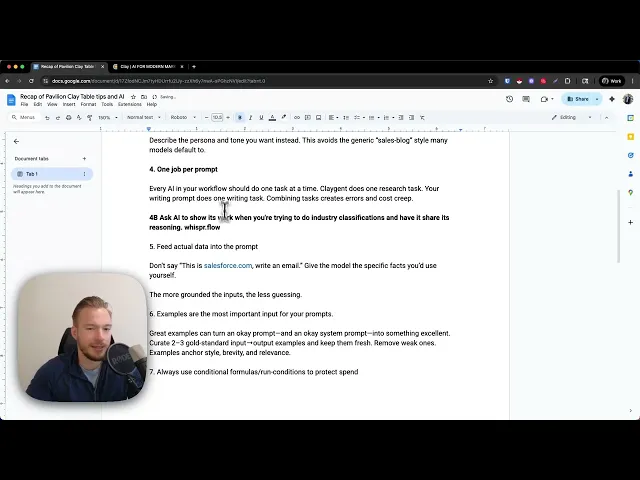
Hey everyone. Yesterday I did a presentation with Pavilion which is a phenomenal I don't even know what to say. It's a community of where sales people come together and learn and uplevel their skills and all these different kinds of things.
And so ye yesterday I was talking for about an hour and a half and I had AI go through and get all the top points. So, we're just going to go over 11 lessons that we talked about on the uh master class yesterday and then I'm going to dive deeper into some of them as I have this Google doc in front of me, but we might show some things in the clay table and then we might also show uh you know just talk deeply about some of these things. So, the presentation that I gave was basically uh 11 tips just about outbound and a lot of them had to do with AI prompting a lot of rules that we have for our teams and things like that.
And so the very first rule that I tell everybody that is the cornerstone that we build all of our outbound automations off of is that any kind of personalization or relevance or whatever you want to call it is all based on what would you do if you to research your customer for 10 minutes? What would you look for? And then how would that change your messaging?
Right? And this is the most important part here because so often I'll get asked questions by companies and they'll say,"Well, what are other companies doing with artificial intelligence these days? What should we be thinking about?
" And I just tell them, you know, here's a perfect example that has nothing to do with your company and it's these people are pulling Google reviews and saying something about the Google review. These people are pulling Instagram profiles and then saying something different depending on how many likes they get on the Instagram profile compared to how many followers they have. This person is pulling how many international employees this company has.
This person is pulling their pricing. Everybody is doing something different. So don't copy what other people are doing because then you're not getting that much alpha in your campaigns.
And if you don't know the definition of alpha, it's just the difference on what the regular market is doing and then the alpha is what you are doing. And hopefully that's beating the market. And if you're just copying what other people are doing, it's not going to end up to be really that great.
The second tip that I told everybody about is we use AI to generate snippets, not the entire email. And so what I mean by that is too often I'll see people who use AI and they say, "Hey, here's all the context, this, that, and the other thing. Output an email.
" And when you try to prompt AI, there are so many ways that it can go wrong. Especially when, you know, for each word that you add in the output, you're adding complexity and risk that something's going to go wrong. Especially when you don't need it to output the entire email, right?
You don't need it to really say the the first half of your sentence, you need to say the second half of your sentence, right? And so what you want to do is you want to AI generate just the parts that need to be AI generated and then use spin tax and you know ask if you don't know what spin tax is or use just static text for the other things so you're in control of your message. The third tip that we went over is never ever ever tell the AI and the prompt the system prompt whatever you're using don't ever tell the model that you're writing a cold email.
it will immediately start doing crazy things and just start going into its knowledge base of what it thinks a cold email should look like. And we don't want to do that. We prompt it and say, "Hey, you're a persuasive writer or you're an expert on a specific topic.
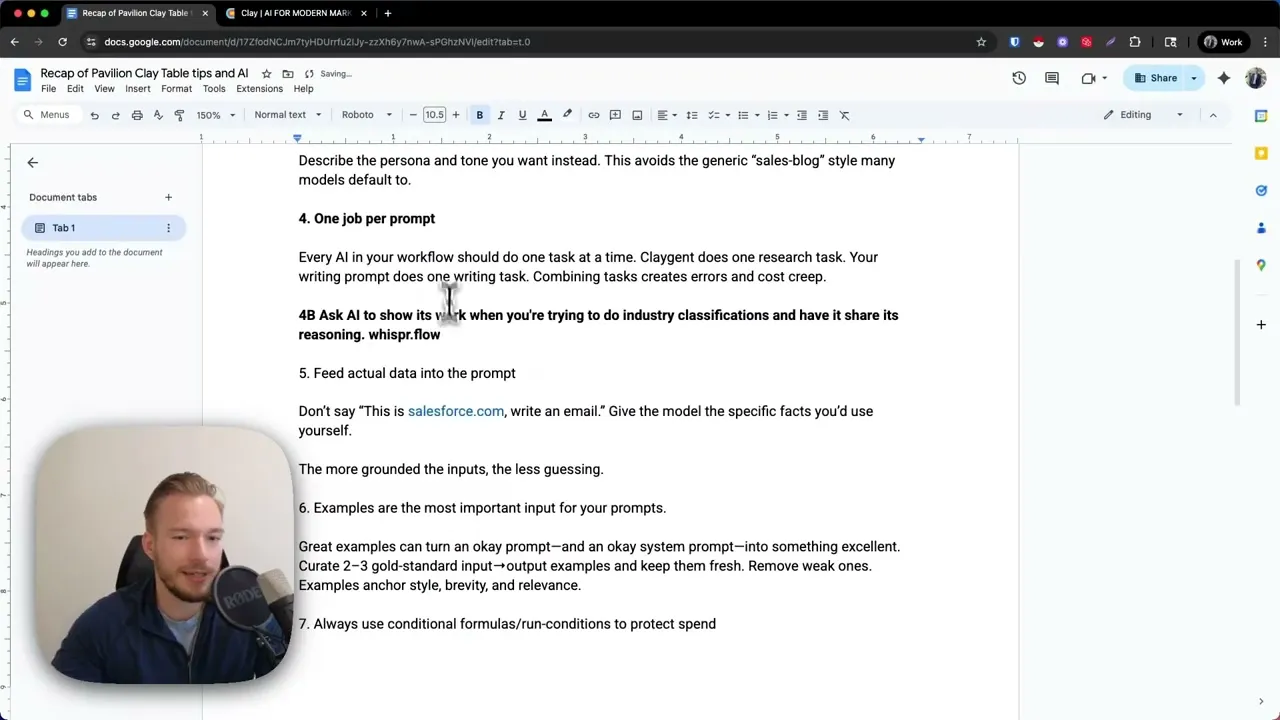
" Don't uh ever say, "Hey, we're going to be writing a cold email here. " Another thing I tell my team this all the time is that every AI integration in Clay or in whatever you're trying to automate all all of those integrations should just have one job per prompt. And I see when people go wrong is when they're trying to have one singular AI do everything when sometimes it's even cheaper and more accurate to break it out into multiple AI columns instead.
So, no, one job, one prompt. And so, even if sometimes I'll see people doing something like, "Hey, look at the company description and make a decision if this is a SAS company or not. And if it is a SAS company, output a sentence that looks like this.
" Nope, don't do that. That's two jobs. Another tip that I didn't go over on the call yesterday that I'm going to add as like a 4B even though it's not even really uh it doesn't even really fit with this.
Sometimes when we're doing AI classification or AI writing and we need it to be really really right. One thing that I've seen increase the accuracy is for the AI to explain its reasoning first and then give the output. And the reason I say that is because when you think about how how AI works, AI is basically predicting the next word that comes in a sentence.
Right? So sometimes we'll say, "Hey, determine if this is a SAS company or not. Before you determine if it's a SAS company, give me your reasoning on why you think it's a SAS company or not, and then output if it's a SAS company.
" that way. And I don't know why, but forcing it to output its thought process on why it's a SAS company or an e-commerce company or whatever you want to do and then getting the actual output that you're going to filter based off of really increases our results uh when we do it internally. And you can, you know, push that to other things, but I a lot of times will ask it, hey, show your work before you do this.
And it usually increases the the effectiveness of the prompt. show uh ask AI to show your work or show its work when you're trying to do industry classifications and have it share its reasoning. And if you don't know, I just used a tool called Whisper Flow to write that automatically.
Phenomenal tool. I love it so much. Everybody should be using it.
Anyway, feed Oh, if you're I know I'm going to get this in the comments. It's like whisper. flow or something like that.
I hope I got this right. Oh man, we're gonna have to take a quick detour. So sorry.
Yes. Okay. Nope, that's not even it.
But if you type that, you'll get it. It's whisperflow. ai.
Okay, great. Whisperflow. ai, [Music] right?
Okay. Fifth tip, feed actual data into the prompt. And so this is another thing that I would see this all the time when I was working at Clay.
People would say, "Hey, this is Salesforce. com. Write an email to them.
" And it it just it would just get too crazy. You want to give as much context for your prompt as possible. And so we'll just look at the the demo here for we were going over how you can create a personalized first line.
And in my input here, see how my input includes the company summary of what this company does, right? We didn't just say, "Hey, chowi. com, write an email.
" We said, "Hey, this is two to three sentences, I guess four to six sentences about what this company does. Write your output from there. And so, um, anyway, this is just always give it context to work off of.
Don't and then have Clayent go do that research and then put it into the your prompt. Don't try to just keep it simple. Give it way way more context than you think you need to give it.
Number six, examples are the most important input for your prompts. Okay, so when you're thinking about just regular chatbt, right, you have your overall spin, your overall system prompt, which you can change in the settings somewhere, but catch has their own system prompt baked into this AI model here, and you can change it, but we're not going to get into that right now. And when then I say output a commaepparated list of titles that would be leaders of a company.
Whoops. When I say this output a comma separated list of uh titles that would be leaders of a company. This is a user prompt and then this is the assistant prompt.
And I in my opinion, you could have a mediocre user prompt and a mediocre system prompt. And when you give it good examples that you've manually written of what you want the output to be, it it basically fixes everything. And so what the way that we use AI in most of our outbound workflows is not even most in all of our outbound workflows is we're using Clay.
If you've never heard of Clay before, they just raised at like a $3 billion valuation at the time of this recording and who knows what their valuation is going to be later on. And it allows you to pull in data from I think over 150 data sources. And and I'm it might even be higher than 150 data sources at this point.
And then you can use AI right inside of the spreadsheet interface that they give you. And so this is the prompt. And so this is what the user looks like, right?
So this is the user prompt here. So this is what I'm telling chatb to do. And then this is the system prompt which we'll talk about that a little bit later.
But then when we're giving it examples, we're basically feeding it and we're saying, "Hey, when you see this as the input, this is what I want it to say. " And it just radically radically increases your accuracy. It does increase your cost more than anything else.
And that's why I I am now coming around to we should be using system prompts more. But it just really really helps. So that's tip number six.
Tip number seven, always use conditional formulas and run conditions to protect spend. So again, this is a clay centric tip. But in this workflow, we found as many domains as we could possibly find and then we found email addresses.
And then for some of these people, for three out of 10 of them, we couldn't find an email address. Always, always, always use the run condition in Clay so that you don't spend money on things that you don't you're not even going to be able to email these people anyway. And so this run condition comes with an AI formula.
It's super great and super easy to use. Use this on everything. Overuse this.
It's just everybody should be using this to be able to save money. It's your the biggest way that I think people go wrong when they're using clay. All right.
Another thing, dictate your prompts. Whether you're you're making prompts in clay or you're making prompts in chatbt or using nn or whatever you're going to do, I always find myself that I'm thinking faster than I can type. And so I have ideas for what I want my prompt to look like and I'm just getting frustrated and then at one point I just cut my prompt short and I don't give it as much context because I don't want to type anymore.
So in chatbt, as everybody should know, there's this dictate button here. I use this all the time to input my prompts into chatbt. And like I said, you should everyone should try to use a tool like whisperflow or something like that so that in any chat interface, you can be dictating your prompts all the time.
On my uh computer, I just hit option and then whatever I say gets put into this. And even if I might make a mistake and I want to talk about complimentary styles, no no communication styles, it corrects it for me. And it's just such a phenomenal tool.
And so then, see, we got this. And then when I said, see how I said before I said compliment styles or whatever I said before, I can't even remember. And then it corrected it to communication styles.
So phenomenal. Shout out to Taylor Hen for showing me the tool uh to be completely honest, but I just love it. Anyway, uh tip number nine, ask AI to critique your prompt.
This is one of my tips that I got from Yash at the on the Clay team. He leads their education and I think it's great, especially if you're new at prompting. I think it's phenomenal because you can give it as much context as you can think of.
And then when you say I would if you're making new prompts I would make the prompt by just talking to chatbt and then when you finish giving it all of the context that you think you can give it. Say hey this is the prompt that I want to be giving to uh the interface of clay or wherever you're going to be putting it. Uh can you structure this prompt better for me?
And what questions would you have for me to make this prompt even better? And then it'll ask you three to five questions that are always things that I didn't think about. And once you answer those questions, again, just dictate back to it.
And it always improves the prompt. It's just a really, really good hack for doing that. Model cost and hygiene.
We use 40 mini for everything and people are kind of surprised by that, but that's just what we do. Um, so the way and I still see a lot of people complaining that when they're using Clay or they're building other tools or whatever it might be, they're accidentally spending a lot of money on GPT5 or on 03 because their team picks the wrong model and there's some kind of problem. We actually use the setting in OpenAI that if you go to the API key and there's some setting in there, which I'm not going to open that up just in case it, you know, doxes my API keys or something.
There's a setting in there where you could say, "Hey, I only want to give access to this API key to just this model. " And then you can make it just to 40 Mini and this is the only API key that my team is allowed to use. Now, my last tip is you should be using a system prompt where we basically we do a lot of cold email copywriting with AI, right?
And we've come up with a system prompt that we use for everything that's about to be used in an outbound email. We use this system prompt. And I hate it when chatbt outputs something like leverage or synergy or innovate or any of these garbage words.
And so what you might have seen before is in my system prompt. Oh, this is collegiant. In my system prompt, I will have it as a prompt saying uh you know you're a persuasive writer whose job is to create copy that feels natural, human, and conversational.
never use these corporate jargon words and then it has a list and just all these other things, right? This we you could you could improve this system prompt for the actual task that you have at hand. But I found that no matter what, this system prompt works pretty well for any task where we're saying, "Hey, we need to look at this data and then output a sentence that's ready for a cold email.
" This really, really works nicely. And so you might ask me and you might say, "Hey, can you give me the system prompt? " And what I would say is, I mean, I could, but the way that I get the system prompt every time is because I forget where the system prompt is and I have to go get it and everything.
I just tell chat, "Hey, can you make me a system prompt and I want it to look like this and I tell it, hey, come up with a list of jargon and corporate jargon that's like synergy or leverage or optimize or disrupt and come out with more words like that and ban those words and then make the system prompt for me. " Again, just having chatbt do this for me as well, too. Last tip about AI.
I had a friend call me yesterday and he said, "Eric, I've been watching your videos. You're using APIs and things like this now. " like, "Yeah, man.
We used we use a lot of APIs. " Um, and he said, "Well, how did you figure that out? " And honestly, I feel like everything now you can figure out with Chad PT.
He was asking me how can he connect a superb base thing to help with sales commissions and just all this other stuff. I said, "Hey man, all you got to do is start one thing at a time. Don't try to automate the whole thing, but try to automate one thing at a time and just take a screenshot and show chatbt what you're trying to accomplish and it usually always knows the answer.
I just built a superbase with like 6 million records by literally just going back and forth and just taking a screenshot asking superbase taking a screenshot asking superbase or no asking chatbt and so I mean chatbt is trained on such great data now that whatever you're trying to figure out it usually knows the answer to including trying to figure out clayt builds and so this is just a quick list that I think is more basic than most YouTube videos that I make but for people who are just getting started with clay and just getting started with AI prompting and workflows and things like that. The class that I taught yesterday thought the tips were amazing and amazingly helpful and so I thought I would make it more repurposed for a my YouTube channel and I would share with all of you.